The Points Guy believes that credit cards can transform lives, helping you leverage everyday spending for cash back or travel experiences that might otherwise be out of reach. That's why we publish a variety of editorial content and card comparisons: to help you find a great card to turn your goals into reality.
Our site may earn compensation when a customer clicks on a link, when an application is approved, or when an account is opened with our partners, and this may impact how or where these products appear. While we don't cover all available credit cards, our editorial team creates and maintains all of the analysis of these cards, and our content is not influenced nor subject to review by any credit card company, bank or partner prior to (or after) publication. Please view our advertising policy and product review methodology for more information.
Advertiser disclosure
The Points Guy believes that credit cards can transform lives, helping you leverage everyday spending for cash back or travel experiences that might otherwise be out of reach. That's why we publish a variety of editorial content and card comparisons: to help you find a great card to turn your goals into reality.
Our site may earn compensation when a customer clicks on a link, when an application is approved, or when an account is opened with our partners, and this may impact how or where these products appear. While we don't cover all available credit cards, our editorial team creates and maintains all of the analysis of these cards, and our content is not influenced nor subject to review by any credit card company, bank or partner prior to (or after) publication. Please view our advertising policy and product review methodology for more information.
Guides
I booked a Costco cruise in search of savings. Here's how it went
In addition to cruising, Ashley is obsessed with reading, lawn gnomes, pizza, cats, CrossFit, SEO and proper grammar.
November 13, 2024 • 10 min read
The cards we feature here are from partners who compensate us when you are approved through our site, and this may impact how or where these products appear. We don't cover all available credit cards, but our analysis, reviews, and opinions are entirely from our editorial team. Terms apply to the offers listed on this page. Please view our advertising policy and product review methodology for more information.Editorial disclaimer: Opinions expressed here are the author's alone, not those of any bank, credit card issuer, airline or hotel chain, and have not been reviewed, approved or otherwise endorsed by any of these entities.
Comments
By commenting, you agree to our Community Guidelines to help create a positive space for conversation. The responses below are not provided or commissioned by the bank advertiser, our partners, or The Points Guy (“TPG”). They have not been reviewed, approved, or otherwise endorsed by any of these parties. All responses are submitted by individual contributors, and neither the bank advertiser, our partners, nor TPG are responsible for ensuring that all posts and/or questions are answered.
Related stories
Quick summary
Booking a cruise through a warehouse club travel portal can provide valuable perks such as onboard credit, gift cards and access to travel agent assistance.
Actual cruise fares may not be discounted compared to booking directly with the cruise line, especially if you have fixed travel dates or cabin preferences.
The booking process is generally straightforward but may involve lengthy terms and conditions disclosures and some technical quirks with loyalty program numbers or email notifications.
Flexibility with travel dates, ships or destinations can increase the likelihood of finding additional savings or special offers.
What to consider
A valid membership is required to book, but you can use another person's account with their permission and verification.
Booking through this portal excludes you from participating in certain cruise line upgrade programs, such as bidding for cabin upgrades.
All communications may default to the account holder's email, so double-check notification settings after making changes to your reservation.
What you'll miss from the article
A detailed comparison of perks, booking steps and potential drawbacks when using a warehouse club to book your next cruise.
Generated by AI with support from our editorial team.
Update: Some offers mentioned below are no longer available. View the current offers here.
A free $140 gift card, $100 in onboard credit and the complimentary help of a travel agent, just for booking a cruise I was planning to purchase anyway? Sign me up! (Or, rather, ask my parents if I can use their Costco account to book the sailing since they’re already members.)
I’ve known about Costco cruises for a while, and I’ve always wondered whether booking a cruise through a warehouse club would help me find a deal. Four months before my preferred sailing date, I decided to test the travel booking site for my next cruise — a weeklong Bahamas voyage from Bayonne, New Jersey, on Royal Caribbean's Odyssey of the Seas.
In my case, I didn't snag actual fare discounts, but I did receive some nice perks. I found the process largely easy but with a couple of small sticking points that are worth mentioning. Should you try Costco Travel for your next cruise booking? Here's what I experienced to help you decide.
Using someone else's membership to book
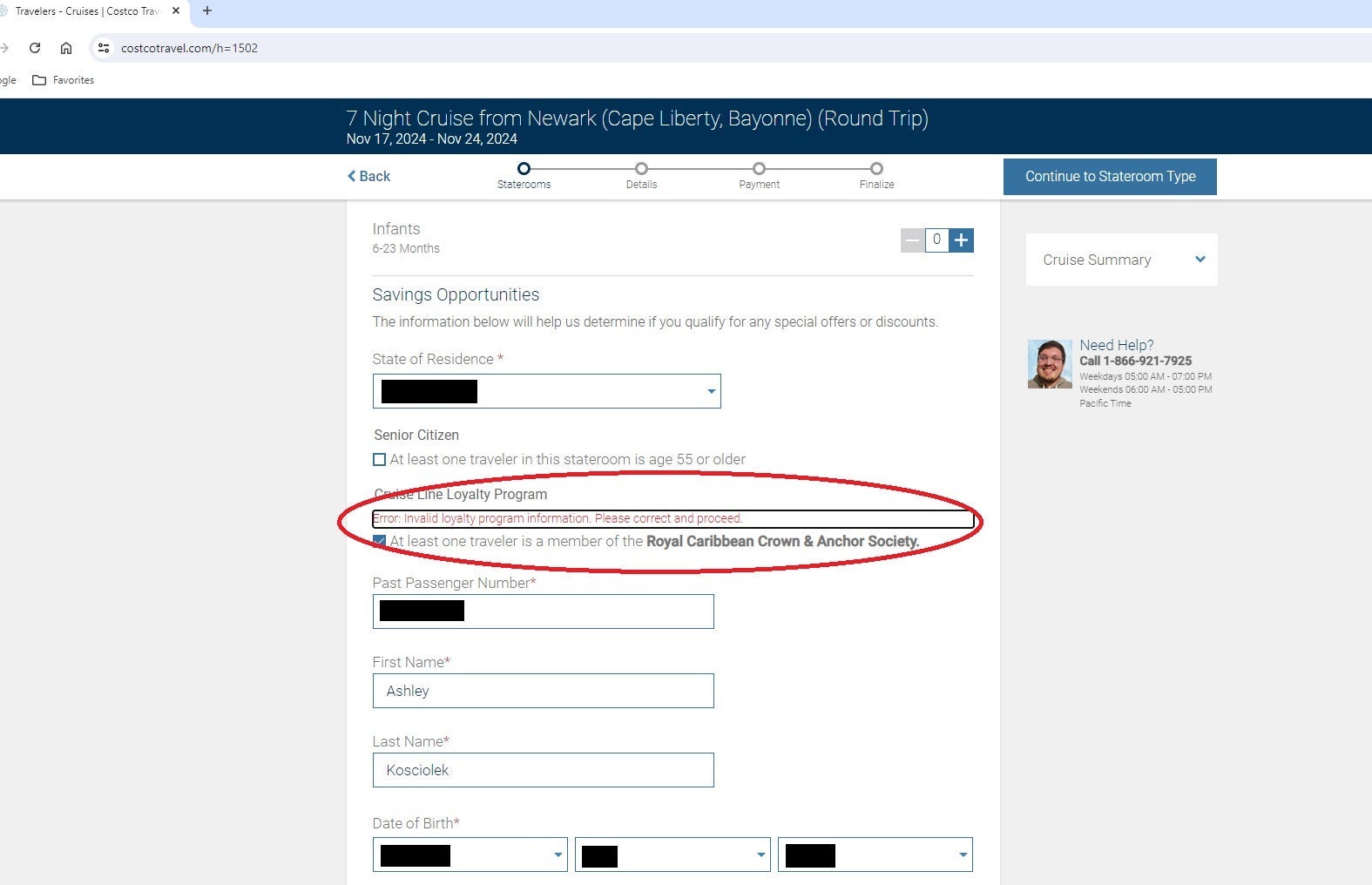
I received an error message when I tried to input my Royal Caribbean Crown & Anchor Society loyalty number. COSTCO TRAVEL
Because I’m not a Costco member, I planned to use my parents' membership (with their permission, of course) to book my voyage. I wasn’t sure if it would be allowed, but it wasn’t a problem with verification from the member.
Booking a cruise through Costco can be done online or over the phone. The first bump happened when I initially attempted to handle the reservation myself on the Costco Travel website, which required my dad to enter his membership information. But when the form wouldn’t recognize my Crown & Anchor Society loyalty number after I triple-checked that I had it correct, I instead called and spoke with an agent.
I dialed 1-866-921-7925, pressed 1 to book a cruise and chose the appropriate prompt for the cruise line I wanted — Royal Caribbean. From there, I connected with an agent, Michelle, who was friendly and helpful.
After I explained what I hoped to do, she spoke with my dad to verify his membership number, name and mailing address. Once she verified the information and confirmed that I had permission to book under the account, she dealt with me directly for the rest of the process. She also verified that an account holder would not need to be booked on the sailing with me for me to make the reservation.
Booking online vs. over the phone
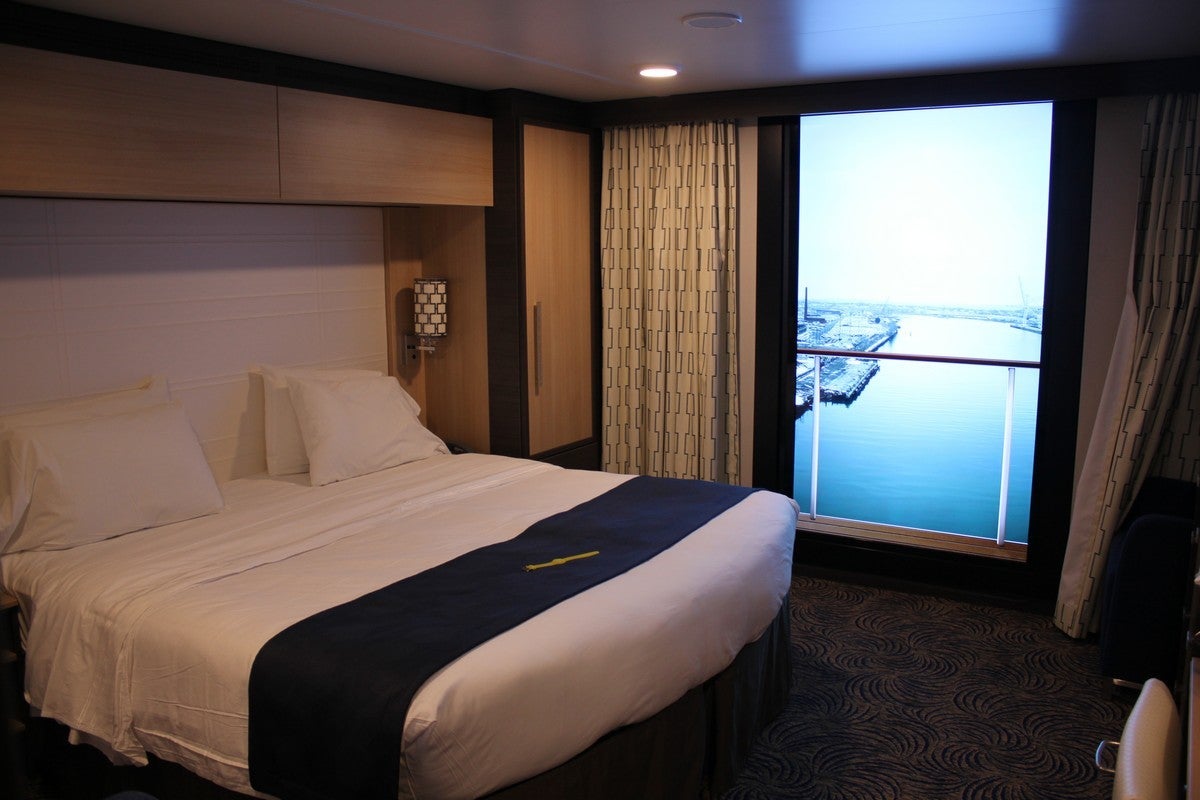
Royal Caribbean's Virtual Balcony Cabin. ROYAL CARIBBEAN INTERNATIONAL
Because I wanted to keep costs low, I decided to reserve an inside cabin. The least expensive one available for the sailing date and ship I needed was a virtual balcony — a windowless interior accommodation with a floor-to-ceiling high-definition screen that shows real-time ocean views. I had heard about them but hadn’t tried one before, so I said yes when Michelle asked if that would be OK. (Because I went into the call already knowing that was the cabin I wanted, Michelle didn't add much value, but for someone who wasn't sure, she would have been a tremendous help.)
I didn’t yet have a travel companion confirmed, so I booked the cabin for myself only. I ended up with a nonrefundable virtual balcony, midship on Deck 10, for $1,932.95 (including single supplement, taxes and fees). To add a second person, Michelle told me I’d just owe taxes and fees of $192.95. For the sake of comparison, these are the same prices I saw listed on the Royal Caribbean website for the same cabin earlier that day.
Before I completed the purchase, Michelle was required to read me the terms and conditions over the phone. She apologized and warned me it would take a while. So, I timed it; over the course of seven straight minutes, she rattled off information about smoking and gratuity policies, the check-in process, necessary travel documents and cancellation terms, among other things.
This was the worst part of the booking process. It felt like an unnecessary waste of time for both of us — and not just because I'm familiar with cruise line terms and conditions. Even if you were curious about Royal Caribbean's policies, you'd tune out after a few minutes of nonstop legalese.
Earning miles for the purchase
THE POINTS GUY
When it was time to pay, I had a choice between putting down a $250 deposit and paying the remaining balance within a month or paying the entire amount in full. I chose to pay up front. To keep my credit card details secure, Michelle transferred me to an unrecorded line where an automated menu prompted me to enter my credit card information.
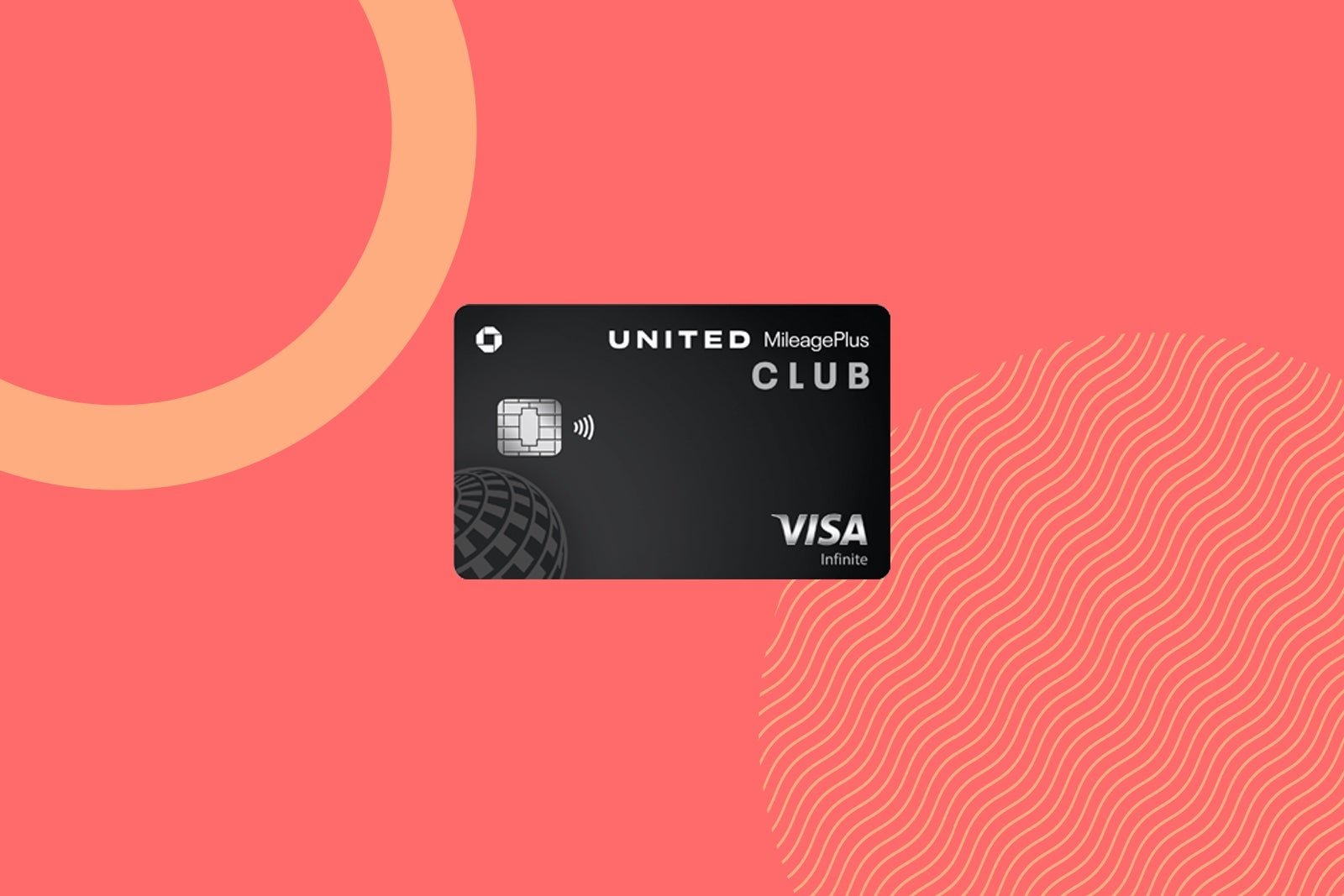
For the purchase, I used my United Club℠ Card (see rates and fees). It offers 2 MileagePlus miles per dollar spent on travel purchases, so I earned 3,865 total miles. If I had booked through the United Cruises portal, I would have earned 2 miles per dollar for an inside or outside cabin — 4 for a balcony or suite — plus an additional 1 mile per dollar for booking with my United Club Card. (Oddly, United Cruises do not usually code as travel for United card purchases.) I chose to skip the extra mile per dollar and book through Costco because the 2,125 extra miles would have been worth about $29, according to TPG's monthly valuations.
I wasn’t in the market for a new card, but if I had been, this would have been a great opportunity to knock off a nice chunk of the minimum spending requirement for a welcome bonus.
$240 in free money
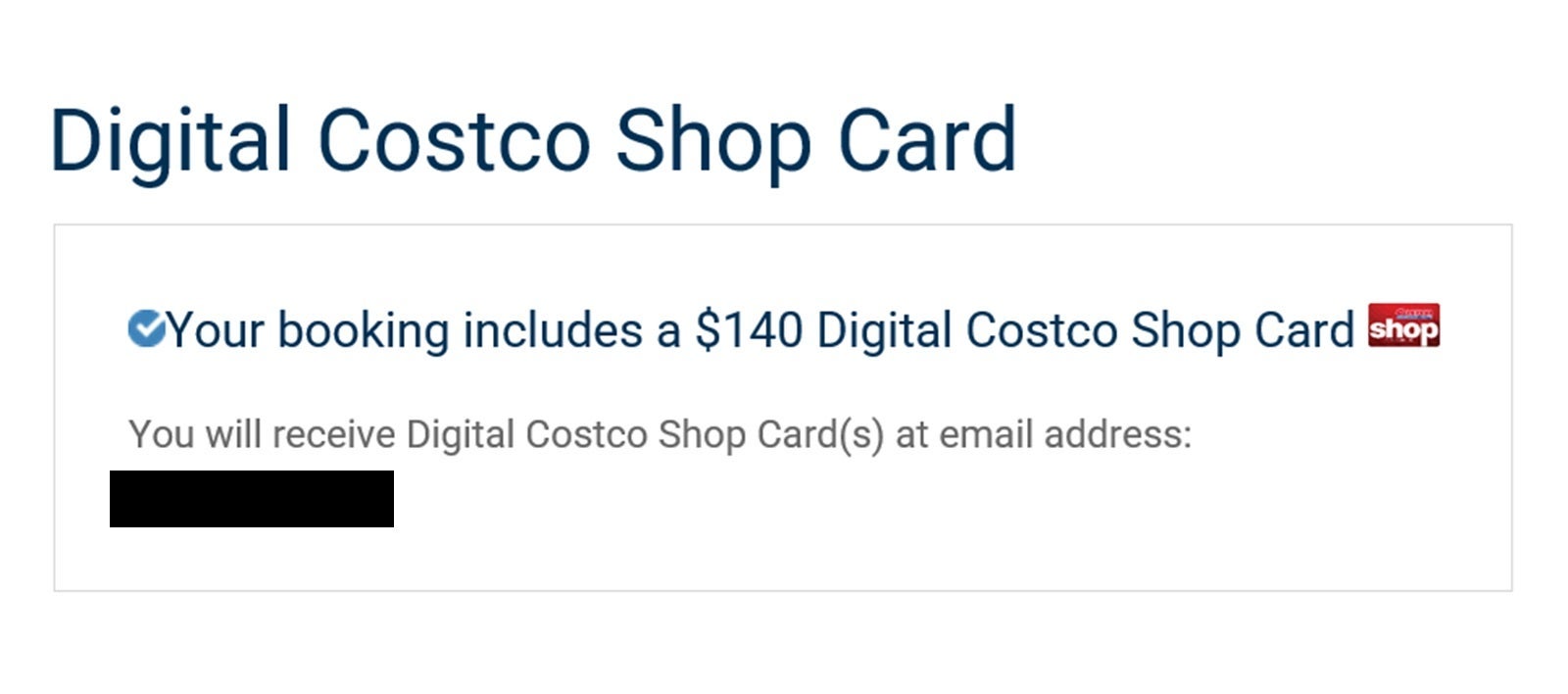
A notification on my cruise invoice about a $140 Costco e-gift card. COSTCO
During the booking process, I asked Michelle if there were any discounts on the actual fare, either through Costco itself or because I have Diamond status in Royal Caribbean's Crown & Anchor loyalty program. She could not offer any fare discounts at the time, but Costco did give me $100 in onboard credit because of my loyalty status. My parents will also be receiving a $140 Costco gift card via email after I sail. (When I first booked the cruise as a solo traveler, the offer was a $115 gift card; the amount increased to $140 after I added a guest.)
Another perk is that I have a point of contact to assist if something goes wrong before, during or after my cruise.
If cruise fare discounts are essential for you, you'll want to check out Costco's current Kirkland Signature and Buyer's Choice offers to search for savings. However, that might mean you'll need to be flexible with your travel particulars, such as sailing date, destination and ship instead of going in with those parameters already set like I did.
Modifying the booking
Once I found a friend to cruise with me, I called Costco Travel back to have an agent (not Michelle this time) add her to the booking. I paid the remaining taxes and fees, which came to $191.95 — $1 less than I was quoted during the original booking. That netted me another 2 MileagePlus miles per dollar spent (384 total).
I called back to prepay my gratuities 13 days before the sailing. Royal Caribbean was about to raise its daily charges from $18 per person to $18.50 per person, but I could get the cheaper price by prepaying. Because it was less than two weeks until we set sail, the Costco agent had to take down my credit card information and pay Royal Caribbean directly. The transaction went through with no issues.
One key option that you won't have if you book through Costco is to participate in Royal Caribbean's RoyalUp program, which allows booked passengers to bid on cabin upgrades. In Costco's fine print, it indicates that it doesn't participate in the program. If you call Royal Caribbean to try to bid, the line will simply tell you to call your travel agency — Costco — to make any changes to your booking. (Because I wanted to try a virtual balcony, the lack of ability to bid wasn't a problem for me, but it might be for others.)
Staying informed
An email reminder from Costco about checking in for my cruise. COSTCO
Initially, all confirmation of the booking was sent to the Costco email on file — my dad’s. I asked Michelle if she could switch it, and she did.
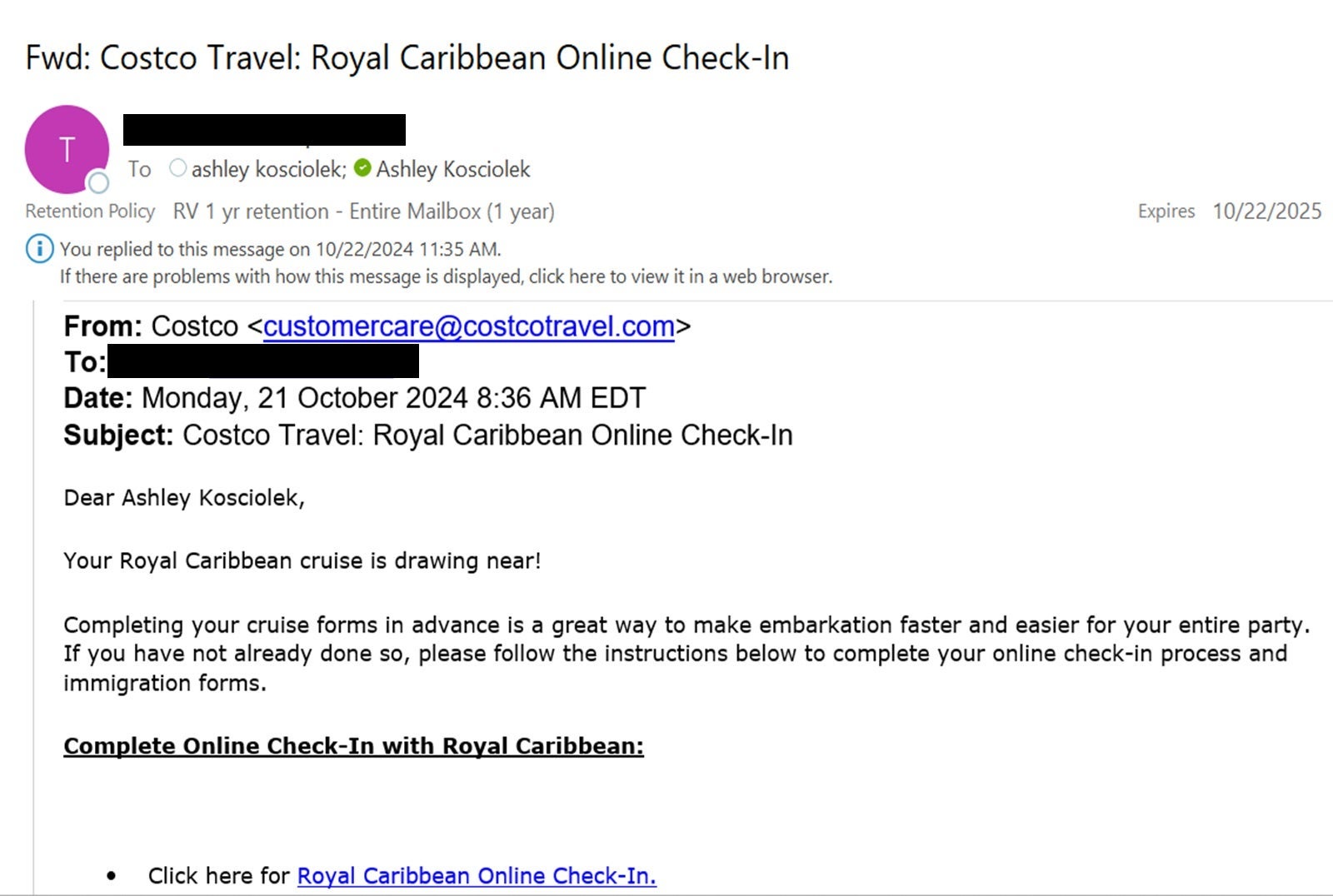
For a few weeks after I made my reservation, I received all of the usual communications — marketing emails urging me to prebook shore excursions and to prepay gratuities, nudges to check in for my sailing and other reminders.
However, once I added a guest to the booking, the system reverted to sending all emails related to the cruise to my dad again. It’s only a small inconvenience for him to forward them, but I should have checked that my email was still on the account.
Bottom line
If you’re shopping for a cruise, Costco is a great option if you’re a member (or know one who will let you use their account) and want to enjoy some additional perks and the assistance of a travel agent. However, it won't necessarily save you money if you've got a specific sailing date in mind. If lower fares are your goal, be flexible with your travel date, ship and destination to take advantage of Costco's latest offers.
If you have problems booking online, don’t be afraid to call for assistance. Talking to a person can make the process easier.
Finally, don’t forget to keep an eye out for any additional perks, rebates, discounts or gift cards that might be coming your way via email. With so much junk flooding everyone’s inboxes, it can be easy to mistake legitimate rewards for spam.
Overall, Costco Travel is a reputable way to book cruises. It can offer both perks and discounts, but ultimately, it won't necessarily offer you a better value than booking through other portals, travel agents or your cruise line directly — especially if you can better maximize your points and miles earnings elsewhere.
By commenting, you agree to our Community Guidelines to help create a positive space for conversation. The responses below are not provided or commissioned by the bank advertiser, our partners, or The Points Guy (“TPG”). They have not been reviewed, approved, or otherwise endorsed by any of these parties. All responses are submitted by individual contributors, and neither the bank advertiser, our partners, nor TPG are responsible for ensuring that all posts and/or questions are answered.