How to use Google Flights Explore to find cheap flights and hotel deals


Editor's Note
- Google Flights Explore is one of the best-kept secrets in trip planning.
- This guide will teach you how to use Google Flights Explore to find great deals on flights and hotels.
- This valuable tool has great filter options so you can find the perfect trip.
Google Flights Explore is one of the best-kept secrets when it comes to finding cheap flights. You may have a basic familiarity with Google Flights in general — but once you know how to use Explore to find deals, it's a whole other game.
It can unlock hundreds of dollars in savings for your next dream vacation.
Let's dig deeper into the tool and how you can use it to plan your trips.
What is Google Flights Explore?
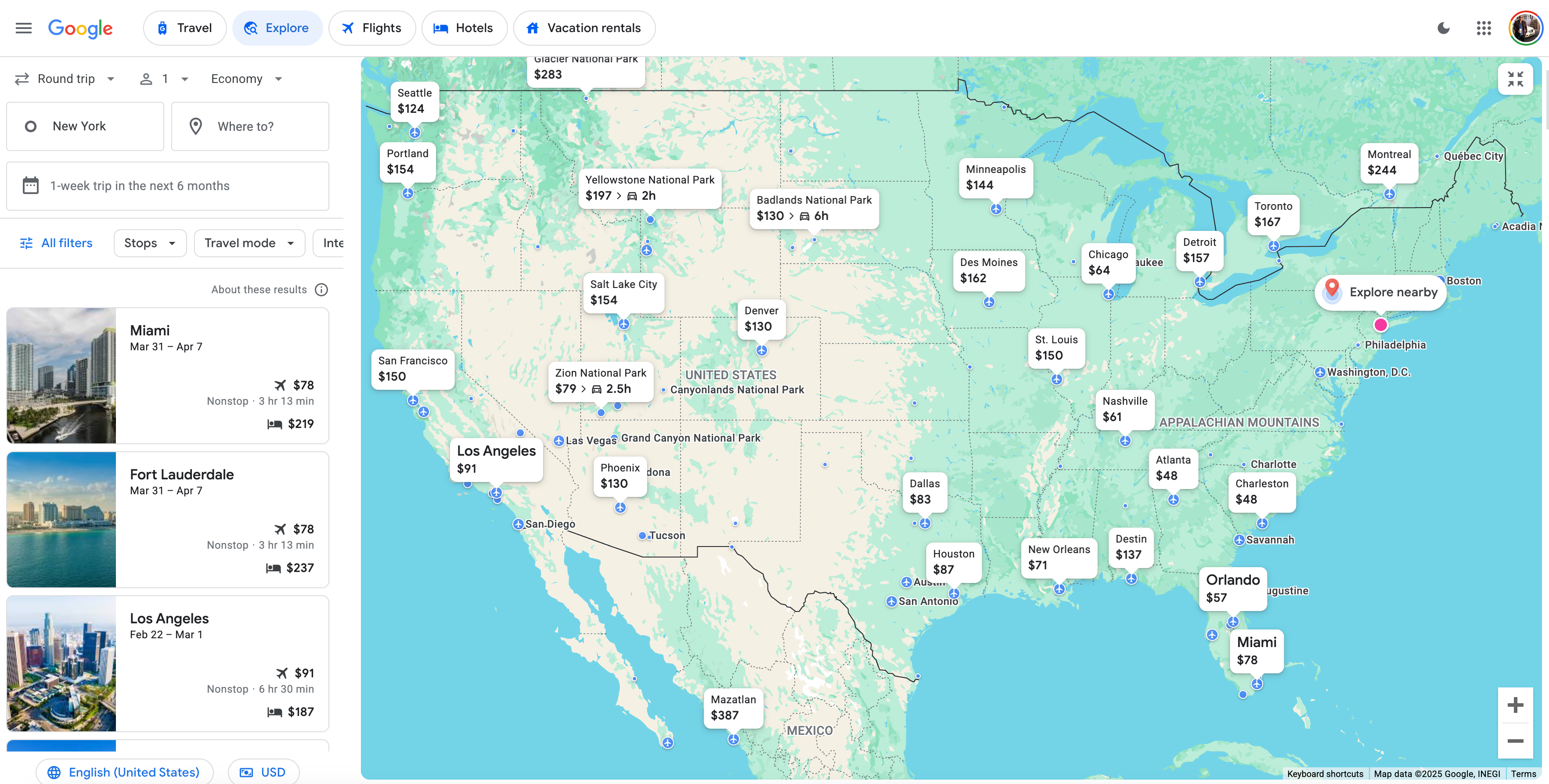
Google Flights Explore is a feature nested within Google Flights. You can gain access to it either by clicking the "Explore" button on the toolbar in Google Flights or by going directly to the Explore page.
Google preselects the location closest to where you've logged in (in my case, New York City). Then, it shows you the cheapest flights worldwide or in your own backyard.
An interactive map lets you indulge your wanderlust. Whether you want to visit a nearby national park or see the Australian outback, the world is available at the click of a mouse.
If you know you want to get away on specific dates but don't have a specific destination in mind, use Google's open-ended search functionality to find flight deals within your window of availability.
How to use Google Flights Explore
Using Google Flights Explore is not complicated. Once you play with it a bit, you'll figure it out in no time.
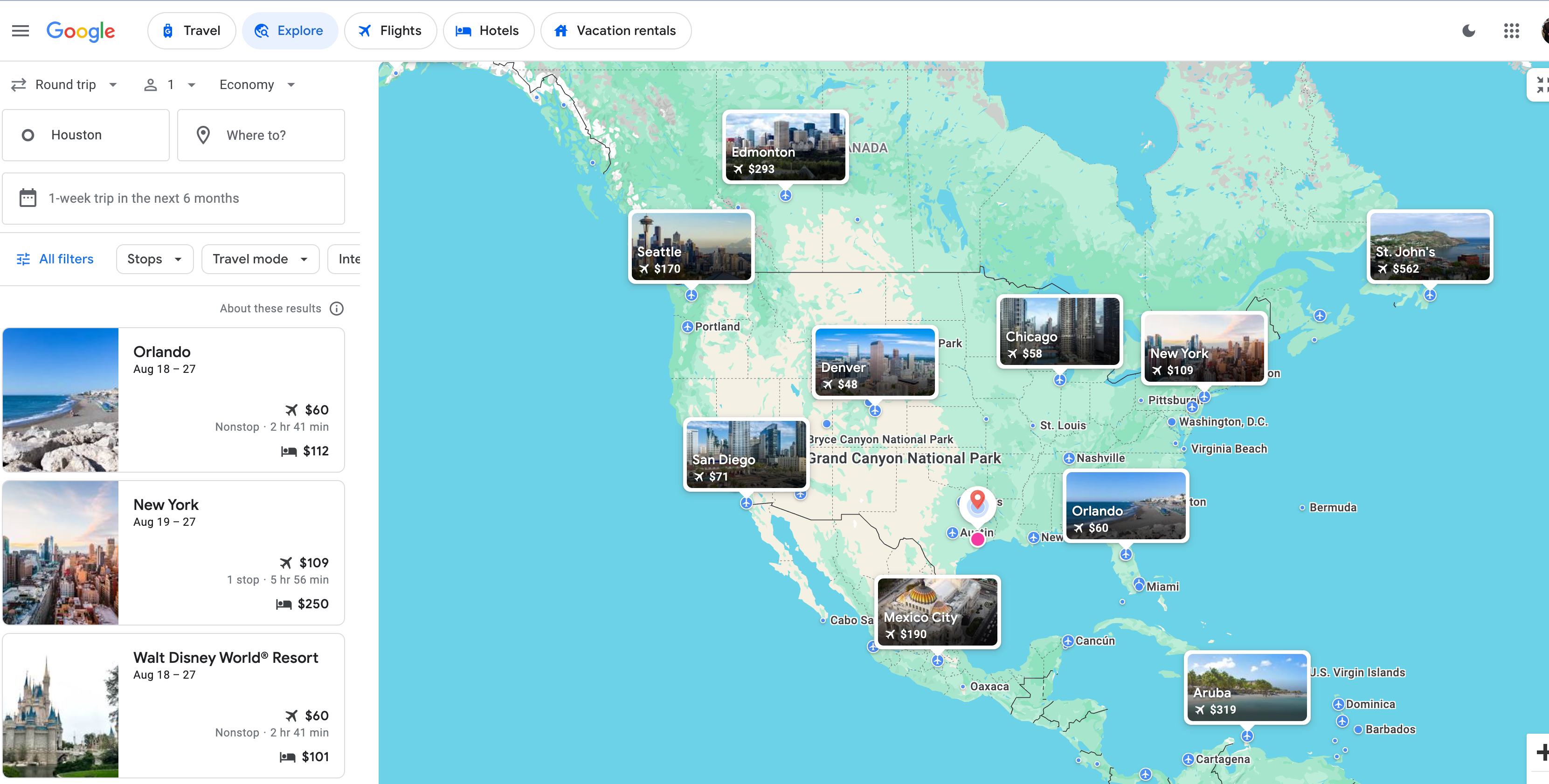
You can set your home base pretty much wherever you want; I mentioned that my search defaults to New York City, but for the sake of the examples below, I chose to search from Houston.

Google displays a highlights bar with a few popular destinations on the left side and an interactive map on the right. Clicking any of the cities pulls up the dates and prices; in this example, Google tells me that I can fly round-trip to Orlando for as low as $60 or to New York City for just $109. You'll also see the lowest price Google finds for hotels on the left-side bar, next to the bed icons.
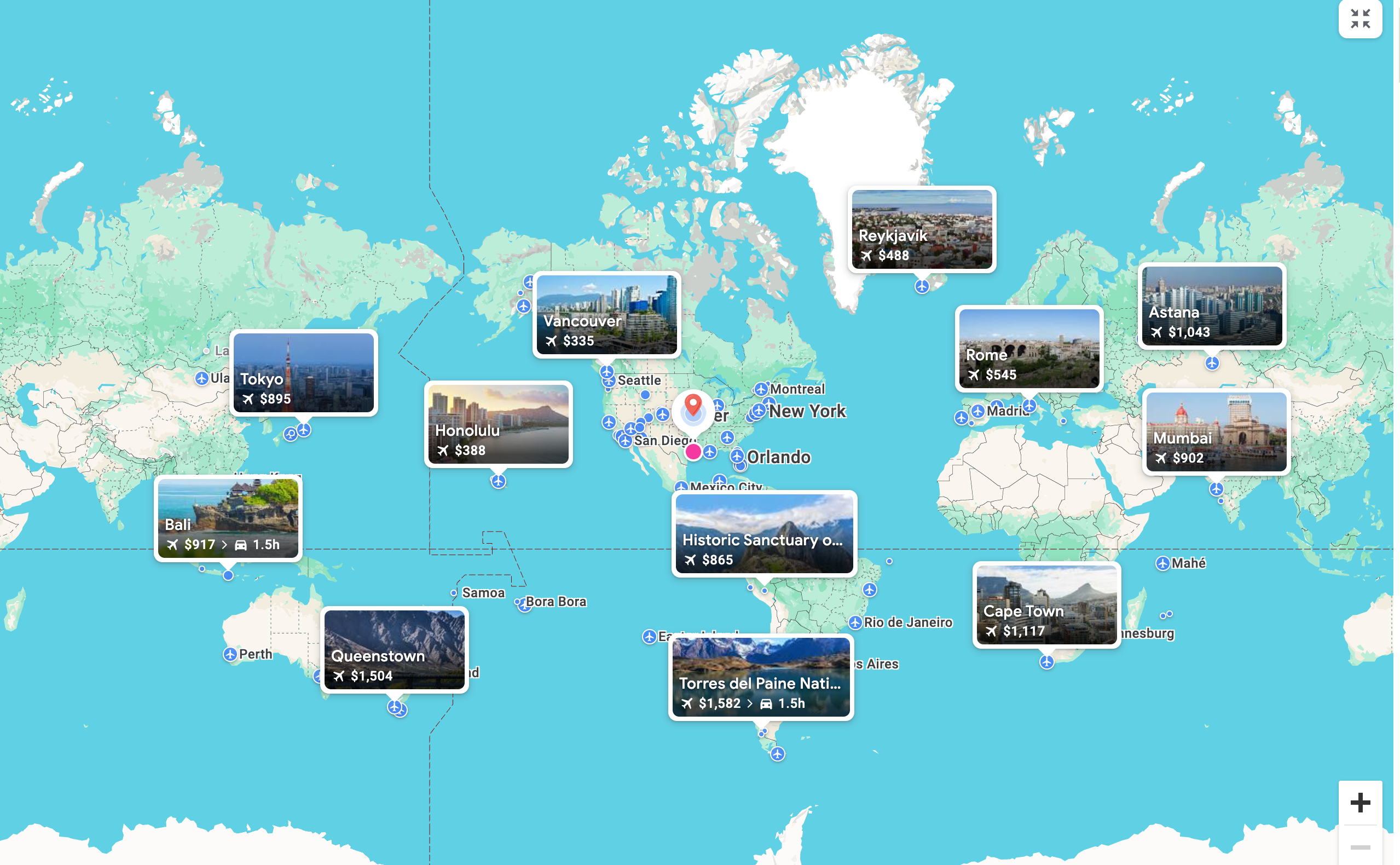
As you zoom out, the whole world opens up. Google tells me that, in this case, I can fly to Honolulu for $388 or to Tokyo for $895.
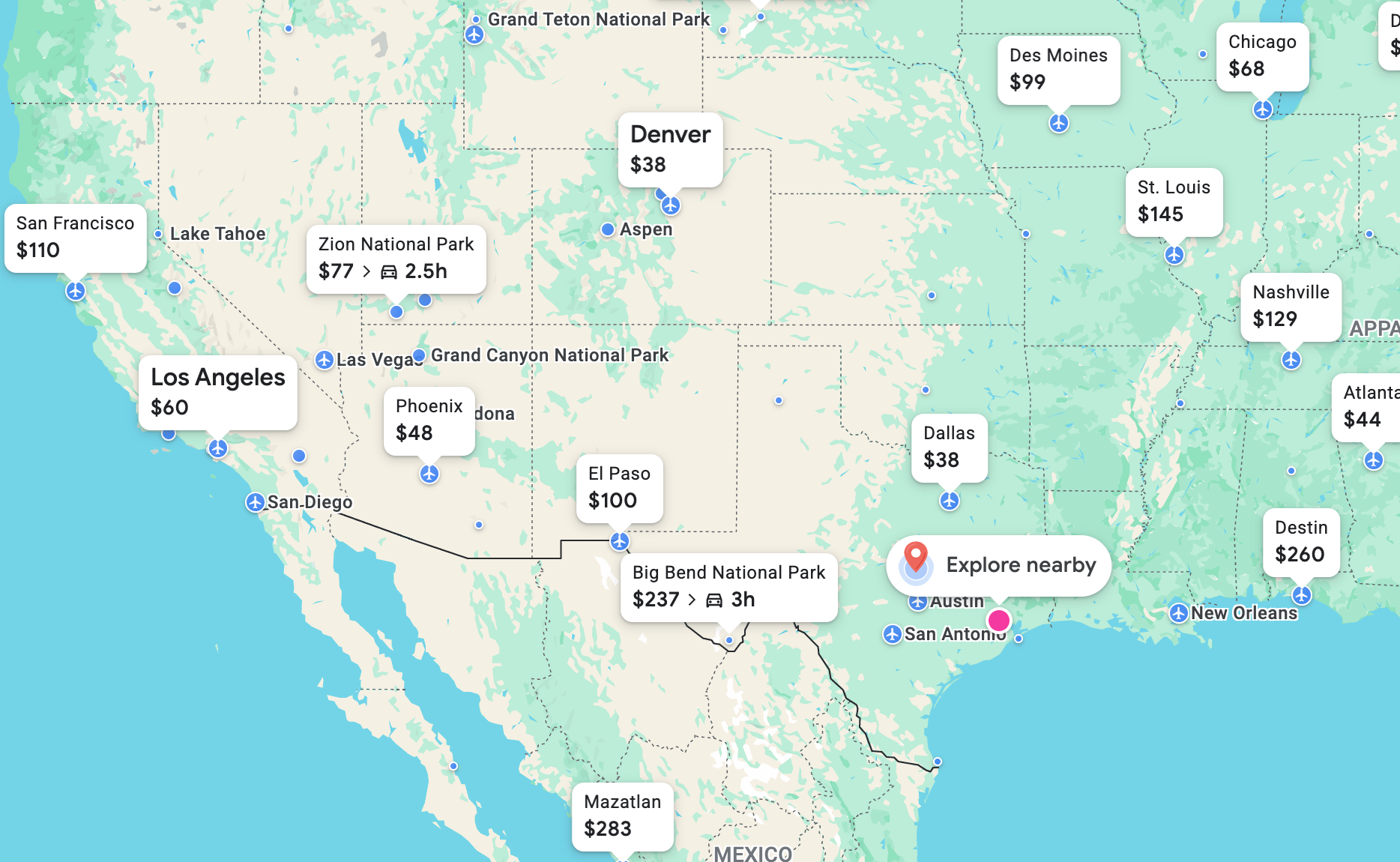
You can also move the map around to zoom in or out on a particular region that may strike your fancy. There's even an "Explore nearby" button that will show you road trips or flights to destinations closer to home.
But let's say I had my eye on a trip farther afield — like perhaps Paris. I can zoom in on Europe; when I click the Paris pin, Google will show me flight options I can click to book on the traditional Google Flights page.
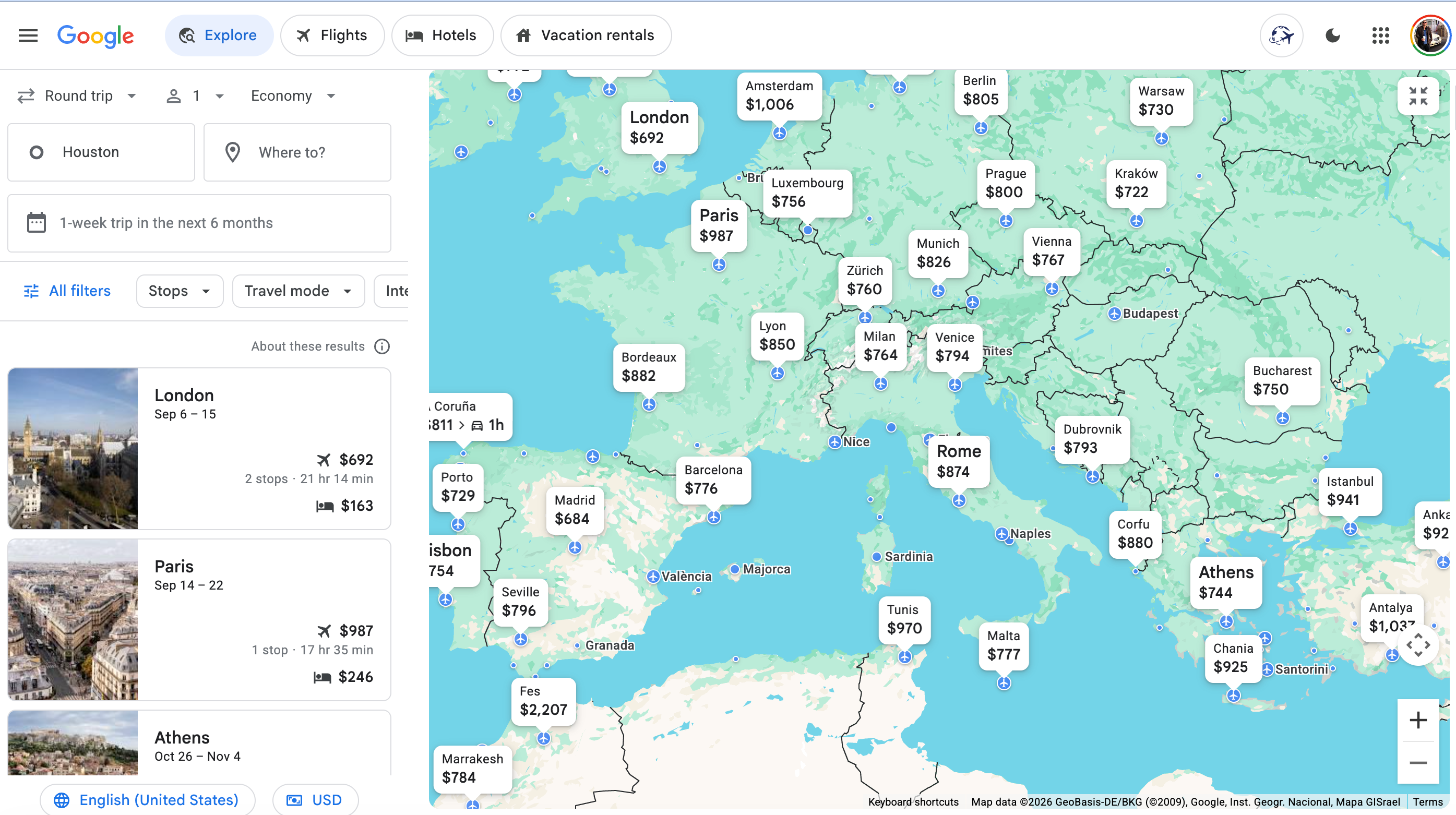
In this case, Google Flights Explore says that Paris is pricey from Houston at a whopping $987. That might have me looking at London instead, where flights are as low as $692.
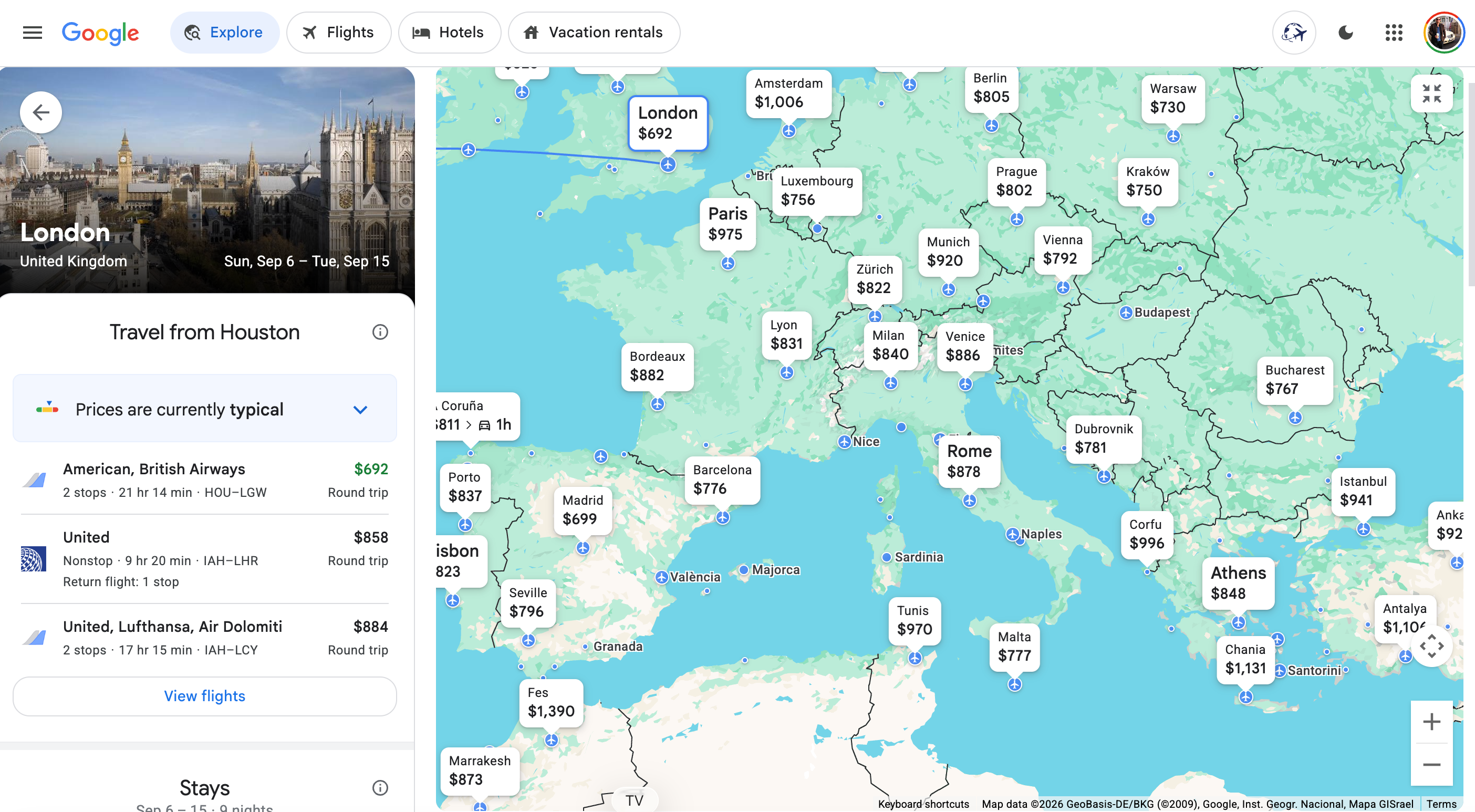
You also see that prices are currently "typical," so there aren't any screaming deals right now. I might hold off on booking in this case — but you see what a powerful tool this can be.
Google Flights Explore defaults to one-week trips within a six-month window, but you can change the parameters to search for other dates, including with its "Weekend" and "2 weeks" search options.
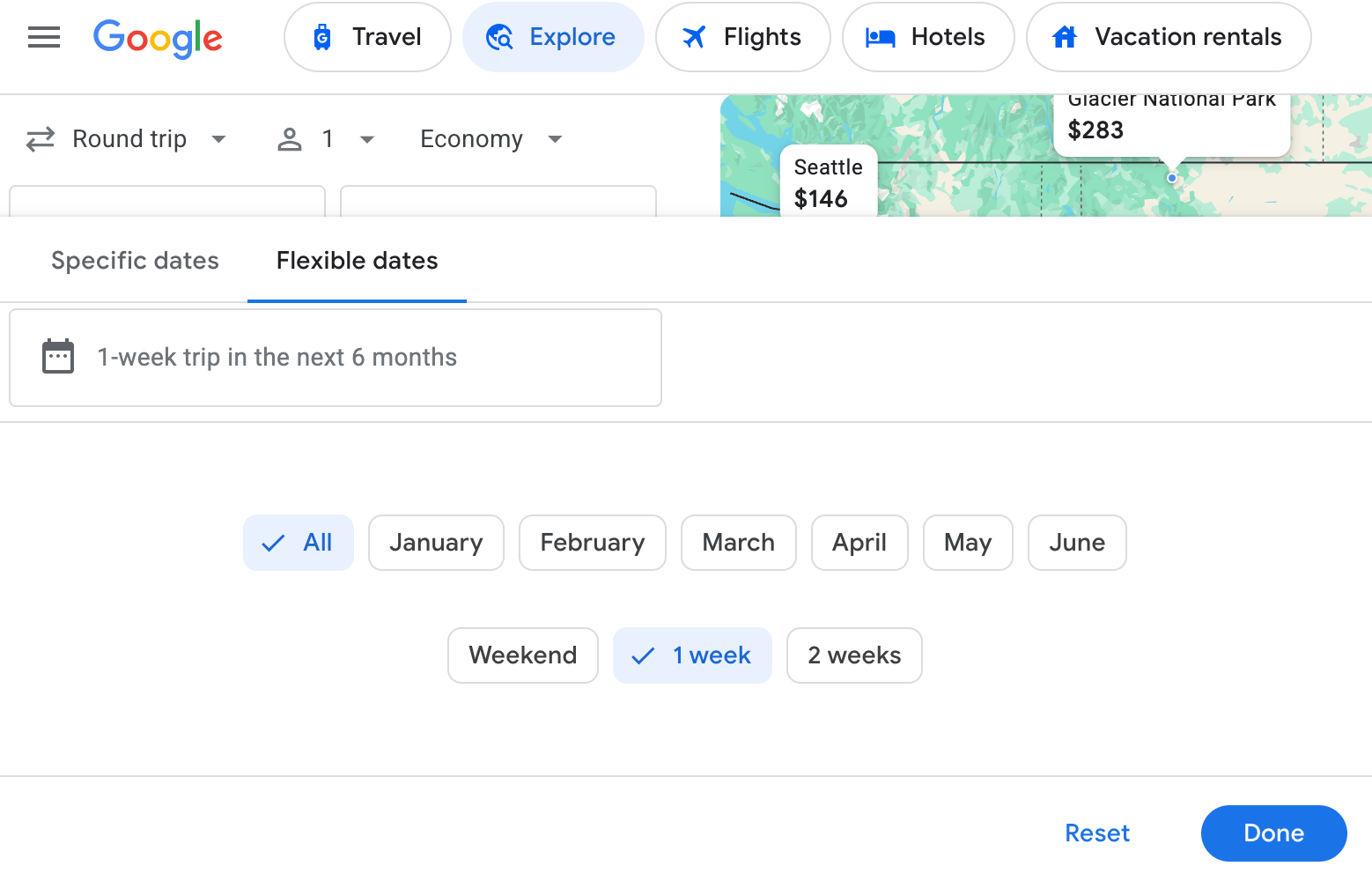
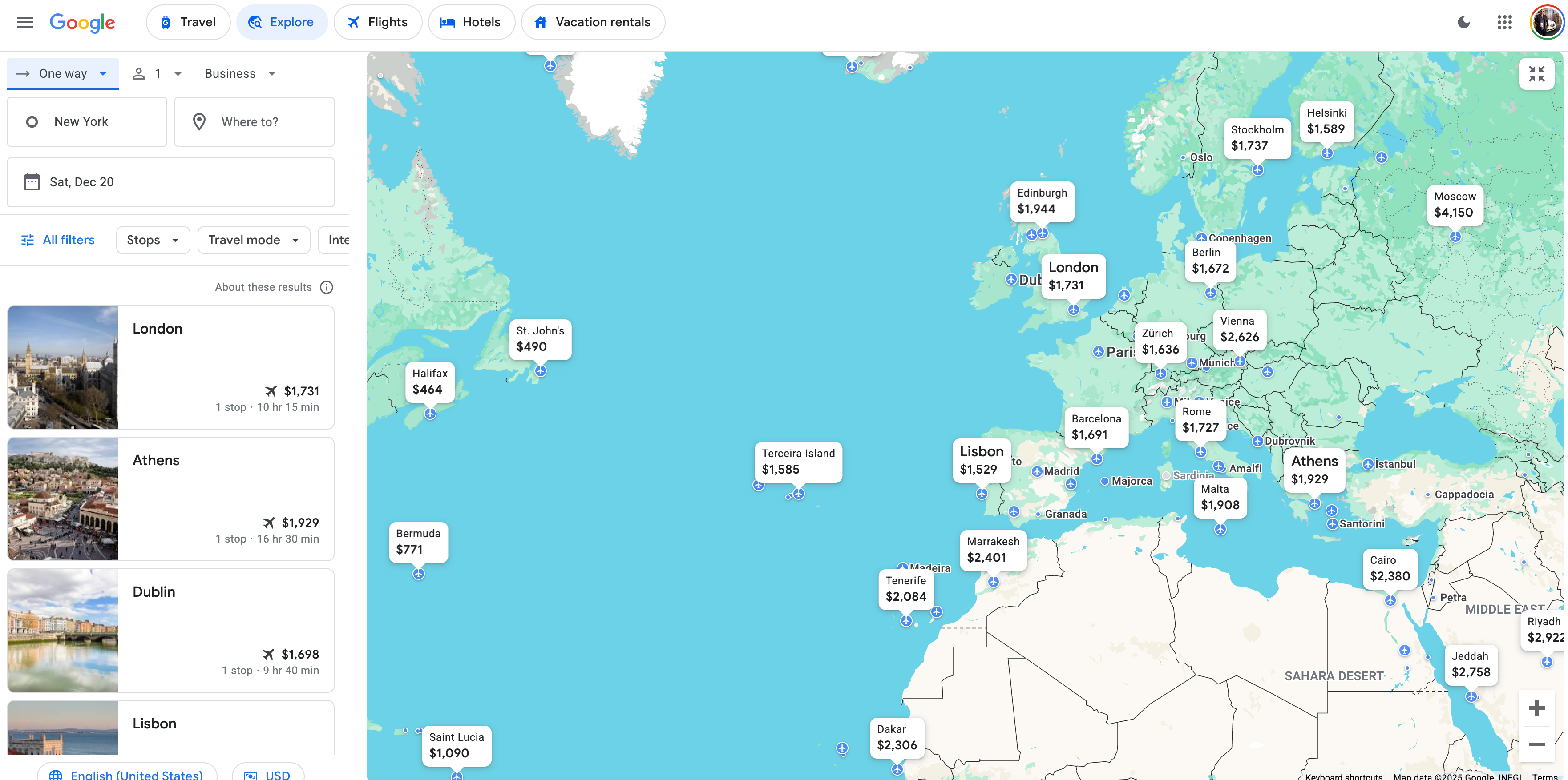
You can also click on the "Specific dates" tab to plug in exact travel dates and choose the number of passengers, cabin class (economy, premium economy or business class) and round-trip or one-way flights.
I've selected business class for a trip during Christmas (when I know I'll be off work) in this example. Prices are pretty high right now — but the search could help me set up some flight alerts to monitor prices.
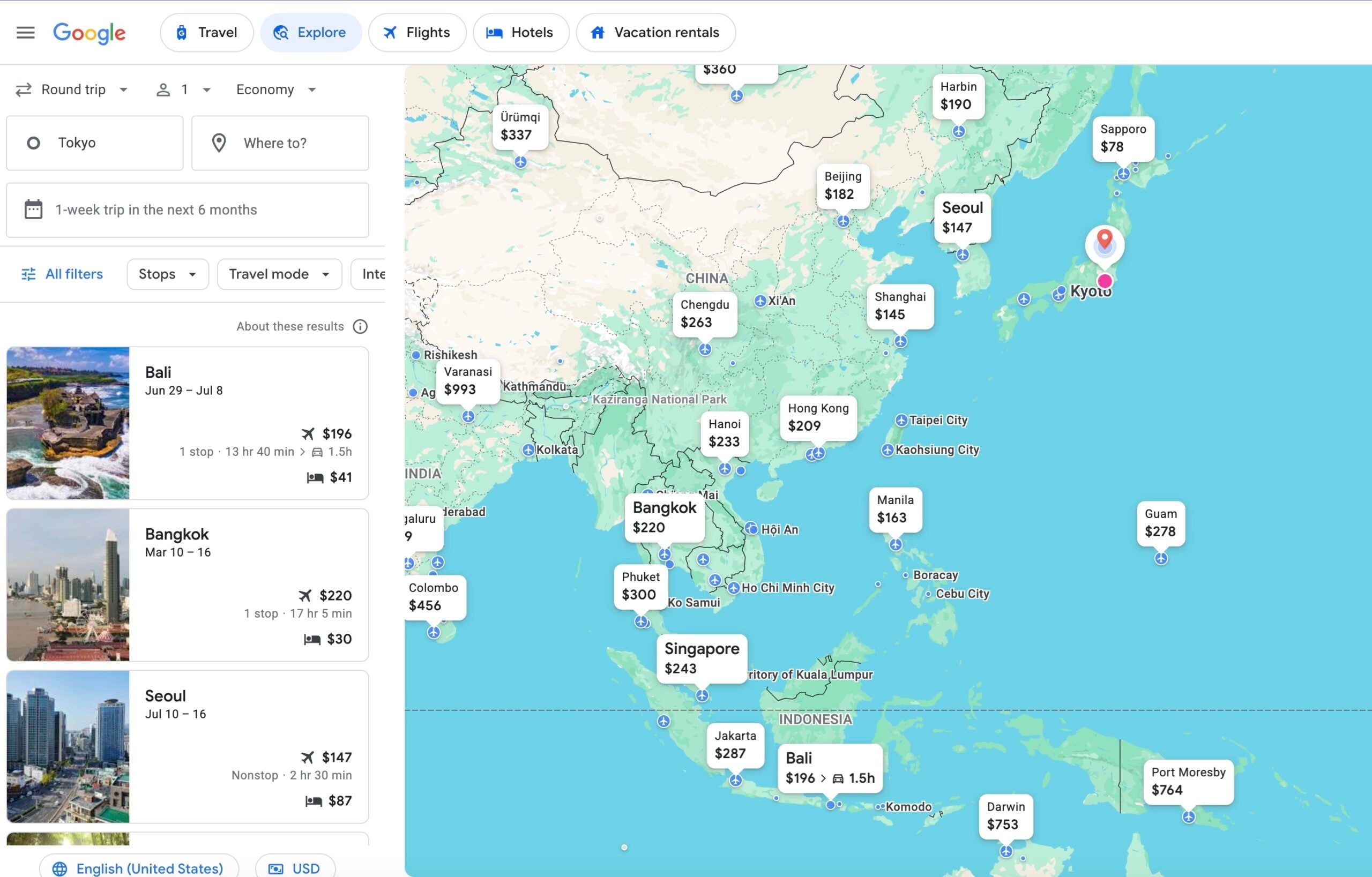
What about if you're looking to leave from a different airport overseas? Just put in the airport you want to travel from. In this case, I set my "home" city as Tokyo for a weekend trip in May; here's what Google Flights Explore pulled up for me.
This could be helpful if, say, you've found a one-way award ticket to Asia but haven't been able to find a good deal using miles to return.
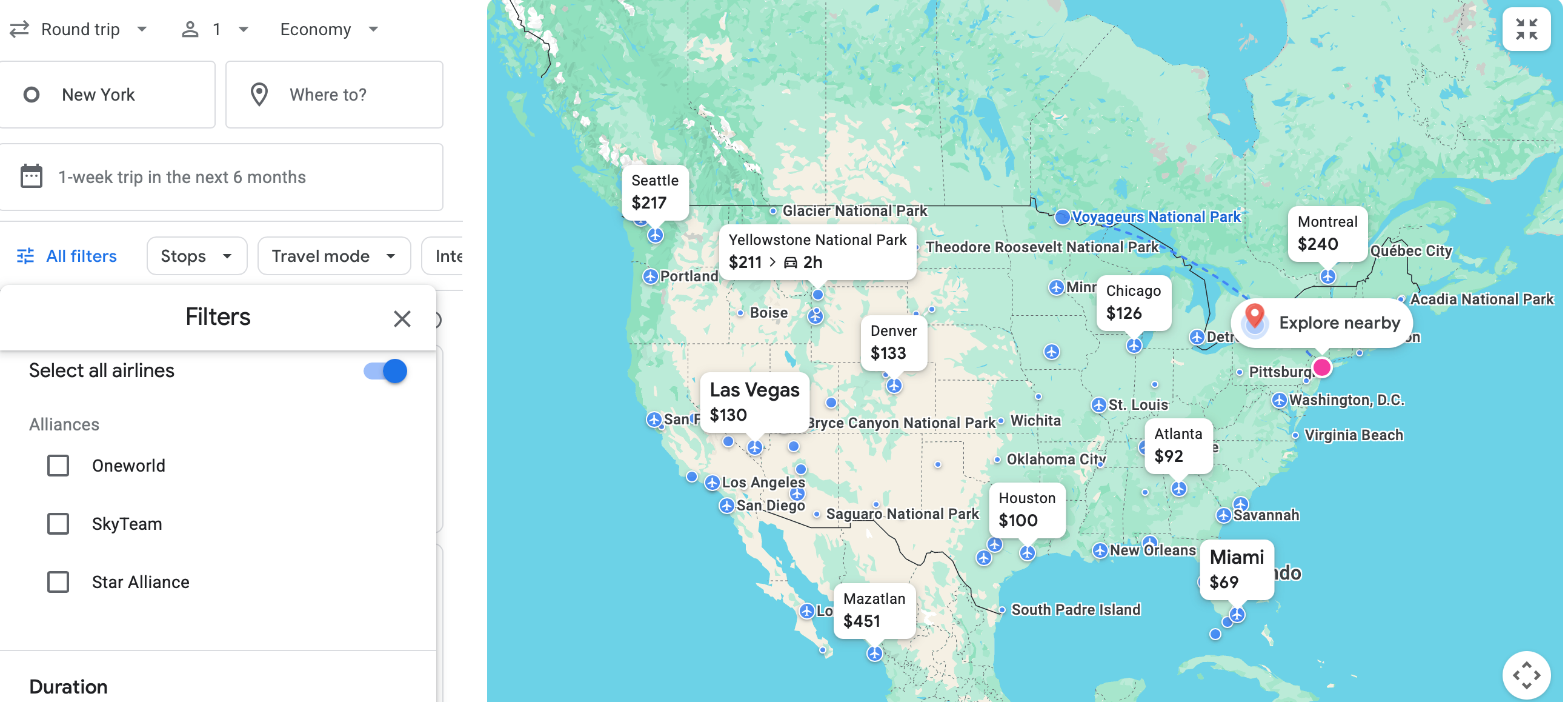
You can also select specific airline alliances in Explore, but not individual airlines.
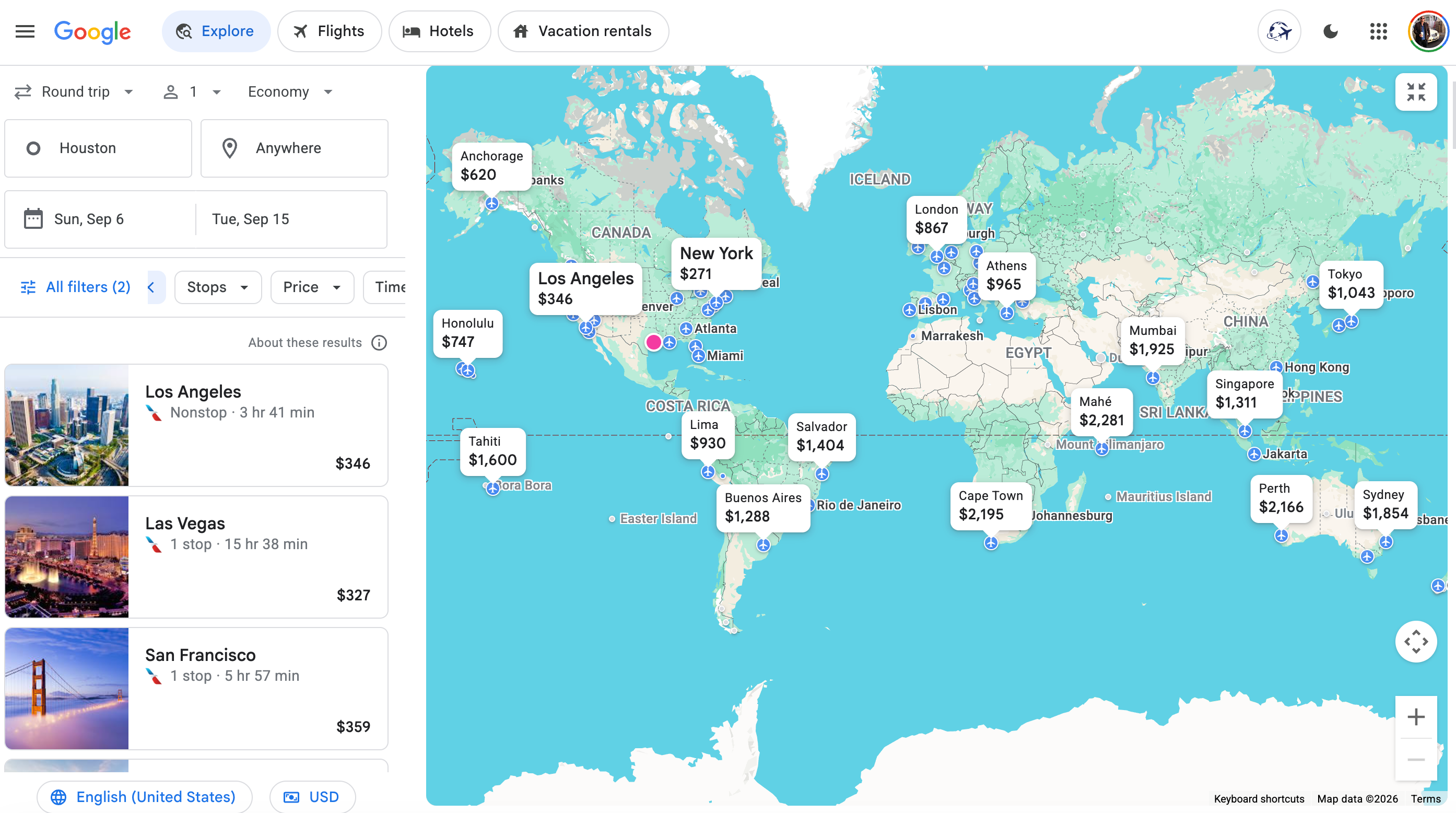
But there's a way around it if you're intent on a specific airline: Just start your search in traditional Google Flights, where you can select airlines. In this case, I chose only American Airlines. When I change the search destination to "Anywhere," it pulls up only American flights on the Explore page. That's a fun little hack.
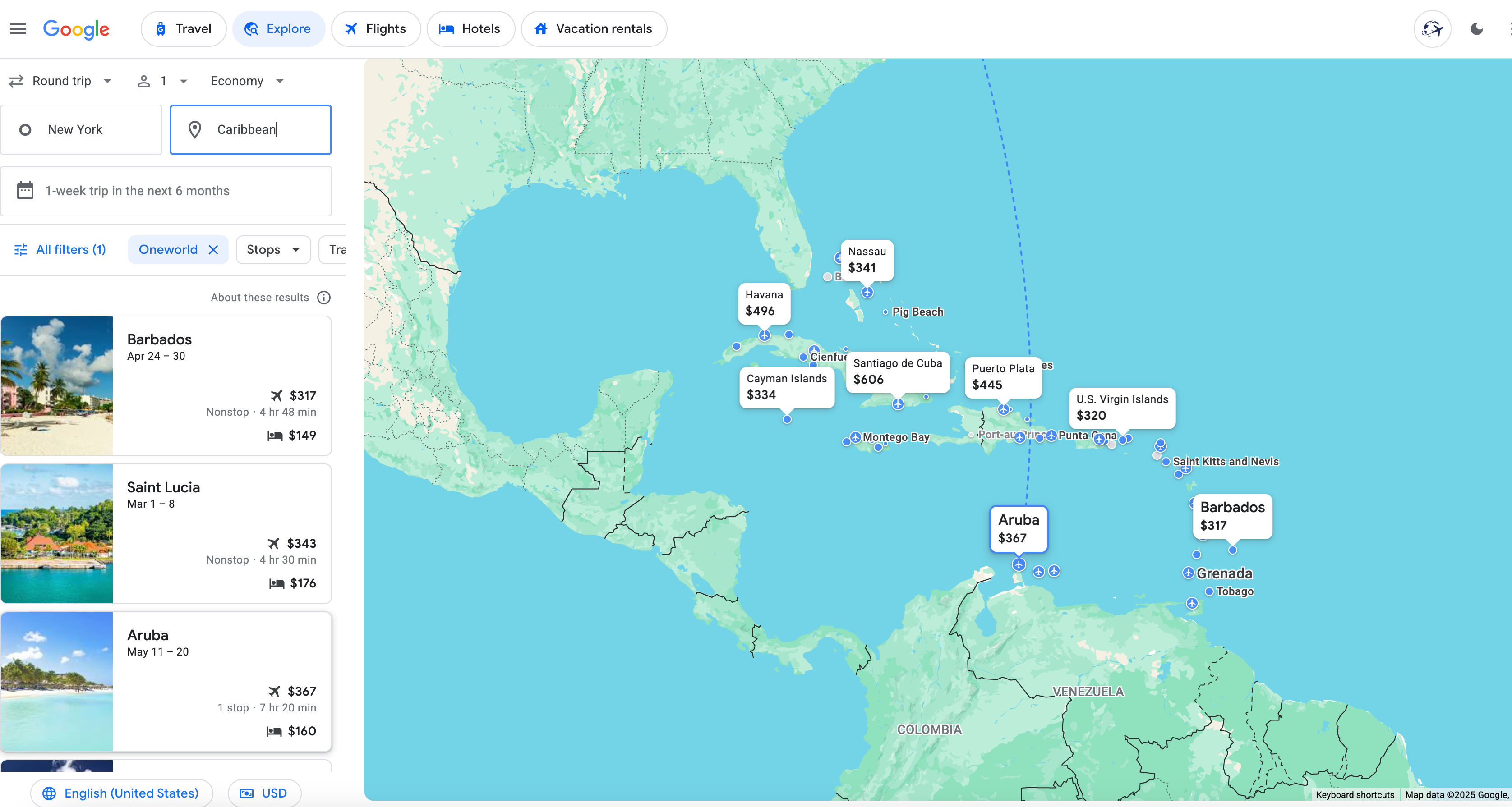
As one more aside, you can conduct wider regional searches — like Mexico or the Caribbean — if you're targeting a general area but don't know exactly where you want to go. Here's an array of options from New York to the Caribbean; I've also selected the "Oneworld" filter to focus on American Airlines or other Oneworld partner flights. Flying to Barbados for $317 round-trip sounds good to me.
Here's a similar search for Mexico from a home base in Seattle. I've eliminated any specific filters in this example to widen my options.
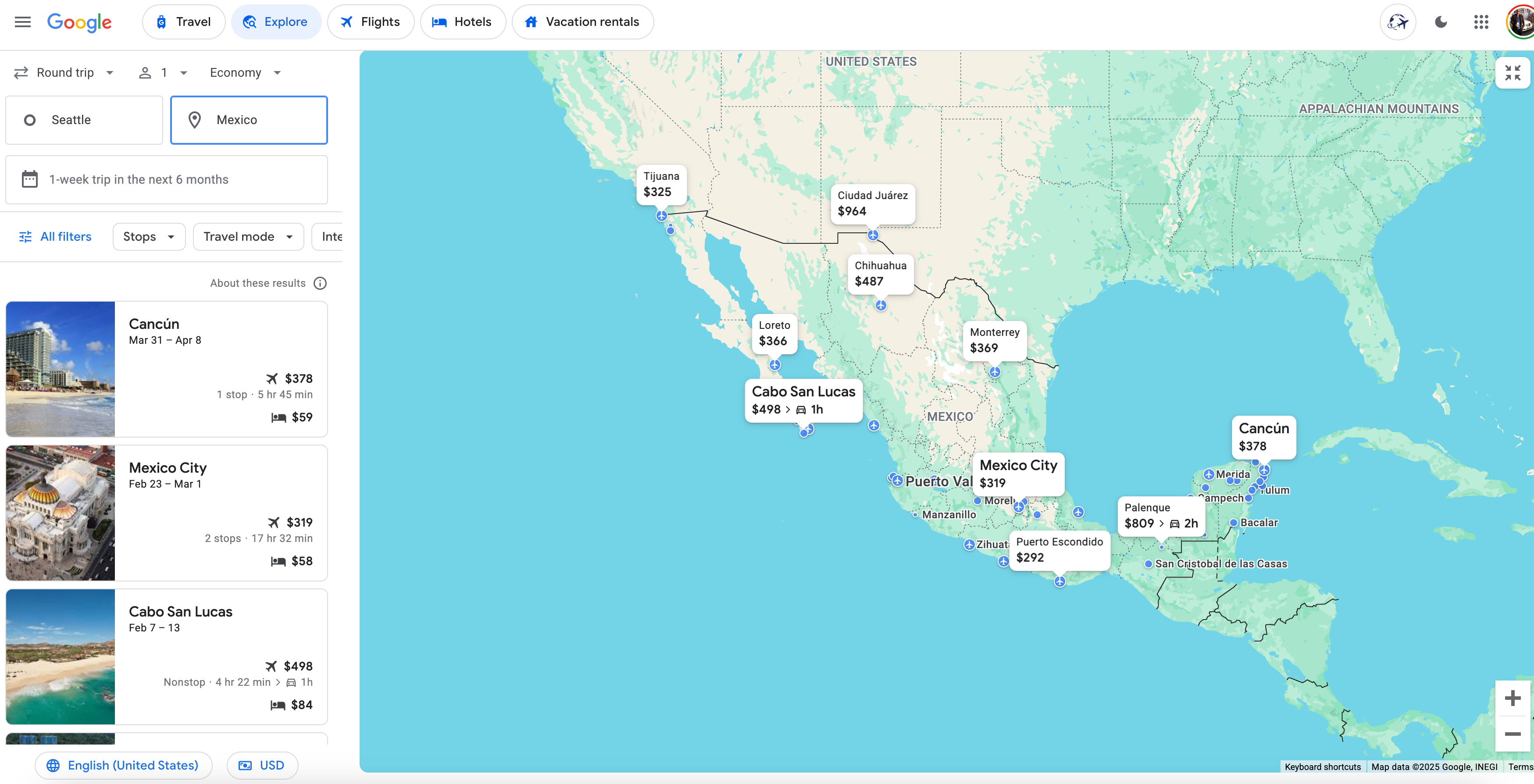
I like the sound of nine days in Cancun for just $378 round-trip. It even includes a hotel option for as low as $59 a night.
Google Flights Explore on mobile
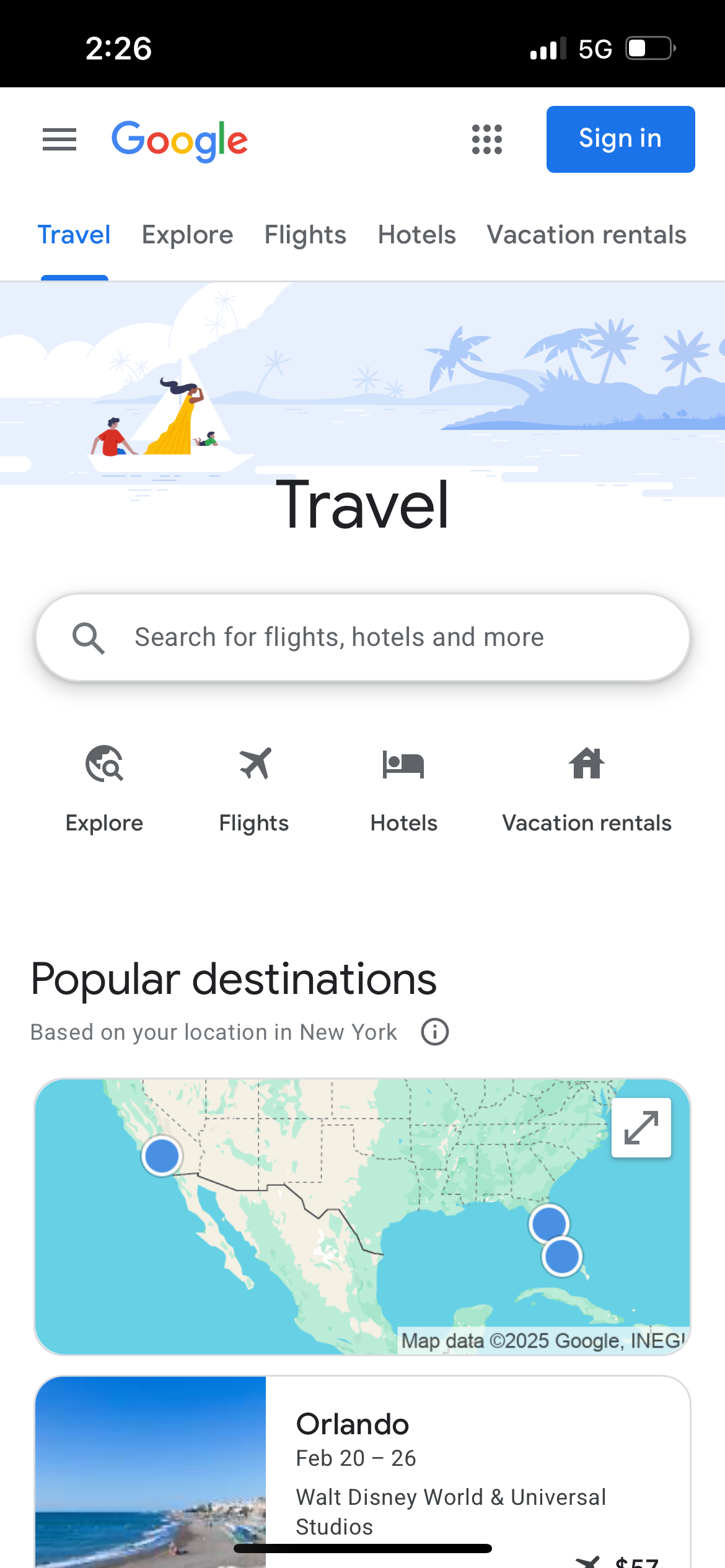
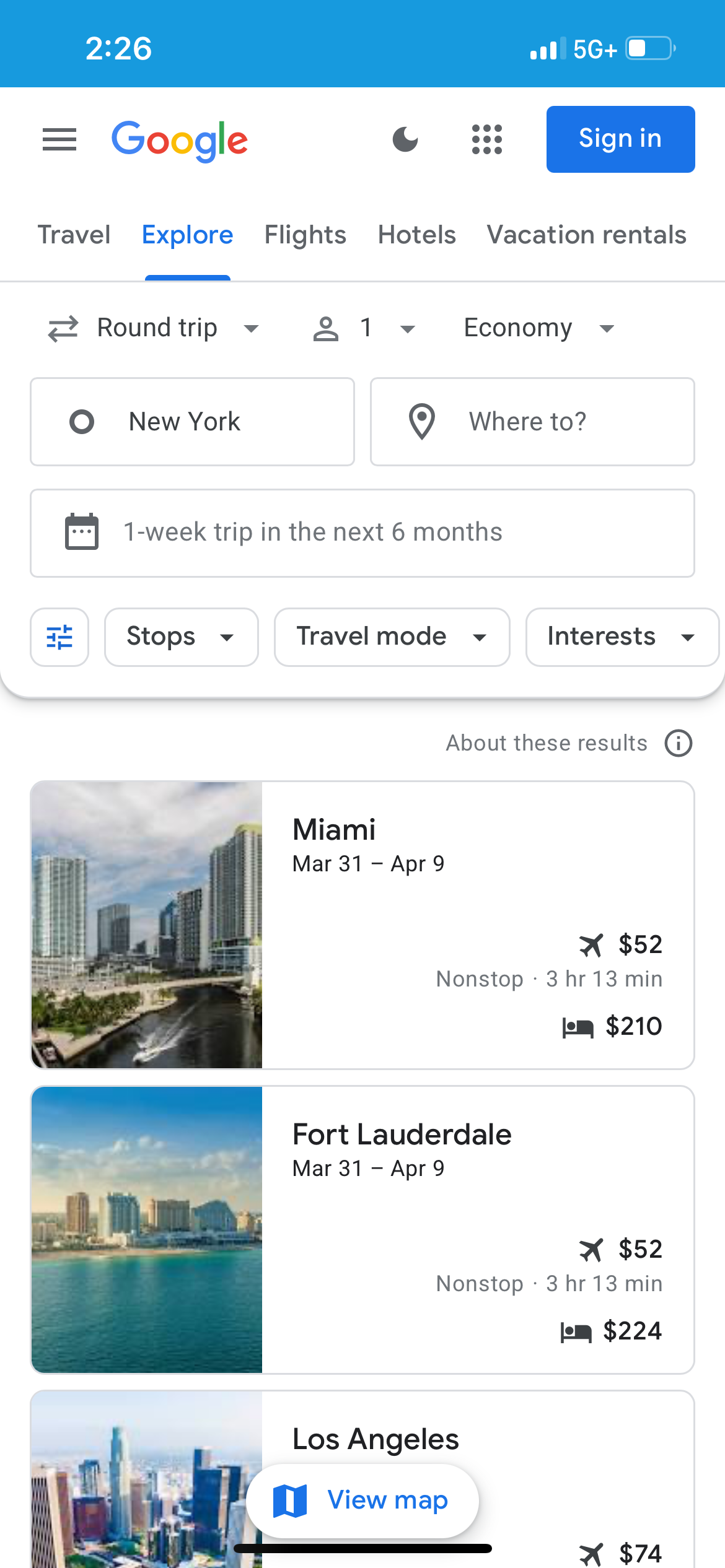
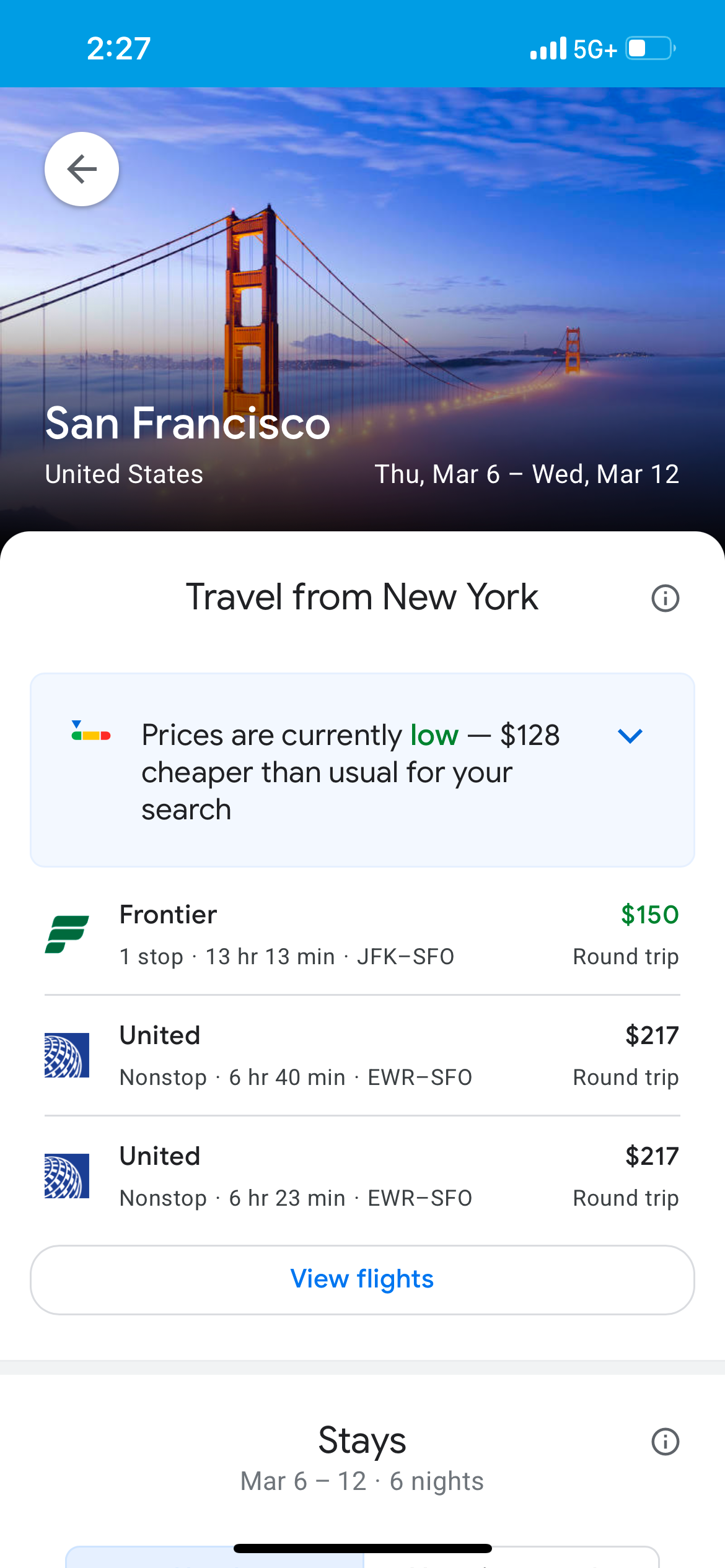
You can also use Google Flights Explore on your mobile phone. It functions nearly the same as the webpage version. In a search on my phone, I found flights from New York City to San Francisco for as low as $150 round-trip.
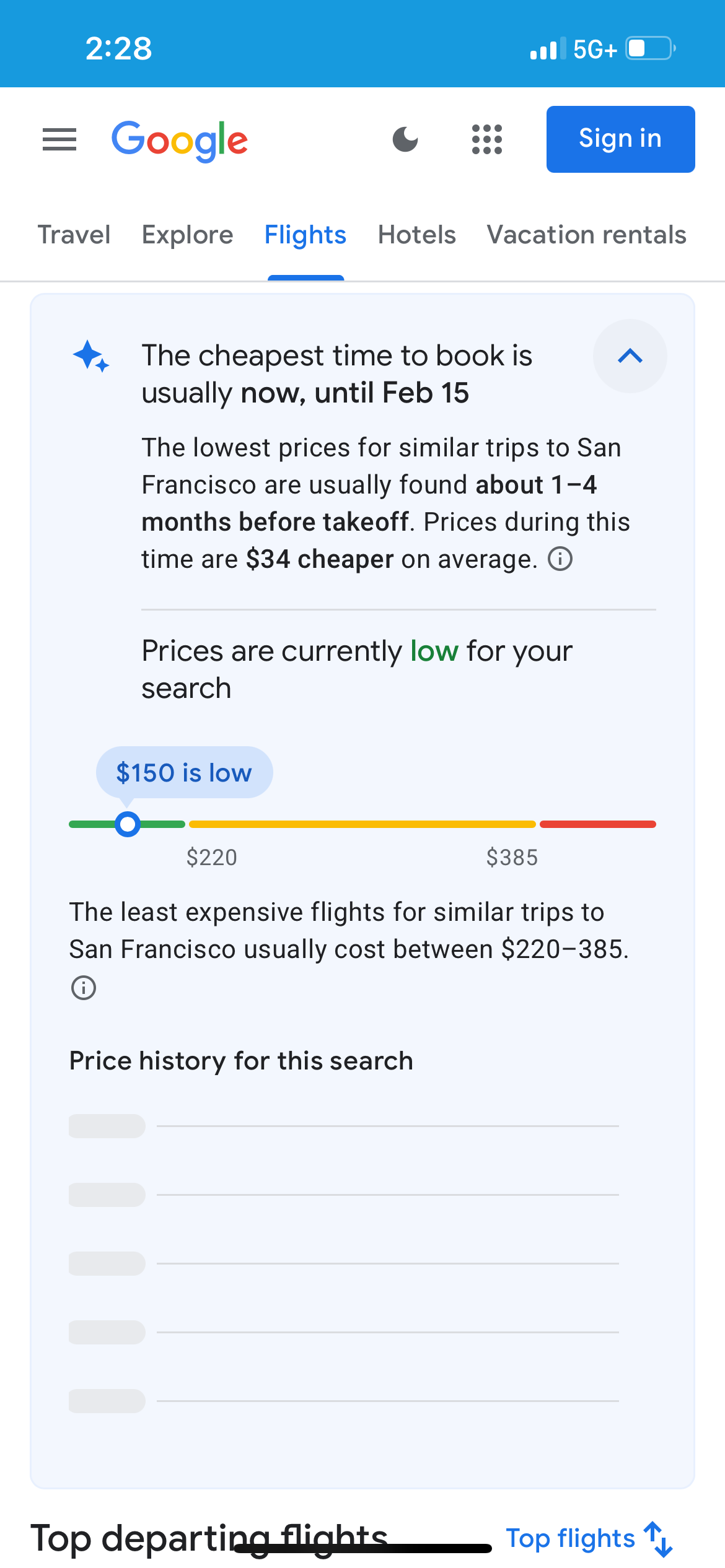
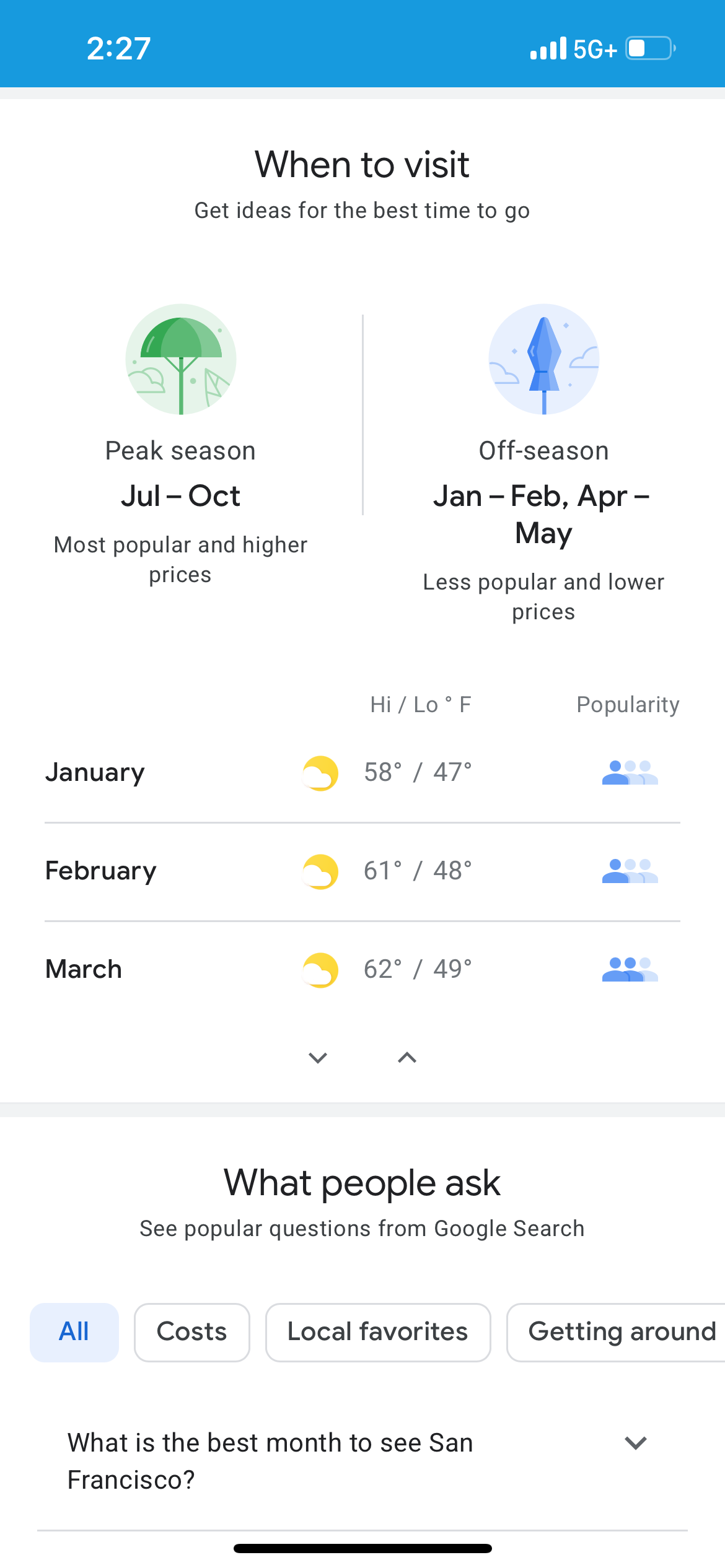
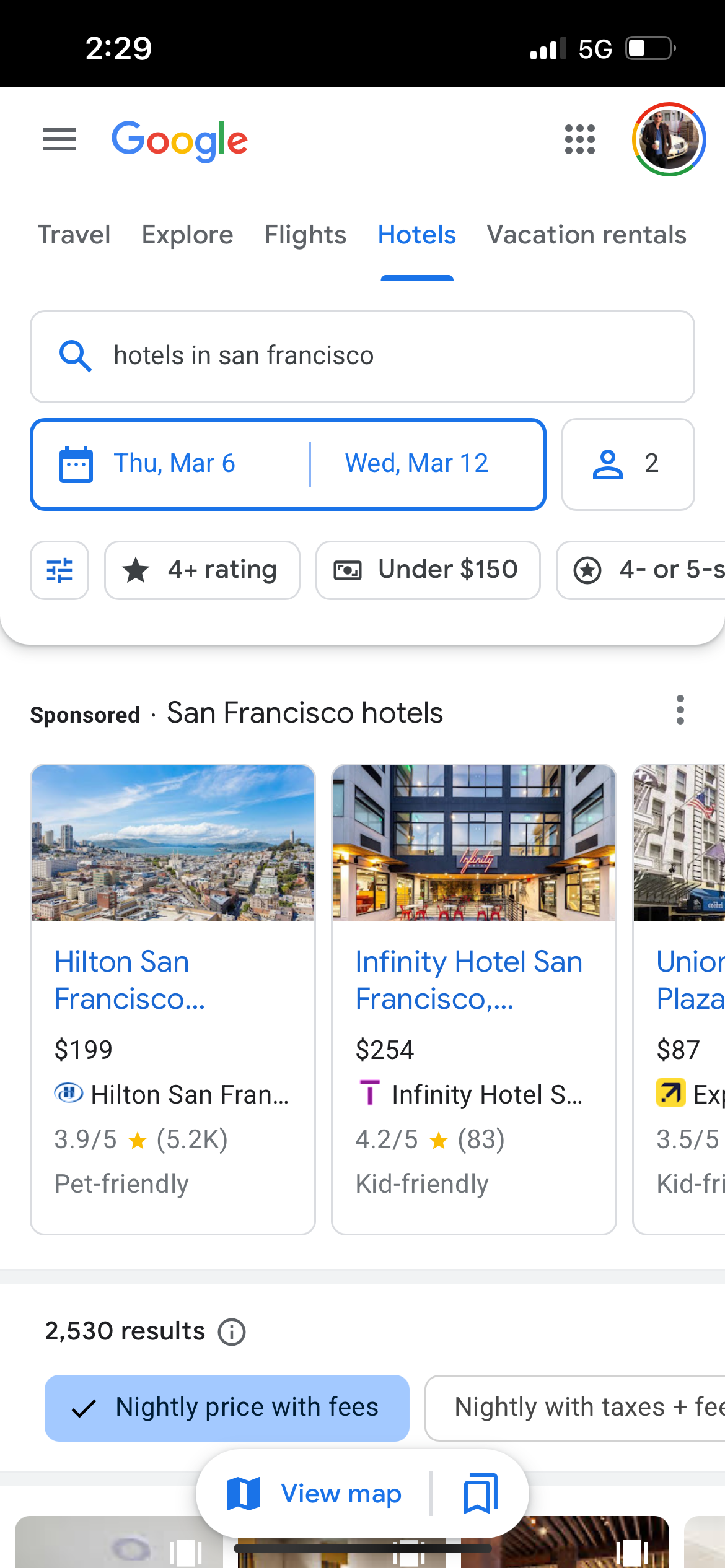
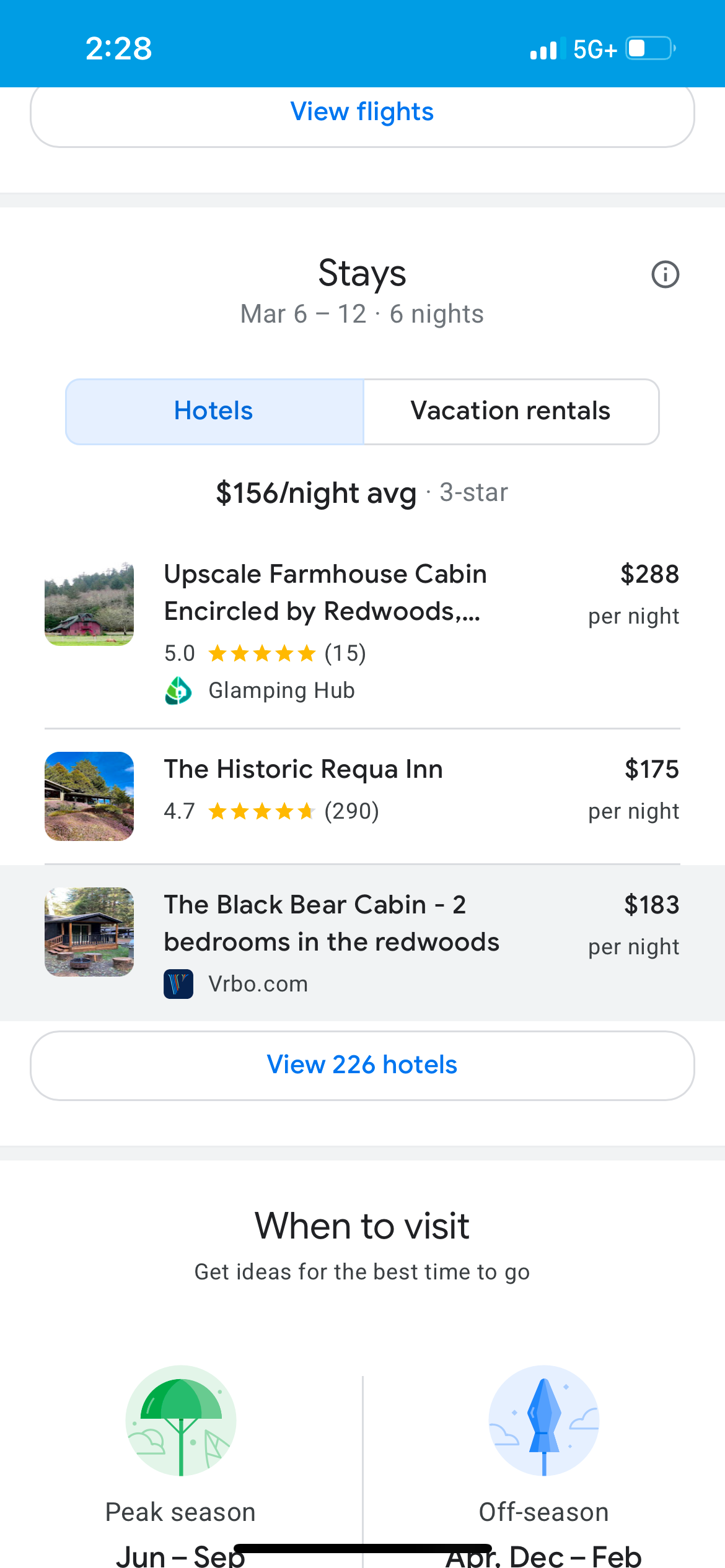
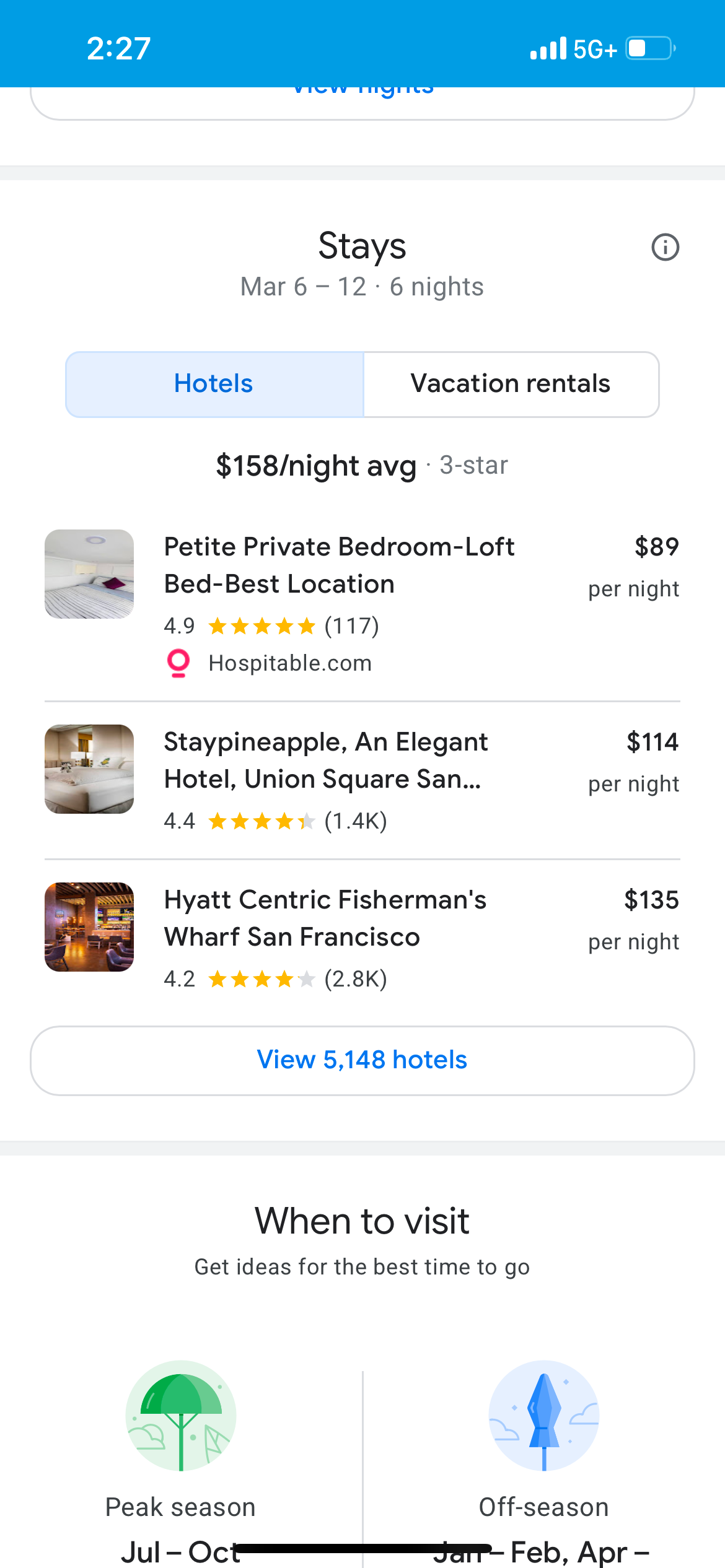
Google Flights Explore can also prompt you to select "When to visit" to triangulate the best weather and thinnest crowds.
What filters should I use on Google Flights Explore?
We've touched on many of the most useful filters on Google Flights Explore, but aside from home airport, destination, number of passengers, one-way or round-trip tickets, class of service and dates, you can also click on "All filters" to view a litany of other options. These include the number of stops, "travel mode" (places available by car and plane or just by plane), interests, price, destinations and the number of bags you can take. You can also search in various currencies and languages.
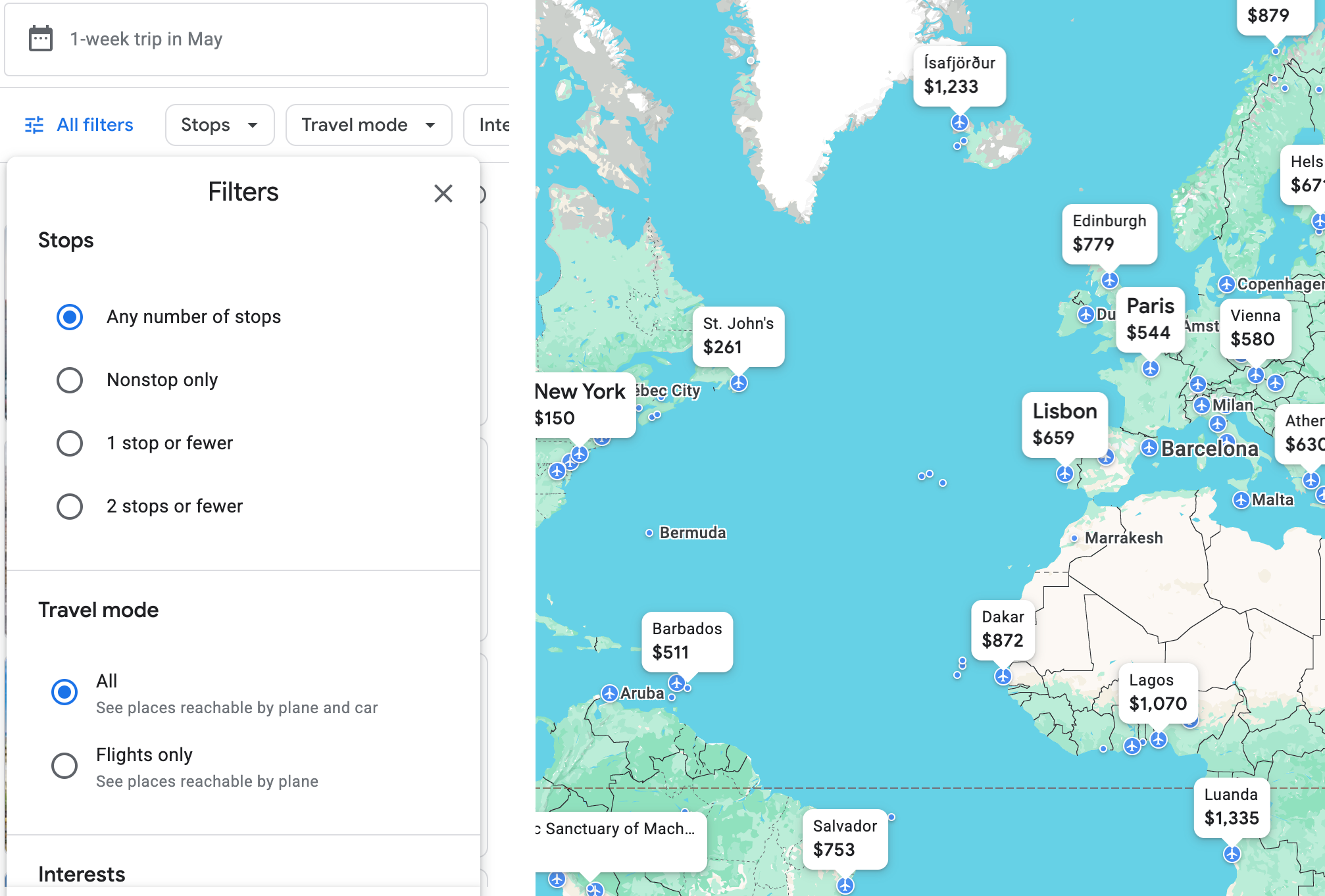
For example, below is a selection of some of the interests you can choose from. "Beaches" might be a good option to choose.
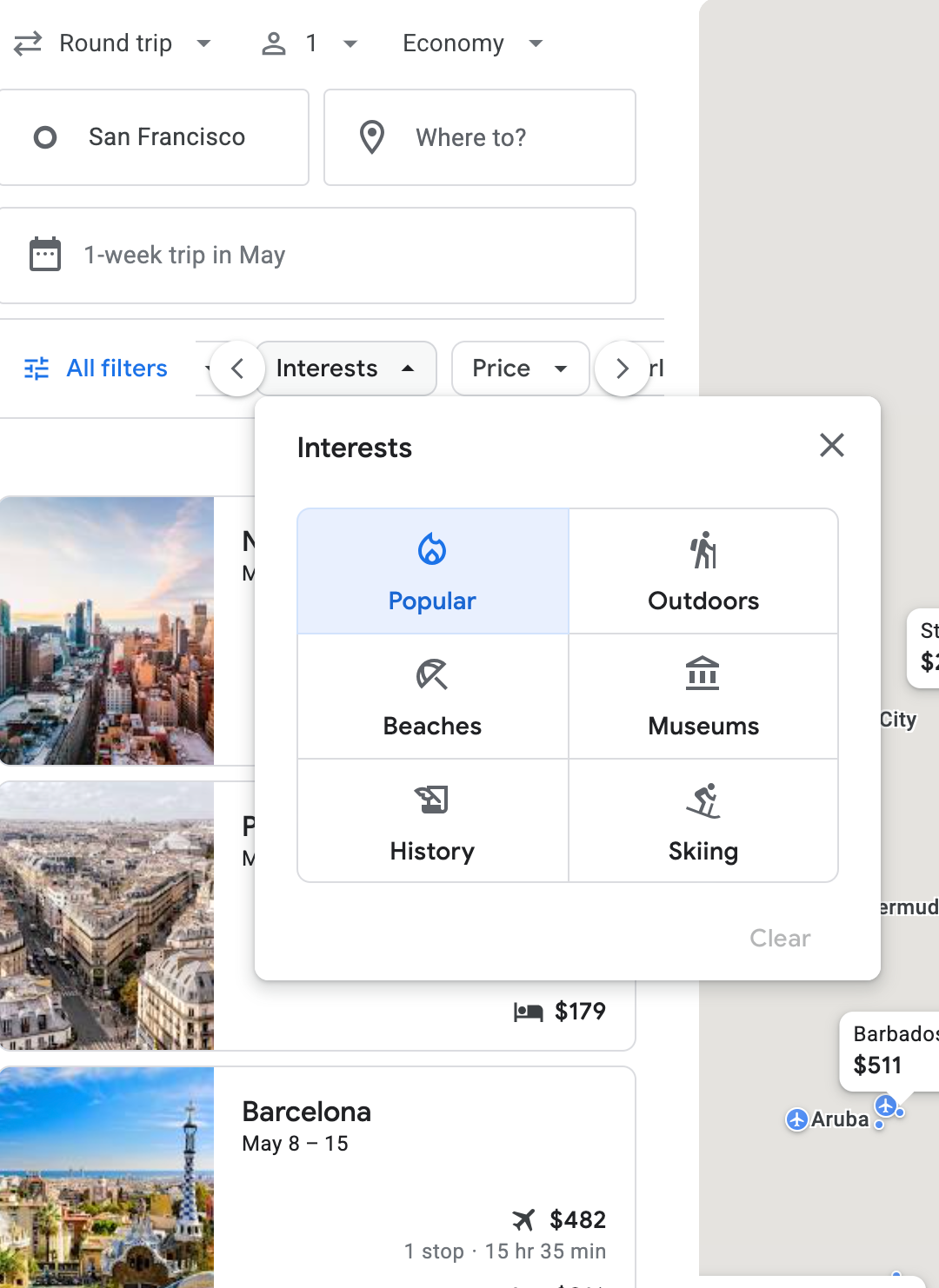
Once you go to Google Flights itself, there are even more options. In my searches, I tend to keep the filters unchanged to get the biggest picture possible — but, of course, your plans may vary.
Can Google Flights Explore help me plan my vacation?

Google Flights Explore can also help you plan your vacation. It'll start by helping you pinpoint a destination with bargain flights; once you've decided on flights, you can use Google Flights Explore to find hotels as well. When you click on the hotel bed icon in your initial search, it takes you to a whole "Hotels" tab in Google (which deserves its own guide at some point).
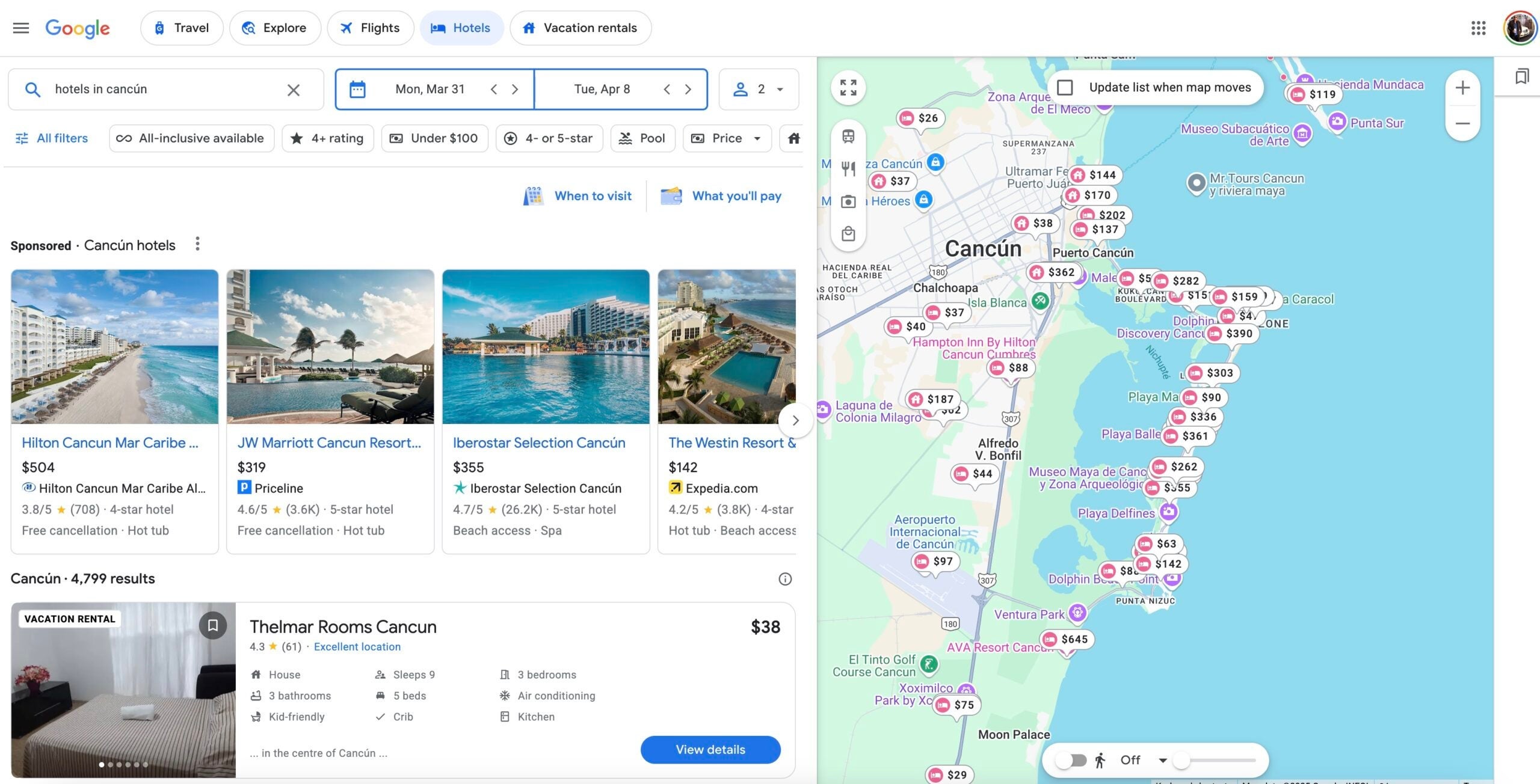
I've stayed at the Hilton Cancun Mar Caribe All-Inclusive Resort — but at $504 a night, it seems pretty pricey. A better option might be the JW Marriott Cancun Resort & Spa, bookable via Priceline for just $319 a night.
Bottom line

Google Flights Explore is one of the handiest trip-planning tools out there. I've found it's an invaluable research tool when I'm trying to figure out when and where to go; you can find cheap trips anywhere in the world by simply plugging in your home airport. By using it as a jumping-off point and triangulating with Google Flights itself, you're sure to find the perfect vacation.
It's a powerful tool and well worth investing some time exploring. Just be careful — it will no doubt also inspire wanderlust.
Related reading:
TPG featured card

at American Express's secure site
Terms & restrictions apply. See rates & fees.
| 4X | Earn 4X Membership Rewards® points per dollar spent on purchases at restaurants worldwide, on up to $50,000 in purchases per calendar year, then 1X points for the rest of the year. |
| 4X | Earn 4X Membership Rewards® points per dollar spent at US supermarkets, on up to $25,000 in purchases per calendar year, then 1X points for the rest of the year. |
| 5X | Earn 5X Membership Rewards® points on prepaid hotel stays booked through AmexTravel.com or the Amex Travel App™. |
| 3X | Earn 3X Membership Rewards® points on flights booked through AmexTravel.com, the Amex Travel App™, or purchased directly from airlines. |
| 2X | Earn 2X Membership Rewards® points on prepaid car rentals booked through AmexTravel.com or the Amex Travel App™ and cruises booked and paid through AmexTravel.com. |
| 1X | Earn 1X Membership Rewards® point per dollar spent on all other eligible purchases. |
Pros
- Valuable dining and food-related credits
- Flexible rewards with airline and hotel transfer partners
- Multiple travel and purchase protections
- No foreign transaction fees
- Access to Amex Offers for additional savings (enrollment required)
Cons
- Not as useful for those living outside the U.S.
- Some may have trouble using Uber and other dining credits
- You may be eligible for as high as 100,000 Membership Rewards® Points after you spend $8,000 in eligible purchases on your new Card in your first 6 months of Card Membership. Welcome offers vary and you may not be eligible for an offer. Apply to know if you’re approved and find out your exact welcome offer amount – all with no credit score impact. If you’re approved and choose to accept the Card, your score may be impacted.
- Earn 4X Membership Rewards® points per dollar spent on purchases at restaurants worldwide, on up to $50,000 in purchases per calendar year, then 1X points for the rest of the year.
- Earn 4X Membership Rewards® points per dollar spent at US supermarkets, on up to $25,000 in purchases per calendar year, then 1X points for the rest of the year.
- Earn 5X Membership Rewards® points on prepaid hotel stays booked through AmexTravel.com or the Amex Travel App™.
- Earn 3X Membership Rewards® points on flights booked through AmexTravel.com, the Amex Travel App™, or purchased directly from airlines.
- Earn 2X Membership Rewards® points on prepaid car rentals booked through AmexTravel.com or the Amex Travel App™ and cruises booked and paid through AmexTravel.com.
- Earn 1X Membership Rewards® point per dollar spent on all other eligible purchases.
- Pay It® lets you tap in the American Express® App to quickly pay for small purchase amounts throughout the month and still earn rewards the way you usually do. Plan It® gives you the option to split up big purchases into equal monthly payments with a fixed fee. You’ll know upfront exactly how much you’ll pay.
- $120 Dining Credit: Earn up to a total of $10 in statement credits monthly when you pay with the Gold Card at Grubhub (including Seamless), Buffalo Wild Wings, Five Guys, The Cheesecake Factory, and Wonder. This can be an annual savings of up to $120. Enrollment required.
- $100 Resy Credit: Get up to $100 in statement credits each calendar year at over 10,000 qualifying U.S. Resy restaurants after you pay for eligible purchases with the American Express® Gold Card. That’s up to $50 in statement credits semi-annually. Enrollment required.
- $84 Dunkin' Credit: Earn up to $7 in monthly statement credits after you pay with the American Express® Gold Card at U.S. Dunkin’ locations. Enrollment required.
- $120 Uber Cash on Gold: Enjoy up to $120 in Uber Cash annually with your Gold Card. Just add your Card to your Uber account and you'll get $10 in Uber Cash each month to use on orders and rides in the U.S. when you select an Amex Card for your transaction.
- Enjoy complimentary Hertz Five Star® Status benefits like skipping the counter at select locations, adding an additional driver at no additional cost*, and vehicle upgrades**. Benefit enrollment and Hertz Gold+ registration are required. *Additional drivers must meet standard rental qualifications and must be a spouse or domestic partner to qualify as complimentary. Other additional drivers subject to fees. **Benefits are subject to availability and vary by location. Additional Hertz program Terms and Conditions including age restrictions apply.
- Book two nights or more with The Hotel Collection through AmexTravel.com or the Amex Travel App™ and receive a $100* credit towards eligible charges at over 1,400 upscale hotels worldwide. *Eligible charges vary by property.
- Book your travel through the Amex Travel App™ with added peace of mind – backed by American Express® service and support. Only for American Express® Card Members.
- Whenever you need us, we're here. Our Member Services team will ensure you are taken care of. From lost Card replacement to statement questions, we are available to help 24/7.
- No Foreign Transaction Fees.
- Annual Fee is $325.
- Terms Apply.