Disneyland will open to out-of-state visitors on June 15 — here's how to reserve your trip today


Editor's note: This is a recurring post, regularly updated with new information and offers.
Grab your mouse ears — Disneyland Resort in Anaheim, California, just announced June 15, 2021, as the day non-California residents can begin visiting the park. And you can start booking tickets and making park reservations beginning Wednesday, May 26, 2021.
Of course, there will still be some modifications to park policies to help keep guests and team members safe. Masks (while inside) and social distancing are required, some attractions and shows will remain closed and methods to shortcut Disneyland lines like Maxpass and Extra Magic Hour won't be available. But guests from out-of-state can finally start planning their trip to the happiest place on Earth.
One of the most significant adjustments guests will need to make is that Disneyland now requires daily theme park reservations. Gone are the days of deciding on a whim to head to Disneyland for the afternoon. Instead, guests need to plan up to 120 days in advance which of Disneyland's two parks they want to visit. Then they must make a corresponding reservation on the Disneyland website.
Thankfully, Disneyland recently made the process more streamlined for guests to purchase tickets and make a theme park reservation at the same time.
How to make Disneyland reservations
Previously, you had to make your park reservations after you'd purchased your tickets. This setup was fine, but it added extra steps to the process and made it a bit more complicated to plan out the dates of your trip. Thankfully, this new system streamlines the experience so you can get everything taken care of at once.
When you check out Disneyland.com/ParkReservations, you'll see a couple of different options:
- Select ticket — Where you can purchase a ticket and make a park reservation
- Make park reservation — Where you can make a separate reservation if you've already purchased your ticket
You can also view the current reservation availability. At the time of writing, availability in May for California residents is almost completely gone and there are only a few days left in June where both Disneyland Park and Disney California Adventure Park are both available. But the first half of July is completely open for reservations. Of course, that is likely to change quickly now that reservations for out-of-state visitors are available.
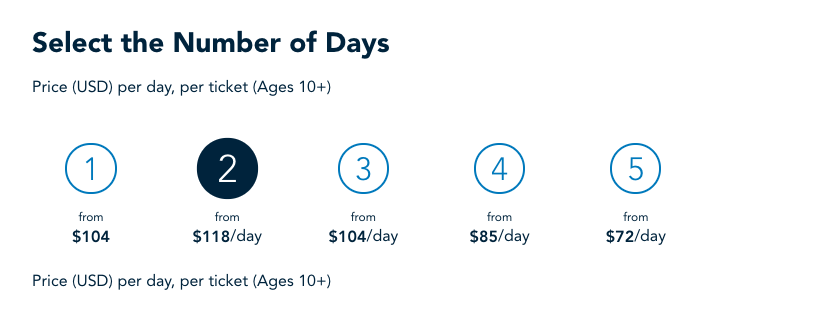
If you don't have your tickets yet, you'll select the first option to get your ticket and make a park reservation. You'll select the number of days for your trip.

Then you'll select how many tickets you'll need. Kids under 3 don't need a ticket, but everyone else coming with you will need their own.

And then you'll select your ticket type — one park per day or park hopper.
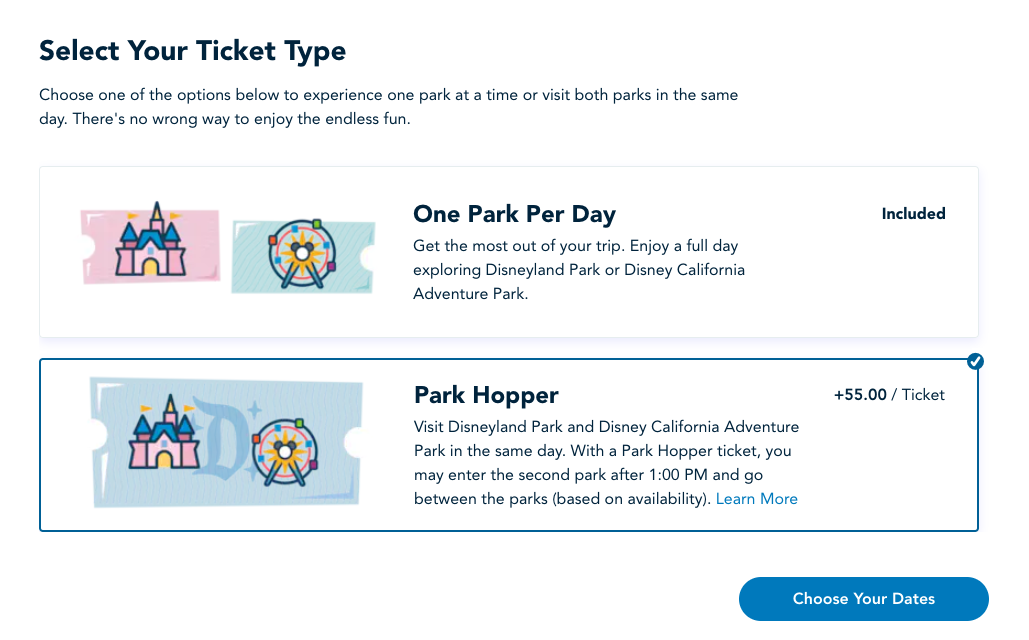
Then you'll hit "Choose Your Dates" and you'll be taken to a screen to choose your reservations. Your ticket selections are listed at the top of the page, and you can edit anytime.
As of the time of writing, the reservation calendar is available through Sep. 23, 2021 — now 120 days out to help travelers plan ahead for the summer. Availability from July to September is open, but you'll have a harder time visiting both parks in May (which is almost completely booked) and June. And keep in mind that while reservations open today, non-California residents won't be allowed into the parks until after June 15, so don't book your reservation for before that date.
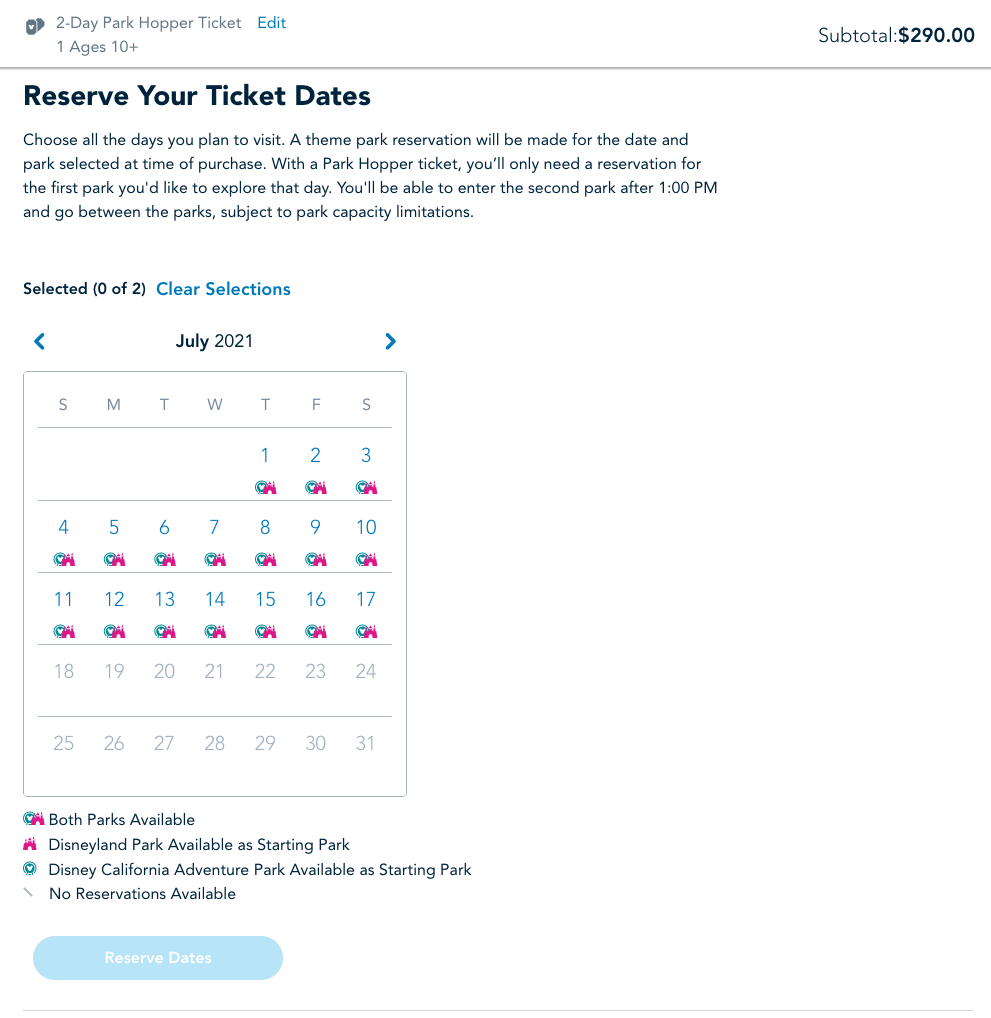
Remember that you don't have to choose consecutive reservation dates. You have 13 days after the first use to use your tickets, so you could book a day or two of rest in between to explore Anaheim or just relax at your resort if you need the break between park excitement.
If you select Park Hopper tickets, you'll then select your starting park for each of your ticket dates.
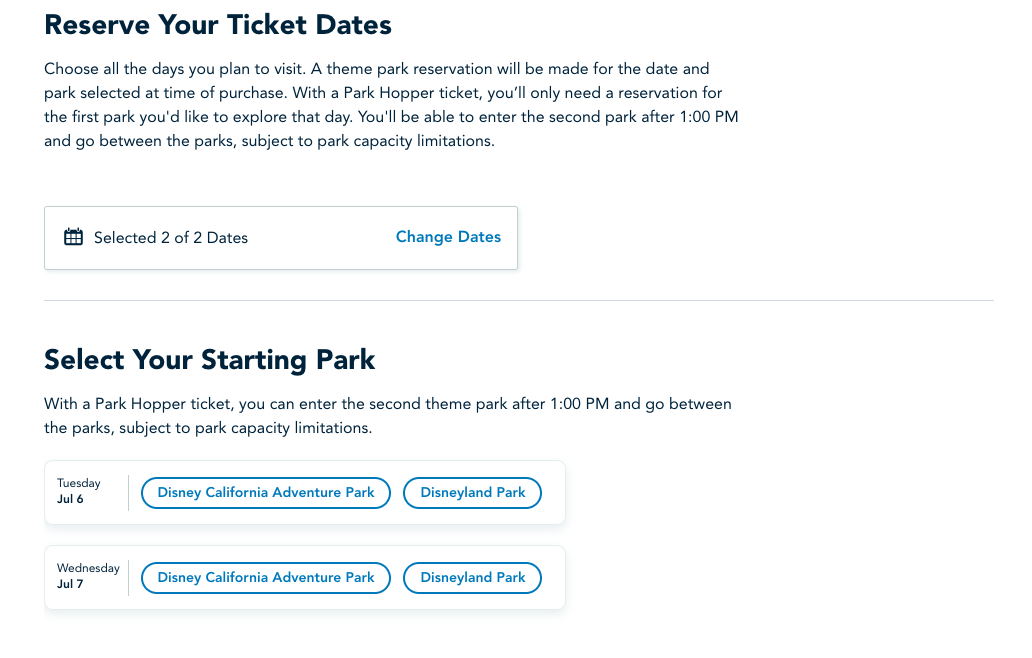
From there, you can add parking vouchers before proceeding to your cart. Once you're finished, you can check out, or you can search for a hotel stay to pay all at once. Keep in mind that your theme park reservations are only confirmed once you purchase the tickets.
The one downside to purchasing your tickets and booking your reservation together is that the park reservation calendar is only available 120 days out on a rolling basis — this is an improvement from the previous 60-day availability, but it still limits how far out you can plan your trip at this point. I couldn't find a way to purchase tickets directly online without making a reservation in tandem since they've rolled out this new system, so you'll have to wait until park reservations open up for your planned dates before you book.
However, if you go through a ticket reseller such as Get Away Today or Undercover Tourist, you might be able to work around this if they don't require you to choose your travel dates as part of the ticket-buying process. Just remember that you'll need a separate reservation if you book tickets without a reservation attached through Disney's system.
Once the State of California lessens restrictions on June 15, we could see Disneyland increase capacity limits and change other policies. And now that reservations are open for out-of-state visitors, too, you'll want to book as soon as possible if you plan on making a trip to Disneyland this summer.
If you've already purchased your tickets
Before this new system, you purchased your tickets separately from making park pass reservations. If you already have a ticket, you can still go through the separate process of booking your reservations.
If you've made theme park reservations at Disney World before, the systems work in similar ways, although the look and feel of the sites and the exact steps are a bit different. First, you'll click the "Make Park Reservations" button on Disneyland's website. It'll redirect you to log into your Disney account that houses your tickets.
I found the system easier to fill out on a computer rather than a phone.
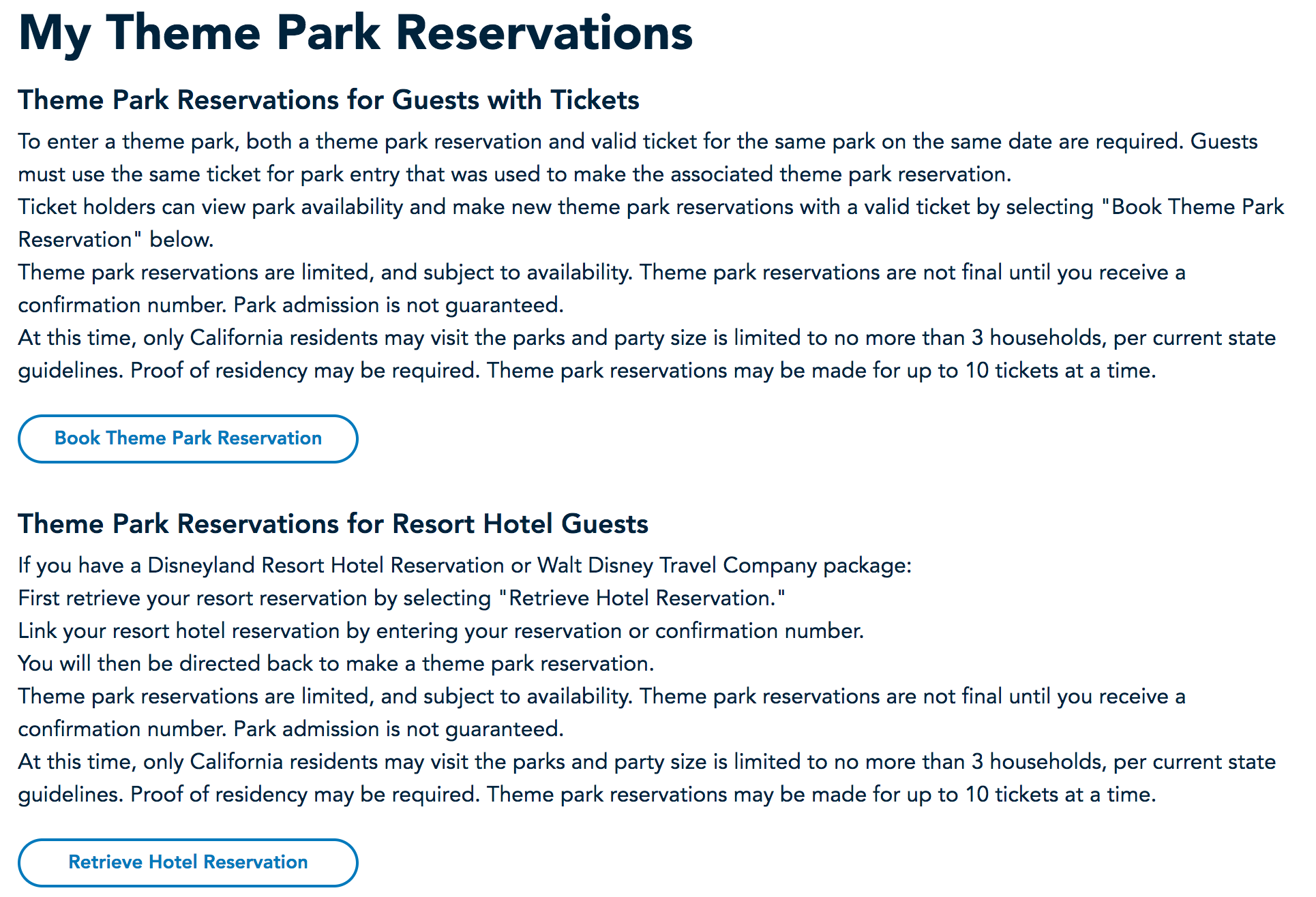
The next screen offers two choices. Most guests should select the first, "Book Theme Park Reservation." The second is to retrieve a hotel reservation and is only for access for guests staying in Disneyland on-property hotels.
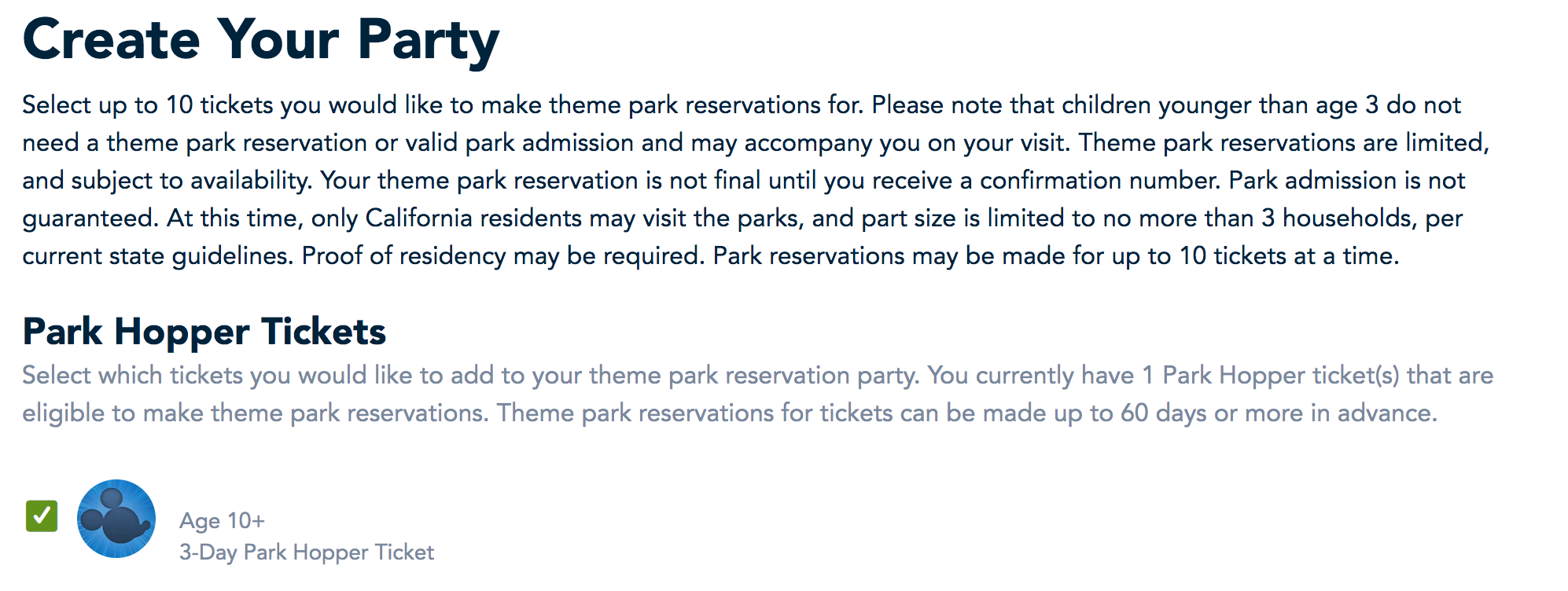
Next, create the party for whom you will be making reservations. If you already have tickets linked to your account, they should be visible to select with checkboxes.
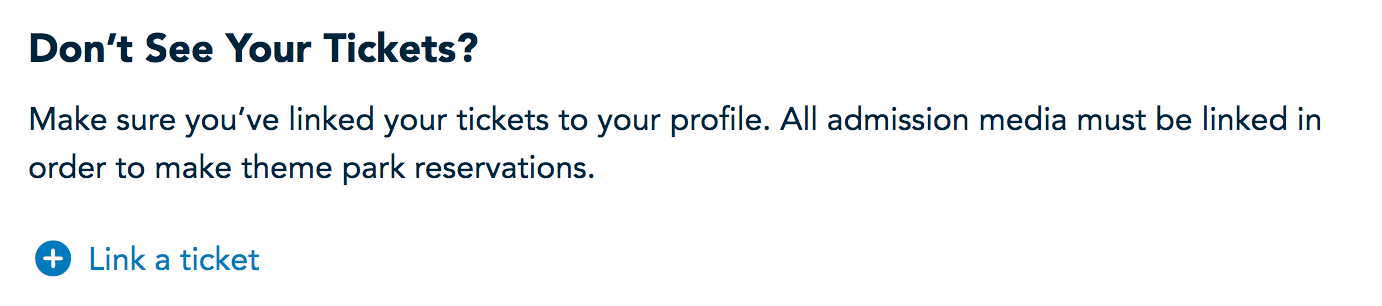
If you haven't linked tickets yet, there is an option farther down the page to add more ticket numbers.
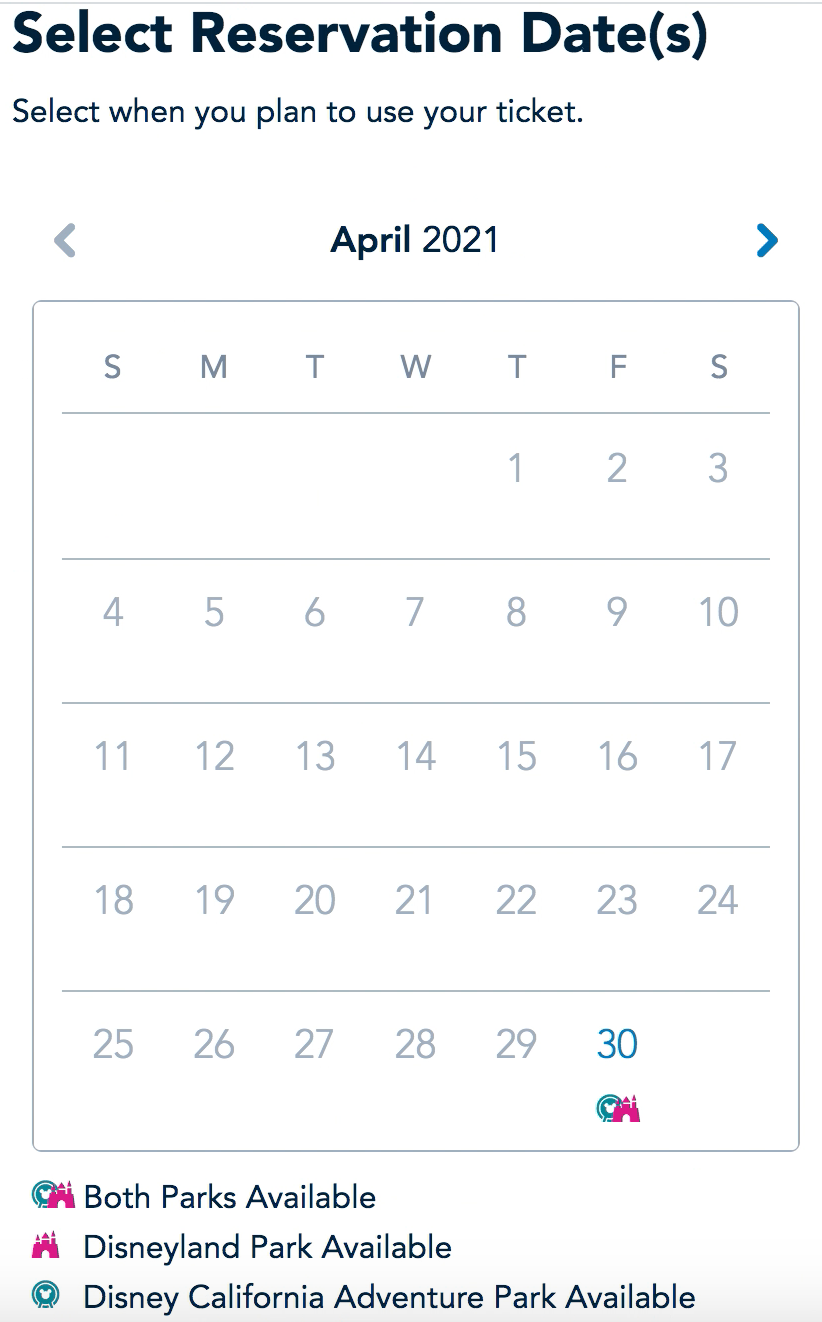
The next page is where you'll select both the date you wish to visit as well as which park you will enter first for the day. Available days and parks open for booking are shown on a calendar, with colored icons indicating which parks are available each day (Disneyland park or Disney California Adventure park).
Click on an available date on the calendar and then scroll down to select the button for a park.
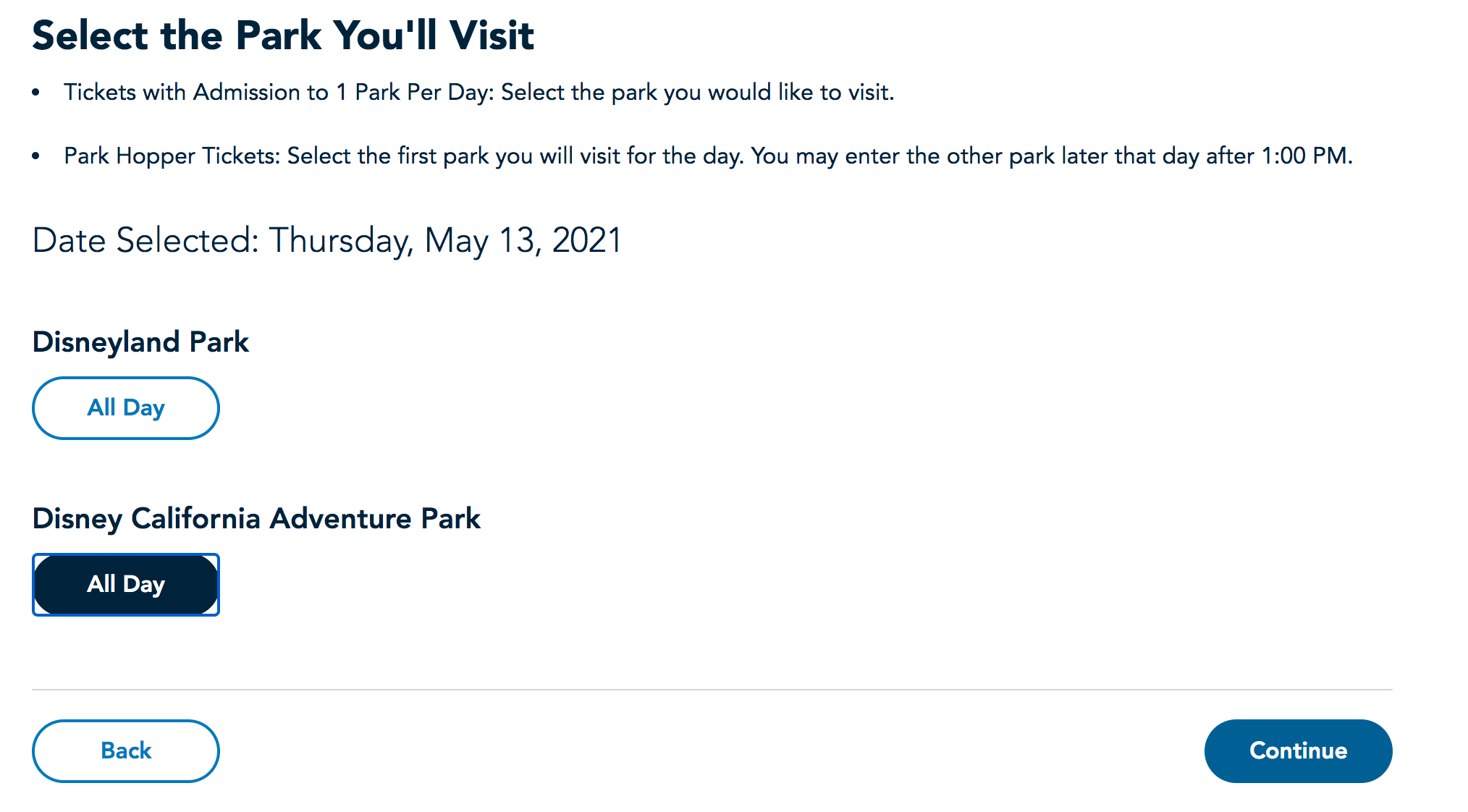
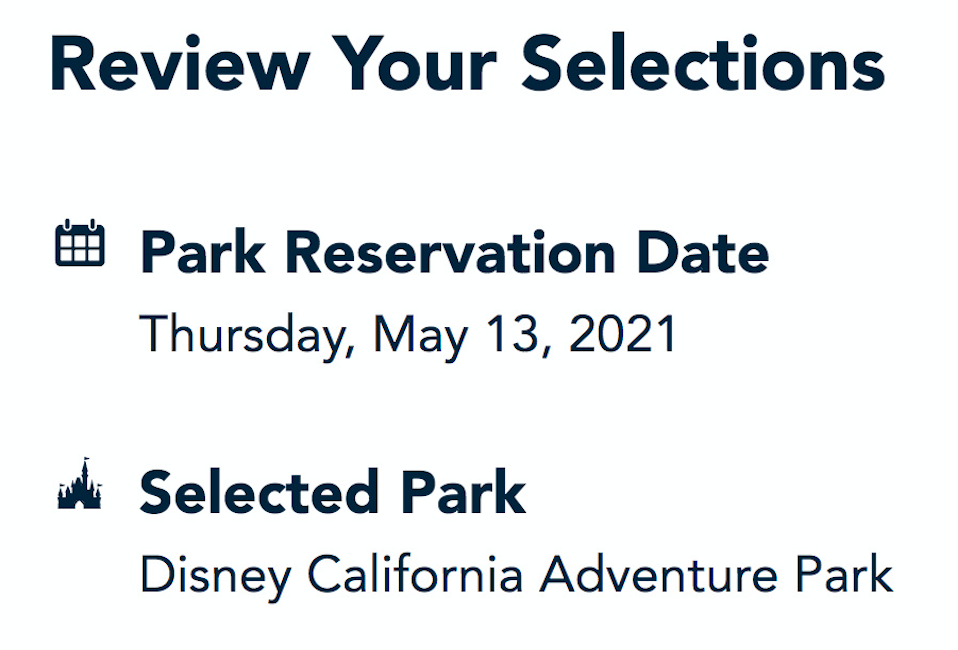
The next screen is to just review and confirm selections. Double-check that you have the right date, park and people in your party.
After you click continue, you should see a confirmation screen with Mickey and pals.
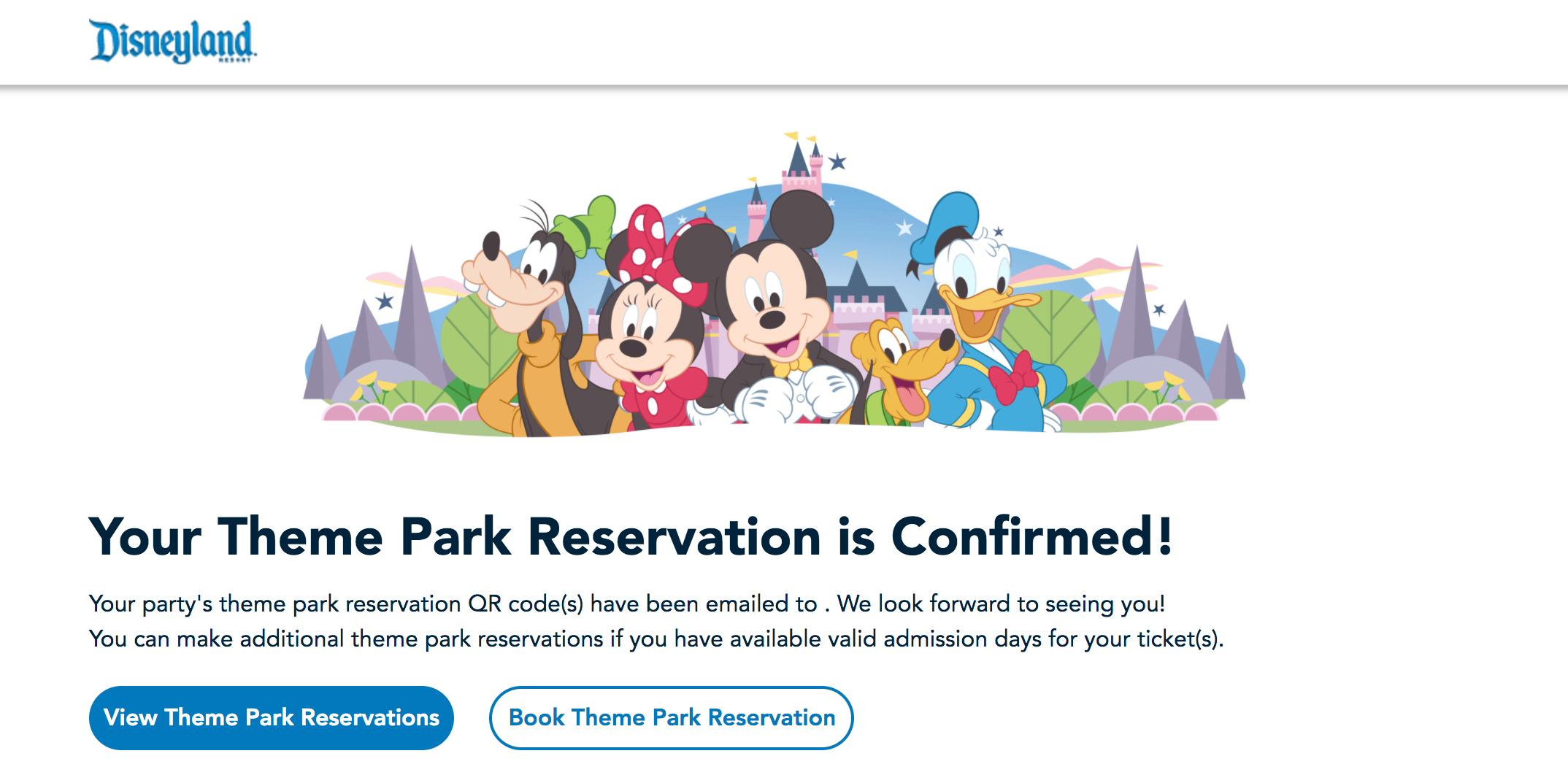
If you have a multiday ticket and need to select more days, you start this process over by clicking on the "Book Theme Park Reservation" bubble on this confirmation screen. If this option isn't available, you're all done.
You can't modify reservations after they are made, but you can cancel single or multiple reservations and rebook a new date or dates.
Tips and tricks for using the Disneyland reservation system

Although the Disneyland reservation system itself is pretty straightforward, there are a couple of potential mistakes guests can make. Watch especially for the following as long as Disneyland reservations are required:
- Always check the Disneyland reservation availability calendar before you purchase park tickets. Tickets purchased from Disneyland directly are nonrefundable, so you'll be stuck with a big cost if you can't make a reservation on your preferred travel day. Note that there are two tabs on this calendar with different availabilities — one for park hopper tickets and one for one park per day tickets.
- If you plan to purchase single-day tickets, note that Disneyland has five different one-day ticket tiers. Each tier has a different price and a different blockout calendar. Purchase the wrong tier ticket? Need to change your travel day? You may find you are blocked out when you try to make a theme park reservation on your travel day of choice. Through the end of June 2021, at least, if you plan to go to the parks on a weekend (Fridays, Saturdays or Sundays), you'll need the most expensive Tier 5 ticket.
- Consider purchasing multiday tickets instead of single-day tickets. Not only do they cost less on a per-day basis, but multiday tickets have no blockout dates in the new Disneyland reservation system. Note though that these tickets expire 13 days after first use.
- Disney generates a QR code for each daily theme park reservation for each person in your party and emails it to the address associated with your Disneyland account. You'll need these codes -- in addition to all theme park tickets -- to access the parks. This is different from Walt Disney World, where scanning a MagicBand or iPhone using MagicMobile acts as both a ticket and a theme park reservation.
- Park hopping after 1 p.m. is allowed for guests who purchase the park hopper ticket upgrade, subject to availability. If you wish to park hop, you don't need to make an additional reservation. The Disneyland reservation system is only for the park you wish to enter first for the day.
The State of California still highly recommends all guests be fully vaccinated or have taken a negative COVID-19 test before entering the parks.
Additional reporting by Madison Blancaflor.
TPG featured card

at Capital One's secure site
Terms & restrictions apply. See rates & fees.
| 5X miles | Earn 5X miles on hotels, vacation rentals and rental cars booked through Capital One Travel |
| 2X miles | Earn unlimited 2X miles on every purchase, every day |
Pros
- Stellar welcome offer of 75,000 miles after spending $4,000 on purchases in the first three months from account opening. Plus, a $250 Capital One Travel credit to use in your first cardholder year upon account opening.
- You'll earn 2 miles per dollar on every purchase, which means you won't have to worry about memorizing bonus categories
- Rewards are versatile and can be redeemed for a statement credit or transferred to Capital One’s transfer partners
Cons
- Highest bonus-earning categories only on travel booked via Capital One Travel
- LIMITED-TIME OFFER: Enjoy $250 to use on Capital One Travel in your first cardholder year, plus earn 75,000 bonus miles once you spend $4,000 on purchases within the first 3 months from account opening - that’s equal to $1,000 in travel
- Earn unlimited 2X miles on every purchase, every day
- Earn 5X miles on hotels, vacation rentals and rental cars booked through Capital One Travel
- Miles won't expire for the life of the account and there's no limit to how many you can earn
- Receive up to a $120 credit for Global Entry or TSA PreCheck®
- Use your miles to get reimbursed for any travel purchase—or redeem by booking a trip through Capital One Travel
- Enjoy a $50 experience credit and other premium benefits with every hotel and vacation rental booked from the Lifestyle Collection
- Transfer your miles to your choice of 15+ travel loyalty programs
- Top rated mobile app