Your Guide to Booking Awards Using the Fly Delta App


Smartphone apps have come a long way since the old days…five or six years ago. Now, in addition to functions like showing your points or mileage balances, elite status, boarding passes or reservations, some travel apps have even become many travelers' go-to portals for booking flights and hotels.
Airline apps in particular, which once lagged behind the times, are evolving and adding useful features right and left lately. These days, you can do everything from submitting and checking on upgrade requests to tracking your luggage and storing entertainment playlists for your flights, as well as booking both paid and award flights.
In this new series, we're going to take a look at the ability of major airlines' apps to search for and book award space, and we'll consider how the experience compares to using the airline's website.
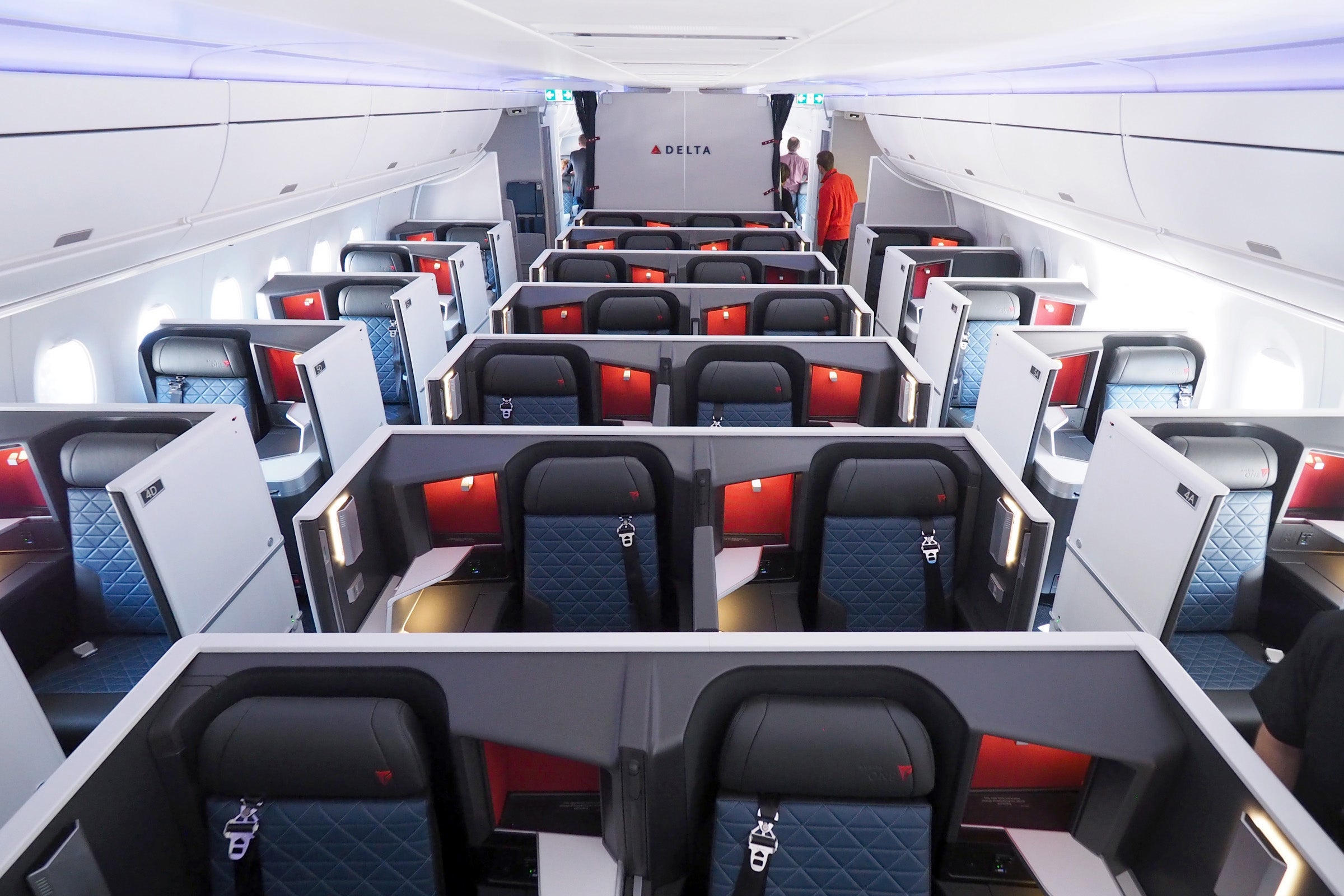
Today, our focus will be the Fly Delta app. In the last year or so, it has added functions like automatic check-in, but just how good is it at finding award availability, both on Delta's own flights and those of its partners?
Let's walk through a couple different scenarios and see how the app compares to the website. In certain circumstances the differences will be negligible and will only come down to the interface you prefer.
Delta Flights
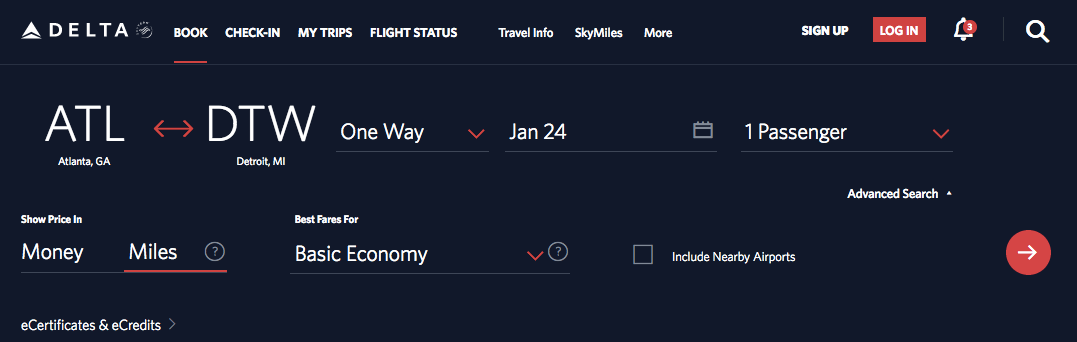
Looking at Delta.com, here's a sample search for a one-way flight between two Delta hubs: Atlanta (ATL) and Detroit (DTW). You can pick specific dates and whether you want to pay in miles or money.
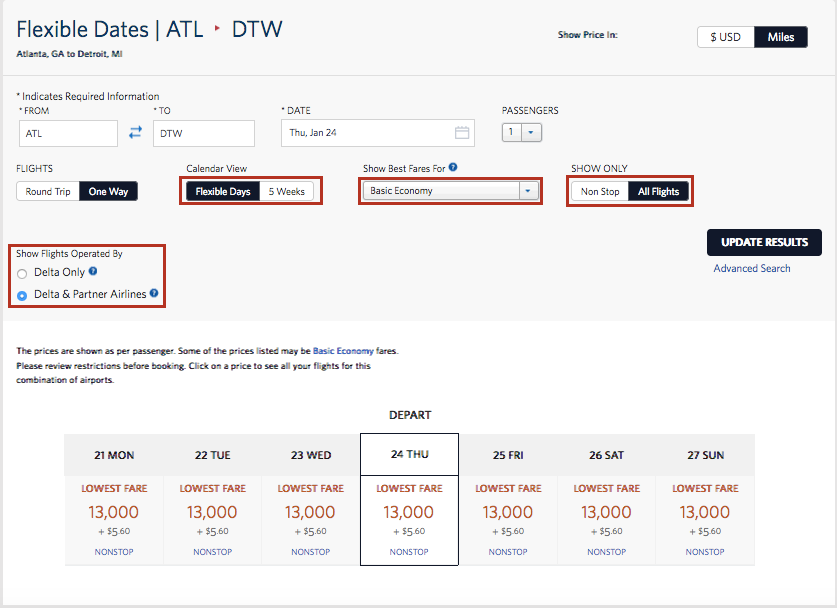
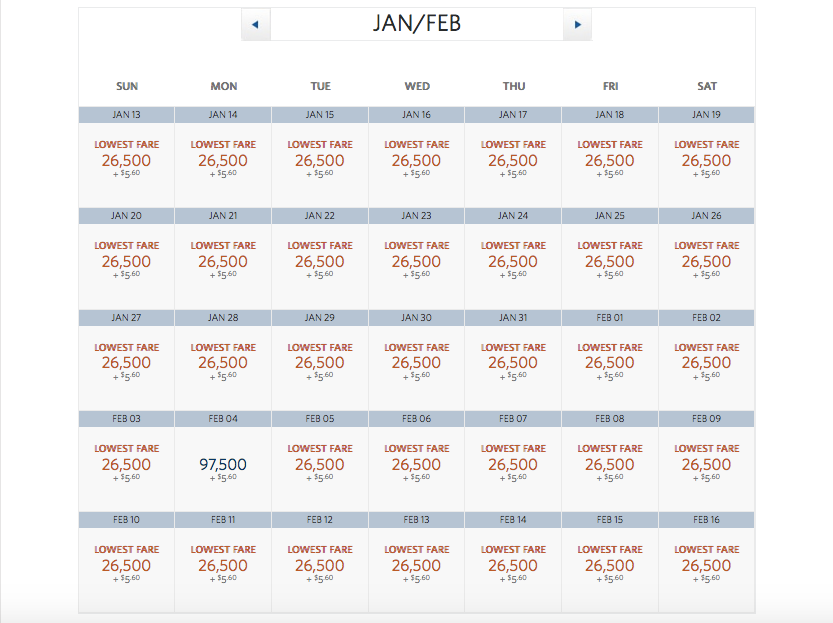
That generates a search result like this with availability listed over the course of the week. You can also see that I have more search choices at this point, including "Flexible Days," "5 Weeks," class of service and whether I only wish to view nonstops.
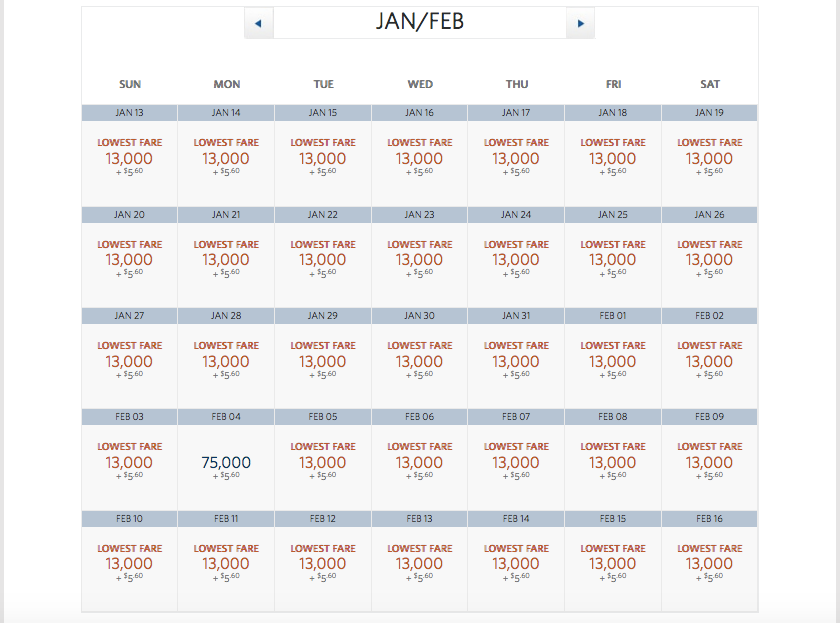
Using "5 Weeks" and nonstop as my criteria, here are the results for economy tickets.
And here are first class options.

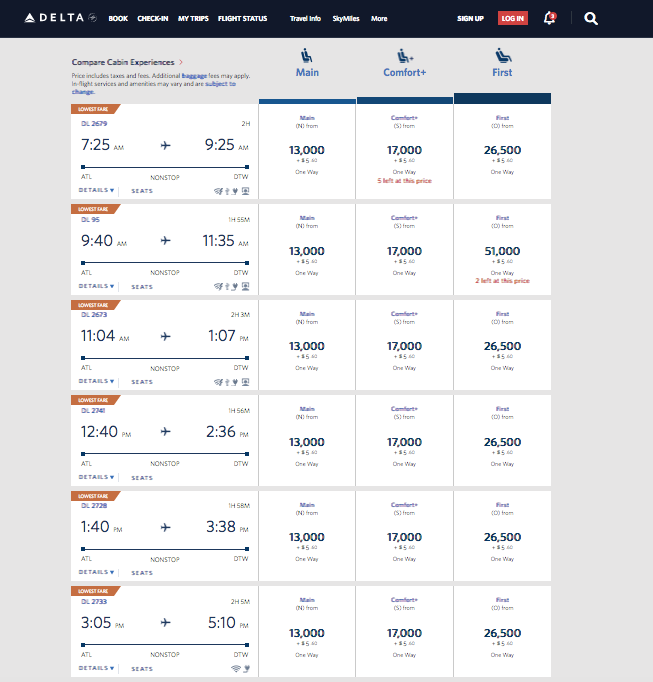
Now, let's just look at the options that come up if I click on one of the dates. As you can see, it lists all the flights available on one screen with mileage options for Main Cabin, Comfort+ and First (these are just the ones I could fit into a single screenshot, though note that you may also see Basic Economy or Premium Select, depending on the route).
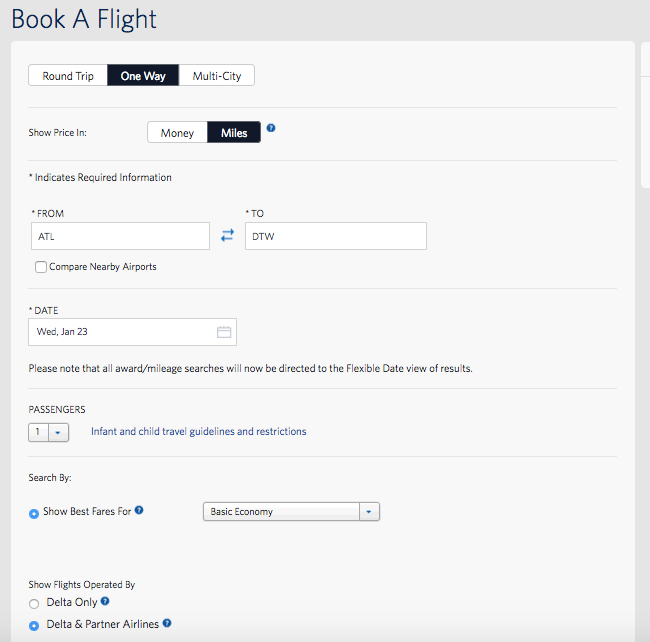
Up at the top, you'll also see that I can opt to do either a search on another specific date, on "Flexible Dates" to see a week of results again, or hit Advanced Search to go to this page, which basically gives you the options of searching by the criteria listed above (like over five weeks and on only Delta flights or those of its partners).
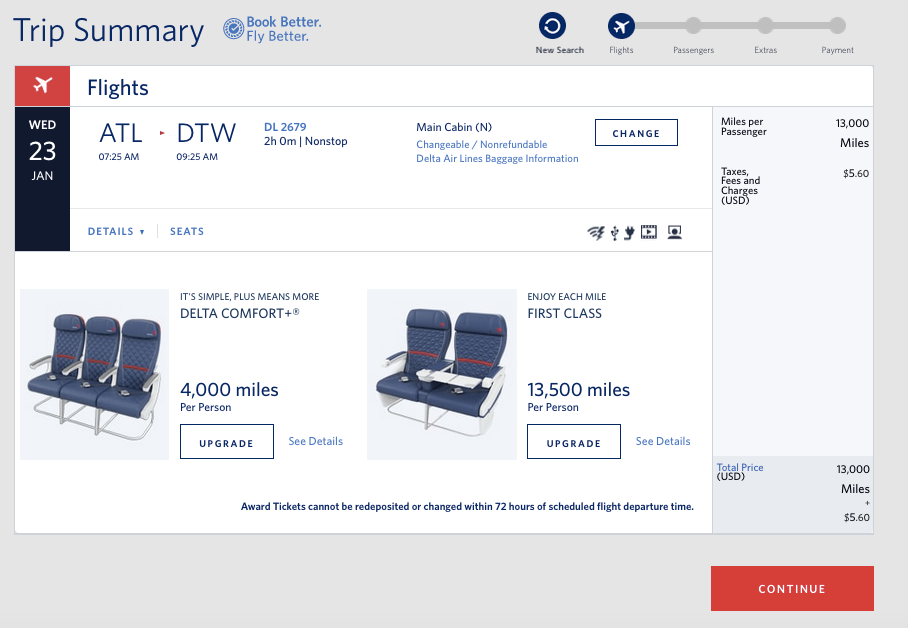
From the list of results, you can just click on the option you want to be taken to a page that confirms the itinerary. You log into your SkyMiles account, confirm your contact details, add extras like in-flight Wi-Fi or a mileage booster, select seats and pay for the ticket.
Now, let's do the same search using the Delta app. As you can see, the search looks pretty much the same.
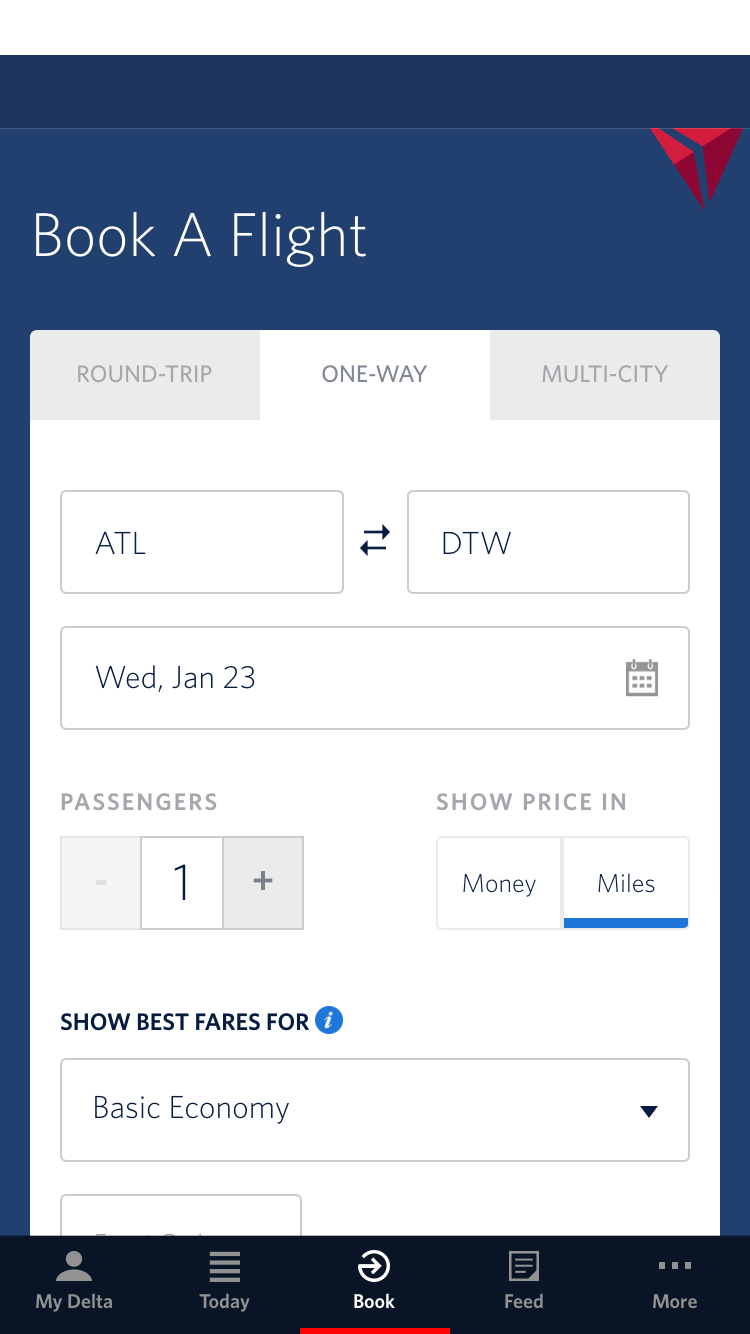
There are a couple major differences to note, though. First, the search will only pull up results for one cabin at a time.
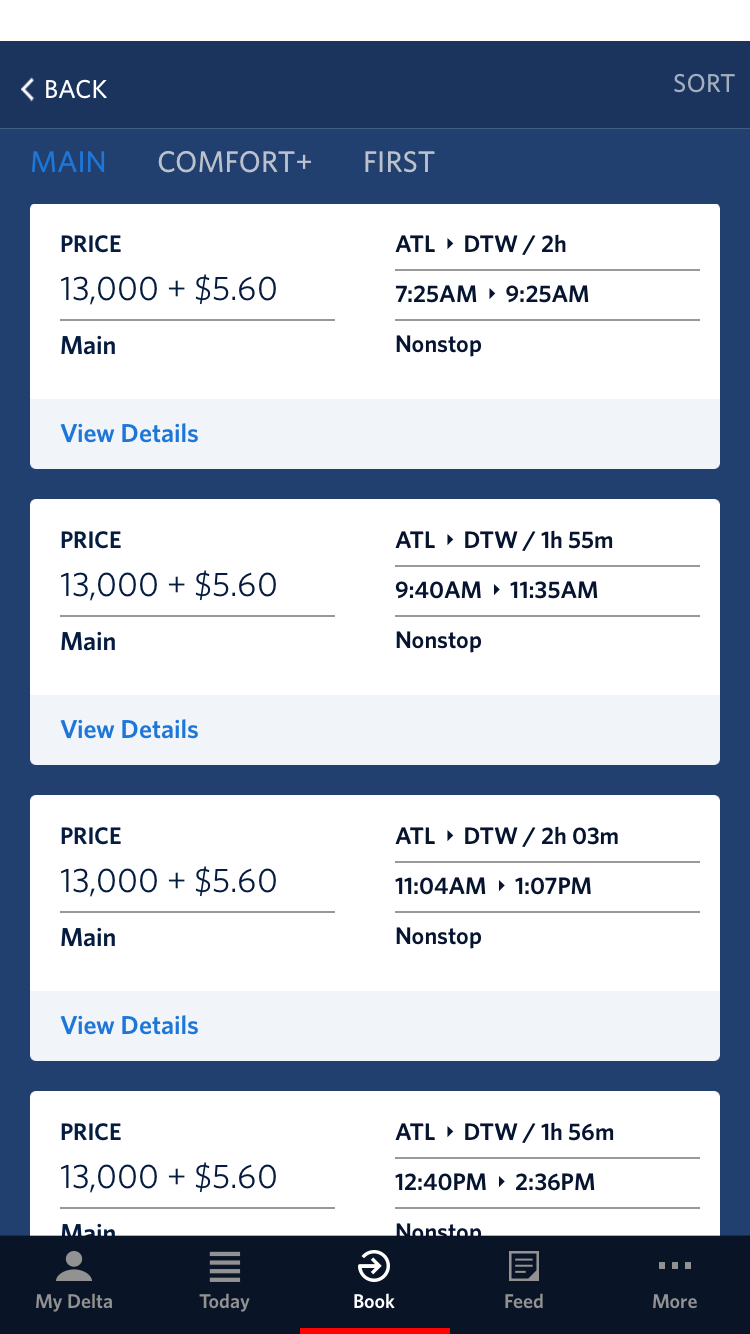
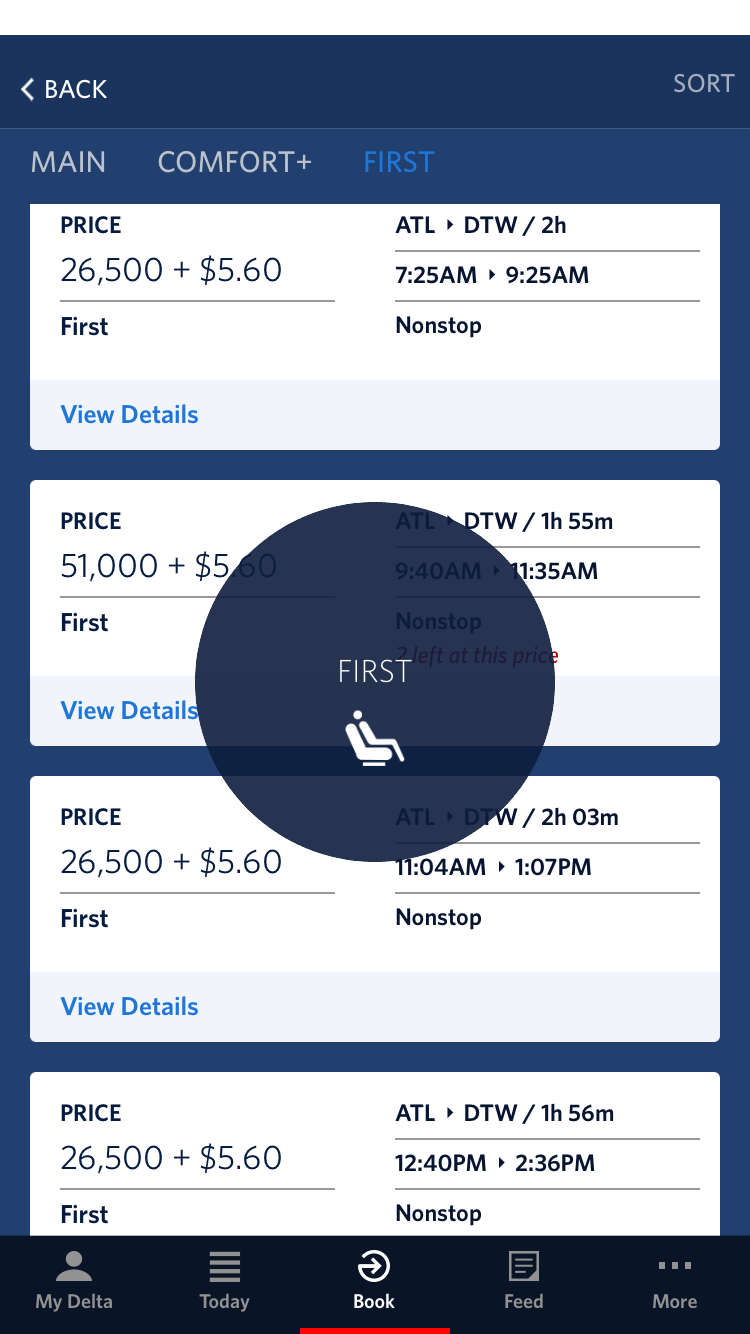
To see the other cabins, you've got to swipe right or left.
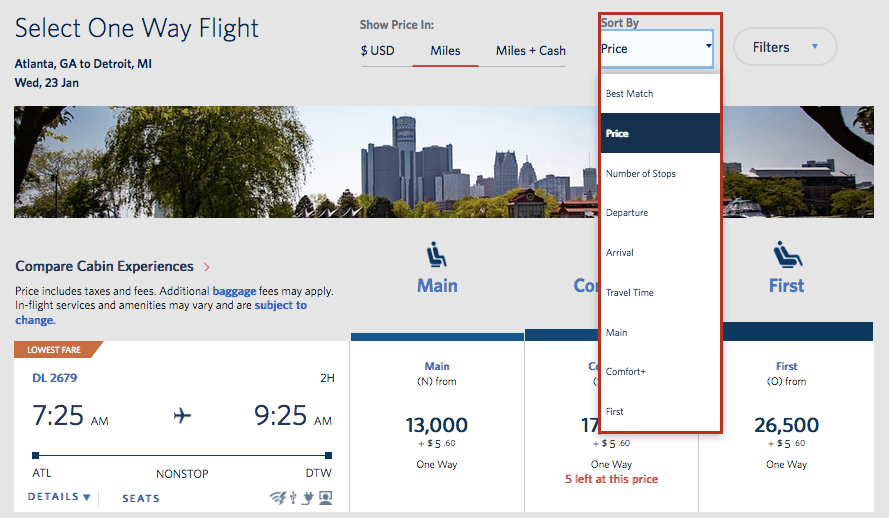
Like on the website, you can sort flights by various criteria, though they do differ slightly. This is what it looks like on the site.
And this is the app.
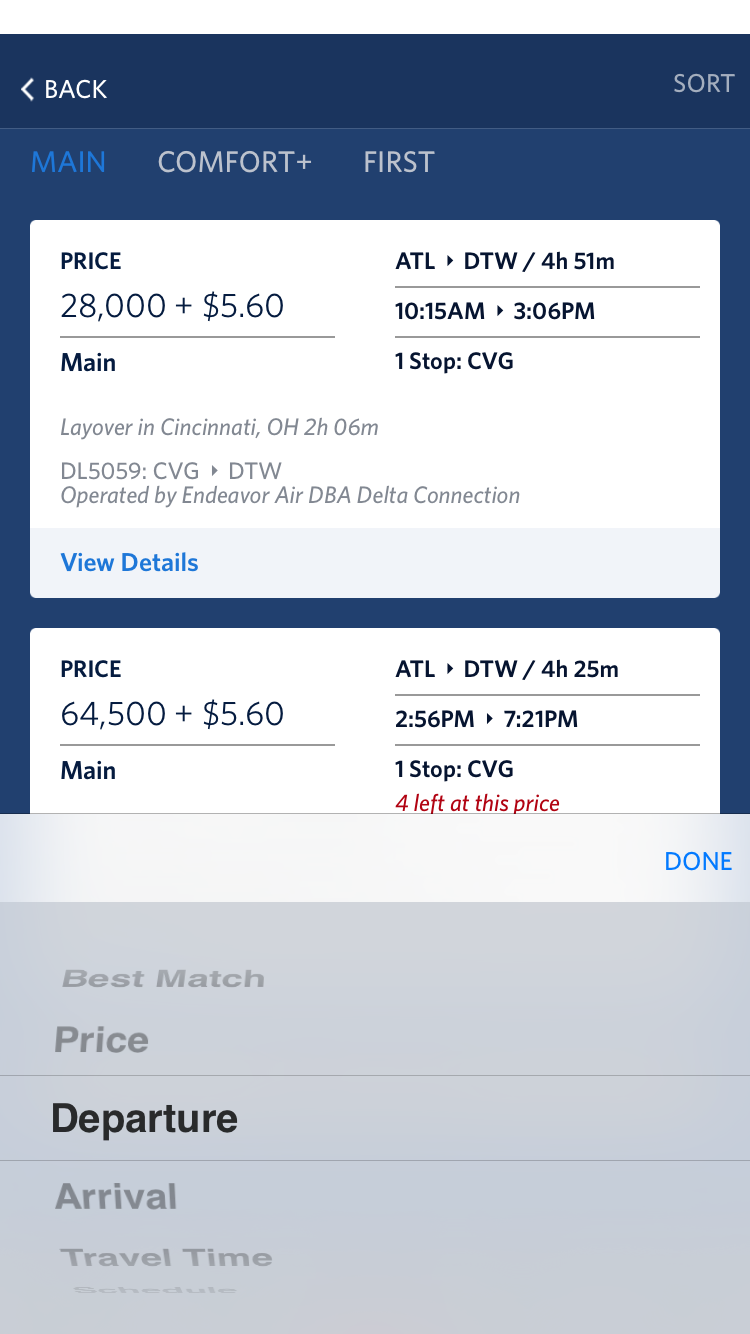
Unlike the website, the app will not allow you to narrow your search criteria by Delta-operated flights or nonstop itineraries, so you'll have to do a lot more legwork post-search to narrow the results down to the exact flights you want. When you do, there's an express checkout that allows you to pay with a credit card stored in your profile.
Like the website, the app will let you toggle between paid fares, award tickets using only miles, and Miles + Cash rewards. In fact, I found that the app is actually a little faster at doing so than the website.
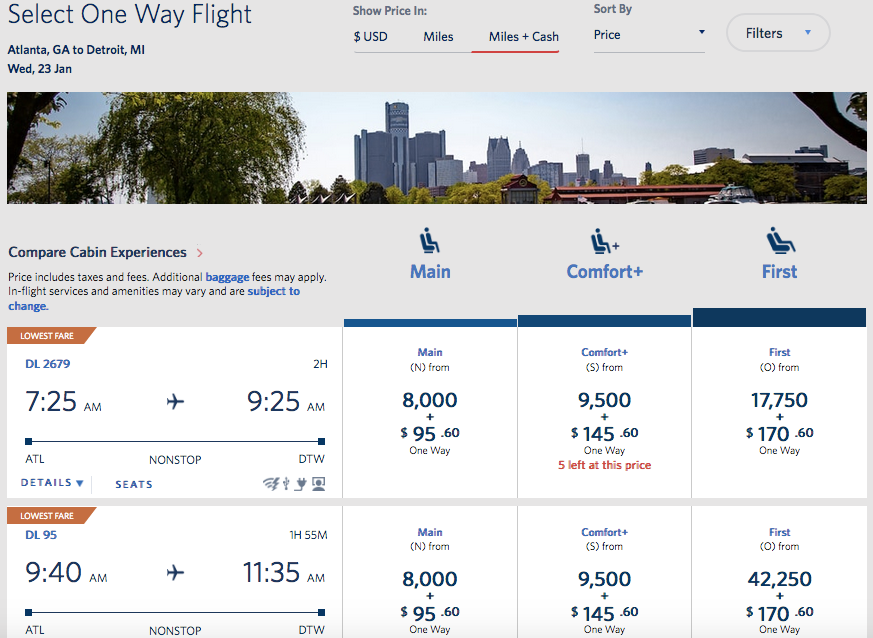
With both portals, you have to click on "Details" to see the type of aircraft and the amenities onboard.
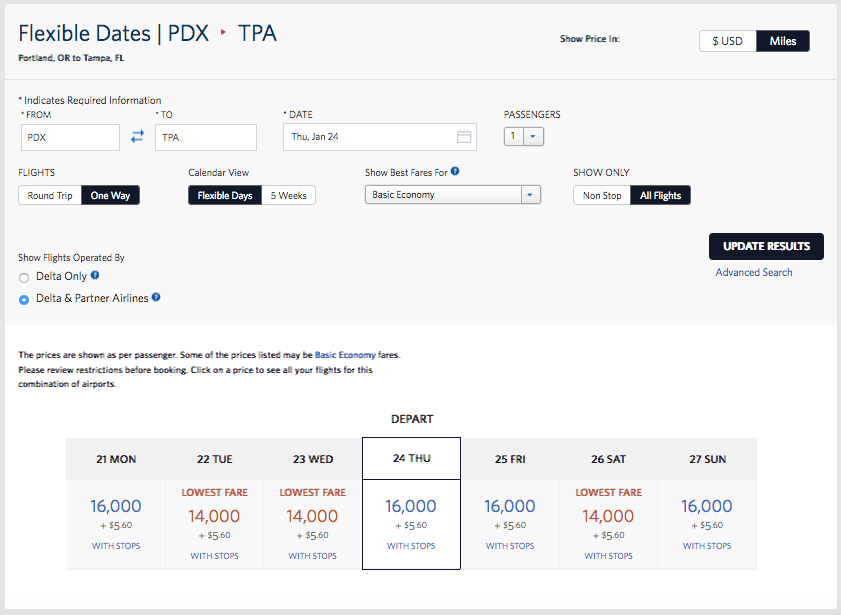
Let's look for a slightly more complicated award, still focusing on Delta's own flights. Here are the results for a search from Portland (PDX) to Tampa (TPA). As you can see, I have a few different options, and mileage levels vary based on the date of travel.
If I pull up an individual date, though…
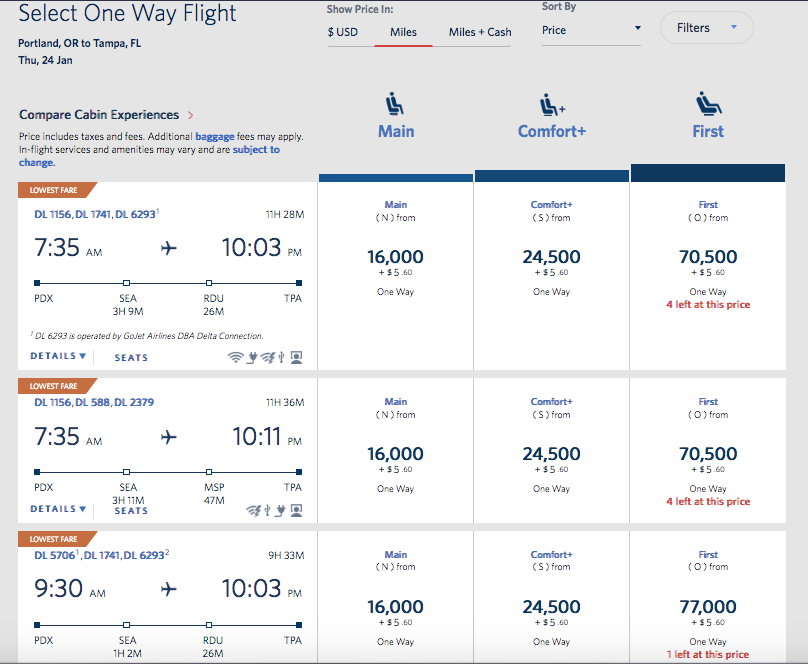
The results on the app match those on the site.
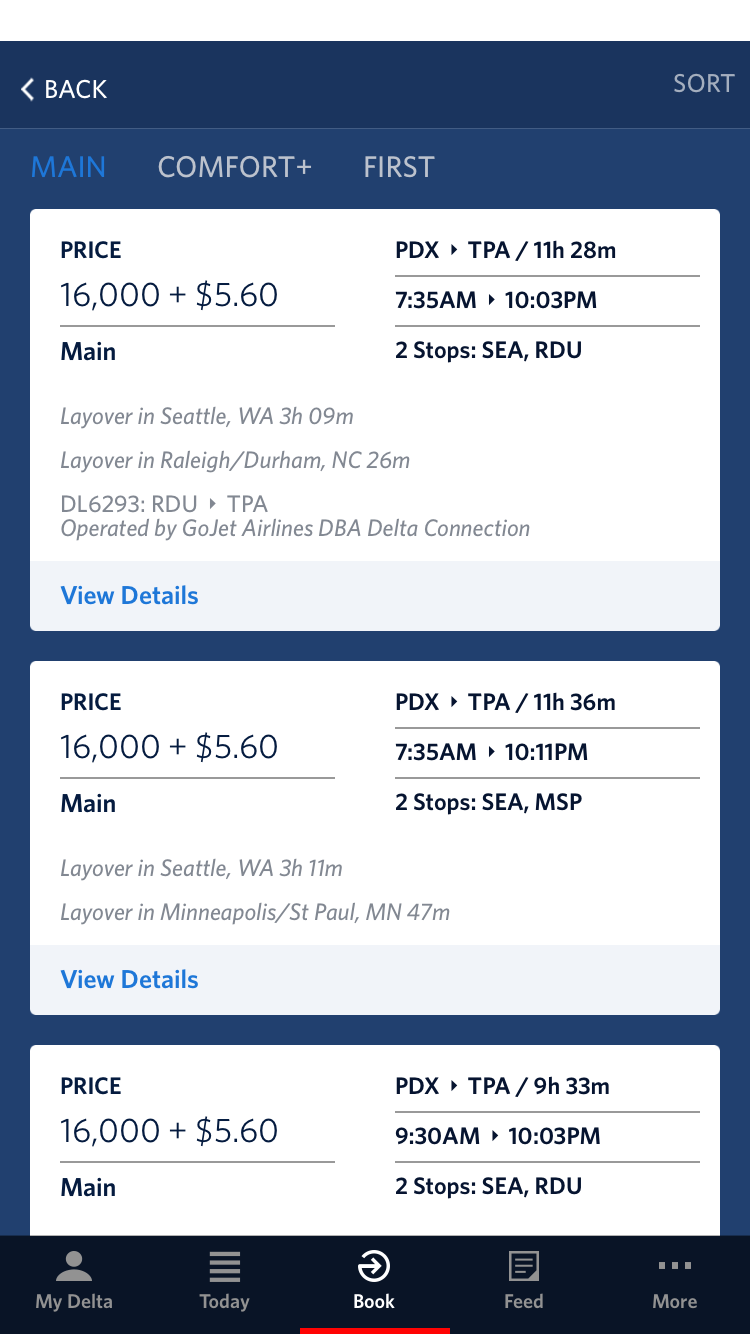
Now, let's get a little more complicated and let's search a route where both Delta and its partners fly.
Partner Flights
One of those routes is from Los Angeles (LAX) to Shanghai (PVG), which is flown nonstop not only by Delta (using an A350 with its flagship Delta One Suites) but also by its SkyTeam alliance partner, China Eastern.
This is an instance where using the Delta site can cut your search time significantly. Not only can you view a calendar of award availability and focus on dates with the lowest mileage requirements, but you can also instantly cut out extraneous multi-leg itineraries if you prefer to fly nonstop.
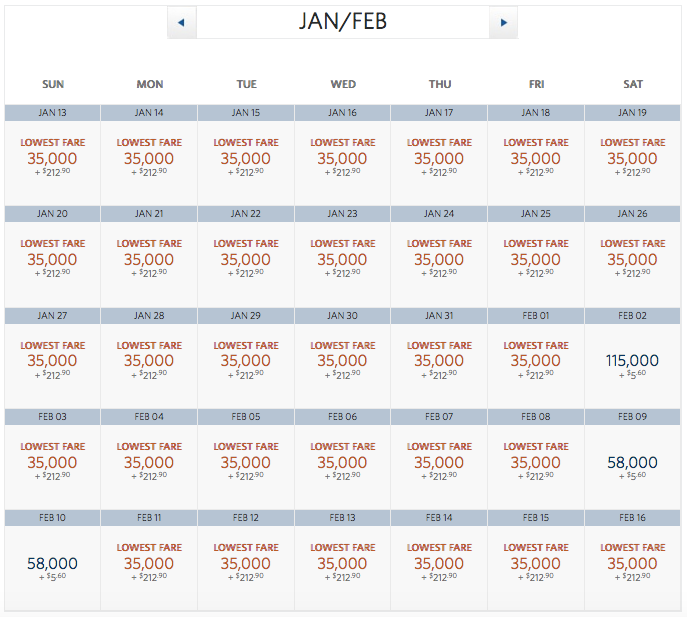
Plus, you can even select Delta-only flights if you really, really want to fly the airline's A350, say, to experience Premium Select, the carrier's premium-economy product.
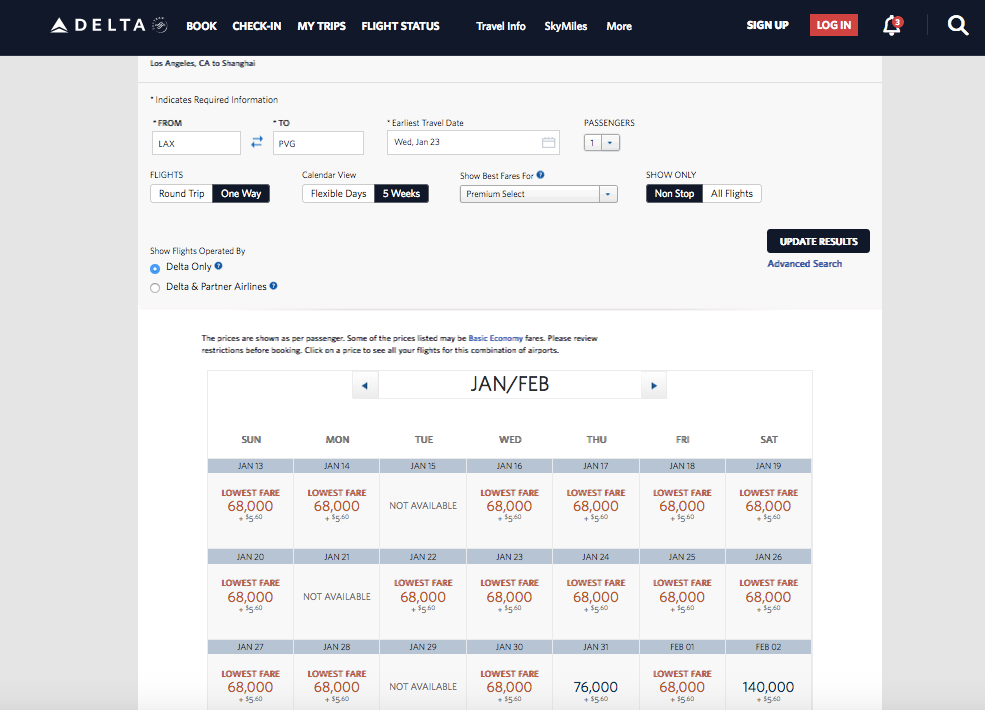
As you'll notice, there are many days where there are no awards, or those requiring exorbitant amounts of miles, which you could find on the app only by sifting through the results day by day.
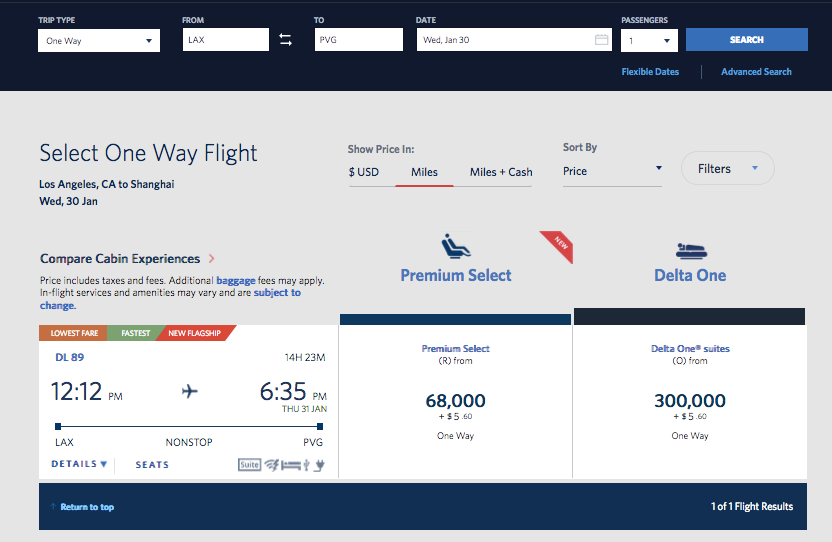
However, the app does pull up matching availability on specific days.
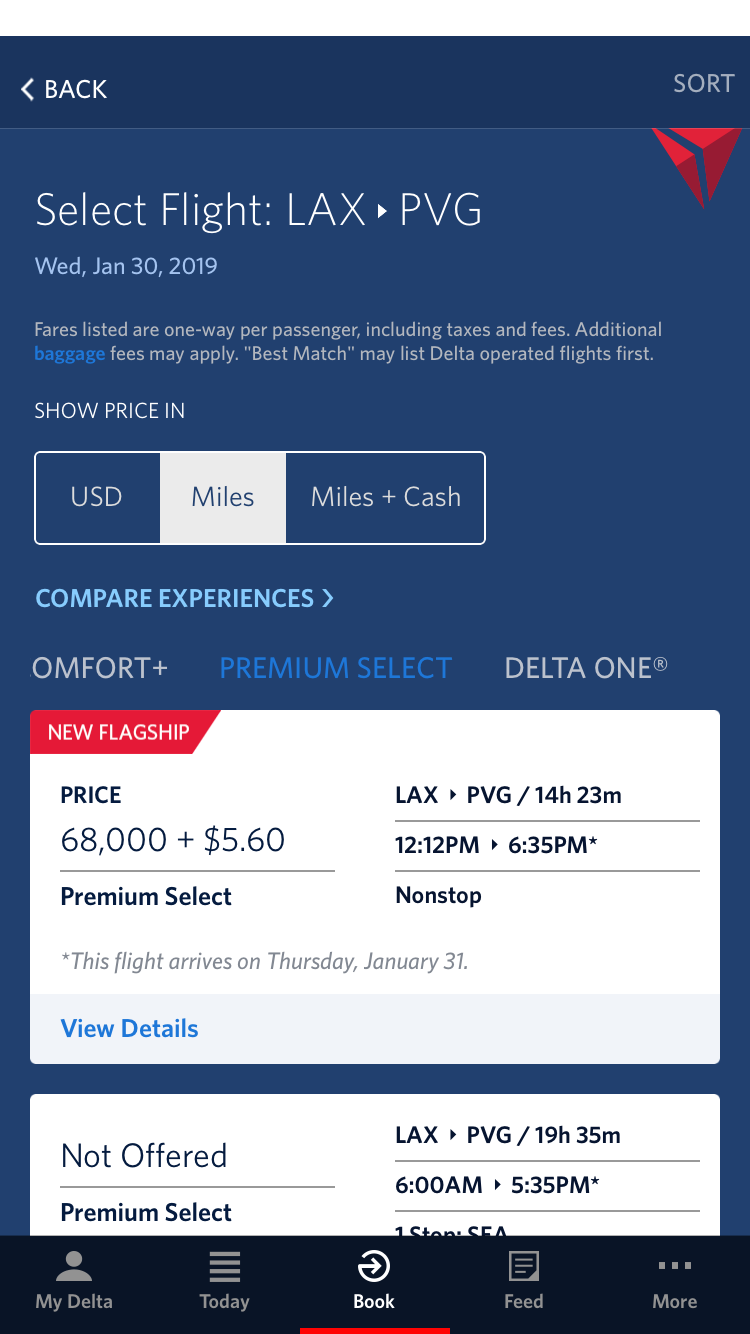
On the website, if you switch between paid fares, mileage awards and Miles + Cash tickets, then only results on Delta's own flights will show up.
Given the scarcity of saver-level Delta One awards on this particular route, it's also much easier to see dates with business-class award availability on China Eastern's nonstop flights using the website's calendar view versus searching day by day within the app.
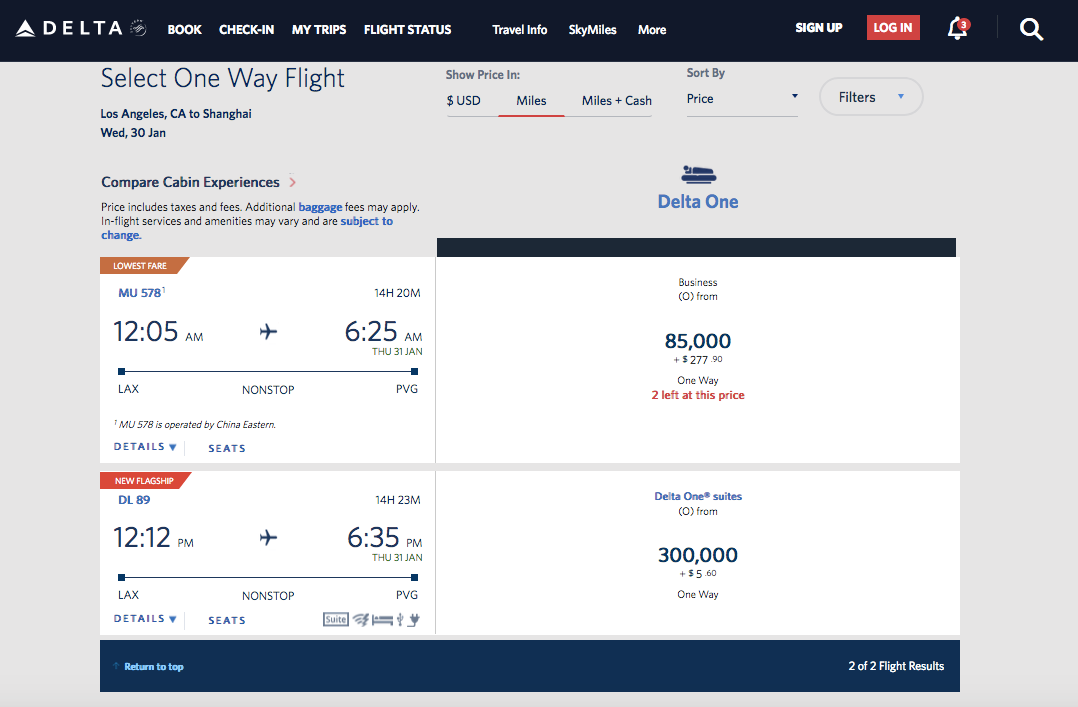
The award availability is the same, though, when you pull up specific days.
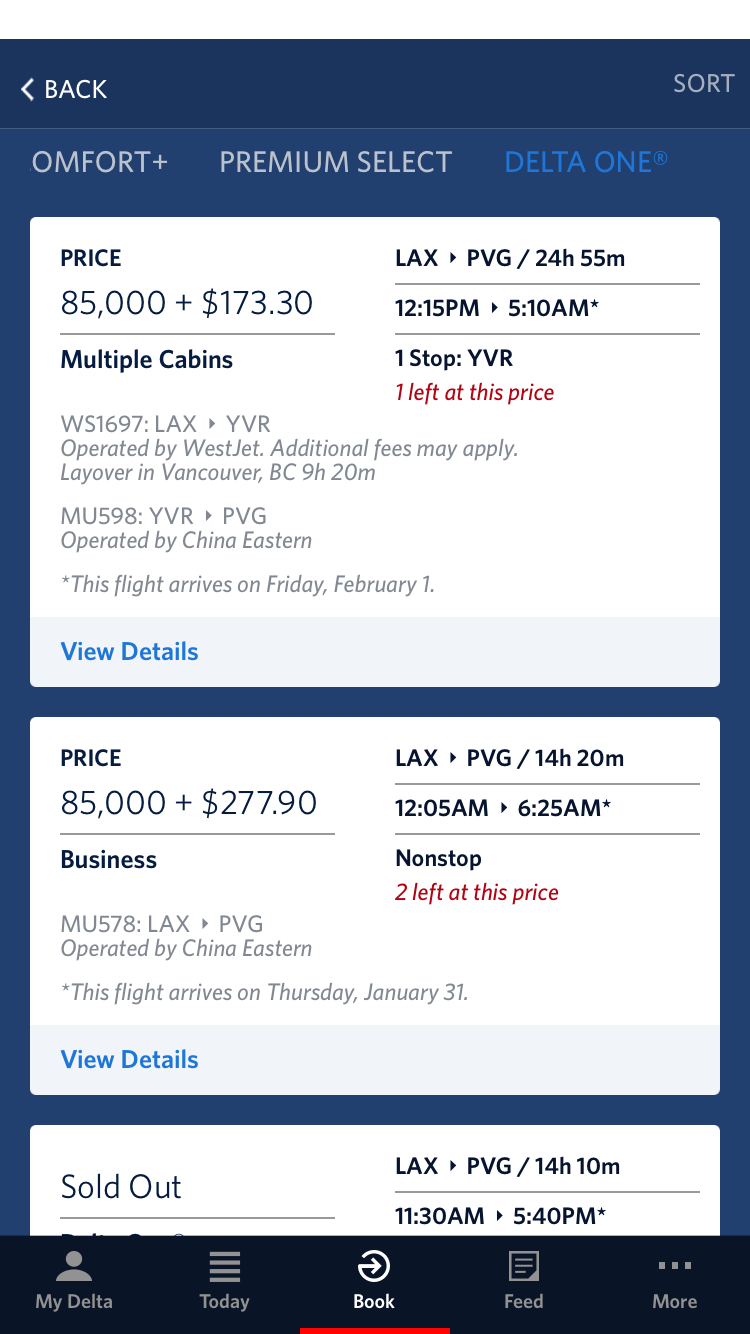
I've basically found that award availability using the Delta website and the Fly Delta app matches up exactly, whether on Delta flights or those of its partners.
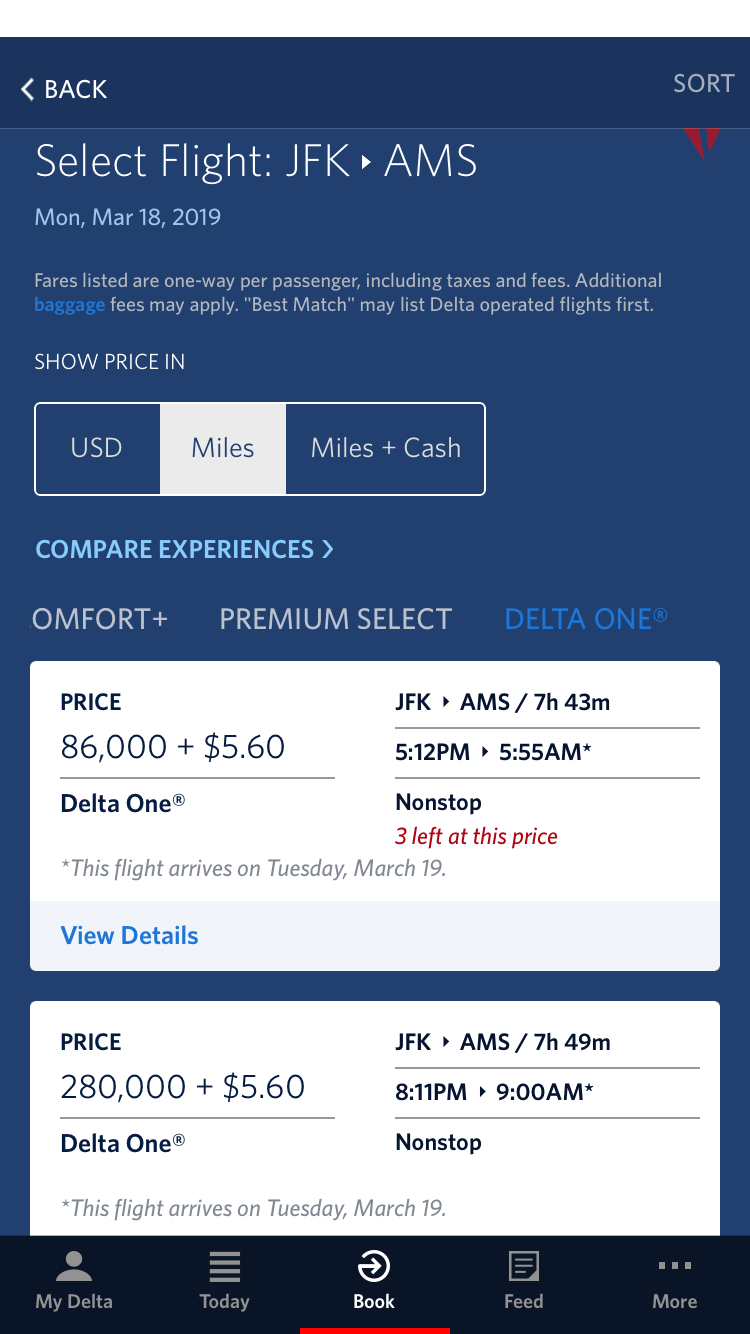
Here's another instance where the website shows two different awards for business class on Delta from New York-JFK to Amsterdam (AMS).
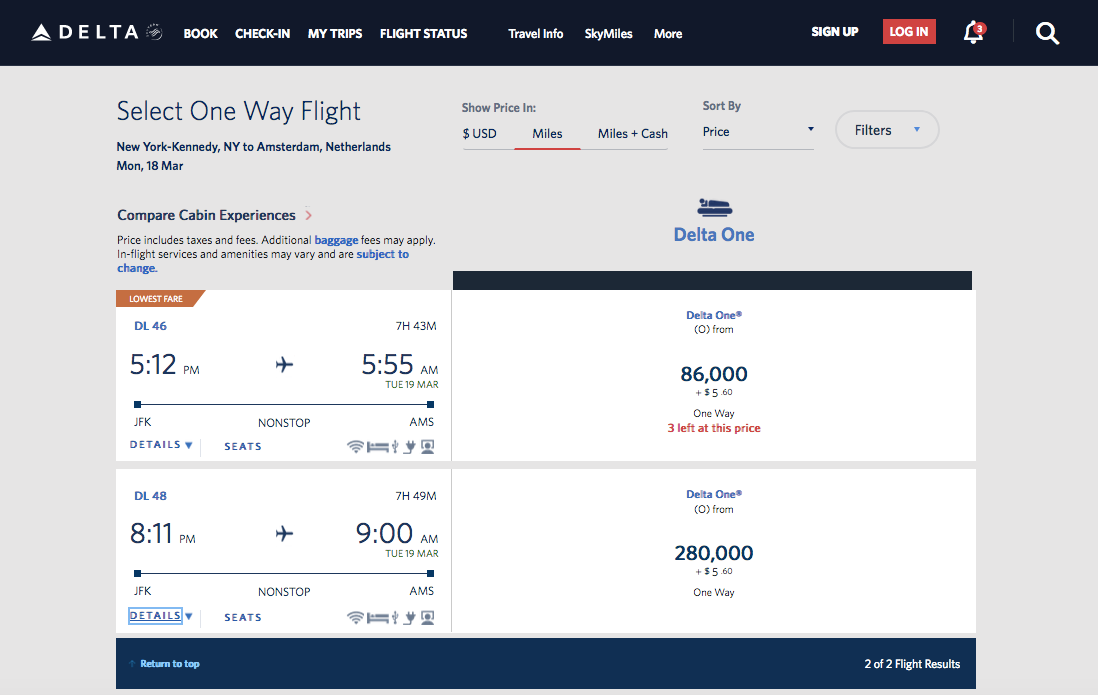
And the app shows the same exact two results.
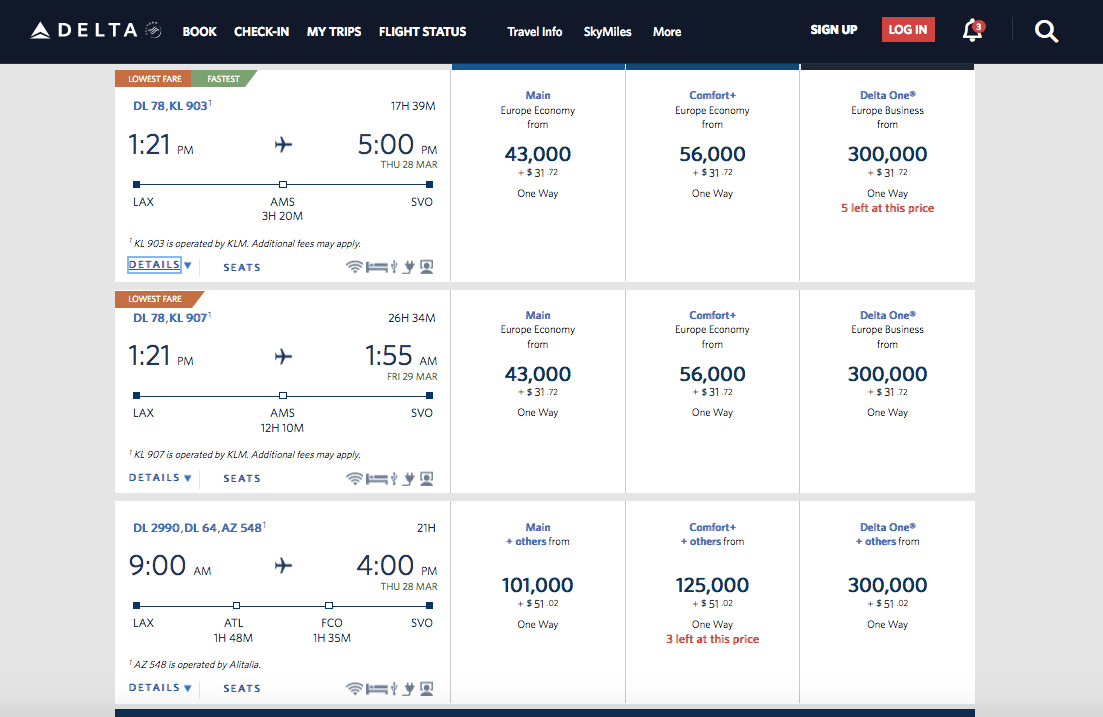
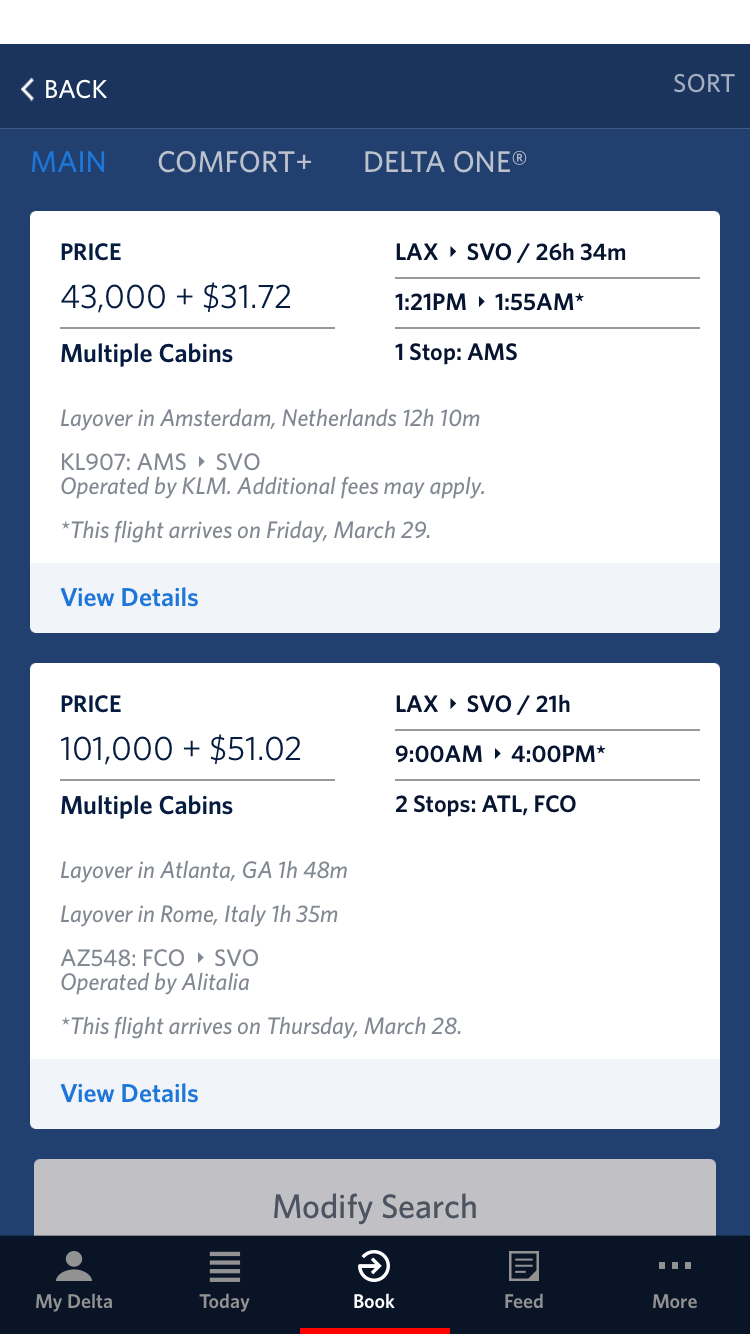
Even looking at more complicated awards involving Delta and one or more partners, the award availability matches up between the site and the app. For instance, here are some economy awards from Los Angeles (LAX) to Moscow (SVO) including options on a mix of Delta, KLM and Alitalia.
And the exact same results showed up on the app.
The Delta website allows you to narrow down your searches much faster and more effectively, but you won't find different awards showing up depending on which portal you use.
Key Takeaways
So why bother using the app at all when the website can show you much more availability at once? There are a few reasons.
Like all apps, Fly Delta seems to need less data to function than a regular website. If you're on the go or traveling internationally with limited data, for instance, it might be easier just to pull up results day-by-day in the app. This is especially applicable if you're either doing general searches out of curiosity or are looking for a specific award on a specific date (and don't need any flexible, calendar view). In either case, the app lets you do what you need to quickly and without fuss.
On the other hand, if you're looking at award trends over time or trying to find the exact award you want either on Delta or partners, the website's search engine is more robust. The site allows you to search for nonstop flights versus any itinerary and allows you to filer for Delta-only versus Delta and partner flights. Even more importantly, you can quickly see availability across five weeks. All of that makes it a better general resource for exploring award possibilities.
The Delta SkyMiles program hasn't published award charts since 2015, so the price you see is the price you'll get. The carrier has also implemented several devaluations over the years, so your miles may not get you as far as they once did. That said, it did take home the 2018 TPG award for best US airline loyalty program (based entirely on reader votes), so there's definitely value to be had. It's nice to know that your award ticket availability and prices will be consistent, regardless of the booking platform you use.
TPG featured card

at American Express's secure site
Terms & restrictions apply. See rates & fees.
| 4X | Earn 4X Membership Rewards® points per dollar spent on purchases at restaurants worldwide, on up to $50,000 in purchases per calendar year, then 1X points for the rest of the year. |
| 4X | Earn 4X Membership Rewards® points per dollar spent at US supermarkets, on up to $25,000 in purchases per calendar year, then 1X points for the rest of the year. |
| 5X | Earn 5X Membership Rewards® points on prepaid hotel stays booked through AmexTravel.com or the Amex Travel App™. |
| 3X | Earn 3X Membership Rewards® points on flights booked through AmexTravel.com, the Amex Travel App™, or purchased directly from airlines. |
| 2X | Earn 2X Membership Rewards® points on prepaid car rentals booked through AmexTravel.com or the Amex Travel App™ and cruises booked and paid through AmexTravel.com. |
| 1X | Earn 1X Membership Rewards® point per dollar spent on all other eligible purchases. |
Pros
- Valuable dining and food-related credits
- Flexible rewards with airline and hotel transfer partners
- Multiple travel and purchase protections
- No foreign transaction fees
- Access to Amex Offers for additional savings (enrollment required)
Cons
- Not as useful for those living outside the U.S.
- Some may have trouble using Uber and other dining credits
- You may be eligible for as high as 100,000 Membership Rewards® Points after you spend $8,000 in eligible purchases on your new Card in your first 6 months of Card Membership. Welcome offers vary and you may not be eligible for an offer. Apply to know if you’re approved and find out your exact welcome offer amount – all with no credit score impact. If you’re approved and choose to accept the Card, your score may be impacted.
- Earn 4X Membership Rewards® points per dollar spent on purchases at restaurants worldwide, on up to $50,000 in purchases per calendar year, then 1X points for the rest of the year.
- Earn 4X Membership Rewards® points per dollar spent at US supermarkets, on up to $25,000 in purchases per calendar year, then 1X points for the rest of the year.
- Earn 5X Membership Rewards® points on prepaid hotel stays booked through AmexTravel.com or the Amex Travel App™.
- Earn 3X Membership Rewards® points on flights booked through AmexTravel.com, the Amex Travel App™, or purchased directly from airlines.
- Earn 2X Membership Rewards® points on prepaid car rentals booked through AmexTravel.com or the Amex Travel App™ and cruises booked and paid through AmexTravel.com.
- Earn 1X Membership Rewards® point per dollar spent on all other eligible purchases.
- Pay It® lets you tap in the American Express® App to quickly pay for small purchase amounts throughout the month and still earn rewards the way you usually do. Plan It® gives you the option to split up big purchases into equal monthly payments with a fixed fee. You’ll know upfront exactly how much you’ll pay.
- $120 Dining Credit: Earn up to a total of $10 in statement credits monthly when you pay with the Gold Card at Grubhub (including Seamless), Buffalo Wild Wings, Five Guys, The Cheesecake Factory, and Wonder. This can be an annual savings of up to $120. Enrollment required.
- $100 Resy Credit: Get up to $100 in statement credits each calendar year at over 10,000 qualifying U.S. Resy restaurants after you pay for eligible purchases with the American Express® Gold Card. That’s up to $50 in statement credits semi-annually. Enrollment required.
- $84 Dunkin' Credit: Earn up to $7 in monthly statement credits after you pay with the American Express® Gold Card at U.S. Dunkin’ locations. Enrollment required.
- $120 Uber Cash on Gold: Enjoy up to $120 in Uber Cash annually with your Gold Card. Just add your Card to your Uber account and you'll get $10 in Uber Cash each month to use on orders and rides in the U.S. when you select an Amex Card for your transaction.
- Enjoy complimentary Hertz Five Star® Status benefits like skipping the counter at select locations, adding an additional driver at no additional cost*, and vehicle upgrades**. Benefit enrollment and Hertz Gold+ registration are required. *Additional drivers must meet standard rental qualifications and must be a spouse or domestic partner to qualify as complimentary. Other additional drivers subject to fees. **Benefits are subject to availability and vary by location. Additional Hertz program Terms and Conditions including age restrictions apply.
- Book two nights or more with The Hotel Collection through AmexTravel.com or the Amex Travel App™ and receive a $100* credit towards eligible charges at over 1,400 upscale hotels worldwide. *Eligible charges vary by property.
- Book your travel through the Amex Travel App™ with added peace of mind – backed by American Express® service and support. Only for American Express® Card Members.
- Whenever you need us, we're here. Our Member Services team will ensure you are taken care of. From lost Card replacement to statement questions, we are available to help 24/7.
- No Foreign Transaction Fees.
- Annual Fee is $325.
- Terms Apply.