4 ways to make sure you're not boarding a crowded flight

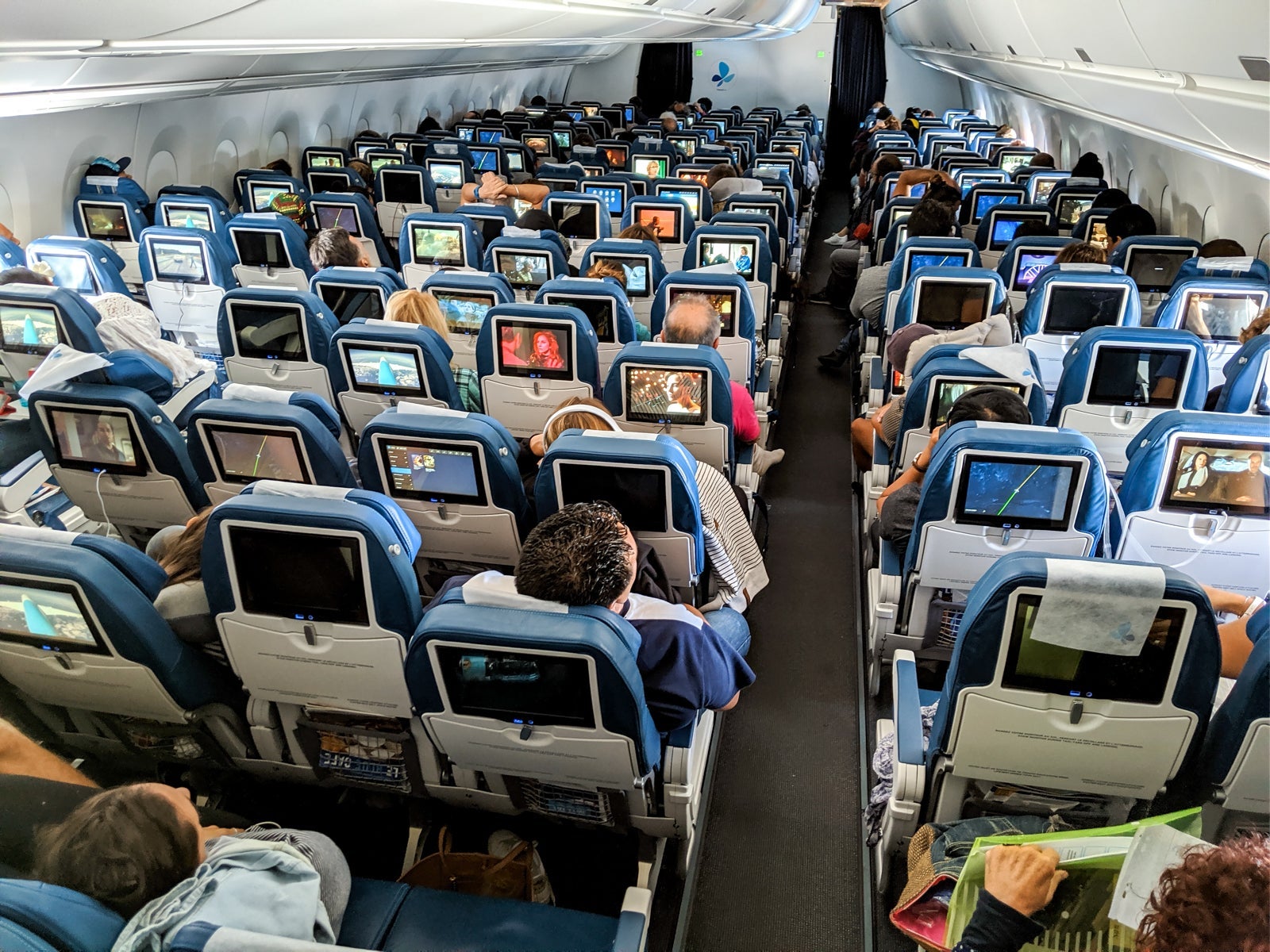
When you're flying high above the ground in a metal tube for hours, there's nothing better than having an empty seat next to you.
In light of the coronavirus pandemic, that's become even more important. Now more than ever travelers want — and need — to know how crowded their flight may be. With social distancing policies varying by carrier, it's up to you to understand what to expect.
Though airlines like Delta and JetBlue are capping the capacity of their flights, others aren't. That's why this guide will go through four tried-and-true strategies for understanding how full your flight is before you purchase your next ticket.
For more travel tips and news, sign up for our daily newsletter.
Call the airline
The simplest way to figure out how full the flight will be is to pick up the phone and call the airline. Explain that you're concerned about being on a crowded flight and ask the agent to give you an estimate as to how full the flight currently is.
You likely won't be given a precise number of people booked on the flight, but the phone agents should be able to guide you through your options. (If you can't find an agent willing to help, I'd recommend hanging up and calling again.)
Of course, you should note that things can — and do — change up to the last minute before your flight. If another flight is canceled or significantly delayed, many passengers will likely be accommodated on your flight.
American and United aren't capping the capacity of their flights. They are, however, proactively reaching out to customers booked on flights above a certain capacity threshold to offer them to switch to another flight for free. So even if you can't reach the airline ahead of time, you should have a better understanding of capacity at check-in.
Related: How to quickly reach an airline customer service agent

Use the seat map — with caution
Speaking of check-in, that's a great time to use the seat map to estimate how crowded a flight is.
On many carriers, seat assignments aren't free. And even if seat assignments are free, there are some passengers who simply don't select one during the booking process.
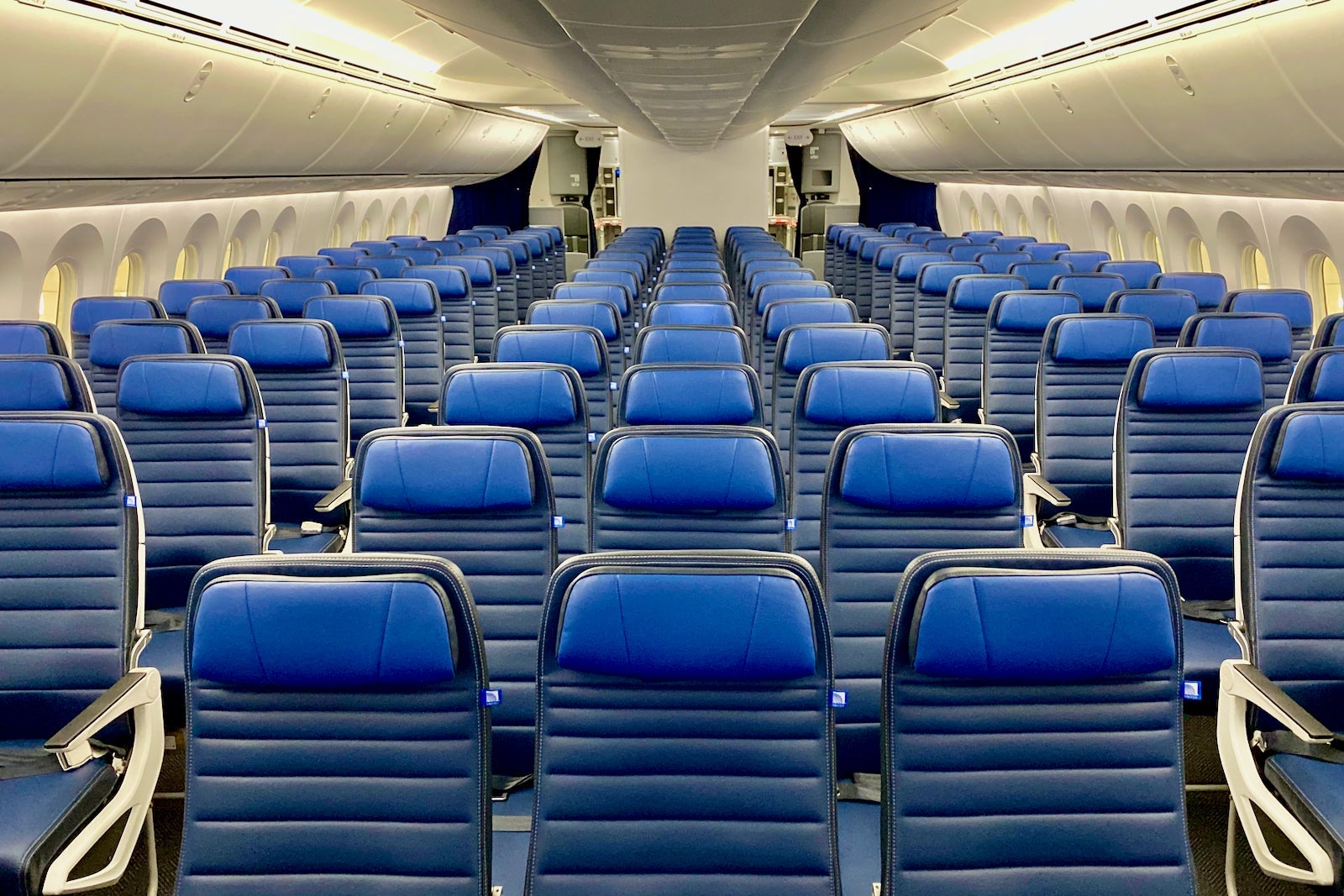
This means that the seat map can be highly misleading, especially in the days and weeks leading up to your flight. On Frontier or Spirit, many passengers don't purchase seat assignments in advance (instead, they're assigned a free seat at check-in). So, the seat map isn't reliable — until after the check-in window opens.
Across the board, as more and more passengers check in (including those who've purchased basic economy tickets), the seat map will fill up. That's why looking at the seat map as an indicator of how full your flight is really only works within a few hours of departure, but it is still worth doing. Looking at the seat map when booking your flight is only useful for those trying to select their preferred seat type.
Related: How to read an aircraft seat map
Stalk the upgrade and standby lists
Some airlines make it easier than others to tell how full your flight will be.
In my mind, two of the best free tools are the upgrade and standby lists. On Delta and United, the upgrade list clearly states how many seats are left in the premium cabin. (Delta also shows how many Comfort+ seats are left.)
United's lists, unfortunately, just say whether or not there are seats remaining.
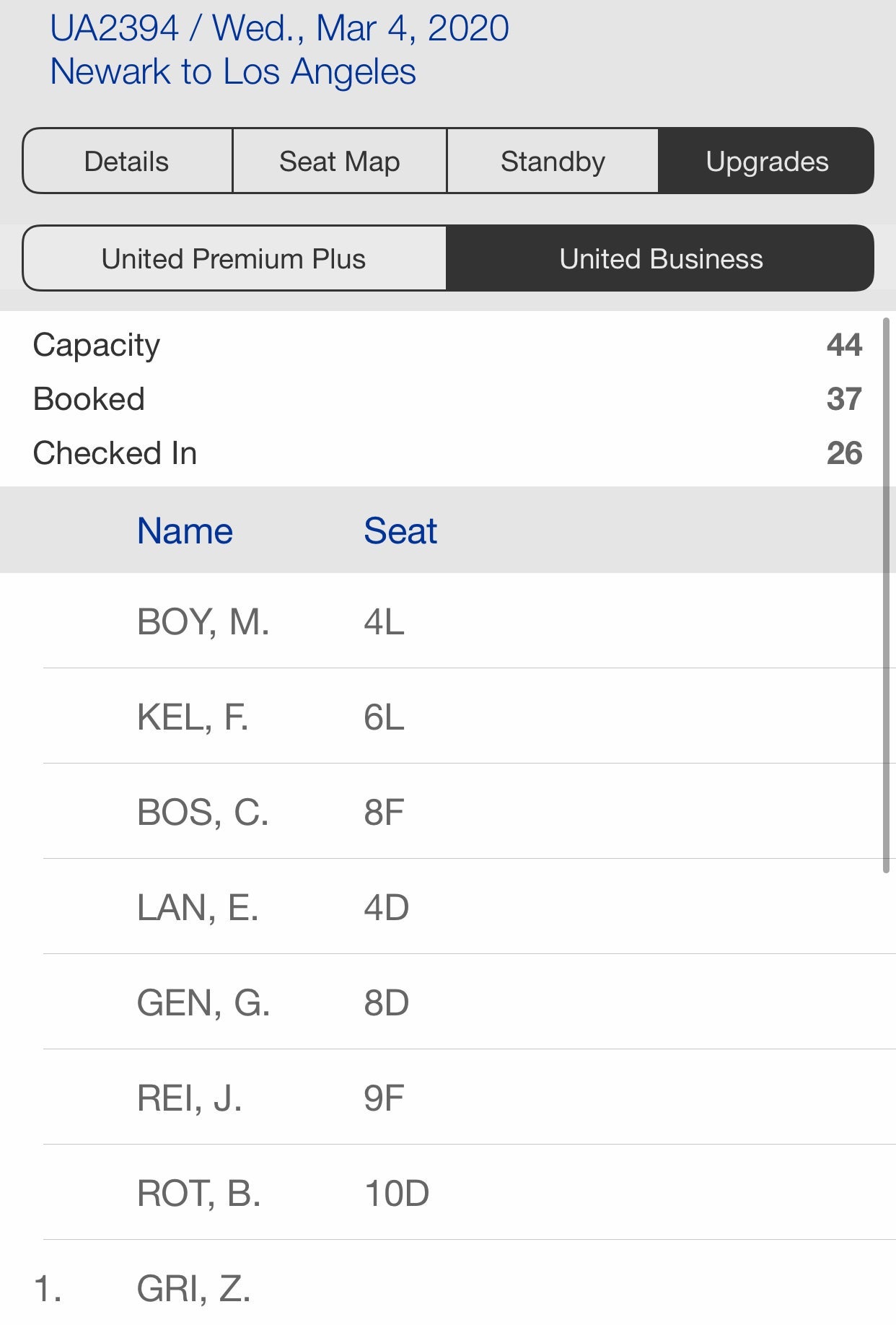
The real downside to these tools is that the airlines only activate them shortly before your flight, so they don't help a few weeks before departure.
Related: How to buy a second seat on your next flight
Check ExpertFlyer flight availability
Now we're getting into some of the more advanced — and more predictive — tools. ExpertFlyer, owned by TPG's parent company, is one of the absolute best ways to determine how full your flight is.
Though this web-based service offers a seat map feature, the Flight Availability Search is the best way to get a sense of how crowded your flight is. When you input your flight (one leg at a time), you'll be shown an alphabet soup of letters and numbers.
Being able to parse these combinations will unlock the treasure. To start, you should check out our guide to fare classes, and what they can tell you about your ticket.
But as a primer, each ticket that you purchase with an airline is assigned one of these fare classes. The fare classes on ExpertFlyer are typically arranged from most to least expensive, by cabin.

In the example above, J indicates a fully flexible business-class ticket, Y indicates a fully flexible coach ticket and G indicates the cheapest coach ticket. As you go from G to Y, the tickets typically get more expensive. And the numbers next to each of the letters indicate how many seats are left for sale in each class.
The higher the number of seats in each bucket, the more availability there is on the flight. (Each bucket is typically capped at nine seats at a time.) Additionally, the more fare buckets available generally indicate that there are more seats left for sale.
Armed with this knowledge, we can tell that United flight 2385 from Denver to Chicago is sold out in first class. "J0" means there are no business-class seats for sale left in the forward cabin. But, if you need to choose between United flights 317 and 2385 in coach, I'd definitely recommend 2385. Why? United is selling many more fares in coach on the later flight, indicating that it's less crowded than the earlier one.
Related: How to boost your chances of getting a better seat by 91% or more
Bottom line
Sadly, there's no foolproof way to know exactly how full your flight will be. Airlines don't want to compromise that confidential information.
But there are plenty of strategies — reading the seat map, reviewing the upgrade and standby lists and the Flight Availability Search feature on ExpertFlyer — that'll help you understand if your flight is close to full.
And if all else fails, customer service agents can help you out, too. Just be sure to ask nicely.
TPG featured card
at American Express's secure site
Terms & restrictions apply. See rates & fees.
| 4X | Earn 4X Membership Rewards® points per dollar spent on purchases at restaurants worldwide, on up to $50,000 in purchases per calendar year, then 1X points for the rest of the year. |
| 4X | Earn 4X Membership Rewards® points per dollar spent at US supermarkets, on up to $25,000 in purchases per calendar year, then 1X points for the rest of the year. |
| 5X | Earn 5X Membership Rewards® points on prepaid hotel stays booked through AmexTravel.com or the Amex Travel App™. |
| 3X | Earn 3X Membership Rewards® points on flights booked through AmexTravel.com, the Amex Travel App™, or purchased directly from airlines. |
| 2X | Earn 2X Membership Rewards® points on prepaid car rentals booked through AmexTravel.com or the Amex Travel App™ and cruises booked and paid through AmexTravel.com. |
| 1X | Earn 1X Membership Rewards® point per dollar spent on all other eligible purchases. |
Pros
- Valuable dining and food-related credits
- Flexible rewards with airline and hotel transfer partners
- Multiple travel and purchase protections
- No foreign transaction fees
- Access to Amex Offers for additional savings (enrollment required)
Cons
- Not as useful for those living outside the U.S.
- Some may have trouble using Uber and other dining credits
- You may be eligible for as high as 100,000 Membership Rewards® Points after you spend $8,000 in eligible purchases on your new Card in your first 6 months of Card Membership. Welcome offers vary and you may not be eligible for an offer. Apply to know if you’re approved and find out your exact welcome offer amount – all with no credit score impact. If you’re approved and choose to accept the Card, your score may be impacted.
- Earn 4X Membership Rewards® points per dollar spent on purchases at restaurants worldwide, on up to $50,000 in purchases per calendar year, then 1X points for the rest of the year.
- Earn 4X Membership Rewards® points per dollar spent at US supermarkets, on up to $25,000 in purchases per calendar year, then 1X points for the rest of the year.
- Earn 5X Membership Rewards® points on prepaid hotel stays booked through AmexTravel.com or the Amex Travel App™.
- Earn 3X Membership Rewards® points on flights booked through AmexTravel.com, the Amex Travel App™, or purchased directly from airlines.
- Earn 2X Membership Rewards® points on prepaid car rentals booked through AmexTravel.com or the Amex Travel App™ and cruises booked and paid through AmexTravel.com.
- Earn 1X Membership Rewards® point per dollar spent on all other eligible purchases.
- Pay It® lets you tap in the American Express® App to quickly pay for small purchase amounts throughout the month and still earn rewards the way you usually do. Plan It® gives you the option to split up big purchases into equal monthly payments with a fixed fee. You’ll know upfront exactly how much you’ll pay.
- $120 Dining Credit: Earn up to a total of $10 in statement credits monthly when you pay with the Gold Card at Grubhub (including Seamless), Buffalo Wild Wings, Five Guys, The Cheesecake Factory, and Wonder. This can be an annual savings of up to $120. Enrollment required.
- $100 Resy Credit: Get up to $100 in statement credits each calendar year at over 10,000 qualifying U.S. Resy restaurants after you pay for eligible purchases with the American Express® Gold Card. That’s up to $50 in statement credits semi-annually. Enrollment required.
- $84 Dunkin' Credit: Earn up to $7 in monthly statement credits after you pay with the American Express® Gold Card at U.S. Dunkin’ locations. Enrollment required.
- $120 Uber Cash on Gold: Enjoy up to $120 in Uber Cash annually with your Gold Card. Just add your Card to your Uber account and you'll get $10 in Uber Cash each month to use on orders and rides in the U.S. when you select an Amex Card for your transaction.
- Enjoy complimentary Hertz Five Star® Status benefits like skipping the counter at select locations, adding an additional driver at no additional cost*, and vehicle upgrades**. Benefit enrollment and Hertz Gold+ registration are required. *Additional drivers must meet standard rental qualifications and must be a spouse or domestic partner to qualify as complimentary. Other additional drivers subject to fees. **Benefits are subject to availability and vary by location. Additional Hertz program Terms and Conditions including age restrictions apply.
- Book two nights or more with The Hotel Collection through AmexTravel.com or the Amex Travel App™ and receive a $100* credit towards eligible charges at over 1,400 upscale hotels worldwide. *Eligible charges vary by property.
- Book your travel through the Amex Travel App™ with added peace of mind – backed by American Express® service and support. Only for American Express® Card Members.
- Whenever you need us, we're here. Our Member Services team will ensure you are taken care of. From lost Card replacement to statement questions, we are available to help 24/7.
- No Foreign Transaction Fees.
- Annual Fee is $325.
- Terms Apply.