|
| How to get the most out of your AA systemwide upgrades |
| by Brian Kelly |
|
 |
Hi everyone,
Before I jump into this week’s topic, I just wanted to say, wow! What a week for airline news. Both United Airlines and Southwest are shaking up their loyalty programs — be sure to check out our stories on both below.
Now, on to a reader question I received and a common topic among Oneworld flyers: How to successfully use systemwide upgrades. TPG reader Brian S. recently sent the following email:
We have American Airlines systemwide upgrades that expire soon. We’d like to use them for a trip to Europe, but every time we call, we can't find anything available. We are retired and flexible with travel dates. Any suggestions?
Brian’s situation is not unique. In fact, I often find myself with systemwide upgrades about to expire, asking friends and family if they’d like to use them. Here are my best tips for getting the most out of these upgrades.
What are systemwide upgrades?
Before I get into how to use them, if you’re unfamiliar with these upgrades, I’ll explain a bit about them. You can choose systemwide upgrades (SWUs) as a reward for earning a specific amount of Loyalty Points. For example, once you reach 175,000 Loyalty Points, you can choose one as a reward.
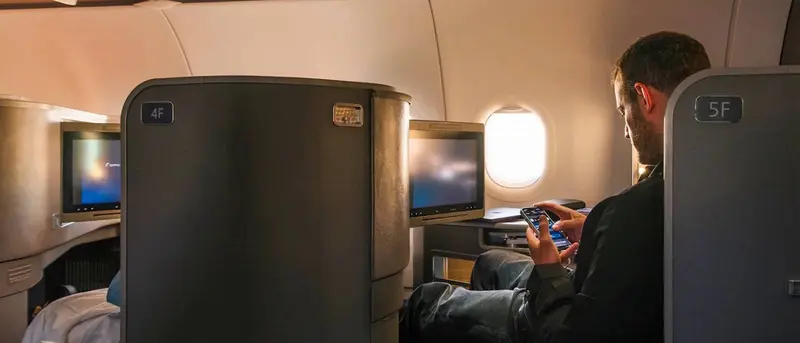
You can use them to request upgrades on tickets paid for in cash to the next class of service on American and British Airways flights, though there’s no guarantee it’ll work. It may go through immediately, never go through, put you on a waitlist or clear as you’re boarding.
Request them during booking
It’s simple to waitlist for systemwide upgrades on flights you've already booked, but it's better to book a flight that has systemwide upgrade availability and apply for the upgrade right after you book.
Use ExpertFlyer
You’re probably wondering how to find systemwide upgrade availability so you can request it when you book. And you can do this using ExpertFlyer. ExpertFlyer is a useful system owned by Red Ventures, TPG’s parent company, that is essential for Oneworld flyers. It shows you systemwide upgrade availability across hundreds of routes for the next 330 days.
Start with a broader search, then get down to the specifics. For example, getting back to TPG reader Brian’s question, instead of calling AA about availability, he could use ExpertFlyer to do a general search from the U.S. to Europe, and then narrow down his search by dates and destinations based on his findings.
Once you’ve found a flight on ExpertFlyer that works for you and has availability, you may want to call AA to confirm that this particular flight does indeed have systemwide upgrade availability. Flight results are updated daily, but it’s always a good idea to double-check.
You can also use the service to set alerts on flights you want, so you’ll know right away when space opens up.
Earlier this week, our team hosted a live webinar on Substack with Expert Flyer to demonstrate how to set alerts, run searches and find systemwide upgrade space. You can watch the recording for all of the details, and be sure to subscribe to TPG’s Substack to be notified about future webinars.
It’s true that to get the most out of ExpertFlyer, you’ll need a paid membership (there’s a free membership, plus basic, premium and elite). The elite tier is designed for American Airlines elite members who have systemwide upgrades, so although it’s the most expensive, when you get a free move to business class with your systemwide upgrade, thanks to the service, you’ll be coming out on top, and the yearly membership fee is well worth it.
ExpertFlyer offer for TPG readers
TPG readers can get 30% off ExpertFlyer annual plans. Use code TPG30 at checkout on any annual Basic, Premium, or Elite plan, for new subscribers only. Unlock award search, upgrade availability, seat alerts and more.
Call American to extend your upgrades
If your systemwide upgrades just expired (or are about to), it’s worth calling American to see if you can get them extended or reinstated. There aren’t any guarantees, but some TPG staff members have had luck doing this, so it’s always worth a try.
Reminder: Don’t book basic economy tickets
There are numerous reasons I recommend against booking basic economy tickets, but in this case, the main one to know is that you won’t be able to use systemwide upgrades on these fares. Beyond that, you usually can’t change or cancel your ticket, you can’t choose your seat and you won’t earn miles on the ticket.
A big thanks to Brian S. for writing in with a situation that many Oneworld flyers face each year.
I’m trying to be proactive this year, using ExpertFlyer to find flights where I can apply my systemwide upgrades. If your upgrades have expired already, try calling American Airlines, and maybe they’ll reinstate them for you — even for a limited time.
Have a great weekend,
BK
|
|
| Posts in this newsletter contains references to products from one or more of our advertisers. We may receive compensation when you click on links to those products, and this may impact how or where they appear. For an explanation of our Advertising Policy, visit this page. |
| Photo Credit: EMILIA WRONSKI/THE POINTS GUY. |
|
|
|