Using Your Face as a Boarding Pass: Testing AA's New Biometric Boarding at LAX

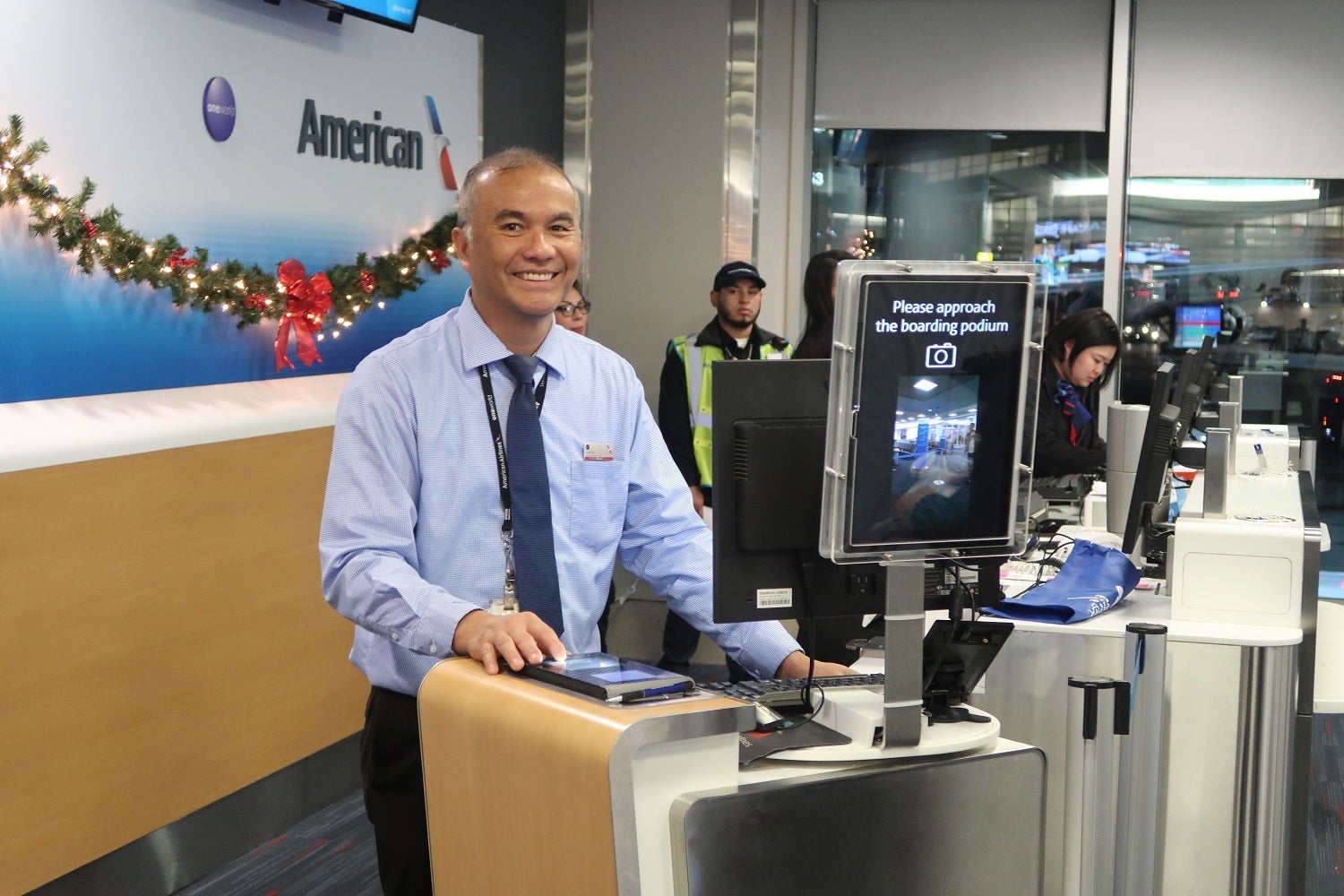
On Wednesday afternoon, American Airlines announced it began testing biometric-based boarding for international departures from Los Angeles. On Thursday night, Katie and I happened to be booked on an international flight out of LAX on American Airlines, so we were able to experience AA's brand-new biometric boarding process for ourselves.
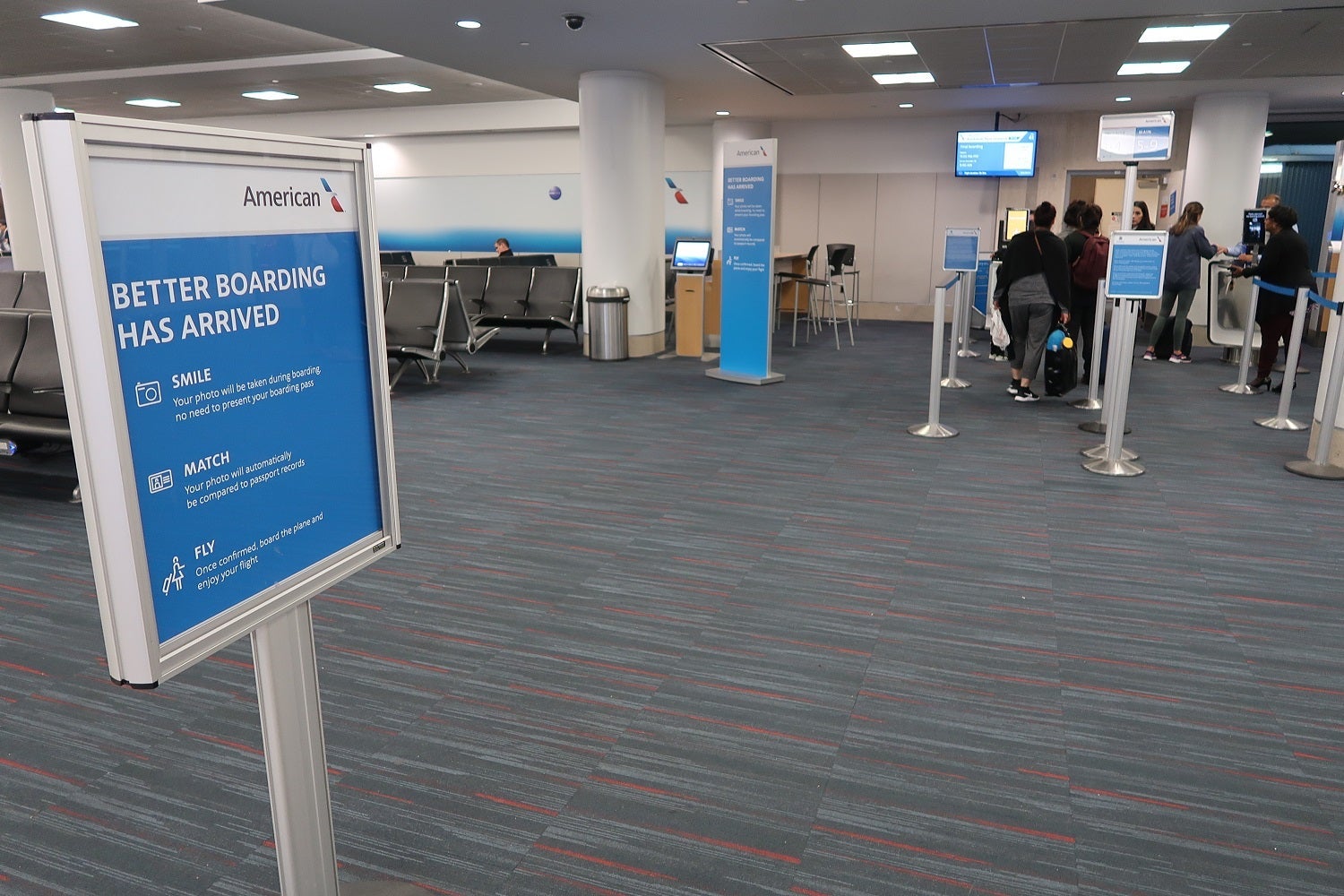
American Airlines is testing this biometric boarding "pilot program" on "select international departures from LAX Terminal 4." From speaking with gate agents at gate 41, I found that this program is only set up at this gate for the 90-day test period "as American evaluates its potential expansion to more flights and locations throughout its global network." Until this expansion happens, only a few international flights per day will be able to experience this new boarding process.
While an early adopter in this field, AA isn't the first airline to test biometric-based boarding. KLM began testing a biometric boarding process in early 2017. Delta began fingerprint-based biometric boarding in Washington DC in July 2017 and expanded to launch the first full "biometric terminal" in Atlanta just last week. British Airways is also at the forefront of the biometric-based boarding wave.
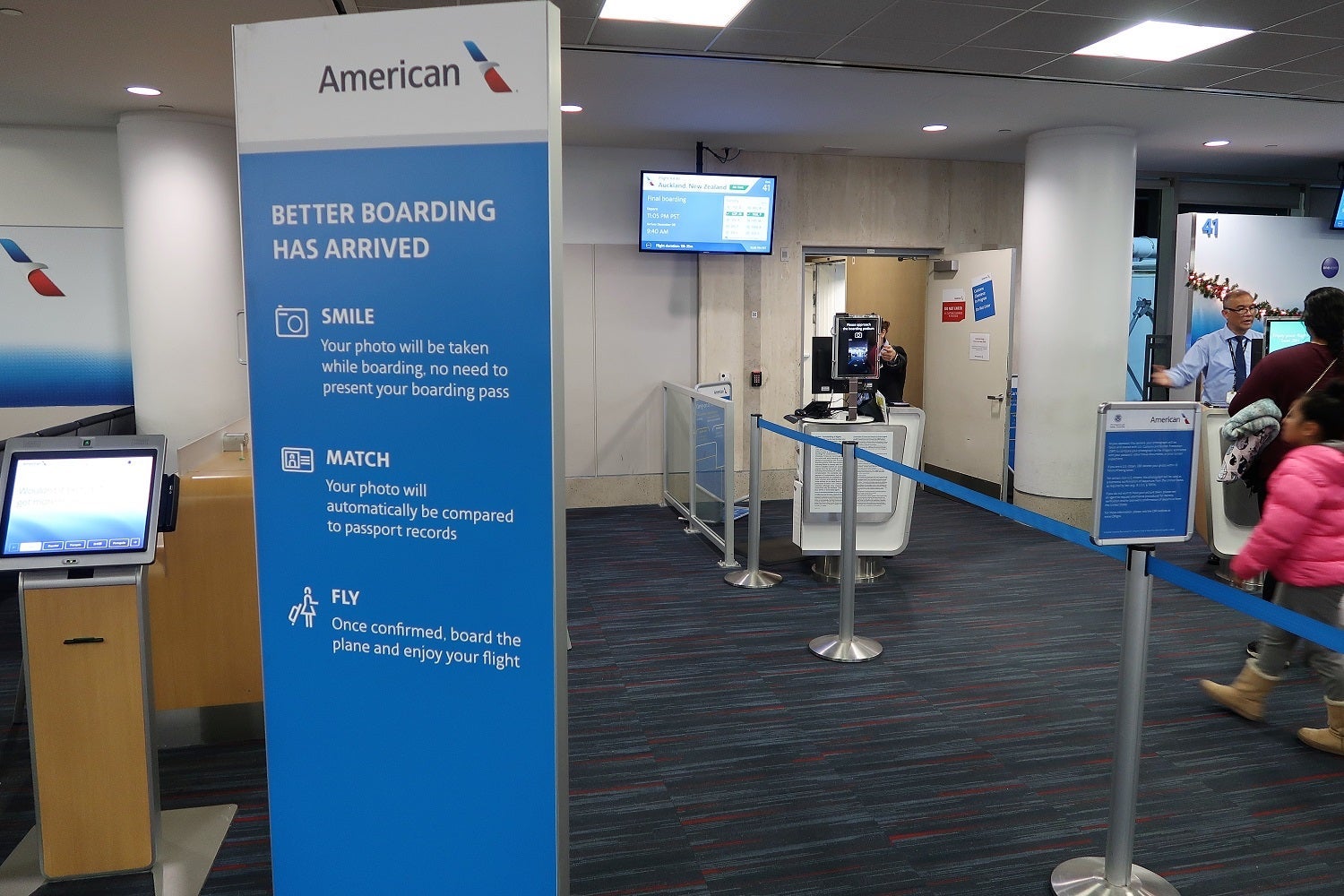
Here's how the AA biometric-based boarding process works:
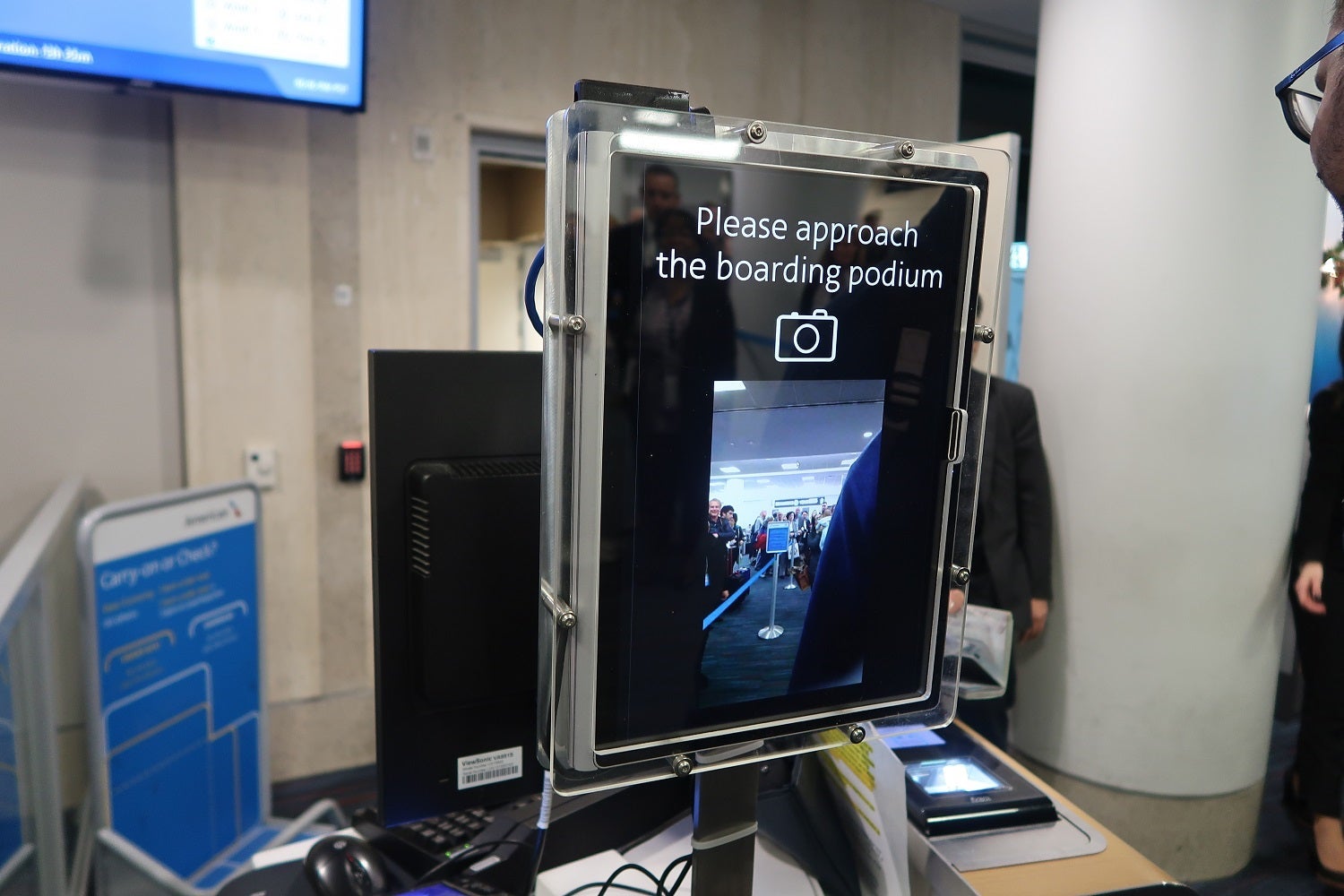
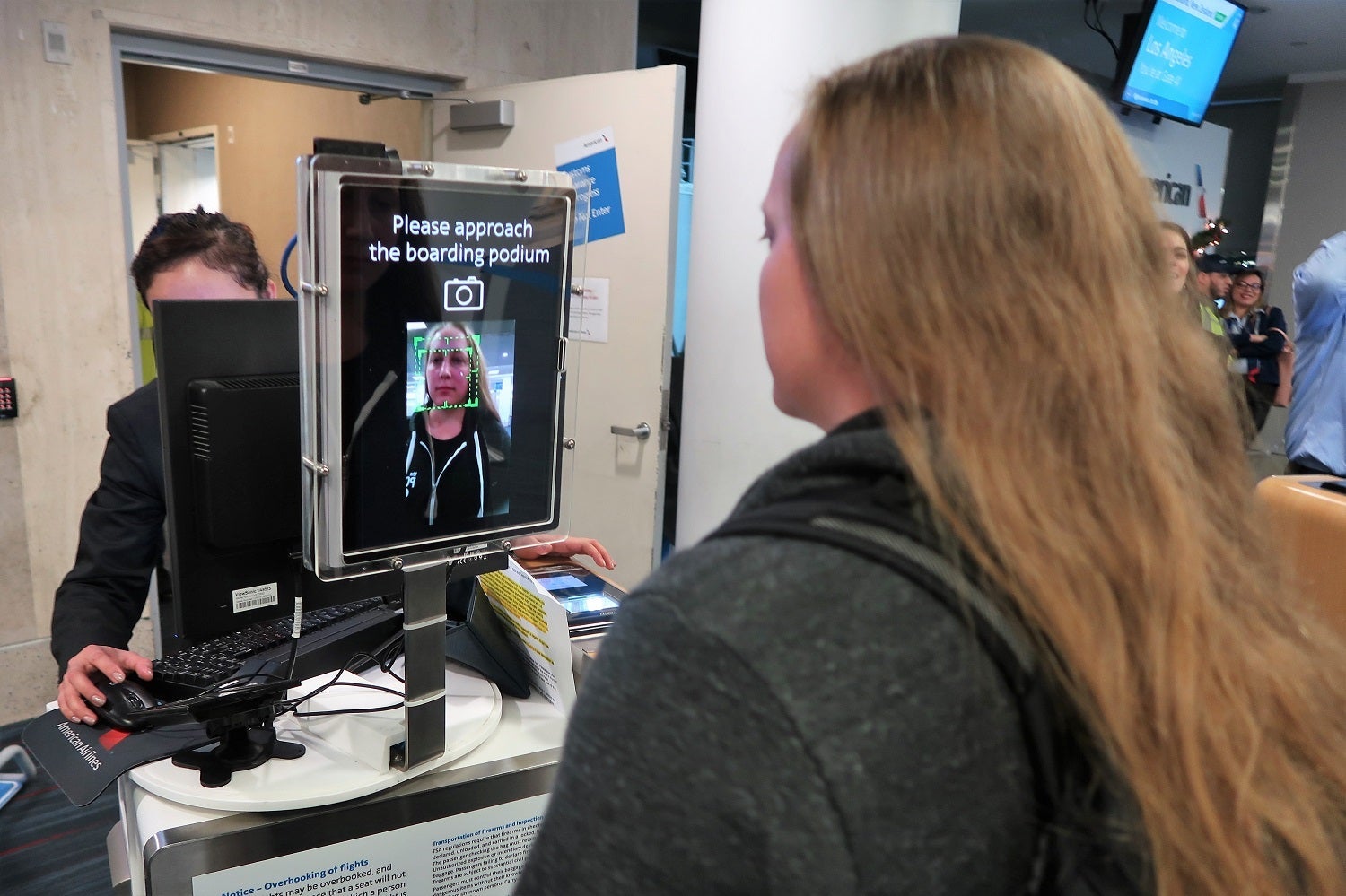
"Smile: Your photo will be taken while boarding, no need to present your boarding pass." The passenger sees a video feed of themselves approaching the boarding podium. It seems that the system sends a series of photos to the Customs and Border Protection (CBP) system to find a match. While AA's instructions are to "smile," there's no need to actually smile. The system picked up smiling and neutral faces.
"Match: Your photo will automatically be compared to passport records." There's no need to register for this system. The CBP database of passport photos and US entry photos is used to confirm the passenger's identity.
An American Airlines agent was quick to point out that AA doesn't store any photos. Instead, the camera feed ties directly into a CBP database which makes the match and sends back the passenger's information. From my observations, it seems that AA's boarding system only receives the same information that it'd get from scanning a boarding pass barcode.
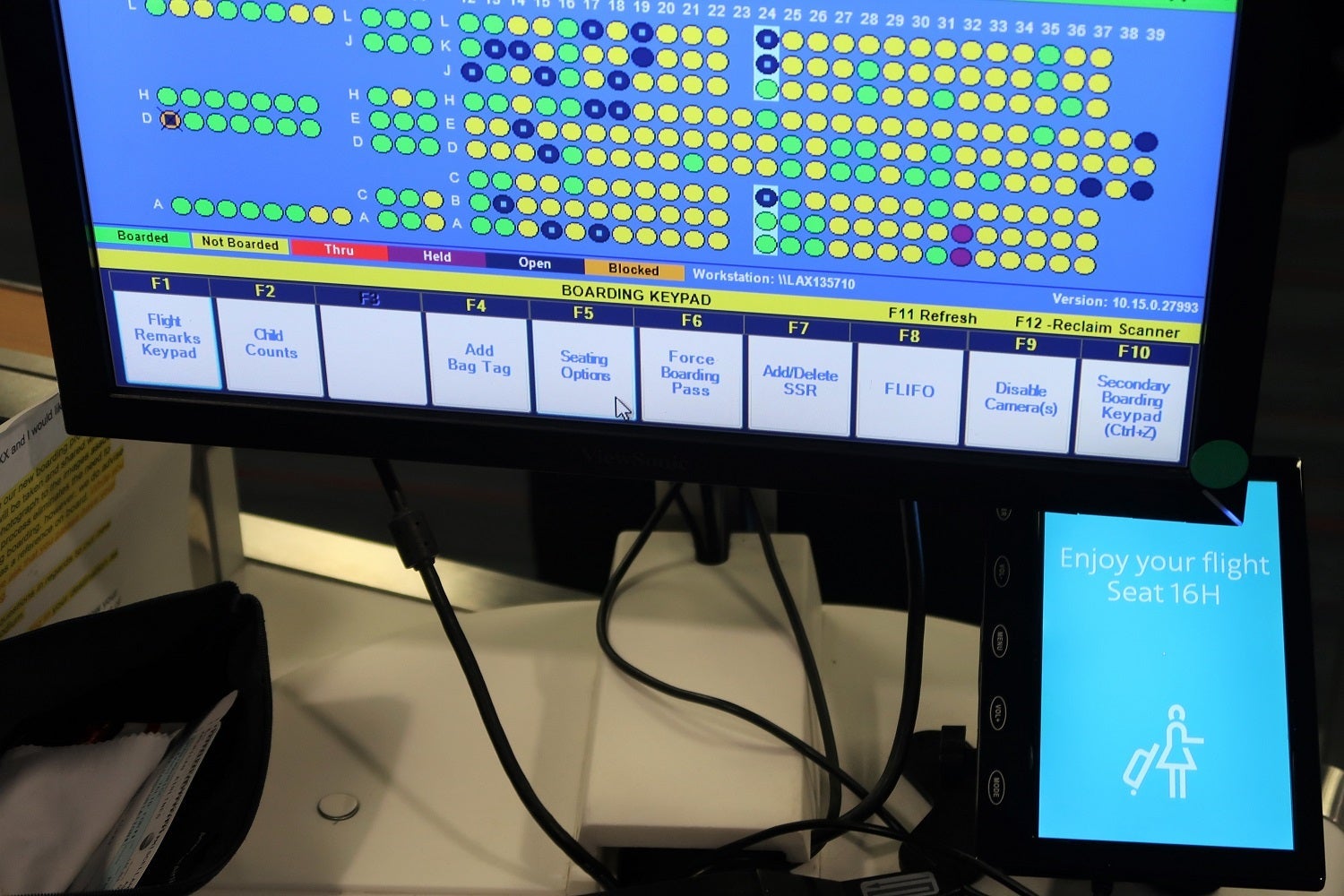
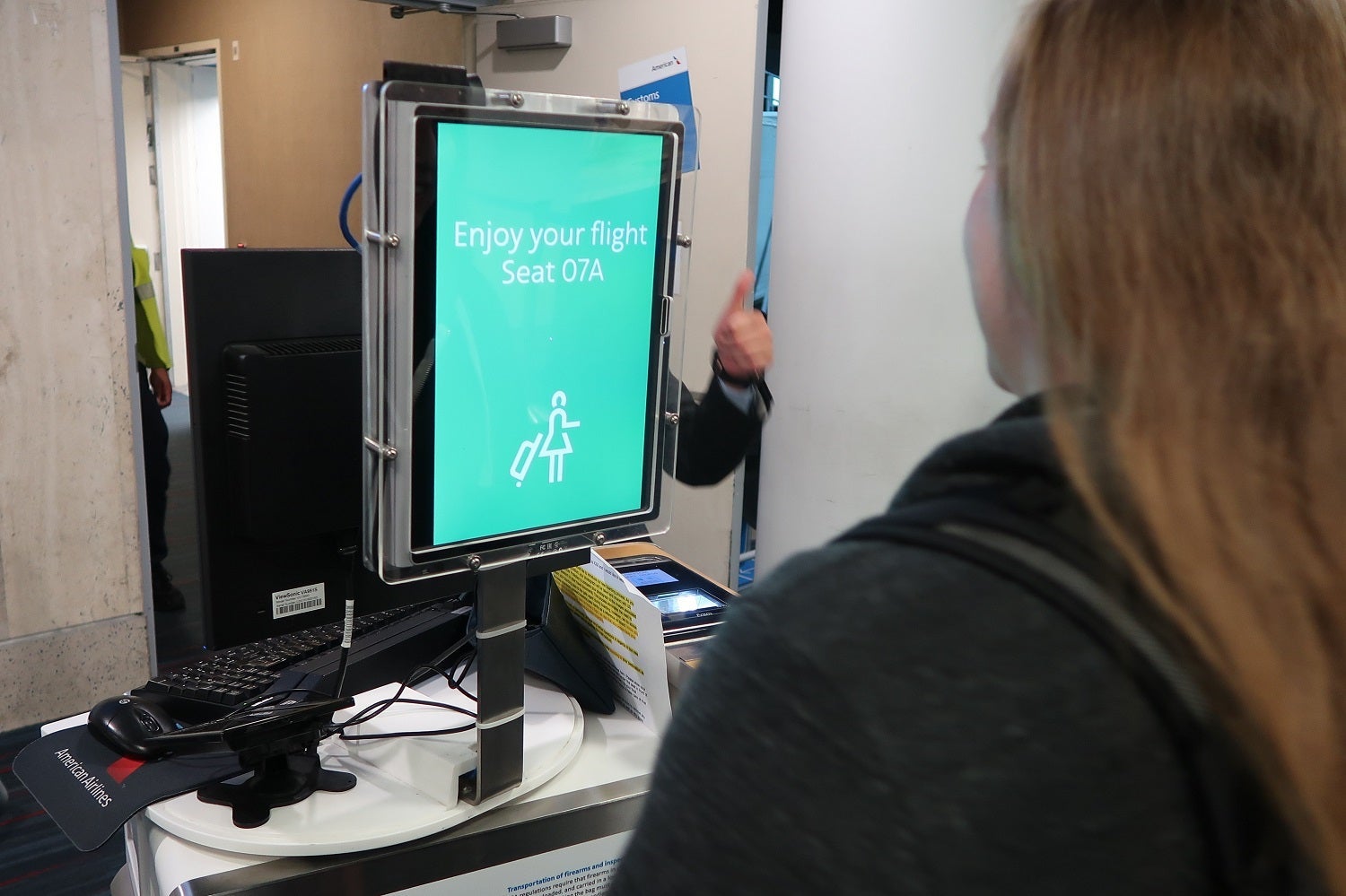
"Fly: Once confirmed, board the plane and enjoy your flight." When the system recognizes the passenger's face and confirms that the passenger is on the flight, the passenger will get an indication on the screen that he or she is cleared to board.
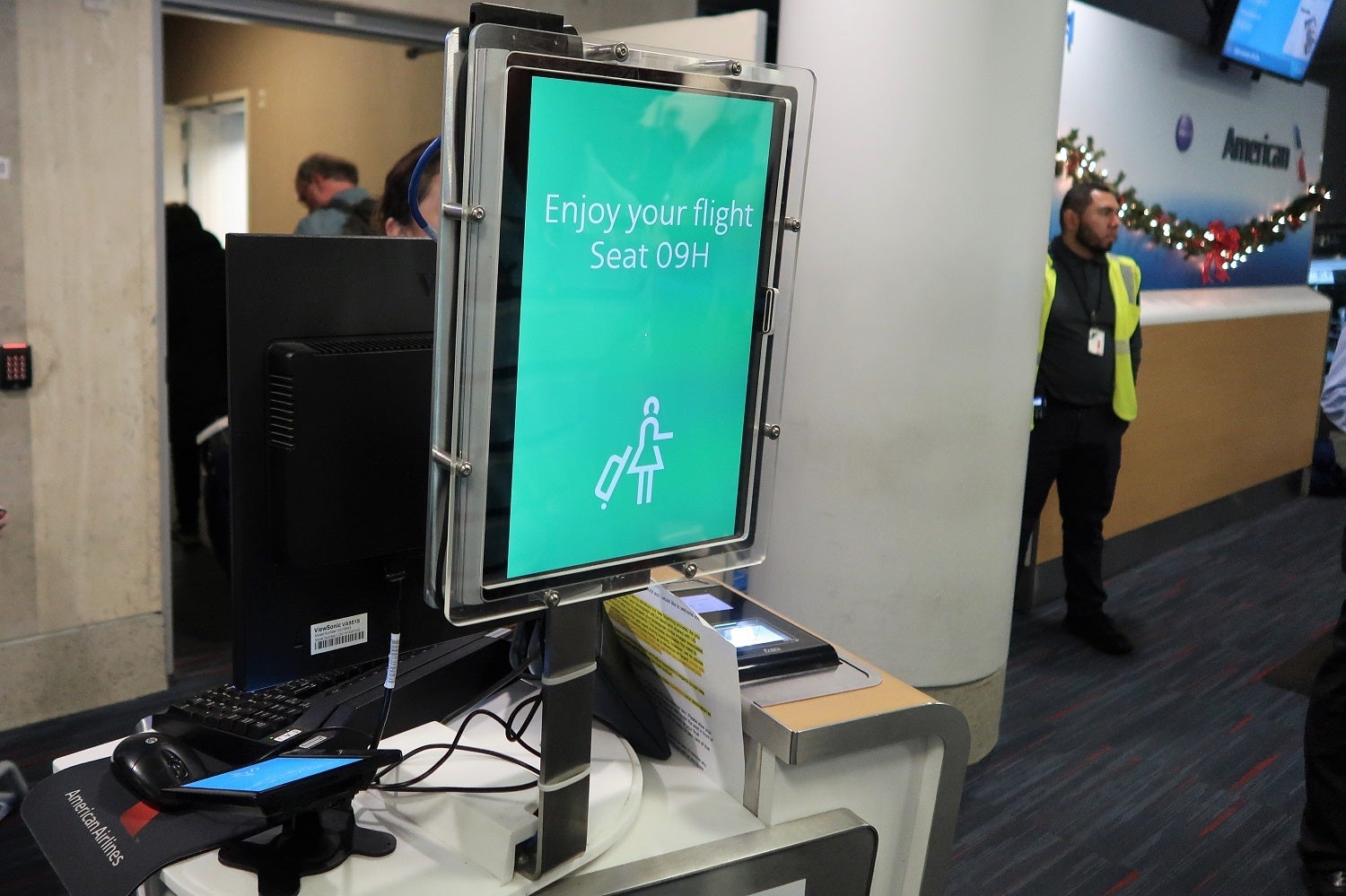
The entire process only takes a few seconds, but it could be even faster. The AA gate manager noted that the CBP system would be actually able to match passenger faces even if they didn't break stride while walking onto the plane. However, the system has been slowed down to give gate agents a chance to make sure everything is in order and that passengers have their passports.

Passengers who have privacy concerns may choose not to use the new system and board with their regular boarding pass. While a few passengers noted it was "a little creepy," I didn't observe any passengers actually opt out of the facial-recognition boarding program.
System Struggles
The first passengers to use the system for our flight were pre-boarding families. The facial-recognition software seemed to do poorly when a parent was carrying a child; passport checks for the youngest children were a near-certainty.
When the system fails to get a match like this, the gate agent is prompted to do a manual check of the passenger's passport. The passenger is displayed an orange screen saying "please see agent."
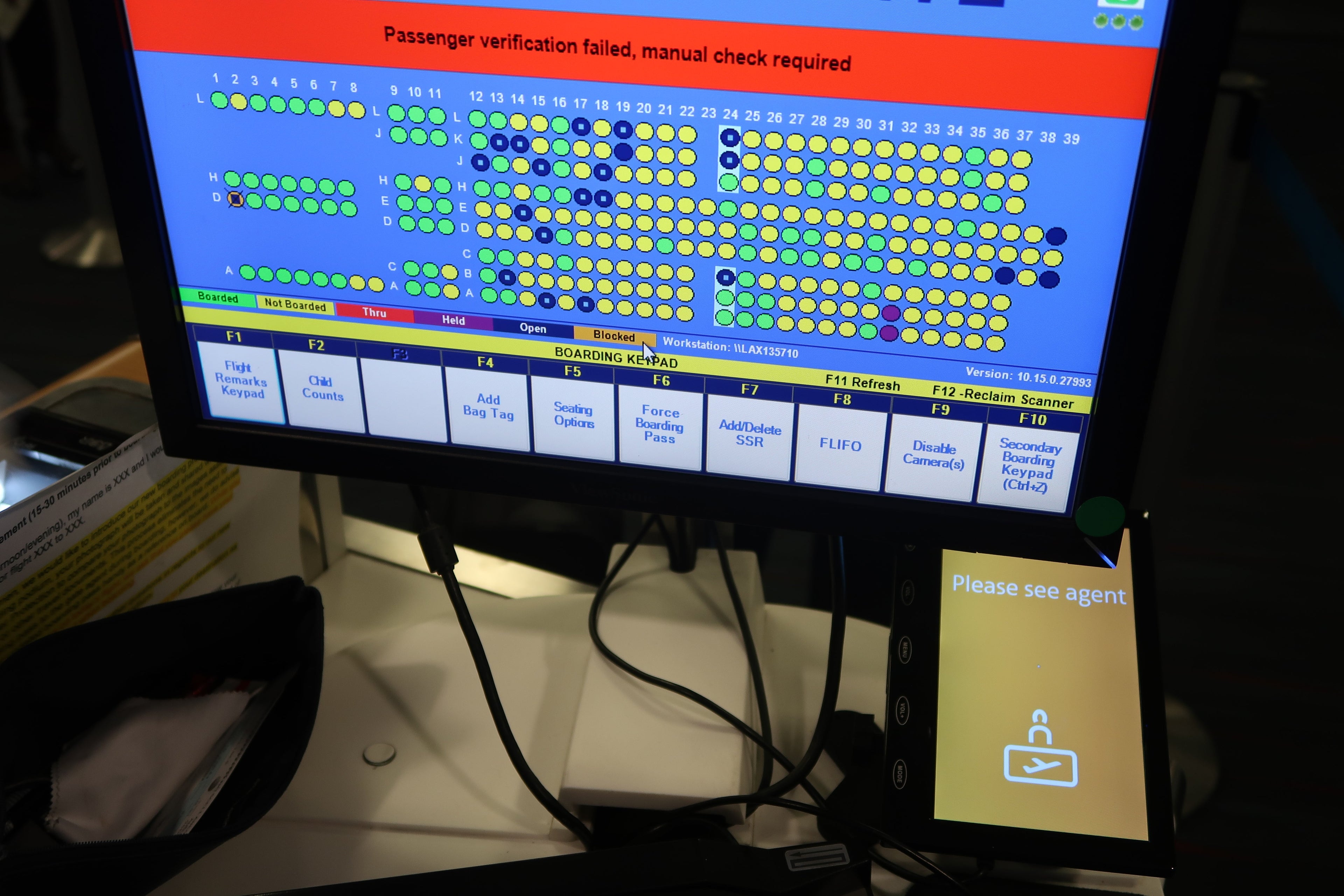
To check for false positives, I convinced a couple of gate agents to attempt to "board" using the system. Both received the "please see agent" notifications.
In addition to infants and parents carrying infants, the system struggled with numerous passengers who were not white. One African-American woman wasn't recognized until her face nearly filled the screen. At that point, the contrast of the camera finally adjusted to focus on her features and she was approved.
The system also struggled with people wearing hats and some passengers wearing large glasses. Some tall passengers needed to get so close to the screen that they had to squat a bit to have their face in the frame.
How the System Impressed
While the facial-recognition system seemed to really struggle with very young children, it recognized immediately the children around age six to ten in a later boarding group. I asked the parents how recently their passport photos had been taken, and found that it was only around a month ago.
I was pleasantly surprised to see that the system recognized the faces of passengers with facial hair — like me. In my passport photo, I don't have any facial hair. Yet the system was still very quick to recognize me, as well as my fellow bearded passengers.
Testing It Ourselves
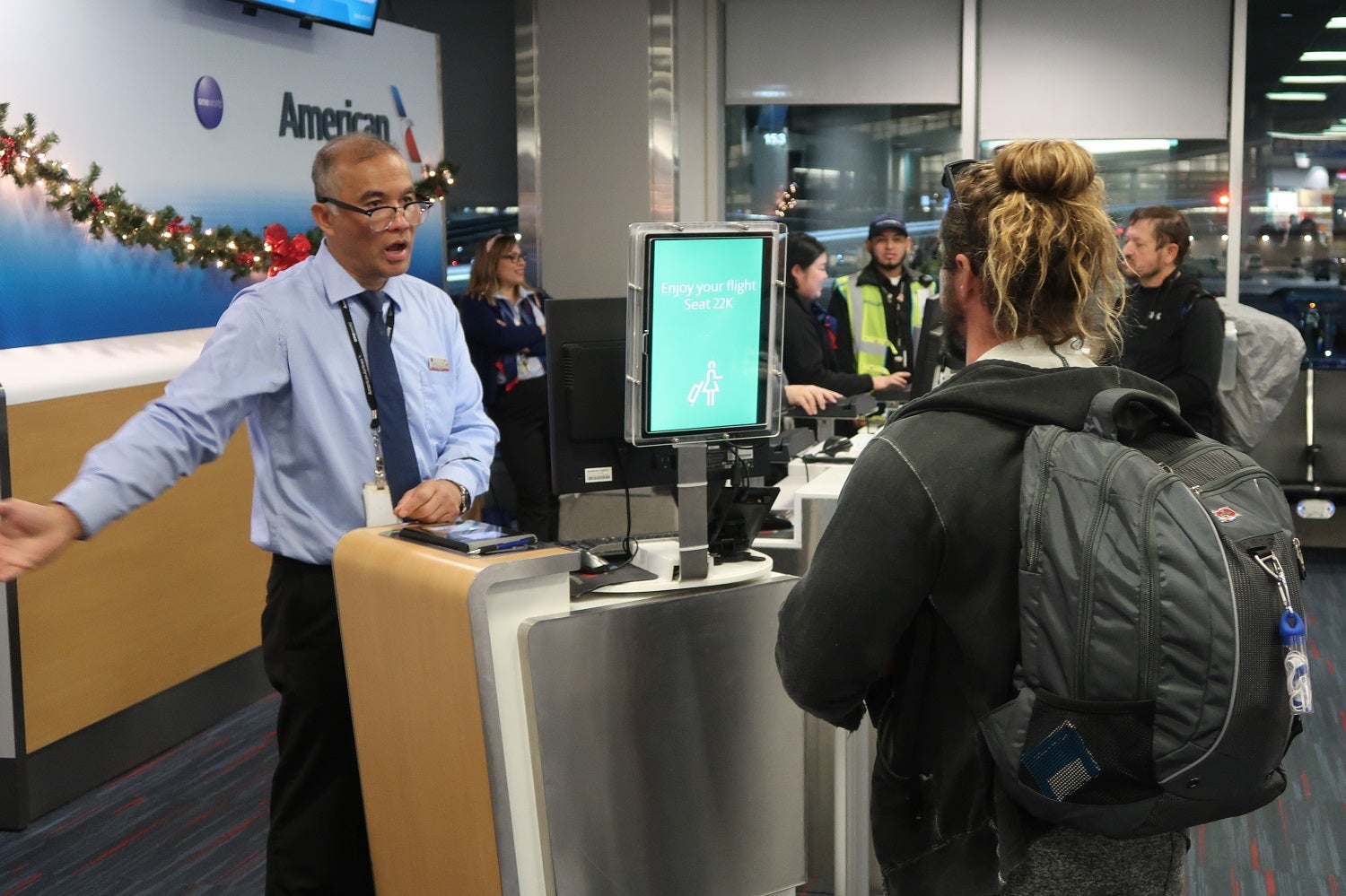
Katie and I observed the entire boarding process and were among of the last passengers to board. The system wasn't nearly as quick to recognize Katie's face, which gave us a chance to get a few photos through the process. As Katie approached the podium, the box around her face turned from yellow (signifying too far away) to white.
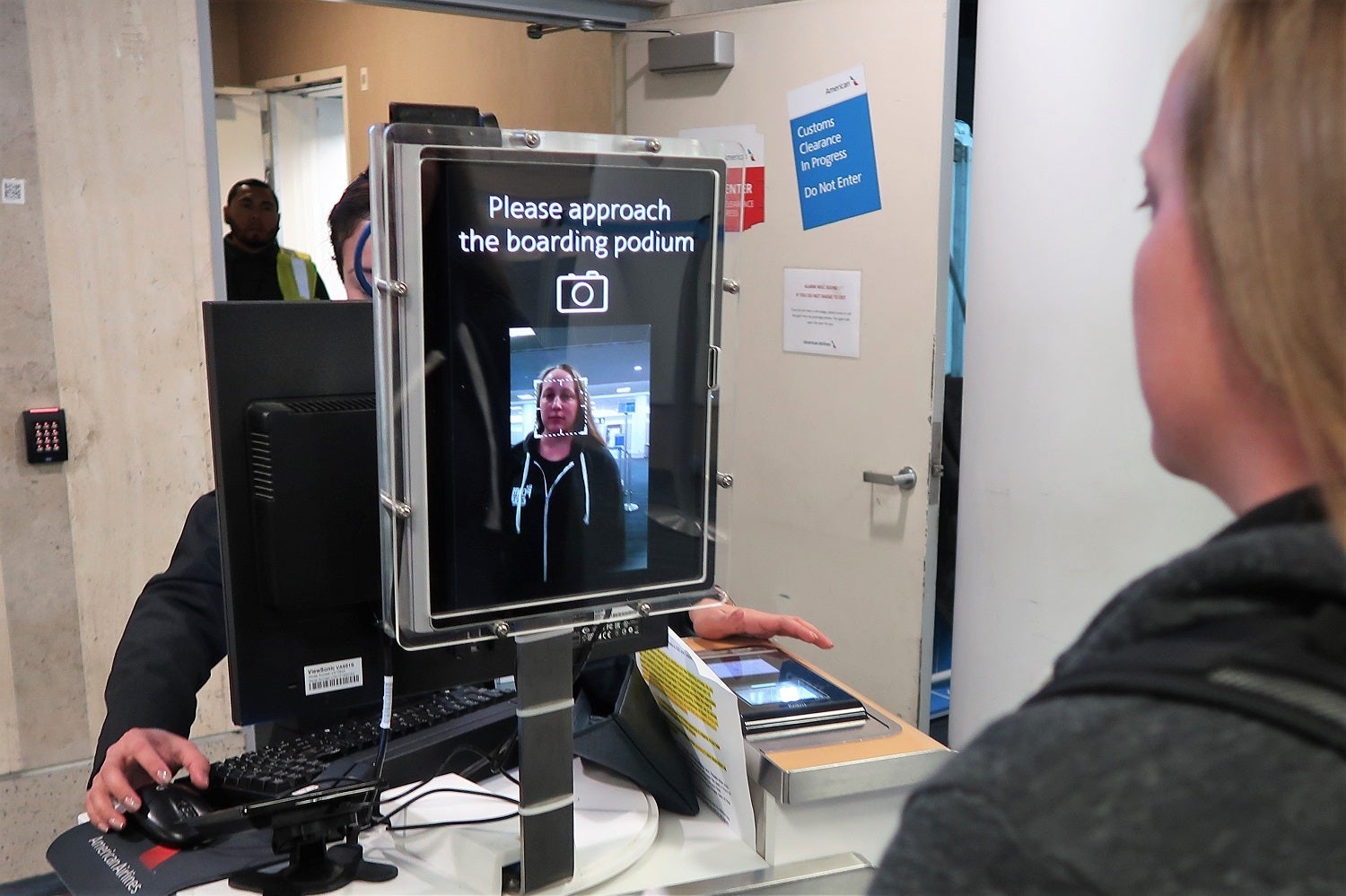
As Katie got closer to the screen, the white box turned green, which indicated that her face was recognized.
In about a second, the whole screen turned green and listed her seat number. The agent gave her a thumbs up and invited her to board.
After a rough start with the pre-boarding families, I was surprised at how well the system did overall. Of around 200 passengers I watched board, no more than 15 weren't recognized and required manual passport checks. It's likely that the CBP is learning from these issues, and there's nothing that AA can do.
That said, there are a few things AA could do to improve the process:
- Footprint mats: As the TSA has done with body scanners, the airline should set up a mat in front of each podium with footprints to help passengers know how close to get to the screen.
- Lighting: To help with facial recognition, particularly for people with dark skin, some additional lighting would be helpful. One gate agent even mentioned it would be great to have lights around the passenger-facing monitor.
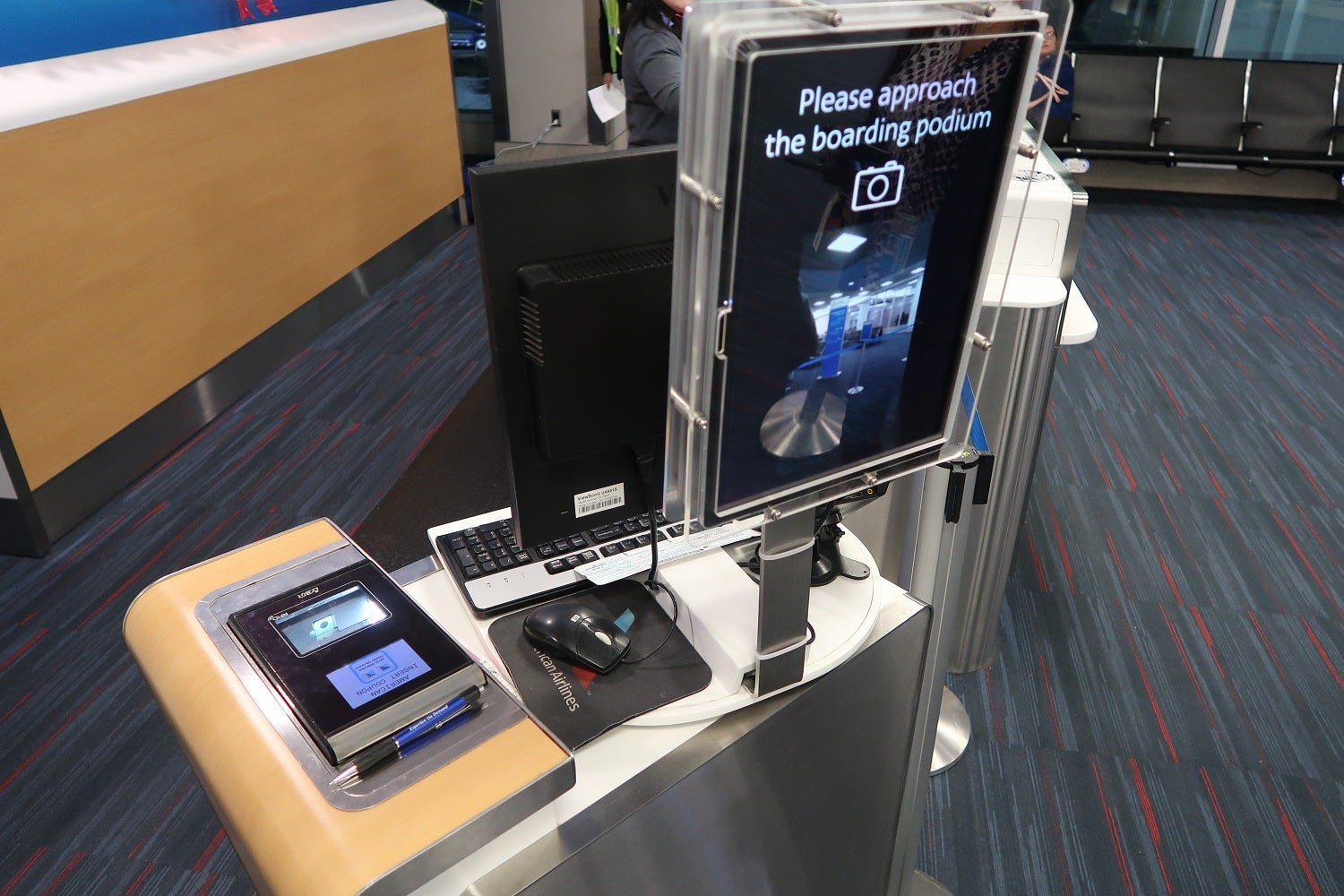
- Passport checks: While gate agents were making sure to check that passengers had their passports at the beginning of boarding, I noticed that the checks were a lot more casual as boarding progressed.
This passport issue is likely to be a challenge for all airlines using this program. The ease and speed of the facial recognition could mean that a passenger boards with their passport accidentally left at the boarding gate or lounge. Sure enough, I realized once I was on the jetway that I hadn't pulled my passport out of my pocket the entire time I was in the gate area. While my GoPro was probably a distraction to the gate agents, the failure to ensure each passenger has a passport could lead to a significant issue when someone lands at their destination without one.
Overall, I was impressed. There are surely passengers with privacy concerns who will have an issue with this boarding process, but with a few tweaks, AA's biometric boarding program looks ready for takeoff.
An earlier version of this story misidentified US Customs and Border Protection as US Customs and Border Patrol. It has been edited.
TPG featured card

at Capital One's secure site
Terms & restrictions apply. See rates & fees.
| 5X miles | Earn 5X miles on hotels, vacation rentals and rental cars booked through Capital One Travel |
| 2X miles | Earn unlimited 2X miles on every purchase, every day |
Pros
- Stellar welcome offer of 75,000 miles after spending $4,000 on purchases in the first three months from account opening. Plus, a $250 Capital One Travel credit to use in your first cardholder year upon account opening.
- You'll earn 2 miles per dollar on every purchase, which means you won't have to worry about memorizing bonus categories
- Rewards are versatile and can be redeemed for a statement credit or transferred to Capital One’s transfer partners
Cons
- Highest bonus-earning categories only on travel booked via Capital One Travel
- LIMITED-TIME OFFER: Enjoy $250 to use on Capital One Travel in your first cardholder year, plus earn 75,000 bonus miles once you spend $4,000 on purchases within the first 3 months from account opening - that’s equal to $1,000 in travel
- Earn unlimited 2X miles on every purchase, every day
- Earn 5X miles on hotels, vacation rentals and rental cars booked through Capital One Travel
- Miles won't expire for the life of the account and there's no limit to how many you can earn
- Receive up to a $120 credit for Global Entry or TSA PreCheck®
- Use your miles to get reimbursed for any travel purchase—or redeem by booking a trip through Capital One Travel
- Enjoy a $50 experience credit and other premium benefits with every hotel and vacation rental booked from the Lifestyle Collection
- Transfer your miles to your choice of 15+ travel loyalty programs
- Top rated mobile app