Make dynamic pricing work in your favor: How rebooking hotel stays can help you save on award nights


Marriott's recent switch from category pricing to dynamic award pricing has led to concern from loyal customers about a potential devaluation of Bonvoy points.
While some properties have seen sharp price increases due to this change, other properties have seen price reductions on point redemptions — especially during low-demand dates.
As a result, it is worth checking the price of your hotel award stays even after your initial purchase. After all, if the price of a stay drops after you book, you can simply rebook your stay and pocket the difference.
Related: How I saved 33,500 points on upcoming hotel stays
And this doesn't just apply to Marriott — other programs like IHG One Rewards and Hilton Honors have employed dynamic pricing for years.
Let's take a look at how to check and rebook award stays. Frequent award travelers could save tens of thousands of hotel points annually by using this tried-and-true method.
[table-of-contents /]
Why you should check existing hotel stays

Dynamic pricing is a blessing and a curse.
On one hand, it can make once-great redemptions extremely expensive on high-demand dates. On the other, it can also work in your favor when your hotel group of choice decides to price a property at the lower end of pricing bands.

This can sometimes happen between when you book your stay and when you stay at the hotel. Thanks to the flexibility of booking award nights, you can generally cancel and rebook your stay if you see a price drop. This lets you rebook at the lower rate and pocket the points difference in the process.
With that in mind, you should periodically check your dynamically priced award nights before check-in and see if the price has dropped since you booked your hotel stay. Just be sure to check the hotel's cancellation policy; while most hotel loyalty programs let you cancel award nights for a points refund up to 72 hours before check-in, this isn't always the case.
Related: How to use Marriott's Lowest Rates Calendar
How to check and rebook Marriott stays

First things first: Check the award price of your existing booking.
To do this, search for your property or city in the booking details section of the Marriott homepage, add the exact check-in and checkout dates for your stay, the number of rooms and guests, and check the "Use Points/Certificates" box.
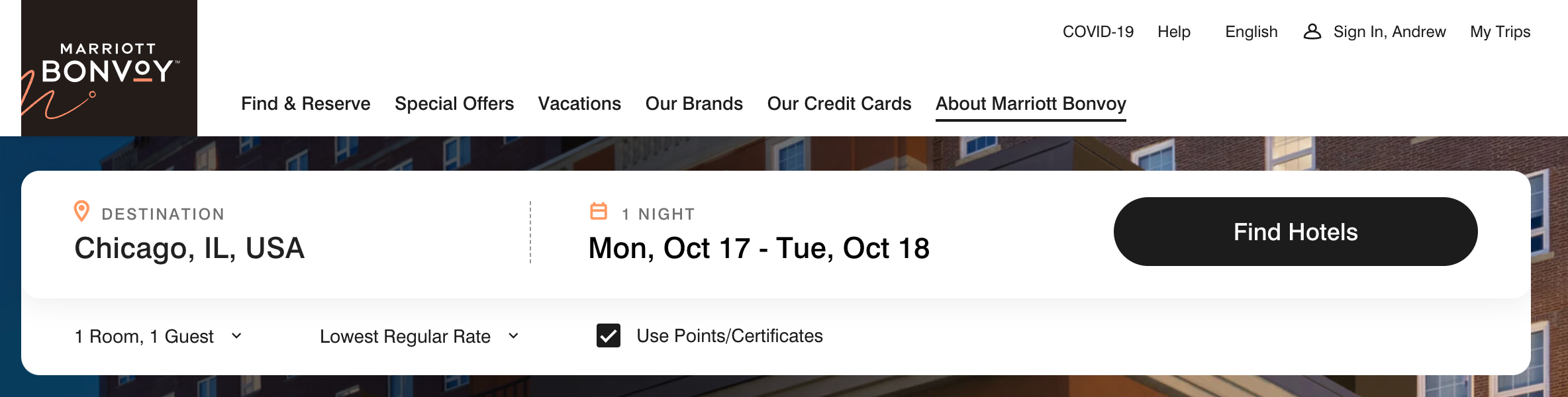
After clicking "Find Hotels," you will see the Marriott properties in the city you searched. Look for the property you've already booked. Both the points cost and the cash cost will be displayed in the results.
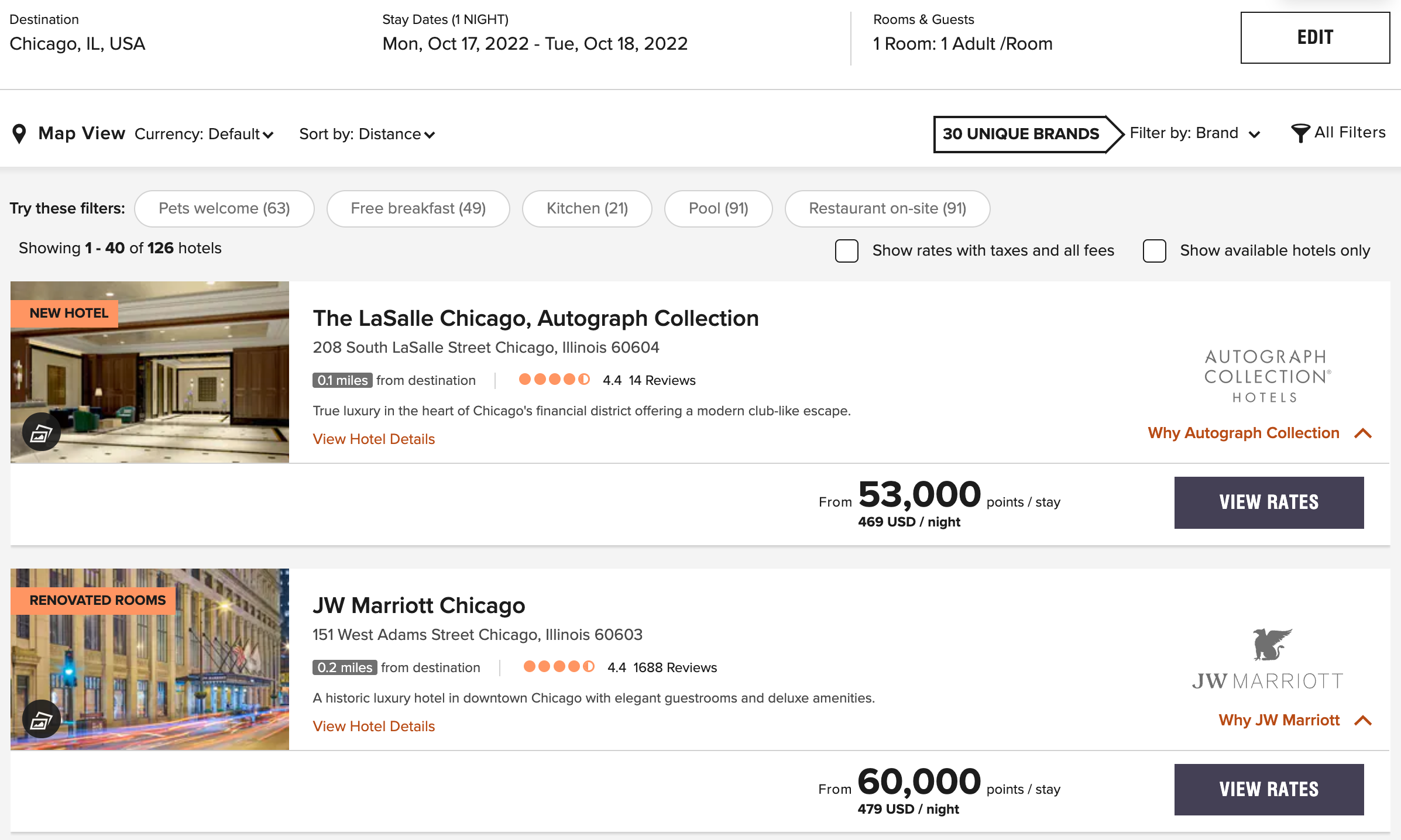
Compare the listed points cost to what you've already paid and see if it's changed. For example, when I had booked the Le Meridien N'Fis before Marriott implemented dynamic pricing, I paid 20,000 points per night. Once Marriott moved away from category pricing, the cost of my stay went down to 15,000 points per night, effectively saving me 25% on my stay.

If the price has gone down, you can now rebook your stay at the lower price. Thankfully, Marriott makes it easy to rebook your award bookings without having to call customer service or cancel and rebook your stay online.
Here's how to do it: After logging in to your Marriott Bonvoy account and going to the "My Trips" section, you can scroll down to your booking and click the "View/Modify" button underneath your confirmation number.
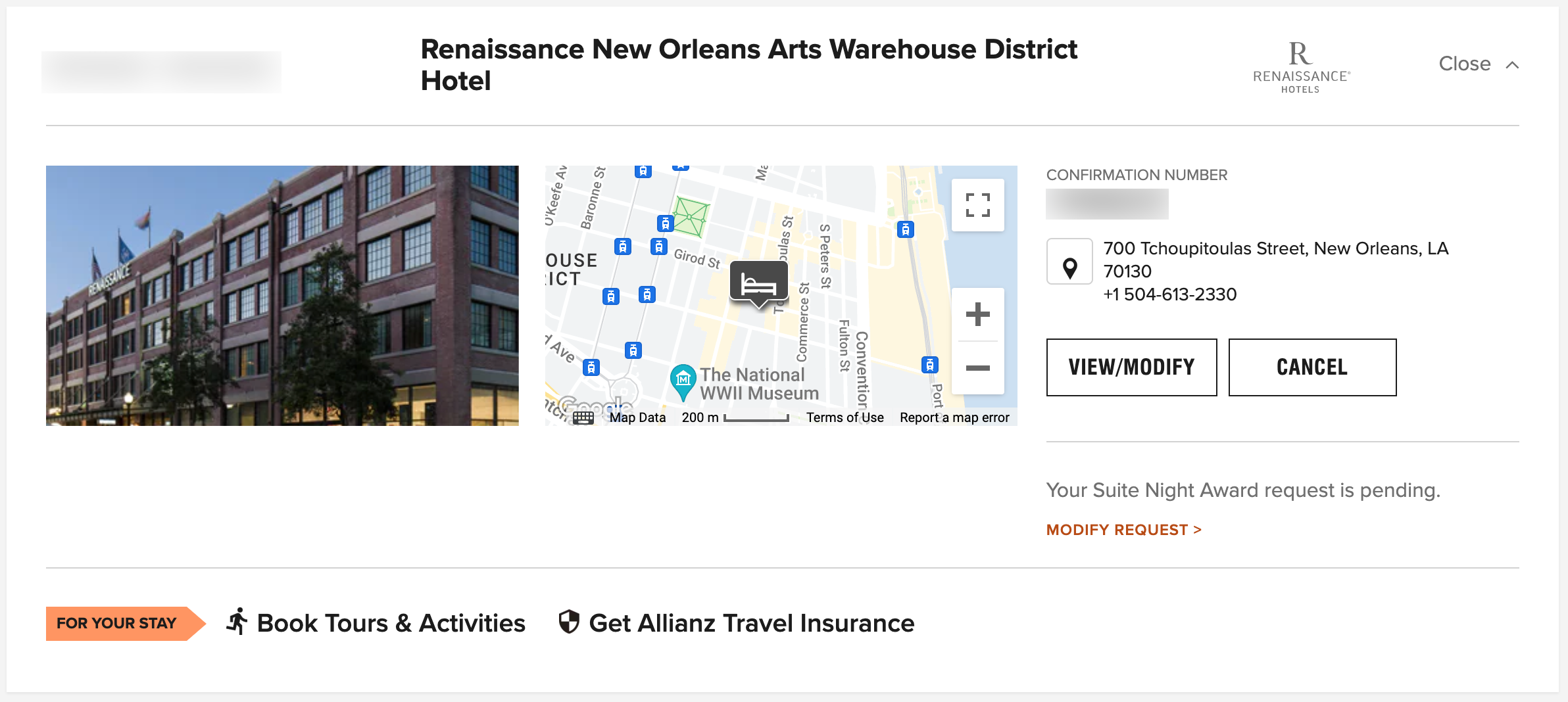
Then, on the right side of the page in the section for the room you have selected, click the "Edit Room" button.
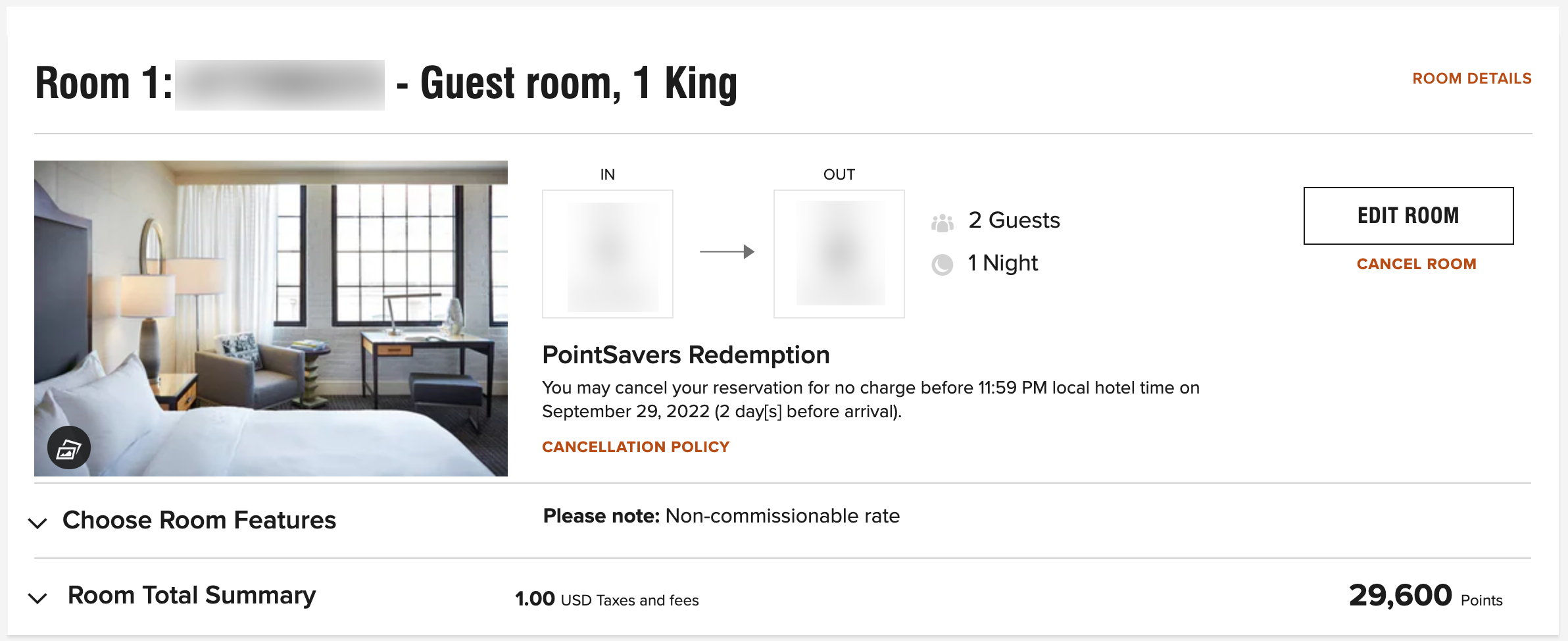
This brings up a room selection page with the dates corresponding to your original booking. You can see the room you booked with a check mark next to it, as well as the new price in the lower right-hand corner.
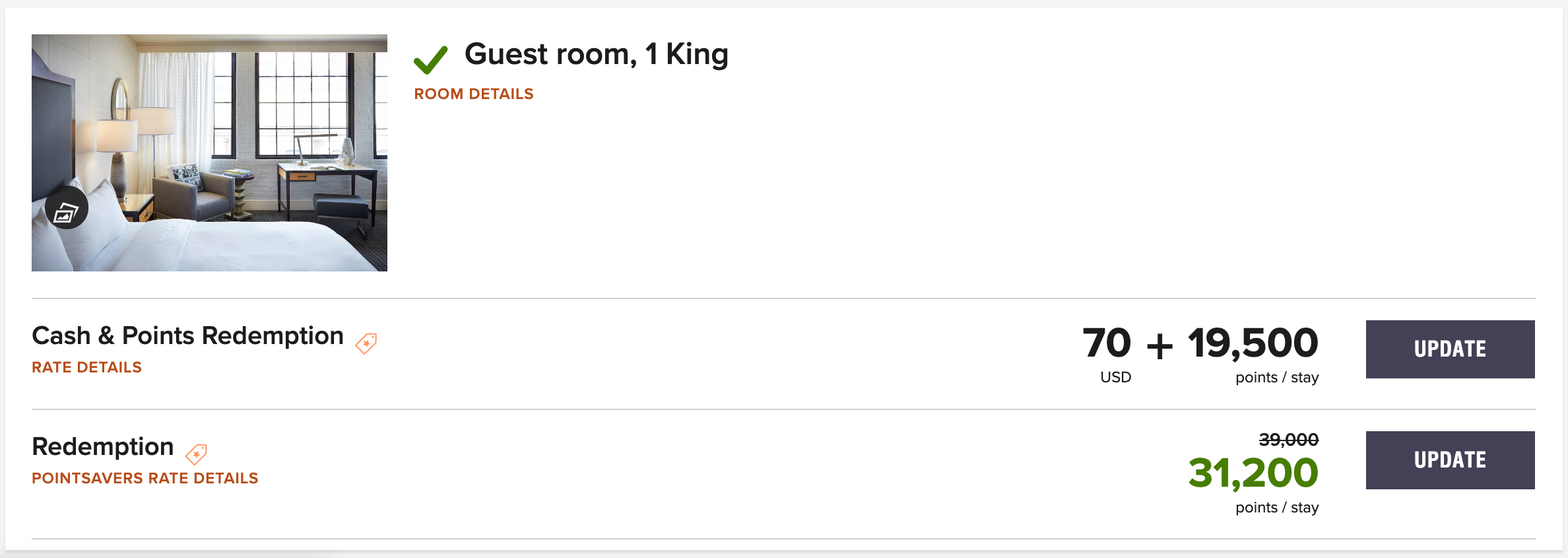
If the price is lower than what you booked, click the "Update" button to rebook at the lower price. You will see a summary of charges noting your original dates and the new dates for your stay, which will be the same dates assuming you are not changing when you are checking in and checking out of the property. You will also see a message stating the number of points that will be credited back to your account.
After confirming the change, you will receive a reservation confirmation email and see the new price outlined on the trip page.
Related: The property that received the most Marriott redemptions may surprise you
How to check and rebook IHG stays
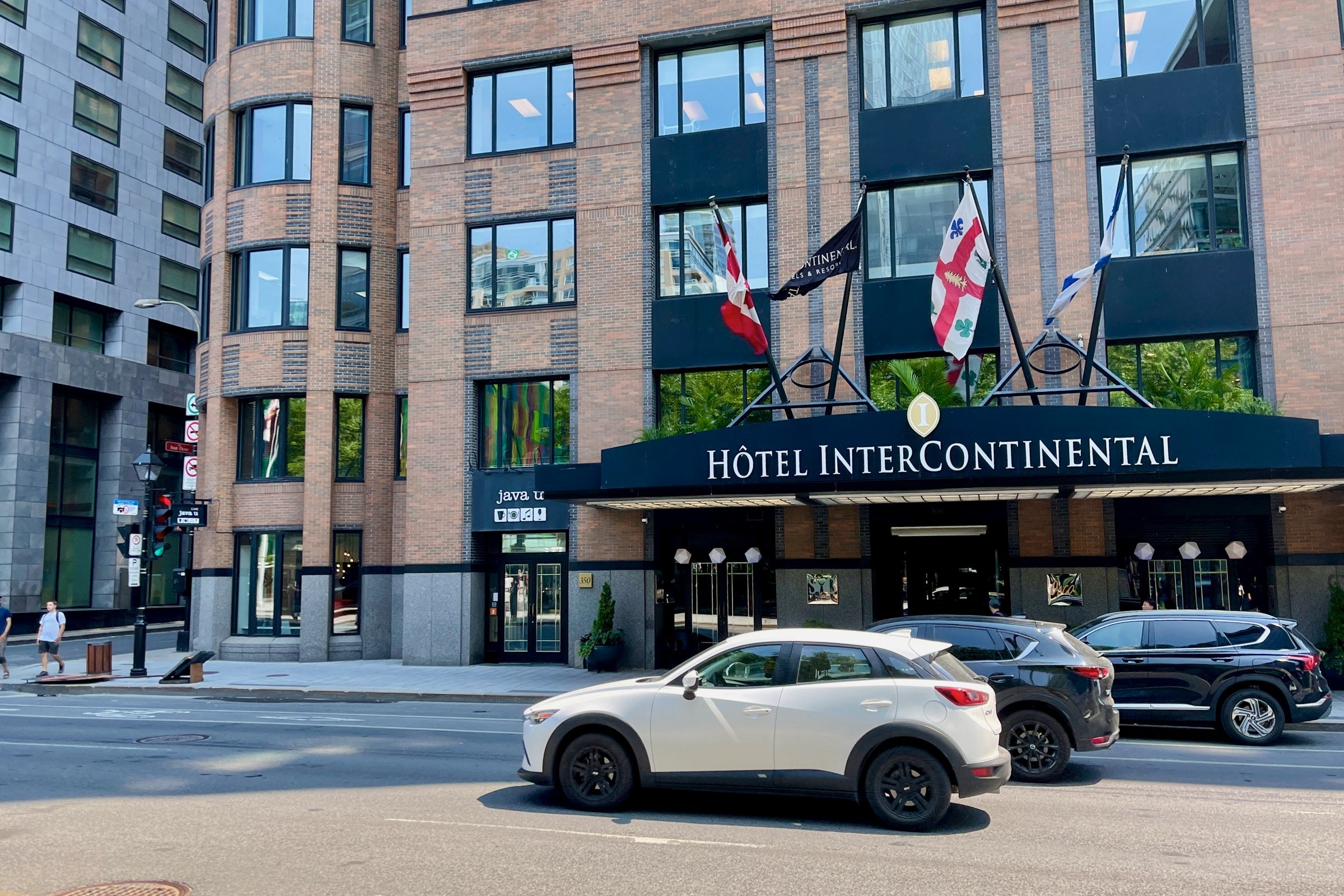
Rebooking IHG stays when there's a lower rate is also straightforward. While IHG won't let you change to the lower rate like Marriott, it does offer immediate points refunds. Because of this, you can simply cancel your reservation and rebook at a lower price if there's one available. Just note that, in theory, someone could book your hotel room in the brief time between cancellation and rebooking.
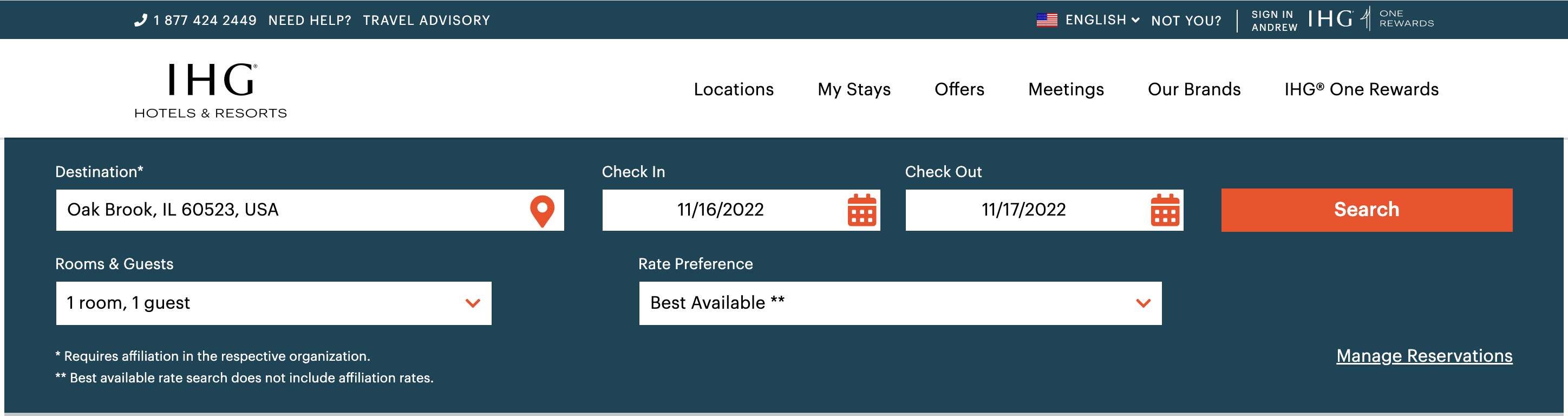
To start, find the new price of your previously booked hotel stay. To do this, head to IHG's website, sign in and enter your search criteria on the homepage.
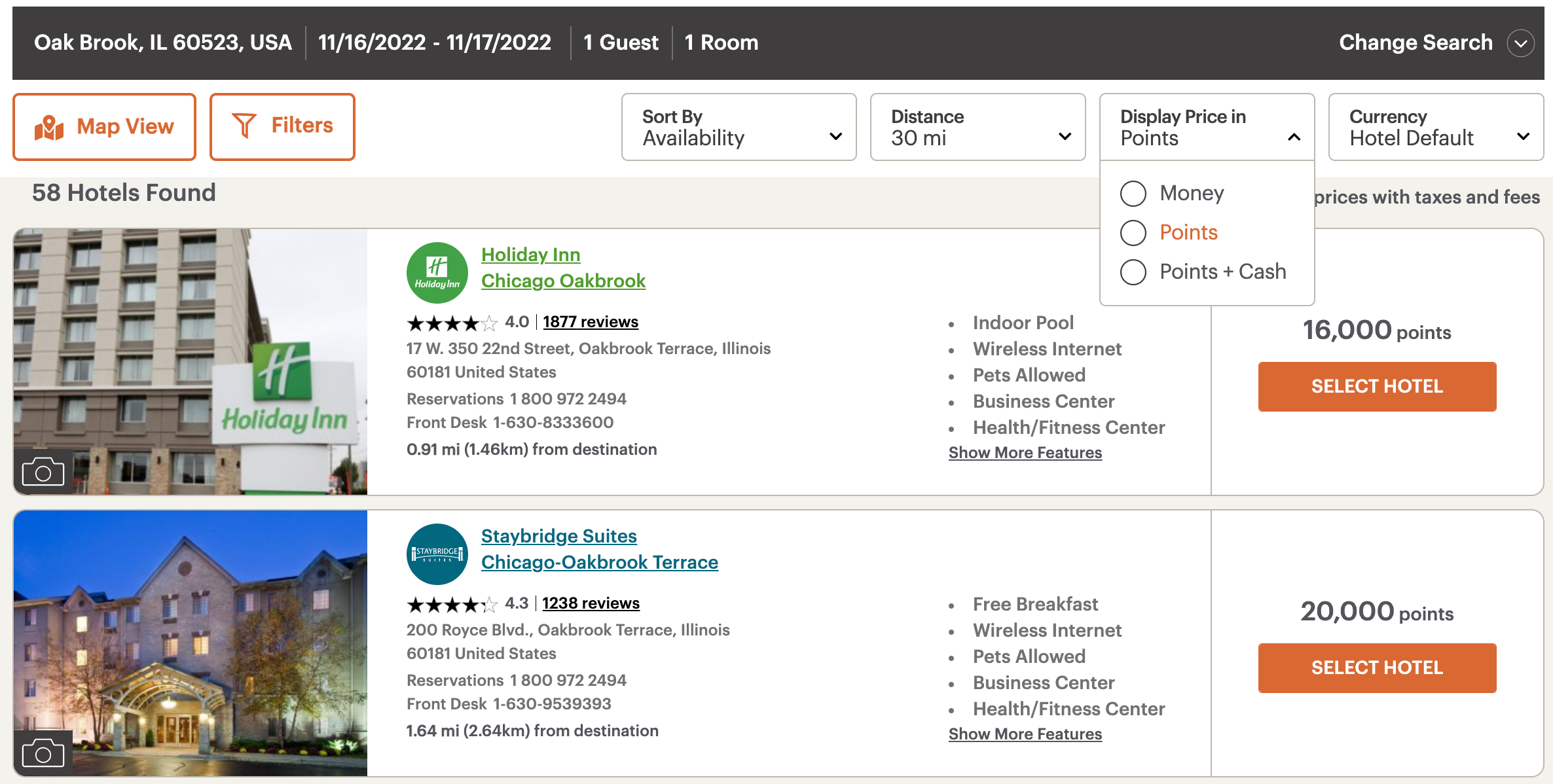
You'll now see all hotels in the region you searched. Look toward the right-hand side of the screen and click the "Display Price in" button, then click "Points" to view the price in points for all hotels. Then, look through the list, find the hotel you've already booked and see if the points price has dropped since you booked.
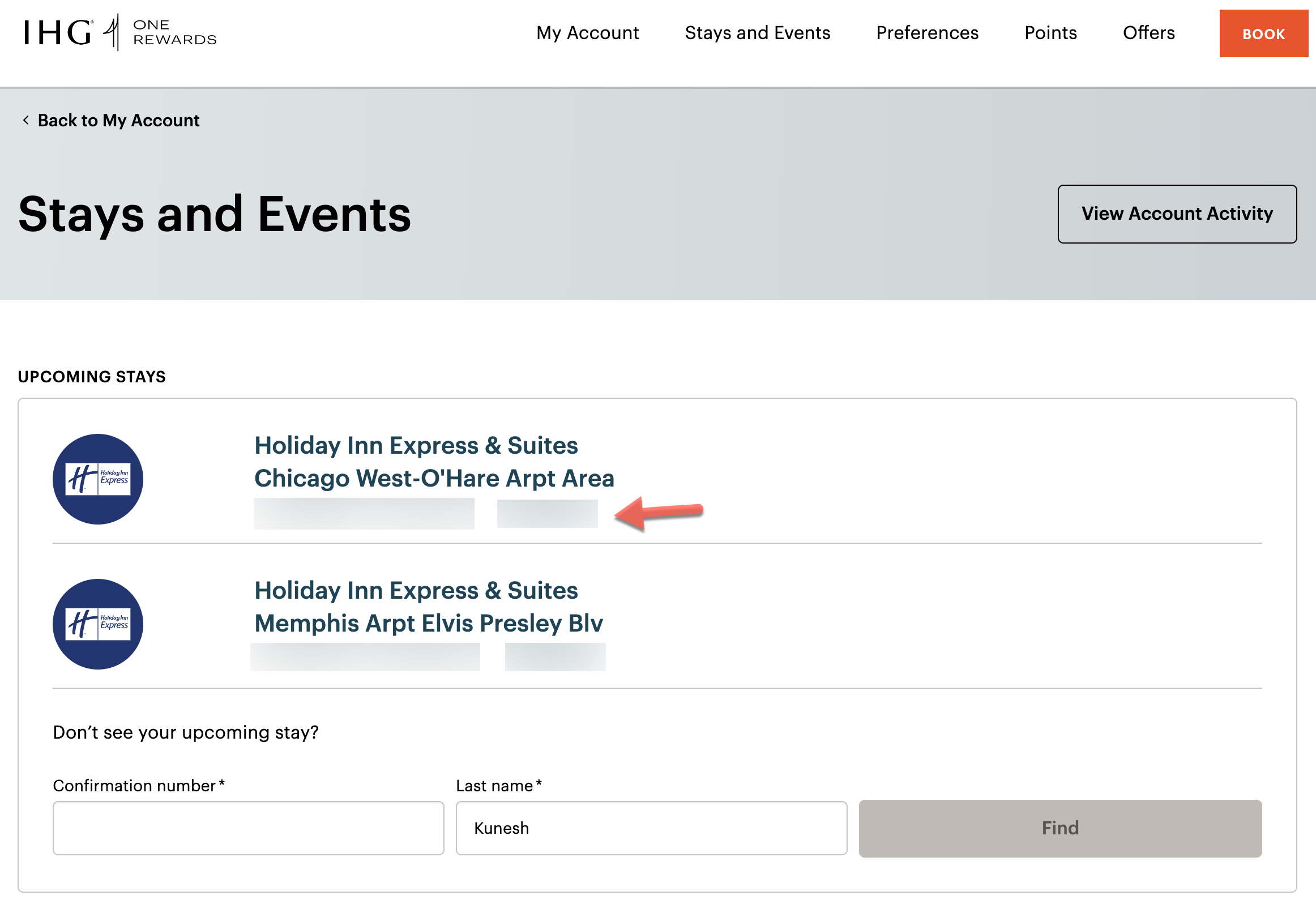
If the price has dropped, click the "Stays and Events" link at the top of the screen to view your currently booked hotels. Click on the confirmation number underneath the hotel's name to start the cancellation process.
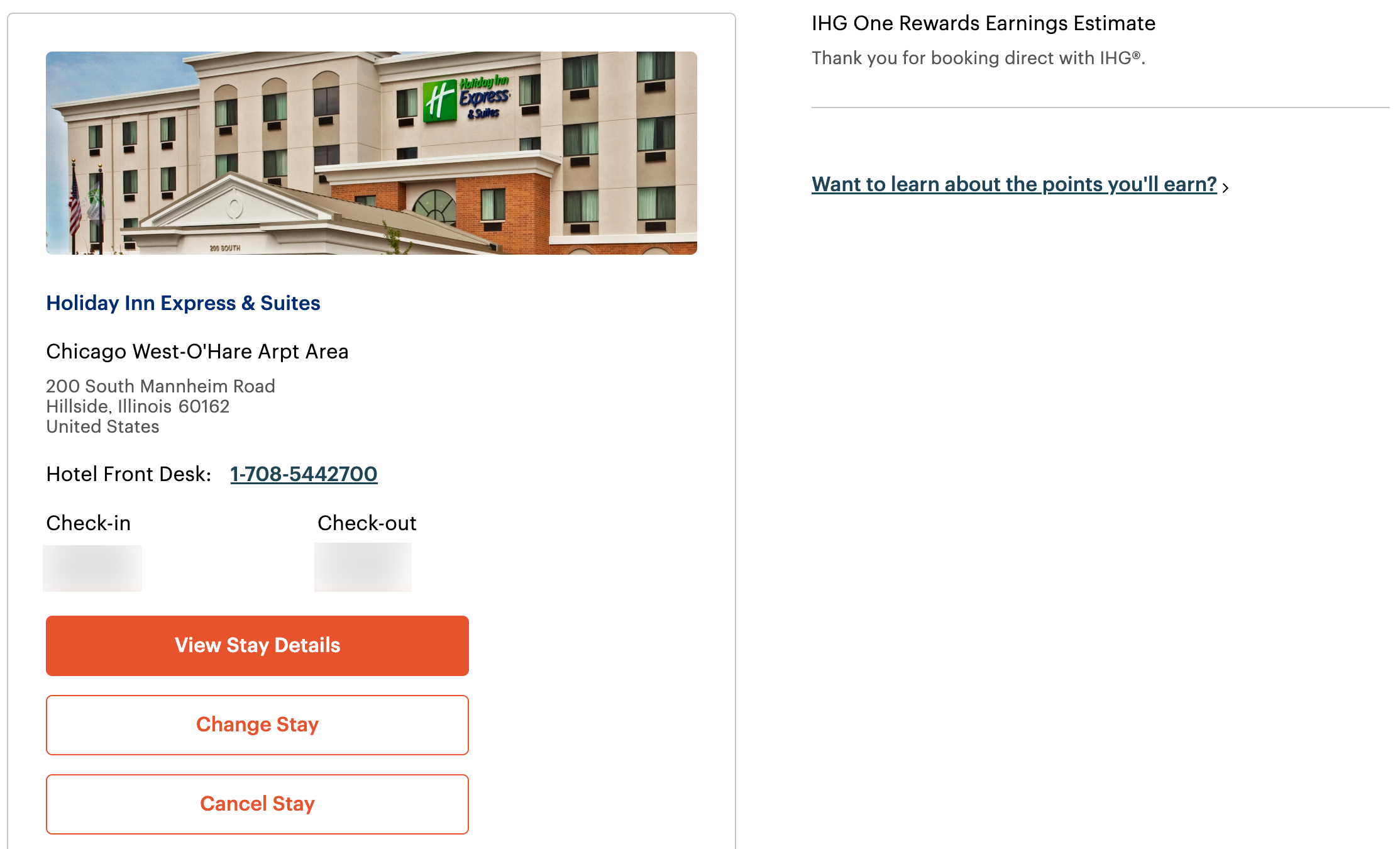
Now, click the "Cancel Stay" button underneath the hotel photo and follow the on-screen prompts to cancel your booking.
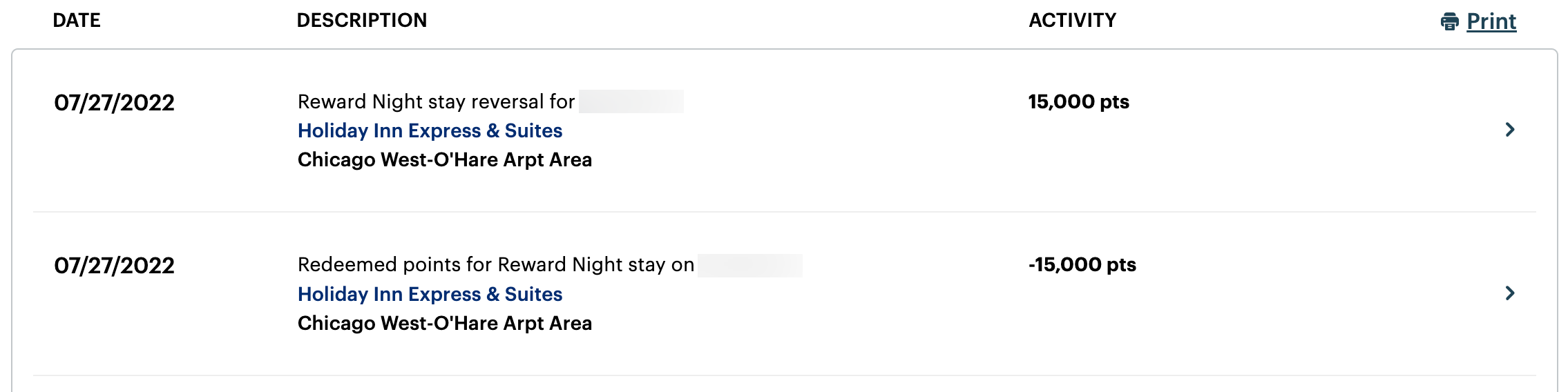
The points should be refunded to your IHG One Rewards account immediately. You can now head back to the homepage and rebook your stay at the lower points price, pocketing the price difference in the process.
Related: IHG Hotels and Resorts introduces its new IHG One Rewards program
How to check and rebook Hilton stays
Unlike Marriott, Hilton does not have an easy way to edit your room and rebook online. When I recently attempted to change my hotel booking to an even cheaper room, Hilton temporarily double-charged my account for both room types. Further, Hilton Honors points refunds aren't always instant like with Marriott Bonvoy.
Because of these mishaps, I suggest a combination of checking award availability online and rebooking stays over the phone.
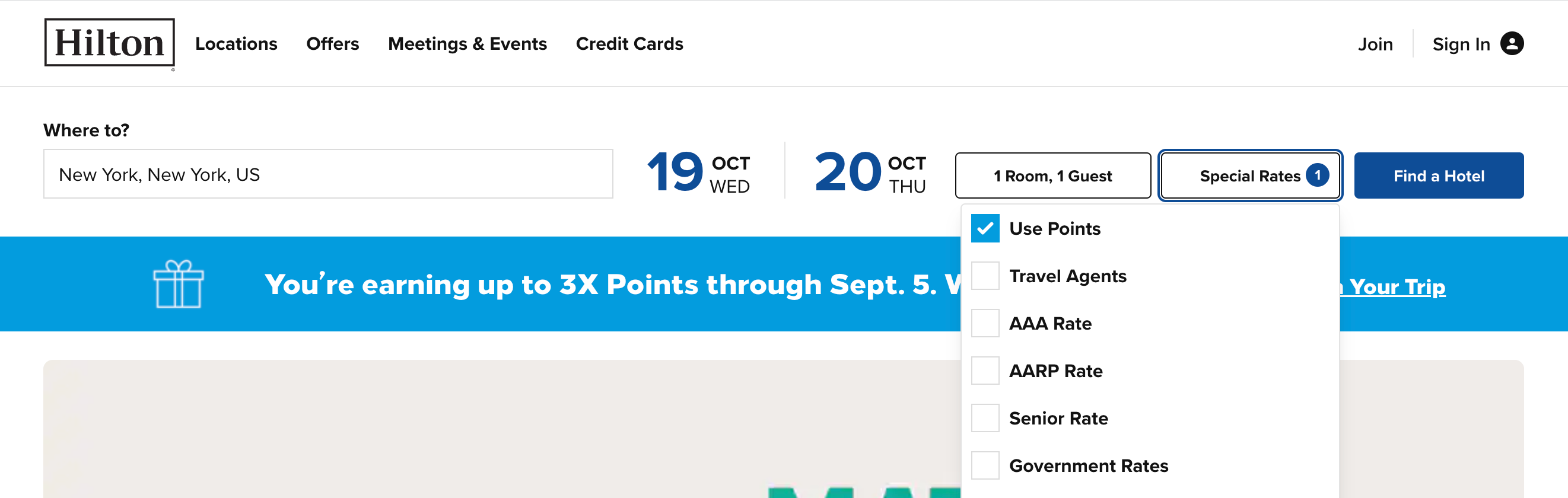
First, let's check current award prices. Go to the Hilton homepage and type in your property, the dates of your stay and the number of guests. Be sure to click on the "Special Rates" button and check the "Use Points" box before clicking on the "Find a Hotel" button to initiate your search.
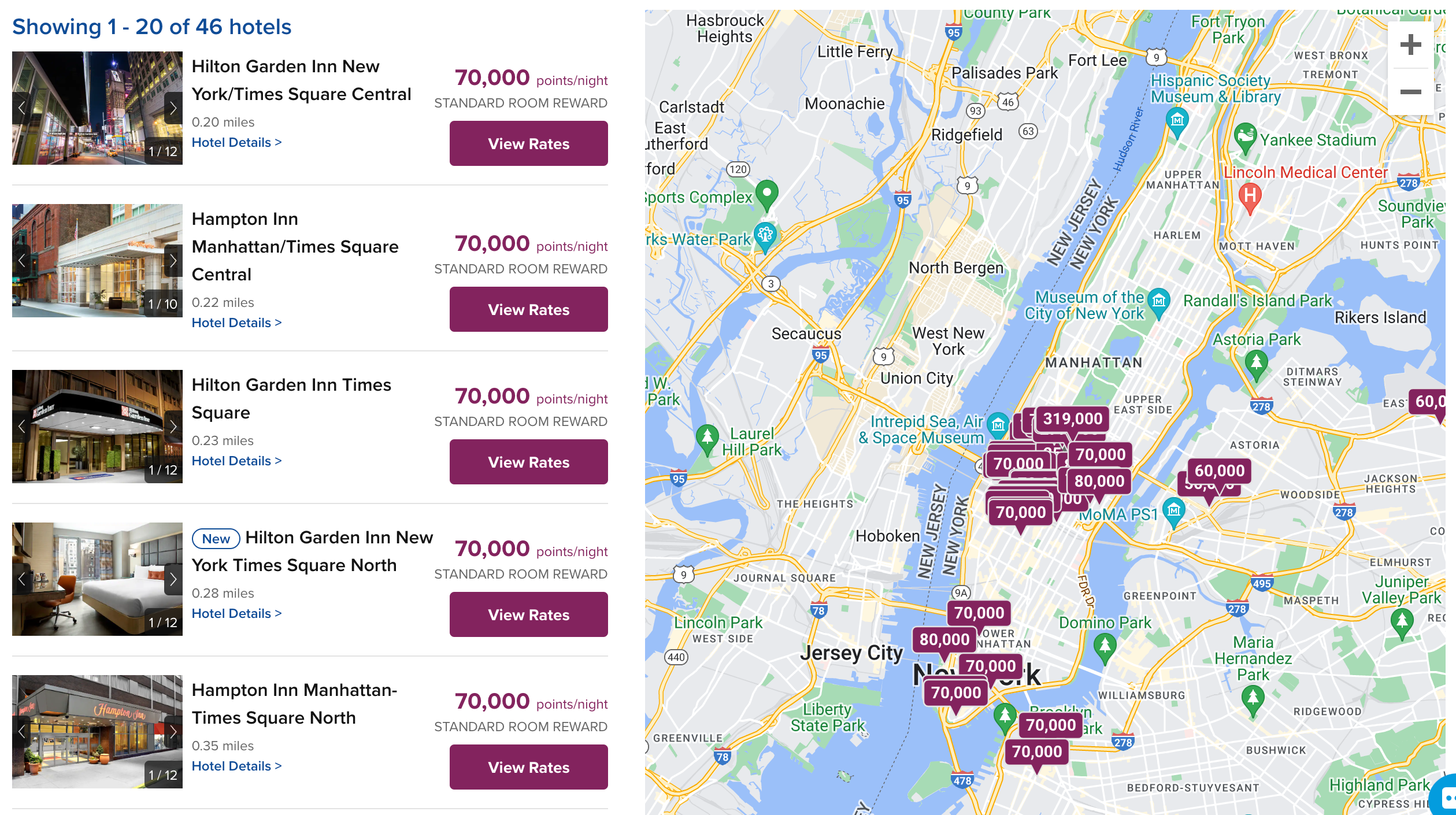
On the results page, you'll see a list of properties in the city you searched for. Look for the hotel you've already booked and click the "View Rates" button.
Clicking on "View Rates" will bring you to a room selection page where you can determine if there is a cheaper price for your stay.
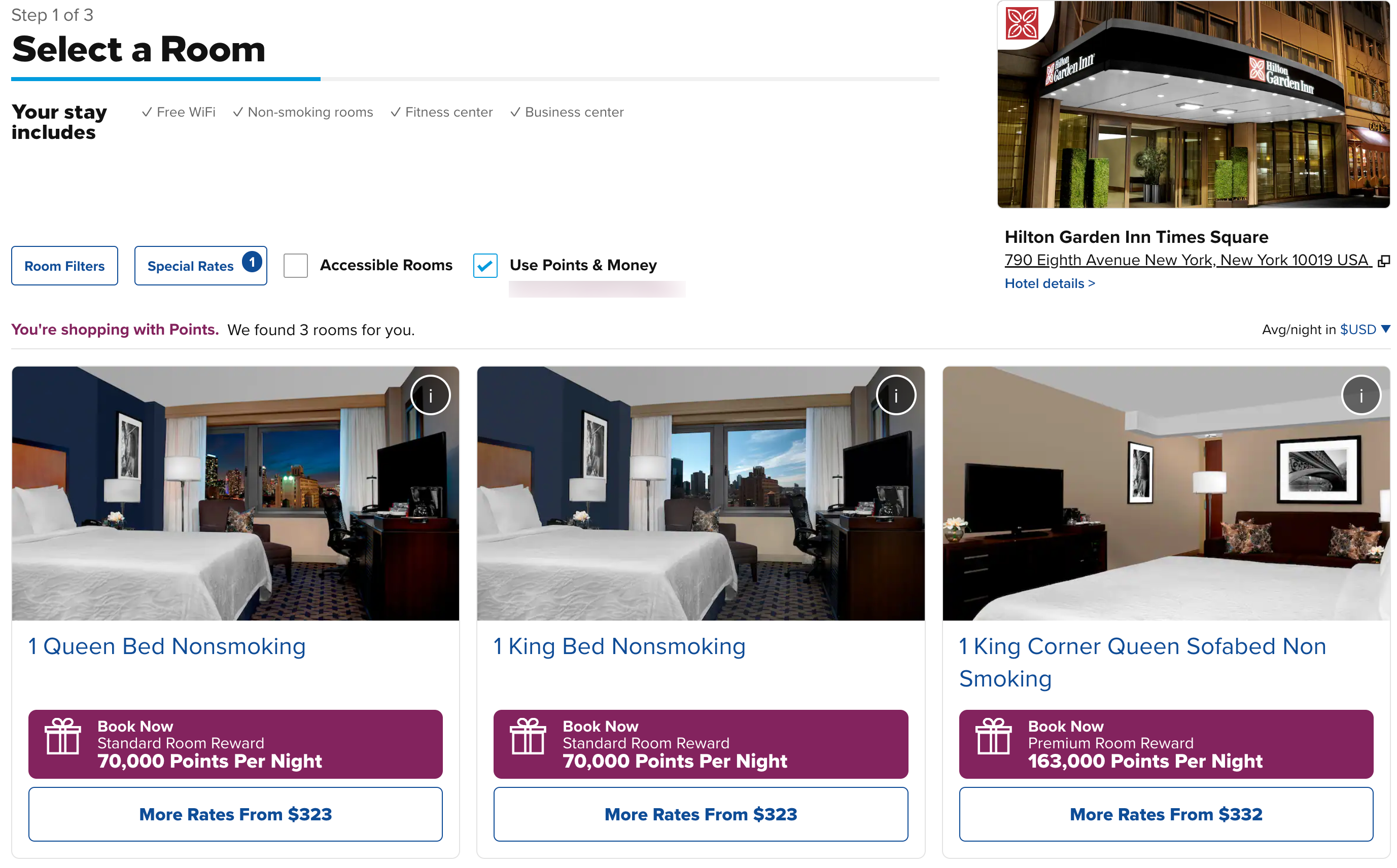
Once you have confirmed the new, cheaper price of your stay, you can call Hilton at 888-4HONORS (888-446-6677) to rebook at the new rate.
If you do not want to talk to an agent, you have two options to utilize Hilton's website. If you have enough points for purchasing the cheaper rate, you can book an additional stay with points using the steps above and then cancel your original stay. I recommend doing this if the option to call an agent is unavailable because you could risk your stay being booked by someone else if you cancel and book again.
However, if you do not have enough points to purchase at the new price, you will have to first cancel your room and then rebook separately once your Hilton points have been deposited back into your account. Just note that someone else could book your room when you cancel and rebook your stay. Since Hilton's redeposits aren't always instant, this could pose a problem at high-demand hotels.
Related: The award travelers guide to Hilton Honors
Bottom line
Marriott has a very easy method to check the price of your hotel stays and rebook without having to cancel your stay, which is beneficial as Marriott's recent switch to dynamic award pricing has led to price decreases at certain properties.
On the other hand, both Hilton and IHG have complicated methods for keeping an eye on hotel award prices and rebooking if necessary. For hotels belonging to these two chains, it might not be worth rebooking if a stay is only slightly cheaper or if there is a good chance of your room being booked by another person in the time period between canceling and rebooking.
Additional reporting by Andrew Kunesh.
TPG featured card

at Capital One's secure site
Terms & restrictions apply. See rates & fees.
| 5X miles | Earn 5X miles on hotels, vacation rentals and rental cars booked through Capital One Travel |
| 2X miles | Earn unlimited 2X miles on every purchase, every day |
Pros
- Stellar welcome offer of 75,000 miles after spending $4,000 on purchases in the first three months from account opening. Plus, a $250 Capital One Travel credit to use in your first cardholder year upon account opening.
- You'll earn 2 miles per dollar on every purchase, which means you won't have to worry about memorizing bonus categories
- Rewards are versatile and can be redeemed for a statement credit or transferred to Capital One’s transfer partners
Cons
- Highest bonus-earning categories only on travel booked via Capital One Travel
- LIMITED-TIME OFFER: Enjoy $250 to use on Capital One Travel in your first cardholder year, plus earn 75,000 bonus miles once you spend $4,000 on purchases within the first 3 months from account opening - that’s equal to $1,000 in travel
- Earn unlimited 2X miles on every purchase, every day
- Earn 5X miles on hotels, vacation rentals and rental cars booked through Capital One Travel
- Miles won't expire for the life of the account and there's no limit to how many you can earn
- Receive up to a $120 credit for Global Entry or TSA PreCheck®
- Use your miles to get reimbursed for any travel purchase—or redeem by booking a trip through Capital One Travel
- Enjoy a $50 experience credit and other premium benefits with every hotel and vacation rental booked from the Lifestyle Collection
- Transfer your miles to your choice of 15+ travel loyalty programs
- Top rated mobile app