Katie Genter is a digital nomad who has traveled full time since June 2017. She writes and edits stories about points and miles, and loyalty programs, often letting her personal experiences color these stories.
March 7, 2020 • 7 min read
The cards we feature here are from partners who compensate us when you are approved through our site, and this may impact how or where these products appear. We don't cover all available credit cards, but our analysis, reviews, and opinions are entirely from our editorial team. Terms apply to the offers listed on this page. Please view our advertising policy and product review methodology for more information.
Comments
By commenting, you agree to our Community Guidelines to help create a positive space for conversation. The responses below are not provided or commissioned by the bank advertiser, our partners, or The Points Guy (“TPG”). They have not been reviewed, approved, or otherwise endorsed by any of these parties. All responses are submitted by individual contributors, and neither the bank advertiser, our partners, nor TPG are responsible for ensuring that all posts and/or questions are answered.
Related stories
Quick summary
Google Hotels is a tool for searching, comparing and booking hotels, offering a wide range of filters for price, guest ratings, amenities and brand.
The platform allows users to view property details, compare prices across multiple booking sites, and read aggregated reviews from various sources.
Google Hotels is especially useful for finding accommodations in dense urban areas or remote locations where options may be limited or scattered across different booking platforms.
The map feature and flexible date search help travelers identify suitable properties and the best available rates.
What to consider
Not all hotels may appear in initial search results, especially in dense destinations, but using filters can reveal more options.
Some properties, particularly in remote areas, may not have direct booking links through Google Hotels, requiring additional research to book directly or find better rates.
Comparing prices across platforms is important, as rates can vary and booking direct may sometimes offer additional benefits.
What you'll miss from the article
Step-by-step guidance on using Google Hotels' features to maximize your hotel search and booking experience.
Generated by AI with support from our editorial team.
Google Flights has been a game-changer for finding and booking flights. But, you may be less familiar with Google Hotels, which has increasingly become a useful tool for searching, comparing and booking hotels. In this guide, we'll go through a sample search using Google Hotels before considering some specific ways in which Google Hotels can be useful.
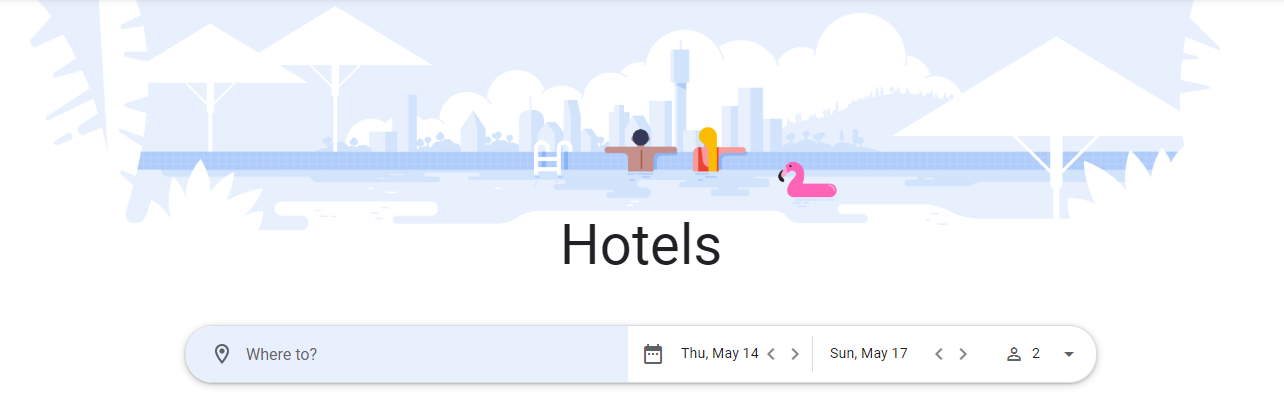
You can start a search at google.com/travel/hotels. On this page, you enter the destination, check-in and checkout dates and number of guests.
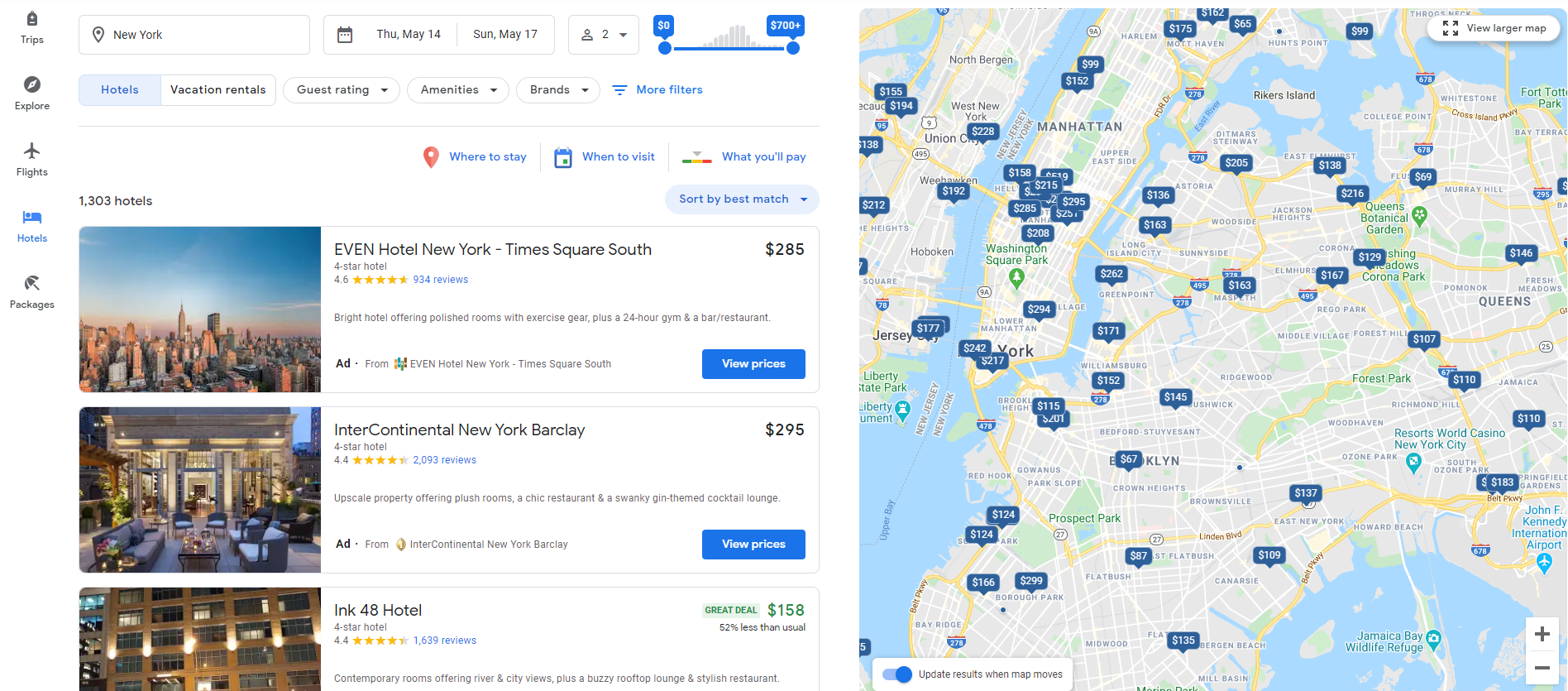
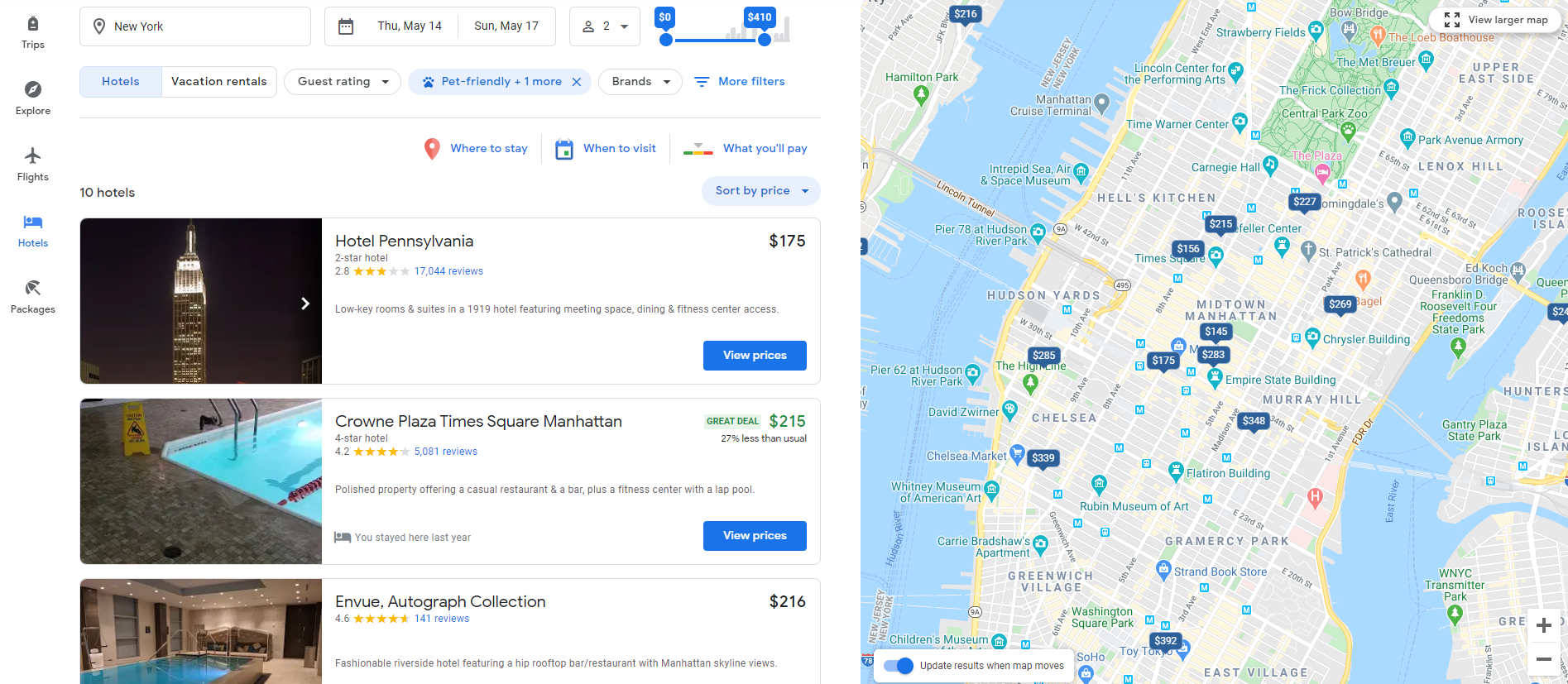
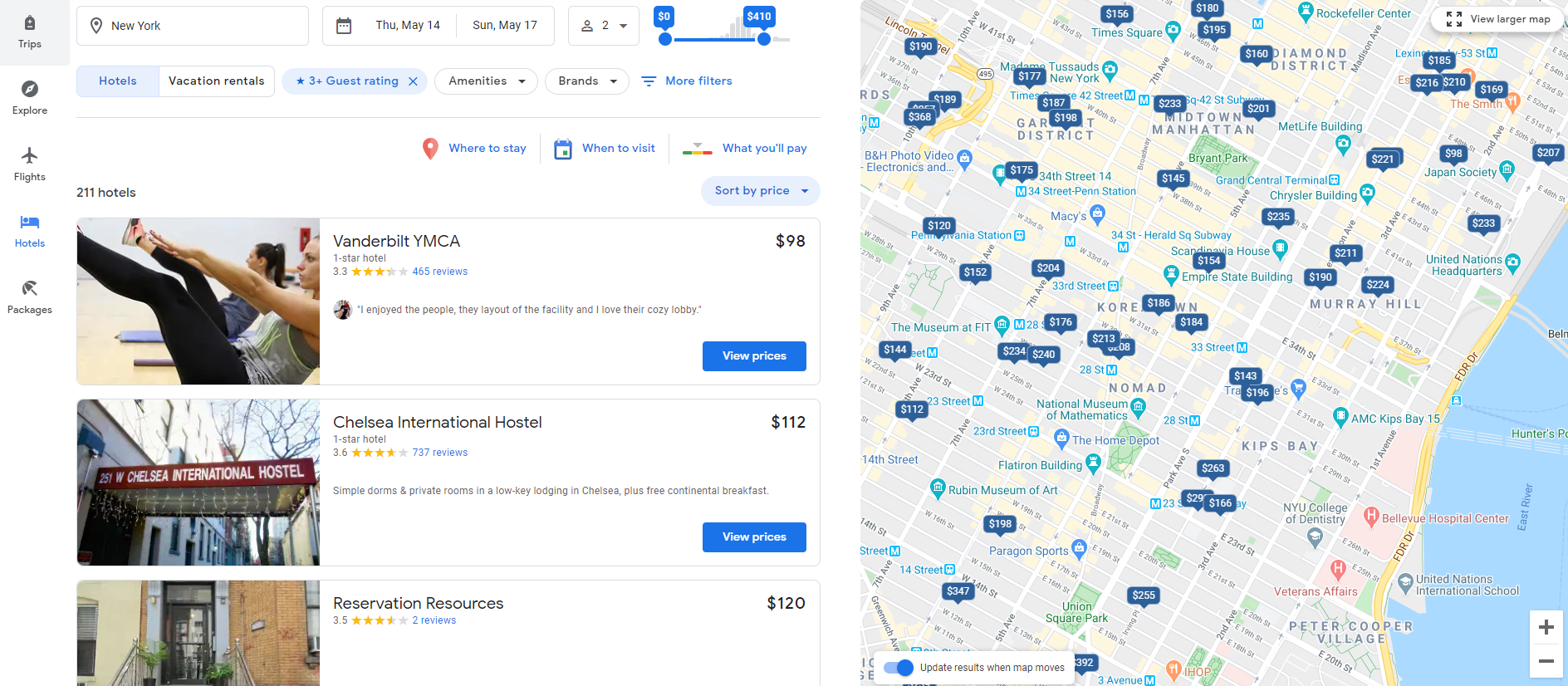
You'll get results in the general area, but note that usually only some of the results will be shown. This is especially likely when you're searching in a dense destination like New York.
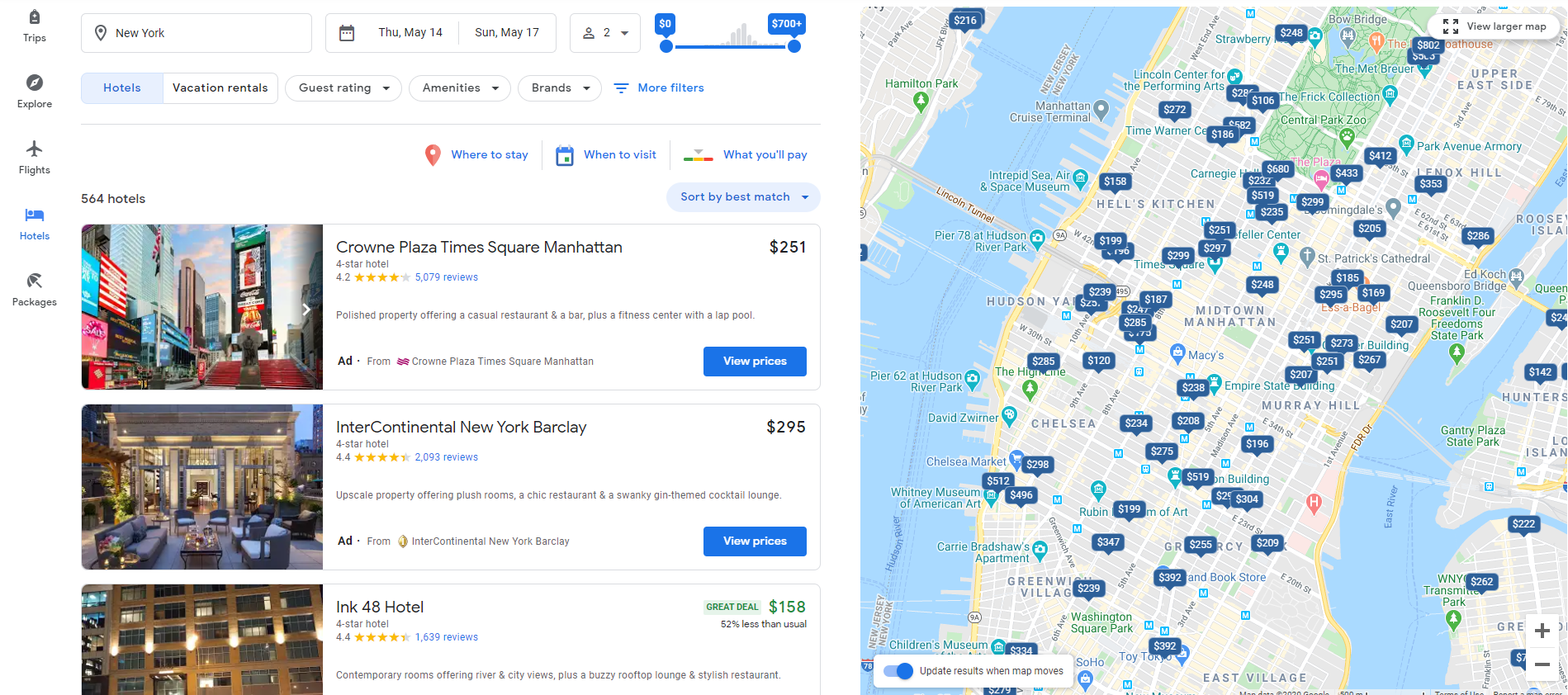
You can zoom in to see more results in a particular area, but you may still not see all of the results.
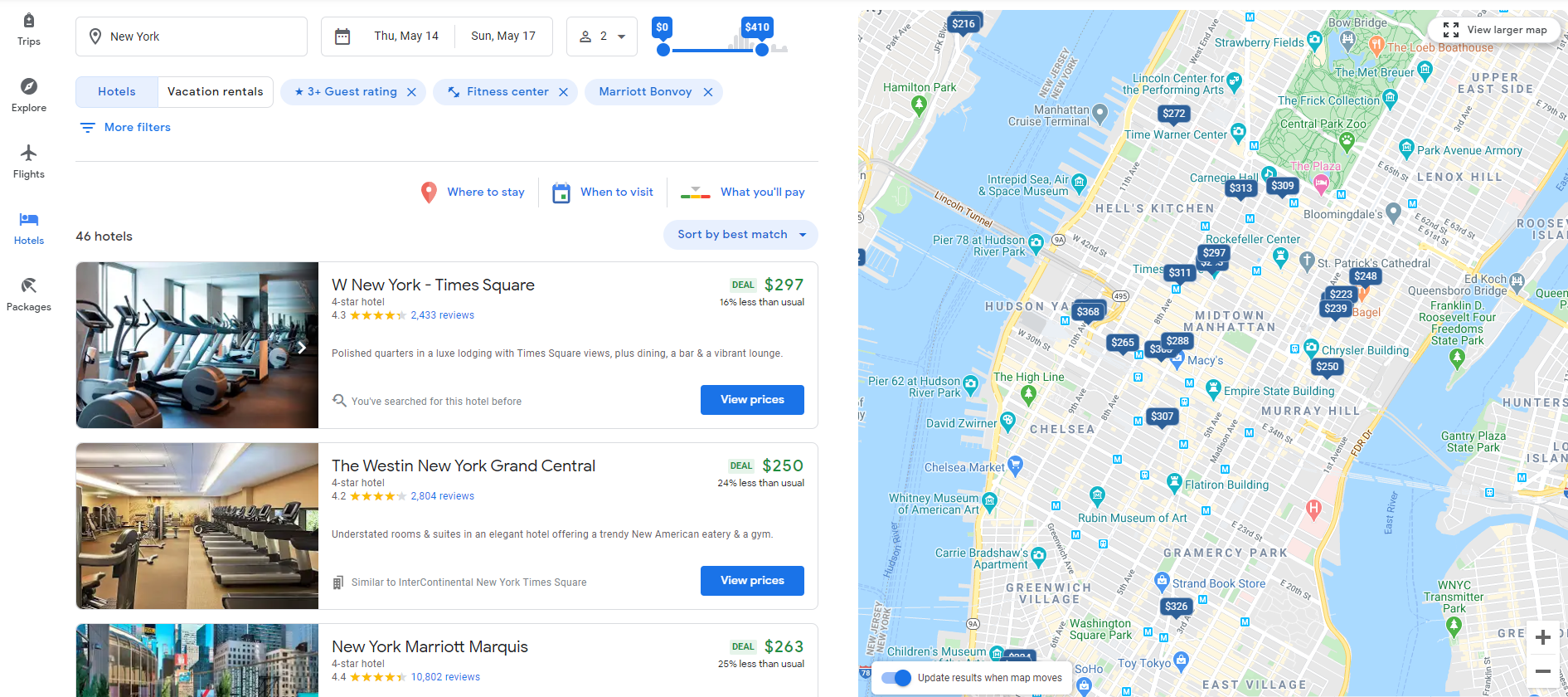
However, if you use filters to set price range, guest ratings, amenities and/or brand you'll eventually see all of the properties that fit your criteria.
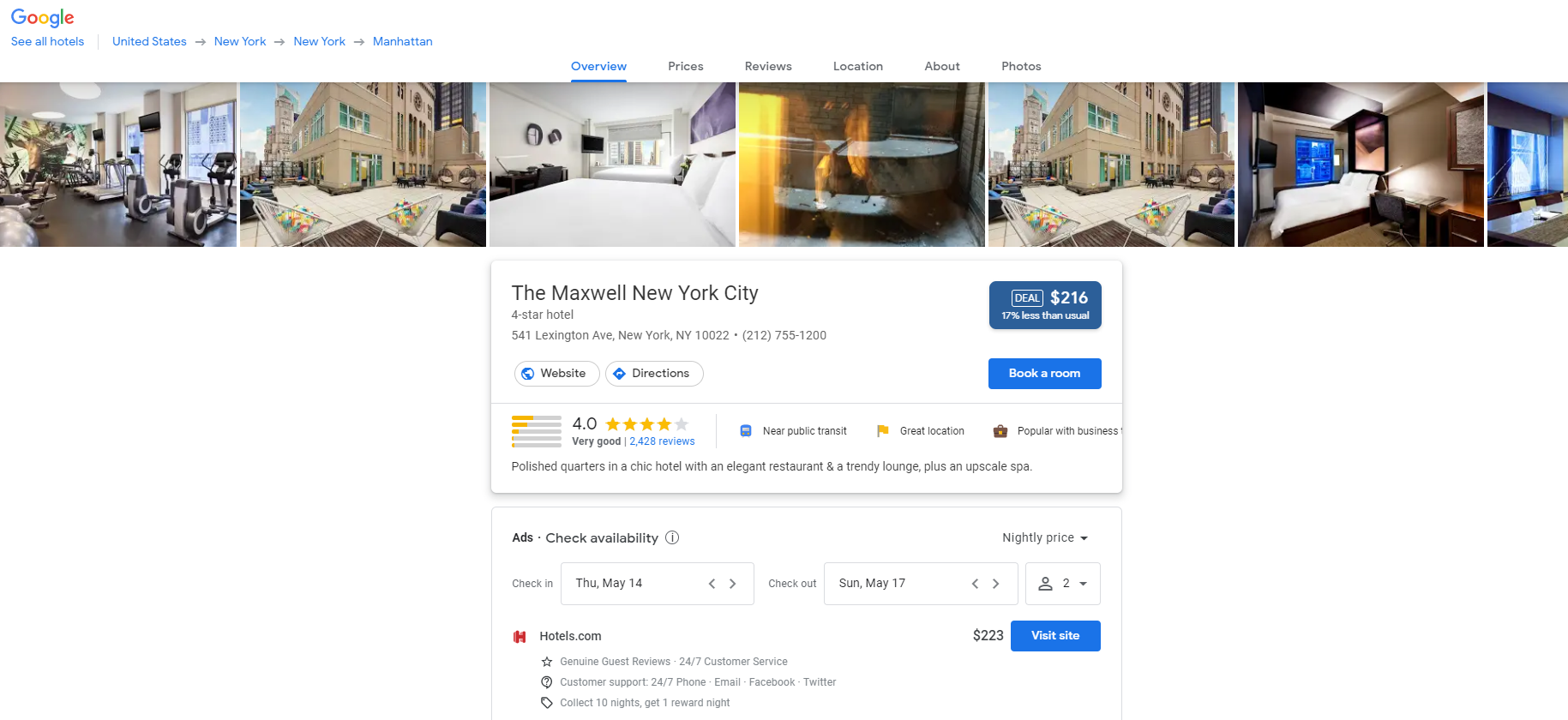
If you click on a particular property name, a property overview page will open in a new tab on most browsers. This page has basic information about the property as well as photos of the property.
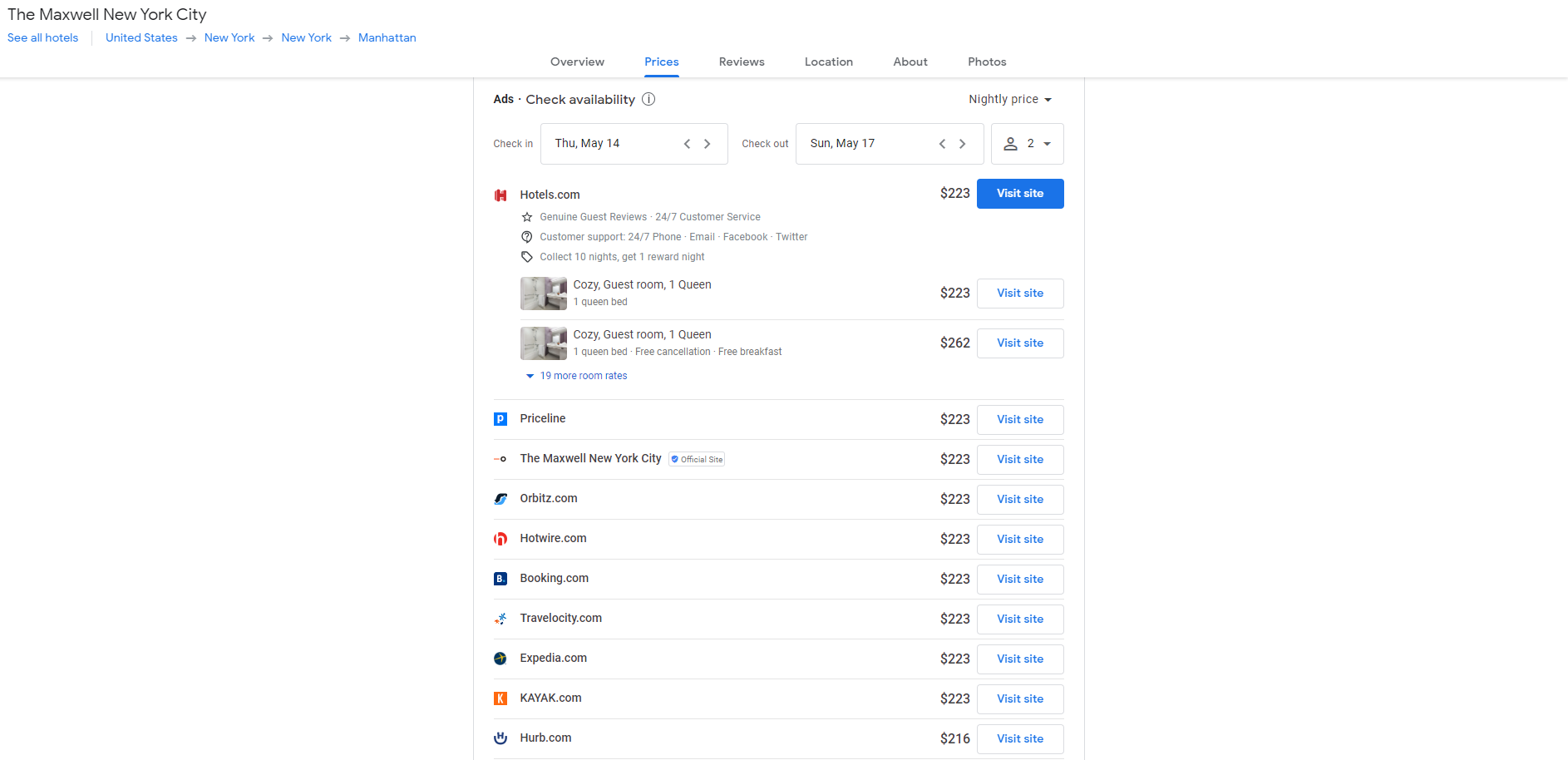
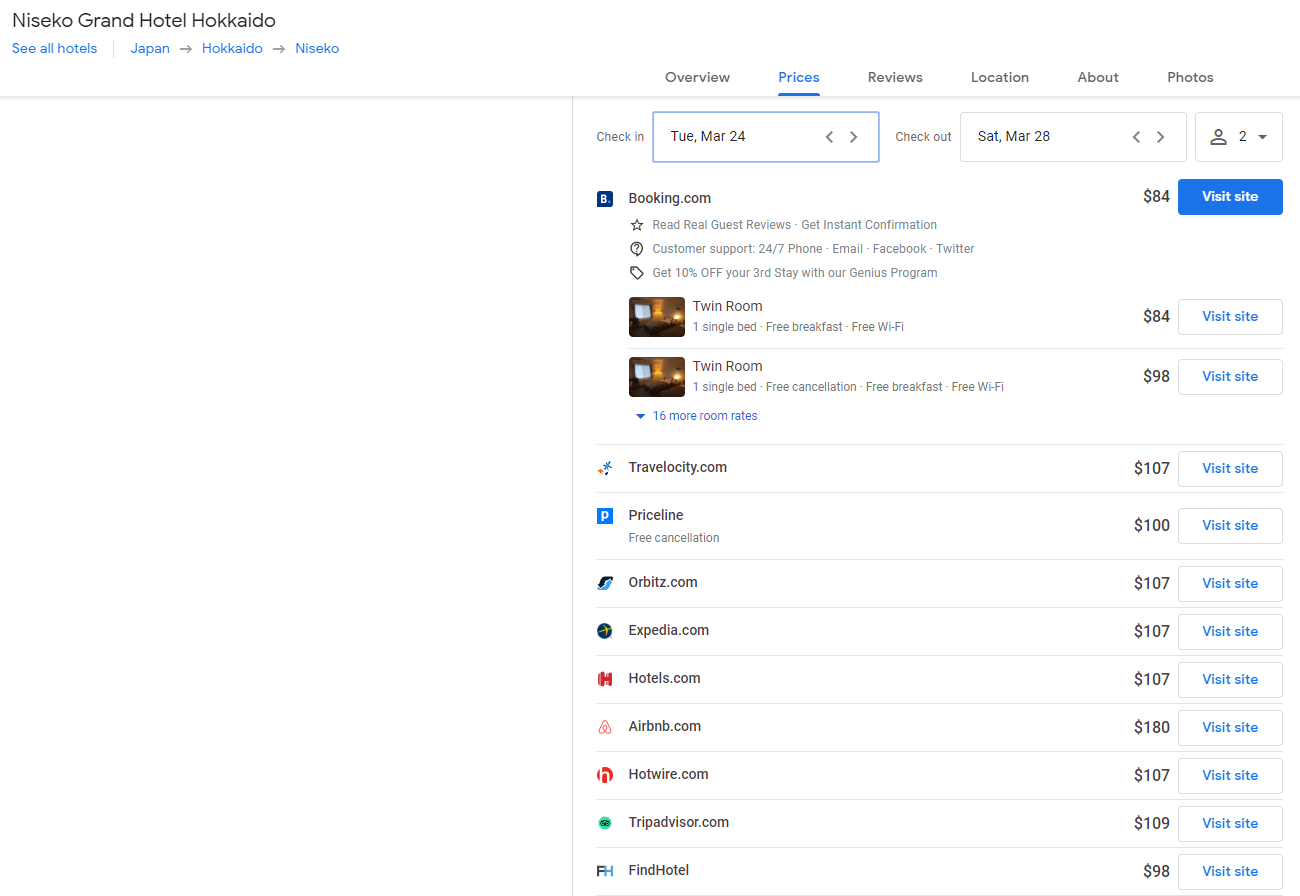
Each of the tabs along the top will take you to pages where you can see more information. The Prices tab allows you to compare prices across multiple booking options.
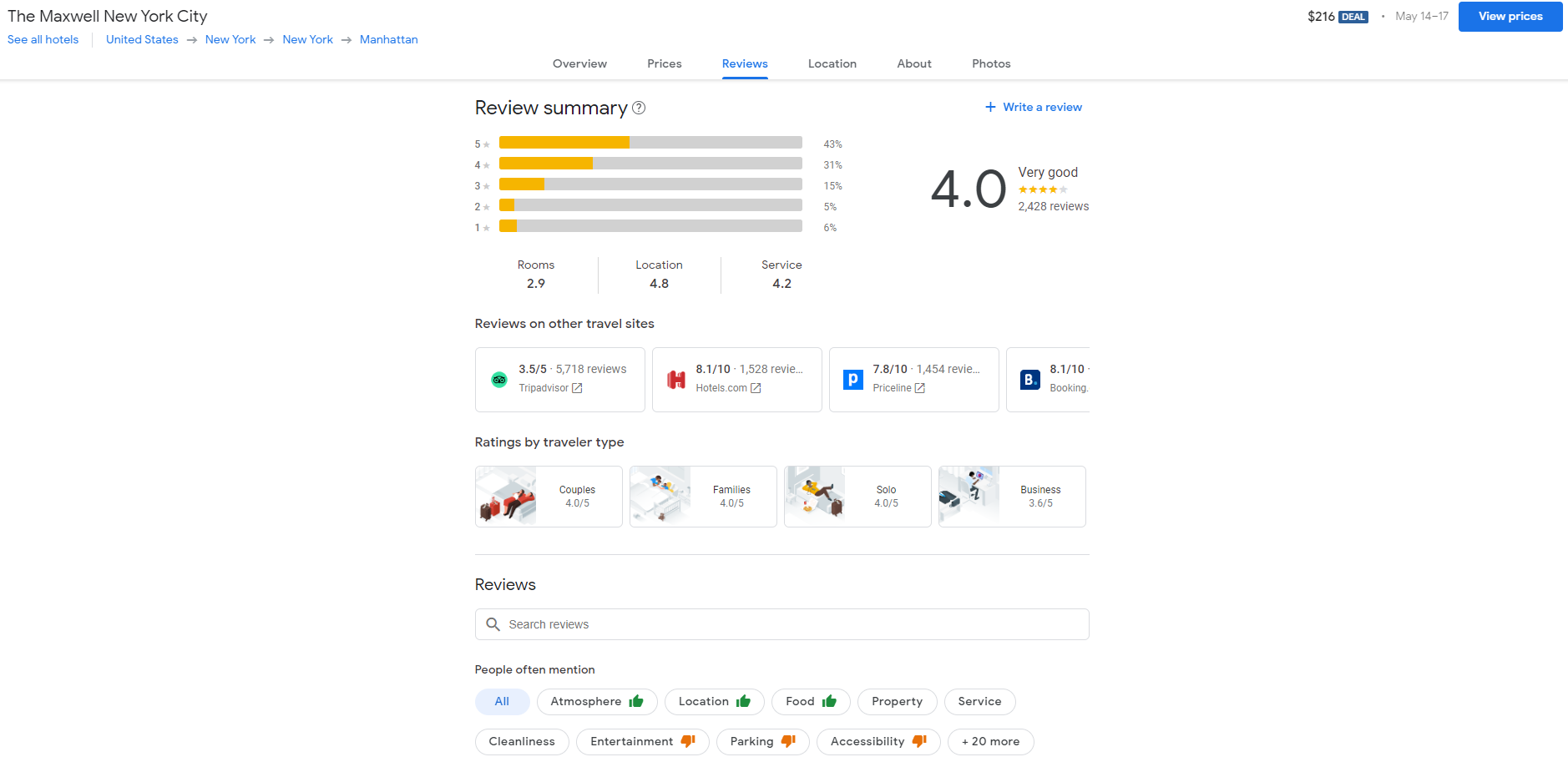
The Reviews tab aggregates reviews from many different sources and allows you to sort by travel site, traveler type and keywords mentioned in the review. In the case of the hotel I've used in this example, you can also read TPG Contributor Ethan Steinberg's review.
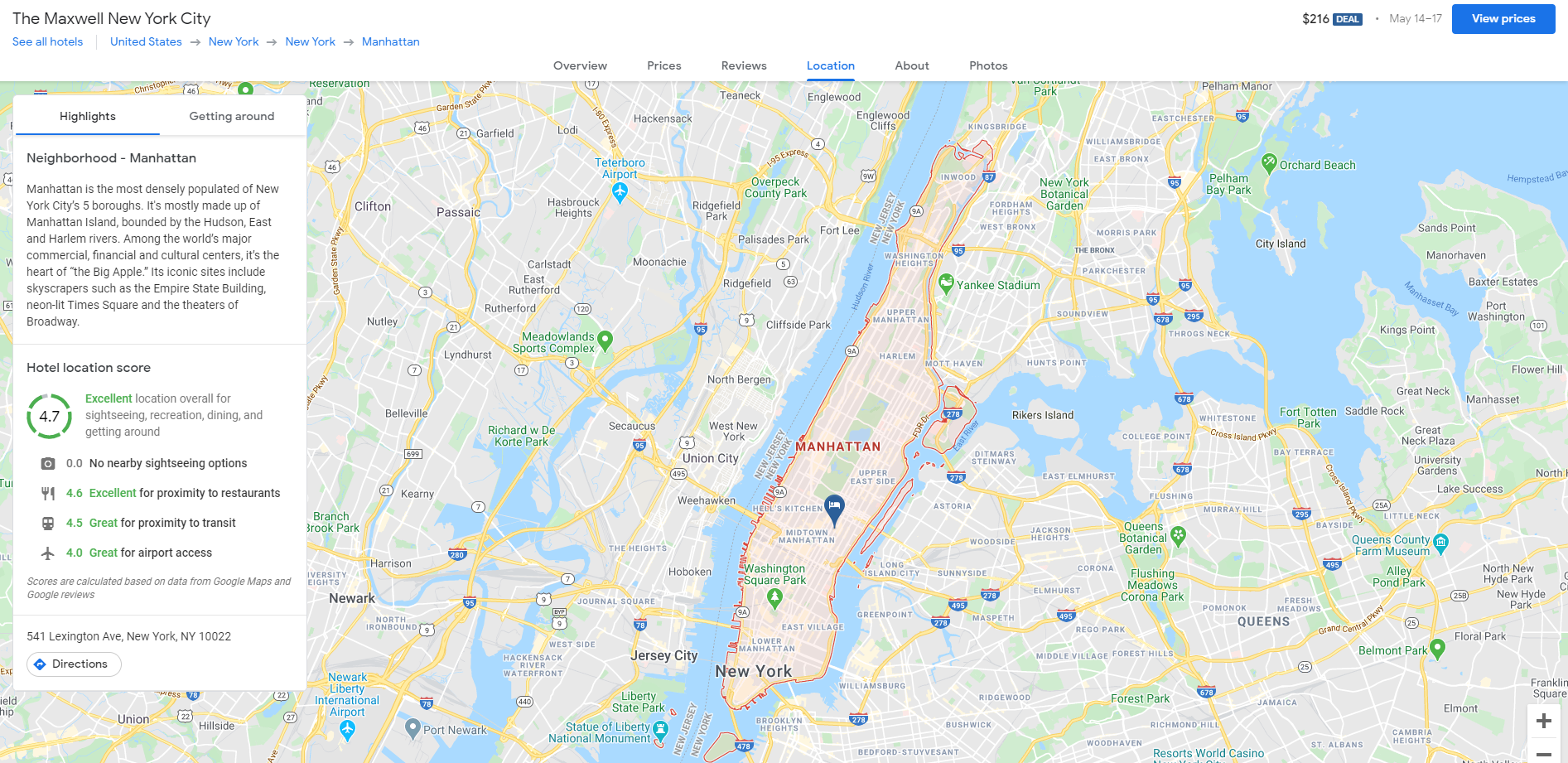
The Location tap provides ratings for the location, information about highlights and things to do in the area and information about getting to, from and around the hotel.
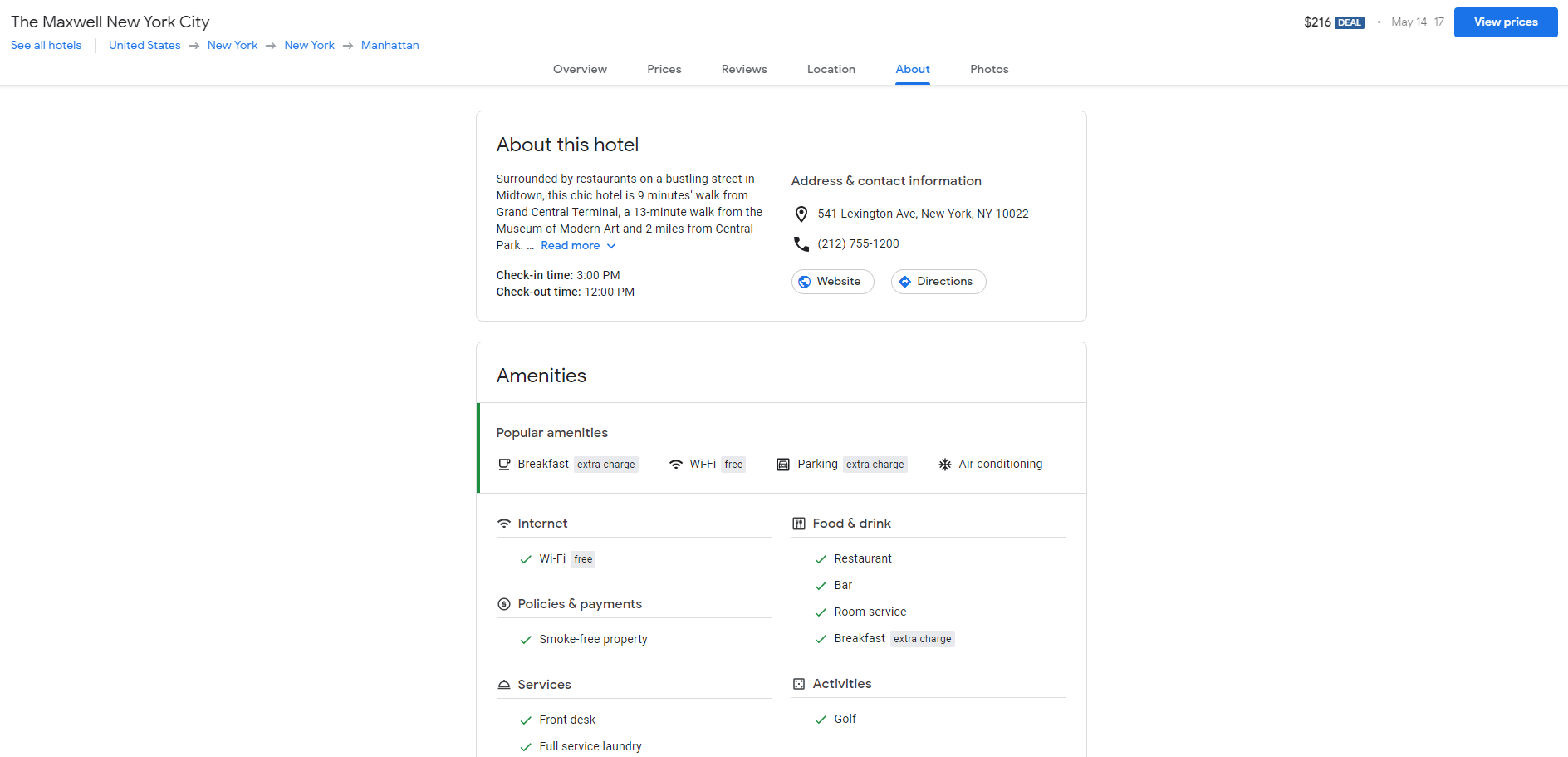
The About tab provides a deeper overview of the property as well as information about amenities.
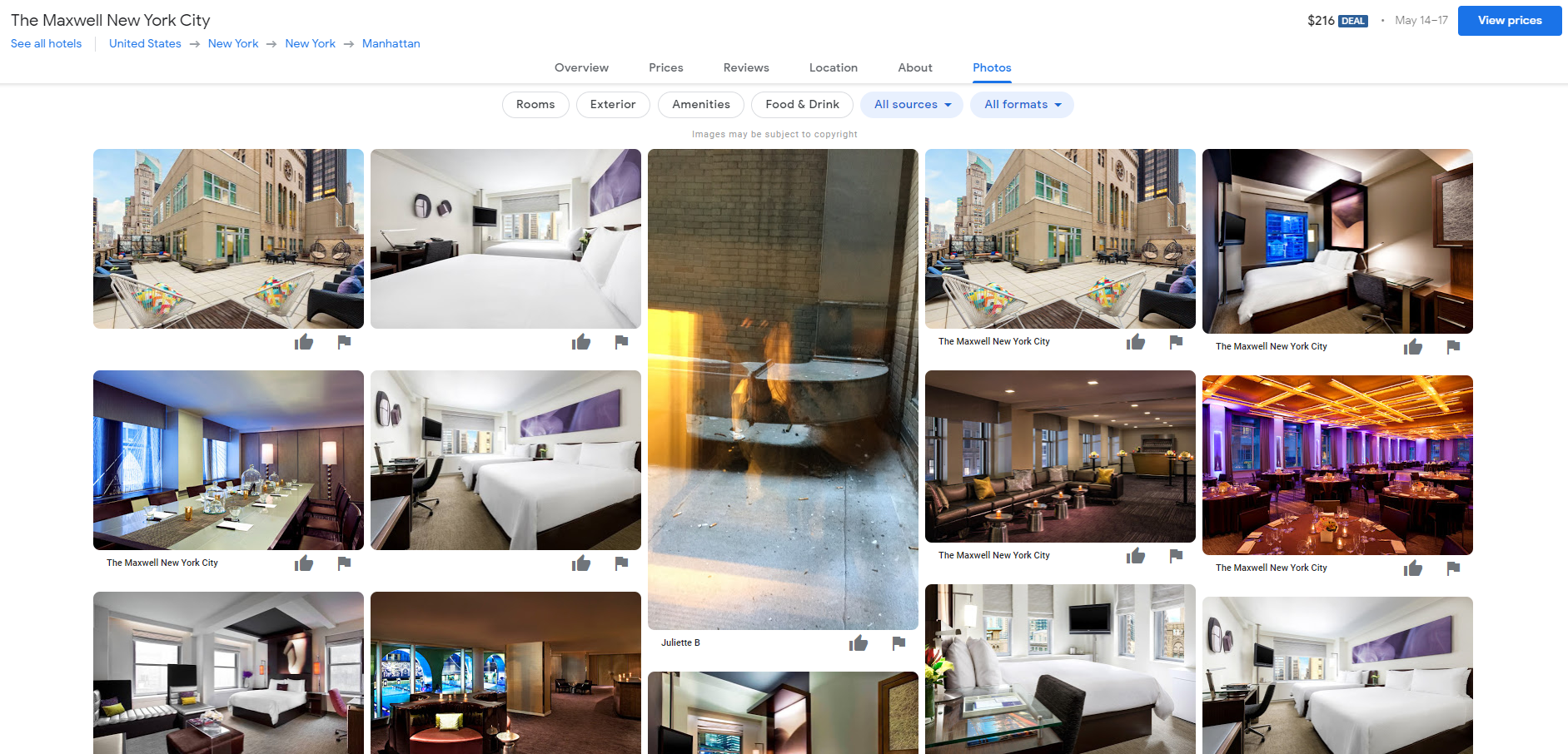
Finally, the Photos tab shows photos from various sources. You can sort by source, format or photo subject.
If you decide to book the hotel, you can go back to the Prices tab and click on the site through which you'd like to book. Or, you can see if the same price is available after clicking through your favorite online shopping portal.
Whether you're looking for the lowest-priced option, a property with a pool or a pet-friendly property -- or all of these -- you may be able to use Google Hotels to help you narrow down your options.
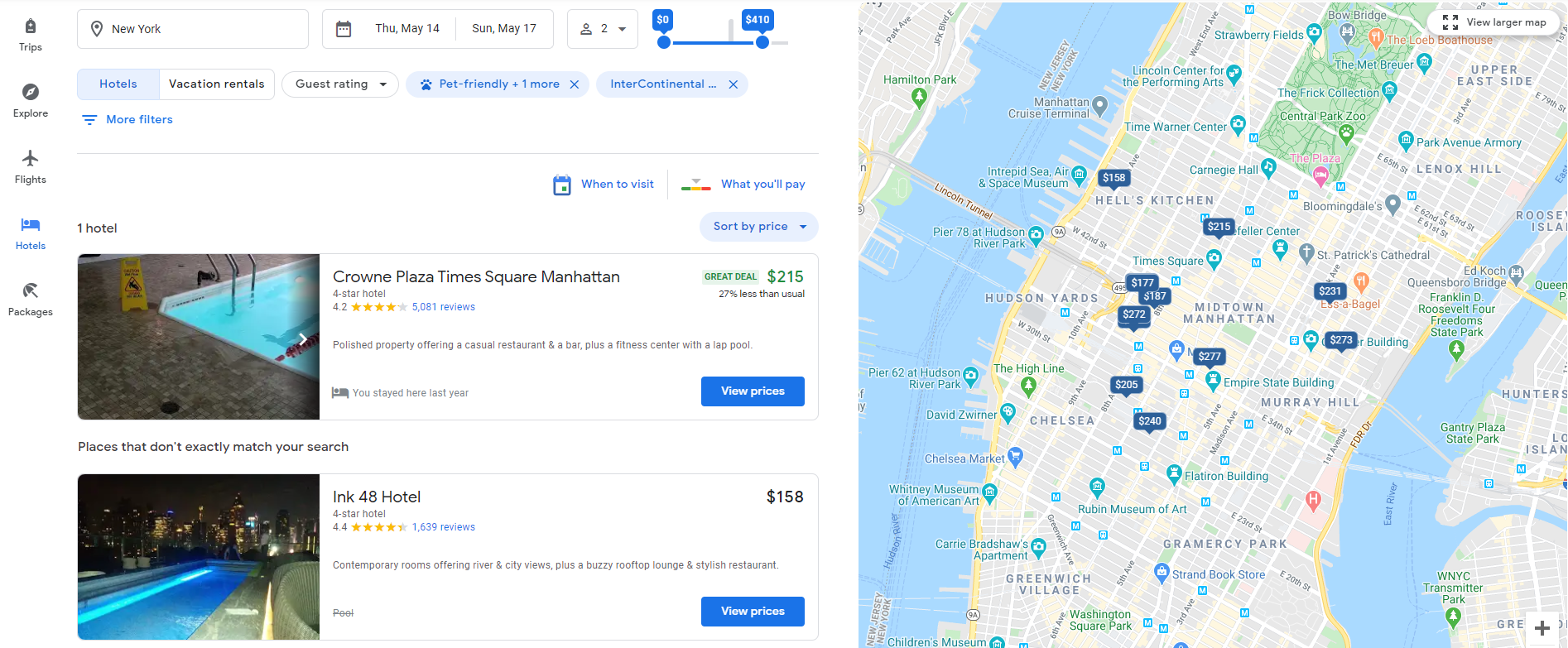
Since some hotel brands don't offer robust sorting options on their websites, it can be useful to sort by hotel brand as well as the amenities you are searching for even if you plan to book directly with the hotel brand. As you can see, my choice would be easy if I was looking for a pet-friendly IHG property with a pool in midtown Manhattan costing less than $410 per night on these travel dates.
Note that even though only one property fits my criteria, additional properties are listed and displayed on the map.
Or, if I'm just looking for the lowest priced place that's decently rated by guests, I can set my search area to where I want to stay, set the guest rating to three or higher and then sort by price. However, it's usually best to read recent reviews to ensure the property will fit your needs.
The Vanderbilt YMCA is basic (I've stayed there twice), but may fit the bill if you're traveling on a budget and don't have hotel points to spare.
If you're looking for the best price for a particular property, you may find that different websites report different prices. This can be especially true from properties that don't belong to a mainstream loyalty program since mainstream loyalty programs often offer a best rate guarantee.
When I was booking a trip to Japan to use my Ikon Ski pass at Niseko United, I found that the few properties in the Niseko area that belong to mainstream loyalty programs cost more than I was willing to pay. Plus, I liked the idea of staying at a property with a Japanese onsen on-site. So, I decided on the Niseko Grand hotel and then used Google Hotels to compare prices offered through various booking methods.
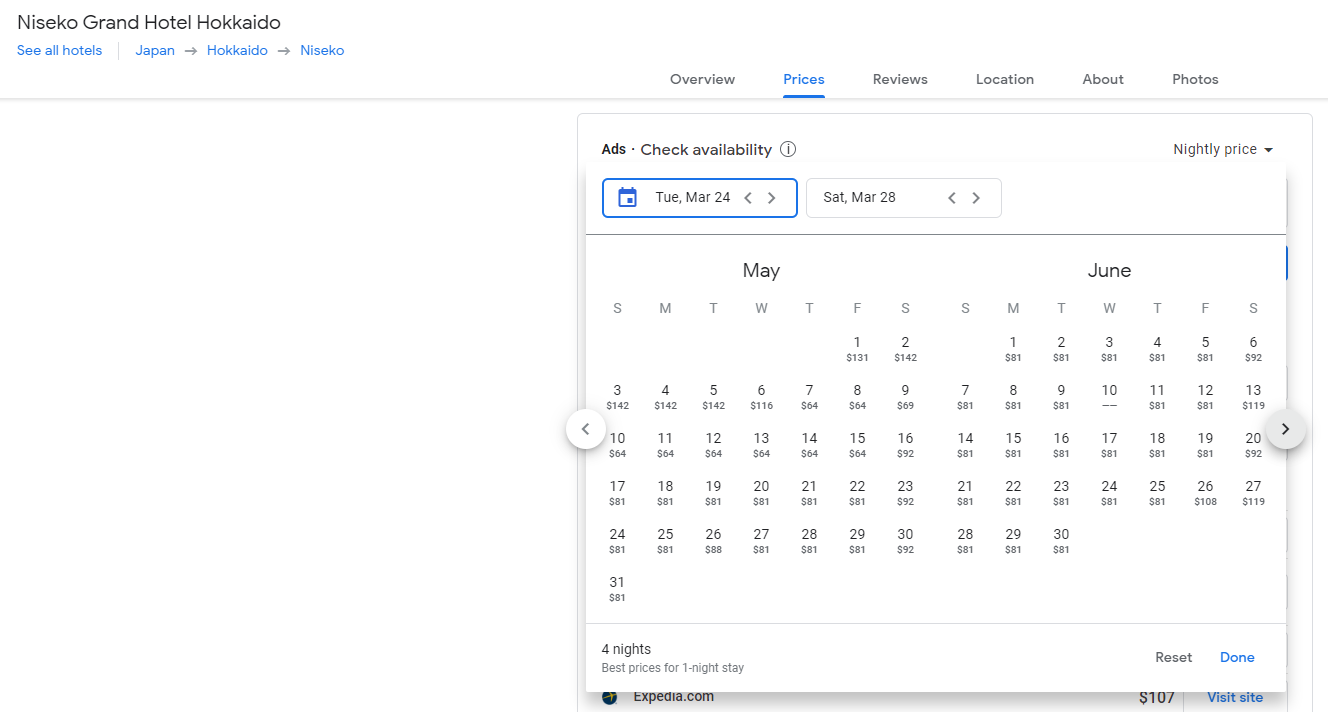
I didn't get a screenshot of prices for my stay, but you can see the variance for these spring dates.
And, if you have flexible dates, you can check prices for a particular property across a variety of dates.
Using the map to find a hotel in a remote location
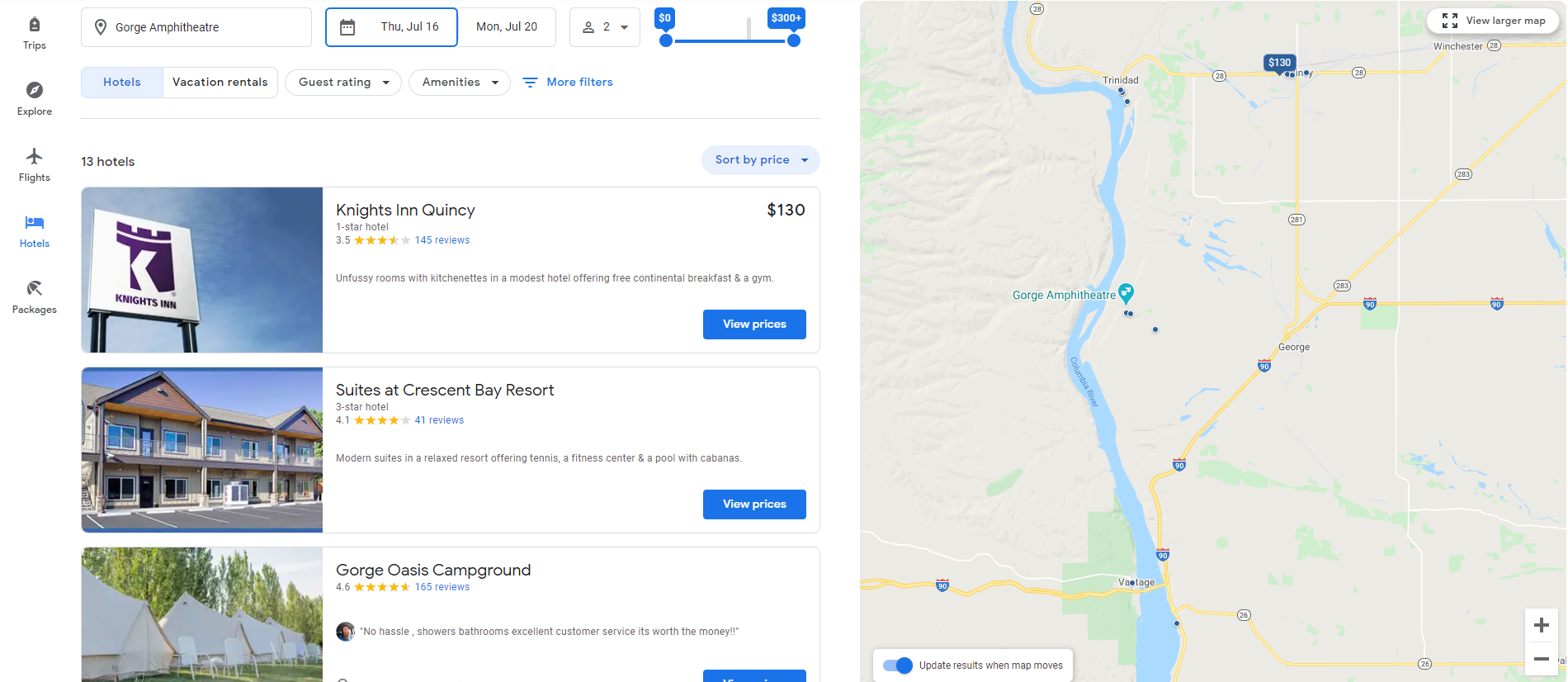
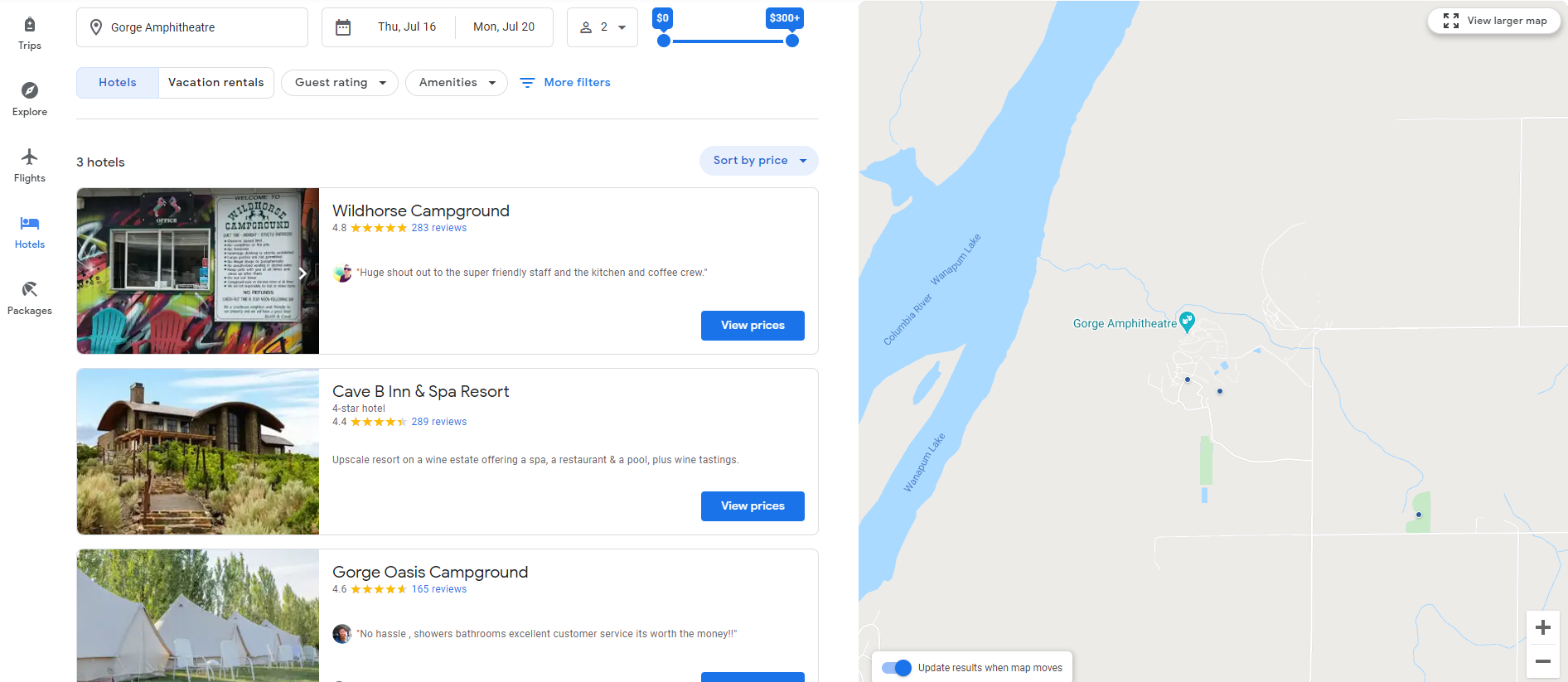
Finding a hotel in remote locations can be difficult. For example, if you're going to a concert at the Gorge Amphitheater and don't want to camp, you'll quickly find there aren't many hotels or non-camping lodging options near the venue.
But, Google Hotels does show you a few options near the Gorge Amphitheater. Although Google Hotels currently doesn't have any information on how to book these properties, a quick internet search will often provide useful information.
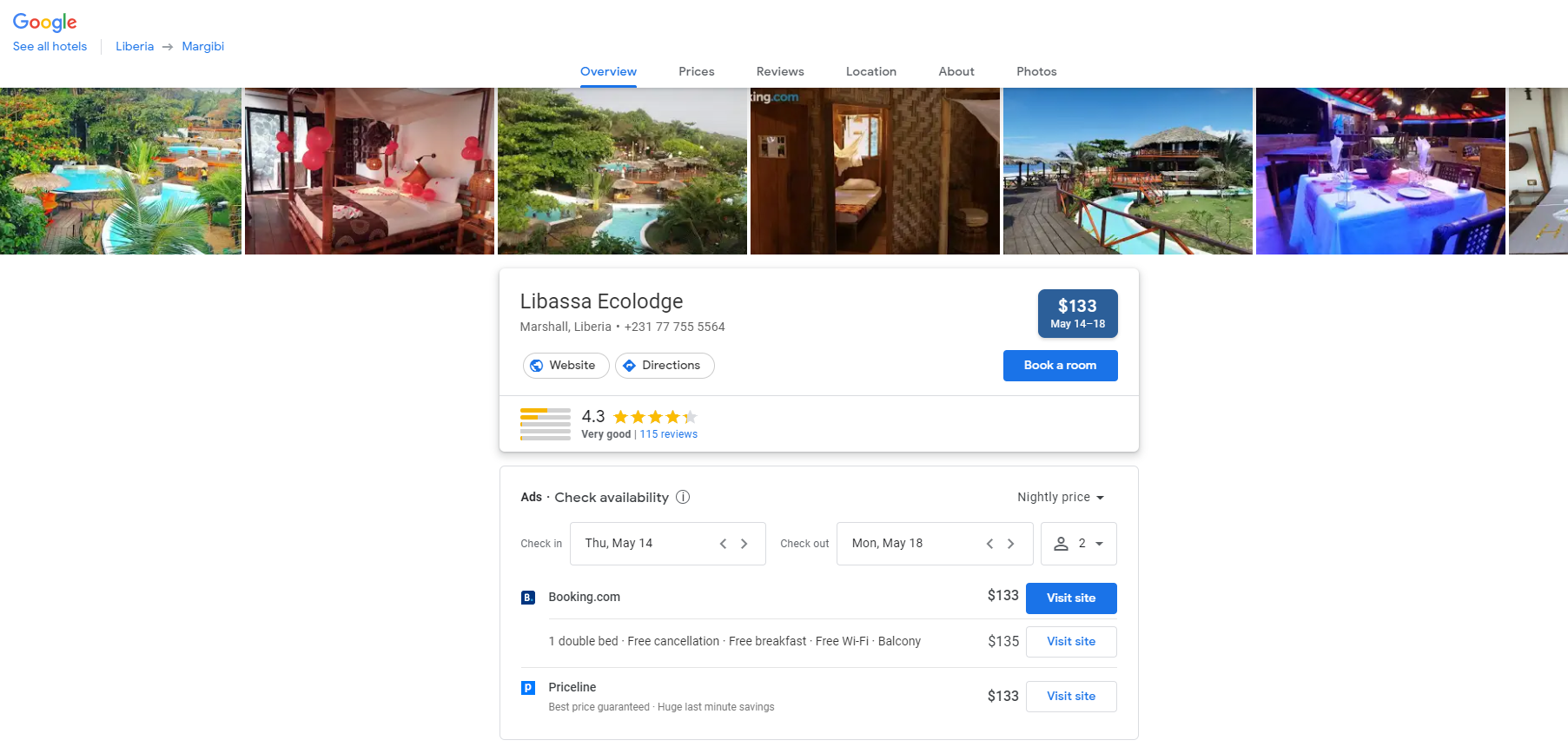
And, when I was planning a trip to Liberia for PeaceJam last fall, I found that many properties were only listed on a few online travel agencies. So, Google Hotels served as a great hotel aggregator so I could see all of my options at once. This helped me determine the best way to book The Farmington Hotel and Libassa Ecolodge.
However, especially when booking directly with the hotel isn't listed as an option on Google Hotels, it's worth searching the property's name before booking to see if booking direct would be less expensive or provide other benefits. In the case of Libassa Ecolodge, booking direct ended up being much less expensive than booking through any of the online travel agencies.
Google Hotels can be a useful resource even if you're looking to book direct or through a specific website. Whether you're looking for a hotel in a remote location or you're simply comparing your options, Google Hotels may help you find a property and booking method that fits your needs and budget.
By commenting, you agree to our Community Guidelines to help create a positive space for conversation. The responses below are not provided or commissioned by the bank advertiser, our partners, or The Points Guy (“TPG”). They have not been reviewed, approved, or otherwise endorsed by any of these parties. All responses are submitted by individual contributors, and neither the bank advertiser, our partners, nor TPG are responsible for ensuring that all posts and/or questions are answered.