Your Guide to Booking Awards Using the United Airlines App


Even a few years ago, travel apps were among the most basic smartphone apps. You could check your flight status and possibly generate a boarding pass. Maybe, just maybe, you could even book a ticket.
Lately, though, apps from airlines, hotels and online travel agencies have really been upping their game. Some travel apps have even become many road warriors' and casual travelers' go-to portals for booking flights and hotels.
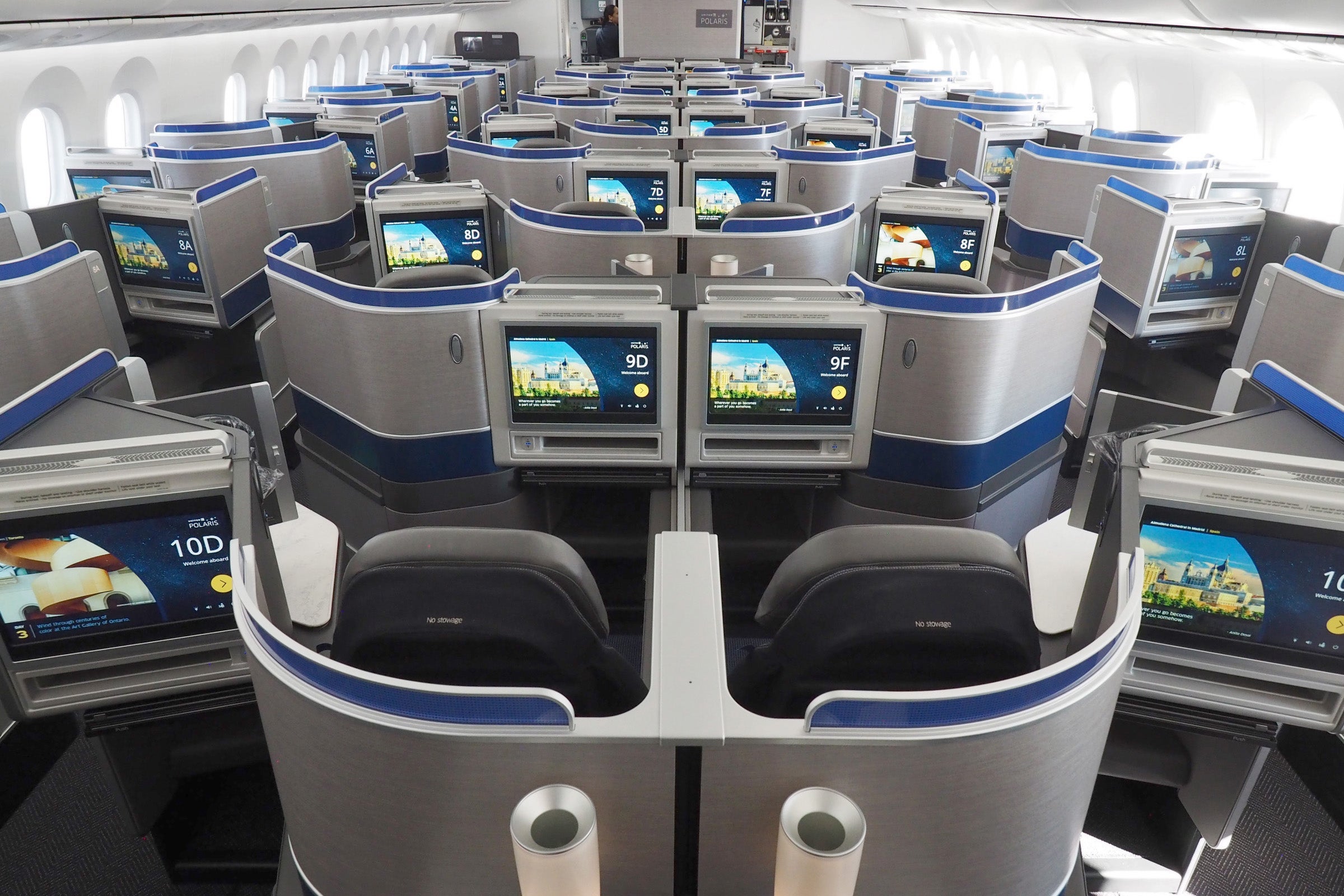
Airline apps in particular, which once were among the last adopters, have been adding new functionality almost by the day. Now, they can do everything from monitoring your upgrade requests to tracking your luggage in real time and storing entertainment playlists for upcoming flights. United's app can tell you exactly why your flight is delayed and even offer compensation for when things go wrong.
In this new series, we're going to take a look specifically at the ability of major airlines' apps to search for and book award space, and how the experience compares to using a regular airline website.
For today, our focus will be the United Airlines app (stay tuned for updates on a new version to be released next year), which has been able to search and book awards for some time now. But just how good is it at finding award availability, both on United's own flights and those of its partners? Let's find out.
If you want to see the same analysis for other carriers, check out the following posts:
United.com
United's site has come a long way through the years. It's now one of the best sites to search for awards not just on United-operated flights but also on its Star Alliance partners ... which is a good thing considering how convenient United MileagePlus miles are for booking such awards.
Let's take a couple of quick examples to give you an idea of the awards you can find. The airline's search engine is fairly straightforward. Simply enter the travel details on the home page, including airports and dates, and make sure the "Book with miles" box is checked.

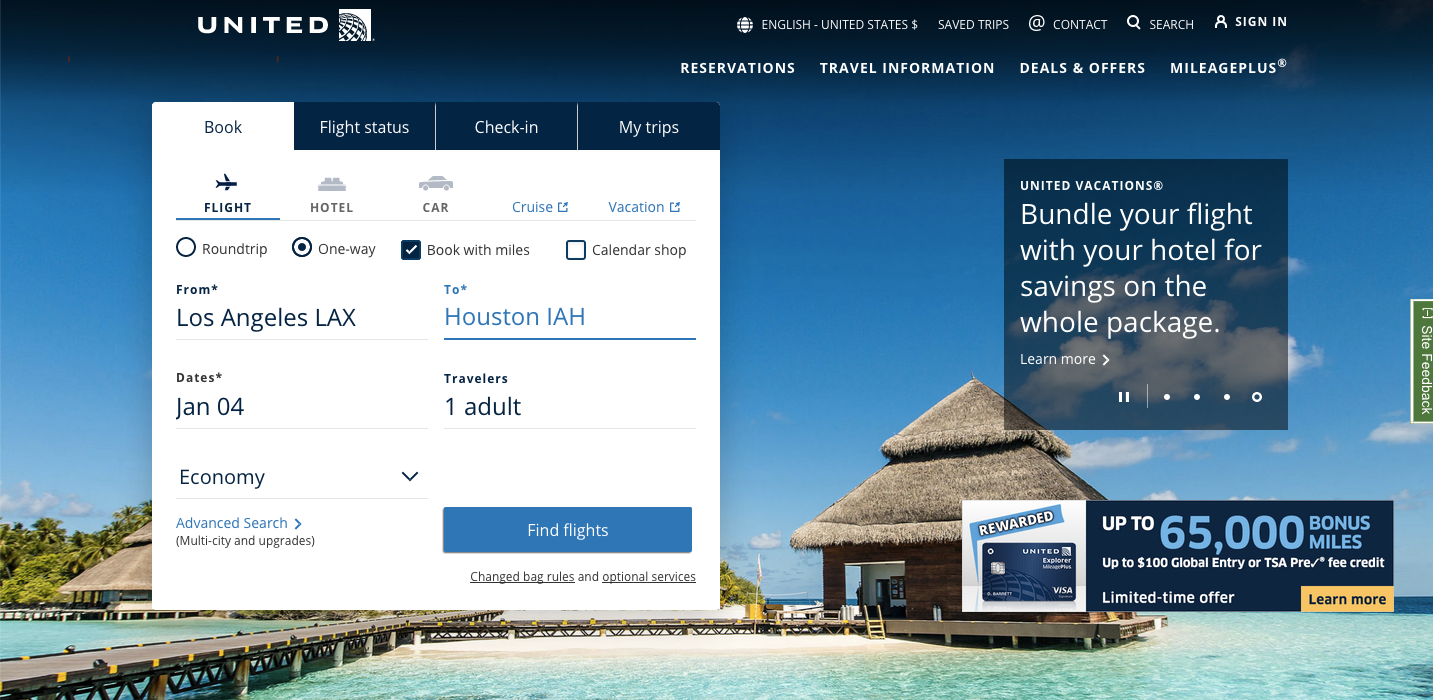
That should bring you to a page like this one where the options for the specific date you've chosen are listed as well as award availability during the surrounding week.
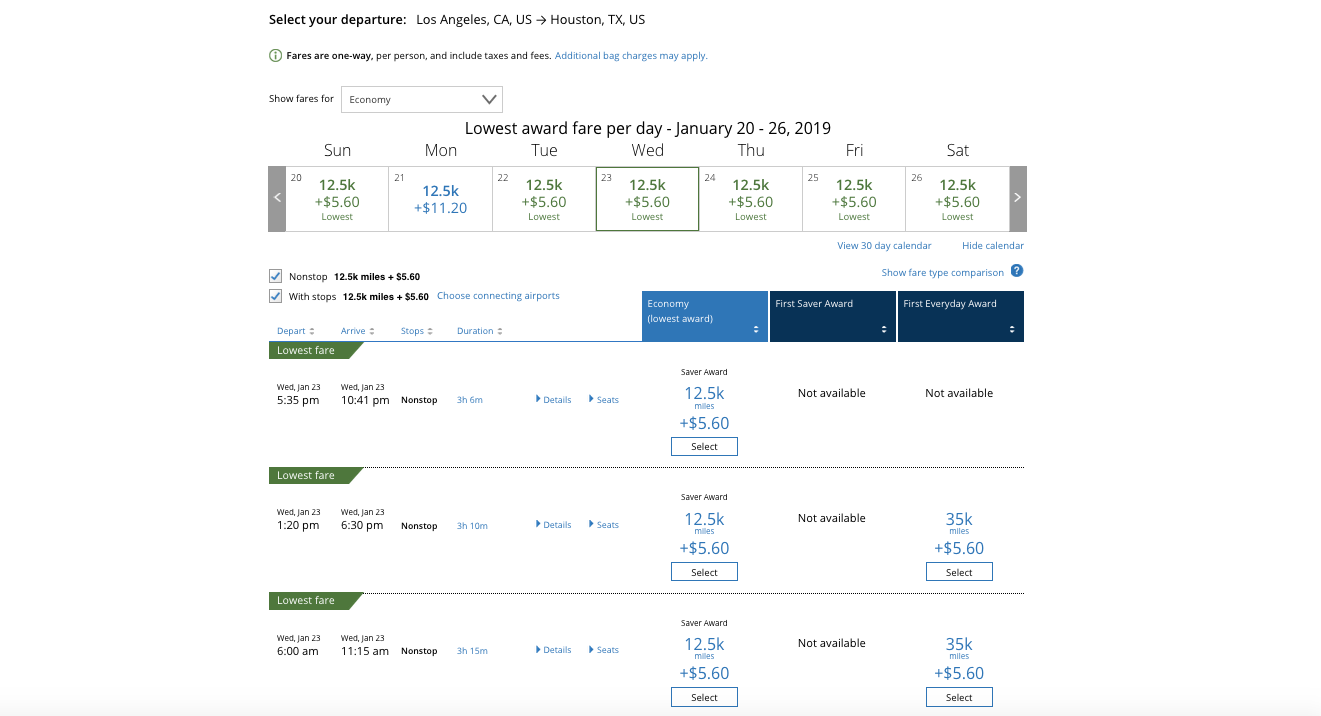
You can sort the results in a few ways. One is by clicking on the award category at the top of each column, like "Economy (lowest award)," "First Saver Award" and "First Everyday Award" (the exact column names depend on your search results). The other is by adjusting the "Show fares for" box where you can select various classes of service.
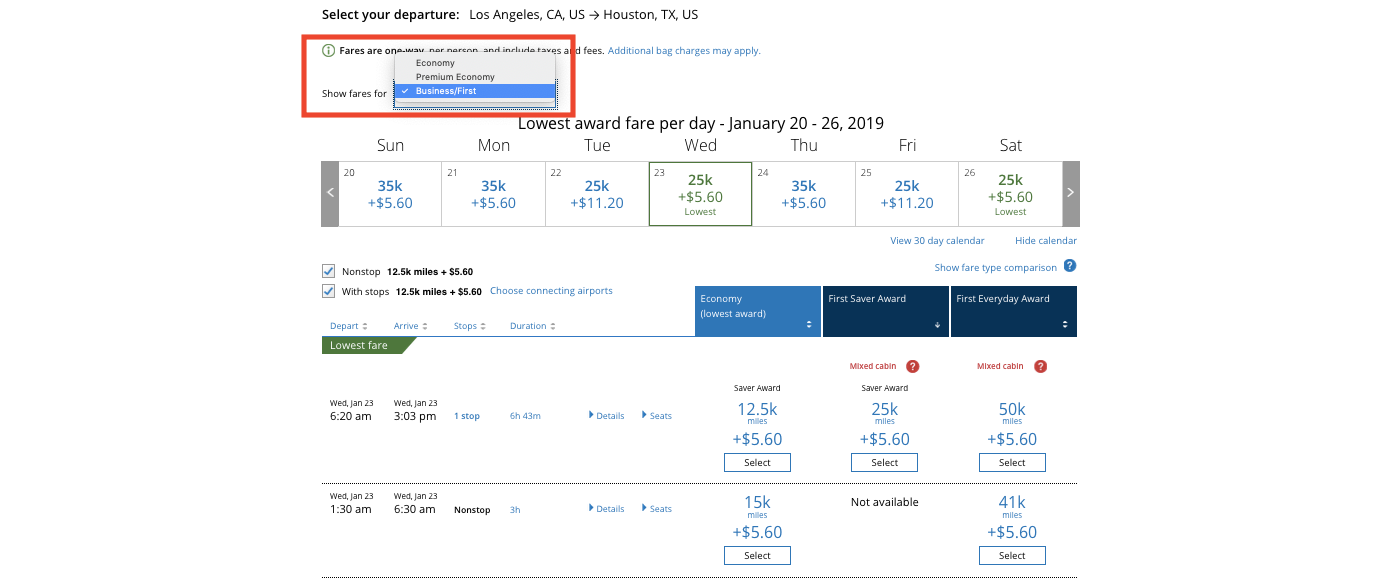
You can also opt to view results in a wider window of time by clicking the "View 30 day calendar" link, or you can select to view only nonstop itineraries versus those with stops.
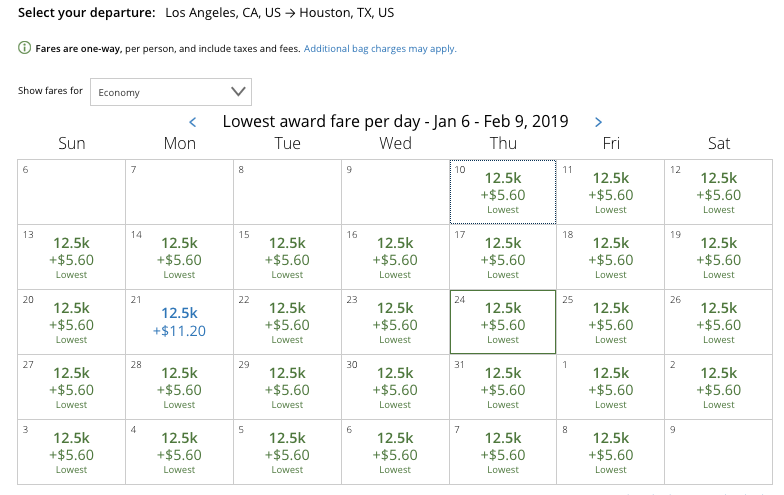
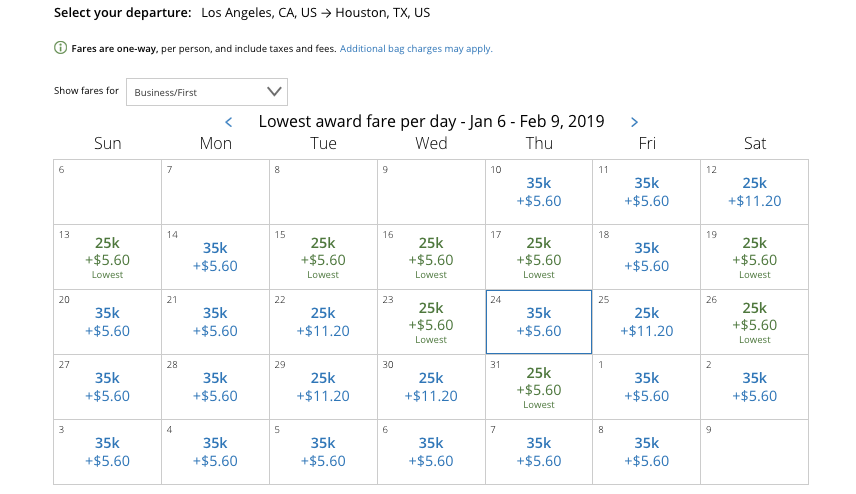
I find looking at the 30-day calendar is most useful, as you can sort it by cabin.
This makes it easier, too, because pricing levels on United-operated flights are starting to vary more, as evidenced by this calendar of availability for flights from Los Angeles (LAX) to Melbourne (MEL) in economy in January. For this particular search, economy awards range from 40,000 - 100,000 miles, with intermediate prices at 48,000, 72,000, 76,000 and 85,000.
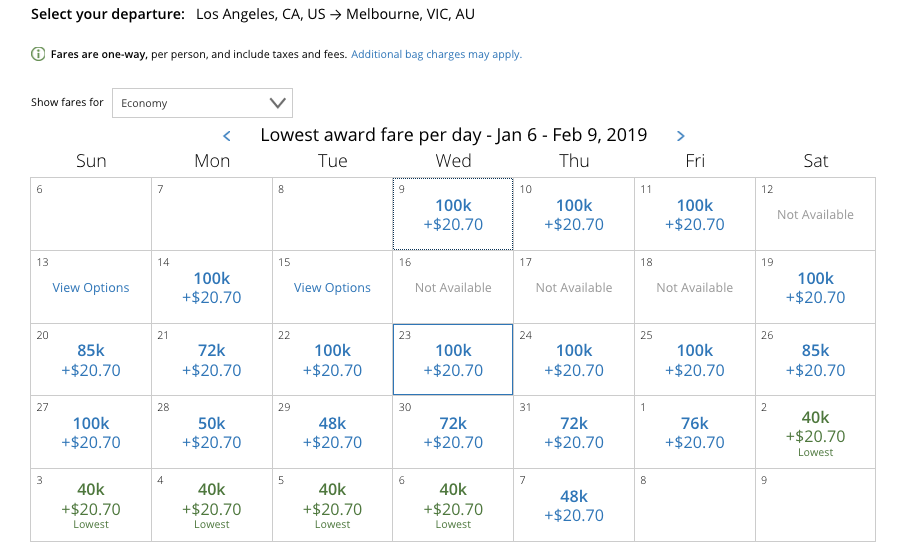
The calendar also displays the taxes and fees on the lowest-priced itinerary. For advanced searchers, this will give you an idea both of whether flights are nonstop or multi-leg and which partner is operating the flight.
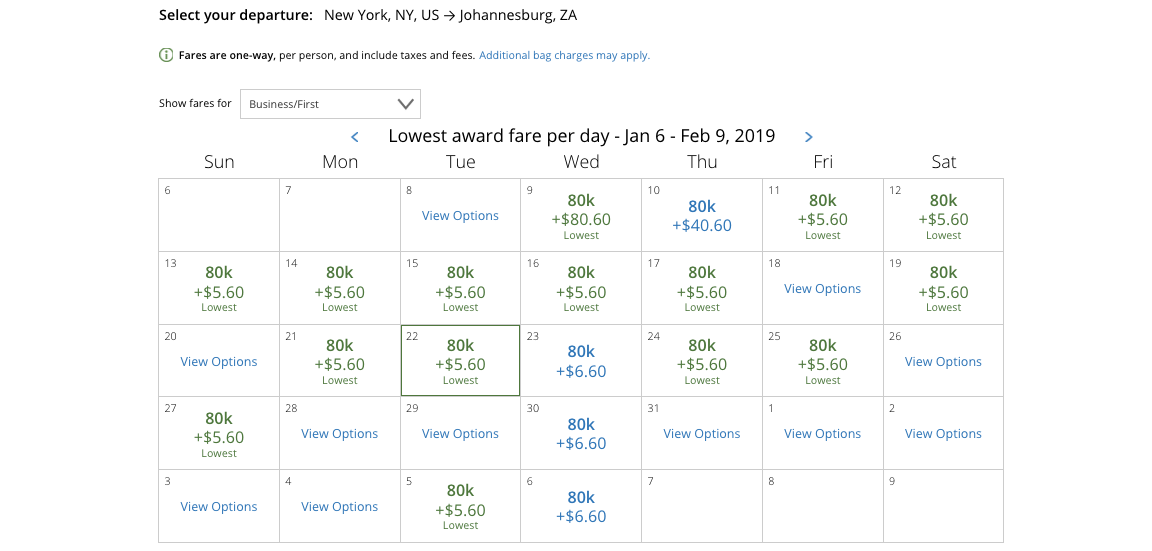
One of the reasons United.com is so useful is that its interface is easy to use and it does a relatively good job at pulling Star Alliance availability, even on hard-to-score awards like New York (JFK) to Johannesburg (JNB) in business class on South African Airways.
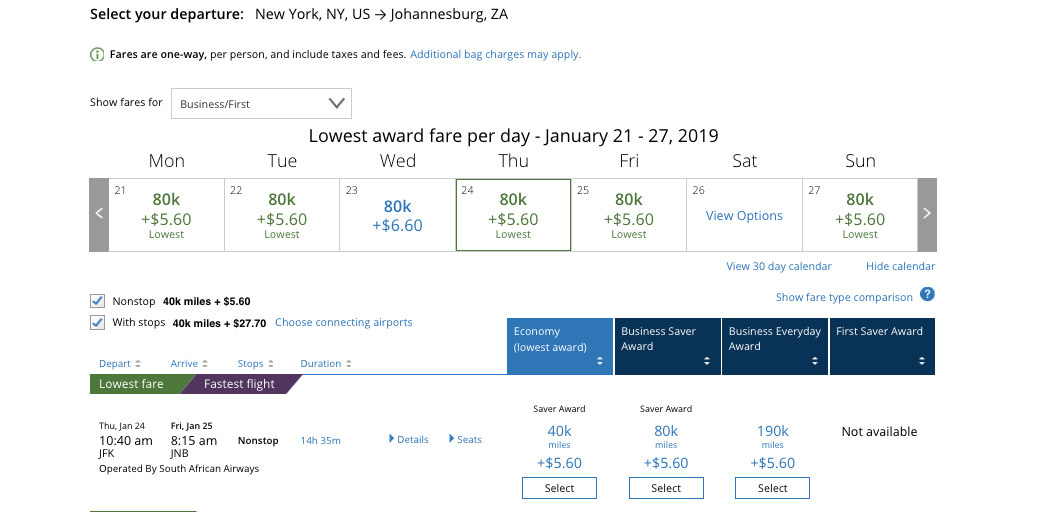
Searches like that last one are also where the 30-day calendar really comes in handy, as you can easily compare prices and identify the day(s) with the best availability. Just keep in mind that when you pull up the results from an individual day, it will sort them by the cheapest economy awards first, so you'll have to click on Business Saver or First Saver to sort the premium awards properly.
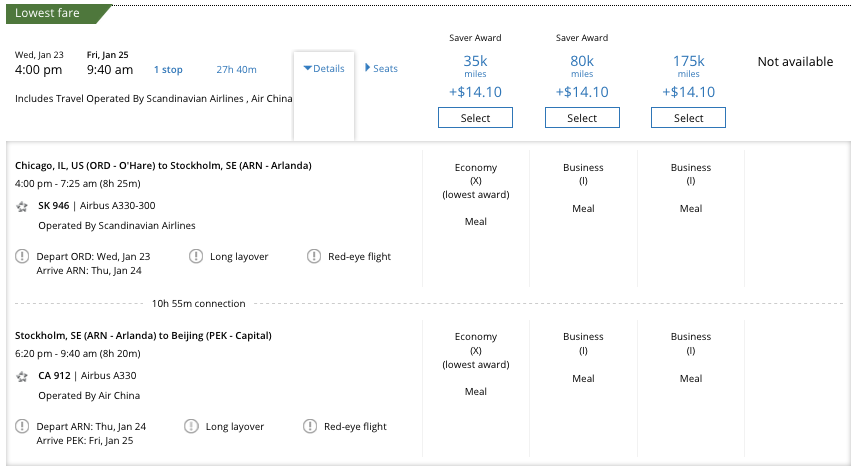
The site also does a good job at finding awards that include a mix of partners, like these ones from Chicago (ORD) to Beijing (PEK) via Copenhagen (CPH) on SAS and Air China.
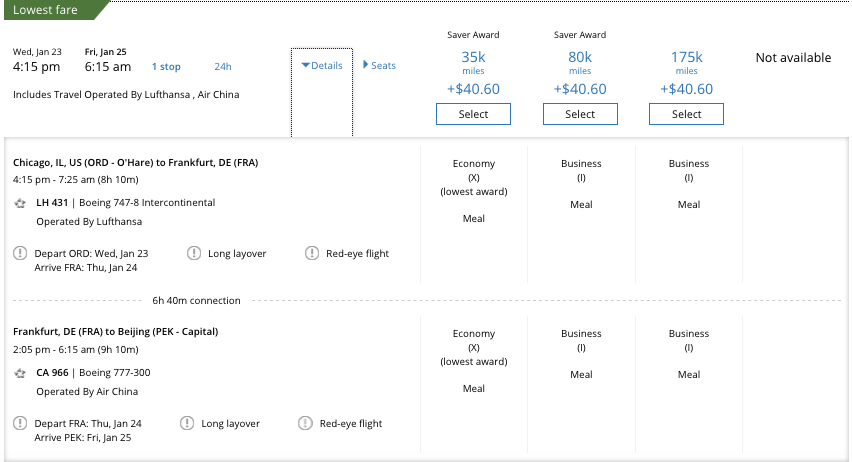
Or via Frankfurt (FRA) on Lufthansa and Air China.
Note that all of the above searches, including the sorting and filtering functionality, can be done without actually logging in. However, if you hold a cobranded card from United (like the United Explorer Card) and are considering using your miles on a United-operated flight, you'll definitely want to login before searching. This is because cardholders have access to extra saver-level economy award inventory, which will be denoted in the search results.
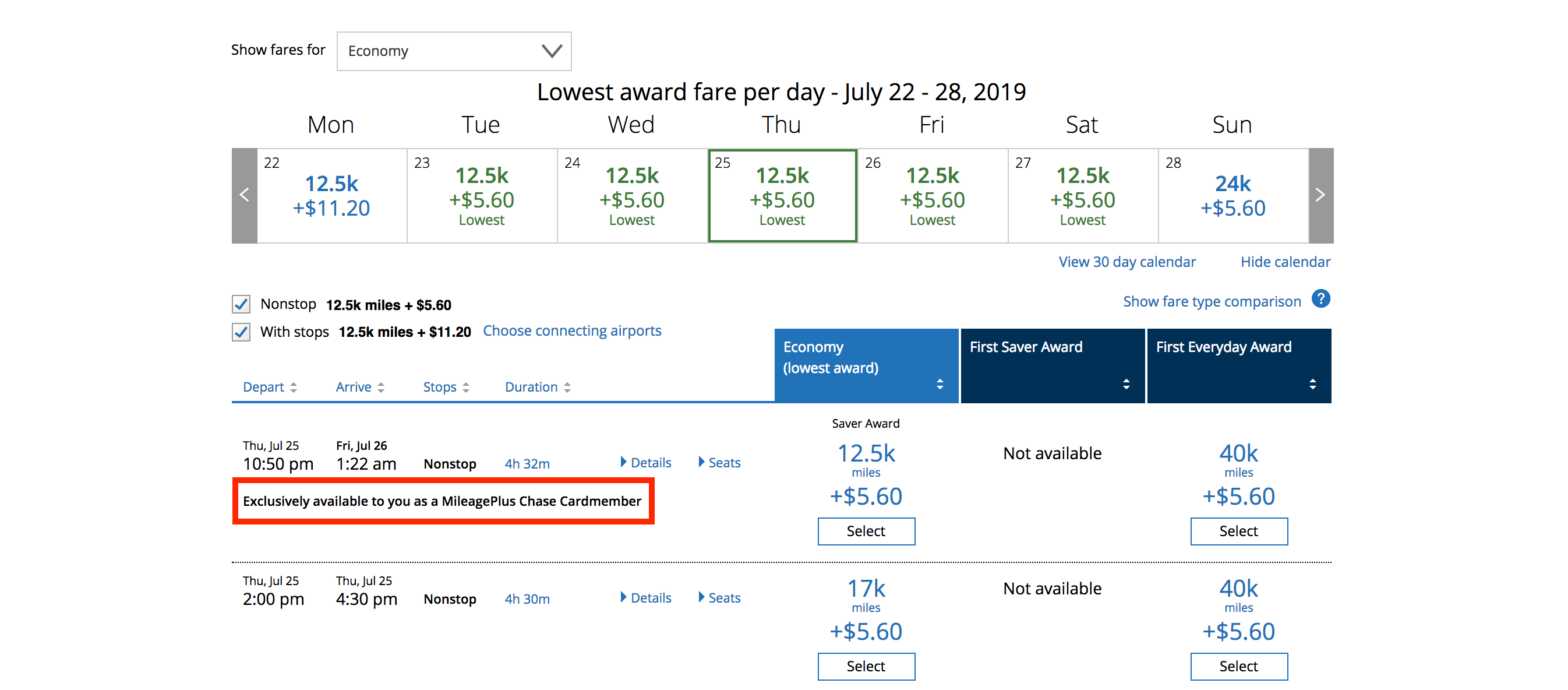
This exact same flight was 15,000 miles per person without logging on.
Once you find an award you want to book, you can click on it, enter your MileagePlus credentials (if you haven't already) and then you'll be asked if you want to bundle extra services or amenities like an Economy Plus seat, extra checked bags or United Club access. You can choose a seat and then pay for your ticket.
While United.com is a great starting point for United and Star Alliance flights, the site can't always be trusted. Sometimes it doesn't pull in award space you can find via other programs like Aeroplan and ANA's Mileage Club, especially on multi-segment itineraries. It also presents itineraries willy-nilly, rather than by pricing or duration of the trip. Finally, your results may vary depending on whether you select certain preference selections for your itinerary like departure times and number of connection.
The United App
Now, let's see how the United app stacks up. I find that the app pulls in all the same award inventory as the site, but the interface is different, so it will just work out to which one you prefer.
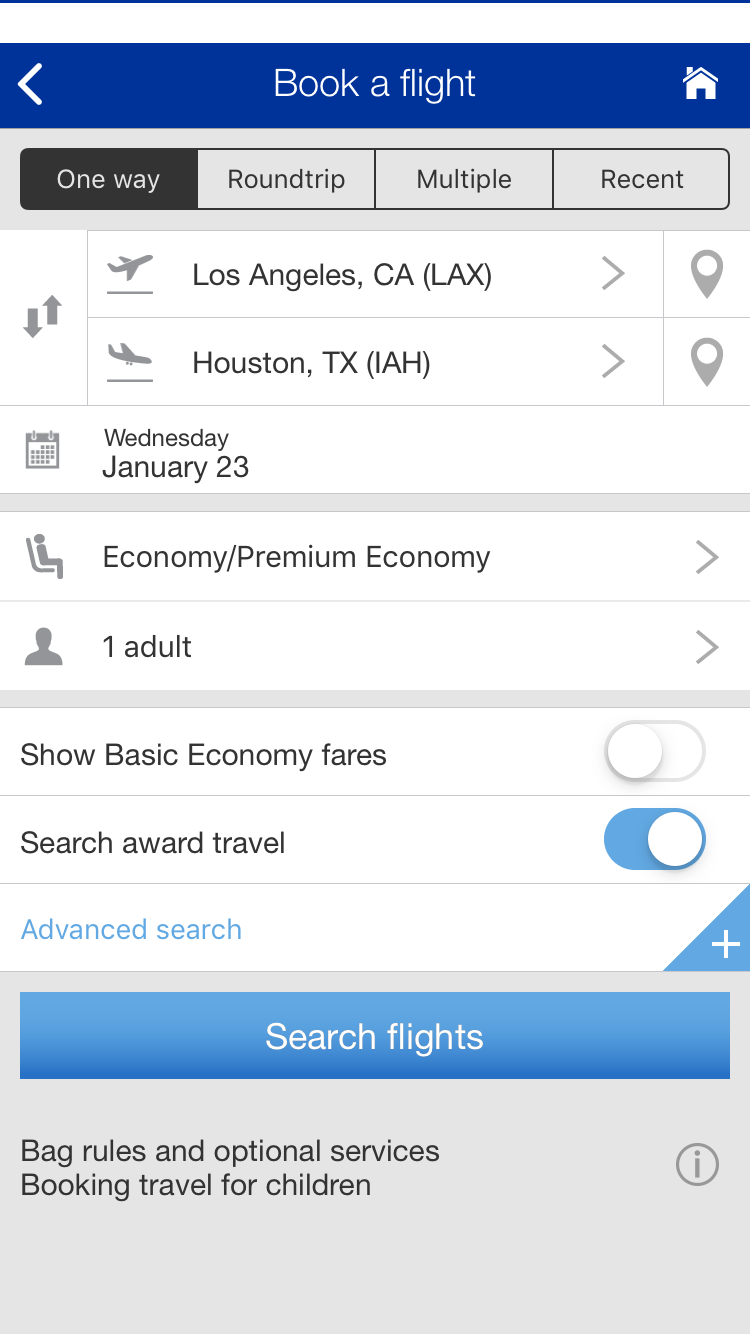
The app home screen looks like this. As you can see, you can choose one-way or round-trip awards, those with multiple segments, your cities and dates, and whether you want to fly Economy/Premium Economy or Business/First. Just don't forget to toggle the "Search award travel" switch.
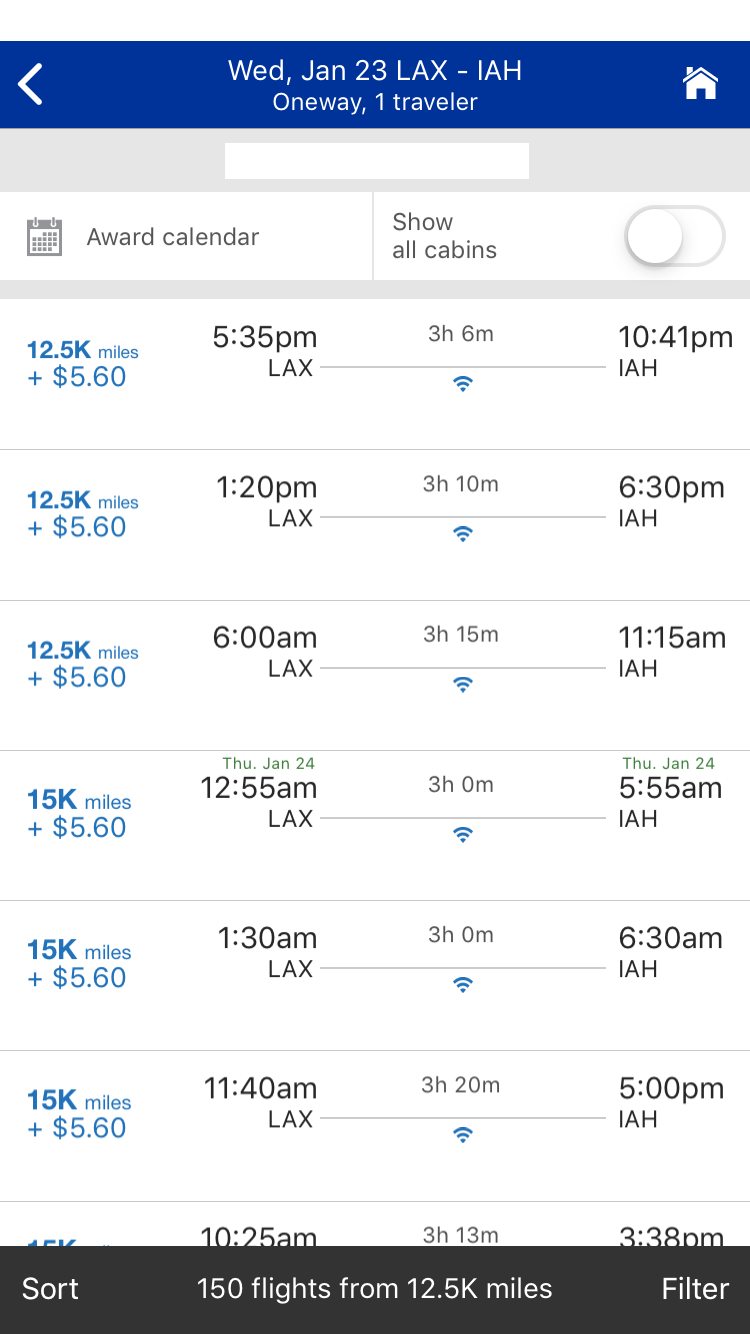
Once you click "Search," you'll be asked to input your MileagePlus credentials. That will pull up a results page like this. As you can see, there are options to see an "Award calendar" and to "Show all cabins."
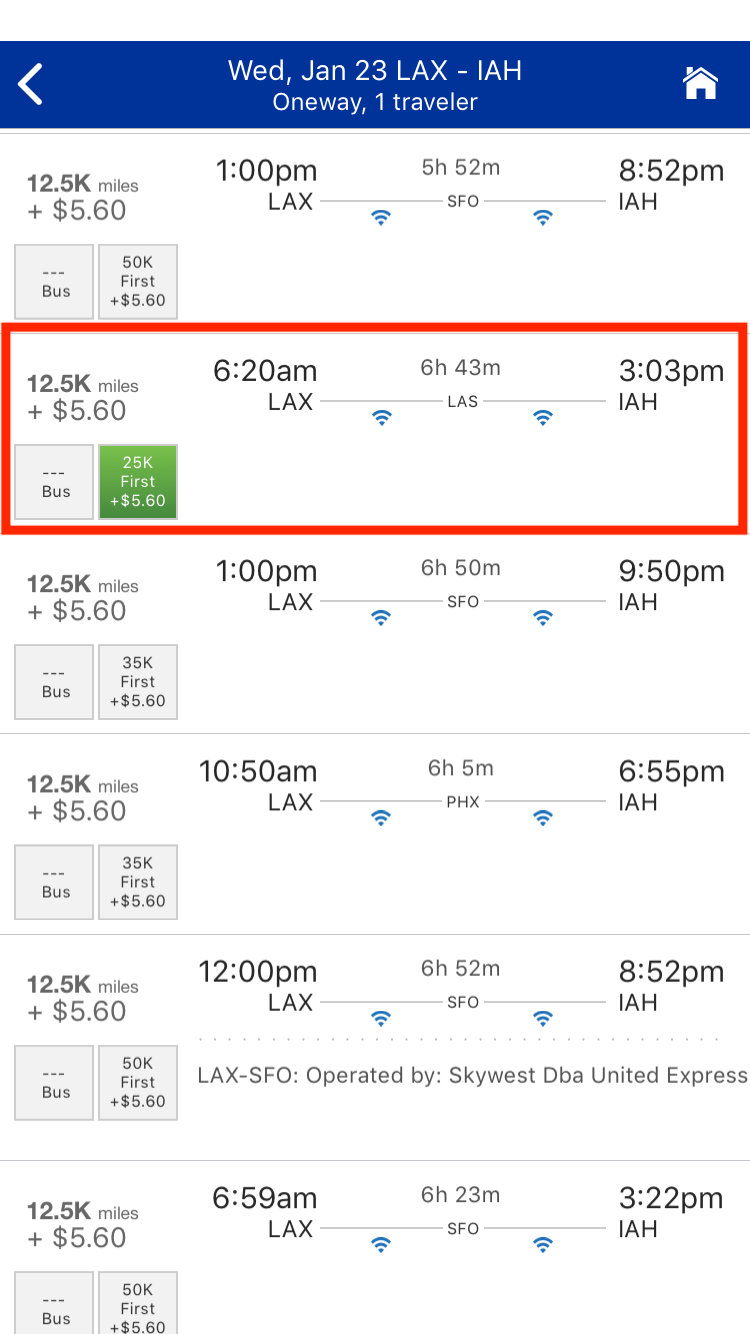
Here's what happens when you hit the "Show all cabins" button. As you can see, it lists awards in the other cabins and then marks saver-level premium awards with green.
When you hit the "Award calendar" button, you can see results for a week and then see either the cabin you selected in your search, like this.
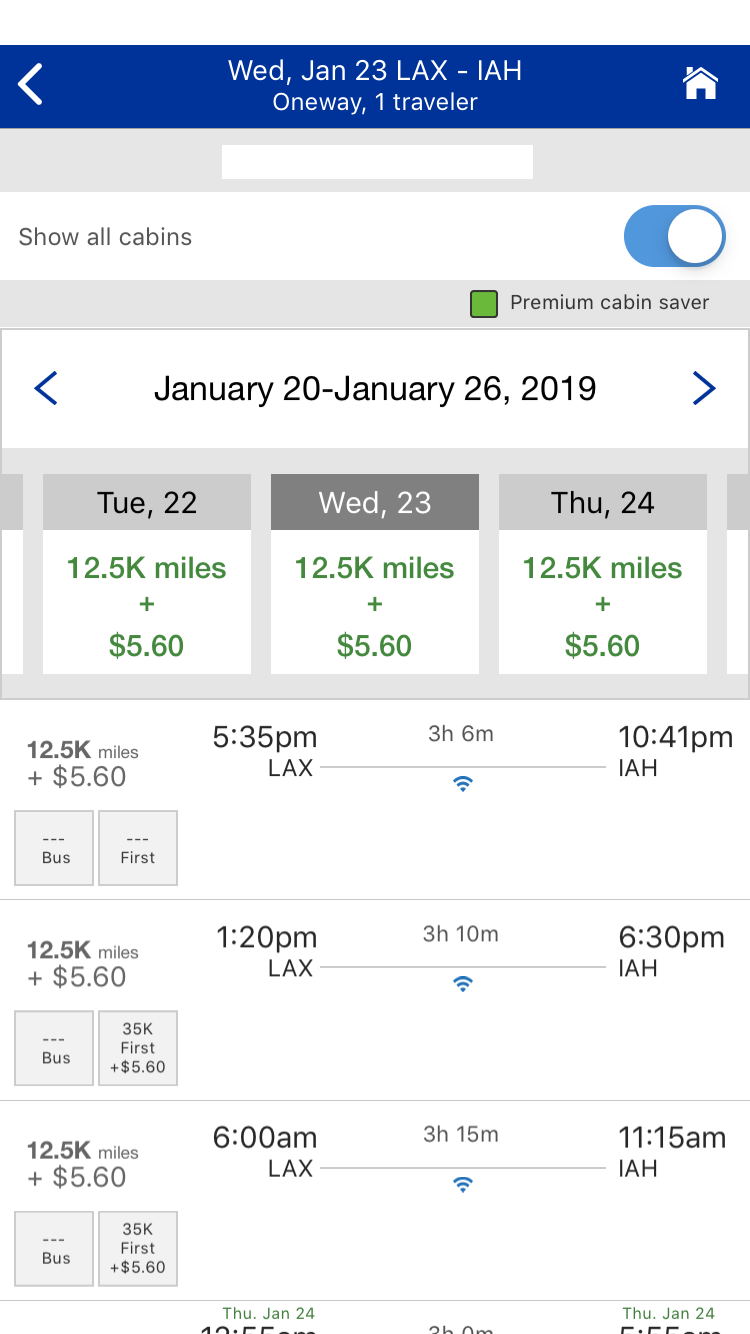
Or you can hit the "Show all cabins" button and see the rest of the results. From there, you can pick the flight you prefer and confirm the details on the next page.
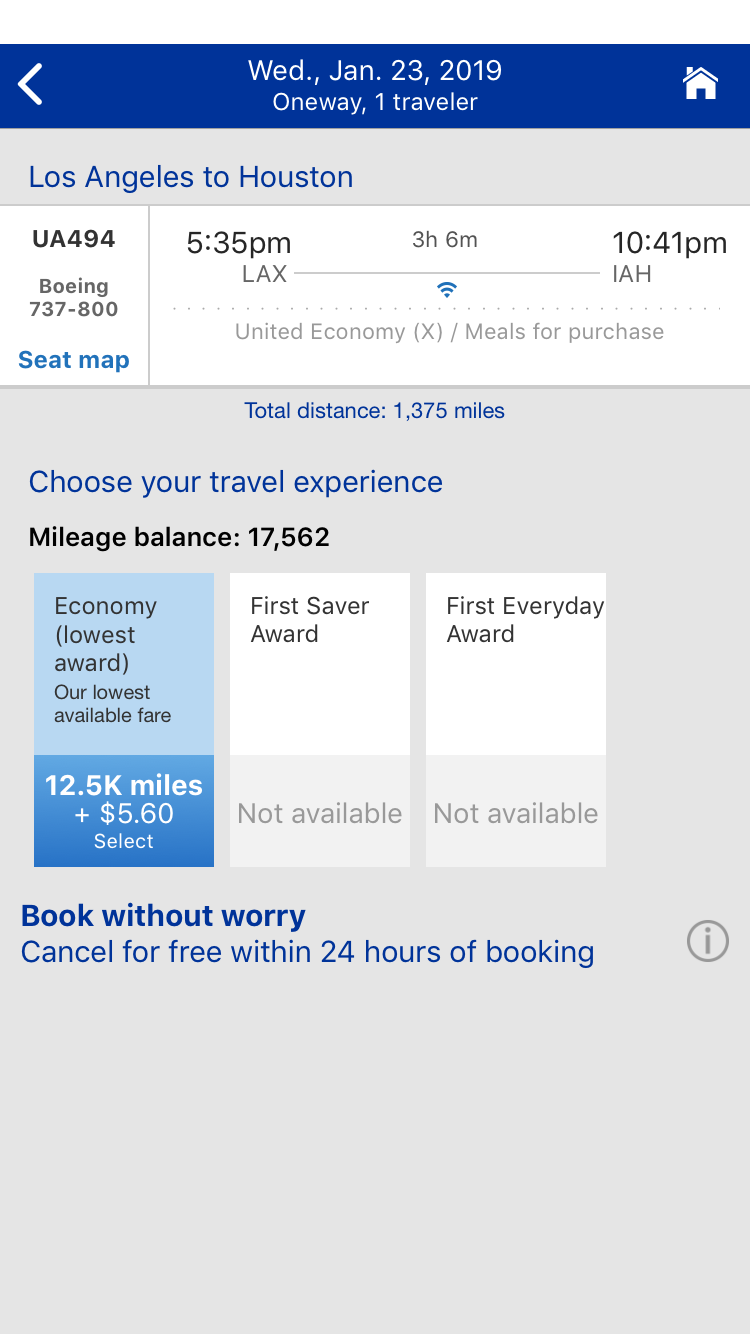
You can select from a variety of upsell bundles.
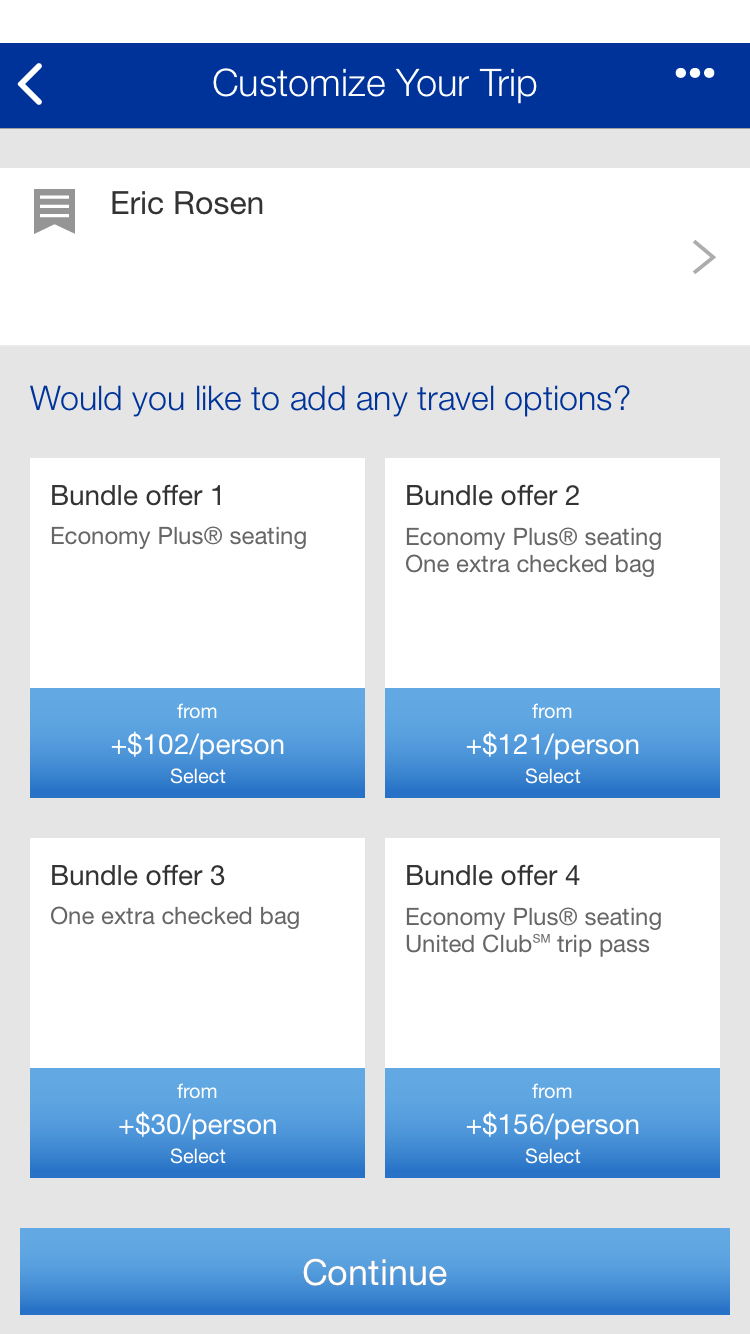
Then choose your seat.
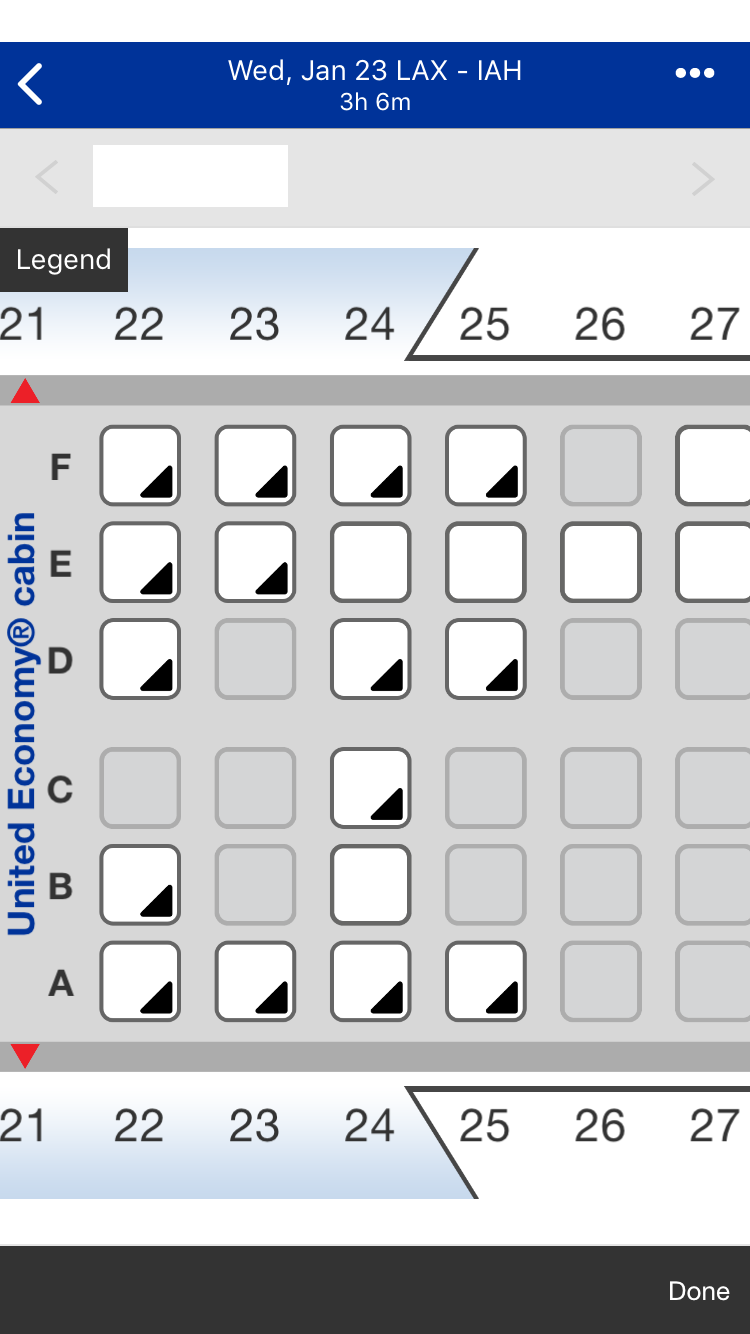
From there, you confirm the details and complete purchase with a card on file. It's basically the same process as booking on the site.
If you decide to look for business or first class award availability at the outset, the app basically just shows you the same economy availability. So if you're after premium award space, you might as well just do the normal search and then toggle the "Show all cabins" button.
The app finds the same award availability on partners as you'll find on United.com. In certain circumstances, I do think it's easier to parse the app's results, though. Remember those New York (JFK) – Johannesburg (JNB) flights from above? Here's what the initial search for economy tickets looked like on the app.
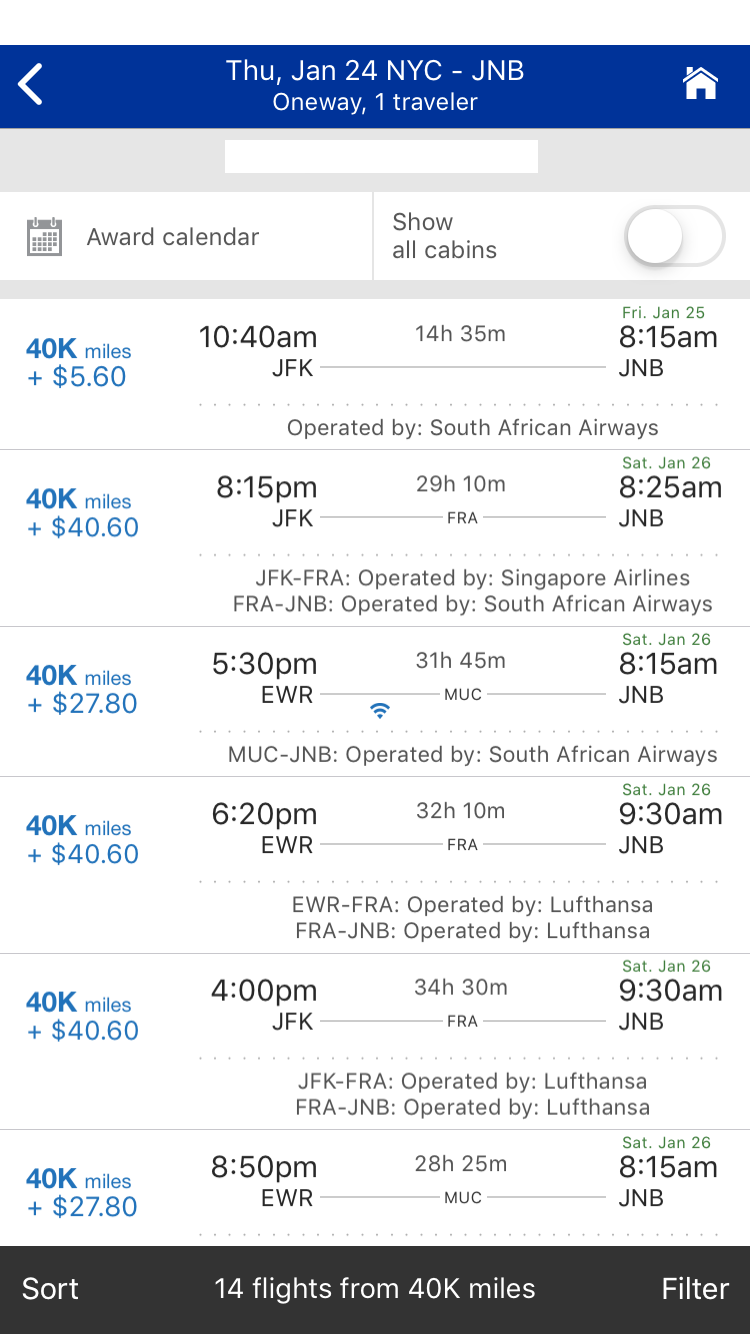
And here's what happens when you hit the "Show all cabins" button after the same initial search. The South African Airways option is more obvious than on the site.
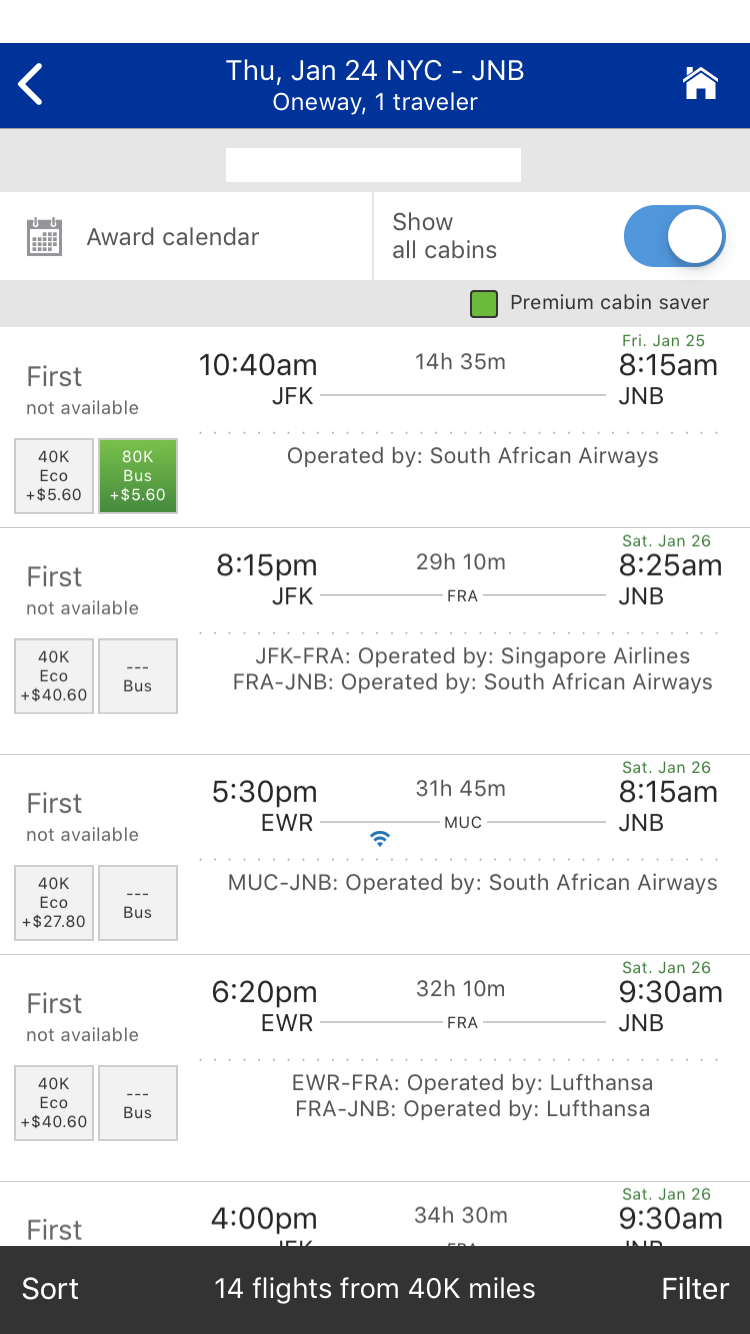
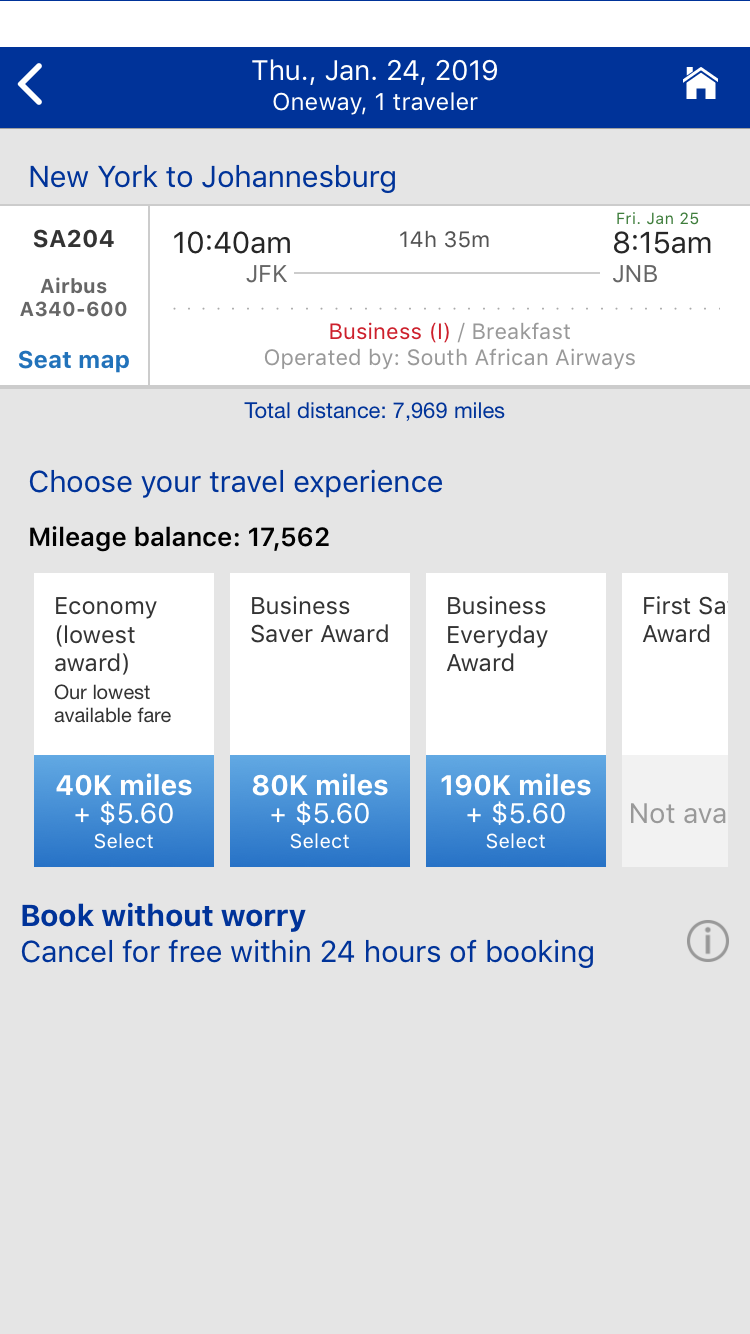
If you initially search for business class awards, you'll basically come up with the same results. However, it looks like the first option is a business class award on South African Airways that will cost you 190,000 miles. But when you actually select that award, you'll see that it comes out to 40,000 miles in economy or 80,000 miles in business class and that there's a full-fare Business Everyday Award for 190,000 miles.
Remember that Chicago (ORD) – Beijing (PEK) ticket from before? Here's what happens when you search for economy awards on the app.
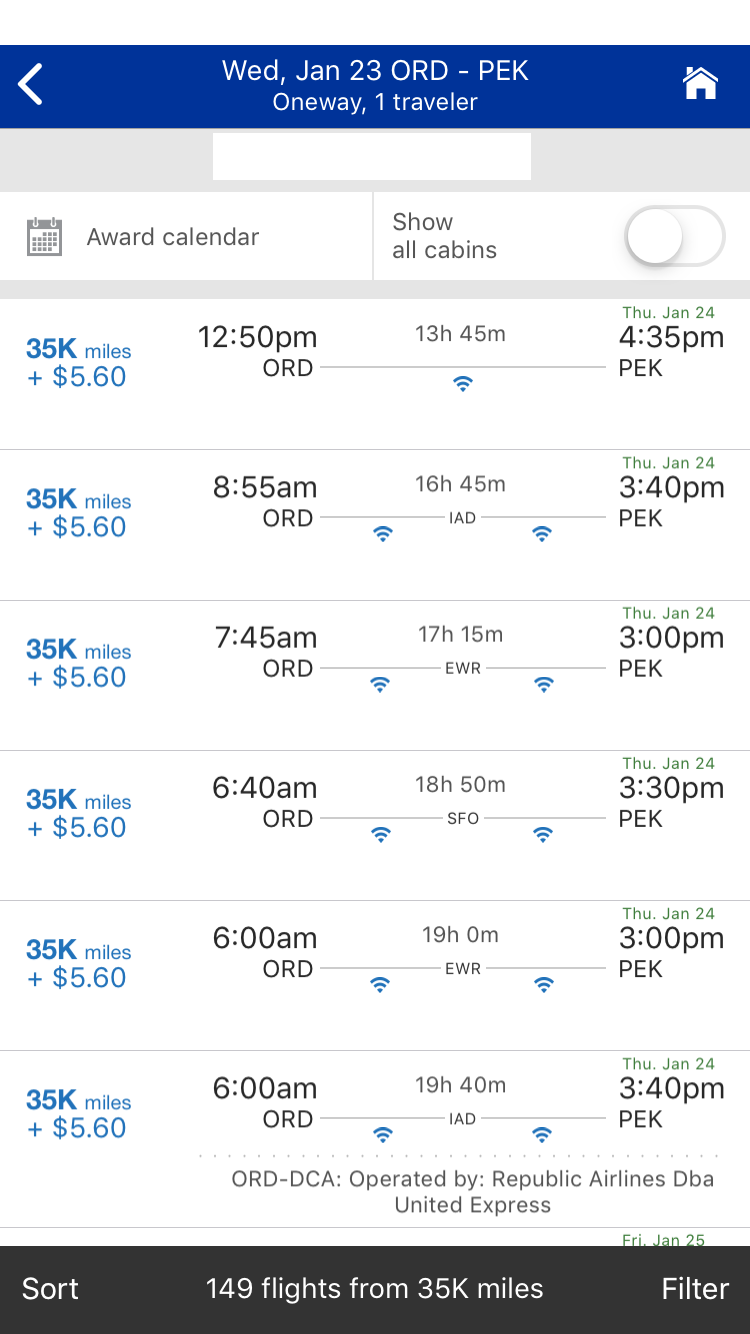
As you can see, it pulls up all-United itineraries first. Though if you scroll down, there are those operated by Star Alliance partners.
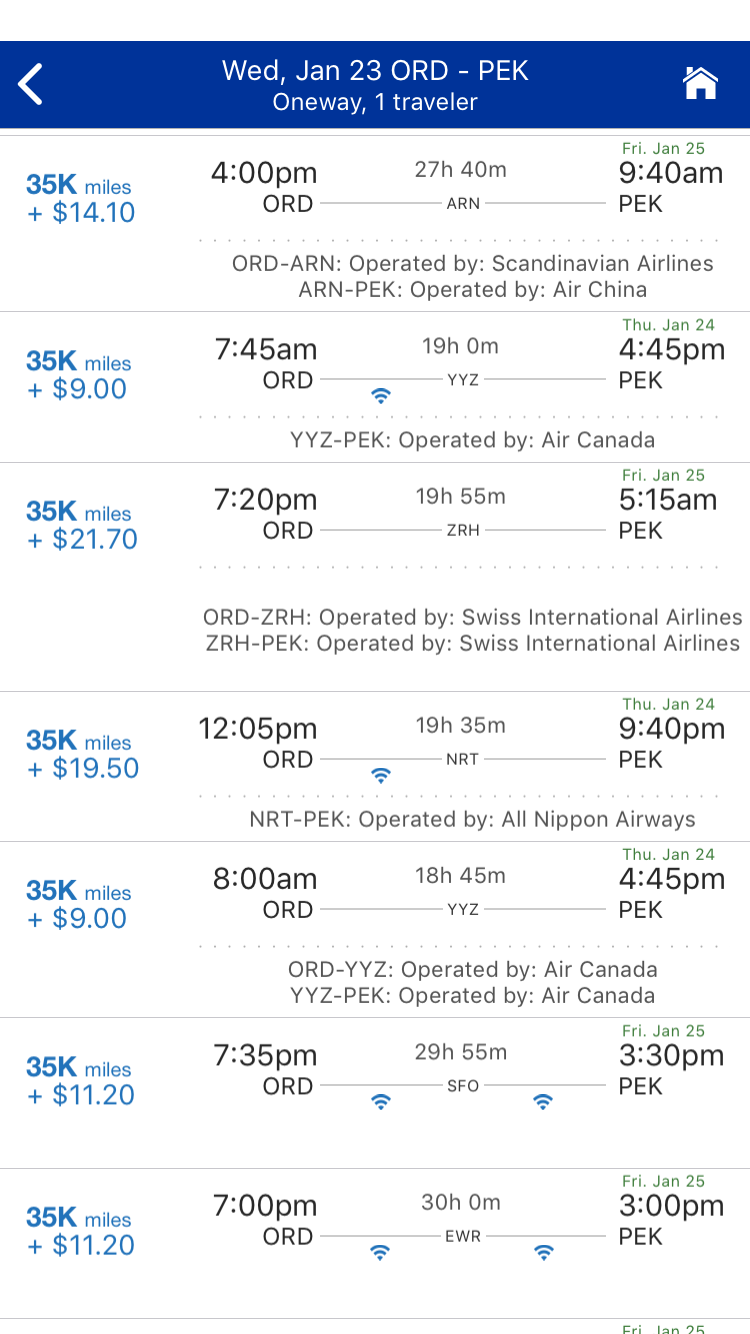
If you hit the "Show all cabins" button, you can find some other options including the SAS one from above.
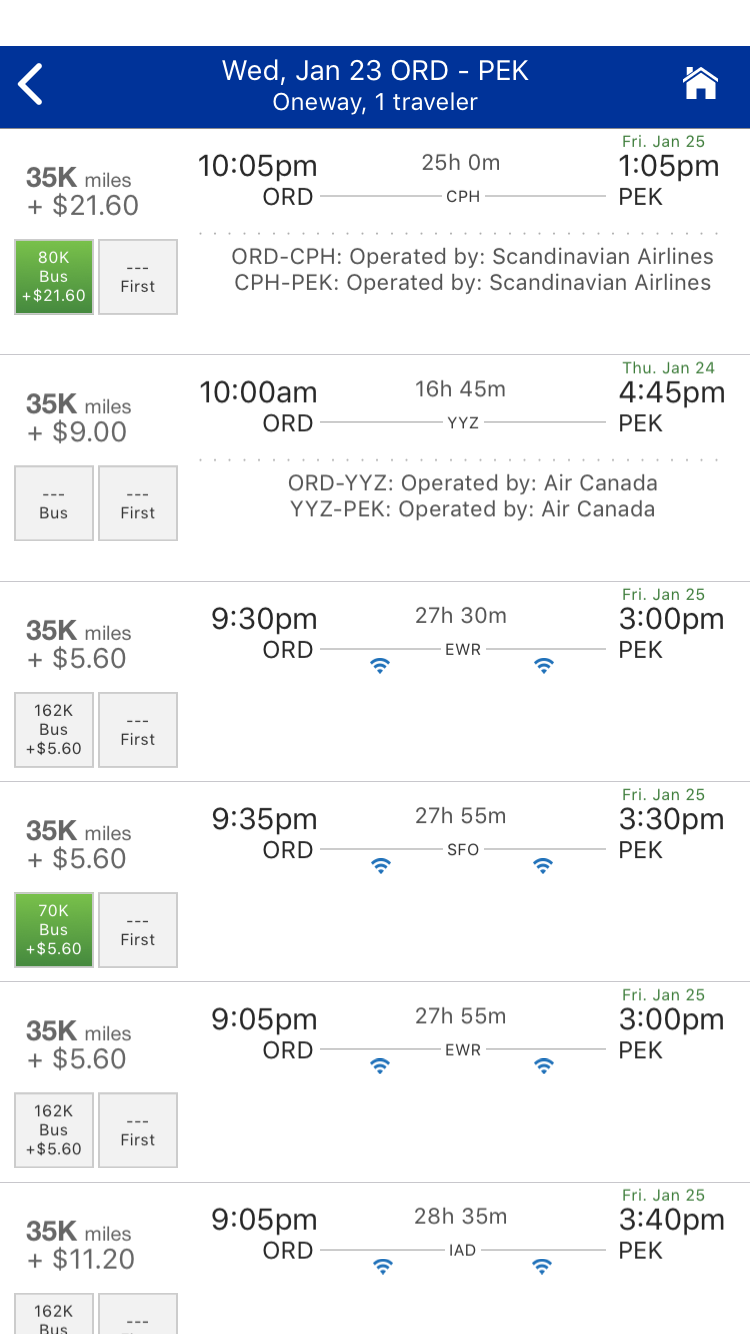
And one on SWISS.
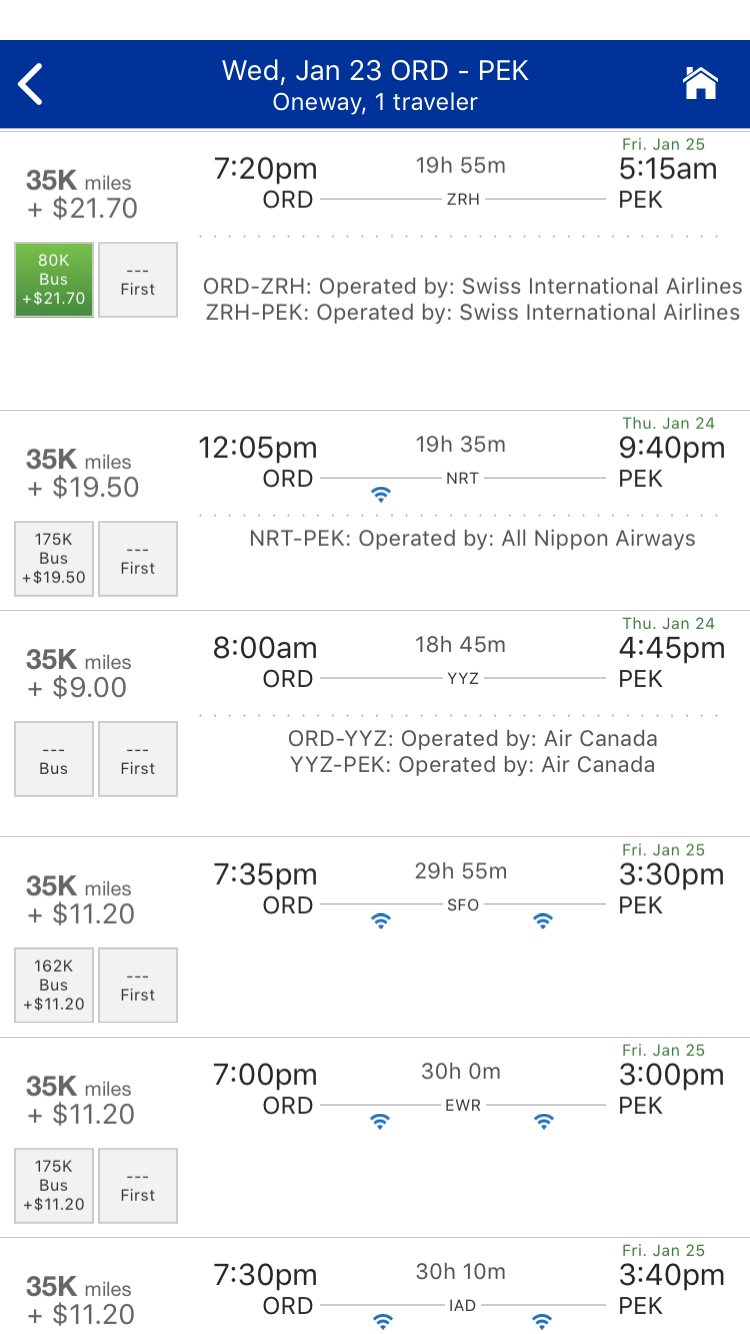
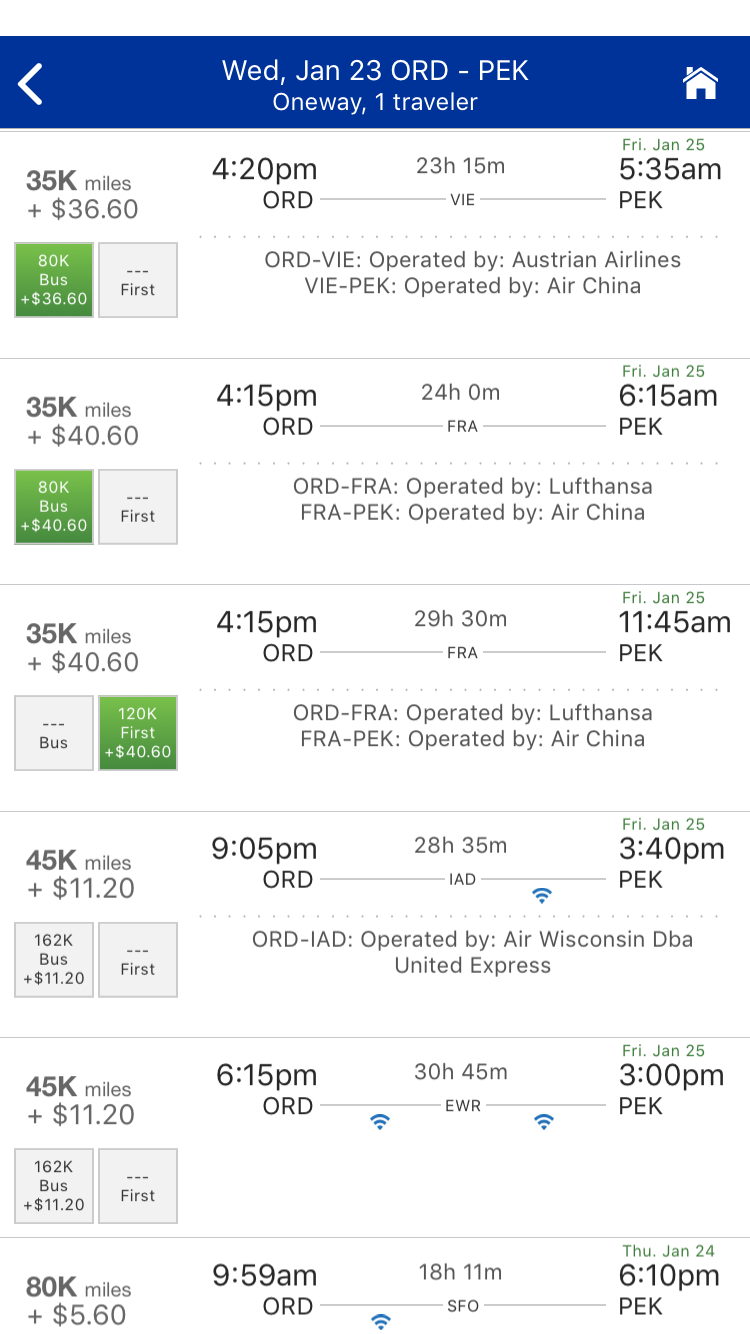
You have to scroll almost all the way to the bottom to find the same Lufthansa/Air China itinerary via Frankfurt (FRA), though you do get to see an Austrian Airlines/Air China one right above it.
All this basically matches up to what you'd see on the website. The one major difference is if you were to perform your initial search for business class awards. Rather than coming up with saver-level awards first, here's what you'd see.
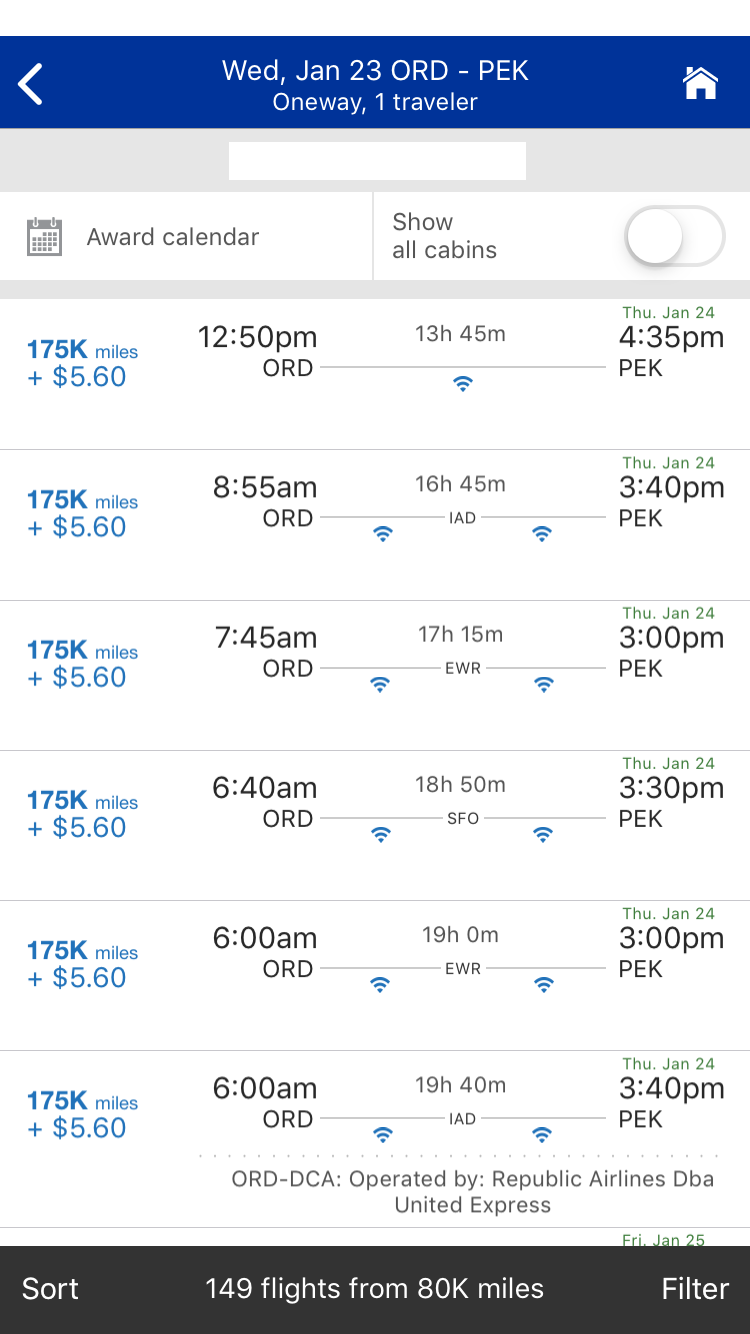
It looks like the cheapest awards are for 175,000 miles, though if you scroll further down, you'd see economy and business-class awards on United and its partners.
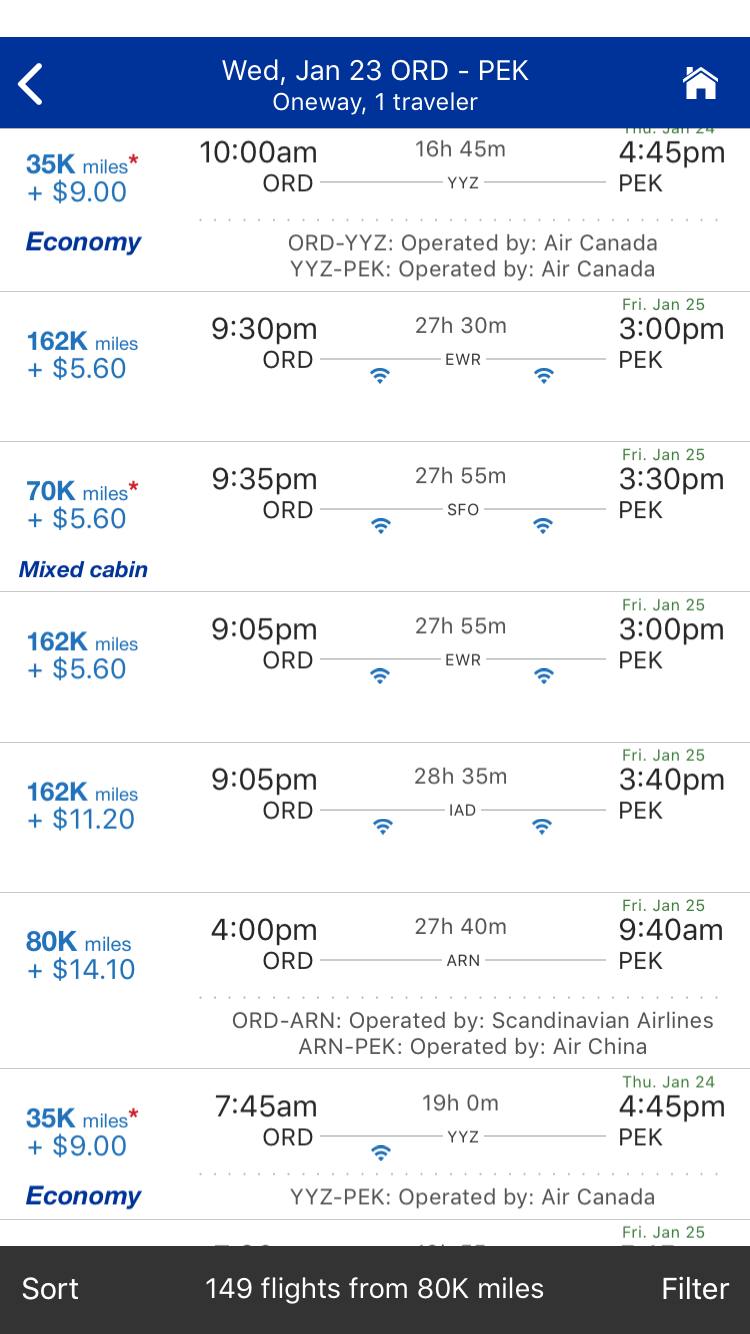
This is the major downside to the app, in my opinion. If you weren't careful using the search fields and then scrolling through all the options, you might just think that there were no saver-level premium awards available on the flights you wanted. But that's clearly not the case. Instead, I would just use the economy search as your default and then toggle the "Show all cabins" switch once the results came up to get a clearer idea of what awards were available.
Apart from some quirks like that, though, I find the United app sees all the same award inventory as the airline's main website and is easier to book in some ways. The two major negatives are some issues displaying premium cabin availability and an award calendar that is limited to a week instead of the month you're able to see on the United site.
Key Takeaways
Why use the app at all? There are a few key reasons. Like most apps, it seems to use a lot less data than the website, which will come in handy if you're trying to book something while you're on the go or while traveling internationally where every byte of data costs you.
Second, the interface is a lot cleaner and more streamlined than United.com, and it's easy to book your ticket on the fly, including bundling options.
On the other hand, the United site makes it much easier to parse through the various types of awards by letting you sort results by cabin class and to look at a full month of award availability at a time. With the Chicago-Beijing award, for instance, I was able to cut right through to the business class options immediately on the United site versus tons of scrolling and comparisons using the app.
Which method you prefer will really come down to your circumstances and what types of awards you want to book. If you're looking for something straightforward, either should do the trick. If you want to find rare awards like South African Airways business class or premium cabin awards to Australia, though, the United site will likely be easier since you can load a month-long overview of award inventory all at once.
TPG featured card

at Capital One's secure site
Terms & restrictions apply. See rates & fees.
| 5X miles | Earn 5X miles on hotels, vacation rentals and rental cars booked through Capital One Travel |
| 2X miles | Earn unlimited 2X miles on every purchase, every day |
Pros
- Stellar welcome offer of 75,000 miles after spending $4,000 on purchases in the first three months from account opening. Plus, a $250 Capital One Travel credit to use in your first cardholder year upon account opening.
- You'll earn 2 miles per dollar on every purchase, which means you won't have to worry about memorizing bonus categories
- Rewards are versatile and can be redeemed for a statement credit or transferred to Capital One’s transfer partners
Cons
- Highest bonus-earning categories only on travel booked via Capital One Travel
- LIMITED-TIME OFFER: Enjoy $250 to use on Capital One Travel in your first cardholder year, plus earn 75,000 bonus miles once you spend $4,000 on purchases within the first 3 months from account opening - that’s equal to $1,000 in travel
- Earn unlimited 2X miles on every purchase, every day
- Earn 5X miles on hotels, vacation rentals and rental cars booked through Capital One Travel
- Miles won't expire for the life of the account and there's no limit to how many you can earn
- Receive up to a $120 credit for Global Entry or TSA PreCheck®
- Use your miles to get reimbursed for any travel purchase—or redeem by booking a trip through Capital One Travel
- Enjoy a $50 experience credit and other premium benefits with every hotel and vacation rental booked from the Lifestyle Collection
- Transfer your miles to your choice of 15+ travel loyalty programs
- Top rated mobile app