Flight Review: Virgin Atlantic (A330-300) Economy Extra Legroom From Miami to London


Update: Some offers mentioned below are no longer available. View the current offers here.
As Paris, I was ecstatic. And since I hadn't heard anything about Virgin Atlantic's extra legroom economy seats, I was curious to see if the additional cost would be worth it.
Booking and Check-In
My father booked this trip directly through the Virgin Atlantic website with his Platinum Card from American Express, which allowed him to earn 5x points for the travel purchase — the round-trip total for our family of four came to $2,769 and yielded 13,845 Membership Rewards points. For extra legroom seats, Virgin's charges from $55 per seat, but we ended up paying around $95 each. Alternatively, my Dad could have paid for our flights with another travel credit card like the Chase Sapphire Reserve or the Chase Sapphire Preferred, which would have earned him 3x or 2x points, respectively, for the travel purchase.
The check-in area for Virgin Atlantic is one of the most dated parts of Miami International Airport (MIA) — I'm not particularly well acquainted with it since we normally fly on American Airlines in Terminal D, home of MIA's Centurion Lounge. Although it wasn't visually pleasing, the check-in process itself was a breeze. There was no line when we arrived, and the agent was nice enough to warn us that the lounge by our gate would be underwhelming — she even suggested that we grab some food before going through security.
Also note that since there was no conveyor belt at the check-in desk, we had to take our luggage over to a bag drop area close by. It wasn't too much of a hassle, but shows how much this part of the airport could be modernized.
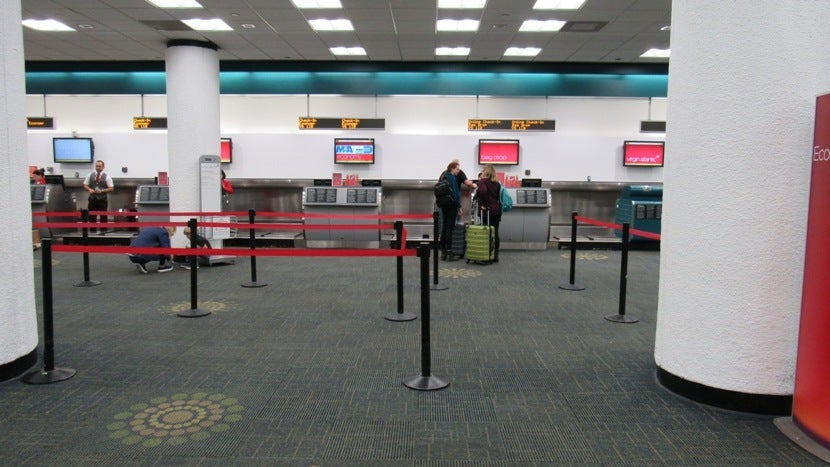
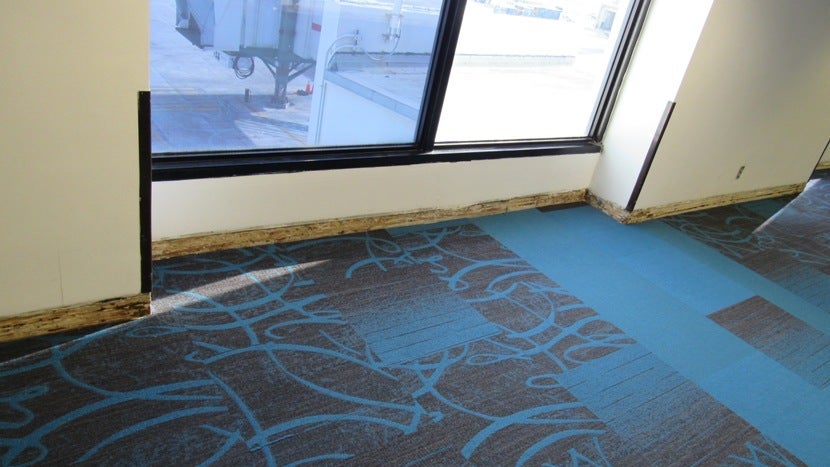
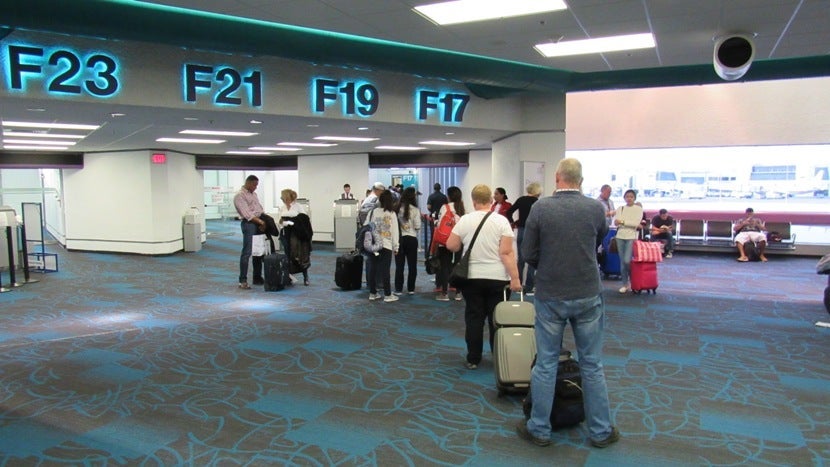
From the check-in desk to our gate, the terminal was dimly lit and in need of both an update and a thorough cleaning — we were reluctant to remove our shoes on what seemed to be dirty carpeting at security. We also spotted exposed wood where I assumed baseboards used to be, all the way from security to the lounge.
The Club America F Lounge
After getting through security, we made our way to the Club America F Lounge, which my family was able to access thanks to our Priority Pass membership. We each have our own, but as we began pulling up our proof of membership, the agent at the front desk said only my Dad's would suffice. Confused, we tried to clarify that we each had our own memberships and asked twice if we would be charged as guests. Both times, he assured us that we'd be fine, but despite his verbal guarantee, my mother, my sister and I were all counted and charged as guests. Thankfully, Amex was helpful in removing the extra charges because Priority Pass was not.
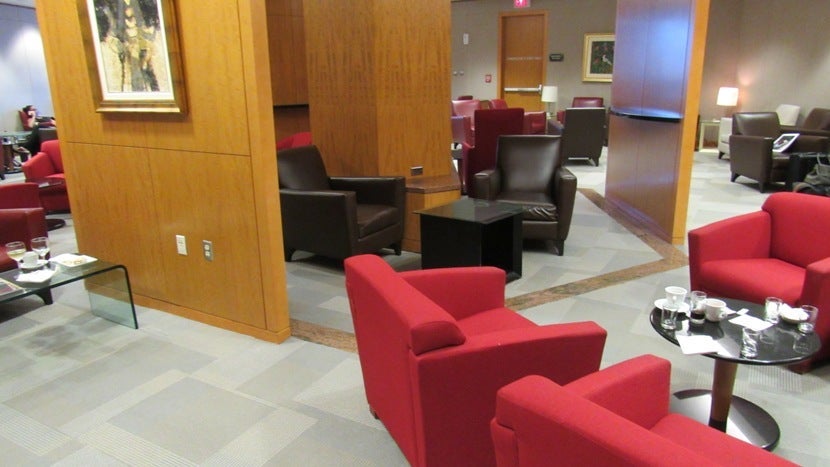
There are two sides to the Club America F Lounge — one for everyone, the other for first-class passengers only. We decided against paying an upgrade fee to be in the first-class area and entered on the regular side. As the check-in agent had suggested, the space was nothing exciting, but it was packed when we first arrived — we grabbed some of the last available seats but weren't able to sit next to each other. As it came closer to our flight's boarding time, though, more seats began to open up.
The lounge was mostly made up of seating areas with tables and a small kitchenette along one of the walls. Although it looks okay in the photo below, it's really just as dated as the rest of the terminal.

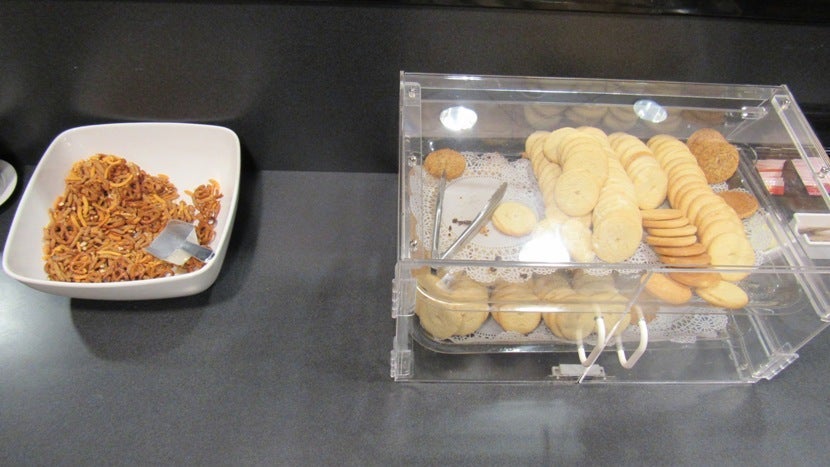
The only food options displayed on this side of the lounge were apples, cookies and an almost-empty bowl of pretzel snack mix.
On the other hand, there were a bunch of beverages. Alcoholic options were only available upon request — for the record, I did not request any because I'm not yet 21 — however, there were no attendants inside the lounge and my parents had to walk over to the first-class side of the lounge to find someone to serve them alcohol.
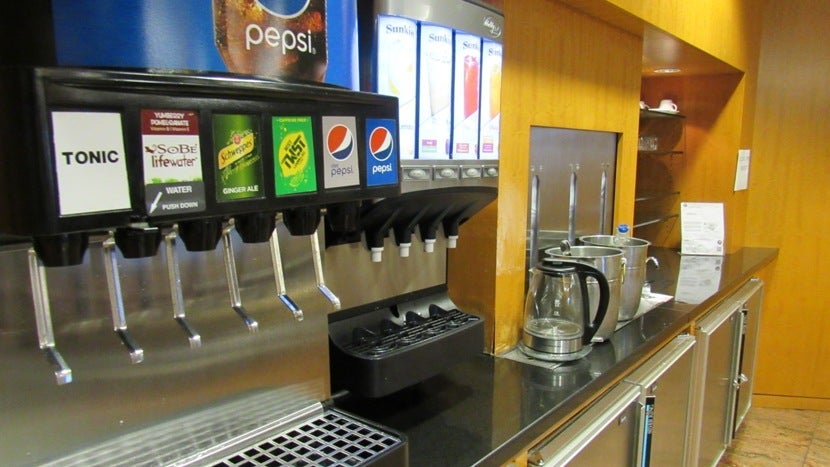
While the lounge did have TVs, the Wi-Fi was too slow to even run a speed test. Overall, unless you have access through Priority Pass, I definitely would not pay to go to this lounge because it was just as crowded as the boarding area and didn't offer much in terms of amenities.
Cabin and Seats
Boarding began right on time with first- and business-class passengers, followed by those seated in the back of the plane in groups of about 10 rows at a time.
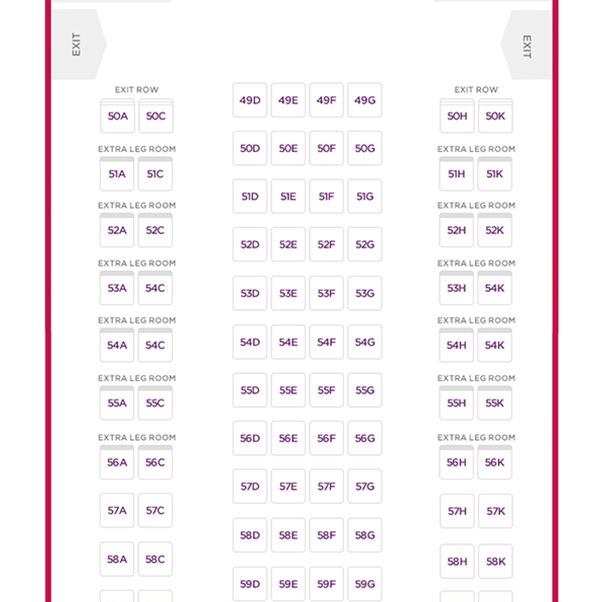
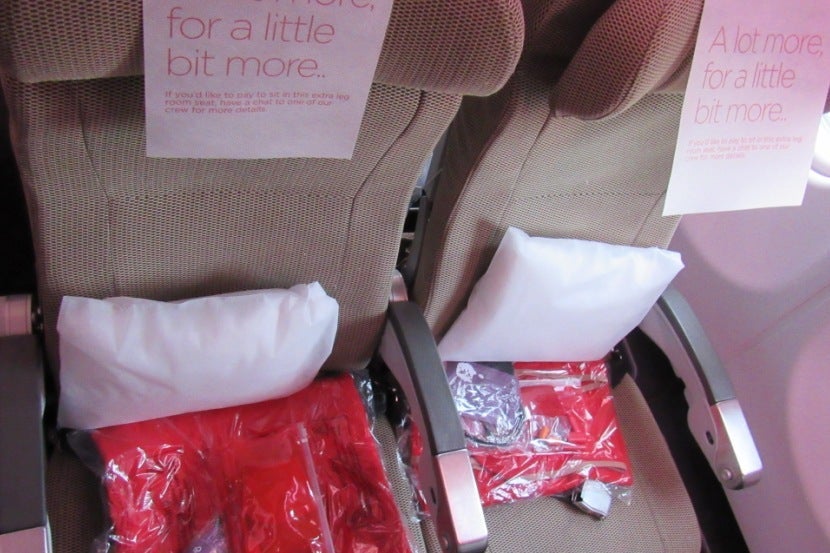
My seat, 54C, was on the left side of the economy cabin. Seats A, C, H and K in rows 51 to 56 all had extra legroom seats, which offer an extra three inches, taking it from 31 inches of pitch to 34. At 5'9", I felt very comfortable for the entire eight-hour flight so I would say it was worth the extra charge.
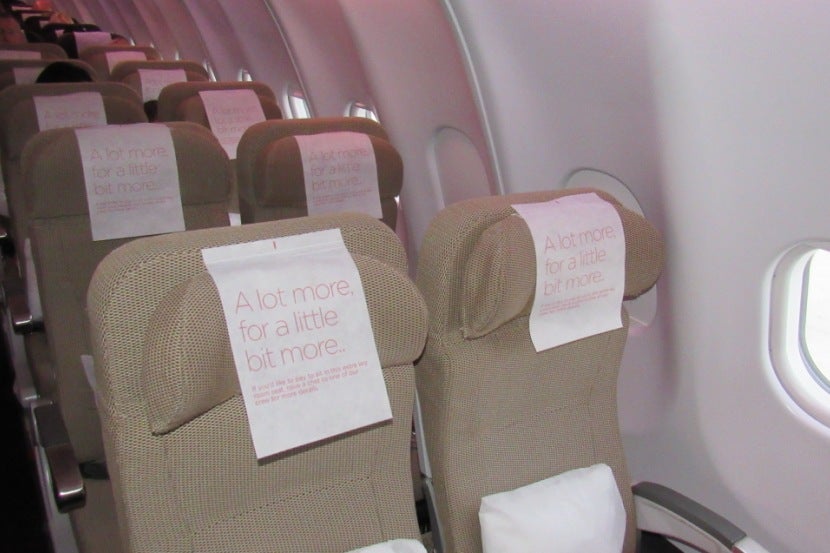
I enjoyed the 2-4-2 configuration of the plane, mostly because of the rows of two. By booking seats in these rows, we were able to avoid any arguments over who would have to take the middle seat, because there wasn't one.
Amenities
Each seat came with a small pillow, a blanket and a basic amenity kit. The small pillow was great for my lower back and worked well with the height-adjustable headrest. The seat reclined comfortably with the push of a button on the side of the armrest.
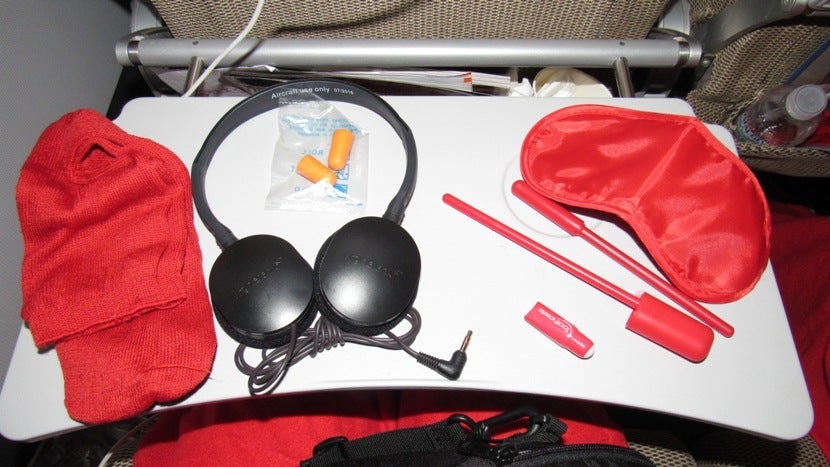
The amenity kit was fairly generic but included a pair of socks, headphones, earplugs, a small container of toothpaste, a toothbrush, a pen and an eye mask. The socks were comfortable and the headphones worked well, but I used my own Bose ones instead.
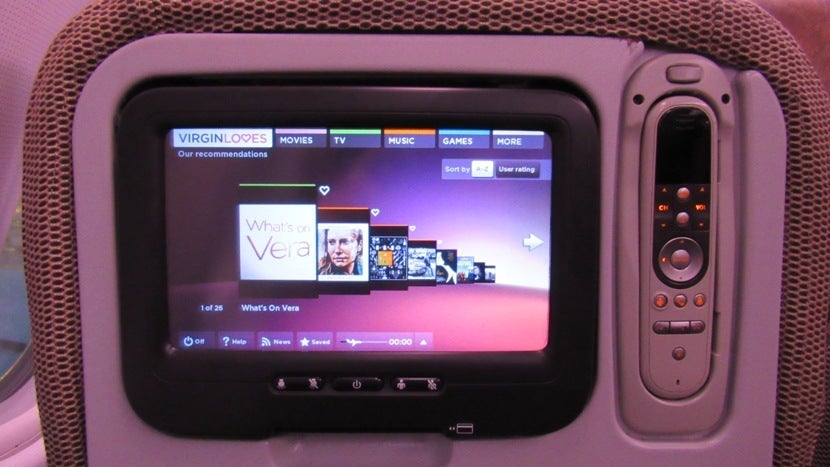
As for in-flight entertainment, I was pleasantly surprised by the amount of options I had to help distract me during the eight-hour flight. There were about 100 TV shows and movies to choose from, roughly 100 albums to listen to and 20 games to play. My sister and I ended up watching The Secret Life of Pets as well as some fun British reality TV shows to pass time. The IFE also had additional features like destination guides, while another allowed you to send messages to the other passengers.
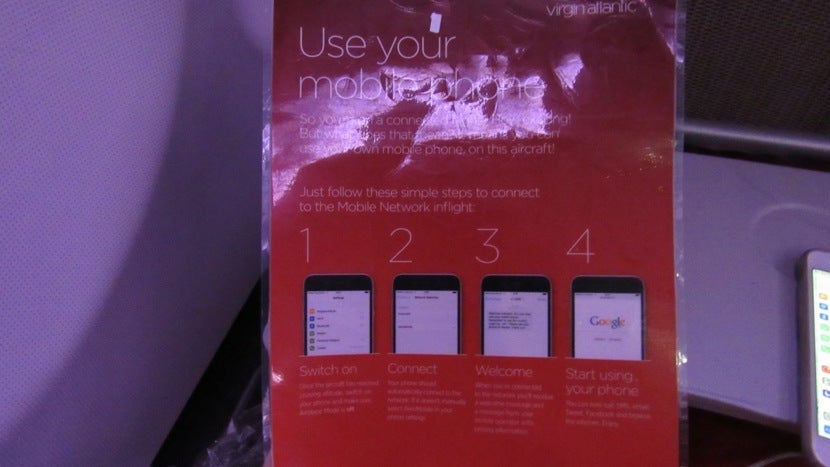
Tucked into the seat-back pocket were instructions for connecting to the mobile network provided by Virgin. Unlike every other plane I've flown on so far, Virgin Atlantic offered cellular service rather than Wi-Fi. Since my phone didn't automatically connect, I had to select "AeroMobile" in my settings first. Unfortunately, the service was too poor to do just about anything with it.
Food and Beverage
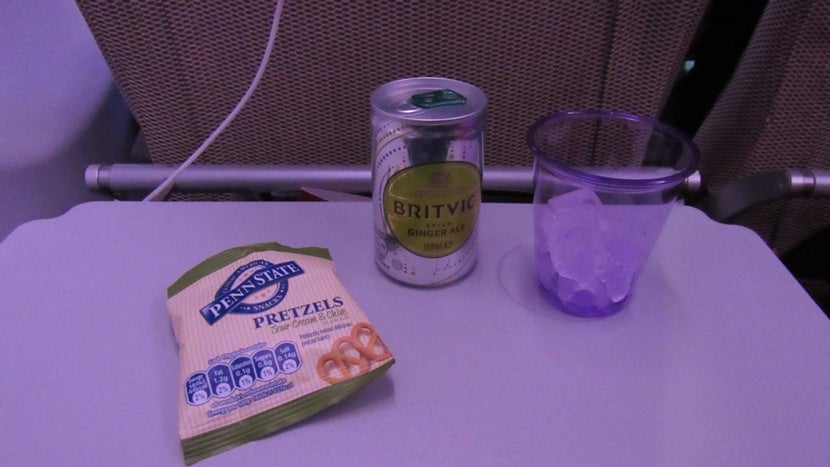
Food service began with sour cream and chive pretzels and our choice of drinks — I went with ginger ale.
For dinner, the menu had three choices, including Virgin's Christmas dinner, which my family said was delicious. I opted for the pasta bake, which was a little lackluster in terms of flavor — note that this was described as a vegan option so that might have had something to do with why it was so bland.
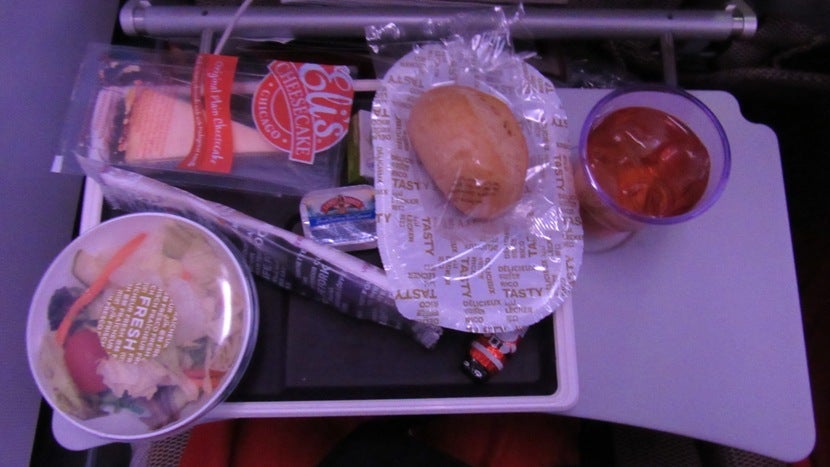
The salad looked fine but didn't come with any dressing. We also received a small chocolate and a slice of cheesecake for dessert.
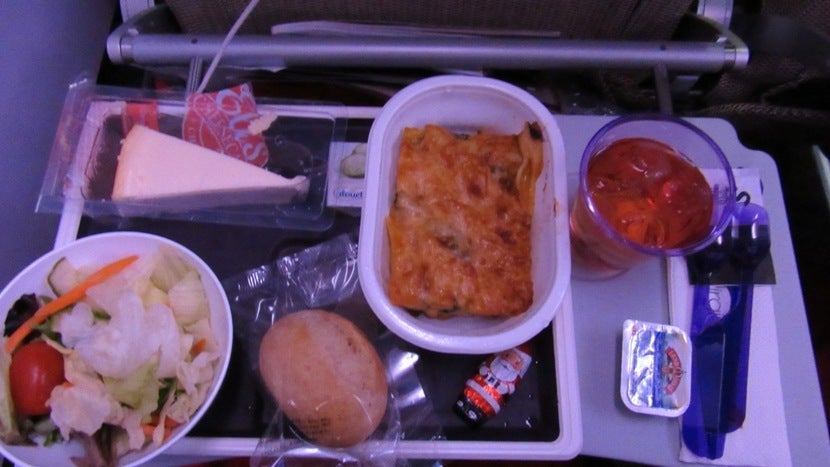
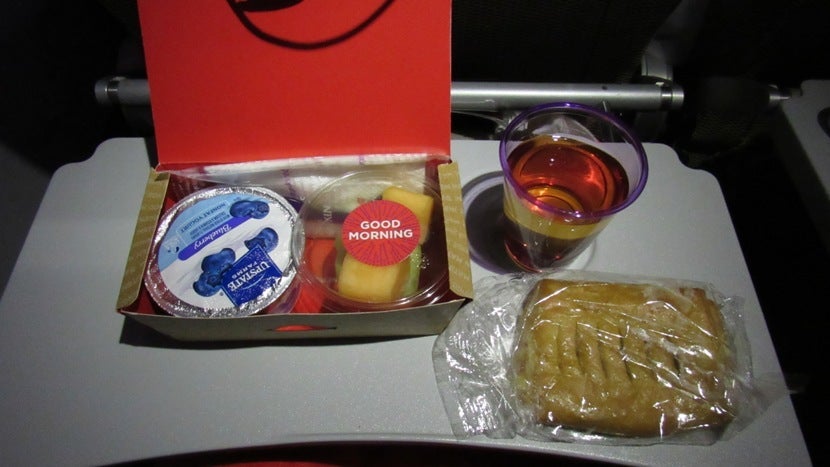
Shortly after dinner, flight attendants offered us after-meal beverages and I picked hot chocolate. A few hours before we landed, it was time for breakfast, which consisted of a blueberry yogurt, a fruit cup and a pastry with fruity filling. All three were tasty and fresh.
Overall Impression
While my overall experience at MIA could have been better considering the dated lounge and terminal, the flight itself was very comfortable. Flight attendants were kind and helpful, and having the extra three inches of legroom was definitely a plus. The food was decent and my favorite part of the flight was the vast amount of in-flight entertainment options that kept us occupied during the eight-hour trip.
Have you ever flown in Virgin Atlantic's extra legroom seats? Let us know in the comments, below.
All photos by the author.
TPG featured card
at American Express's secure site
Terms & restrictions apply. See rates & fees.
| 4X | Earn 4X Membership Rewards® points per dollar spent on purchases at restaurants worldwide, on up to $50,000 in purchases per calendar year, then 1X points for the rest of the year. |
| 4X | Earn 4X Membership Rewards® points per dollar spent at US supermarkets, on up to $25,000 in purchases per calendar year, then 1X points for the rest of the year. |
| 5X | Earn 5X Membership Rewards® points on prepaid hotel stays booked through AmexTravel.com or the Amex Travel App™. |
| 3X | Earn 3X Membership Rewards® points on flights booked through AmexTravel.com, the Amex Travel App™, or purchased directly from airlines. |
| 2X | Earn 2X Membership Rewards® points on prepaid car rentals booked through AmexTravel.com or the Amex Travel App™ and cruises booked and paid through AmexTravel.com. |
| 1X | Earn 1X Membership Rewards® point per dollar spent on all other eligible purchases. |
Pros
- Valuable dining and food-related credits
- Flexible rewards with airline and hotel transfer partners
- Multiple travel and purchase protections
- No foreign transaction fees
- Access to Amex Offers for additional savings (enrollment required)
Cons
- Not as useful for those living outside the U.S.
- Some may have trouble using Uber and other dining credits
- You may be eligible for as high as 100,000 Membership Rewards® Points after you spend $8,000 in eligible purchases on your new Card in your first 6 months of Card Membership. Welcome offers vary and you may not be eligible for an offer. Apply to know if you’re approved and find out your exact welcome offer amount – all with no credit score impact. If you’re approved and choose to accept the Card, your score may be impacted.
- Earn 4X Membership Rewards® points per dollar spent on purchases at restaurants worldwide, on up to $50,000 in purchases per calendar year, then 1X points for the rest of the year.
- Earn 4X Membership Rewards® points per dollar spent at US supermarkets, on up to $25,000 in purchases per calendar year, then 1X points for the rest of the year.
- Earn 5X Membership Rewards® points on prepaid hotel stays booked through AmexTravel.com or the Amex Travel App™.
- Earn 3X Membership Rewards® points on flights booked through AmexTravel.com, the Amex Travel App™, or purchased directly from airlines.
- Earn 2X Membership Rewards® points on prepaid car rentals booked through AmexTravel.com or the Amex Travel App™ and cruises booked and paid through AmexTravel.com.
- Earn 1X Membership Rewards® point per dollar spent on all other eligible purchases.
- Pay It® lets you tap in the American Express® App to quickly pay for small purchase amounts throughout the month and still earn rewards the way you usually do. Plan It® gives you the option to split up big purchases into equal monthly payments with a fixed fee. You’ll know upfront exactly how much you’ll pay.
- $120 Dining Credit: Earn up to a total of $10 in statement credits monthly when you pay with the Gold Card at Grubhub (including Seamless), Buffalo Wild Wings, Five Guys, The Cheesecake Factory, and Wonder. This can be an annual savings of up to $120. Enrollment required.
- $100 Resy Credit: Get up to $100 in statement credits each calendar year at over 10,000 qualifying U.S. Resy restaurants after you pay for eligible purchases with the American Express® Gold Card. That’s up to $50 in statement credits semi-annually. Enrollment required.
- $84 Dunkin' Credit: Earn up to $7 in monthly statement credits after you pay with the American Express® Gold Card at U.S. Dunkin’ locations. Enrollment required.
- $120 Uber Cash on Gold: Enjoy up to $120 in Uber Cash annually with your Gold Card. Just add your Card to your Uber account and you'll get $10 in Uber Cash each month to use on orders and rides in the U.S. when you select an Amex Card for your transaction.
- Enjoy complimentary Hertz Five Star® Status benefits like skipping the counter at select locations, adding an additional driver at no additional cost*, and vehicle upgrades**. Benefit enrollment and Hertz Gold+ registration are required. *Additional drivers must meet standard rental qualifications and must be a spouse or domestic partner to qualify as complimentary. Other additional drivers subject to fees. **Benefits are subject to availability and vary by location. Additional Hertz program Terms and Conditions including age restrictions apply.
- Book two nights or more with The Hotel Collection through AmexTravel.com or the Amex Travel App™ and receive a $100* credit towards eligible charges at over 1,400 upscale hotels worldwide. *Eligible charges vary by property.
- Book your travel through the Amex Travel App™ with added peace of mind – backed by American Express® service and support. Only for American Express® Card Members.
- Whenever you need us, we're here. Our Member Services team will ensure you are taken care of. From lost Card replacement to statement questions, we are available to help 24/7.
- No Foreign Transaction Fees.
- Annual Fee is $325.
- Terms Apply.