Travel planning hack: How I use a platform called Notion to organize my travels


There are generally two types of travelers: people who like to plan out trip itineraries in advance and those who prefer to fly by the seat of their pants when they are exploring a destination. I personally fall into that first category. Neither approach to traveling is wrong — I envy anyone who is able to take impulsive trips with minimal planning besides booking a flight and maybe a hotel or Airbnb. But for those of you who do enjoy planning everything from flights to a daily itinerary to your daily outfit choices, it can be hard to keep everything organized.
Enter Notion.
Notion is a platform that falls somewhere in between a project management tool such as Asana and a digital version of a bullet journal — an "all-in-one workspace," according to the Notion homepage. The basic version is free, and I started using it as a way to keep my personal creative writing projects organized, but I quickly fell in love with the way you can build out pages and databases to fit pretty much anything you need. These days, I use it for everything from journaling to long-term goal planning to meal planning to keeping my finances organized to planning out trips.
There are plenty of apps and platforms out there that help you keep things like flight schedules and hotel reservations organized, but I still haven't found anything that lets me customize pages the way Notion does.
I'll admit there's a learning curve to the platform because you're able to build out the pages to do pretty much everything under the sun, but thankfully Notion has a ton of quick and easy training resources to help get you started — it took me almost no time at all to get the hang of the features.
For anyone who is as much of a planner as I am, here's a rundown of how I use Notion to keep all my travels organized.
My travel "hub" page
Notion lets you set up different pages accessible through a sidebar and through links in another page. Here's what my travel "hub" looks like in Notion.
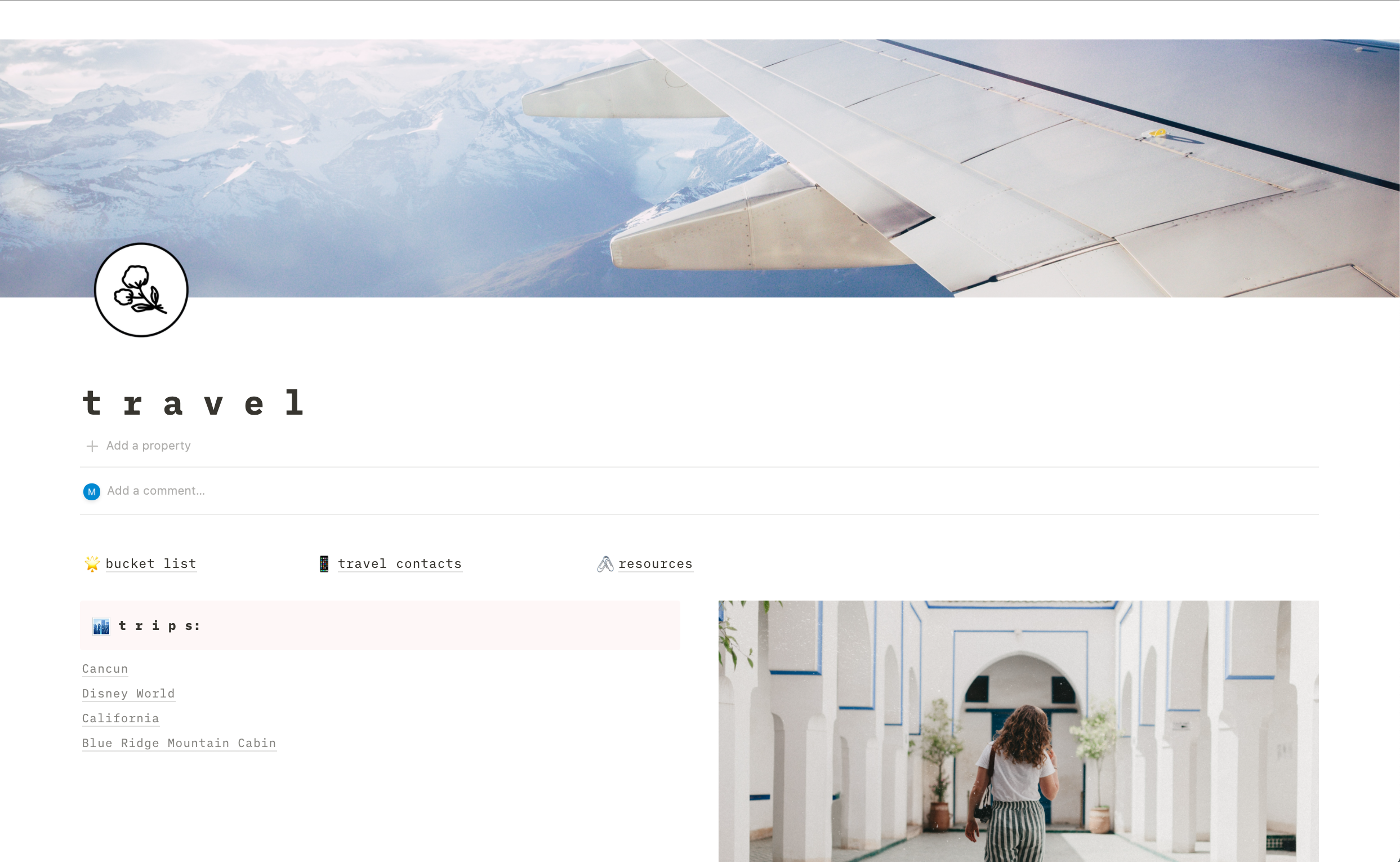
Notion pages are all customizable, and you can build out a page from scratch, chose a premade template or use a template as a starting point and adjust it to your needs (what I do more often than not). Notion has hundreds of templates, either made by the company or made by community members and brand ambassadors. For my travel planning page, I use an adapted version of a template from Notion (linked here).
Up at the top, I have a few links out to my travel bucket list, a list of people I've met who I can link up with when I'm in certain destinations and a page filled with resources (mostly embassy phone numbers at this point).

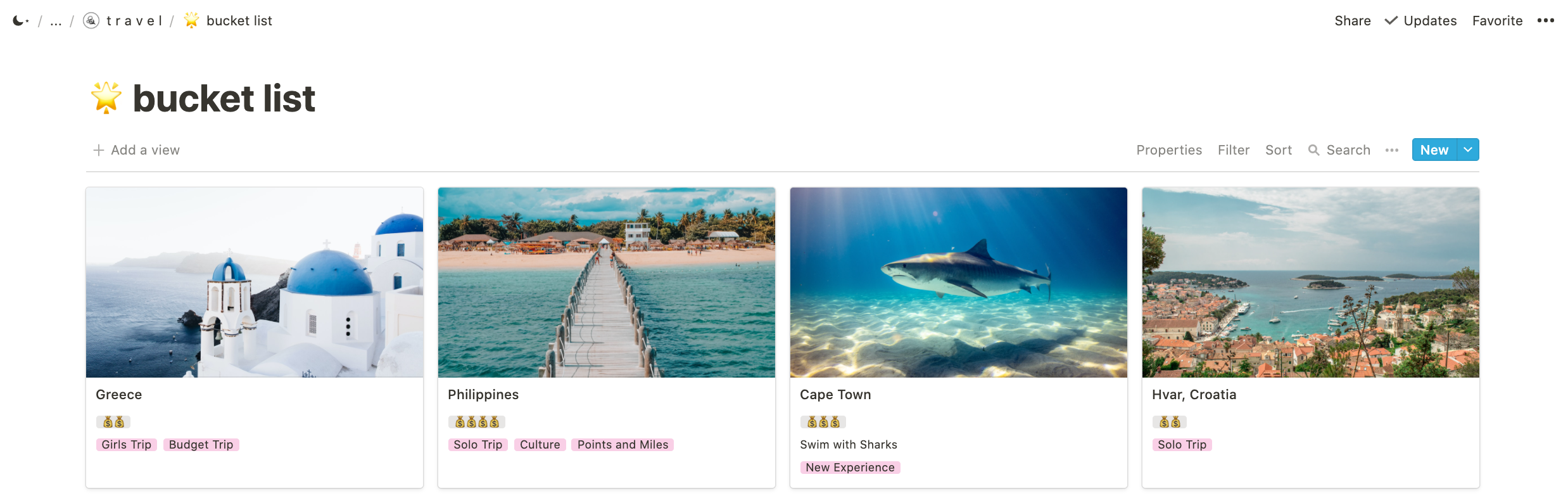
Below those links, I have a table of contents that links to all of the trips I am in the works of planning in the near future. My recent trip to Cancun in May is still listed, but you can see the others I have planned for this summer, too — Disney World, California and a trip to the mountains in North Carolina with some friends.
Keeping my itinerary organized
If you click on any of those trips in my table of contents, it'll scroll down to where everything related to planning that trip is organized.
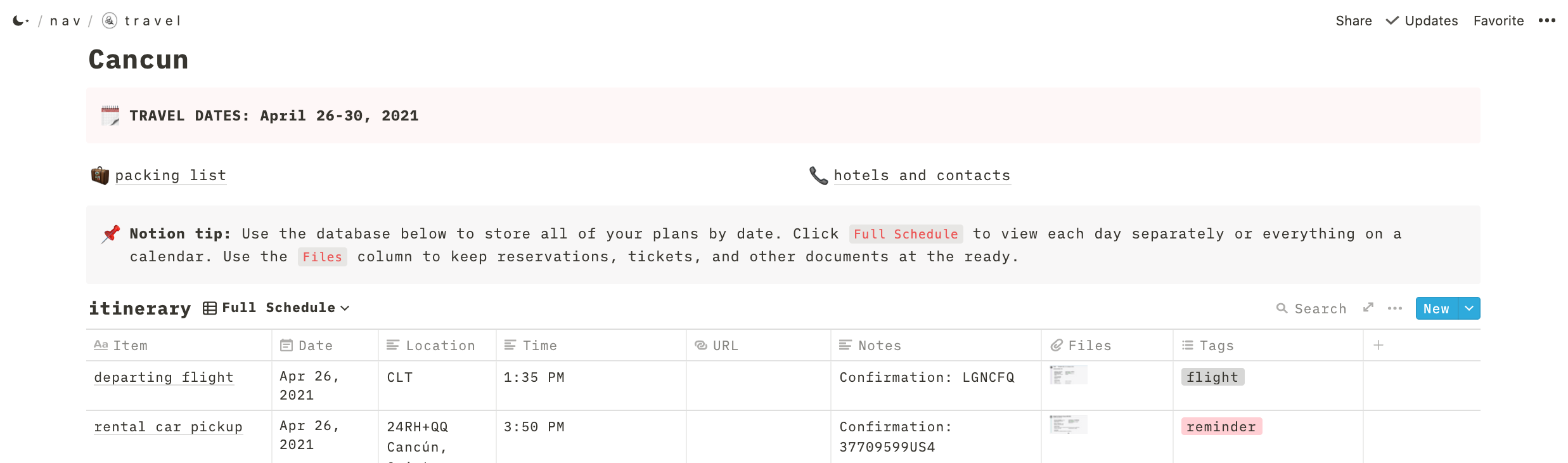
I call out my planned travel dates, and then have links out to my packing list and trip contacts. The hotels and contacts page will list out the addresses and phone numbers of all of the hotels or rentals I'm staying at, the nearest hospital to whatever area I'll be in and the list of the embassy when I'm traveling abroad.
Under that, I have an itinerary. In a table, I list out all of my flights, accommodation plans and any other activities. I then add the date, location, time, a link to the website (if applicable) and any notes I want handy. I upload screenshots of confirmations for everything applicable and then select a tag — flights, hotels, activity or reminder.
I like having everything easily viewable in a big list. It's easily accessible when I'm on the go via the Notion app on my phone, and this way I have everything related to a trip in one place to share with others who may be traveling with me or to send to a contact at home (I share my travel plans with my mom when I go on solo trips for safety).
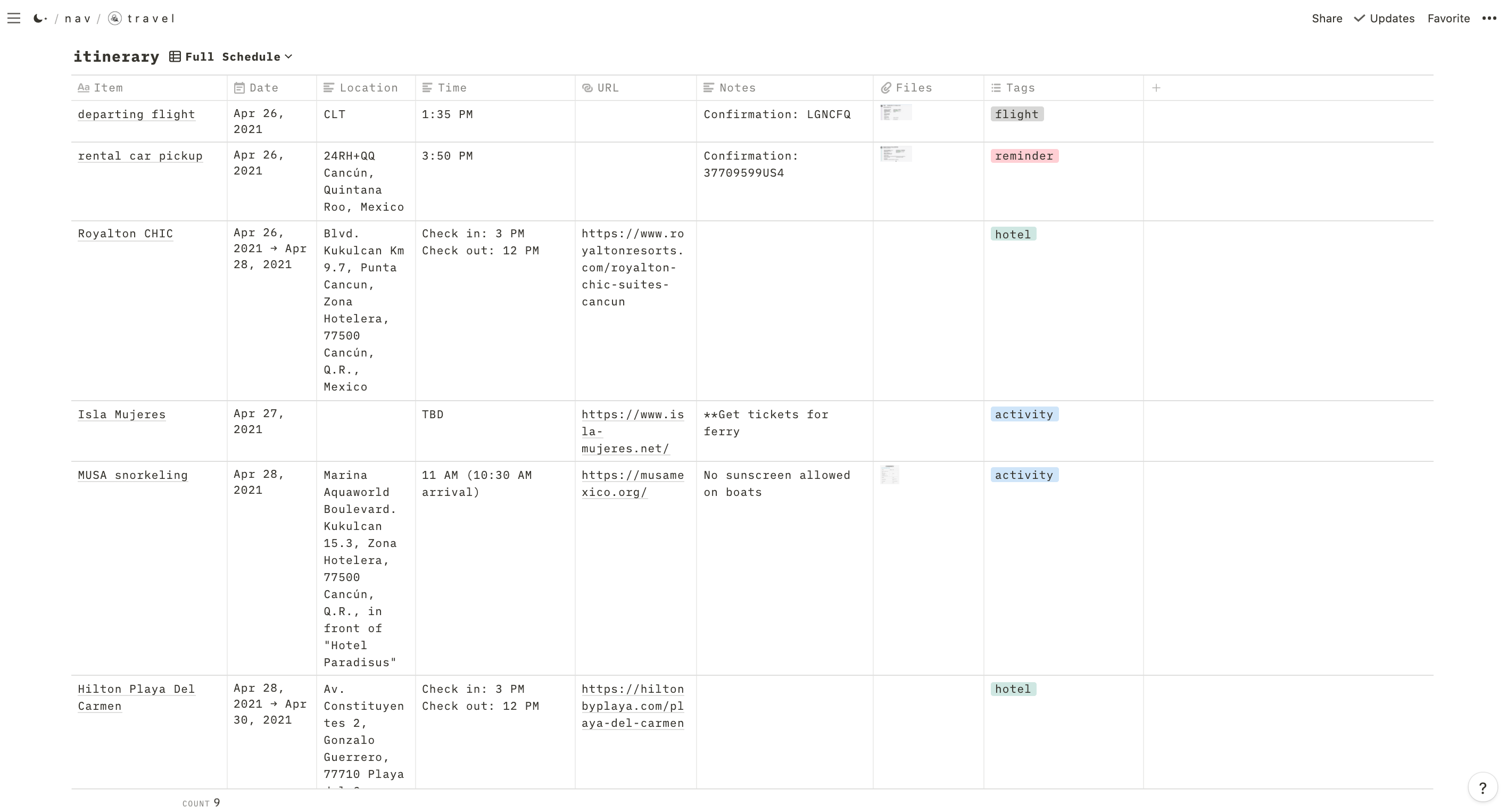
My trip to Mexico was to review two area resorts — the Royalton CHIC and Hilton Playa del Carmen— so I didn't have a ton of activities planned outside of those destinations. But when I went to Hawaii last year, there were far more daily activities listed.
One of my favorite thing about Notion is the ability to take tables, calendars, lists and other "blocks" on the page and add different views and filters for the same information. My default view is a table of my full schedule for a trip, but I also have a calendar view and an activities one set up.
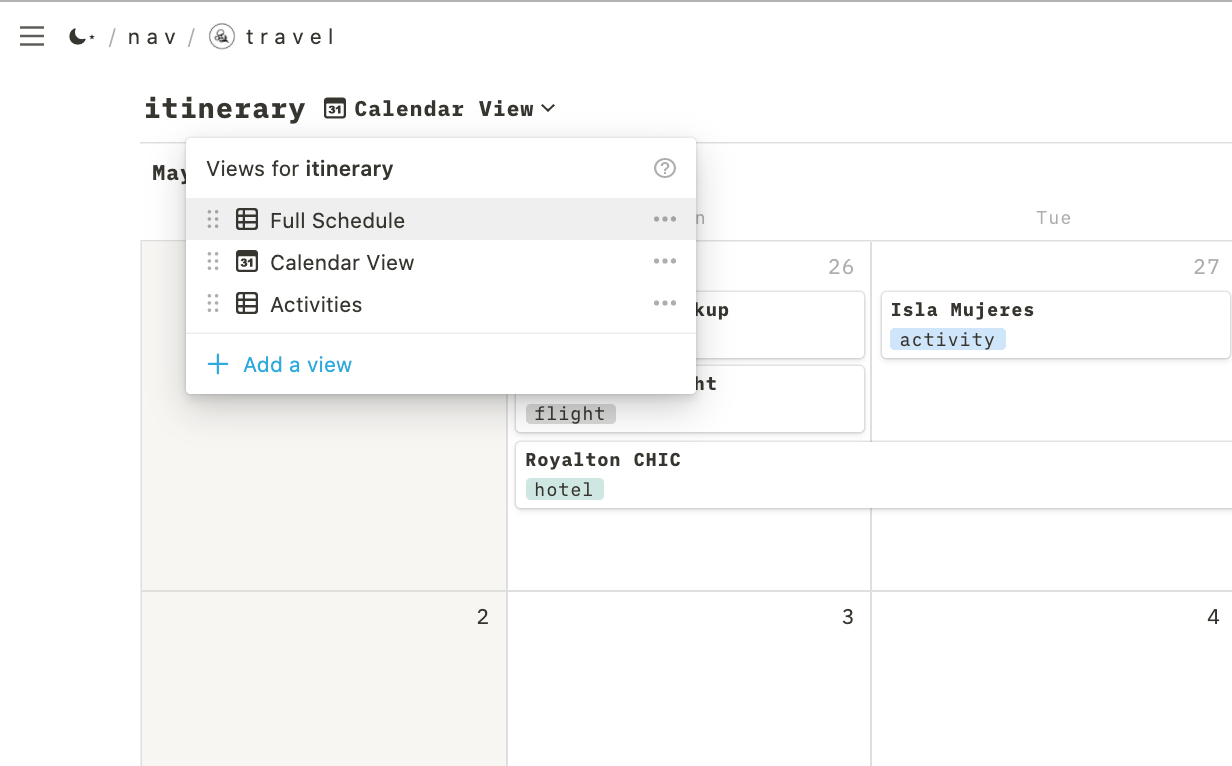
The calendar view is nice for seeing what is going on during different days on a trip. And the activities list filters out flights and hotels so that all I'm looking at are the excursions or other plans I have for the trip.

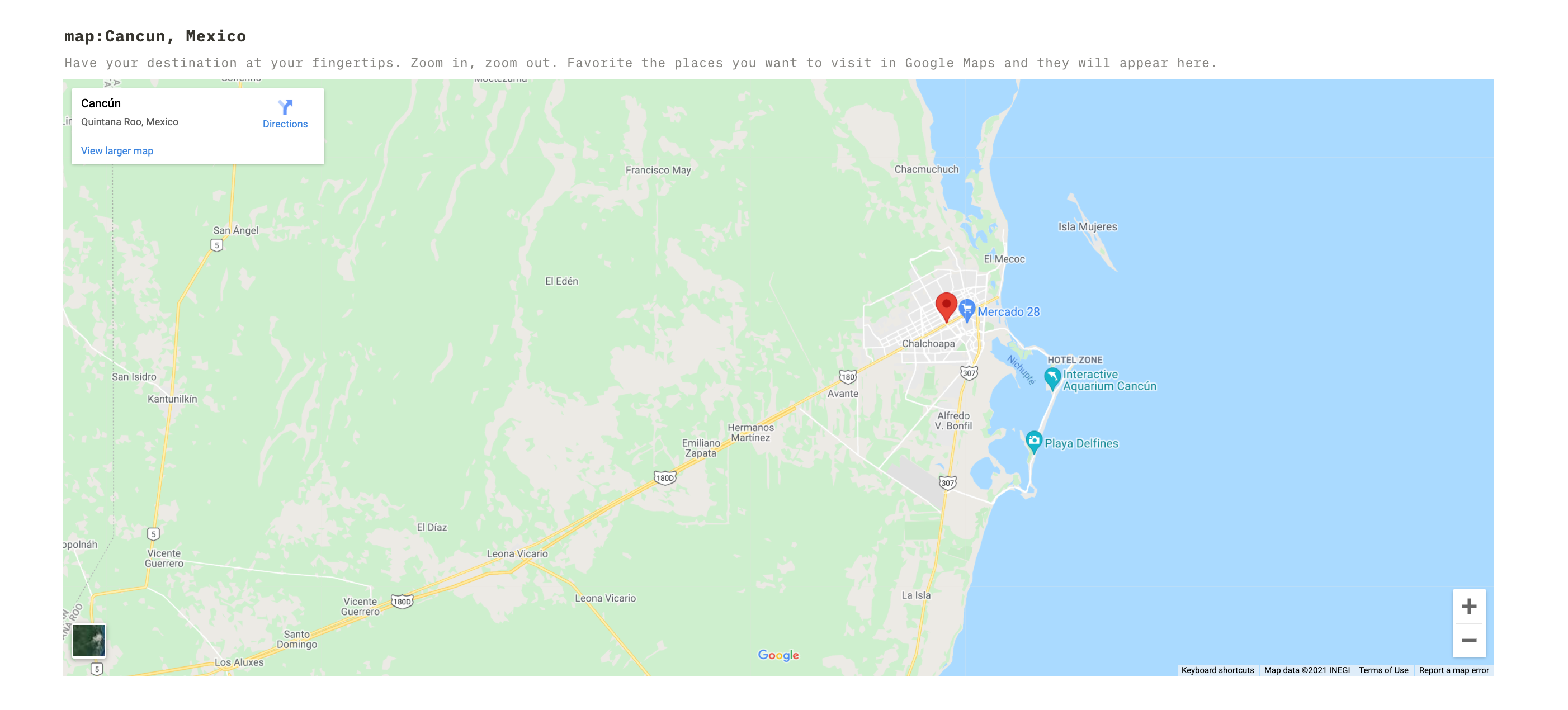
You can also embed maps and other documents into Notion pages. I always embed a Google map; sometimes, I'll embed a saved map with points of interest I want to visit, but I didn't do that for Cancun so just a standard map is embedded currently.
Packing list
Once I have my itinerary sorted out, I start working on my packing list. I am a forgetful overpacker (a great combination, right?), so having a packing list in Notion helps make sure that I remember to pack everything I need but leave the four extra outfits "in case of a freak snowstorm in July" at home.
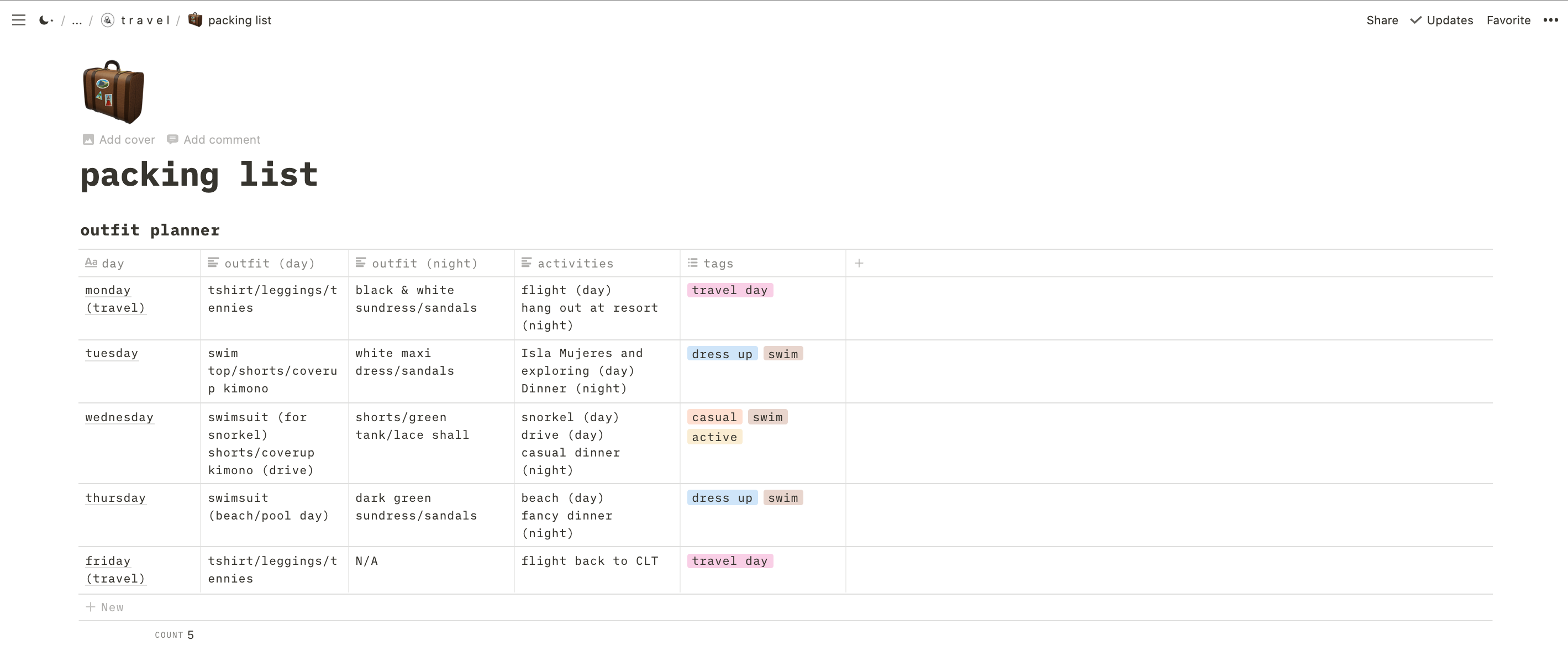
When I click on the packing list link at the top of each trip heading, it takes me to a page with an outfit planner table and a checkbox list of everything I plan to take with me.
I sketch out a general plan of what outfits I want to bring each day based on what activities I have going on. For longer trips, I'll repeat outfits or specific items, but Cancun was a short enough trip where I didn't really have to. What I actually wear from day-to-day will change, but having a plan helps keep me from packing an abundance of clothes I don't need and makes sure I don't forget outfits for specific occasions (say, going out for a formal dinner one night).
Related: Packing hacks for traveling with just a carry-on
Once I have a general sketch of outfits planned, I list out everything I plan to pack.
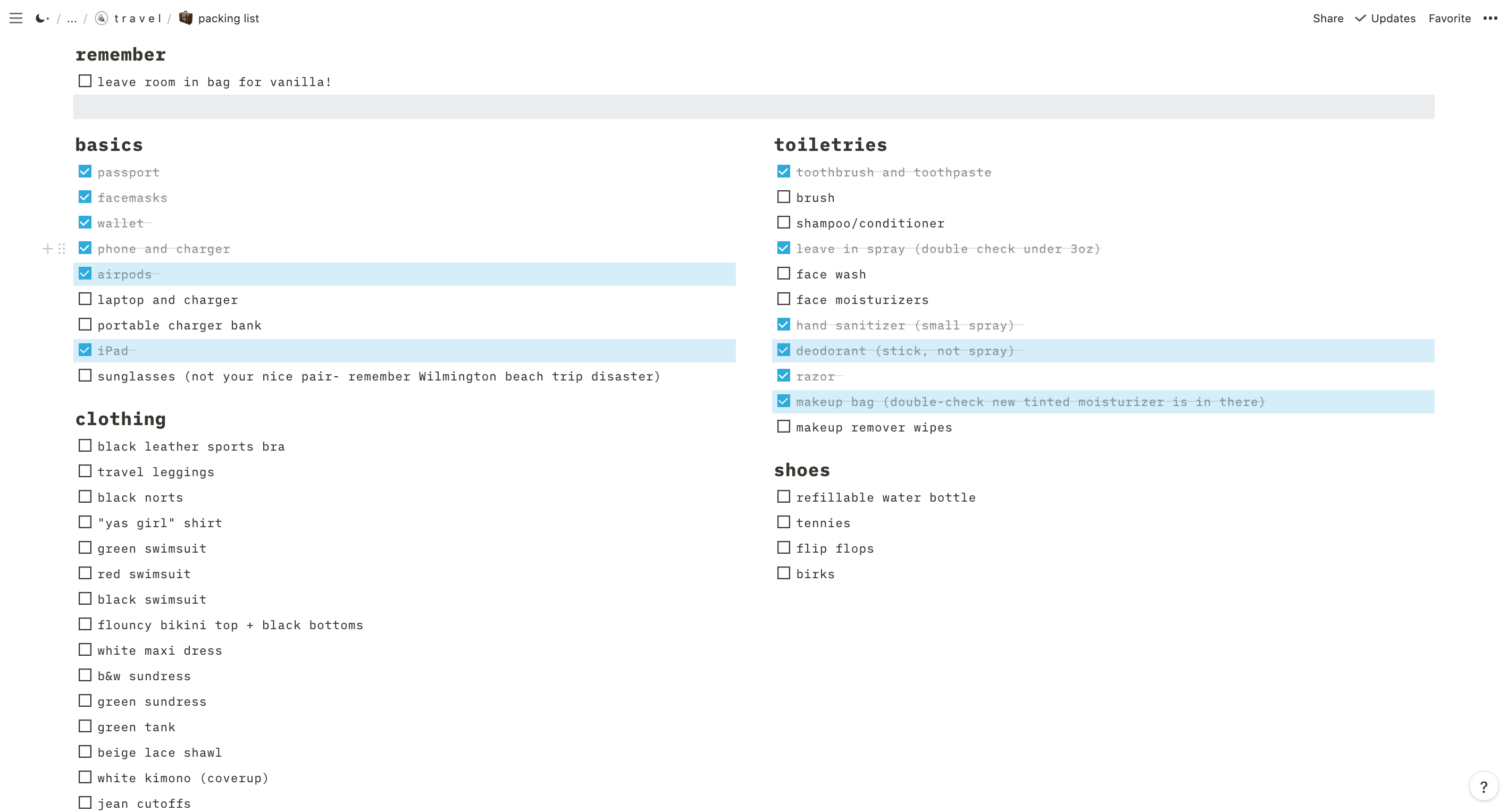
Each item has a checkmark next to it so I can know what I have packed (I use packing cubes for extra organization) and what I still need to get squared away. This means I don't forget anything — and more importantly that I don't spend my entire flight worried that I left something behind even though I did not.
Bottom line
If you are a hardcore planner like myself, I highly recommend Notion. You can currently create a free personal account, and there are a ton of templates and resources to help you build out your pages in whatever way works best for you. Notion has a ton of guides and tutorials to get you started when you create your account.
Is this level of planning and organization for everyone? No. My best friend from back home loves spontaneous trips where all she plans are her flights and a place to stay ahead of time. The idea of traveling without a plan stresses me out, where as my tableized itinerary list would stress her out — and that's okay. Everyone is different. Even if I don't stick to whatever plan I have (which happens more times than not because unfortunately the universe doesn't always behave according to my plans), it gives me peace of mind to have everything organized in one place. It also makes it easier for larger trips with friends where there are a lot of moving parts to coordinate, or solo trips where I want to be able to share my plans in case of emergency.
For me, Notion is a godsend for keeping things organized — whether it be my credit card perks and benefits, grocery lists, creative writing projects and — of course — my travel plans.
TPG featured card

at Capital One's secure site
Terms & restrictions apply. See rates & fees.
| 5X miles | Earn 5X miles on hotels, vacation rentals and rental cars booked through Capital One Travel |
| 2X miles | Earn unlimited 2X miles on every purchase, every day |
Pros
- Stellar welcome offer of 75,000 miles after spending $4,000 on purchases in the first three months from account opening. Plus, a $250 Capital One Travel credit to use in your first cardholder year upon account opening.
- You'll earn 2 miles per dollar on every purchase, which means you won't have to worry about memorizing bonus categories
- Rewards are versatile and can be redeemed for a statement credit or transferred to Capital One’s transfer partners
Cons
- Highest bonus-earning categories only on travel booked via Capital One Travel
- LIMITED-TIME OFFER: Enjoy $250 to use on Capital One Travel in your first cardholder year, plus earn 75,000 bonus miles once you spend $4,000 on purchases within the first 3 months from account opening - that’s equal to $1,000 in travel
- Earn unlimited 2X miles on every purchase, every day
- Earn 5X miles on hotels, vacation rentals and rental cars booked through Capital One Travel
- Miles won't expire for the life of the account and there's no limit to how many you can earn
- Receive up to a $120 credit for Global Entry or TSA PreCheck®
- Use your miles to get reimbursed for any travel purchase—or redeem by booking a trip through Capital One Travel
- Enjoy a $50 experience credit and other premium benefits with every hotel and vacation rental booked from the Lifestyle Collection
- Transfer your miles to your choice of 15+ travel loyalty programs
- Top rated mobile app