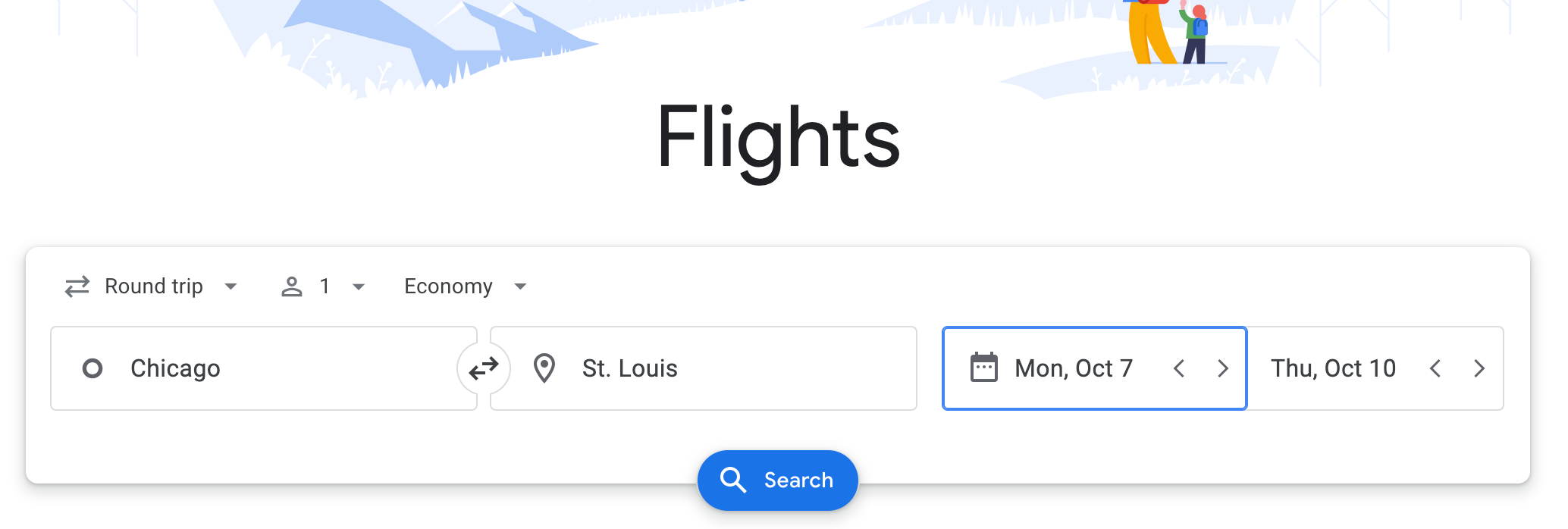
On Google Flights, users can filter to see train suggestions detailing durations, times and prices. Simply enter your origin, destination and travel dates as you would when searching for a flight, as shown below.
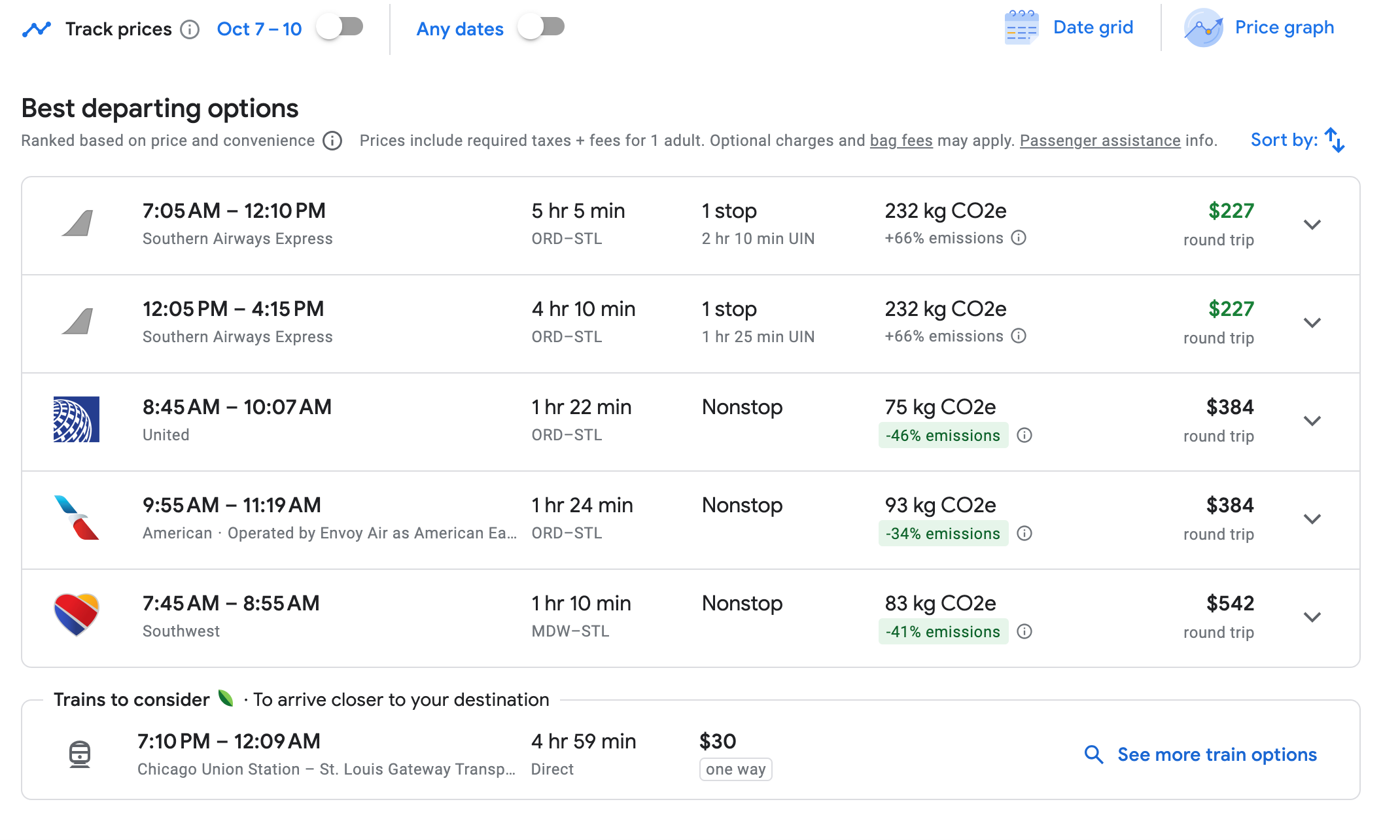
Beneath the flight options, you'll see available Amtrak options under the header "Trains to consider." For example, a search for travel from Chicago to St. Louis yielded the below options.
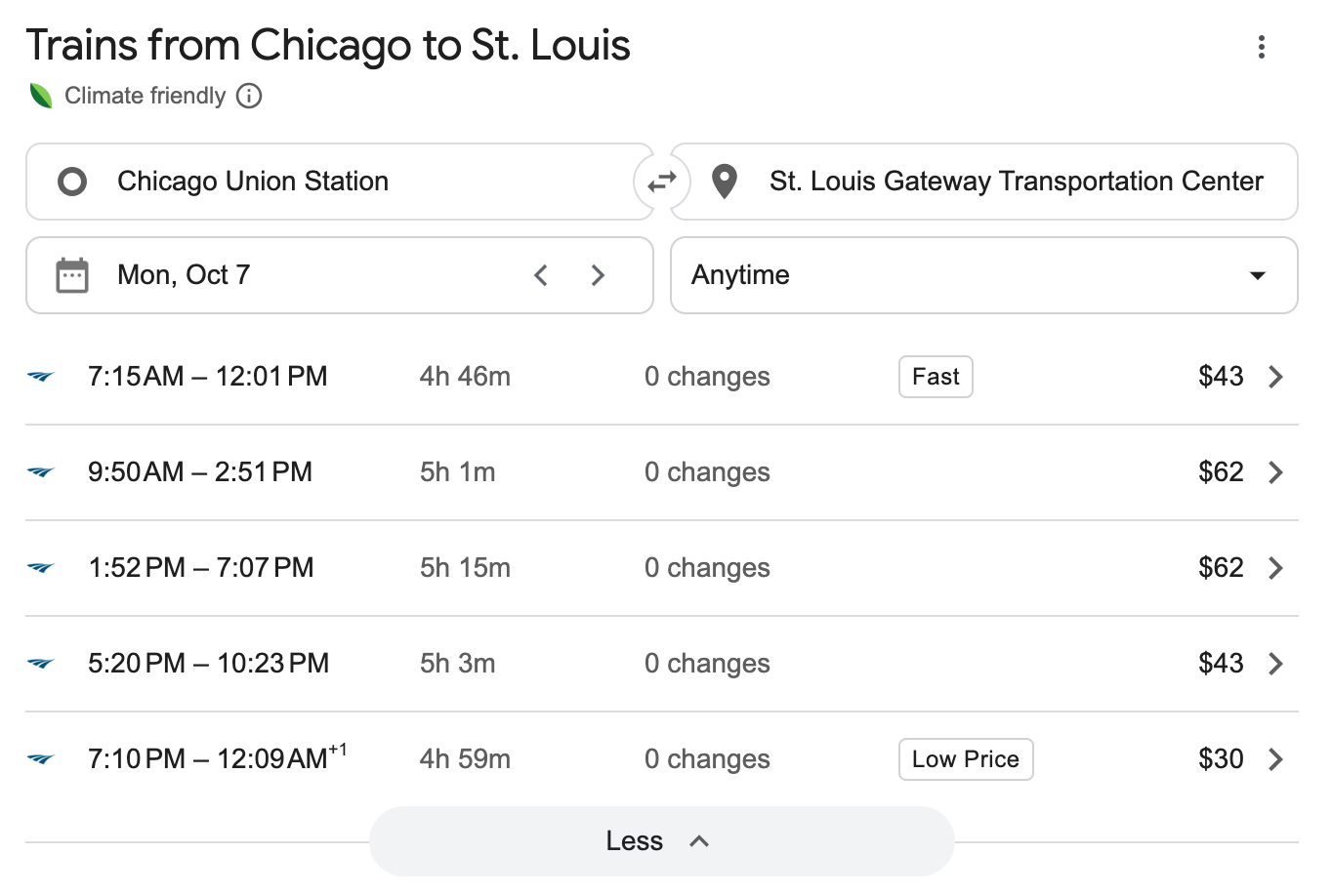
Click on "See more train options" to see a full list of Amtrak listings available for your routes.
This feature is only available for cities and routes where Amtrak service is offered.
Related reading:
- How to use the Points Path extension to compare cash and award rates in Google Flights
- How to use Google Flights to find cheap flights and maximize your next travel booking
- We 'luv' to see it: Southwest fares now displaying in Google Flights
- Google Flights pilots new program that provides refunds if the airfare price drops after you book