Your Guide to Booking Awards Using the Alaska Airlines App

Until recently, airline apps tended to be late adopters of new technology and functionality. That seems to be changing, though, with carriers adding abilities like automatic check-in, real-time baggage tracking, entertainment streaming, up-to-the-minute delay information and even compensation for when things go wrong, all via their apps.
Most (with some notable exceptions, ahem, American) have allowed travelers to book award travel for some time now. Unfortunately, there are usually some more limitations than when performing a full search on the airline's website. In this new series, we're going to take a look at the ability of major airlines' apps to search for and book award space on their own flights and those of partners, and how the experience compares to using a regular airline website.

For today, our subject will be the Alaska Airlines app. It is a pretty powerful tool for booking award travel, though it does have some shortcomings compared to the website that you'll want to keep in mind.
If you want to review previous entries in this series, be sure to check out the following articles:
- Your Guide to Booking Awards Using the American Airlines App
- Your Guide to Booking Awards Using the Fly Dela App
- Your Guide to Booking Awards Using the United Airlines App
Overview of Alaska Awards
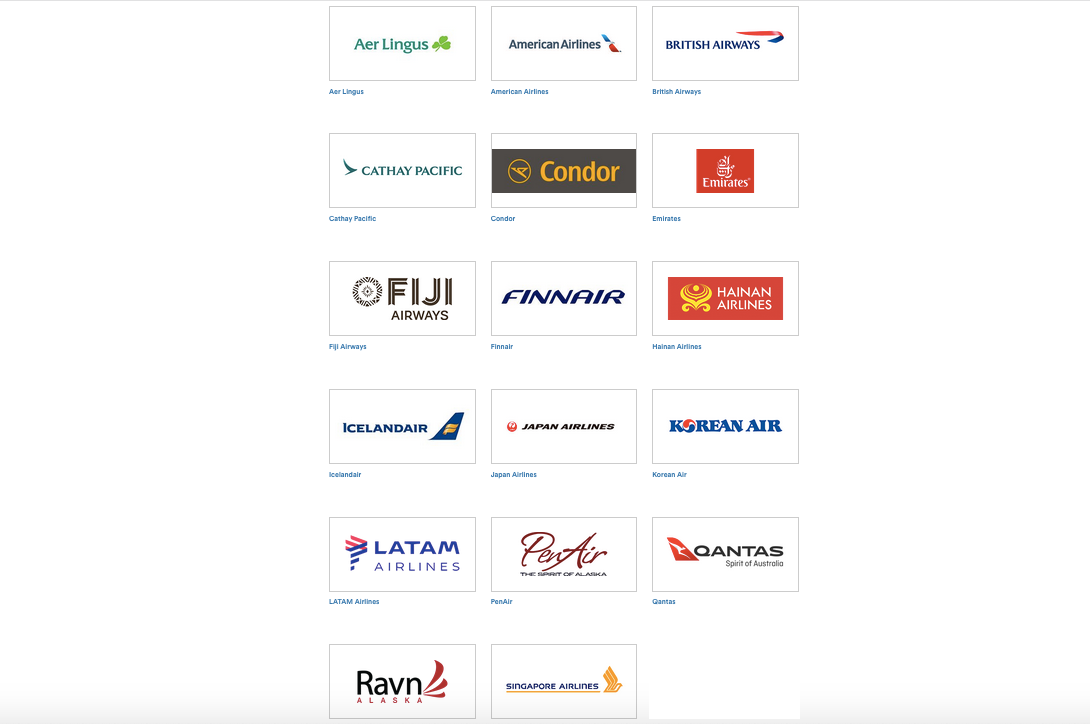
First, let's review the basics of booking awards using Alaska miles. As you might know, the airline is not in any of the three major alliances, but it does have over a dozen partners, including American Airlines, Cathay Pacific, Emirates, Finnair, Qantas, Qatar Airways and Singapore Airlines.
Making things more complicated, the airline has a different award chart for each partner, and it doesn't even allow awards on every single flight operated by its partners. For example, even though Emirates offers multiple flights from Dubai (DXB) to Australia, Alaska doesn't publish an award chart from the Middle East to Australia, so you won't be able to redeem Alaska miles on those routes. However, you could fly Emirates from the US to Australia via Dubai, since there is an award chart between those regions.
Here's where you can pull up each chart based on the regions to/from which you would like to travel.
Finally, here are the airlines on which you can book awards online, either via the Alaska site or the app:

- Alaska Airlines
- American Airlines
- British Airways
- Emirates
- Fiji Airways
- Finnair
- Hainan Airlines
- Icelandair
- Japan Airlines
- Korean Air
- PenAir
- Qantas
- Ravn Alaska
The notable exceptions to booking partner awards online are Cathay Pacific, LATAM, Aer Lingus and Singapore Airlines (those last two are still partnerships in progress, incidentally).
Our focus will be on the partners that are bookable online, and we'll evaluate how searching on the app is better or worse than booking via the website, depending on the circumstances.
App and Website Comparison Searches
To search for awards on Alaska's site, simply visit the homepage, enter your cities and dates, and be sure that the "Use miles" box is checked.
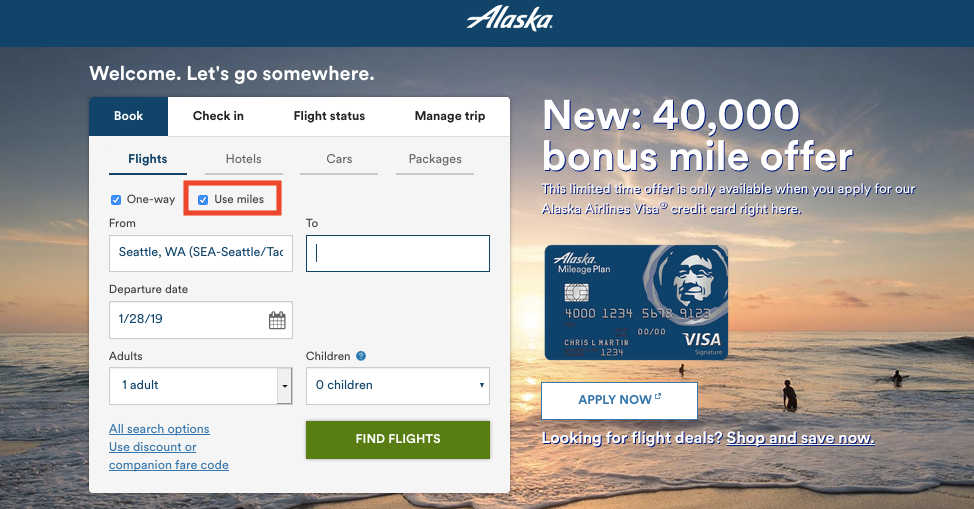
If you don't check that box, the site will only display airports for routes on which Alaska can sell you a ticket.
Alaska Flights
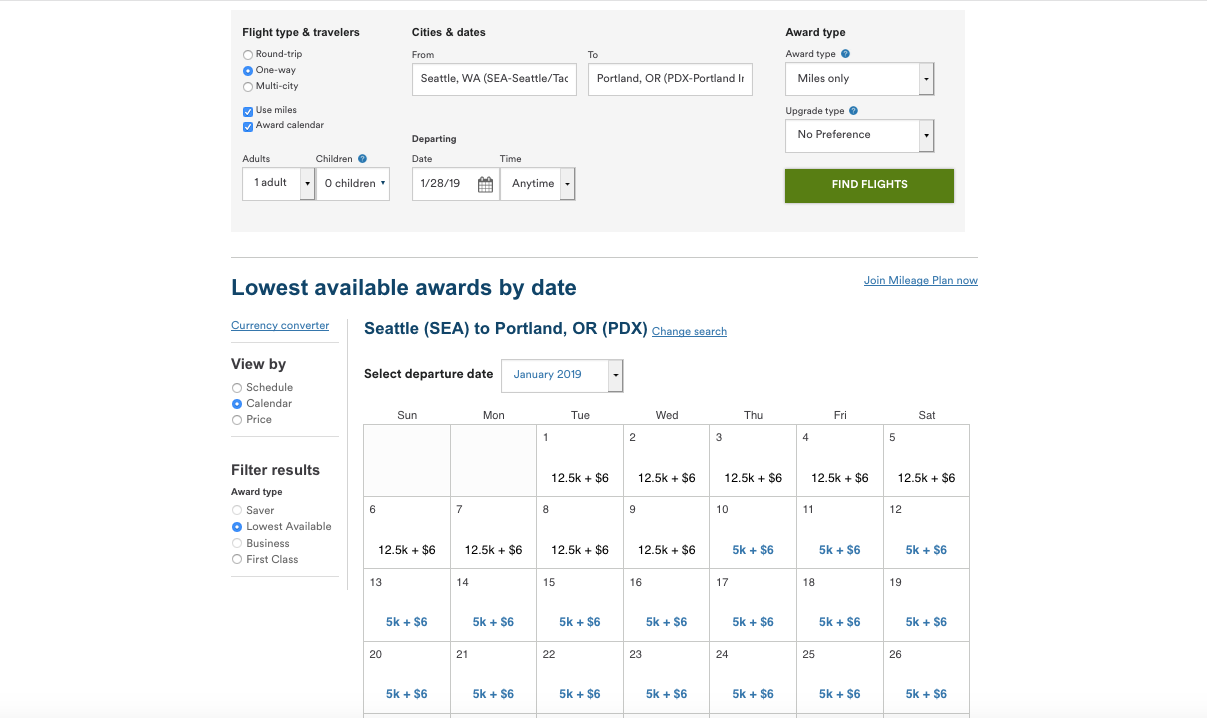
Our first example is a basic search on one of Alaska's most-trafficked routes, between its hubs in Seattle (SEA) and Portland (PDX). As you can see, it pulls up results a week at a time with flights listed by departure time. You can also sort by schedule, calendar, or price.
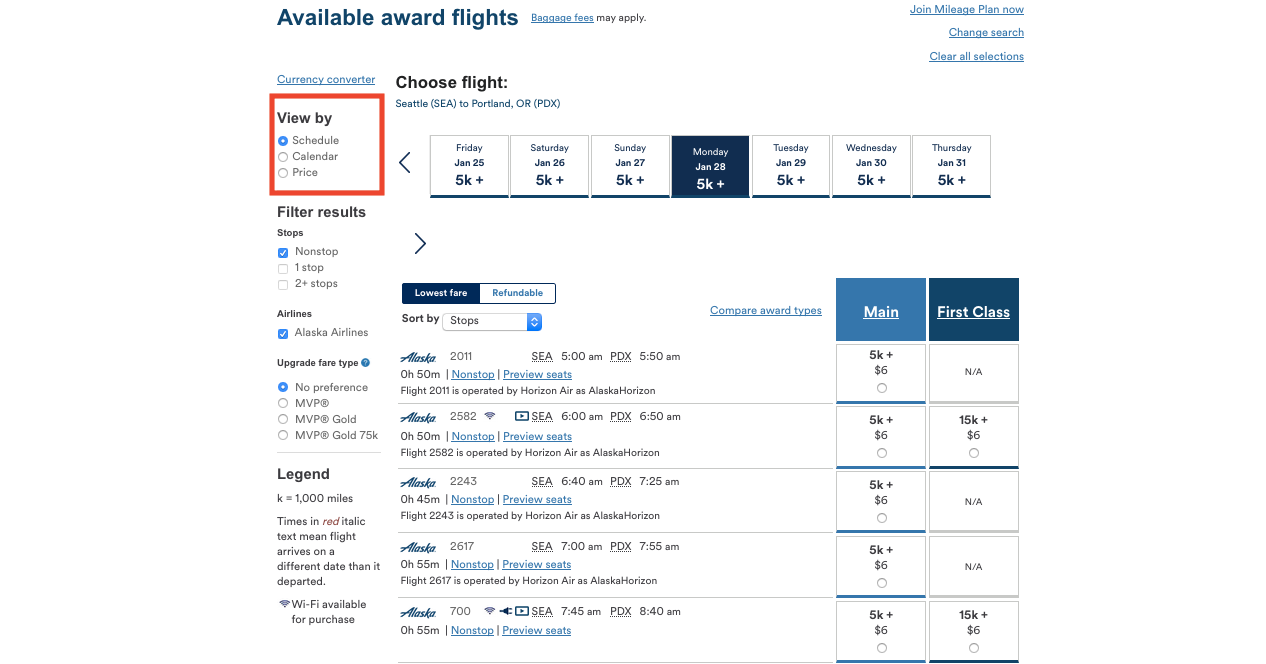
If you hit the calendar button, you can see results for a month at a time.
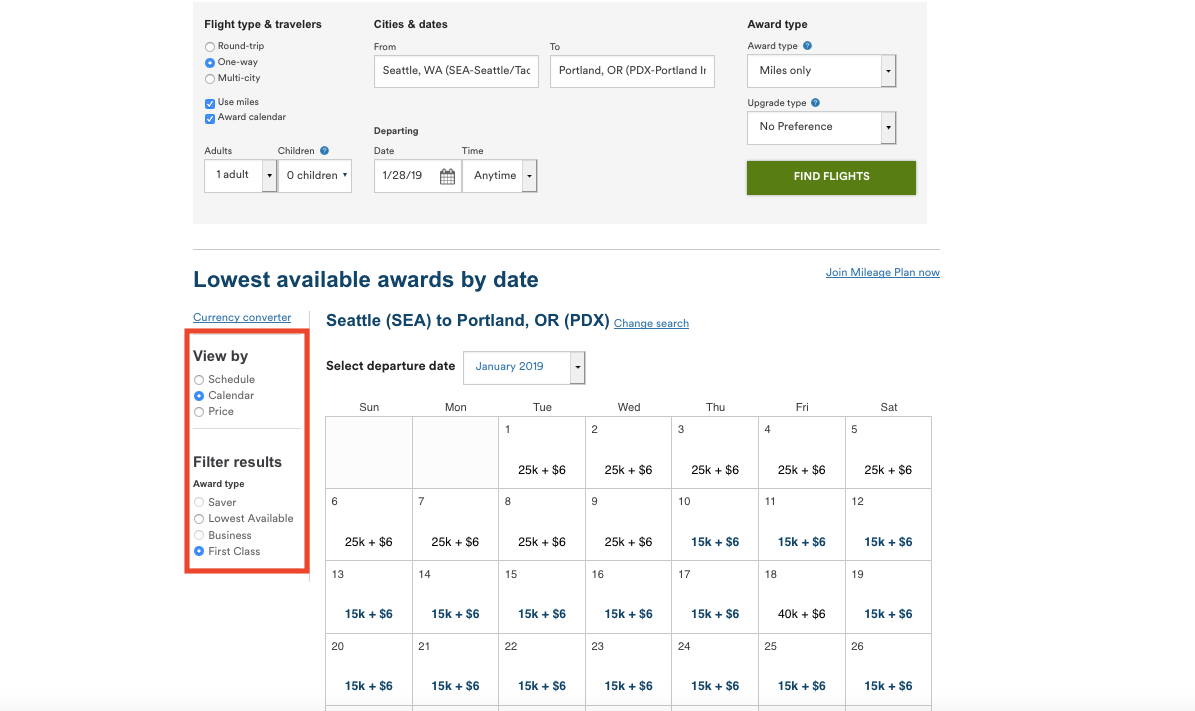
You can sort these by class of service as well in the "Filter results" box.
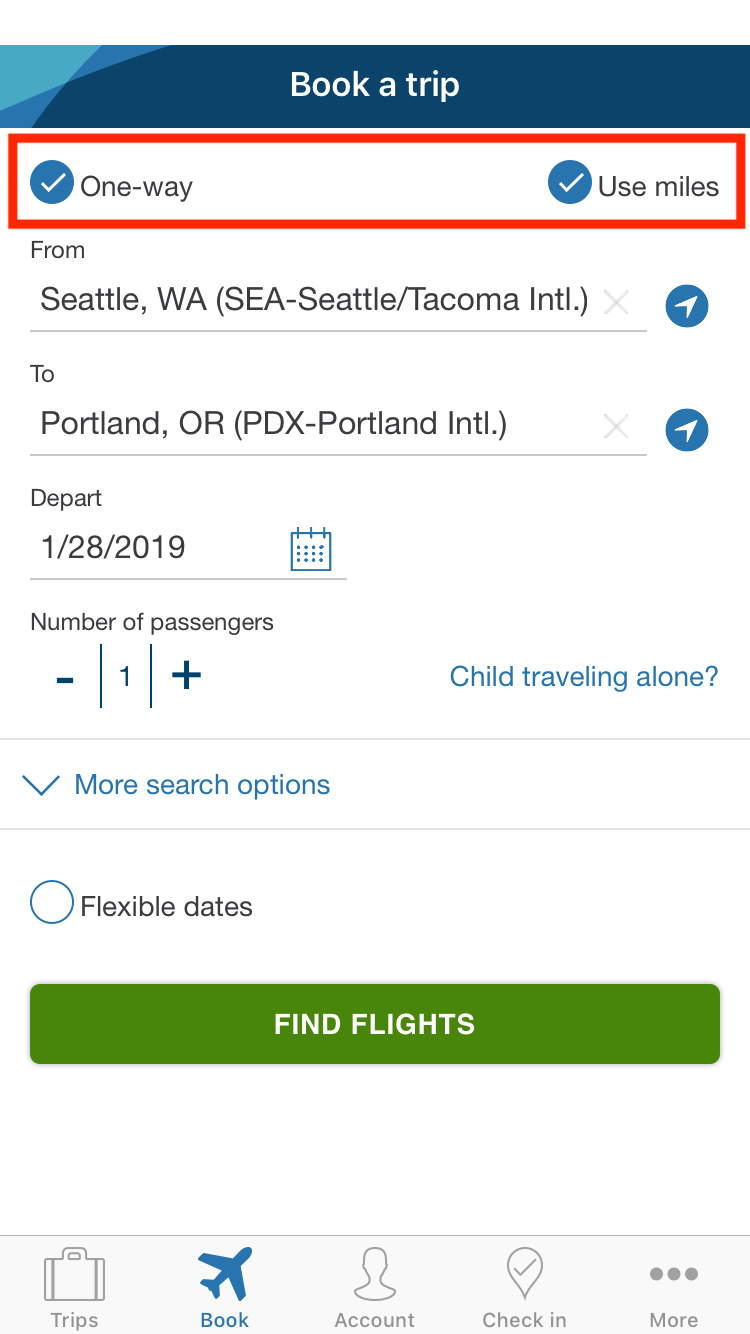
The Alaska app homepage looks similar to the website, and you must also check the "Use miles" box to perform an award search on it.
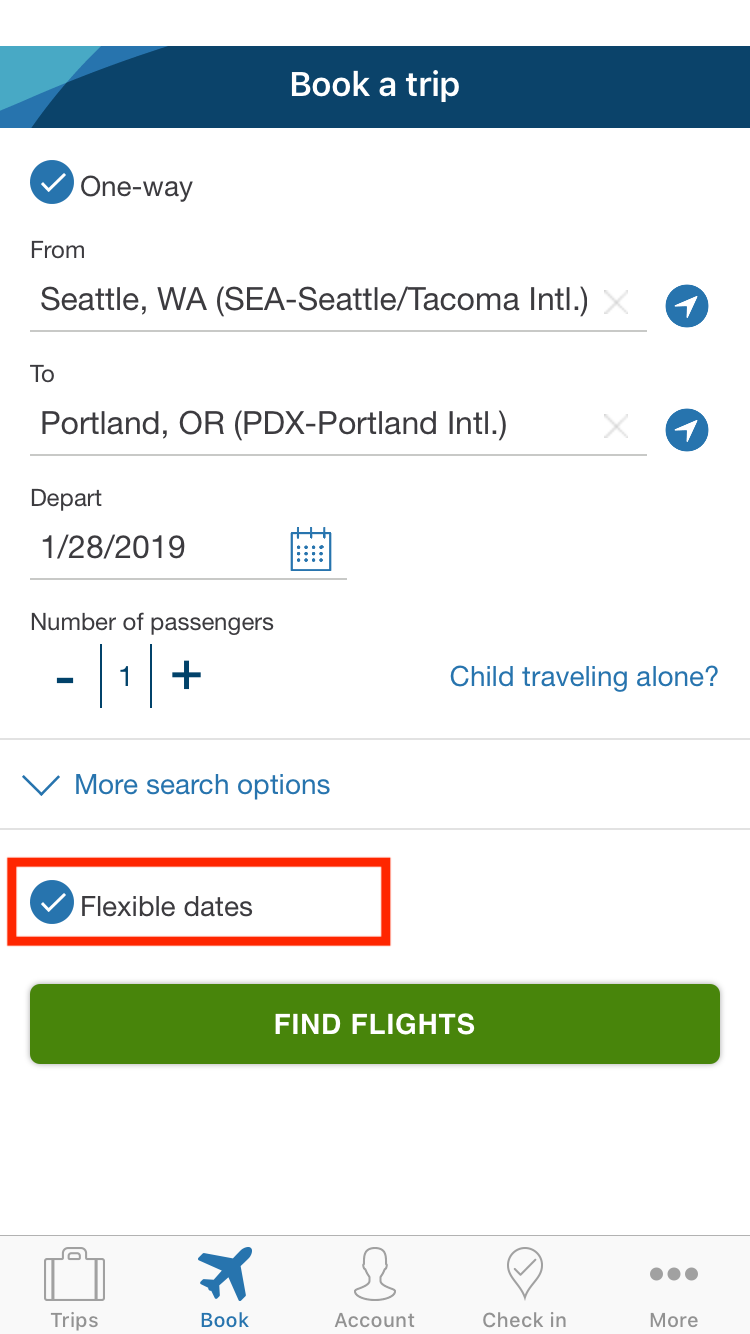
If you hit "Flexible dates," you will not be able to search for award tickets, so be sure to keep that one blank.
Here are the results for the same Seattle – Portland flights. As you can see, only three days' results are visible at a time…
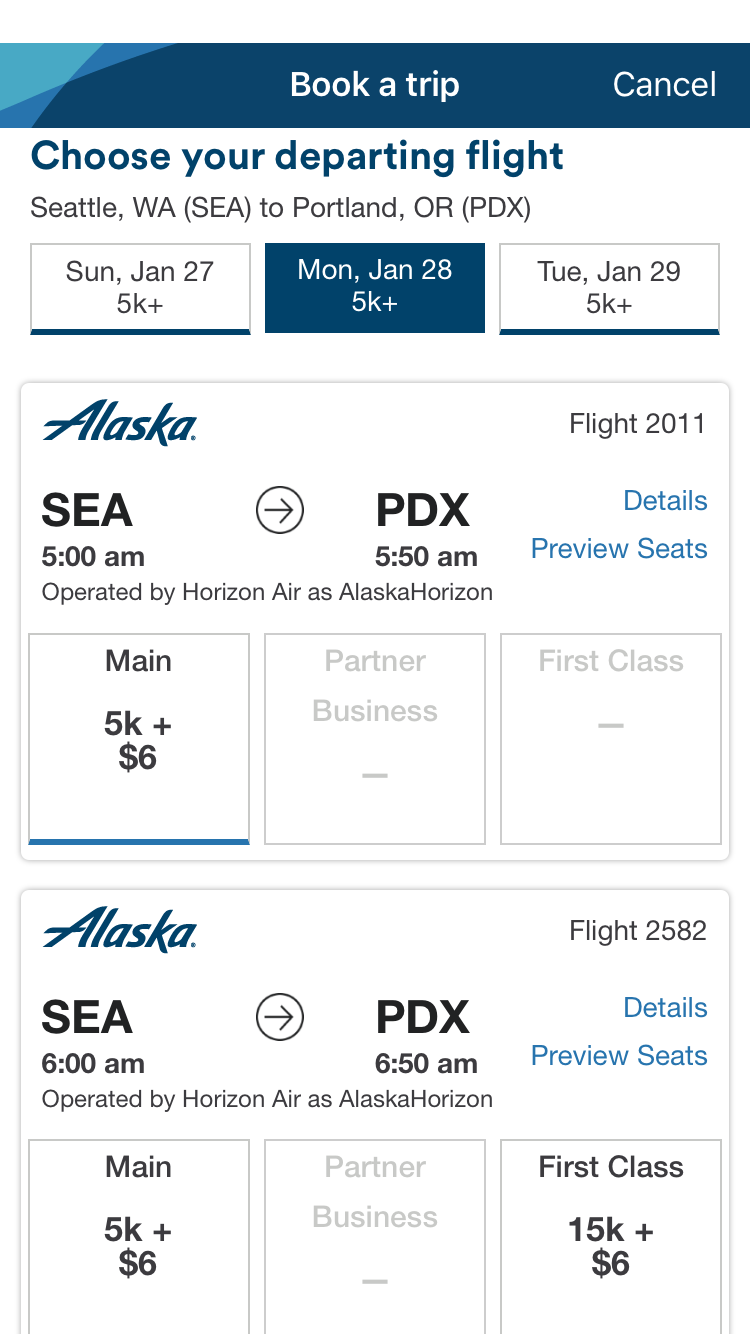
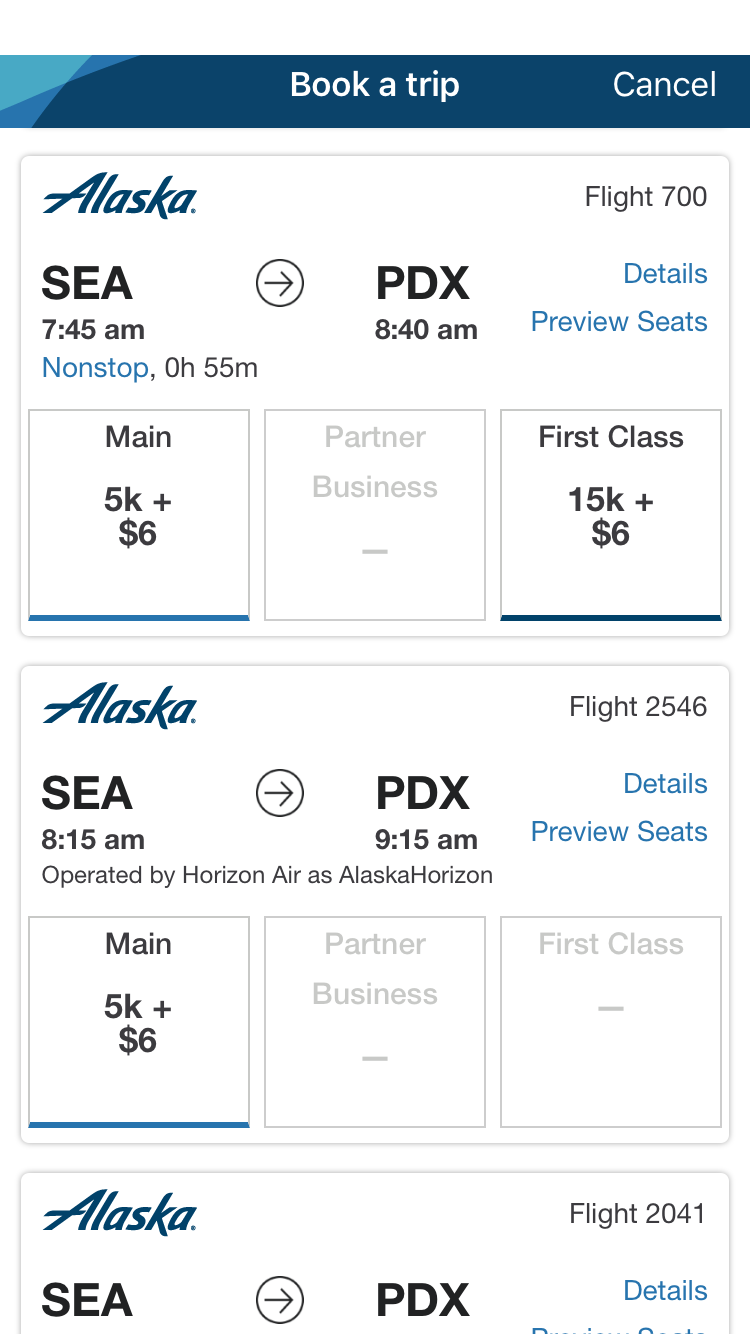
And you must scroll down to see all the options.
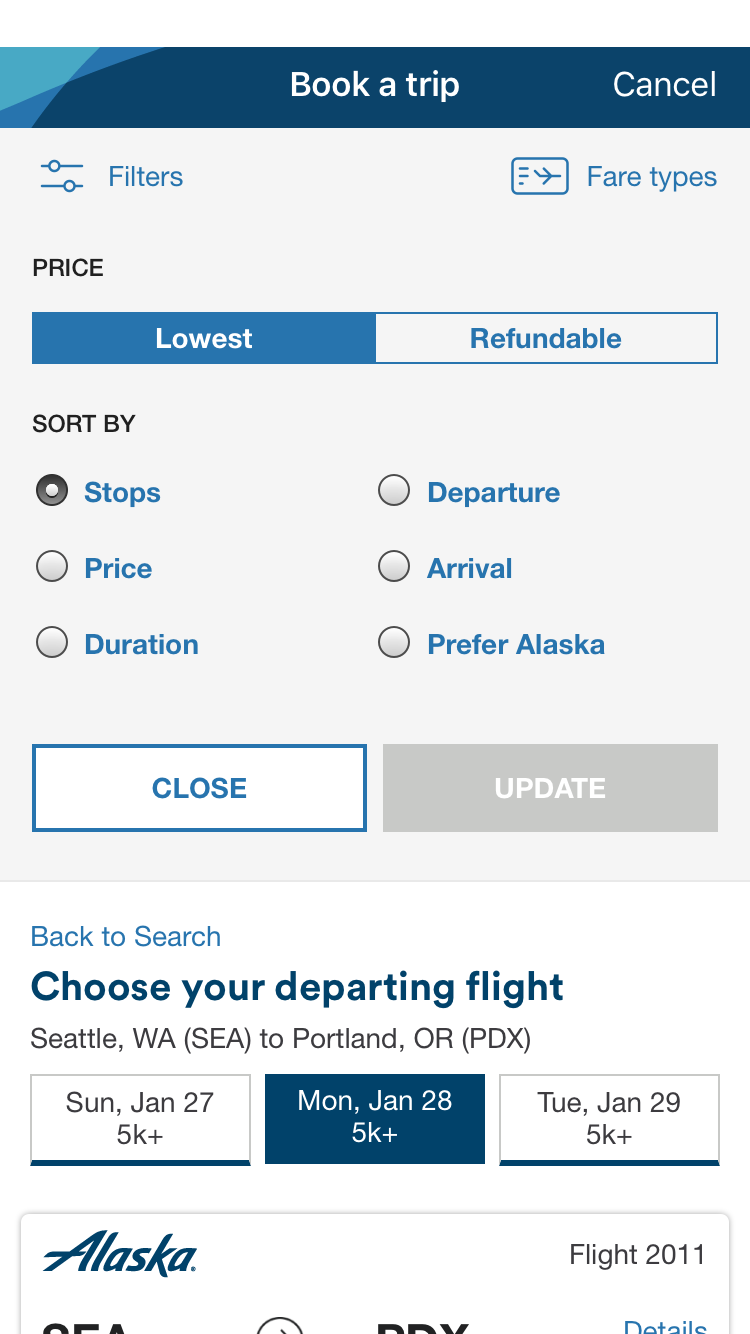
You can also sort the results by stops, price, duration, departure and arrival times, and whether you prefer Alaska flights.
Overall, you won't find any major differences to looking for awards on Alaska's flights on either the website or app.
Partner Flights
When it comes to partner flights, including awards with a mix of flights on Alaska and other airlines, things get more interesting.
Here are the results from a website search of awards from Seattle (SEA) to Shanghai (PVG). As you can see, there are tons of different options, including a nonstop flight on Hainan Airlines, American Airlines-operated itineraries and hybrid American/Alaska one-stop trips.
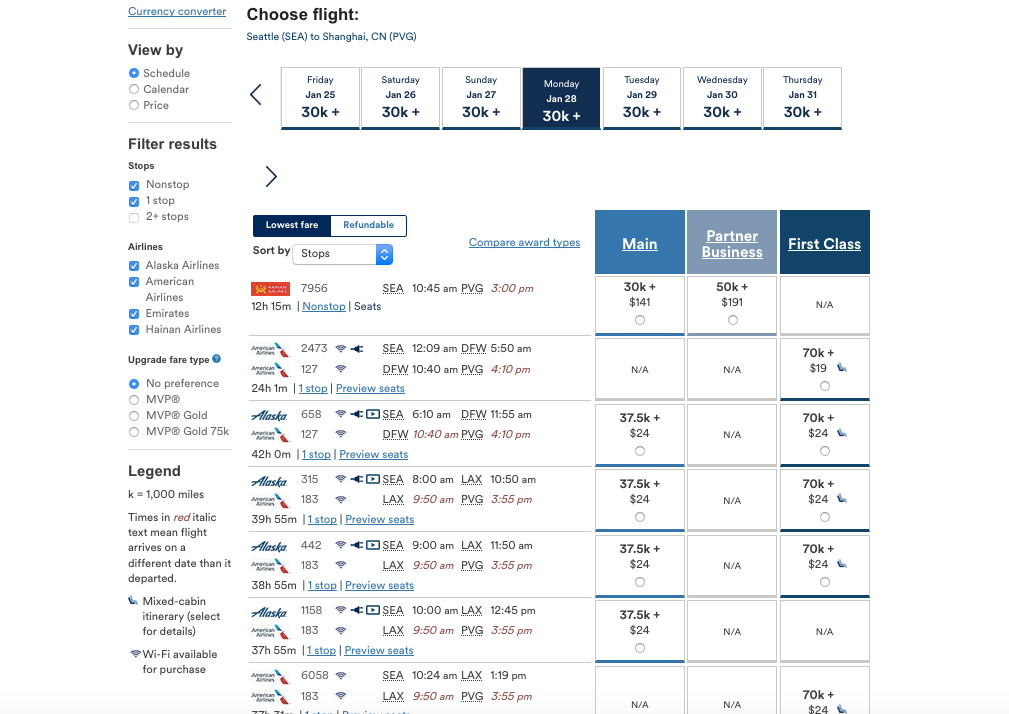
If you scroll down, you'll also see some options on Emirates.
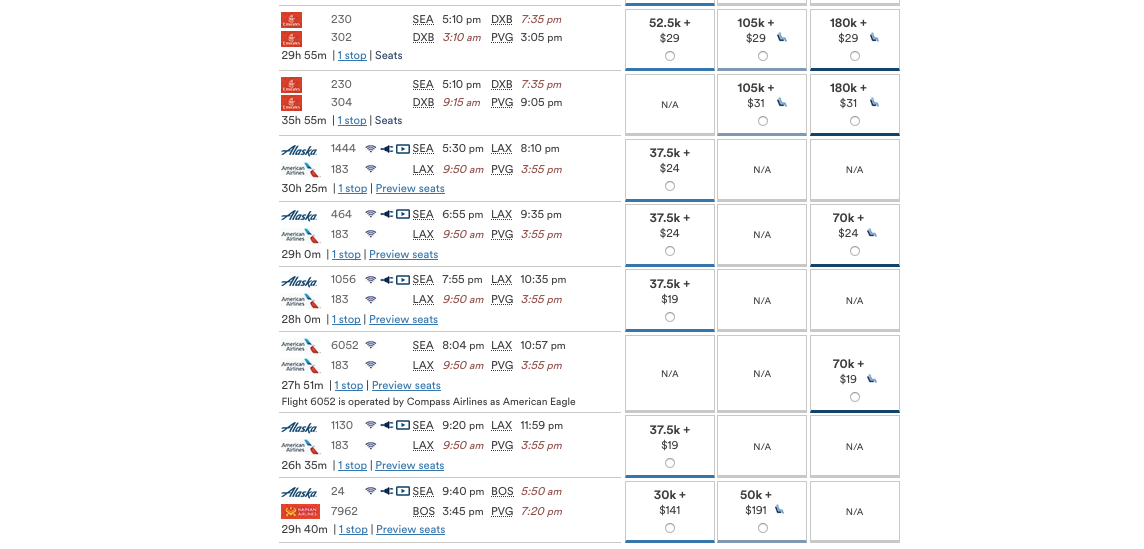
Note the awards in premium cabins on American and Emirates that have two-toned chair icons next to them. This denotes a mixed-cabin award where one flight will be in the cabin indicated, and the other will be in a different cabin. You can simply click on that icon and it will tell you which flight is in which class of service.
If you do the same search on the Alaska app, the results appear the same, but do you notice anything missing?
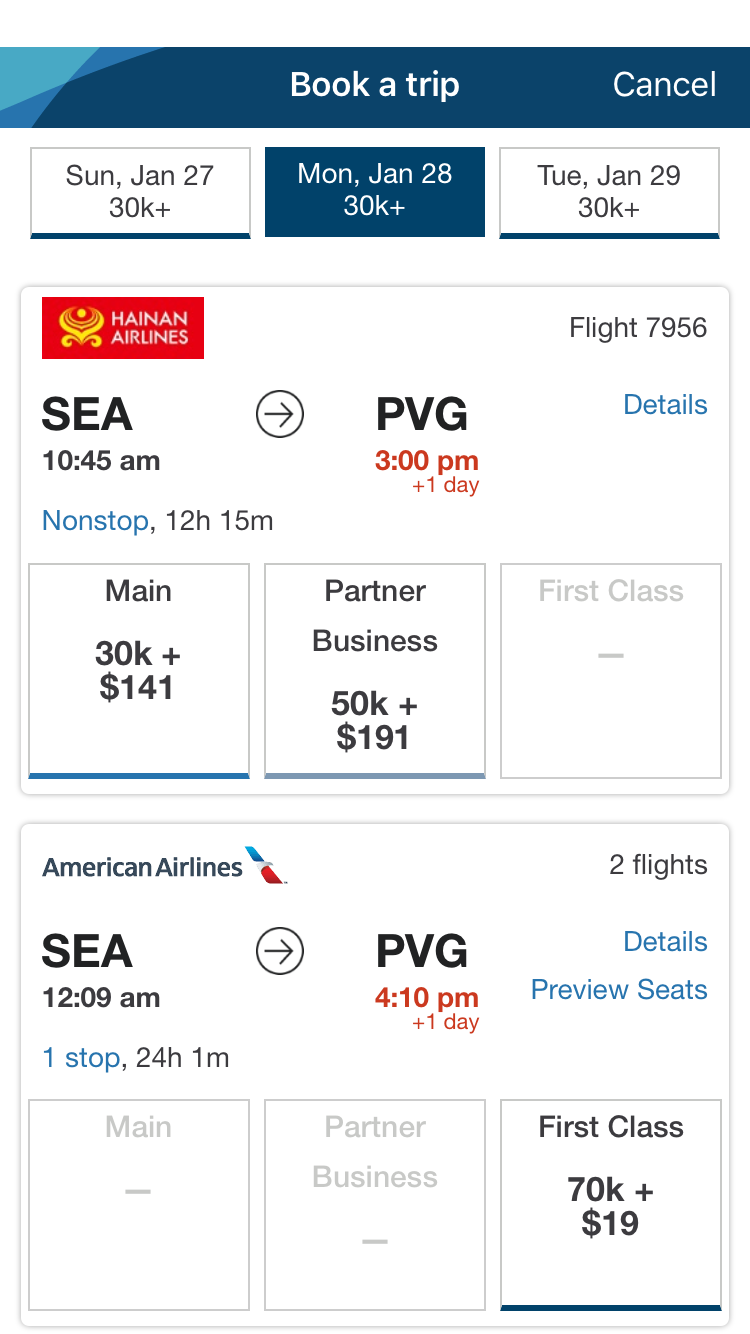
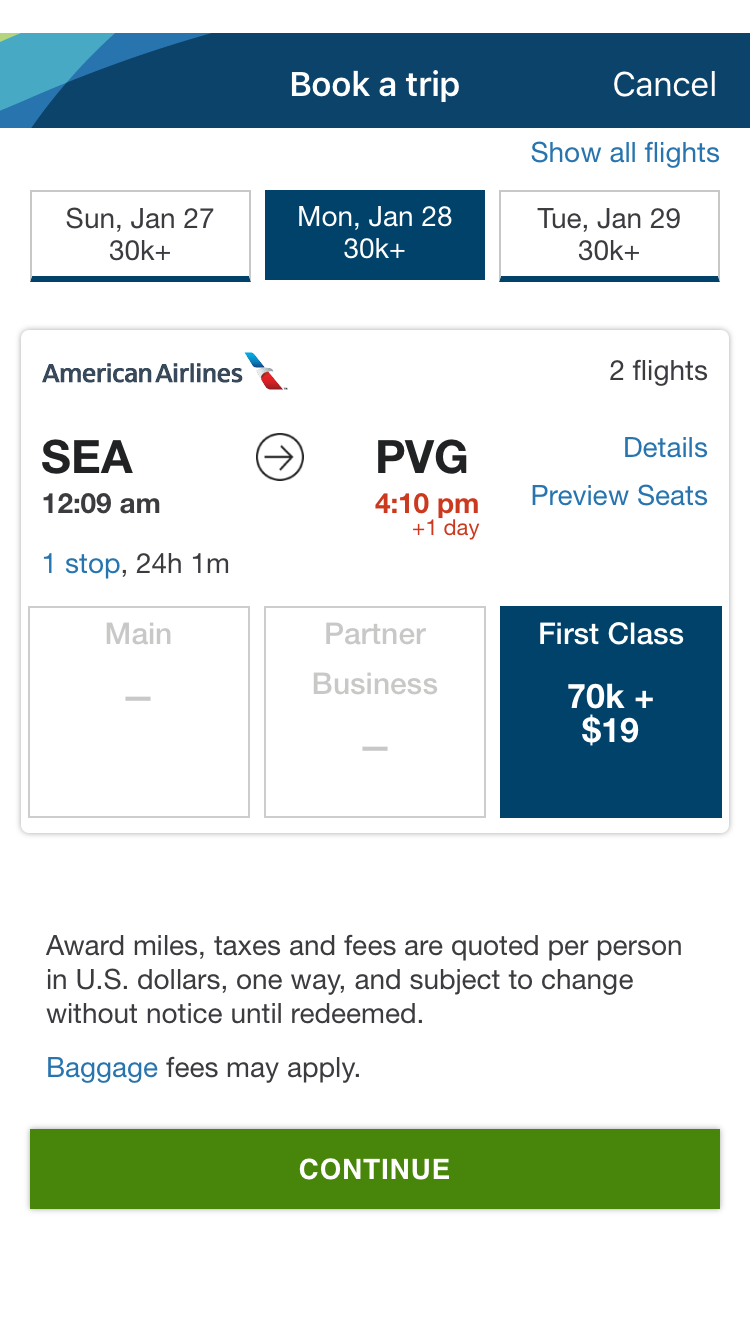
That's right; there's no indication that that American Airlines "first class" award is actually a mixed-cabin itinerary.
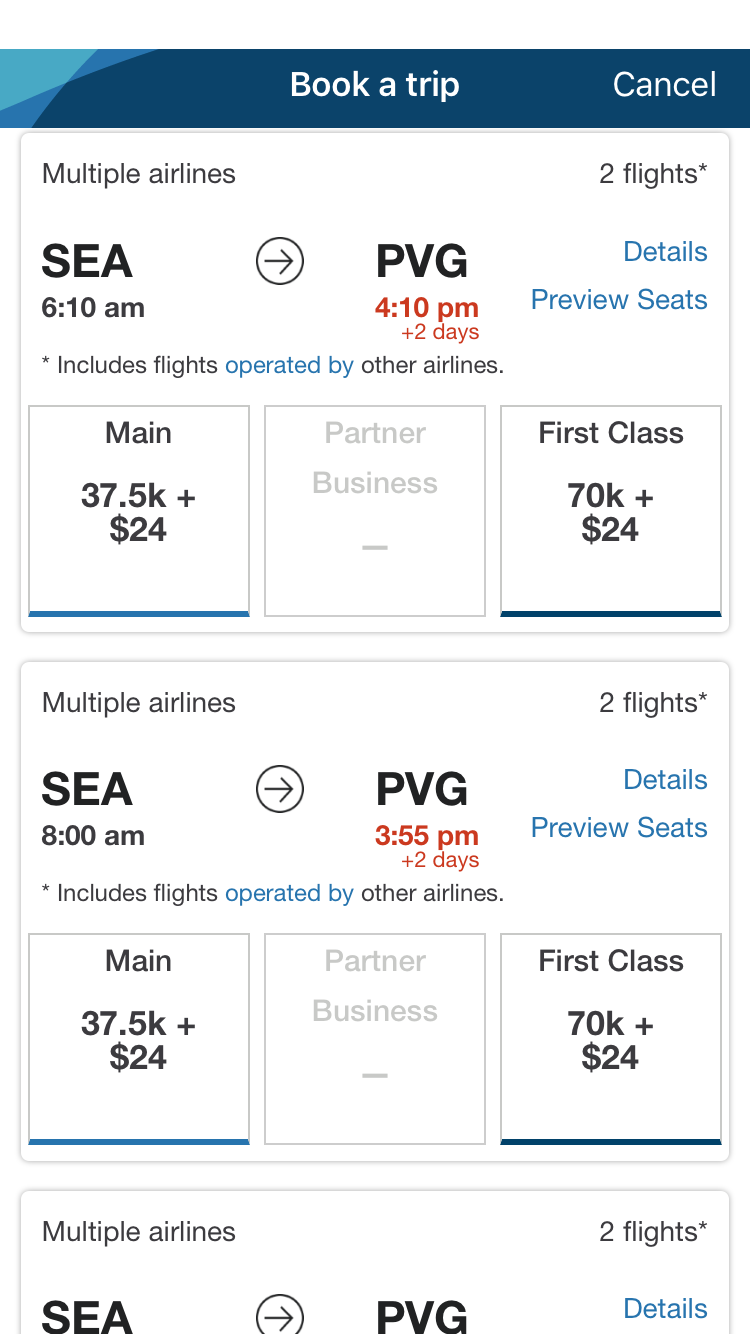
What's more, the following results only say, "Includes flights operated by other airlines" but do not tell you what those airlines are.
Even if you click on the "Details" link next to one of the itineraries, you'll see the first flight from Seattle to Dallas-Fort Worth (DFW) on American Airlines…
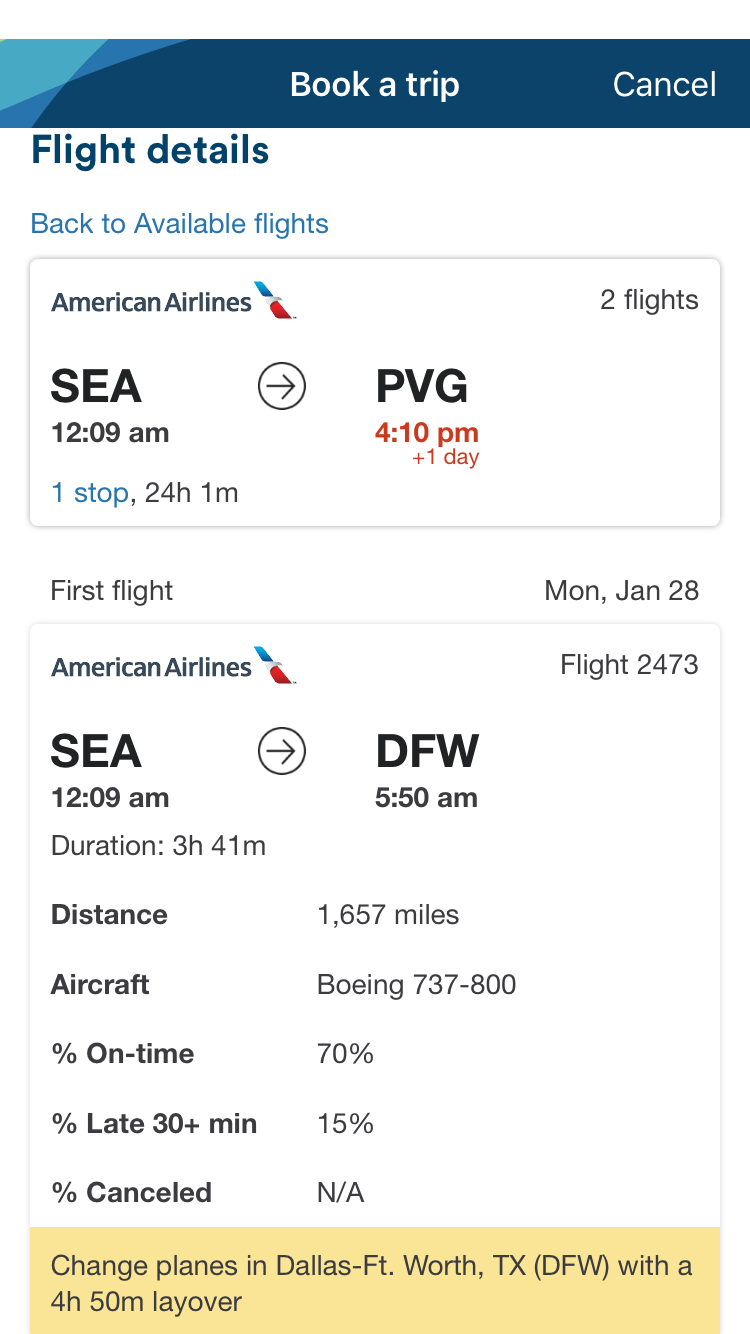
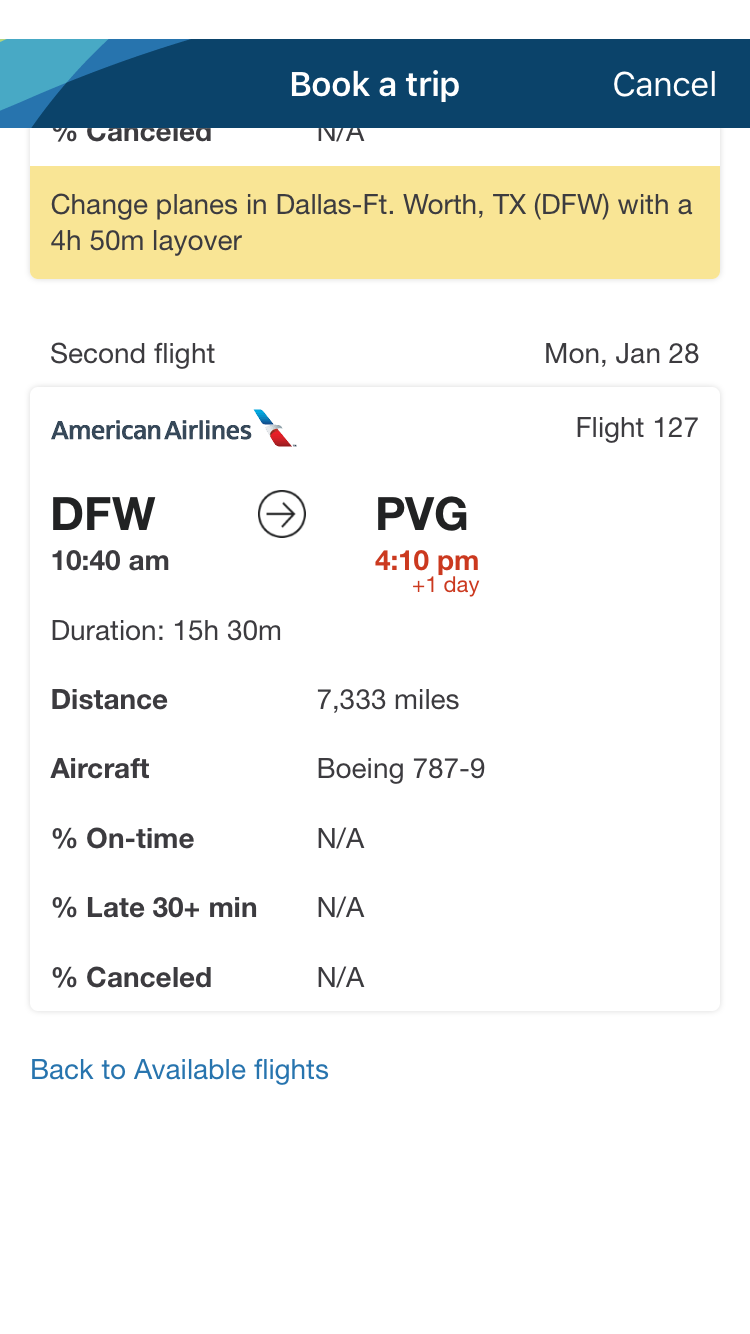
And the second flight from Dallas-Fort Worth to Shanghai, but no mention of the class of service.
To find that out, you've got to actually click on the award you're interested in (so it's highlighted in navy blue) and hit "Continue."
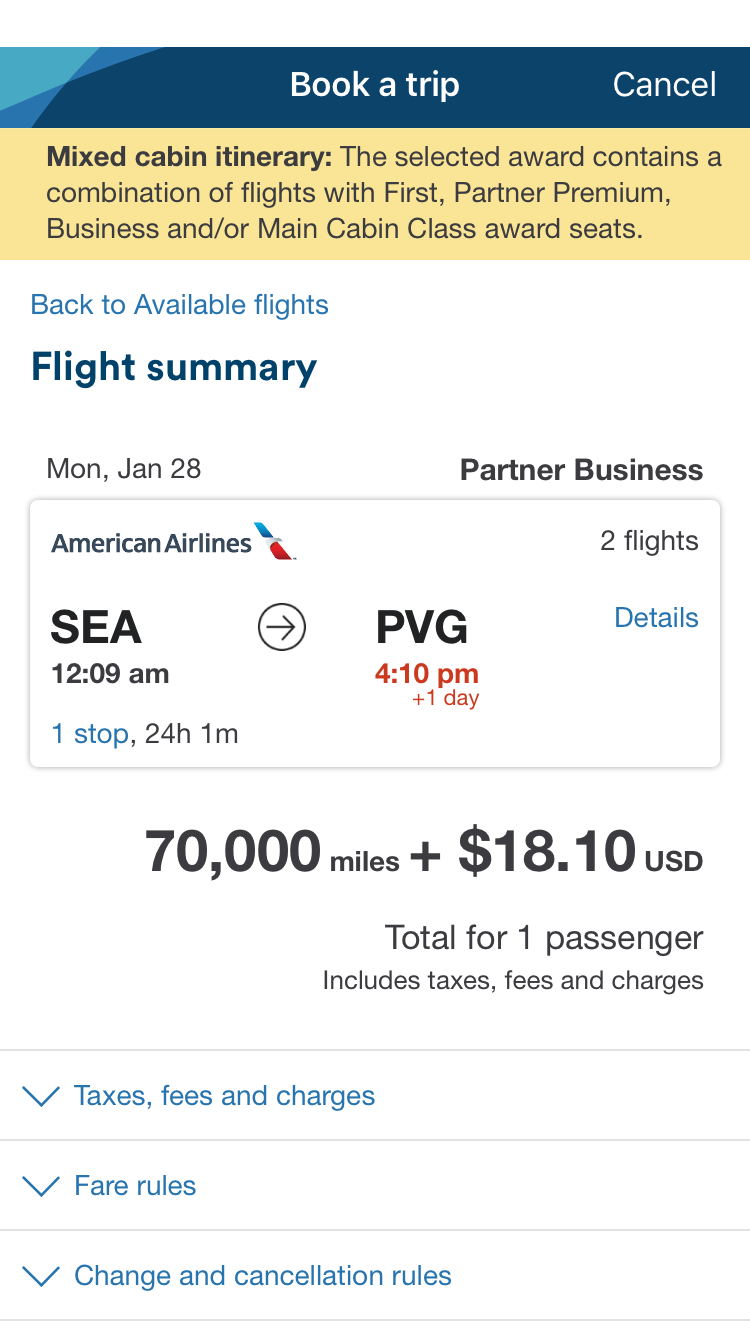
That will show you the following result — the price of the itinerary and the first clue that all might not be what it seems like from the search results page.
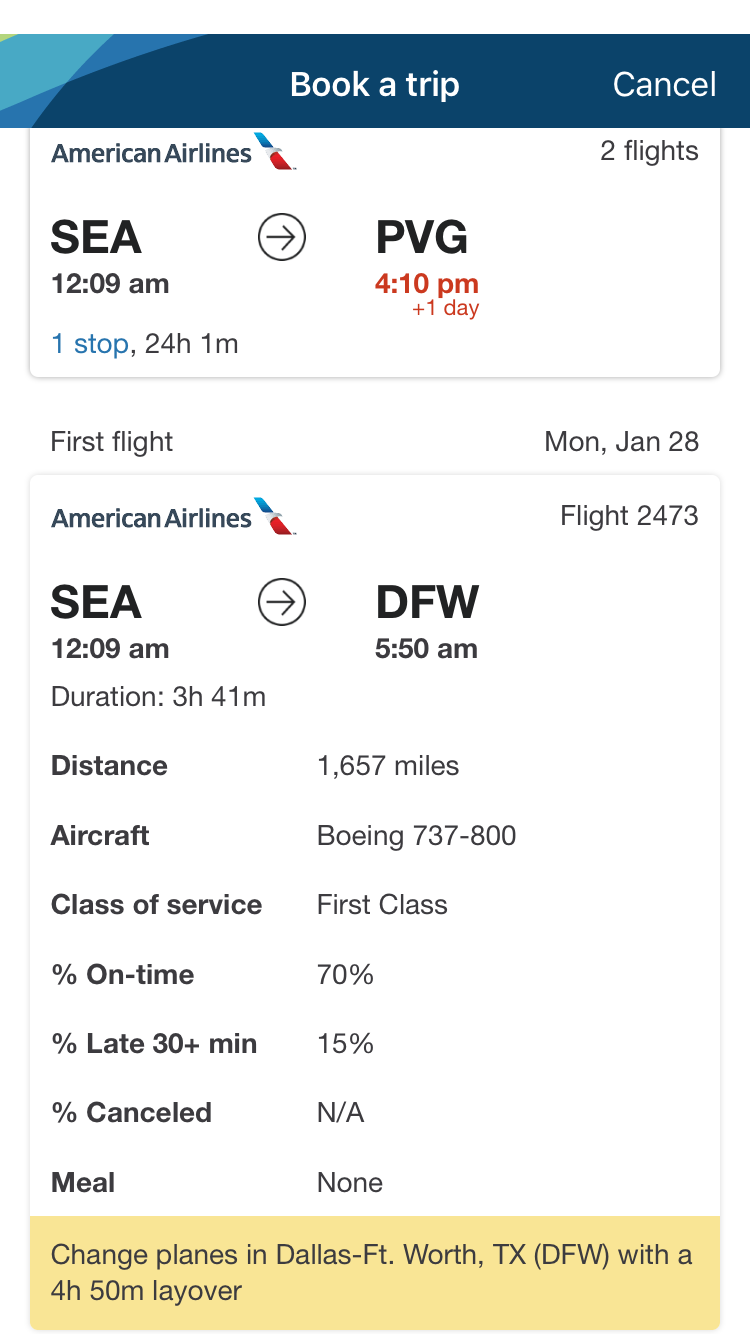
Now if you click on "Details," you'll see the first flight is in first class…
And the second flight is in business class.
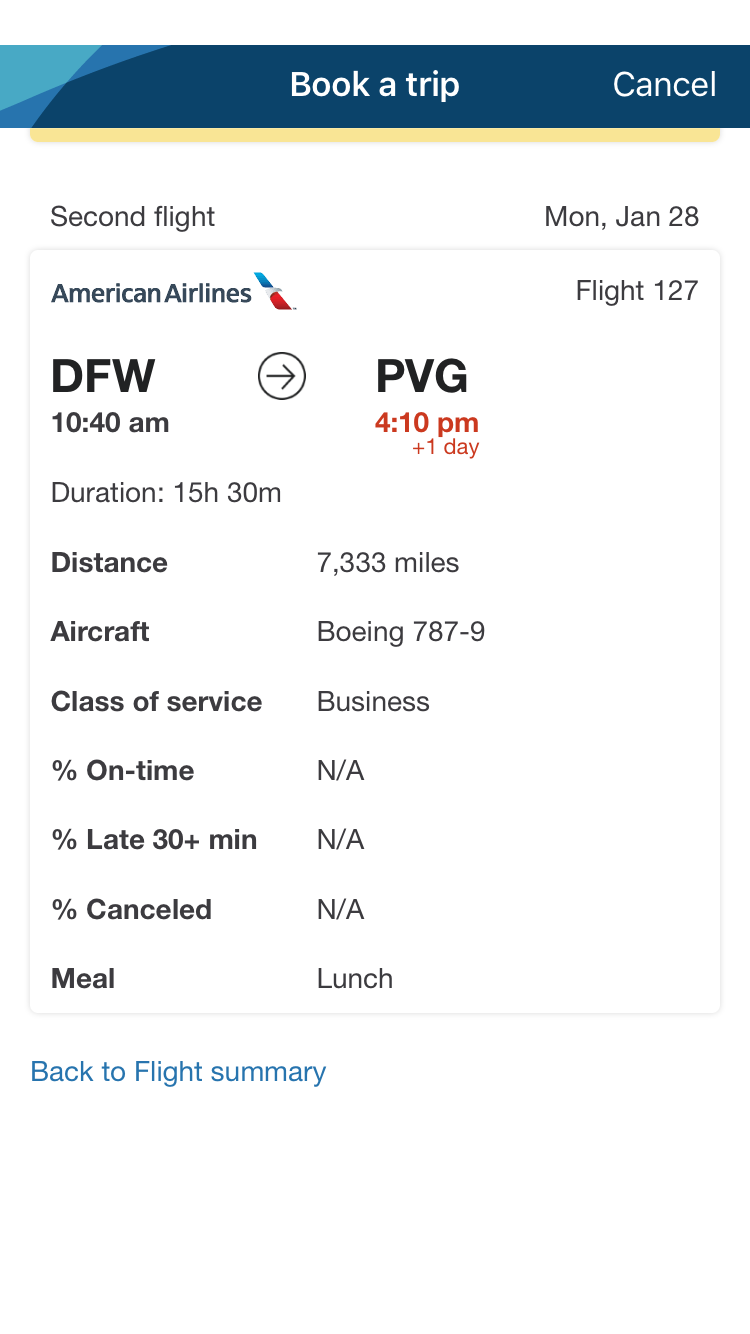
While you can see these mixed-cabin awards quickly and easily on the site, you've got to click on each award individually to tell how you'll be flying if you are searching for awards using the app, which can become a huge time suck.
However, this can also lead to an unnecessarily large outlay of miles for a less-than-comfortable flight. Let's get more into that with another flight search, this one from Seattle to Tokyo-Narita (NRT). Here are the results of a website search. As you can see, almost all the premium awards are mixed-cabin.
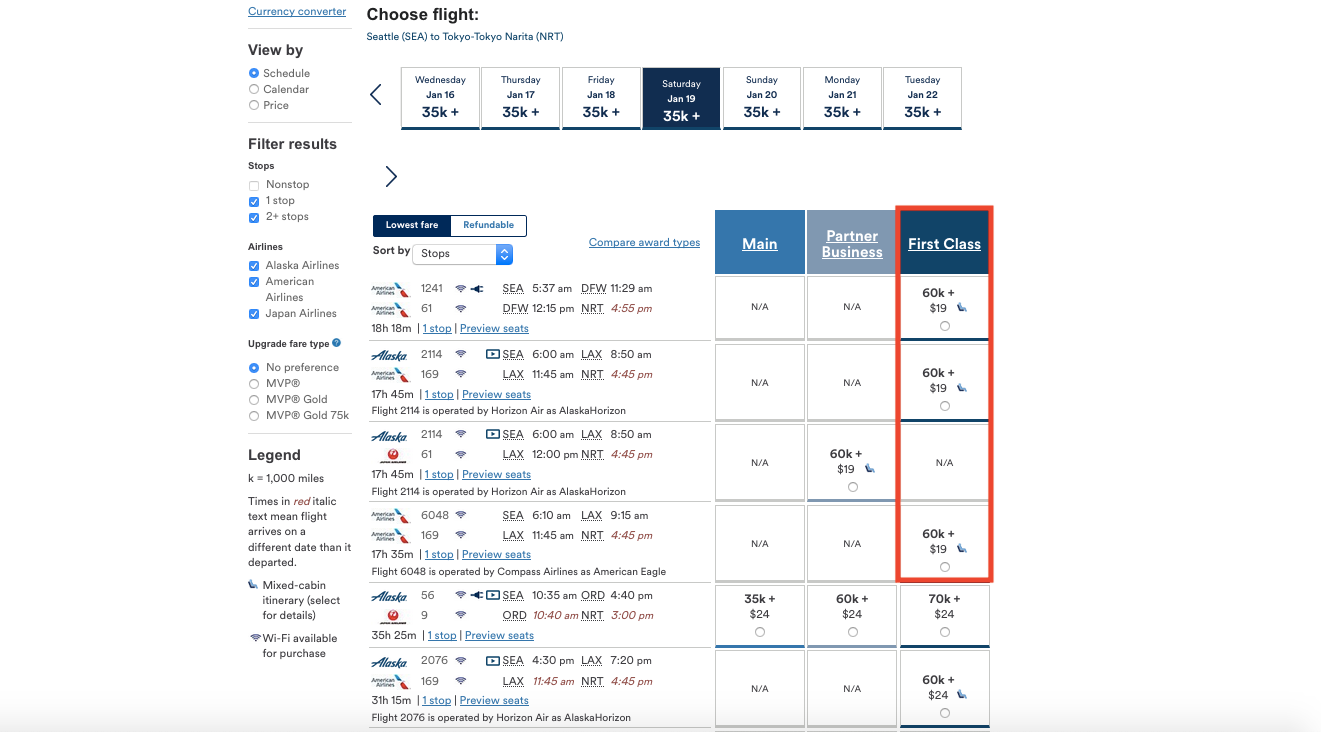
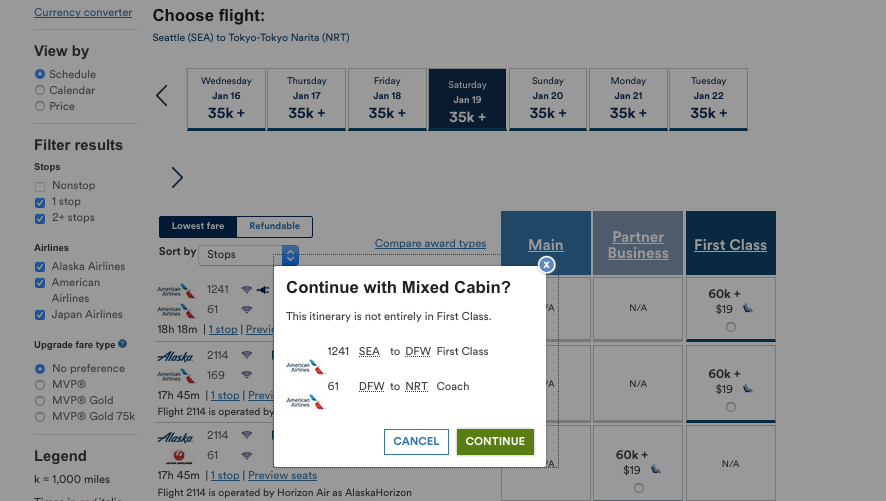
That first one includes a flight from Seattle to Dallas-Fort Worth in first class, but the Dallas-Fort Worth Tokyo-Narita leg is in…coach!
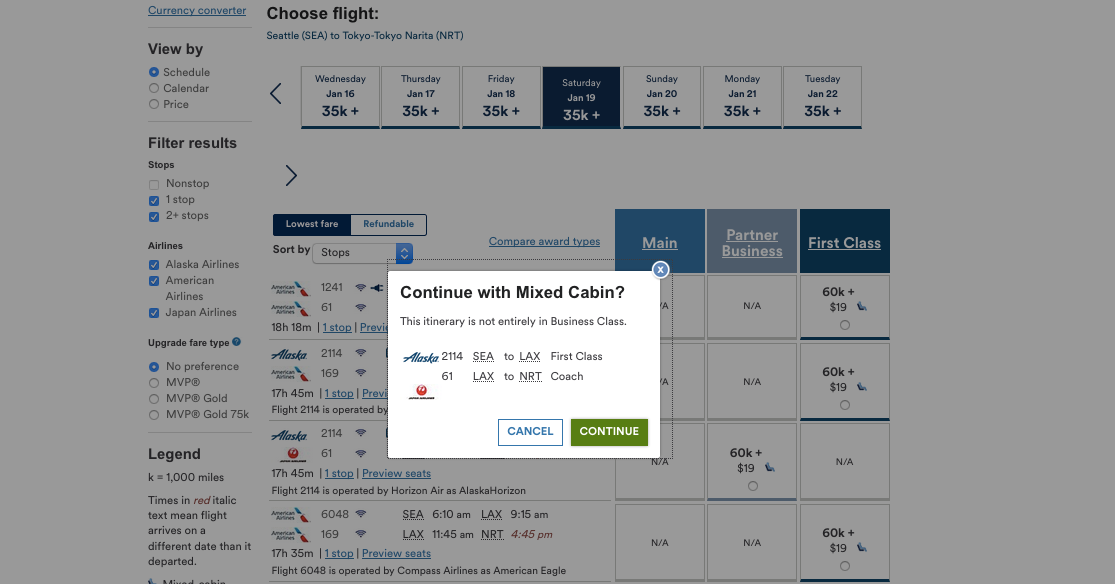
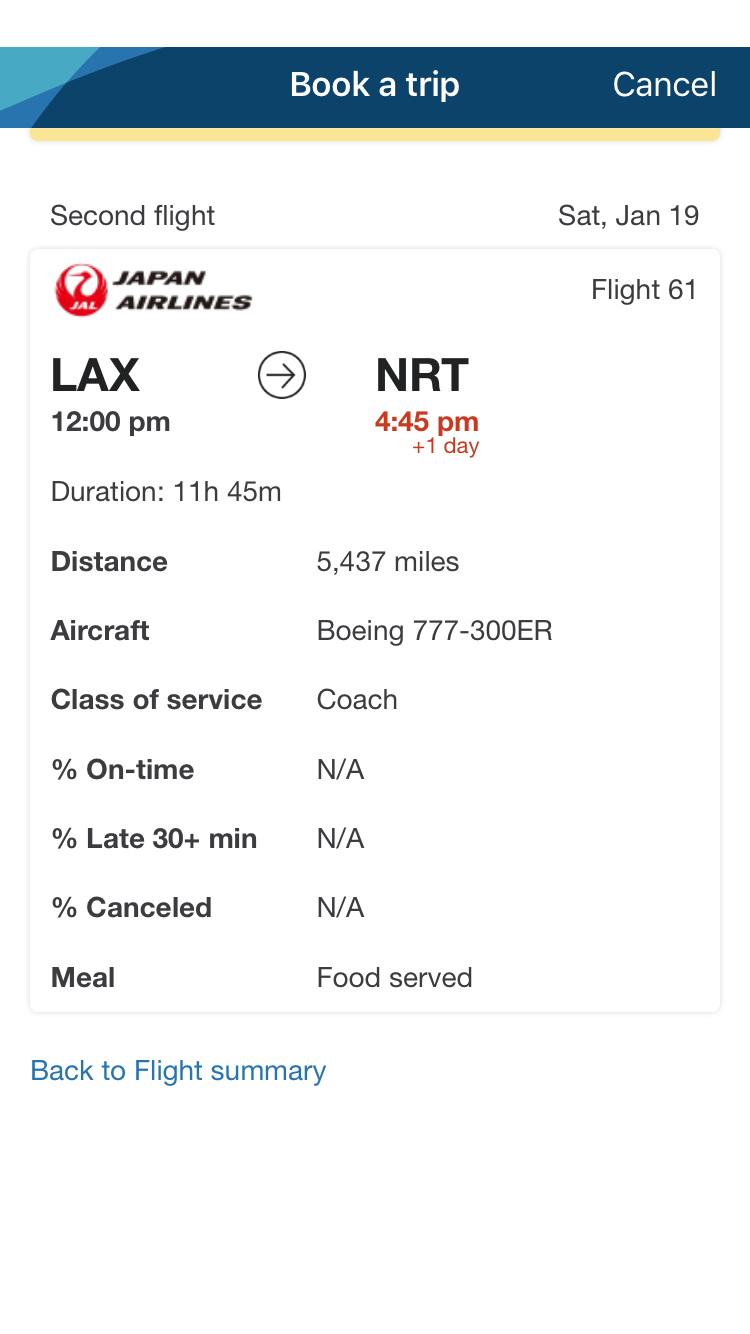
This one has you traveling from Seattle to Los Angeles (LAX) in first class but then to Tokyo-Narita on Japan Airlines in coach.
However, there are ways to get around this. Looking carefully at these results, you'll see there are two options, both including the same flight from Chicago-O'Hare (ORD) to Tokyo-Narita, that are single-cabin business- and first-class awards on Japan Airlines. Searching on the website allows you to home in on those two options quickly.
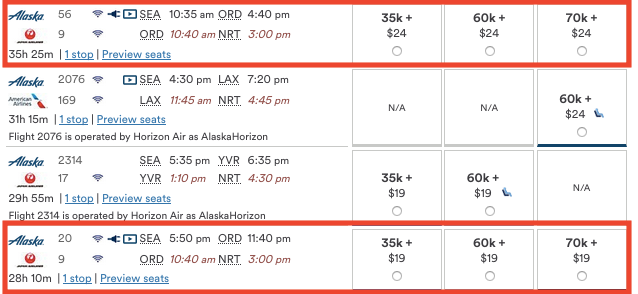
By contrast, the same search on the app brings up the following results.
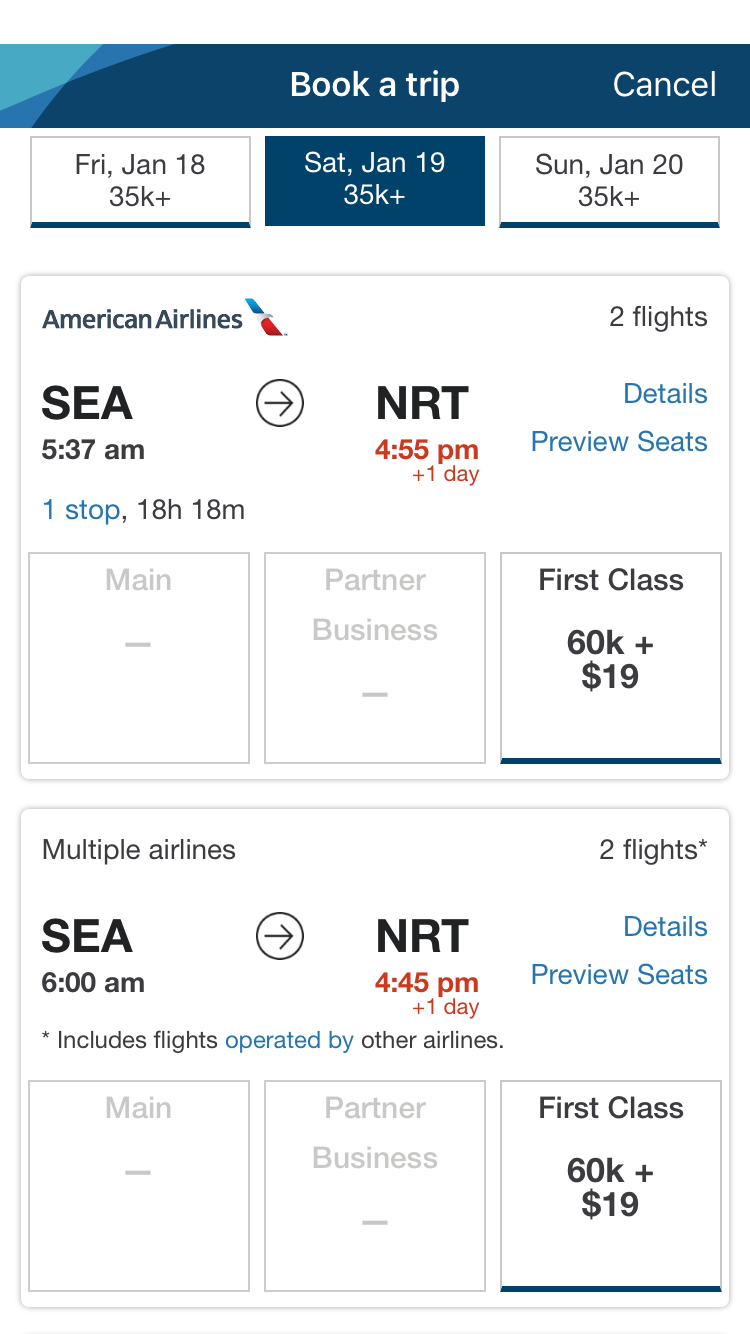
Further down, it becomes confusing because the JAL "Partner Business" award is listed as 60,000 miles plus $19, while the American Airlines "First Class" award is listed at the same price. How can that be?
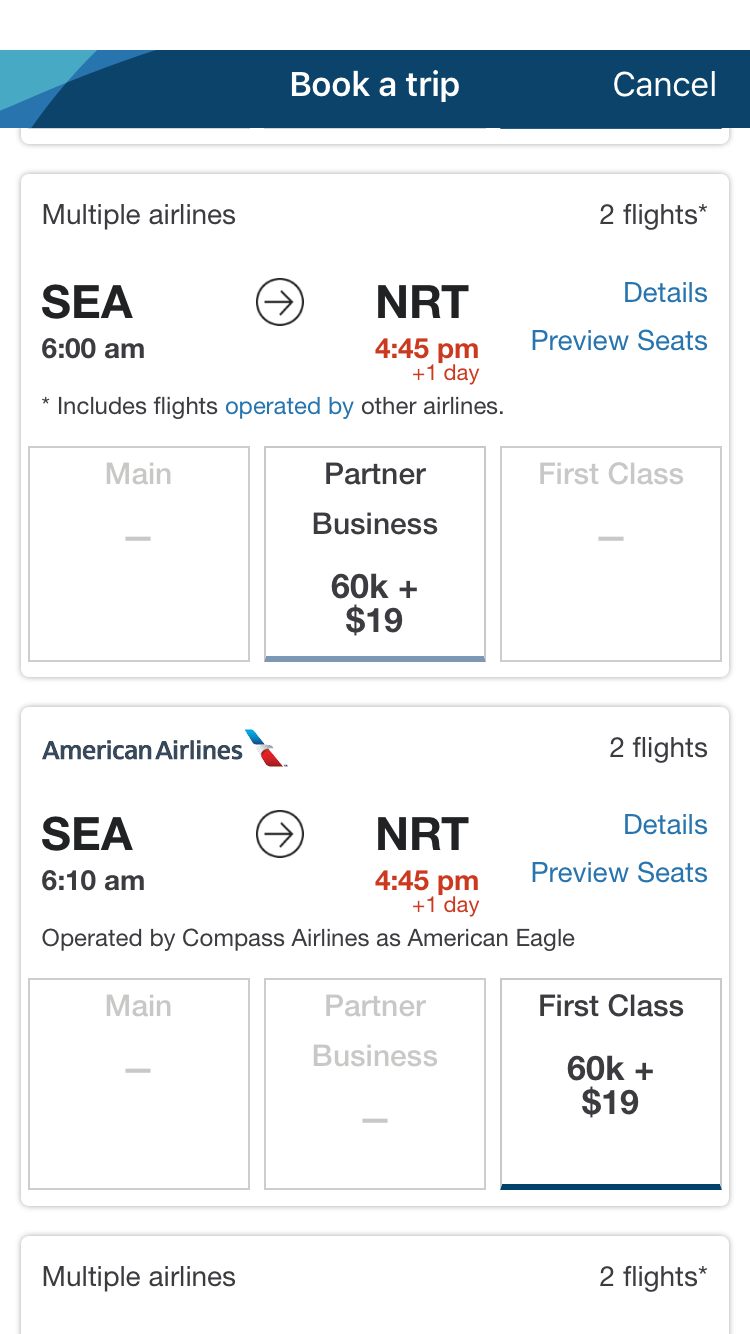
Part of it is due to Alaska having different award charts for each partner. But part is because these, too, are mixed-cabin awards on different airlines like American and Japan Airlines.
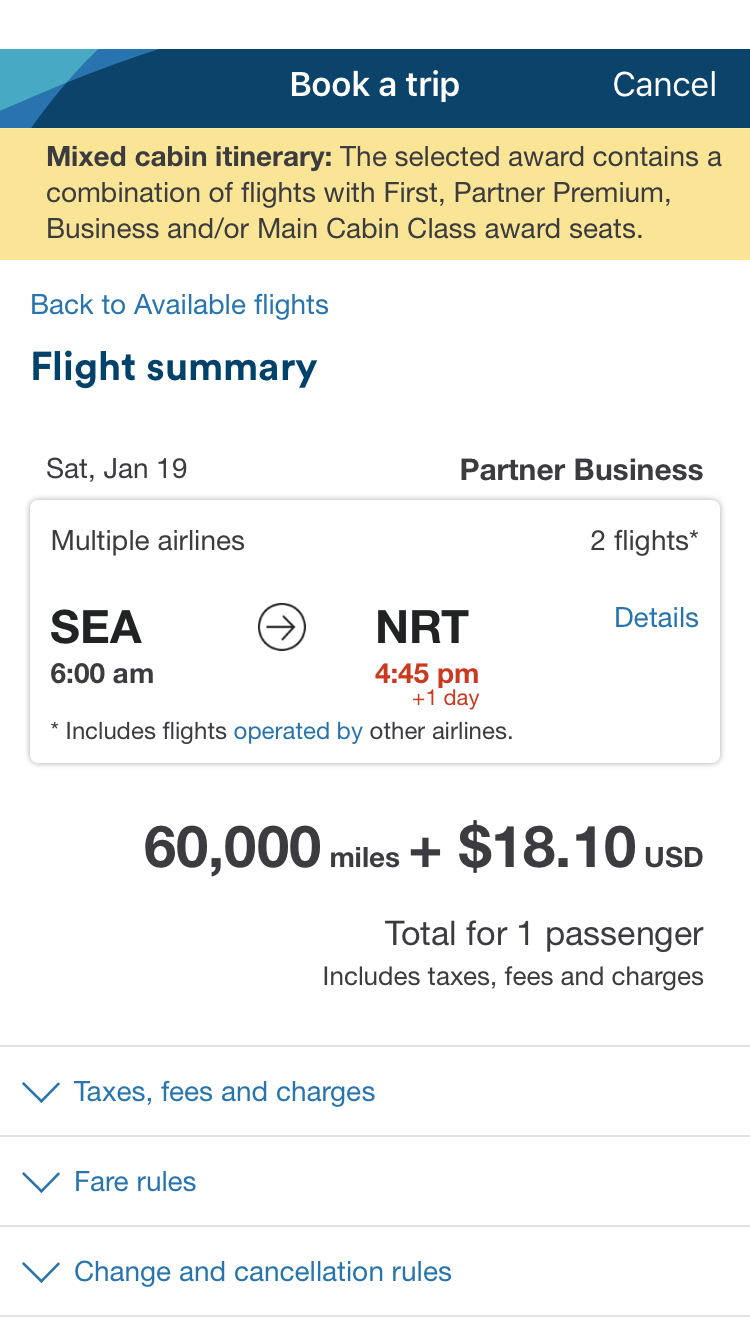
And in order to see any of that, you'll have to actually select each one to look at individually.
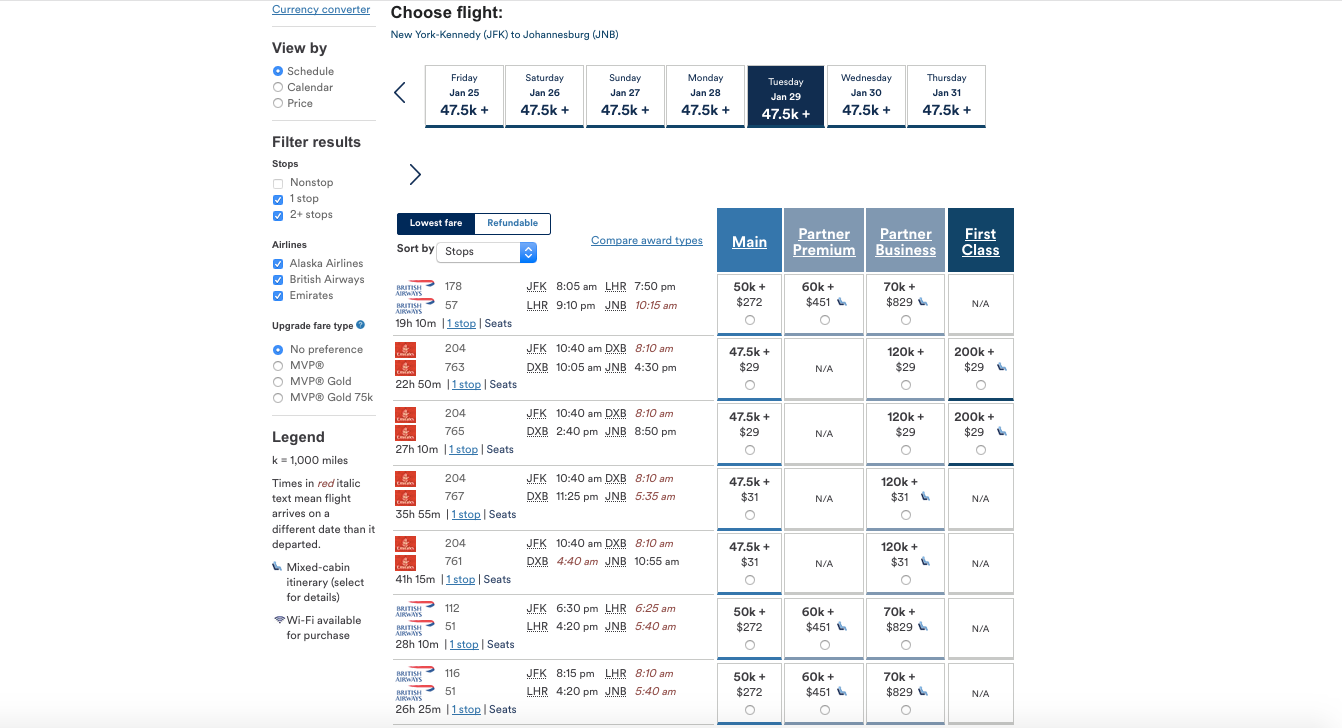
Let's take one more example to really drive this home. Let's say you wanted to get from New York-JFK to Johannesburg (JNB). Here are the search results from AlaskaAir.com. There are mainly options on British Airways and Emirates, many of which are mixed-cabin awards. Awards are listed for economy, premium economy, business and first class on British Airways.
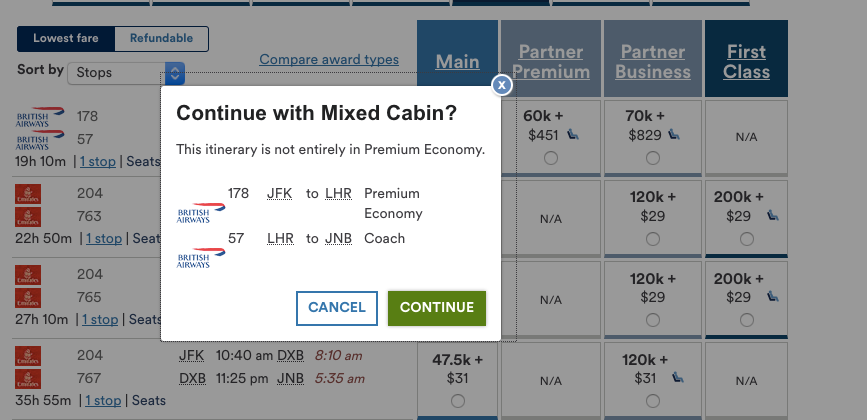
You can also see that the premium-economy BA award is a mixed-cabin one, and which flight is in economy versus premium economy.
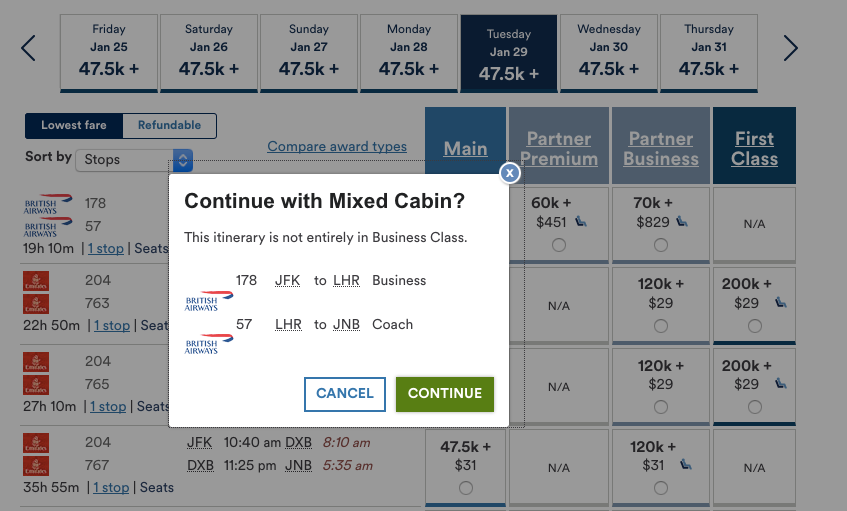
And the same for the BA business-class award…
The Emirates first-class award…
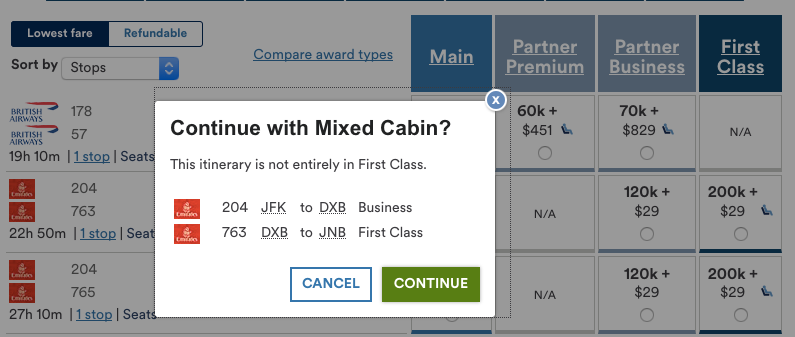
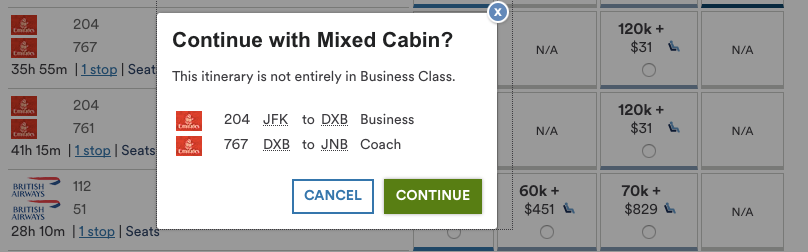
And the Emirates business-class award.
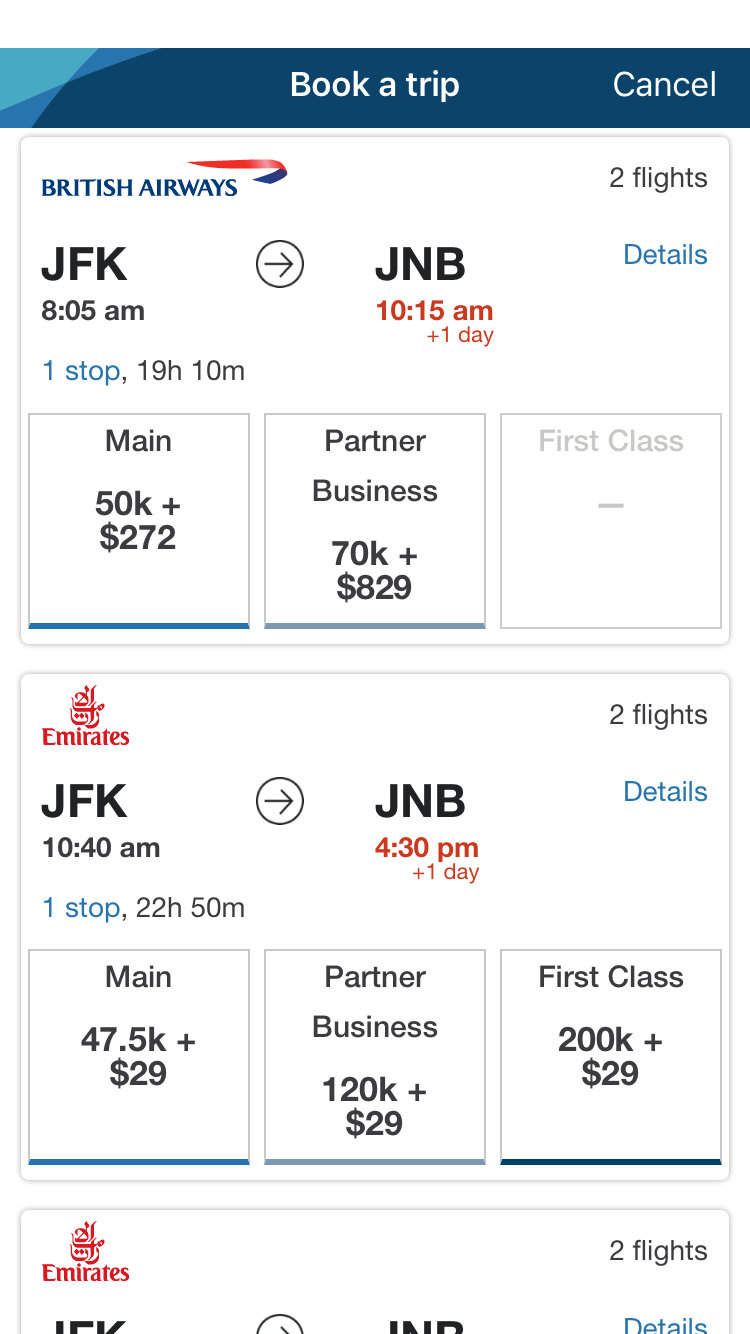
By contrast, here's what the results of the same search look like on the app. As you can see, there's no mention of premium economy and no indication that some of these awards might be mixed-cabin.
You've got to click through to see the BA award might have one segment in business…
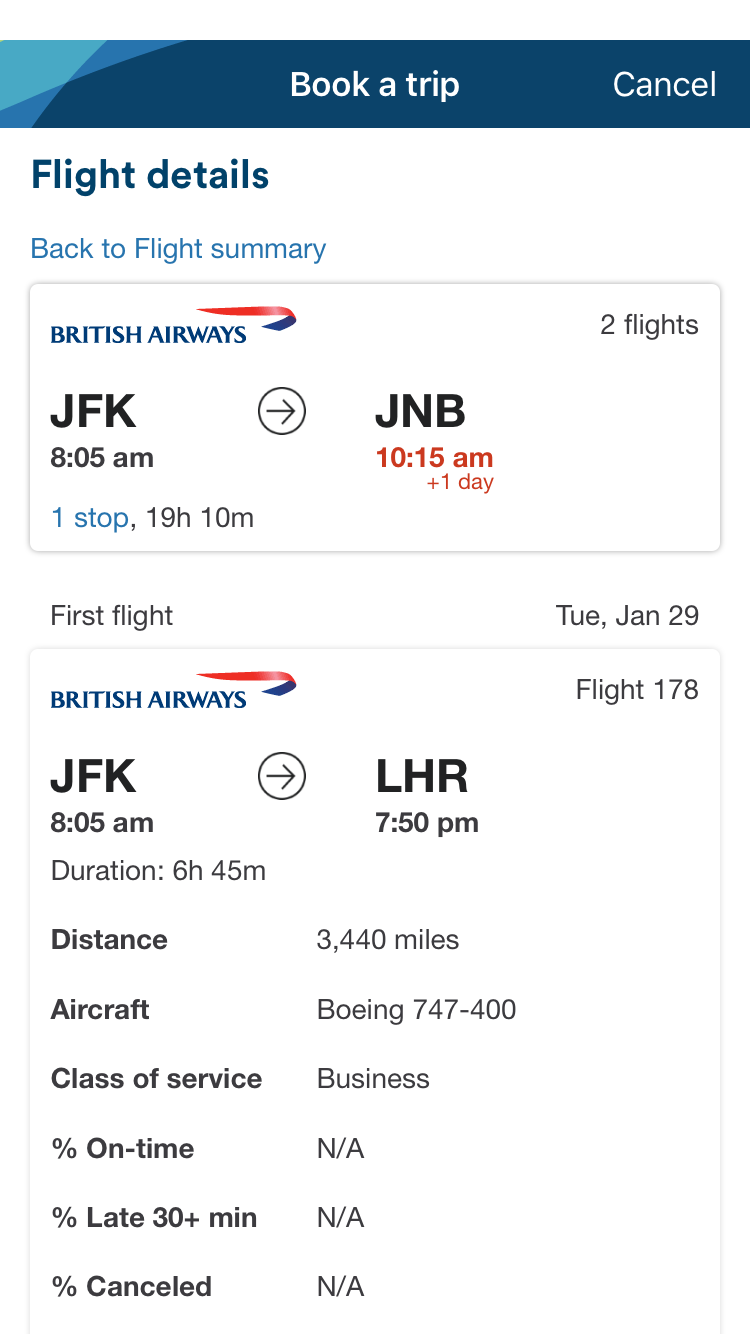
And one in coach.
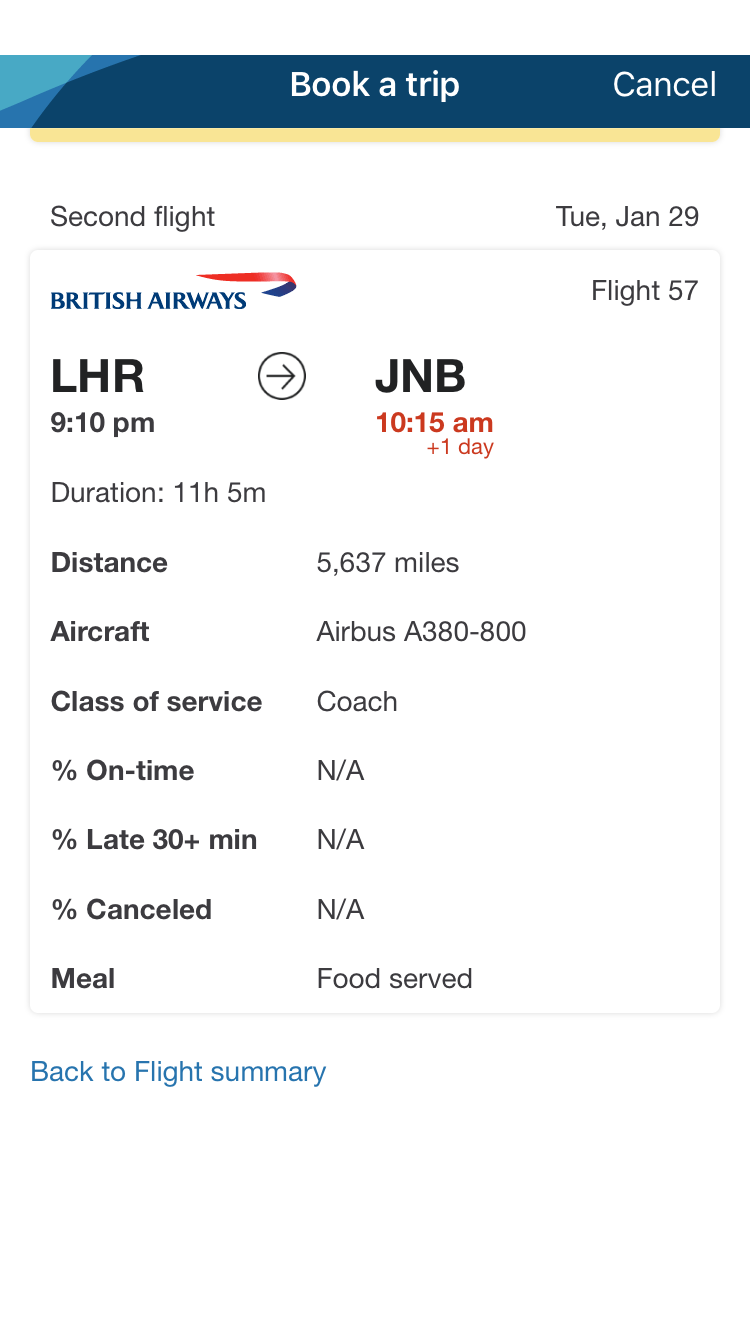
One of the Emirates itineraries you might be interested in would have a segment in business class…
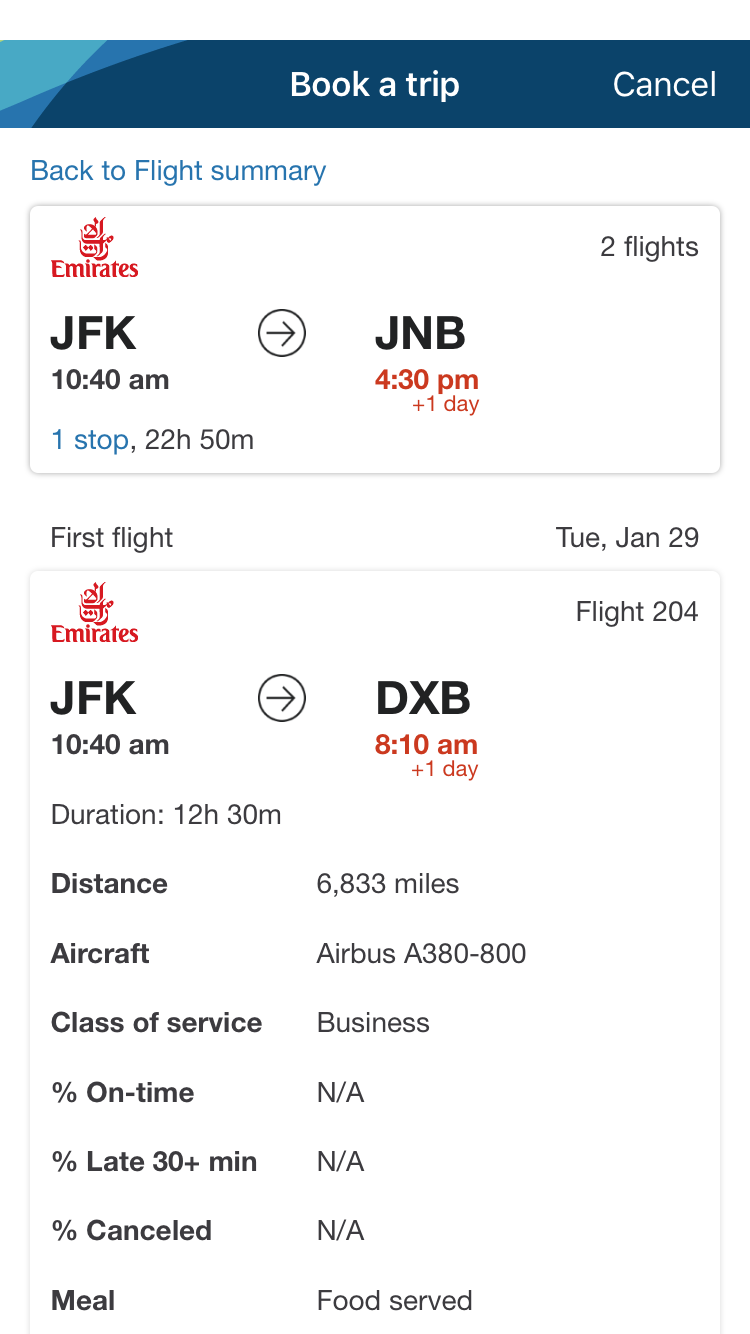
And the other in first class, though you'd be paying the first-class award price for the entire itinerary.
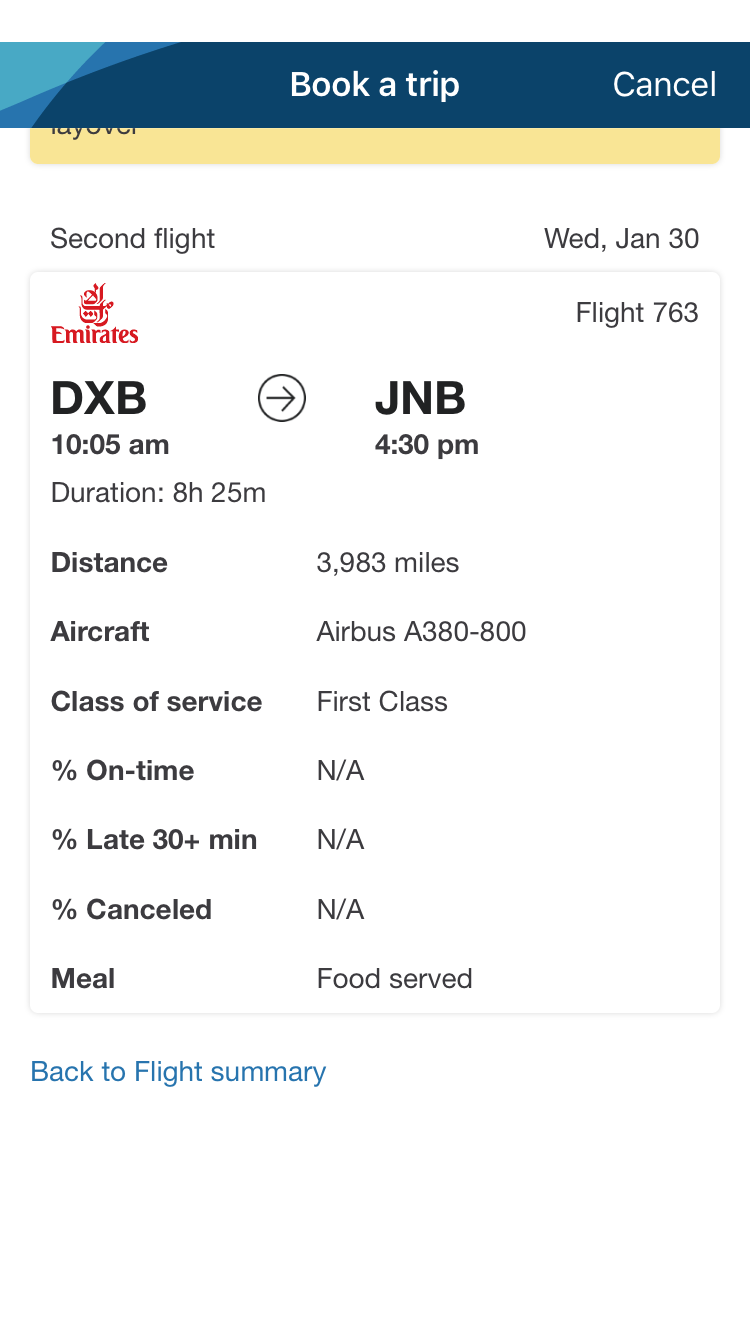
In short, the app is good at pulling the same award availability as the website. However, it does not indicate any class-of-service differences that might arise on specific itineraries until you click all the way through.
Key Takeaways
Both AlaskaAir.com and the Alaska app are good tools for searching for awards on Alaska Airlines and many of its partners. However, it pays to keep a few key differences between the two in mind if you're going to use the app.
The first is that you can see a whole month of award availability and can then sort by various filters on the website. On the app, you can only see three days of availability at any given time, and if you come up against a date with no availability, you've got to start a new search with different dates.
The second (more significant) difference is that you can immediately see mixed-cabin awards distinctly from single-cabin awards and quickly find out which flights involve which cabins when using the website. Unfortunately, the app shows all awards the same way. In order to find out that your award is a mixed-cabin one and which cabins are available on which flights, you'll have to go through two additional steps. Plus, you have to do this with each itinerary, all of which can add a tremendous amount of time to your searches.
While I don't know of an airline app that shows you a month of award availability at the same time, I do think Alaska could probably fix the mixed-cabin itinerary relatively easily and make its app award search that much more powerful and efficient.
TPG featured card

at Capital One's secure site
Terms & restrictions apply. See rates & fees.
| 5X miles | Earn 5X miles on hotels, vacation rentals and rental cars booked through Capital One Travel |
| 2X miles | Earn unlimited 2X miles on every purchase, every day |
Pros
- Stellar welcome offer of 75,000 miles after spending $4,000 on purchases in the first three months from account opening. Plus, a $250 Capital One Travel credit to use in your first cardholder year upon account opening.
- You'll earn 2 miles per dollar on every purchase, which means you won't have to worry about memorizing bonus categories
- Rewards are versatile and can be redeemed for a statement credit or transferred to Capital One’s transfer partners
Cons
- Highest bonus-earning categories only on travel booked via Capital One Travel
- LIMITED-TIME OFFER: Enjoy $250 to use on Capital One Travel in your first cardholder year, plus earn 75,000 bonus miles once you spend $4,000 on purchases within the first 3 months from account opening - that’s equal to $1,000 in travel
- Earn unlimited 2X miles on every purchase, every day
- Earn 5X miles on hotels, vacation rentals and rental cars booked through Capital One Travel
- Miles won't expire for the life of the account and there's no limit to how many you can earn
- Receive up to a $120 credit for Global Entry or TSA PreCheck®
- Use your miles to get reimbursed for any travel purchase—or redeem by booking a trip through Capital One Travel
- Enjoy a $50 experience credit and other premium benefits with every hotel and vacation rental booked from the Lifestyle Collection
- Transfer your miles to your choice of 15+ travel loyalty programs
- Top rated mobile app