Use these Android alternatives to Apple AirTags to track your luggage

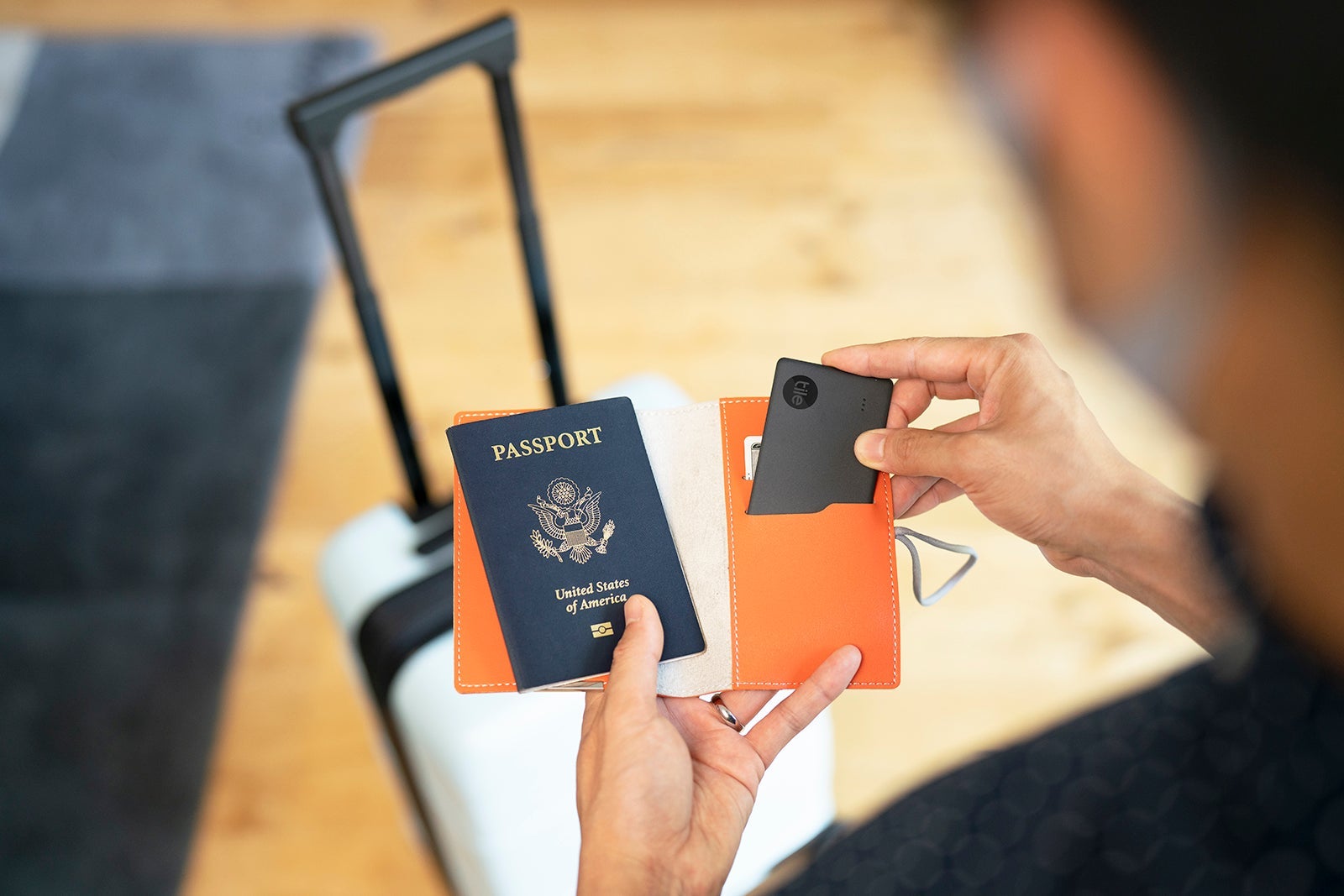
The Apple AirTag has become a hugely popular and effective device for tracking bags, keys and even pets. Since AirTags only work with iPhones, though, what are Android phone users to do if they want a cost-effective way to keep an electronic eye on their bags' whereabouts?
Fortunately, a variety of luggage-tracking devices are now available for Android phones.
Users of Samsung, Google Pixel and other phones using the Android operating system can connect their phones with tracking devices, including those offered by Tile, Chipolo and Samsung's proprietary Galaxy SmartTag.
Out of all these devices, though, which works best? How do you set them up with your phone to track your luggage?
TPG looked at several of these luggage trackers to see how well they worked when put to the test.
[table-of-contents /]
Tile
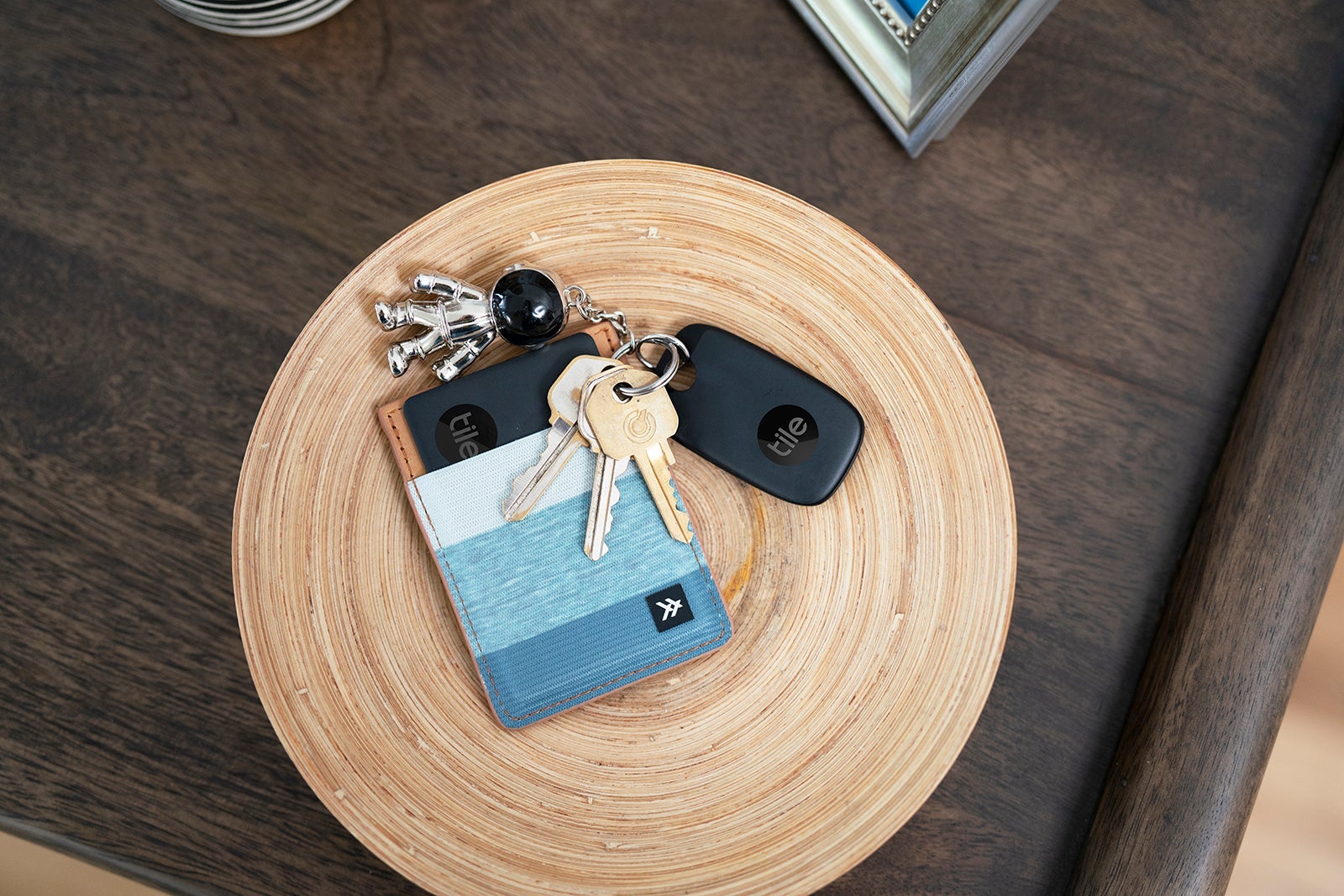
Tile's Bluetooth-enabled tracking devices were some of the first on the market. Their 2013 introduction preceded Apple's AirTag product by a full eight years. The Tile Mate is probably the single most-used device among the Android-compatible trackers.
Similar to the AirTag, the 1.25-inch square, plastic-coated Tile Mate (which looks and feels like a large piece of Chiclets chewing gum) operates using Bluetooth technology to connect with nearby phones. Based on the GPS location of those phones, the Tile communicates its location back to the user's phone.
The Tile Mate's capability to communicate its location depends on the network of Android-using phones within its Bluetooth range. Tile's user guides declare its Bluetooth range to be up to 250 feet, but in the real world, physical obstructions and radio wave interferences can greatly limit this distance.

The Tile Mate can also be paired with an iPhone and become discoverable on the iOS 'Find My' app, though it cannot be viewed simultaneously on two different phones.
In total, Tile offers four tracking products, including:
- Tile Mate: The basic version of the tracker, which comes in packs of two that often retail for around $25. Unlike the AirTag, the tracker comes with an integrated loop for a key ring or fastener, so you won't need to buy an accessory to attach it to something.
- Tile Pro: The upgraded version of the Tile Mate, this tracker has a slimmer rectangular form and an advertised Bluetooth range of 400 feet (versus the 250 feet for the Tile Mate). It also generates a much louder ring tone to help you find your bag, should it be buried under a "baggage mountain." A single Tile Pro is usually around $35, though two- and four-packs are available at a lower per-Tile price.
- Tile Slim: A thick credit card-shaped version of the Tile tracker, the Tile Slim is designed for use in a wallet or passport holder. This usually retails for around $35.
- Tile Sticker: Smaller but thicker than the Tile Mate, the Tile Sticker has an adhesive so you can attach it to items like remote controls or the inside of a glasses or laptop case. While it's not strong enough to be used to protect against theft, as it can be pulled off, this Tile device is useful for something where a key ring wouldn't work.
How to set up Tile on your Android phone
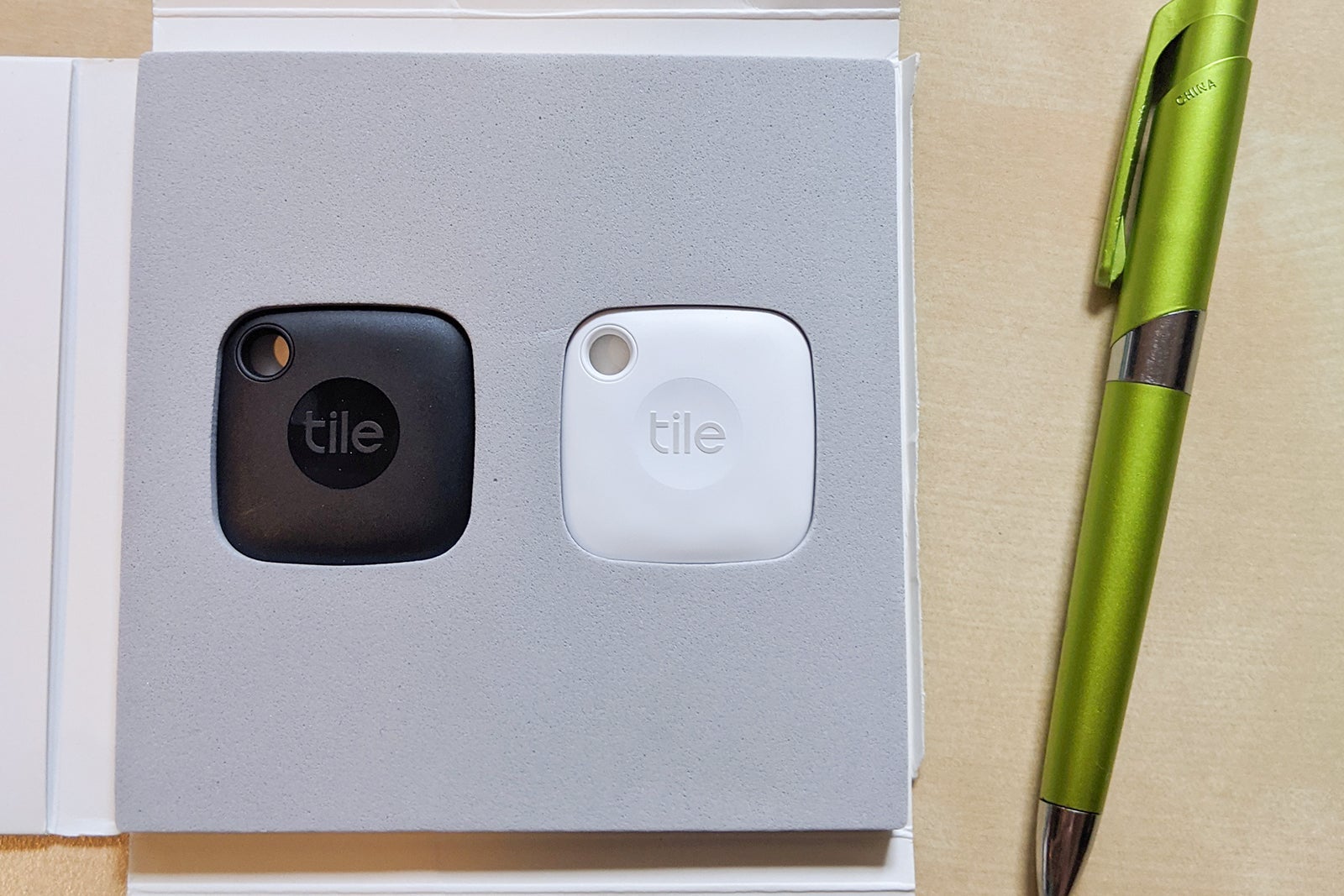
Connecting an Android-based Tile tracker to your phone is a simple process. After purchasing a set of two Tile Mates, which arrived in a cushioned packet, I downloaded the Tile app to my phone.
Then, I registered a username and password to establish a Tile account for monitoring all of my trackers. This differs a bit from the AirTag process, which lets you use your existing Apple ID for your trackers.
To ensure your phone connects to your tracking device, enable Bluetooth on your phone and allow the Tile app to use location tracking. Then, it's as simple as placing the Tile next to your phone and pressing the "Connect" button to activate your Tile device.
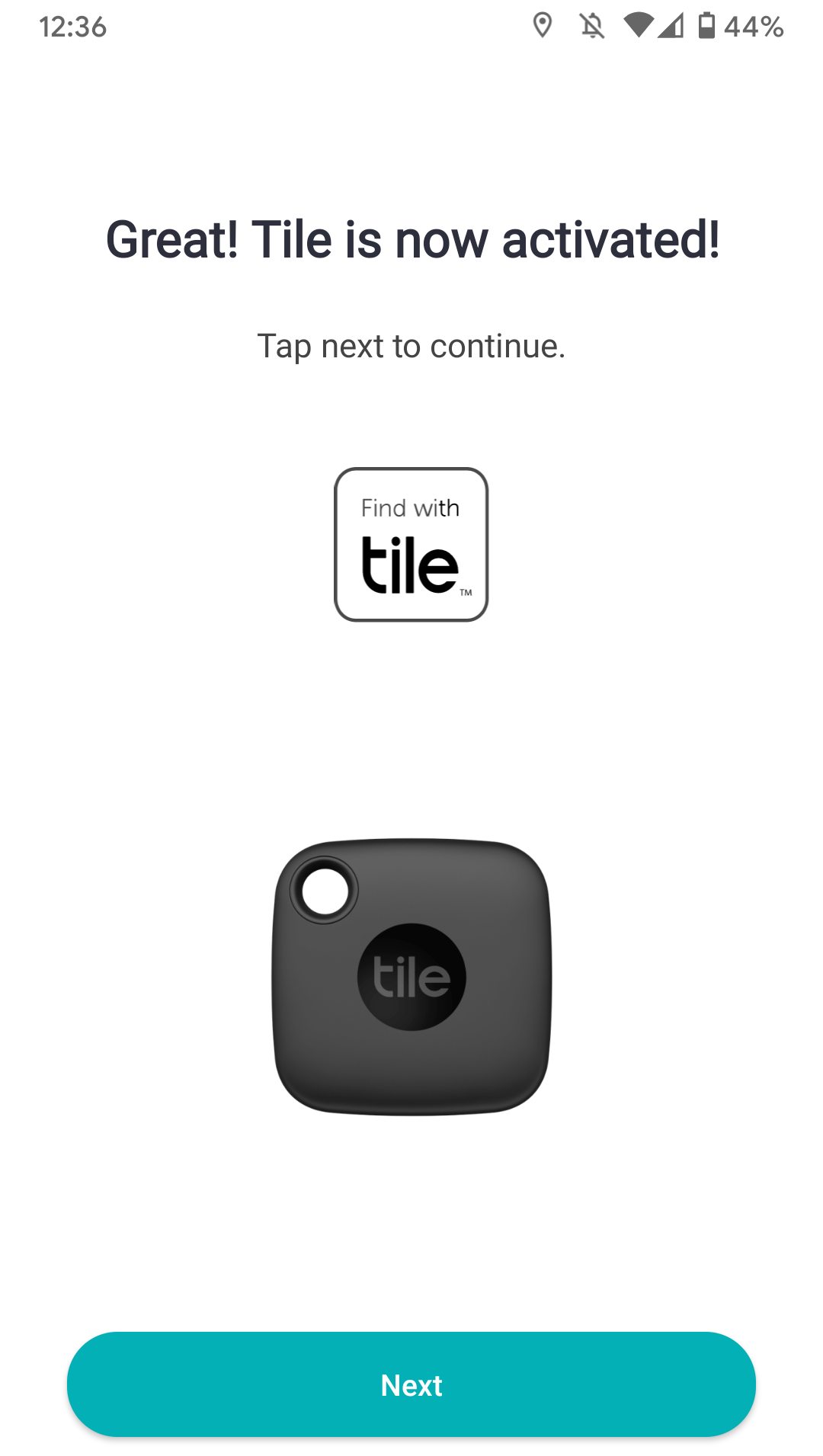
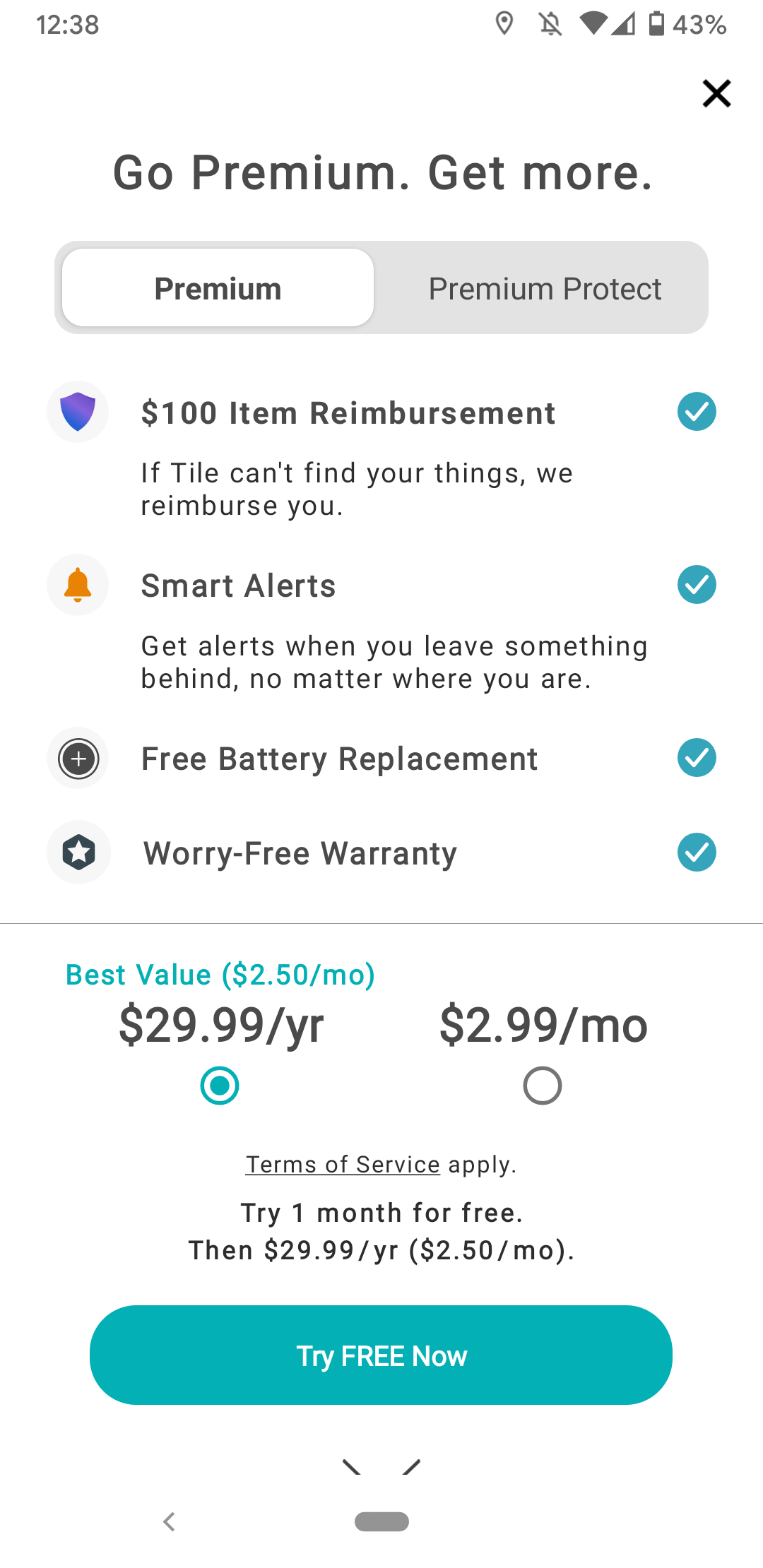
After connecting the Tile Mate to my phone, I was directed to the "Go Premium" page, where I could pay $29.99 a year for other services offered by Tile. Those included an additional warranty, Smart Alerts (a more proactive notification system) and a reimbursement program for items valued at up to $100, should I have trouble finding them using Tile.
A free trial of the upgraded package is available for a month if you want to it out, but know that you will be automatically charged after the trial period ends.
How to track items with Tile
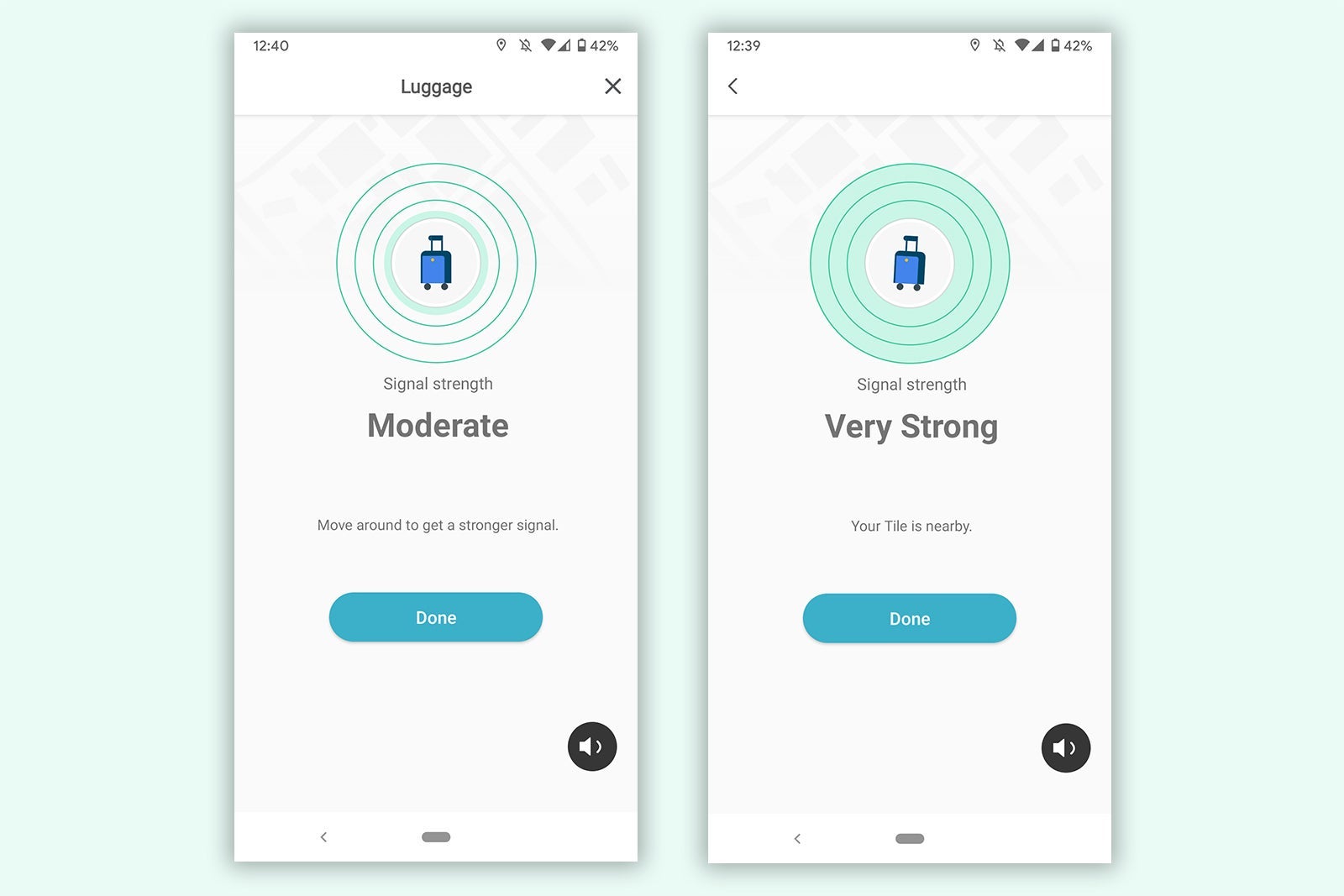
The Tile Mate is useful for finding lost items around the house, such as keys, a phone or maybe a nearby pet. In my testing, I found the tracker to register about 150 feet away in open space but less than 50 feet away in areas with obstructions like walls, other electronics and trees.
A display ranking your item's signal strength from "Weak" to "Very Strong" will show on your phone to indicate proximity to your item. To locate your item, press the ring button on your phone and listen for the tracker's ring tone (which is pretty loud, even for the basic Tile Mate).
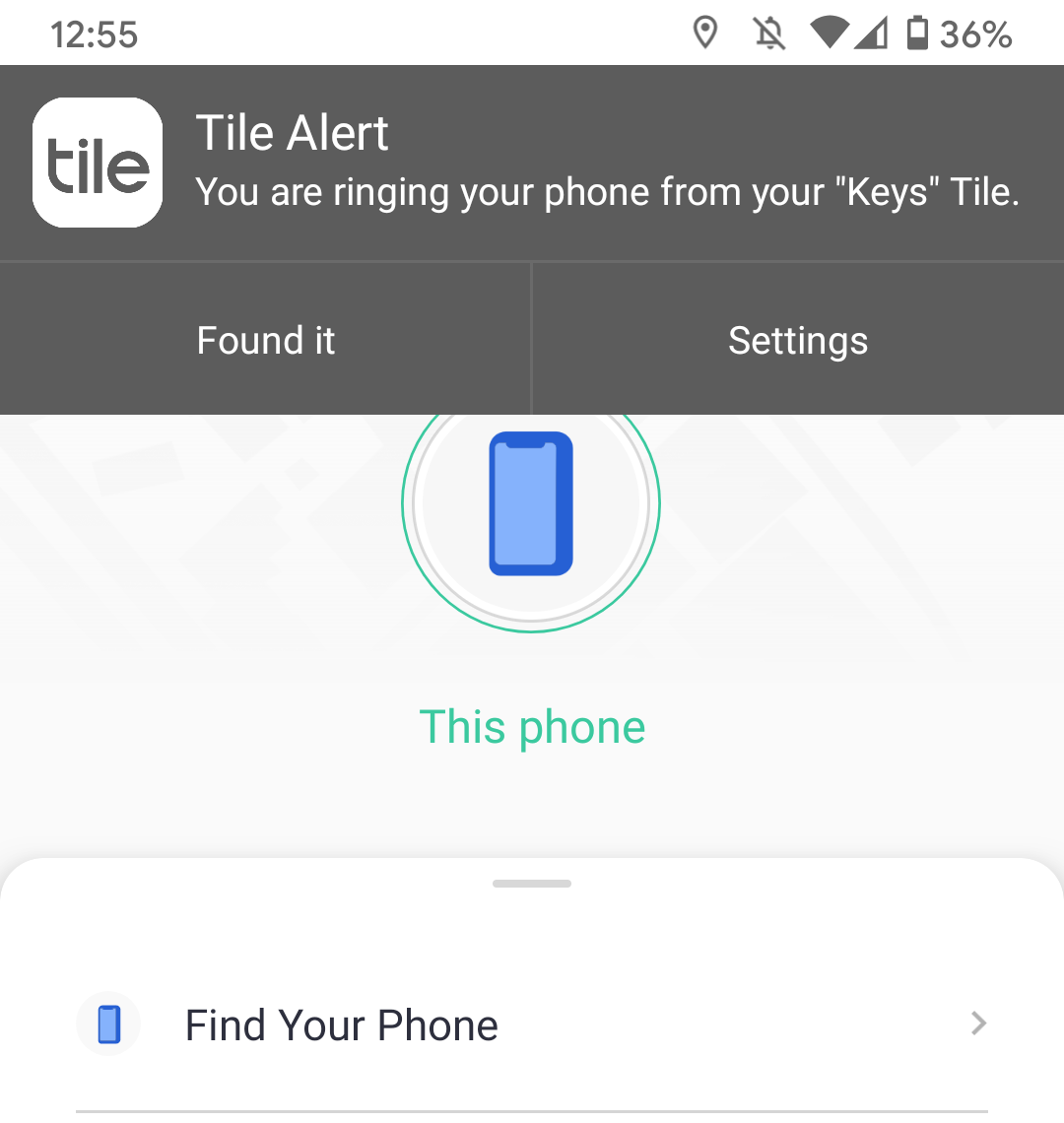
You can also use the Tile Mate to find your lost phone if it's within Bluetooth range. Even if your phone is set to silent mode, pressing the Tile Mate's button will make your phone ring. Aside from tracking luggage, this is my favorite feature of the Tile Mate, as I'm always misplacing my phone.
The main draw in this case, though, is the device's ability to help you keep tabs on where your luggage is as you travel.
The Tile Mate can be trickier to reach once it gets beyond the Bluetooth range of your phone, as its location identification is dependent on it connecting to other nearby Bluetooth-enabled Android phones (which are less commonly used in the U.S. than iPhones). However, in crowded areas like airport terminals, Tile Mate should give fairly prompt, accurate location readings.
I tested my device by driving around central Portland, Oregon. I found that while it tracked well in a downtown neighborhood with many restaurants, the phone quickly lost contact with the device and stayed disconnected for more than an hour when I drove to an area with more parks and open spaces.
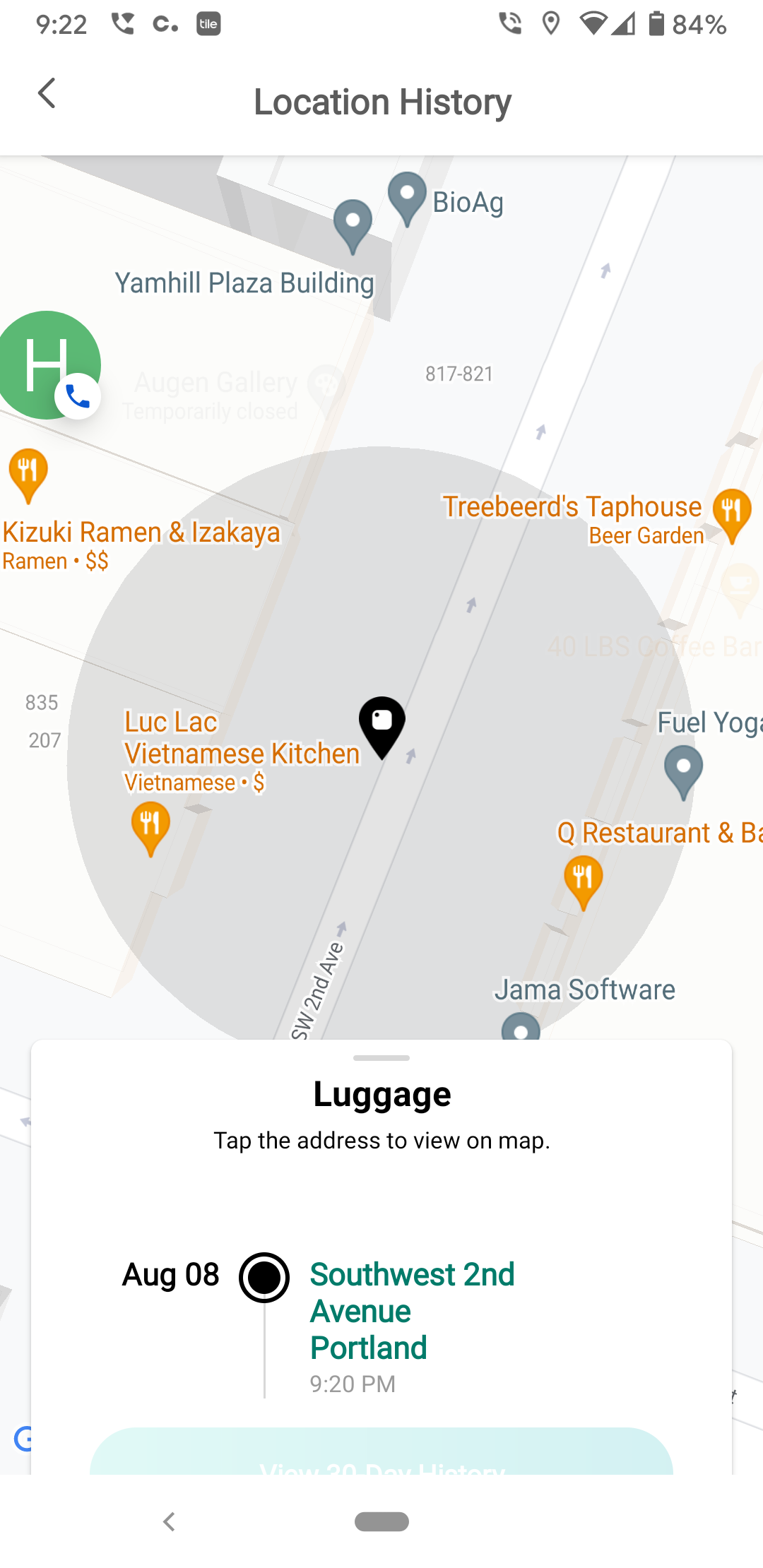
However, when I activated the "Notify When Found" function to enable push notifications and alert other Android phone users in the area that my item was lost, it didn't take long before my Tile Mate was found by the phone signal of a passerby.
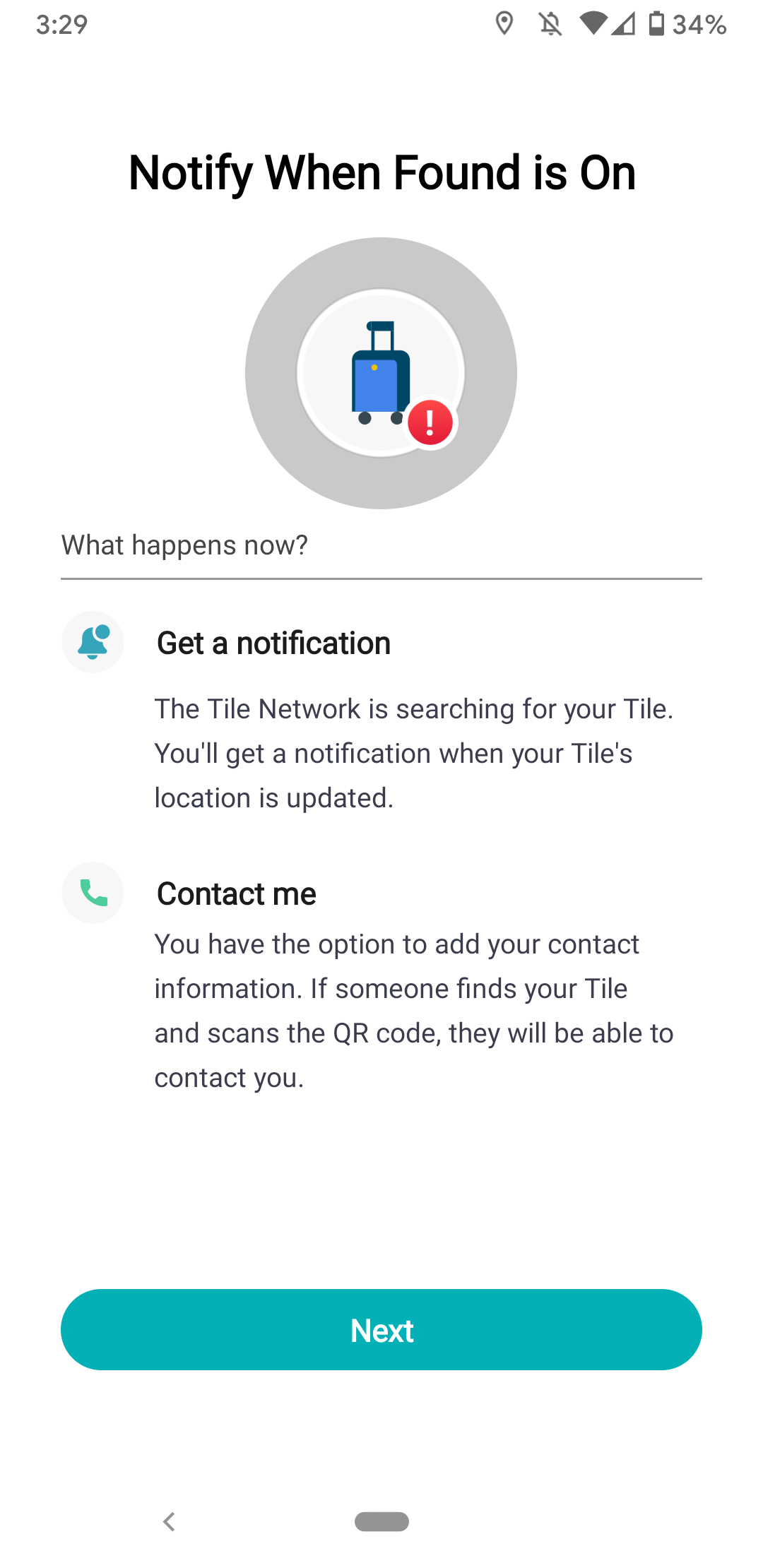
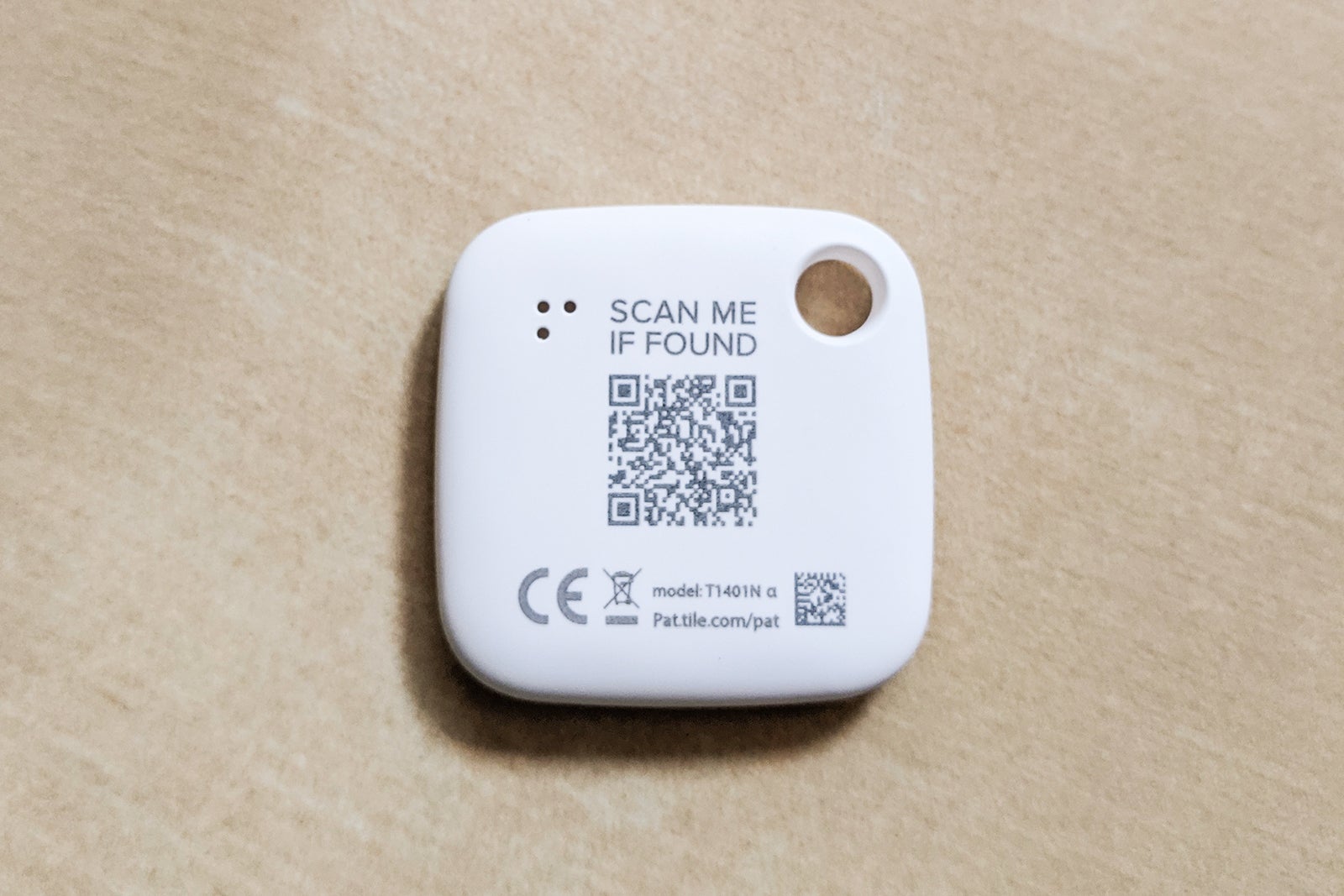
All someone who finds your lost item has to do is scan the unique QR code on the back of your Tile Mate (even if they're an iPhone user) to then let you know via the contact information you note in the app that they've found your item.
Chipolo
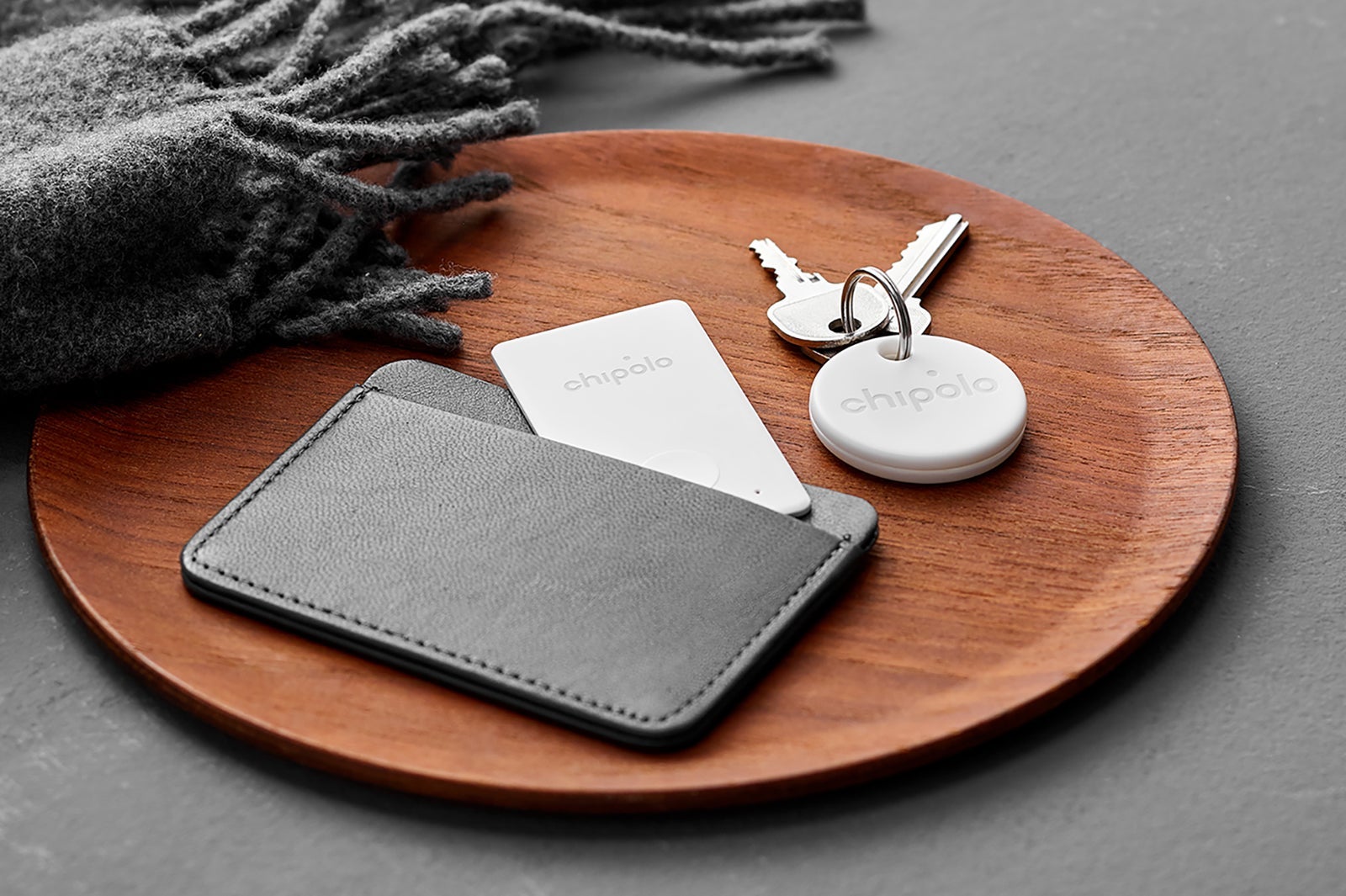
Chipolo offers several tracking products. Like other options currently on the market, Chipolo works with Bluetooth technology to connect with a paired phone to share its location. The brand's trackers also provide out-of-range alerts and directions to find items like Tile's products.
Unlike Tile's devices, Chipolo's tracking discs and cards are compatible with either the Android system or Apple's iPhone network. Keep in mind, though, that you'll need to purchase the right product for your device, as Chipolo trackers are designed to work with either Android or Apple phones, not both.
Regardless of which version you choose, you'll find them available in solo packs, two-packs and four-packs. You can also buy mixed bundles that include multiple Chipolo products.
Chipolo currently sells the following tracking products:
- Chipolo One: This thin, disc-shaped tracking device with an integrated key ring hole is the brand's standard Android-compatible product. A one-pack is typically around $25.
- Chipolo One Spot: The Apple-compatible version of the Chipolo One, this key ring-ready plastic disc tracker functions the same as its counterpart except that it works within Apple's Find My app and the iPhone network. A one-pack retails for about $28.
- Chipolo Card: Similar to the Chipolo One, the Chipolo Card is a tracking device in the shape of a credit card that helps you locate items with an Android phone. It's a bit slimmer than the Tile Slim offering and is available usually retails for about $30.
- Chipolo Card Spot: To track items with a card-shaped device and an iPhone, Chipolo offers its Chipolo Card Spot product. Like the Chipolo One Spot, it uses the Find My app network to locate items. This one usually retails for about $35.
How to set up Chipolo on your Android phone
Pairing a Chipolo with an Android phone is a similar process to that of the Tile Mate described above. It's a simple few steps that will take you less than a minute to complete.
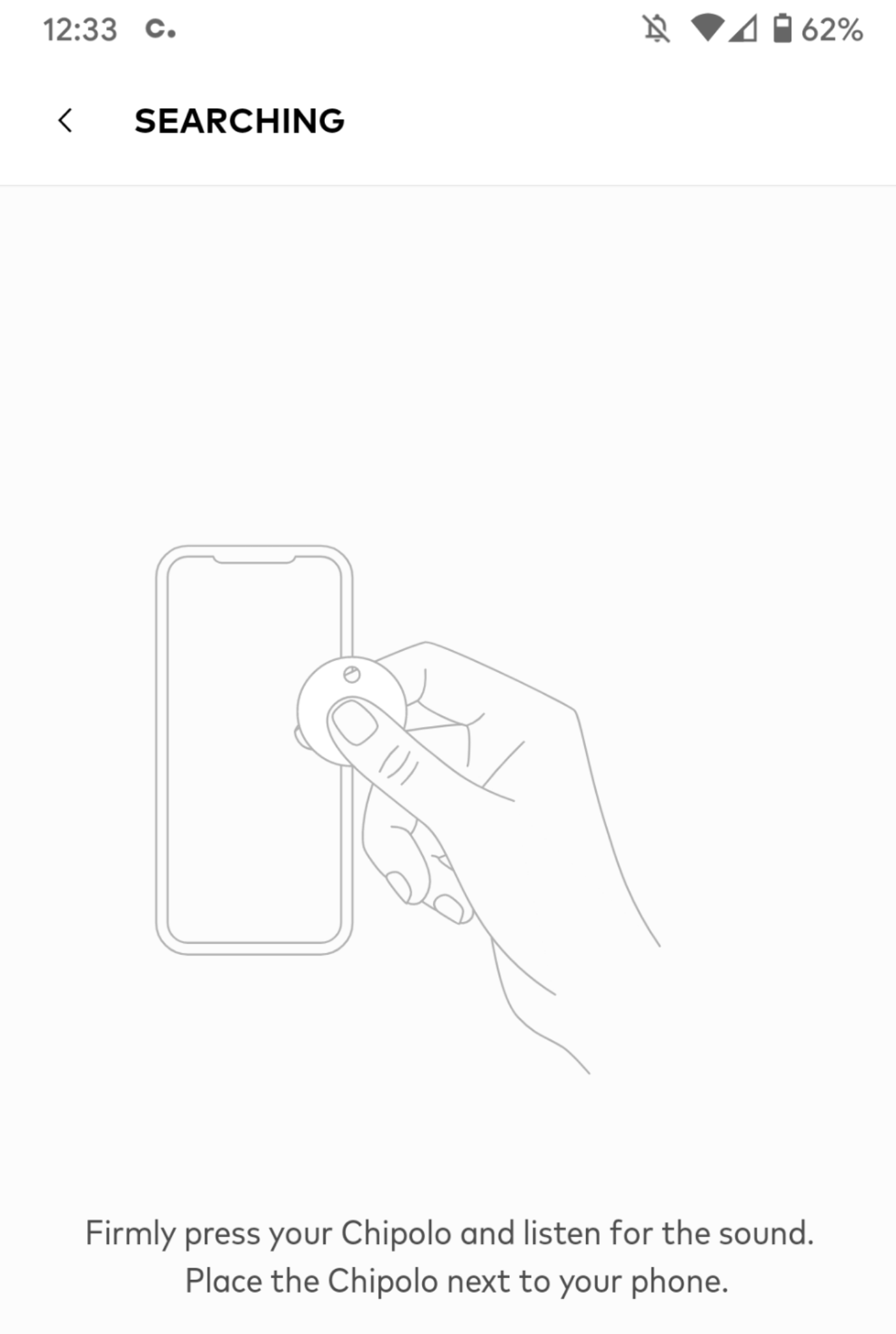
The first step is to download and register on the Chipolo app. Make sure to activate your phone's Bluetooth. Then simply hold the Chipolo next to your phone, press it and the tracker will automatically pair with the phone.
Selecting Chipolo features
You can use Chipolo's setup screens to change the alarm tone of the device, make your phone ring and even transform it into a remote control shutter trigger for your phone's camera in its "Take a Selfie" mode.
If you can't find your house keys or some other item with the Chipolo attached (within Bluetooth range), touch a button in the Chipolo app and the disc will start chirping loudly with the ring tone of your choice.
Tracking items with a Chipolo
Similar to the Tile Mate, Chipolo relies on a network of Bluetooth-enabled Android phones to identify its location when out of Bluetooth range of your own phone.
The icon you've chosen for an individual Chipolo tracker (in this case a luggage symbol) will appear upon a map at its current (or most recently registered) location. The accuracy of the device's location on the map depends on the proximity and number of Bluetooth-enabled Android phones within its range.
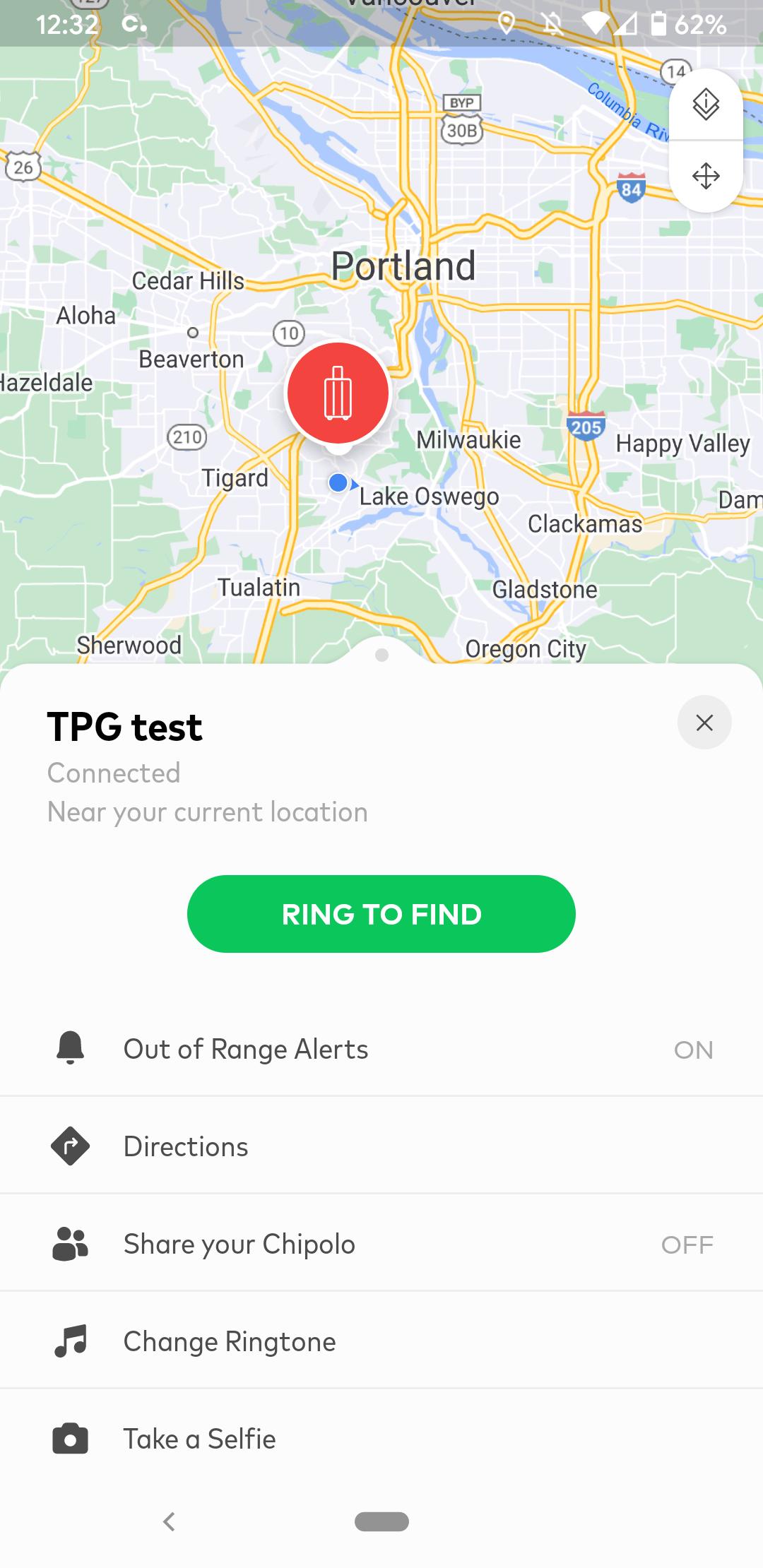
If the Chipolo attached to your piece of luggage or other item moves to an area without Android Bluetooth coverage, the device's icon will remain in the last registered spot, and the map will display a "Last Seen" screen, with a note on how long ago it was last registered. If you have "Out of Range Alerts" activated, you'll get a notification when the Chipolo drops off the network.
Once the Chipolo goes out of range, you may choose "Mark as Lost" to send a notice to other Android users who might come across the device.
You can also enter your contact information like phone number and email into the Chipolo, and have them contact you directly. However, the Chipolo's location will update whenever it connects, whether in lost mode or regular mode.
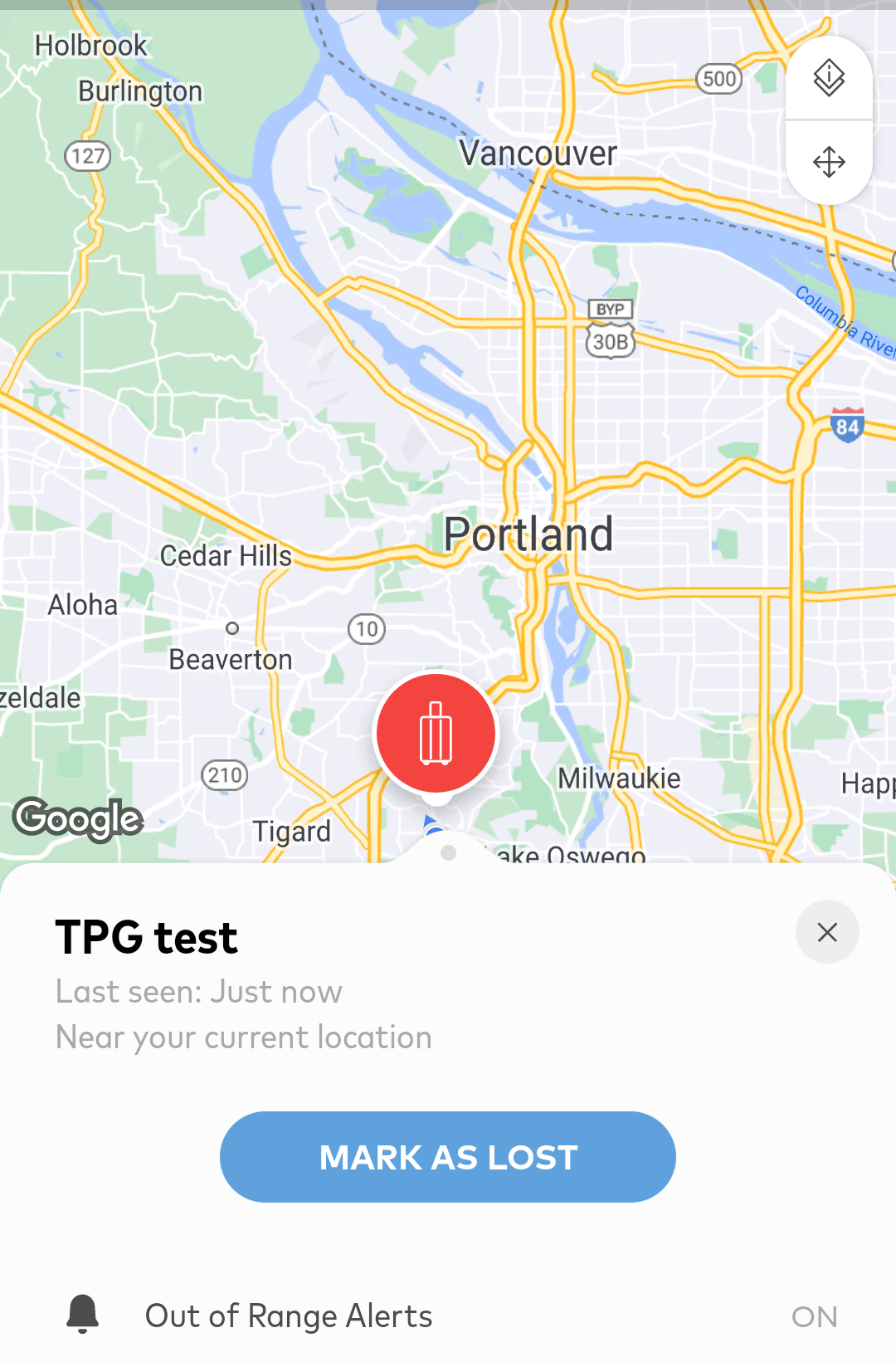
If your lost Chipolo-tracked item is found, the Chipolo will send your phone a notification (if you have that feature enabled). The notification will appear if you walk within distance of the device yourself, and also remotely if the Chipolo connects with a Bluetooth-enabled Android phone.
The Chipolo can pull up map directions to direct you to its location, but does not have the real-time close-range directional finder that the AirTag and Galaxy SmartTag+ have within their apps. You'll just have to press the "Ring to Find" button in the Chipolo app and follow the sound until your device is located. If your bag is in a huge airport luggage storage room, pressing the button could be helpful for the attendant to find your bag among the hundreds stored there.
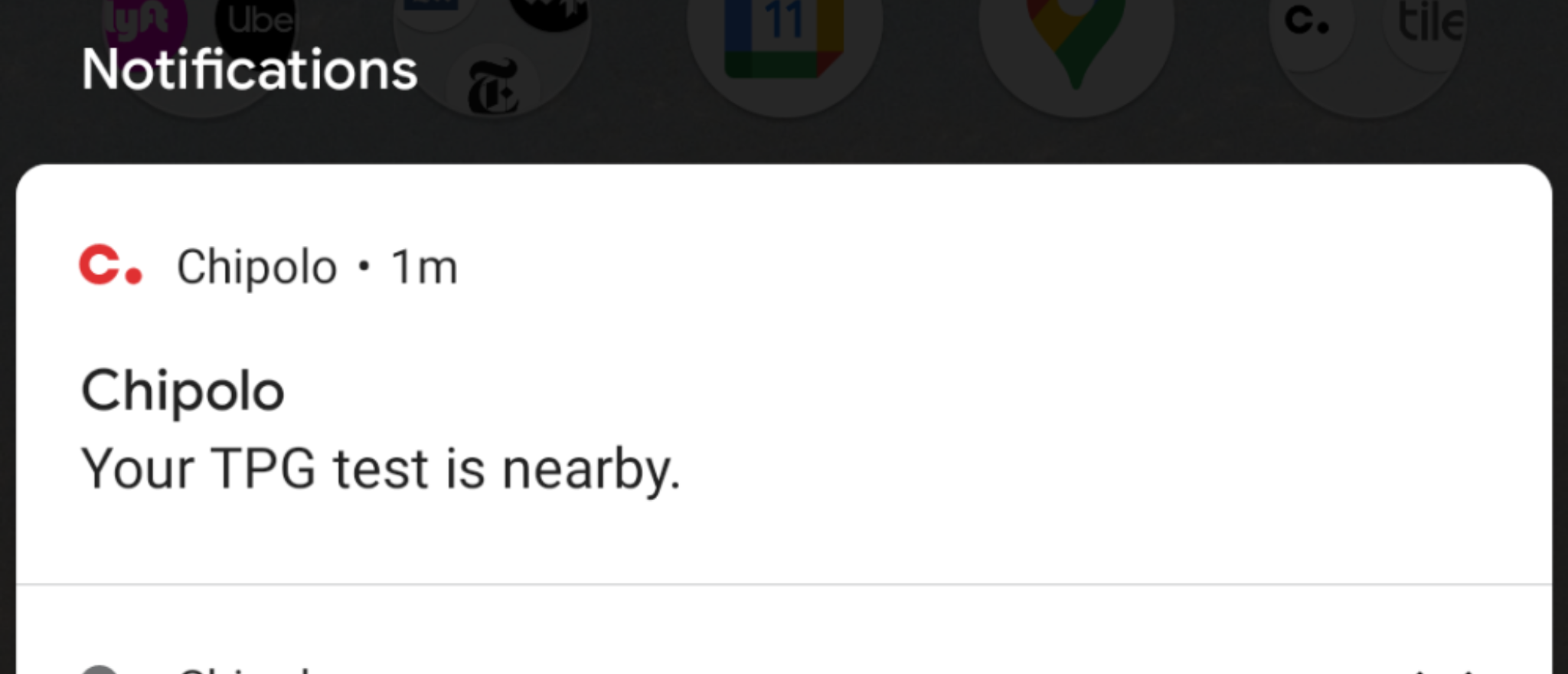
During my brief testing of a Chipolo One in the Portland metro area, the product worked well within a house to find keys and my phone.
However, once it went beyond my phone's Bluetooth range, the tracker did not register in the same areas where my Tile Mate was able to connect. User reviews about Chipolo's tracking ability are generally positive, so my experience may have been a bit of bad luck, or a result of how the device was sitting in a pocket or vehicle.
Galaxy SmartTag
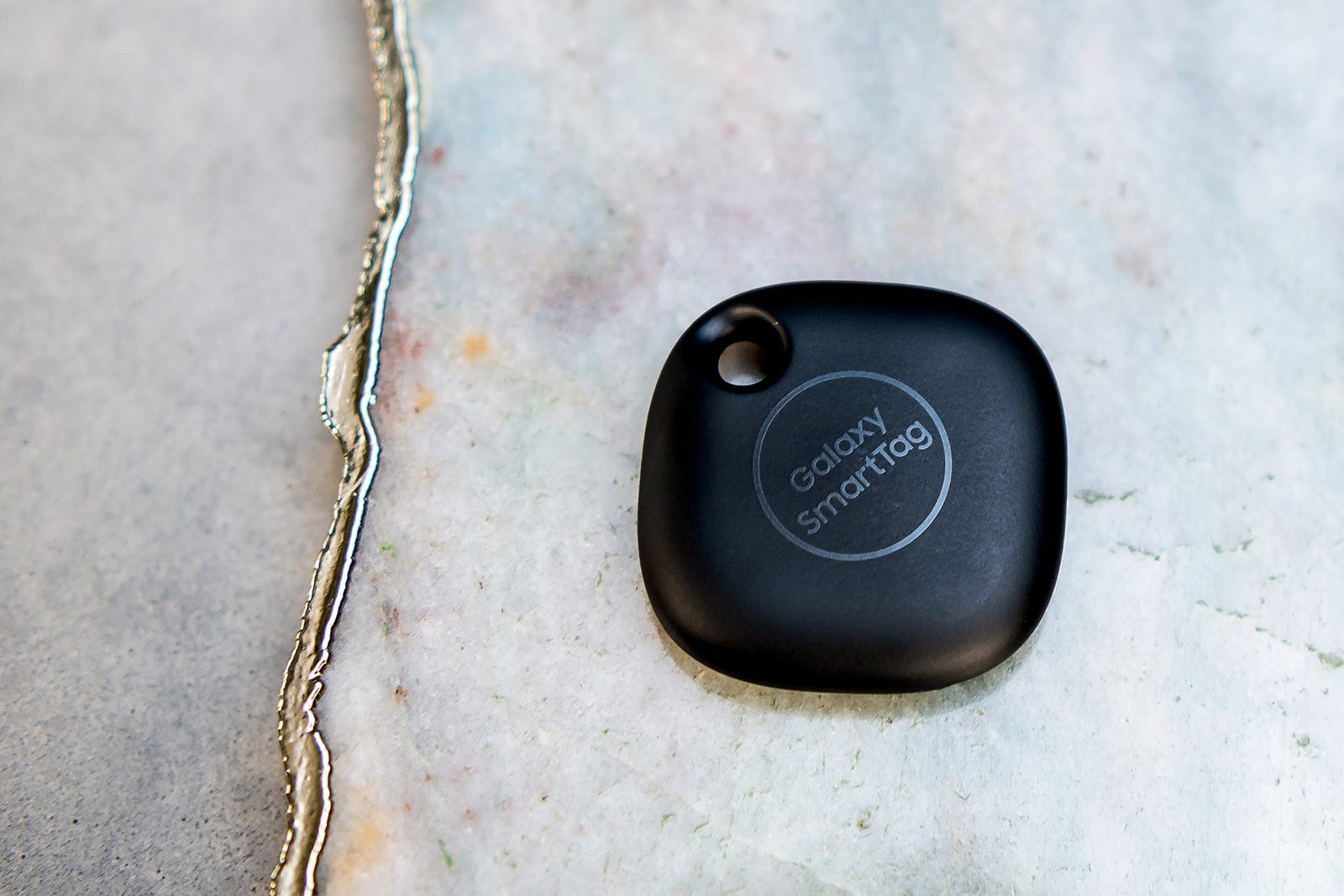
The Galaxy SmartTag is a Samsung-made tracking device that you can only use with Samsung Galaxy phones. The square SmartTag is slightly larger than the Tile Mate, measuring about 1 1/2 inches on each side, with a hole for a key ring built into the case.
If you have a Samsung phone, you'll find that this tile-shaped device is ideal for you, as it's made for Samsung phones and offers additional capabilities to connect with other Samsung-made devices. You can use it as a remote control for your Samsung TV, turn on your Samsung dryer, lights, thermostats and a host of other appliances.
However, there is a downside: Because the device only works with Samsung Galaxy phones, its reach is even more limited than the previously mentioned products, as the network of phones that can help locate your device is much smaller. While this won't be a problem in a country like South Korea, where Samsungs are ubiquitous, it may present tracking challenges when visiting other countries.
Two versions of the Galaxy SmartTag are available:
- Galaxy SmartTag: Samsung's basic square-shaped tracker, with a key ring loop, is the brand's most straightforward model. These often retail for around $30.
- Galaxy SmartTag+: The upgraded Galaxy SmartTag+ adds additional functionality to the standard SmartTag, including a real-time directional item-finder and the ability to use the tag to control some other Samsung products. A one-pack is usually about $40.

How to set up the Galaxy SmartTag on your Samsung phone
Setting up a SmartTag on a Samsung phone is as straightforward as with the other Android tracker products.
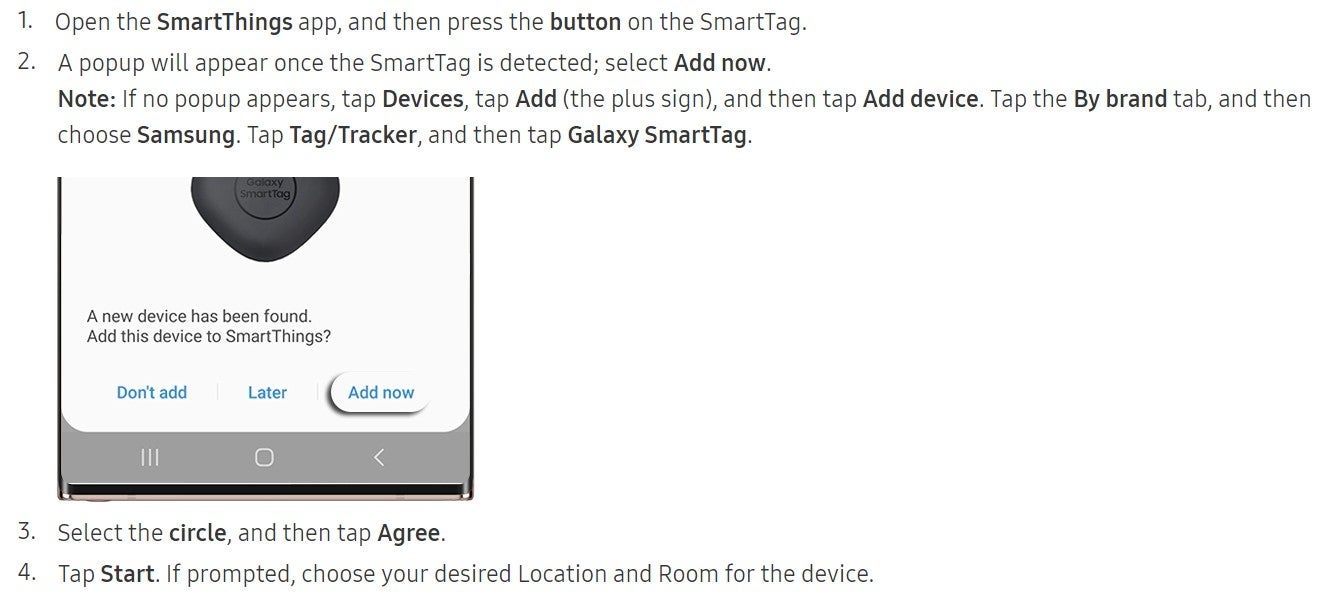
Enable Bluetooth on your phone, download and register in Samsung's SmartThings app, press the button on the SmartTag tracker, and it'll be paired with your phone. You can pair up to 200 SmartTags with a single phone, according to the SmartTag product site.
The directions below, and in the following screenshots, come from Samsung's website's how-to advice for the SmartTags.
How to track items with the Galaxy SmartTag
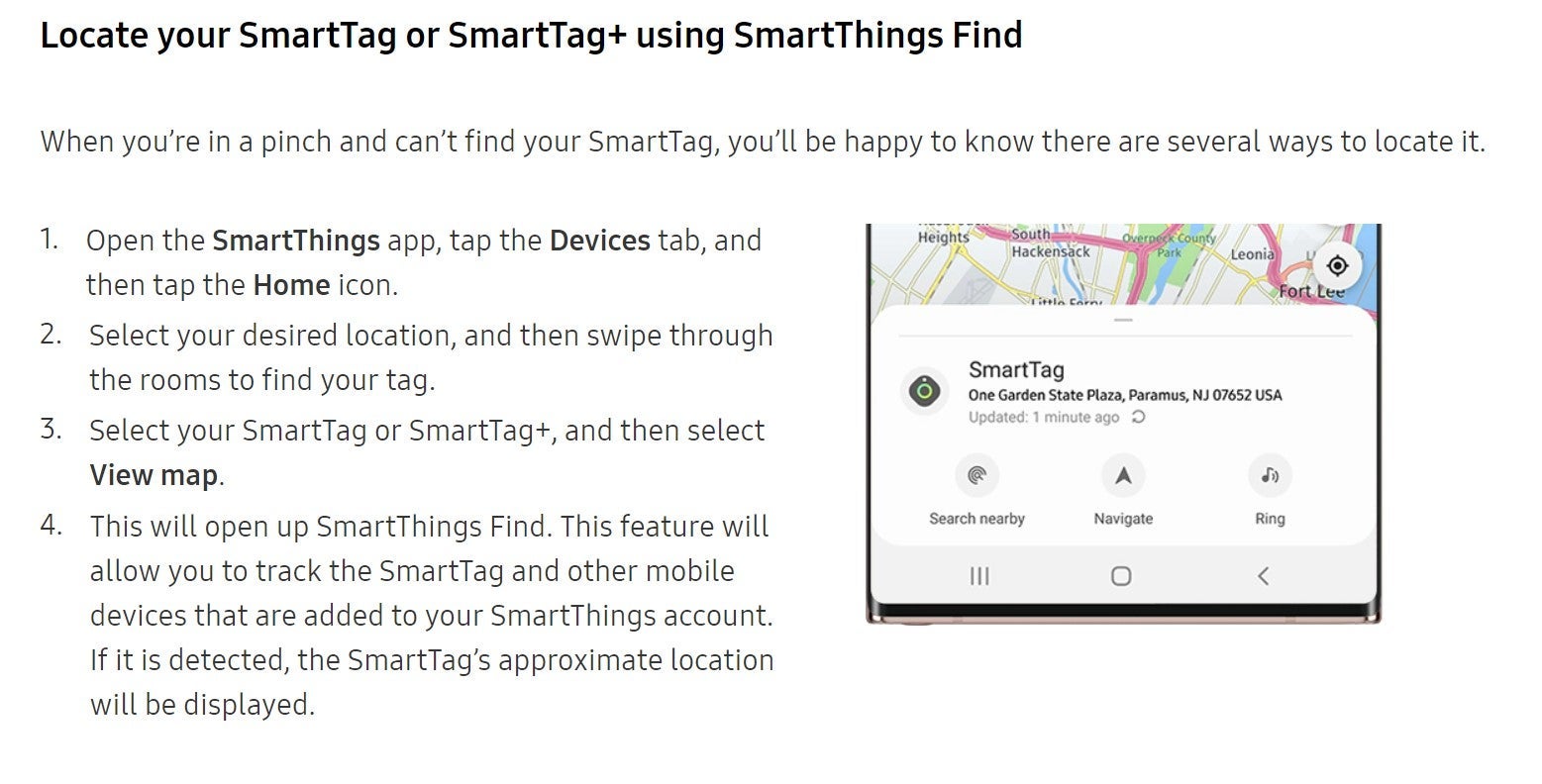
Like other Android-based trackers, the SmartTag uses Bluetooth signals from your own and other phones to locate the tracker wherever it may be in the world — as long as it's within Bluetooth range of a Samsung phone or device.
You can customize the SmartThings app to send a notification when the tracker goes out of range, and when it comes back within range. The app will identify where your SmartTag is located (approximately) on a map and will be able to provide you with navigation directions via Google Maps to reach that location.
Once your phone is within its own Bluetooth range of the SmartTag, you can tap a button within the app to make the SmartTag ring to help you find it. Similarly, you can double-click the SmartTag tracker to ring your phone, should you misplace it.
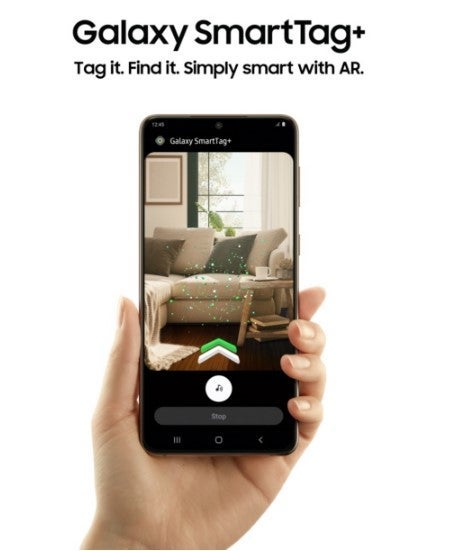
Another nice feature of the Galaxy SmartTag+ is its augmented reality, or AR, feature, which can provide you with real-time directional signals on your phone's camera screen to find your SmartTag.
Should your Samsung phone be within Bluetooth range of a SmartTag, you can tap "Search Near Me" on the phone screen, and then point it around you. If you get close enough to the missing item, arrows will appear on the screen (along with a pixie dust-looking trail of green dots) to direct you to the SmartTag.
Bottom line
While Apple's AirTags are the most popular luggage-tracking tag currently available, they don't work with non-Apple phones. However, Android-based phone users do have some solid product options for luggage tracking, including Tile, Chipolo and Galaxy SmartTag devices.
TPG's preliminary testing with a Tile Mate on a Google Pixel phone showed both the features and limitations of these devices. The Tile proved to be accurate, but its location updated less frequently than an Apple AirTag's due to the smaller user base of Android phones.
Meanwhile, the Chipolo updated even less frequently than Tile's devices during tests in the Portland area. Although TPG was unable to test Samsung's Galaxy SmartTag, it's reported to have a similar reach as the other Android devices.
The good news for Android phone-using travelers is that these trackers should provide accurate location updates within a crowded, technology-packed area like an airport terminal or a city center.
They also offer many more features than Apple AirTags, including a phone finder (and ringer), a photo-taking function and the ability to customize their look and add additional services. Not to mention, both Tile's and Chipolo's products are also pairable with iPhones, should you switch your phone model in the future.
If you purchase one of these devices, TPG recommends you buy the latest upgraded version of your chosen Android tracker product, such as the Tile Pro. That way, you'll have access to an extended Bluetooth range, which will prove essential in situations where you need to track down lost items, such as missing checked bags.
TPG featured card

at Capital One's secure site
Terms & restrictions apply. See rates & fees.
| 5X miles | Earn 5X miles on hotels, vacation rentals and rental cars booked through Capital One Travel |
| 2X miles | Earn unlimited 2X miles on every purchase, every day |
Pros
- Stellar welcome offer of 75,000 miles after spending $4,000 on purchases in the first three months from account opening. Plus, a $250 Capital One Travel credit to use in your first cardholder year upon account opening.
- You'll earn 2 miles per dollar on every purchase, which means you won't have to worry about memorizing bonus categories
- Rewards are versatile and can be redeemed for a statement credit or transferred to Capital One’s transfer partners
Cons
- Highest bonus-earning categories only on travel booked via Capital One Travel
- LIMITED-TIME OFFER: Enjoy $250 to use on Capital One Travel in your first cardholder year, plus earn 75,000 bonus miles once you spend $4,000 on purchases within the first 3 months from account opening - that’s equal to $1,000 in travel
- Earn unlimited 2X miles on every purchase, every day
- Earn 5X miles on hotels, vacation rentals and rental cars booked through Capital One Travel
- Miles won't expire for the life of the account and there's no limit to how many you can earn
- Receive up to a $120 credit for Global Entry or TSA PreCheck®
- Use your miles to get reimbursed for any travel purchase—or redeem by booking a trip through Capital One Travel
- Enjoy a $50 experience credit and other premium benefits with every hotel and vacation rental booked from the Lifestyle Collection
- Transfer your miles to your choice of 15+ travel loyalty programs
- Top rated mobile app