Testing out First-Of-Its-Kind Smart Room Technology at the Aloft Boston Seaport


Update: Some offers mentioned below are no longer available. View the current offers here.
Over the past few years, Starwood Preferred Guest has been ramping up its efforts to be ahead of the competition as far as technologically-savvy properties go. In 2015, Starwood gave a preview of its products of the future, including keyless entry, colored LED lights and USB power outlets just to name a few. And, the brand is only continuing to improve its products with time.
Last week, SPG announced it was introducing new Smart Room technology called "Project: Jetson" at the Aloft Boston Seaport and the Aloft Santa Clara in California. The Project: Jetson initiative flaunts a voice-activated hotel room in which travelers can use Siri to control various room features, such as the temperature and lighting. Since it's a first-of-its-kind product, I wanted to be among the first to test it out.
Booking
Booking the Smart Room was fairly straightforward. I called SPG to make my reservation, and to confirm that the Smart Room was available and it was the room I would be getting.
I booked a Smart Room with a king bed for $294 for my one-night stay — you can also opt for a Smart Room with two queen beds. For upcoming dates, the Smart Room appears to be about $75 more than the regular king bed room option.
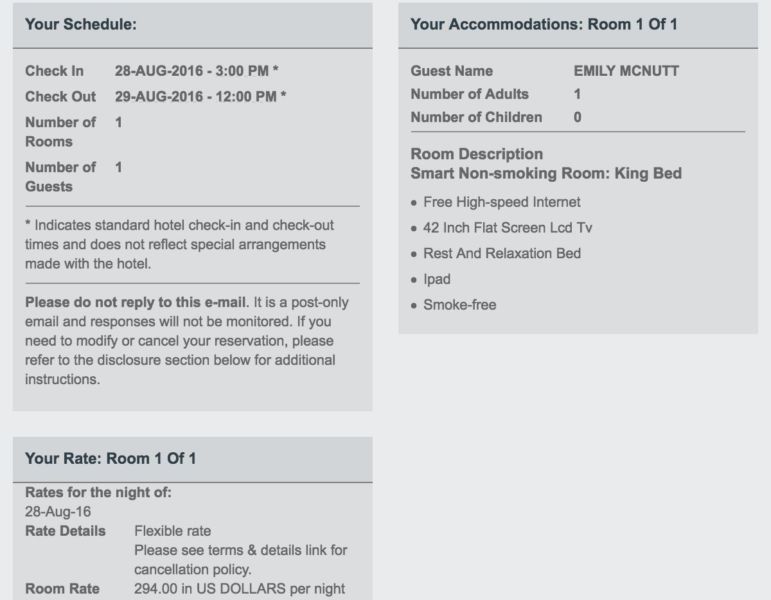
The Aloft Boston Seaport is an SPG Category 5 property, which requires 12,000-16,000 Starpoints for a free night. You can earn more Starpoints, one of the most valuable currencies out there, by signing up for the Starwood Preferred Guest Credit Card from American Express, which gives you 25,000 Starpoints after you spend $3,000 in the first three months — the sign-up bonus alone can earn you two free nights at the Aloft Boston Seaport.
Check-In
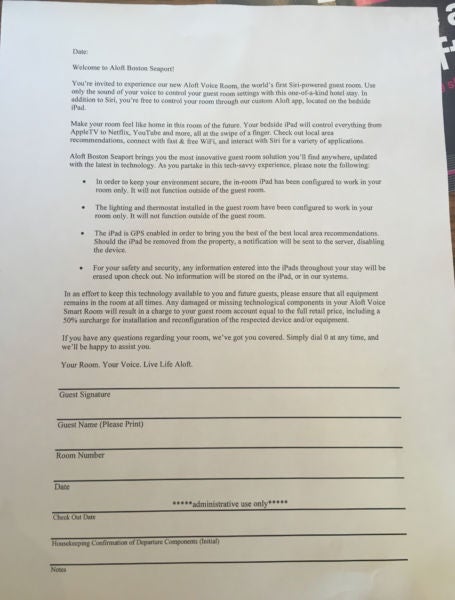
When I arrived at the Aloft Boston Seaport, it quickly became evident just how new this technology was. The front desk agent knew about the Smart Room and confirmed that I would be staying in a room with the new technology — I was asked to sign a waiver, which also included a few notes about using it.

I used mobile check-in and keyless entry in order to make my stay fully tech-savvy. It's worth noting that the elevators also feature a touchscreen where you can select your floor on the ground level and have it tell you which elevator is pre-programmed to whisk you away — no in-elevator floor buttons here.
When I got upstairs, I didn't notice an iPad anywhere in the room, so I called down to the front desk to ask where it was located. When I called down, I was told that the Smart Rooms actually aren't available yet. After a pretty lengthy conversation with a manager — where I voiced my displeasure that I'd reserved a room that wasn't even available yet — he was very apologetic and was able to secure the new technology. In fact, he told me I was the first guest to stay in a Smart Room at the property, period!
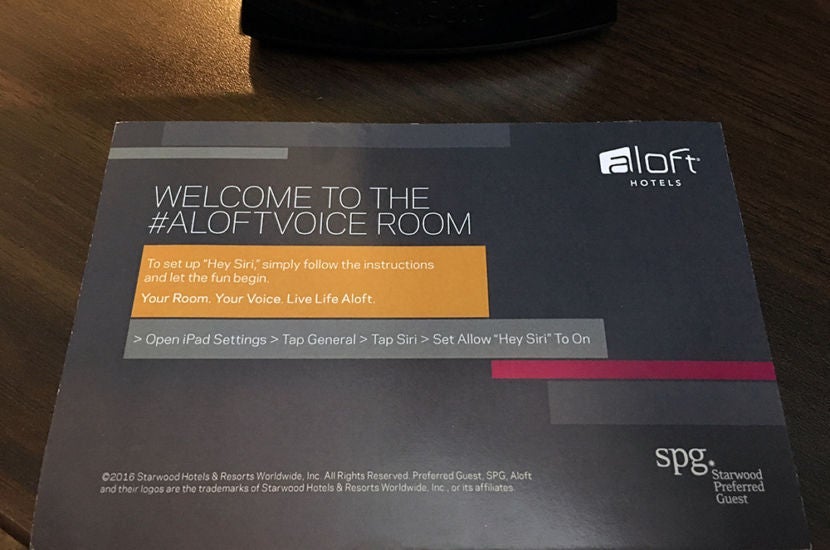
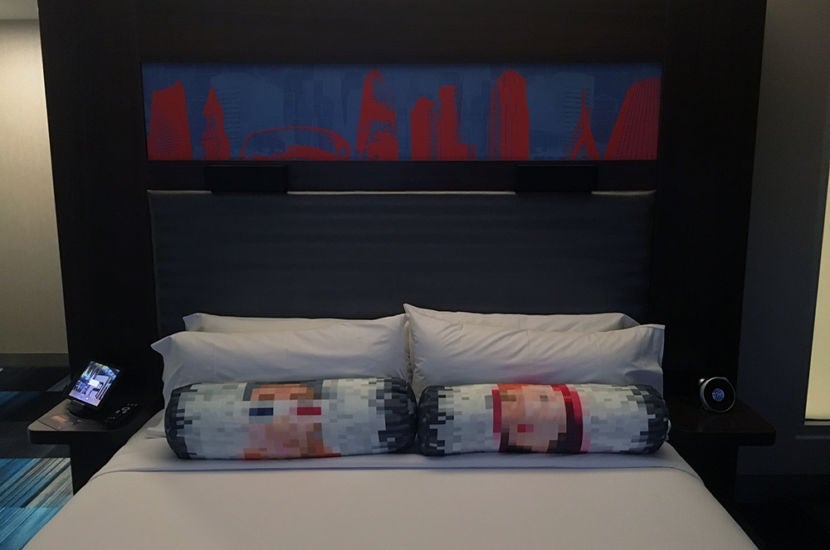
When I went back up to the room, which was located in a corner room on the top floor of the property, the iPad was waiting for me on the bedside table.
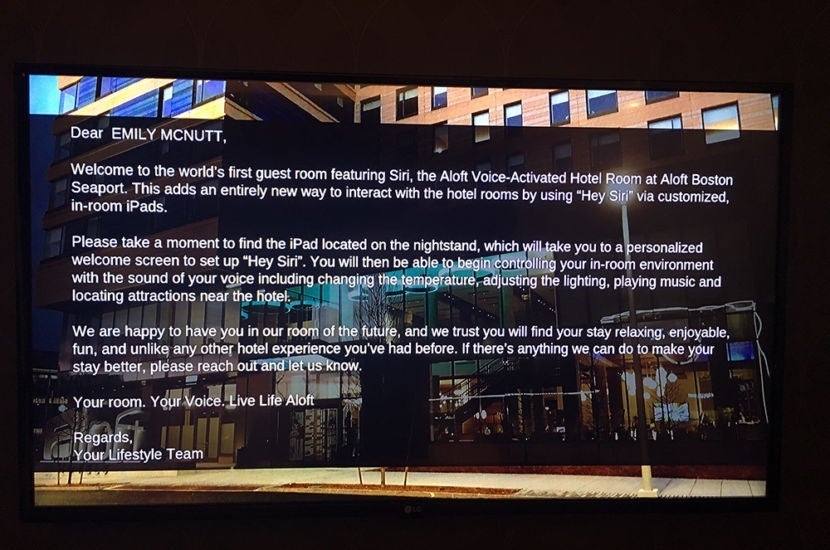
On the TV, there was a special message welcoming me to the Smart Room as well.
The iPad itself was nothing more than your average device — it had a black case and rested in a charging stand. There were only two options on the homescreen: Settings and the Aloft App. I clicked the app and was greeted with a screen that told me how to set up the voice-activated features.
One thing I quickly realized after playing around with the voice-activated Siri feature was that my phone was also picking up the "Hey Siri" command, so I had to disable that first before continuing with the iPad.
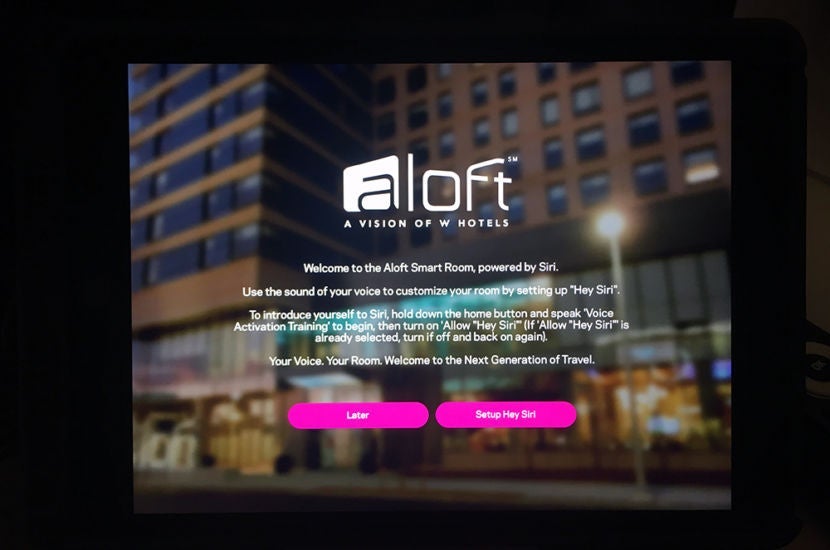
The Smart Room uses the "Hey Siri" command to allow travelers to complete requests, such as changing the temperature in the room and turning the lights on and off. I wasn't sure of the full capabilities of the iPad and, more specifically, its voice-activated features, so I started by asking Siri some basic questions to get a feel for the device. It would have been nice to have had some sort of tutorial just to get a basic idea of what Siri could really do.
First, I asked about the lighting because it was a bit dark in the room:
Me: "Hey Siri, turn the lamp on."
Siri: "Sorry, I wasn't able to do that."
Off to a shaky start, I manually went to the lighting page to see what the options were. I noticed there was a rotating bar of Siri Hints, which offered recommendations of what Siri would respond to, so I tried some of those out. The Siri Hints were particularly helpful, especially when I was just getting started, since the language Siri responds to is very particular. For example, Siri responds to "Turn the temperature down," but not "Turn the air conditioning down" or "Turn the thermostat fan down."
Given that information, it was nice to have the option to manually select which lights I wanted on or off. It's worth noting that not all the lights in the room were synced with the smart technology — say you left the lights in the bathroom on and wanted them off, you'd have to do it the old-fashioned way, with the flick of a switch. Not a big deal at all, but it would have been nice to have the whole room synced up.
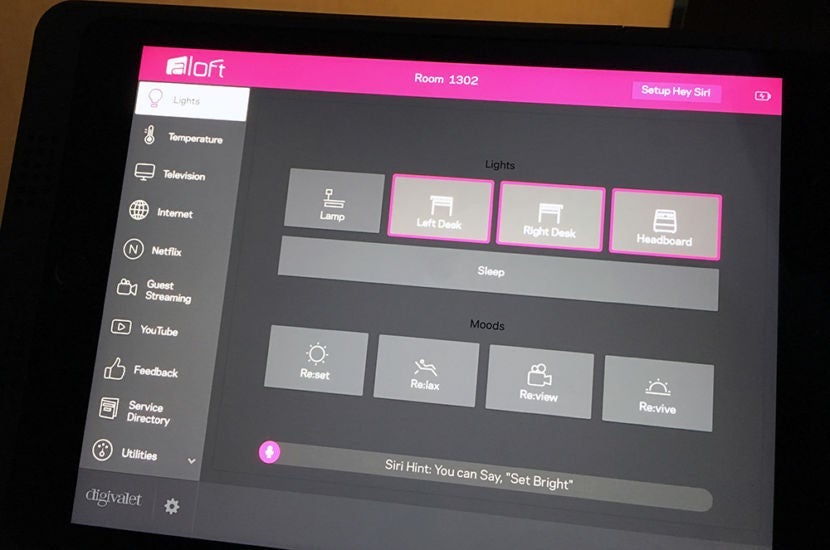
There were also four distinct Moods settings, which either dimmed or brightened the lights in different combinations or activated some colored LED lights — Re:set for standard lighting, Re:lax for relaxing, Re:view for watching TV or Re:vive for the morning. The Moods were fun to play around with, and I found the Re:lax setting to be pretty cool — the lights dimmed and the LED lights underneath the desk and air conditioner changed to a different color.
Each time I selected a new Mood setting, Siri would tell me that it was having trouble enabling some lights and to check my devices, but all seemed to change from my point of view. Although probably just a glitch, this made me wonder if there were other lights in the room that SPG is looking to incorporate into the Smart Room.
I then started playing around with the different temperature settings. The voice control aspect of it was really neat, but again required some pretty specific language. Also, you really need to annunciate in order for Siri to pick up exactly what you're saying.
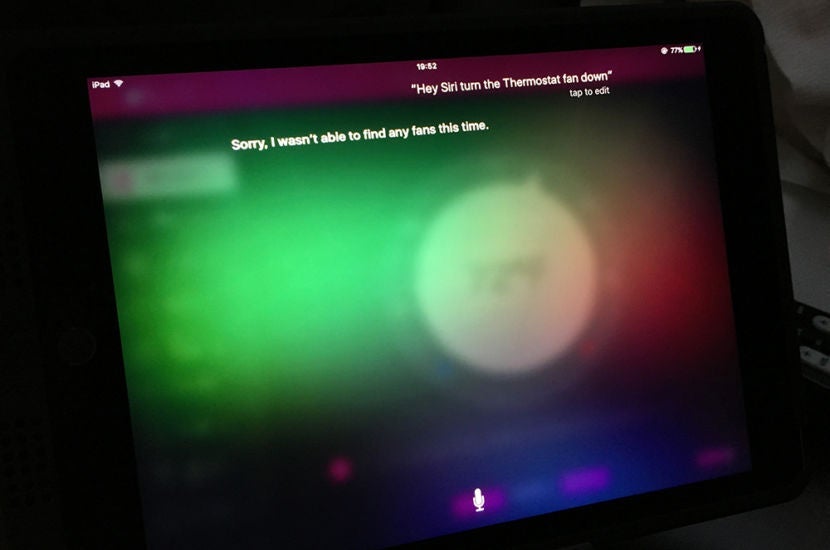
That being said, it was still a really neat service. During the night, I woke up chilly once and quickly asked Siri to set the thermostat two degrees higher. Almost immediately, the thermostat fan turned off and I fell right back asleep. Compared to having to get up in the middle of the night and fiddle with a wall device, this was a much better alternative.
It's also worth noting that the manual control for the temperature was pretty handy. The main feature was a round thermostat that was extremely easy to control. So, if you wanted to quickly adjust the thermostat, that could be your best bet.
Perhaps the biggest area for improvement is with the fluidity of the voice-activated services. Because the iPad comes loaded with so many cool features — like Netflix, your phone's music, YouTube videos and even more on the TV screen — it would be ideal to be able to use the "Hey Siri" feature to do something like turn on the TV, change the channel or skip a song. This would help make the service so much more fluid from one feature to the next — turning the volume down, while also being able to control the temperature. Instead, you use Siri for a few things and the manual iPad for a majority of services. Hopefully, this is incorporated as the Smart Room continues to improve.
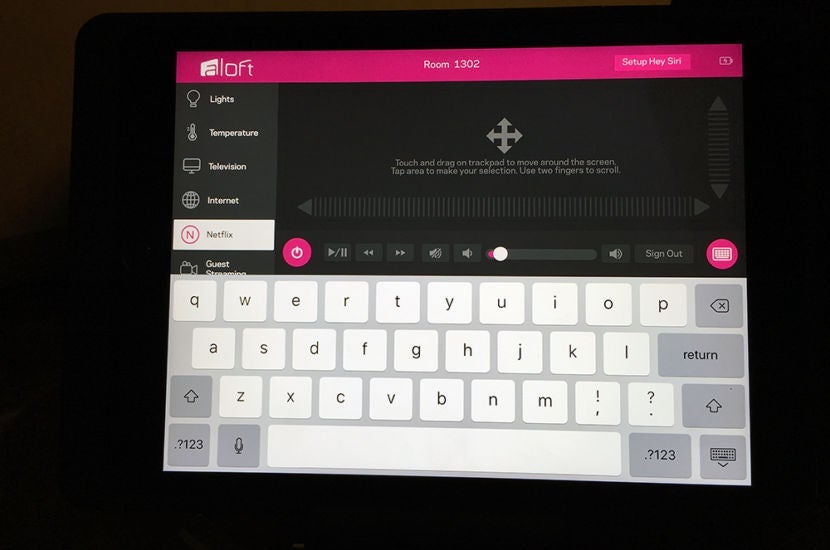
I really enjoyed the iPad's additional features and the ability to take it anywhere in the room. In addition, I asked Siri to find some restaurant recommendations around the property, which she did, but unfortunately the map function wasn't working properly. The Netflix option was especially neat, as you could drag your finger across the iPad screen and use it to control the cursor on the TV screen.
Overall Impression
This is really exciting technology — albeit, it's still very new and there are some kinks that need to be worked out. Even though I was the first to try the new Aloft Smart Room with Project: Jetson, I was still very impressed with the product and its potential for greatness. I'd say the two biggest things that need to be ironed out to make a more seamless experience are:
- Siri needs to be more flexible in the words it understands — temperature and fan should be associated as one. When I say "Turn the lights to Re:lax," Siri should understand it the same way it comprehends "Turn the lighting to Re:Lax."
- The different features on the iPad should be more fluid, seamlessly allowing you to switch from one feature to another. The "Hey Siri" feature would work best if it could be synced to the TV, volume, Netflix and streaming from personal devices.
Knowing this is probably the technology for hotel rooms of the future is enough to get any frequent traveler excited. Not only was I impressed with the Smart Room, but my stay at the property as a whole was also great and the staff couldn't have been more accommodating and friendly with my booking and availability situation. I hope Starwood continues to evolve this product and its features because it's a great way to set the brand apart from the competition.
What do you think of Aloft's Smart Room? Would you choose to stay in this type of room?
TPG featured card

at Capital One's secure site
Terms & restrictions apply. See rates & fees.
| 5X miles | Earn 5X miles on hotels, vacation rentals and rental cars booked through Capital One Travel |
| 2X miles | Earn unlimited 2X miles on every purchase, every day |
Pros
- Stellar welcome offer of 75,000 miles after spending $4,000 on purchases in the first three months from account opening. Plus, a $250 Capital One Travel credit to use in your first cardholder year upon account opening.
- You'll earn 2 miles per dollar on every purchase, which means you won't have to worry about memorizing bonus categories
- Rewards are versatile and can be redeemed for a statement credit or transferred to Capital One’s transfer partners
Cons
- Highest bonus-earning categories only on travel booked via Capital One Travel
- LIMITED-TIME OFFER: Enjoy $250 to use on Capital One Travel in your first cardholder year, plus earn 75,000 bonus miles once you spend $4,000 on purchases within the first 3 months from account opening - that’s equal to $1,000 in travel
- Earn unlimited 2X miles on every purchase, every day
- Earn 5X miles on hotels, vacation rentals and rental cars booked through Capital One Travel
- Miles won't expire for the life of the account and there's no limit to how many you can earn
- Receive up to a $120 credit for Global Entry or TSA PreCheck®
- Use your miles to get reimbursed for any travel purchase—or redeem by booking a trip through Capital One Travel
- Enjoy a $50 experience credit and other premium benefits with every hotel and vacation rental booked from the Lifestyle Collection
- Transfer your miles to your choice of 15+ travel loyalty programs
- Top rated mobile app