How Aura can keep your family safe online during your next trip

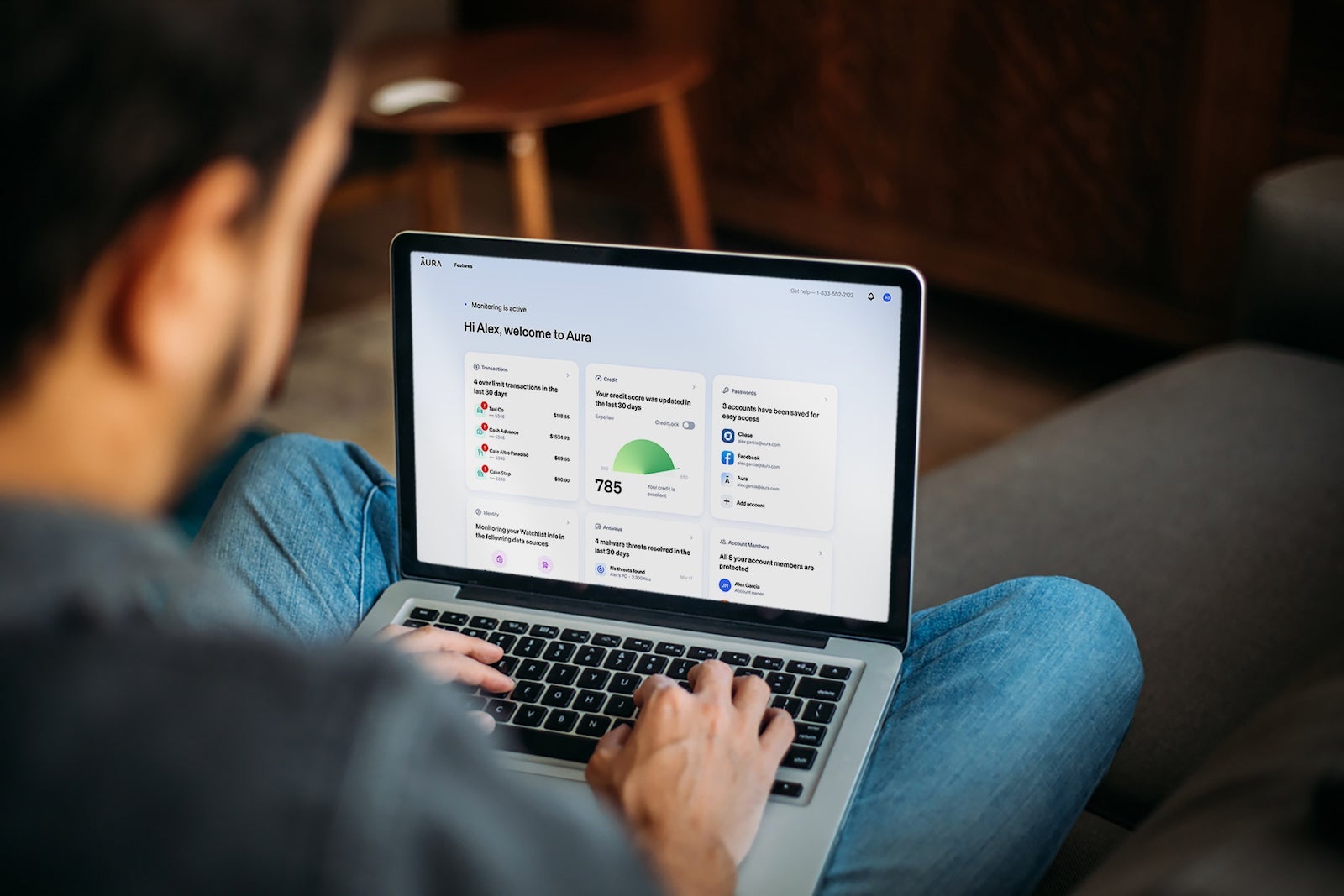
This past summer, I took a round-the-world trip that included stops in Iran, Pakistan and Vietnam (among others). Online security is always a concern while traveling, and given recent reports of cyberattacks originating in these locales, I wanted to be extra cautious.
After all, I take my safety on the internet pretty seriously, though for most people, the idea of online safety can seem daunting or overly complex. As a result, it tends to be an afterthought — especially when they travel.
Did you know that the average U.S. household has 25 different devices connected to the internet? And as of 2020, Americans lose more money to online crimes than to home burglaries each year. Keeping all of those devices safe and ensuring they're being used responsibly is important.
Staying safe online may seem like it requires special training. You might also worry that providing the right security will be inconvenient or prevent you from enjoying your online experience. However, with the right tools, being safe online can be quite simple.
Enter Aura, an online safety app that seeks to provide a safer online environment for your whole family in an easy-to-use, all-in-one package. This includes features that are critical to staying safe while traveling — like identity and financial monitoring, a VPN for safe browsing on public Wi-Fi at airports and hotels, one-click credit lock, antivirus protection for your devices and more.
My trip presented the perfect opportunity to take Aura's services for a test drive. Would I still be able to access my favorite sites using Aura's VPN? Would I be able to continue with my normal online habits without exposing my personal information to prying eyes? And could I do all of this without sacrificing speed and convenience?
In short — absolutely.
Let's look at what Aura offers and how my experience with its product unfolded over the course of my trip.
Join Aura now at this link for a 14-day free trial and 40% off annual plans.

What is Aura, and what does it offer?
Simply put, Aura is an online safety tool designed to give you and your family added security. From 2018 to the present, the company has acquired several privacy and protection tools, leading to the all-in-one product available today.
Prior to using Aura, I had four separate service providers for these offerings, which can be a pain. Some of these required initial enrollment fees plus ongoing subscription costs, and it meant more accounts and more passwords to keep track of — a VPN, an antivirus program, a password manager and identity monitoring websites.
Most importantly, the features didn't interact with one another.
Aura offers the following services:
- Identity and financial protection.
- Antivirus software.
- Social Security number and transaction monitoring.
- A VPN for private access to the internet.
- Parental controls and screen time monitoring.
- One-click credit lock.
How much does Aura cost?
Aura offers a free 14-day trial for all of its plans. After this, pricing is as follows:
- Individual plan: $12 per month if billed annually or $15 per month if billed monthly.
- Couples plan: $22 per month if billed annually or $29 per month if billed monthly.
- Family plan: $37 per month if billed annually or $50 per month if billed monthly.
However, TPG readers who sign up for the service through this link enjoy 40% off annual plans.
Each plan includes $1 million in identity theft insurance per user, online security for a set number of devices, financial fraud protection and identity theft protection. The Couples and Family plans come with even more — including coverage for additional devices along with more access controls and monitoring services for children's Social Security numbers.
You can read the details and description of each plan here.
My experience using Aura while traveling internationally
First things first: You'll want to set up your Aura account before heading to another country. That way, you're completing the registration process from the safety of your home Wi-Fi network rather than sending personal information over unknown connections.
And thankfully, it takes just a few minutes.

Account registration and setup
I found the process of registering for an account to be very simple. After providing my contact information and confirming my email address, the website walked me through how to set up my profile. This included providing my home address, date of birth and Social Security number to confirm my identity.
Providing this information is necessary for several of Aura's services such as identity theft monitoring, searching the dark web for your personal information and requesting that your details be removed from data broker websites.
(Note that Aura uses military-grade security and encryption protocols, so I was absolutely confident in providing this information.)
After completing my profile, I was prompted to enable two-factor authentication. Considering that I had just provided all of my personal details in my profile, I made sure to set this up to add extra protection to my account.
From here, I had the option to download Aura's desktop program to leverage the antivirus and VPN tools and enable a browser extension on my computer for password management.
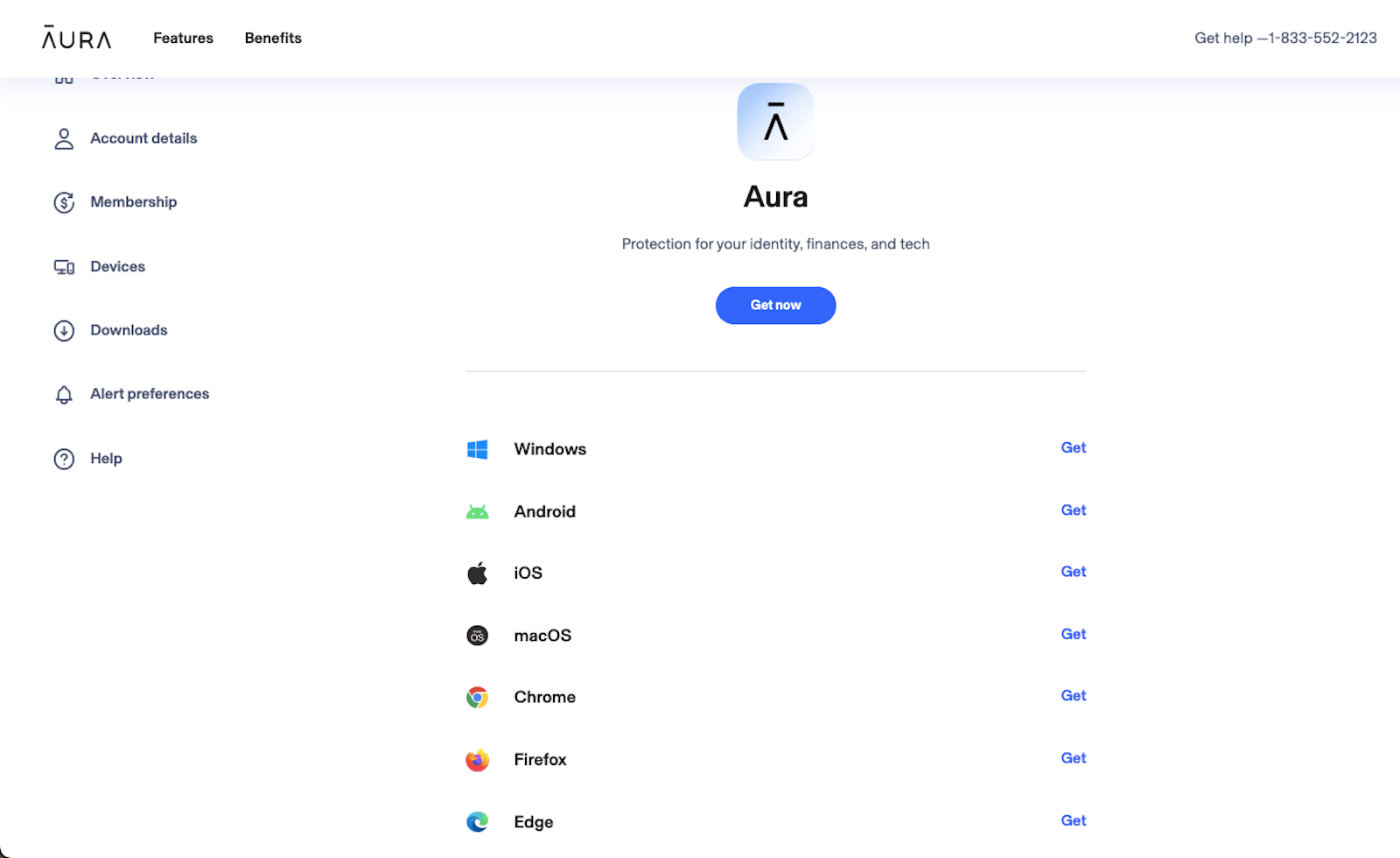
In just a few minutes, my account was ready to go.
Services began working immediately
By the time I completed my profile, I already had alerts from Aura, prompting me to take action. First, it did a soft pull on my credit report. From this, I received recommendations for financial accounts I could enroll in and transaction monitoring to watch for signs of fraud or theft.

I also received alerts that my information was found on several dark web sites. I was able to click on each and read details about the exposure — including recommended actions to take and points of contact available for some of them.
Several of these were related to past incidents, such as the Equifax breach in 2017. I had already taken recommended steps like freezing my credit and changing my passwords since then, but it's important to read each alert to see if you need to take any action.
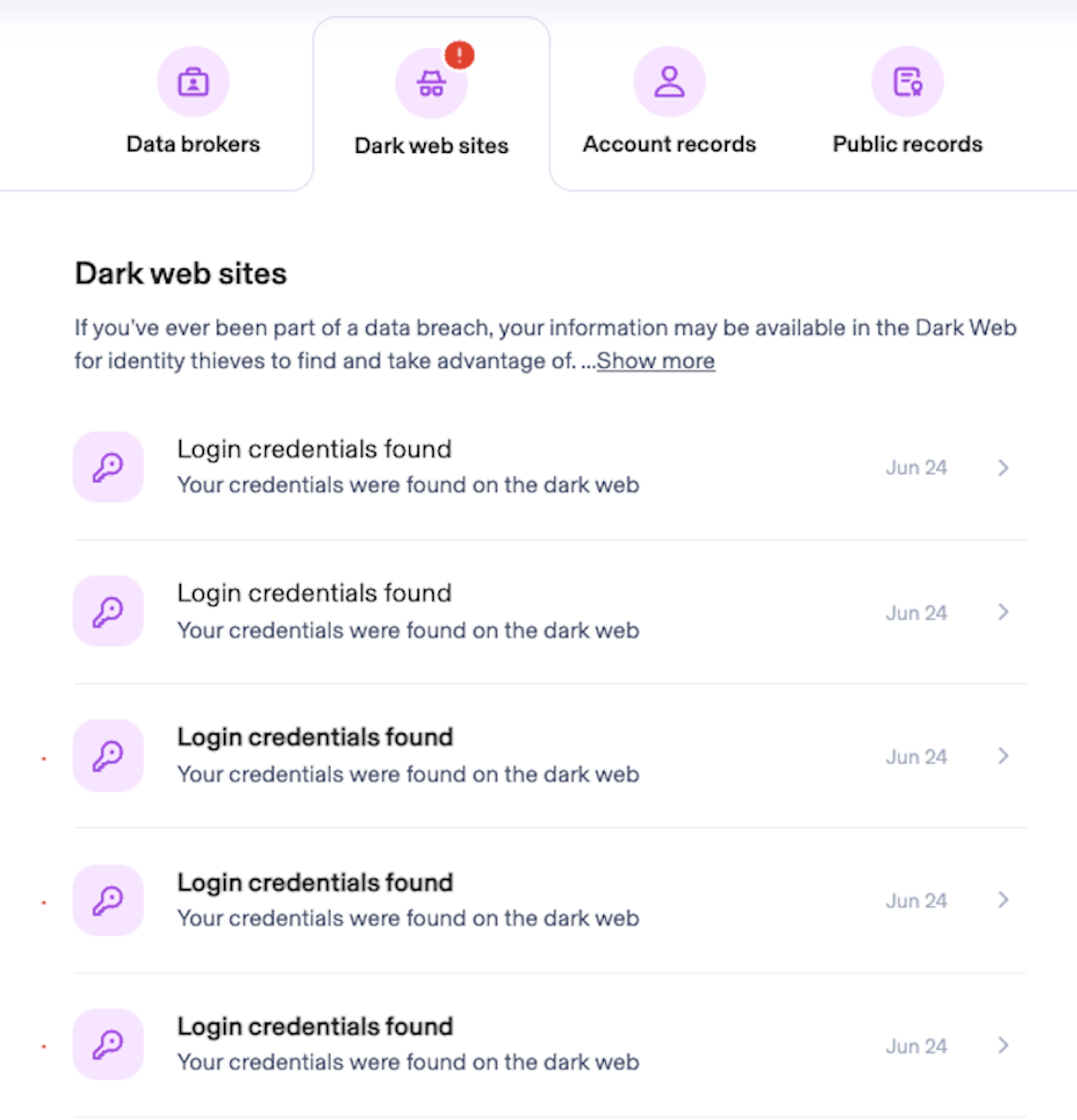
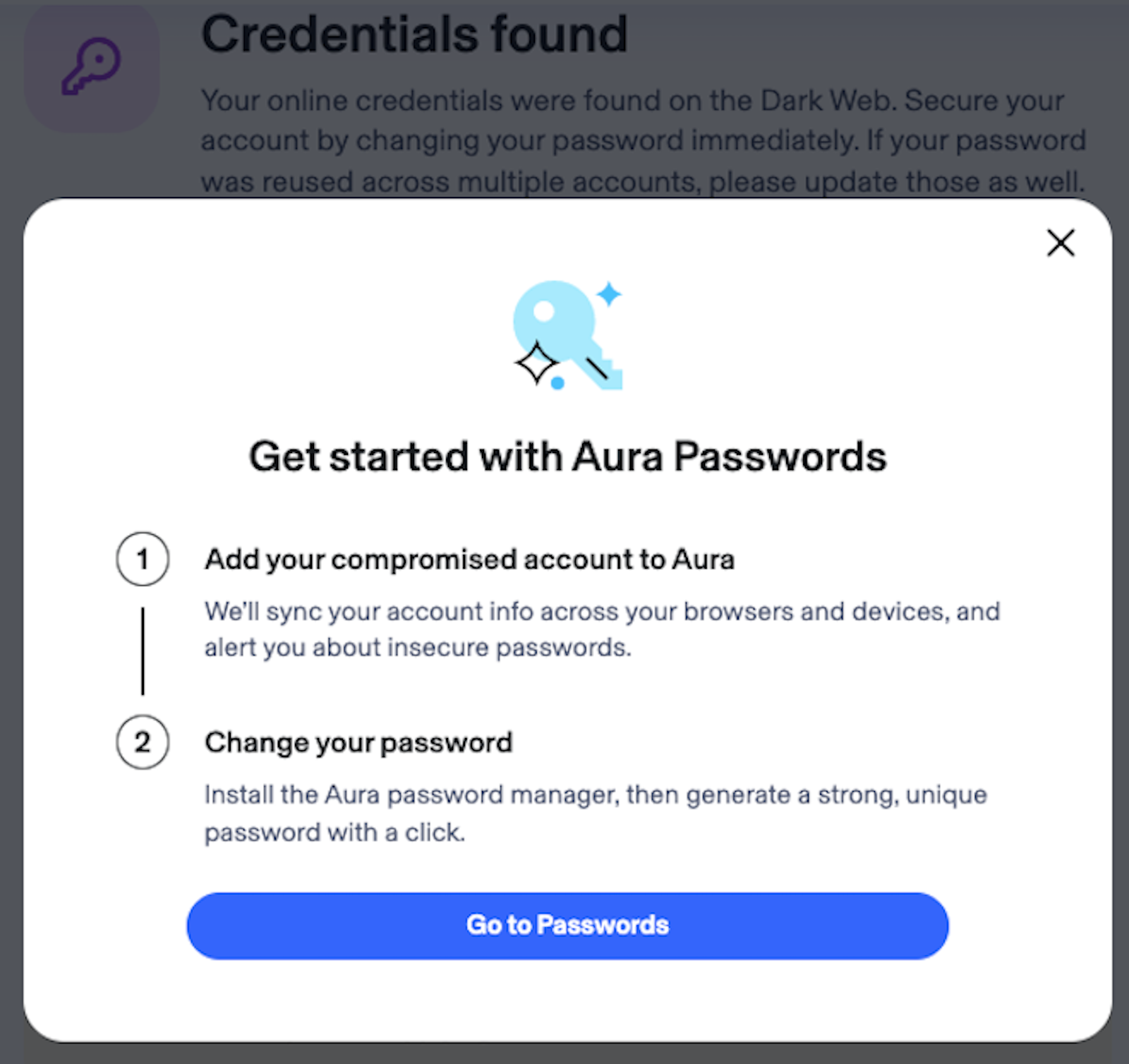
Since previously used passwords of mine had been found online, Aura prompted me to add my accounts to Aura Passwords. This service can check for weak passwords I'm using, sync my passwords across devices and then manage my passwords in a single location. This allows users to create strong, unique credentials for each of their online accounts without worrying about remembering these complex passwords.
Aura will even proactively alert me when one of my passwords has been compromised — and will offer to change it on my behalf.
Related: Why a password manager is a critical part of my points and miles strategy
I was even alerted that my Experian credit report had been frozen on my behalf. I was surprised and happy to receive this notification, because it reminded me that I had forgotten to refreeze my report after the last time I applied for a credit card.
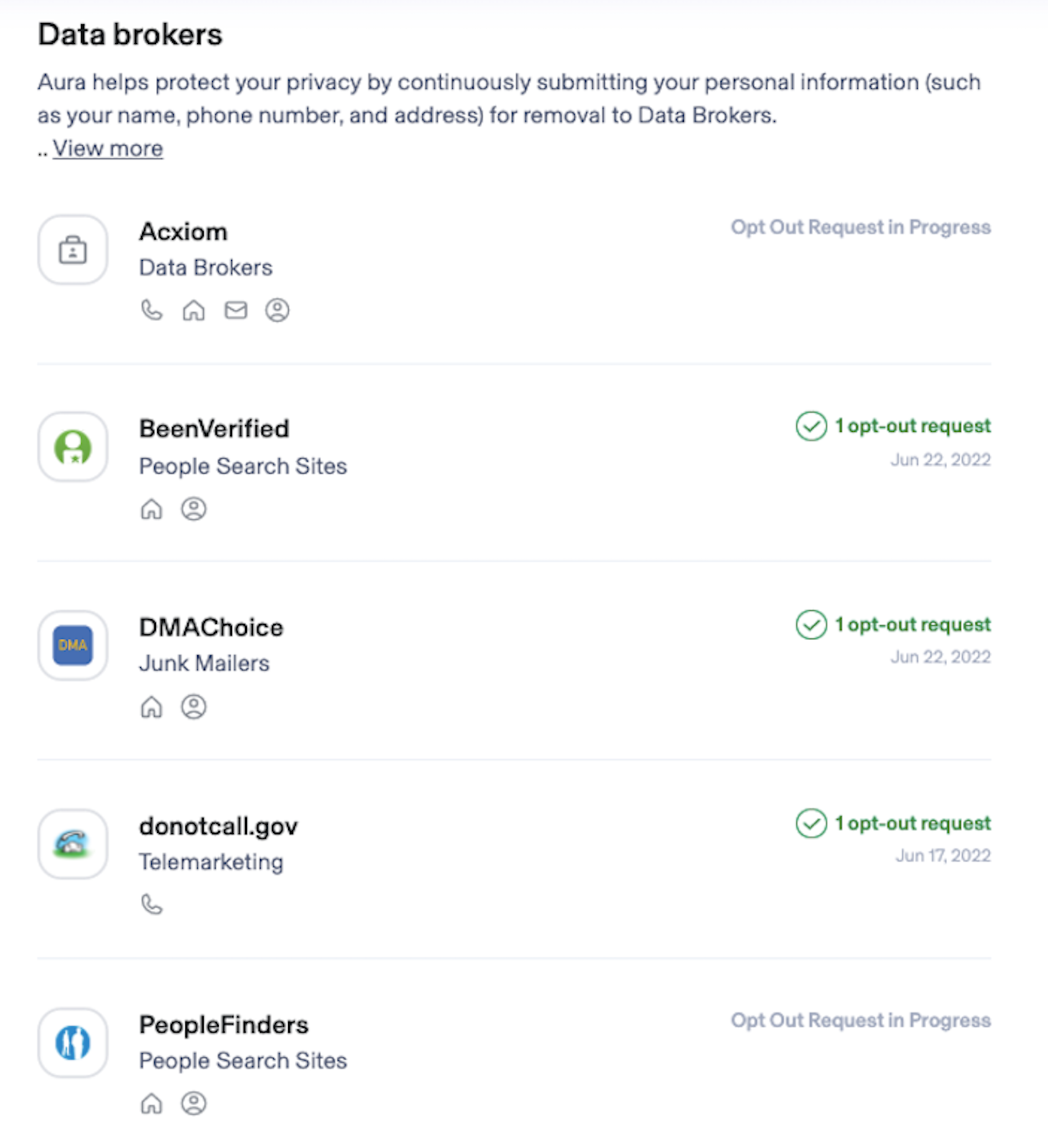
Additionally, Aura automatically requested the removal of my information from multiple data broker websites that were selling my personal details — which will lead to fewer of those dreaded spam emails and robocalls.
The desktop application is easy to use
Once I downloaded and installed the desktop application, I found it straightforward to use. And all I had to do to enable the antivirus feature was click "yes" after navigating to the tab.
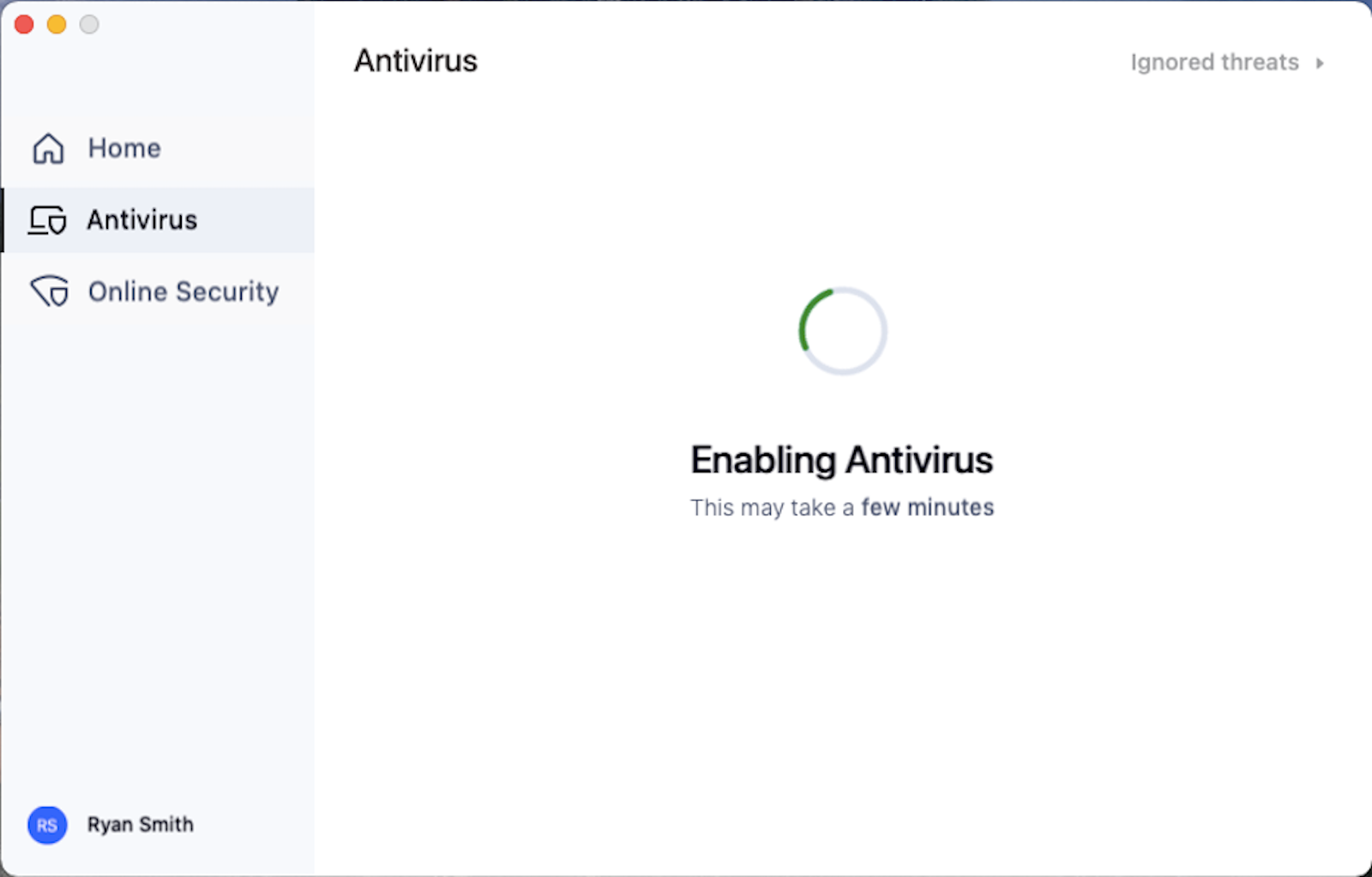
Whenever I had the desktop app open, I was able to run the antivirus search at will to check for any malware on my computer.
The VPN was simple to use and worked when I needed it
Previous VPNs I've used have included the additional step of choosing which server location I wanted to connect to. Thus, I could choose to make it look like I was browsing from Miami or Seattle, based on my preference.
Aura's app makes it even easier. You simply turn the VPN on, and it connects to the optimal server available to you.
I took a cautious approach to using the VPN, trying it out in small ways at first. To start, I tested it at Los Angeles International Airport (LAX) and made sure it worked as expected. Later, in Vietnam, I tested it again by logging in to my American Express account.
By the time I arrived in Pakistan, I was confident that Aura's VPN was working as advertised, so it would hide my location and protect my private data correctly. Thus, I logged in to my online account with my local electric company and paid my bill online. Taking this type of action on an unsecured connection would normally leave me vulnerable to hackers.
Thankfully, Aura's VPN protected me — there are no signs of my credit card number being compromised, and my payment was processed successfully.
Finally, while in Iran, I connected to Aura's VPN and then updated my password on several websites, streamed videos online and checked the video feed of my home cameras to see what my dogs were up to while my wife was at work.
All of these worked perfectly while connected to Aura's VPN.
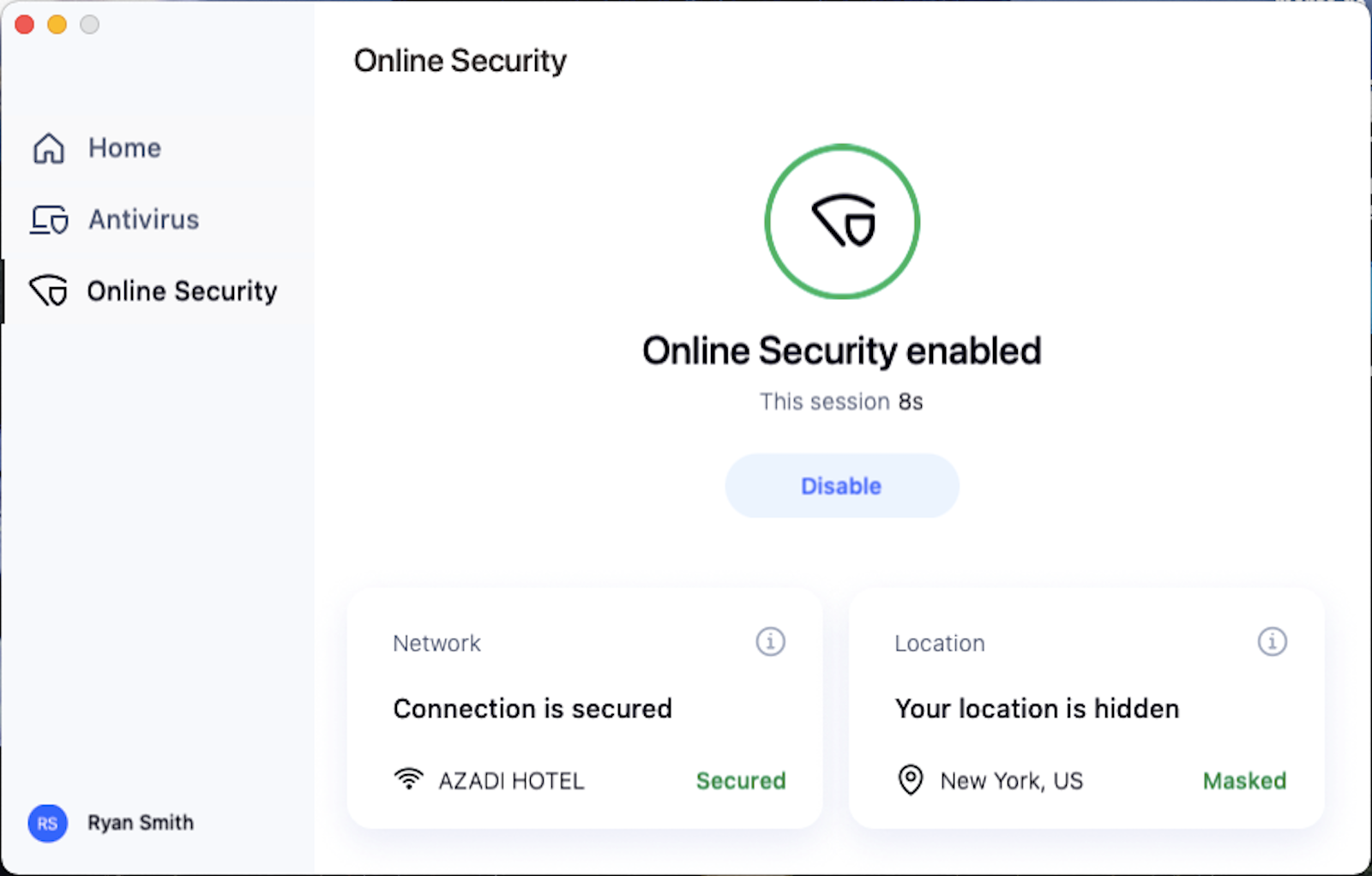
It's worth noting that I did encounter issues connecting to Aura's VPN during a pair of layovers at Hamad International Airport (DOH) in Doha, Qatar, but the company said it is working to resolve connection issues caused by government regulations in select Middle Eastern countries.
Adding my wife to our family plan was simple and worked as expected
Since I'm married, ensuring my wife is also protected online is important. Aura offers plans for families and couples, and I found that enrolling my wife was very easy.
After I set up my account, the first page after logging in showed the option to "Protect your family members." From here, I was able to invite my wife to join the account. When we set up her profile, her experience mirrored mine in its ease and simplicity.
She too began receiving alerts immediately for financial accounts she could monitor, personal information found on the dark web and other recommended actions she could take to protect herself online. She was also prompted to download the Aura desktop app to use its features, such as the antivirus software and VPN.
Bottom line
Staying safe online is important and doesn't have to be overly complicated. A few extra clicks can be all it takes — as was the case with the online safety app Aura.
I found Aura's services to be reliable and easy to use during my summer trip to several countries. I especially liked the fact that it included everything I would usually have to get from multiple services. Instead of downloading one app for antivirus protection, a different app for my VPN connection and yet a third to scan the internet for leaks of my personal information, Aura's all-in-one package provided seamless online security in a single solution.
But the best part? All of the features worked beautifully while traveling across multiple international destinations.
Join Aura now at this link for a 14-day free trial and 40% off annual plans.
TPG featured card

at Capital One's secure site
Terms & restrictions apply. See rates & fees.
| 5X miles | Earn 5X miles on hotels, vacation rentals and rental cars booked through Capital One Travel |
| 2X miles | Earn unlimited 2X miles on every purchase, every day |
Pros
- Stellar welcome offer of 75,000 miles after spending $4,000 on purchases in the first three months from account opening. Plus, a $250 Capital One Travel credit to use in your first cardholder year upon account opening.
- You'll earn 2 miles per dollar on every purchase, which means you won't have to worry about memorizing bonus categories
- Rewards are versatile and can be redeemed for a statement credit or transferred to Capital One’s transfer partners
Cons
- Highest bonus-earning categories only on travel booked via Capital One Travel
- LIMITED-TIME OFFER: Enjoy $250 to use on Capital One Travel in your first cardholder year, plus earn 75,000 bonus miles once you spend $4,000 on purchases within the first 3 months from account opening - that’s equal to $1,000 in travel
- Earn unlimited 2X miles on every purchase, every day
- Earn 5X miles on hotels, vacation rentals and rental cars booked through Capital One Travel
- Miles won't expire for the life of the account and there's no limit to how many you can earn
- Receive up to a $120 credit for Global Entry or TSA PreCheck®
- Use your miles to get reimbursed for any travel purchase—or redeem by booking a trip through Capital One Travel
- Enjoy a $50 experience credit and other premium benefits with every hotel and vacation rental booked from the Lifestyle Collection
- Transfer your miles to your choice of 15+ travel loyalty programs
- Top rated mobile app