10 travel-friendly features coming to Apple’s newest iPhone software


It's that time of year again: when our Apple devices get a slew of new features and improvements thanks to redesigned operating systems.
This year, Apple dedicated much of its virtual keynote at the annual Worldwide Developers Conference to the software improvements coming this fall for iPhones, iPads, Macs and Apple Watches. (The tech giant even unveiled some new hardware, including a new MacBook Air, which is poised to be a contender for the best travel laptop.)
While there's a lot to get excited about, ten of the new features are especially appealing for travelers — let's take a look.
Live Text helps you quickly get key info
Last year, Apple gave travelers a big update in the form of the Live Text feature.
Say you're on the go and take a picture of a business card or a sign hanging at your favorite store.
These shots were previously static, in that you'd need to find the picture and then trigger your short-term memory to jot down a phone number or email address.
With Live Text, your iPhone now automatically detects info on pictures and allows you to quickly tap to call, email or copy useful info.
Apple is bringing Live Text to videos in iOS 16, allowing you to pause and quickly interact with any info in the video, without needing to capture a screenshot or grab a notepad.
Additionally, you'll soon be able to perform quick actions on photos with Live Text.

Say you're reading a sign in Europe that says something weighs 1.5 kg or costs 5 euros.
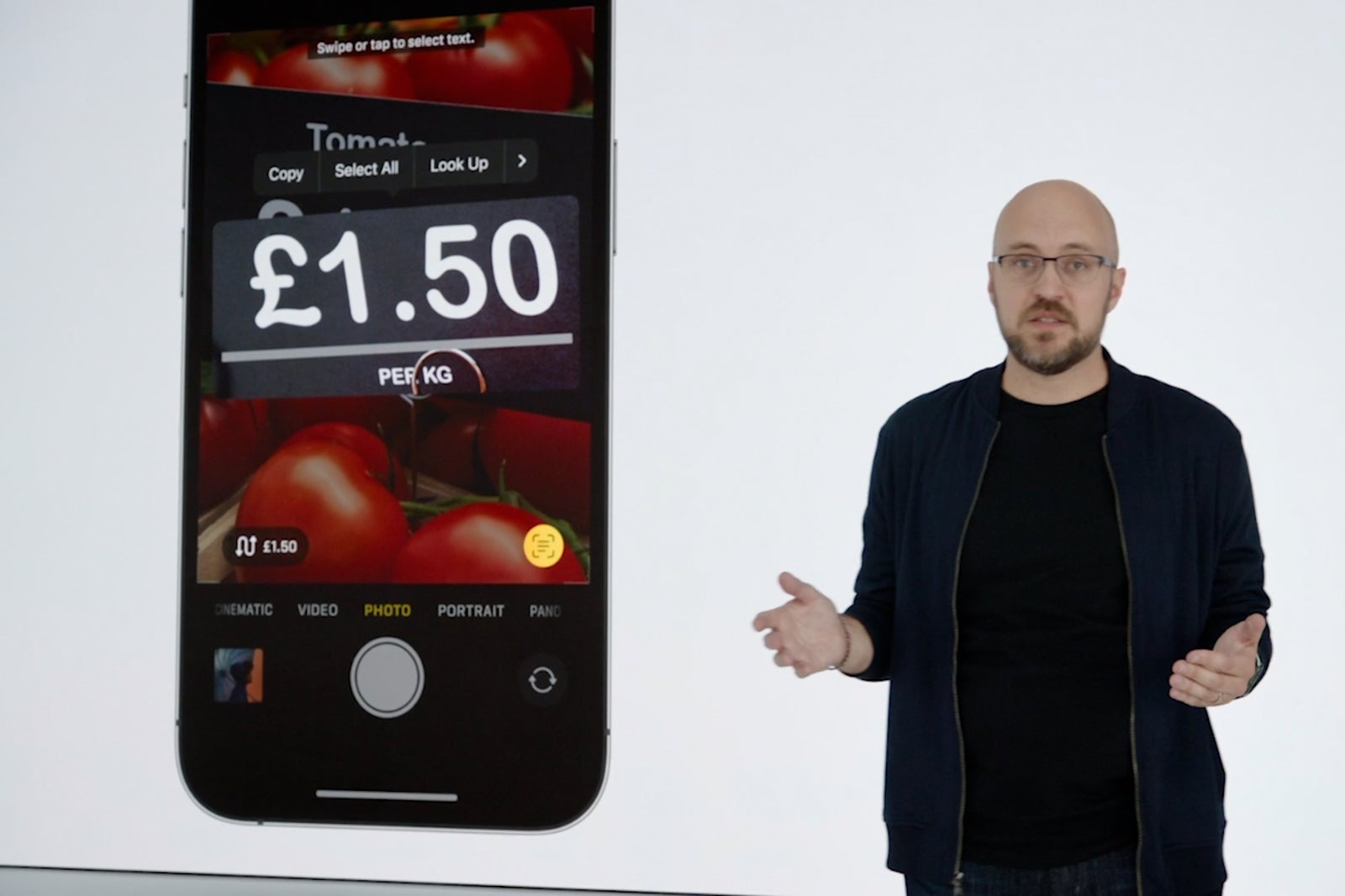
With Live Text, you can quickly tap on the measurement or cost, and then quickly convert the weight or currency without needing to launch a second app.
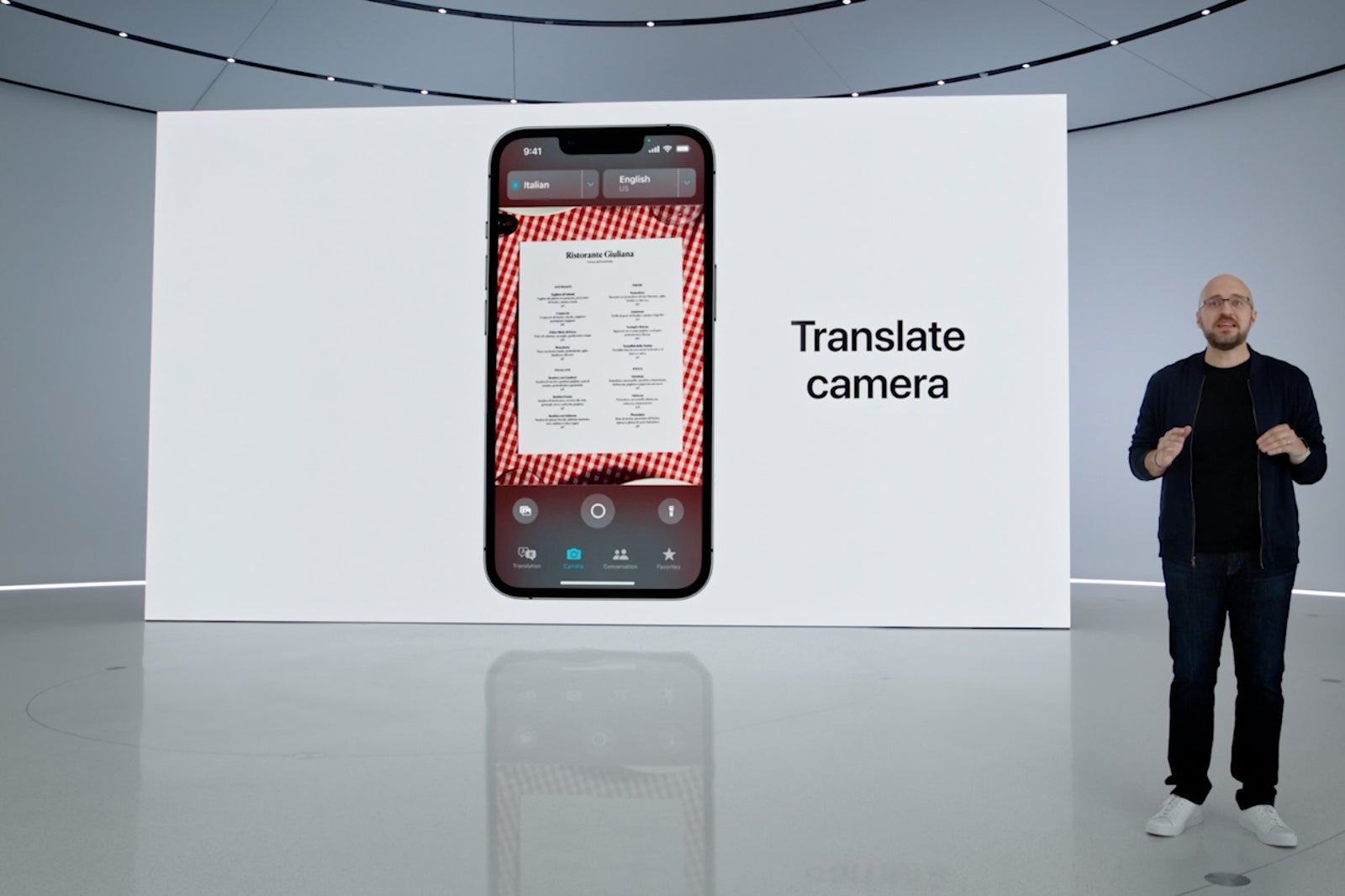
Plus, the Translate app is getting a new camera view, which will allow you to translate any photo in real-time, whether it's a menu, poster or billboard in a foreign language.
IDs get more powerful
Apple is also building on the foundation that it laid last year when it introduced mobile IDs and driver's licenses.
While the feature is already live in Arizona and Maryland, the tech giant is actively working with 11 other states to enable digital IDs.
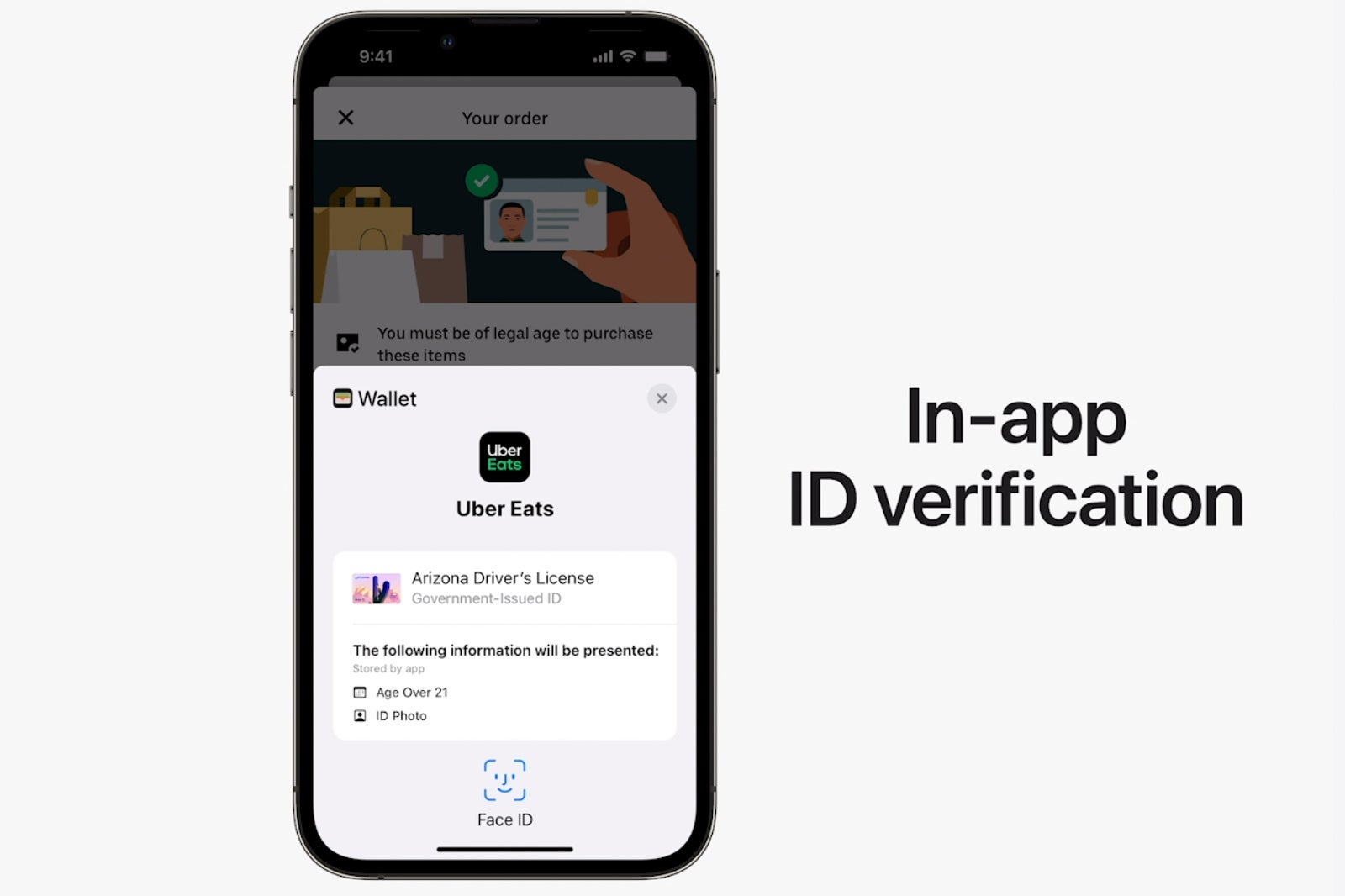
With iOS 16, you'll be able to use mobile IDs not just at TSA checkpoints, but also within apps to verify your identity. For instance, you could use your digital ID to verify that you're above 21 years old to order liquor while you're on the go.
(With Apple's focus on privacy, your exact date of birth won't be shared. Rather, just that you're over 21.)
Sharing digital keys is easier than ever
Apple Wallet now supports digital hotel keys.
If you're staying at an eligible hotel or resort, you can bypass both the reception desk and the hotel mobile app to get your room key. Simply opt-in for a digital key through Apple Wallet.
Apple rolled out this feature with World of Hyatt late last year, with additional partners including Walt Disney World and Nobu Hotels coming soon.
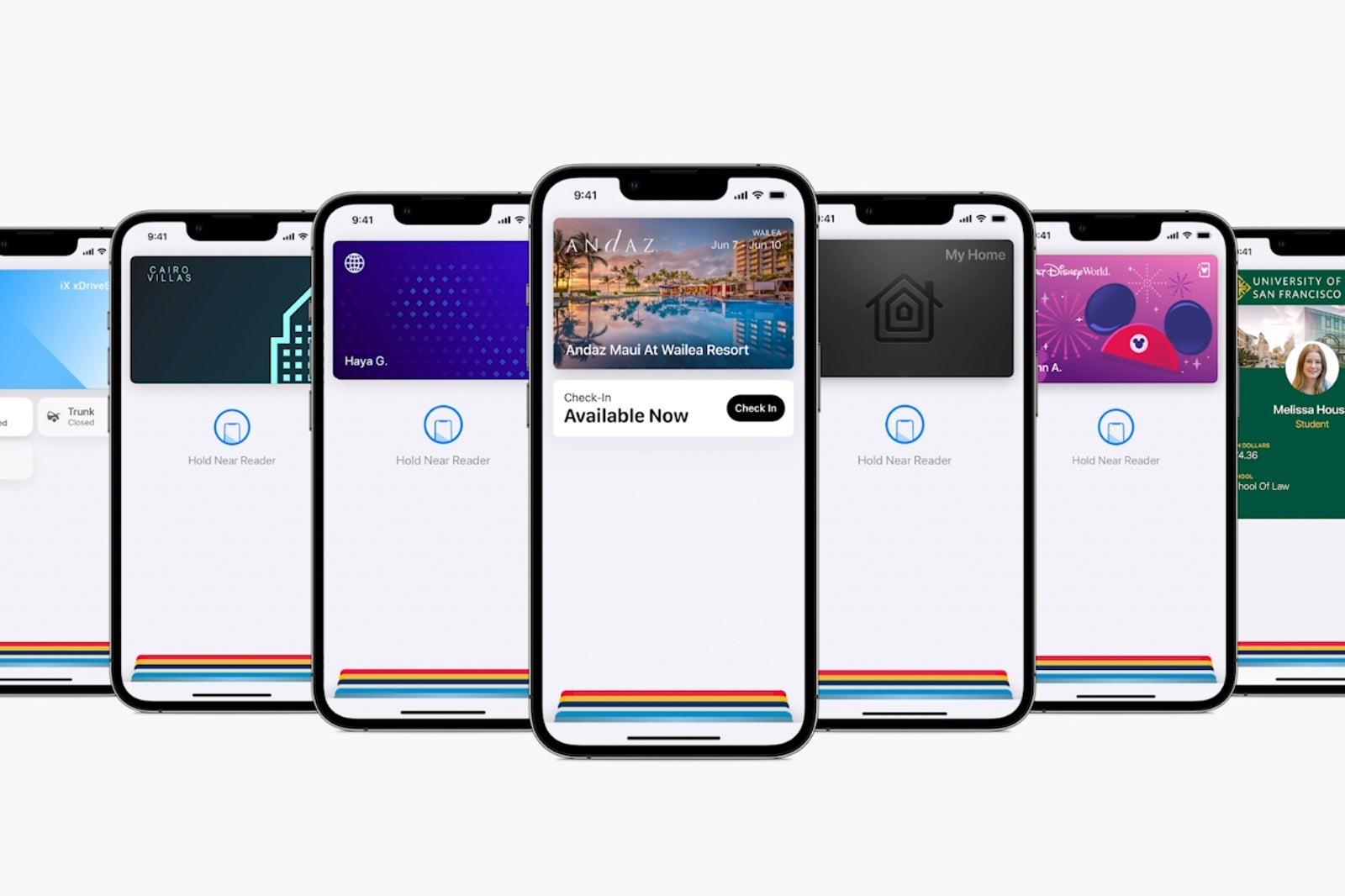
Now, with the latest update to iOS, you'll be able to share your digital key with family and friends directly through the Wallet app — with no need to approach the front desk.
You'll be able to send your room key via Messages, WhatsApp or Mail.
Plus, the tech giant is working to standardize the tech behind digital keys to create a new industry standard that won't necessarily require you to have an Apple device to use keys.
On-the-go dictation updates
When I'm on the go, I often use dictation on my iPhone to transcribe my messages and emails.
Now, with iOS 16, Apple is bringing some highly requested features to the dictation functionality.
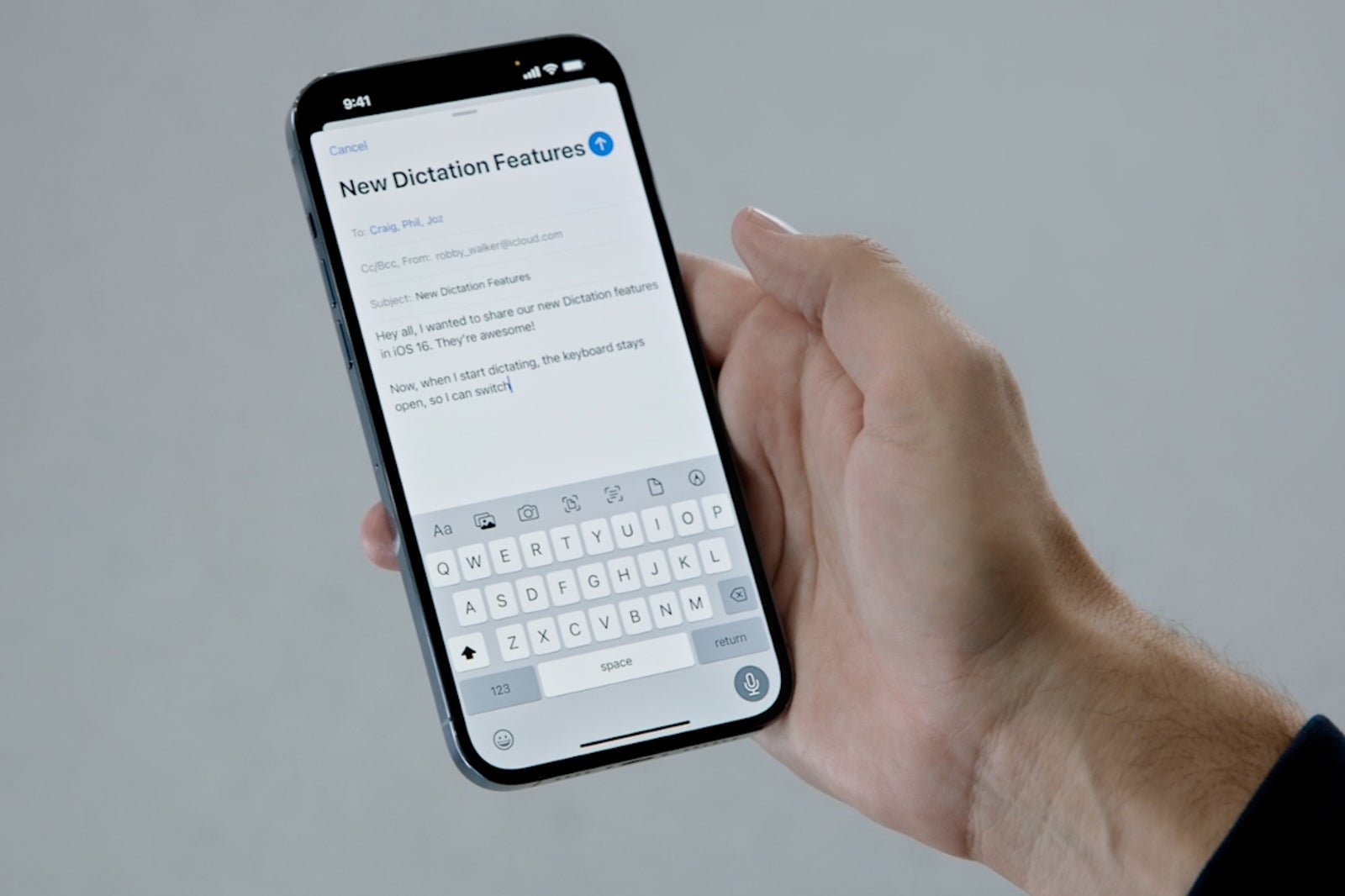
For one, dictation will automatically add punctuation, which will be especially useful when my hands are completely tied up.
Additionally, the keyboard will remain open during dictation, which will allow you to make real-time adjustments to the processed words.
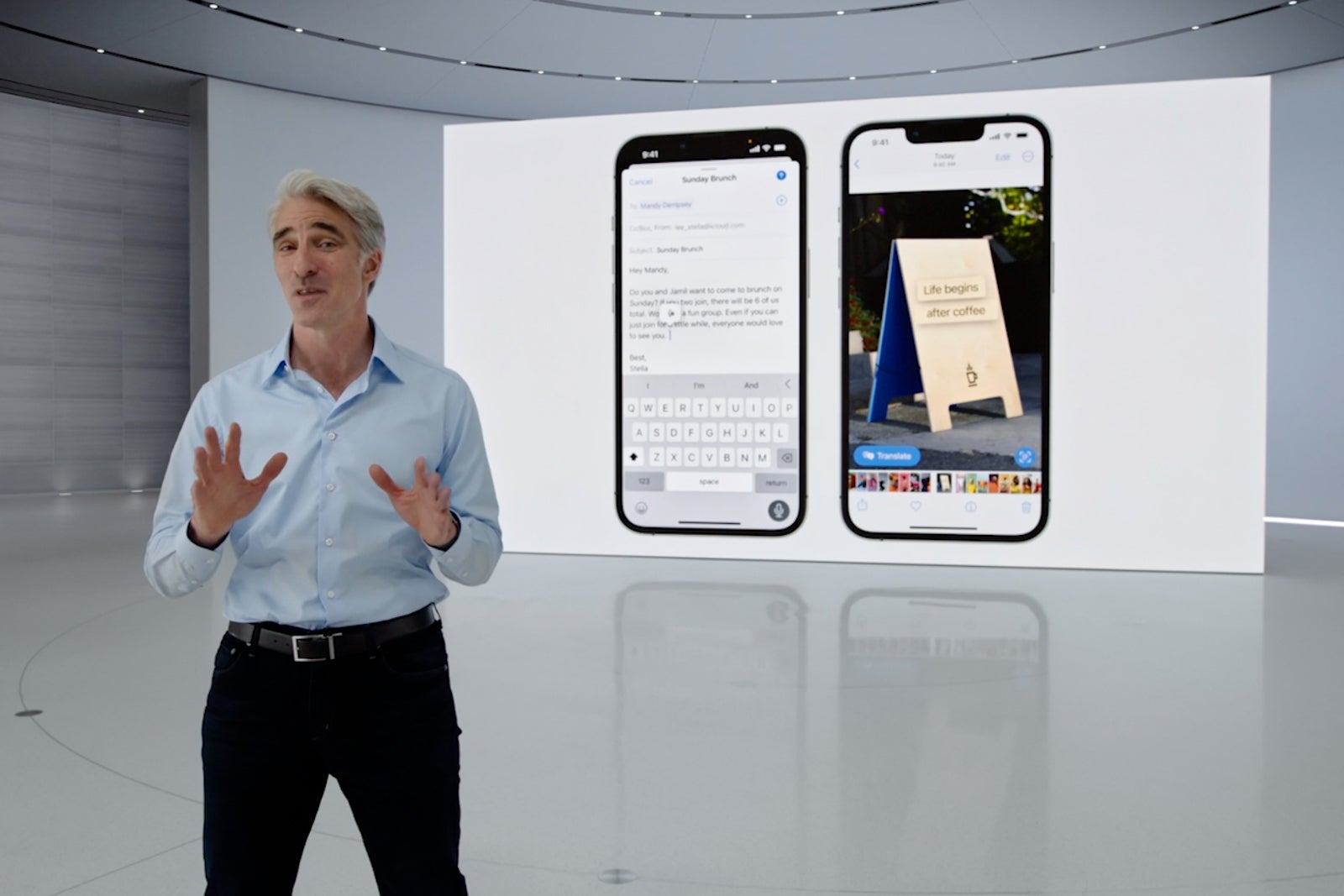
Finally, you'll be able to highlight text and then replace it with dictation, giving your voice even more power with the latest software.
Tracking orders has never been simpler
Keeping track of my online orders, especially when I'm on the go, can be especially frustrating. I'm often navigating multiple apps and emails, with some of the most important info getting buried in my inbox.
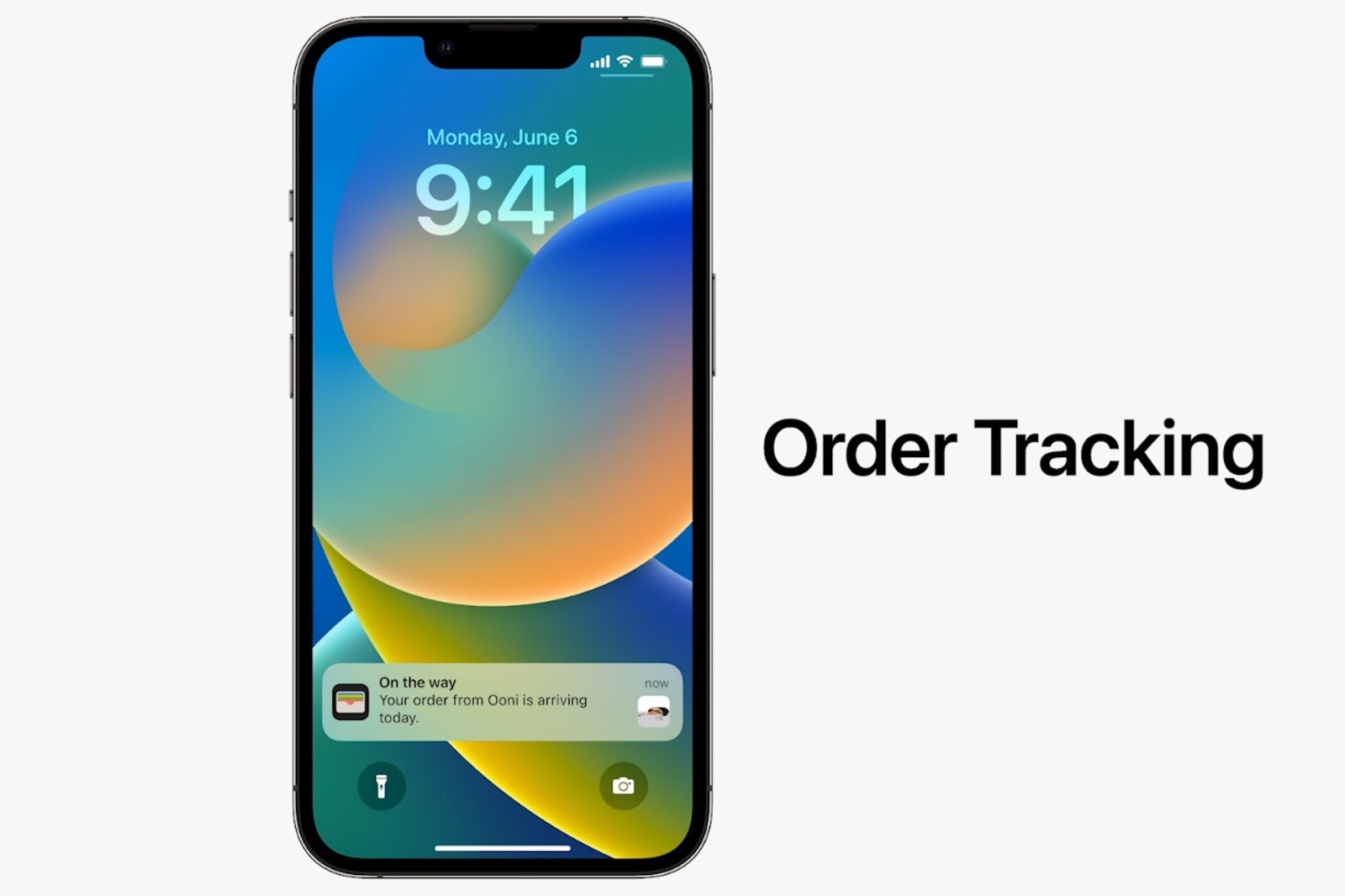
With iOS 16, you'll be able to track all of your Apple Pay orders in the Wallet app. You'll see all your order statuses, across multiple brands and shops, directly in the built-in app.
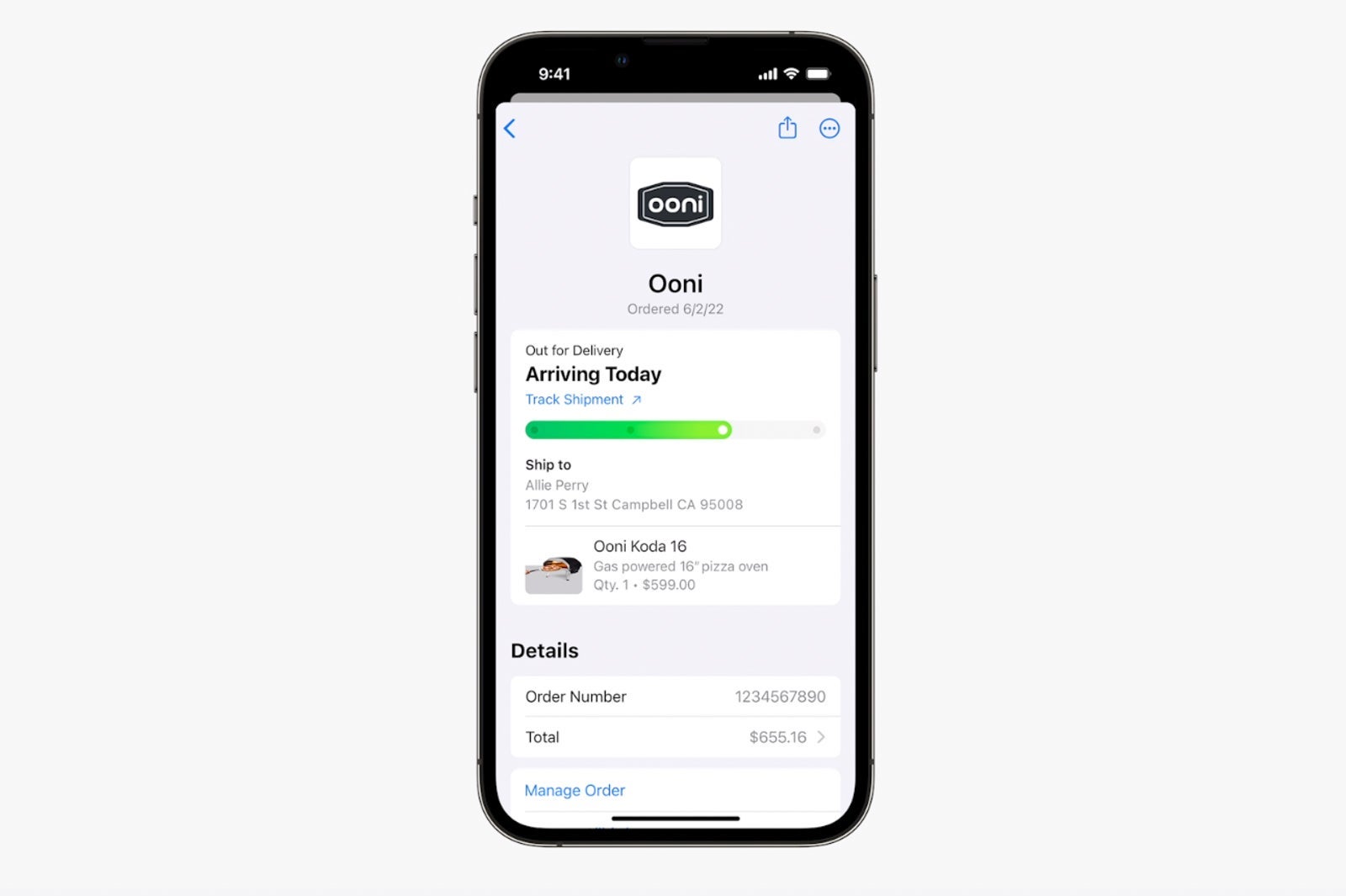
At the outset, this functionality will support Shopify e-commerce platforms with additional support at "millions of merchants" coming soon.
Apply Pay Later
Apple is giving users the ability to check out with Apple Pay and pay over time with a new Apple Pay Later feature.
The cost of your purchase will be split into four equal payments spread over six weeks, with no interest or fees.
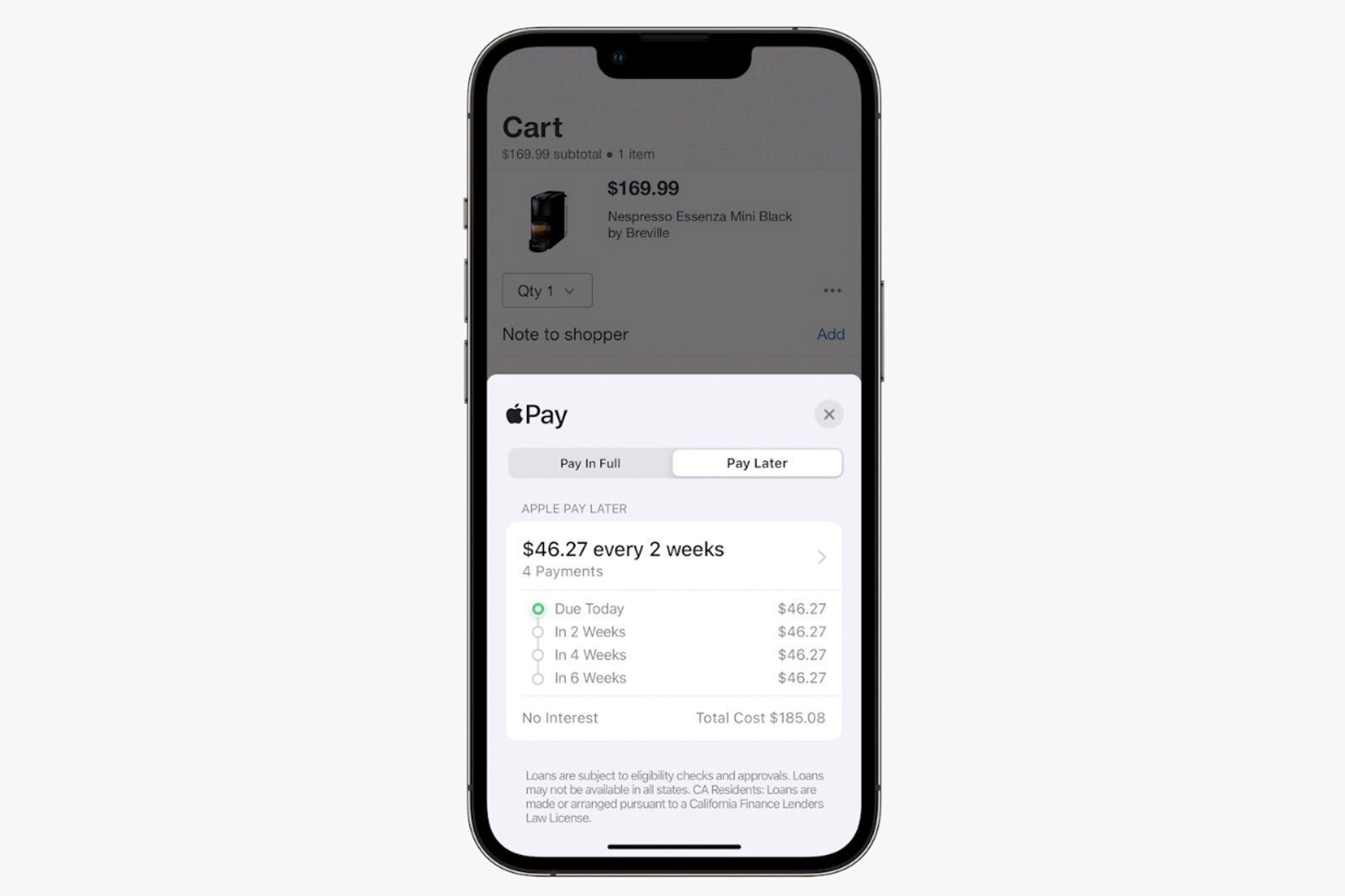
This pay-over-time option will be available everywhere Apple Pay is accepted, but it will be limited to qualifying applicants in the U.S.
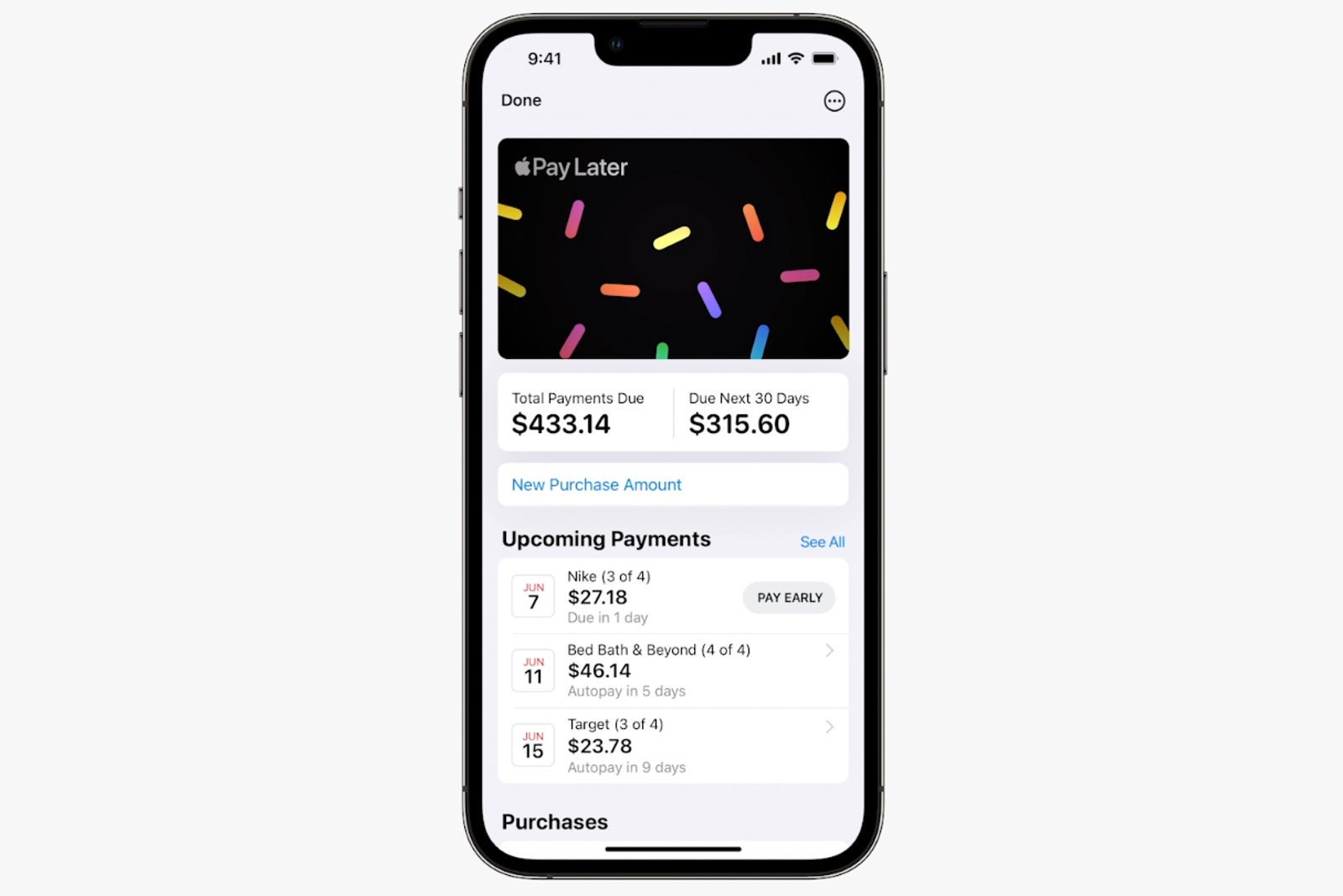
We'll be sure to follow up with more details once available from Apple, but this option could help unlock additional travel experiences and purchases for those on the road.
On the heels of Apple's move, Affirm, an incumbent in the BNPL (buy now, pay later) market, shared with TPG that "even as more players join the movement we started, the prize remains massive, and Affirm is well-positioned to win. We simply don't think anyone can do what our team and our technology can do."
Customizable lock screen with timely info
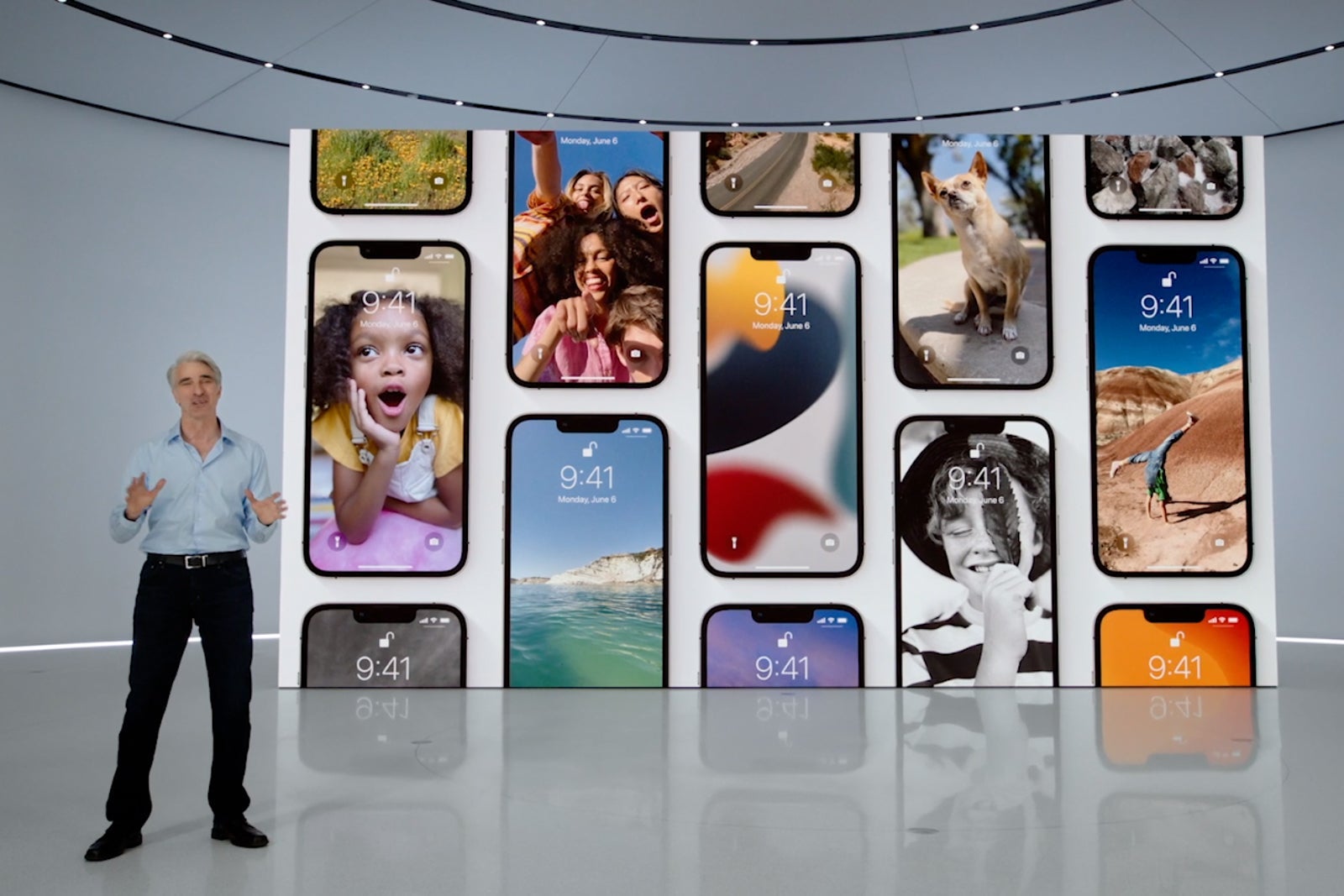
Since the iPhone's introduction in 2007, the lock screen has largely looked the same.
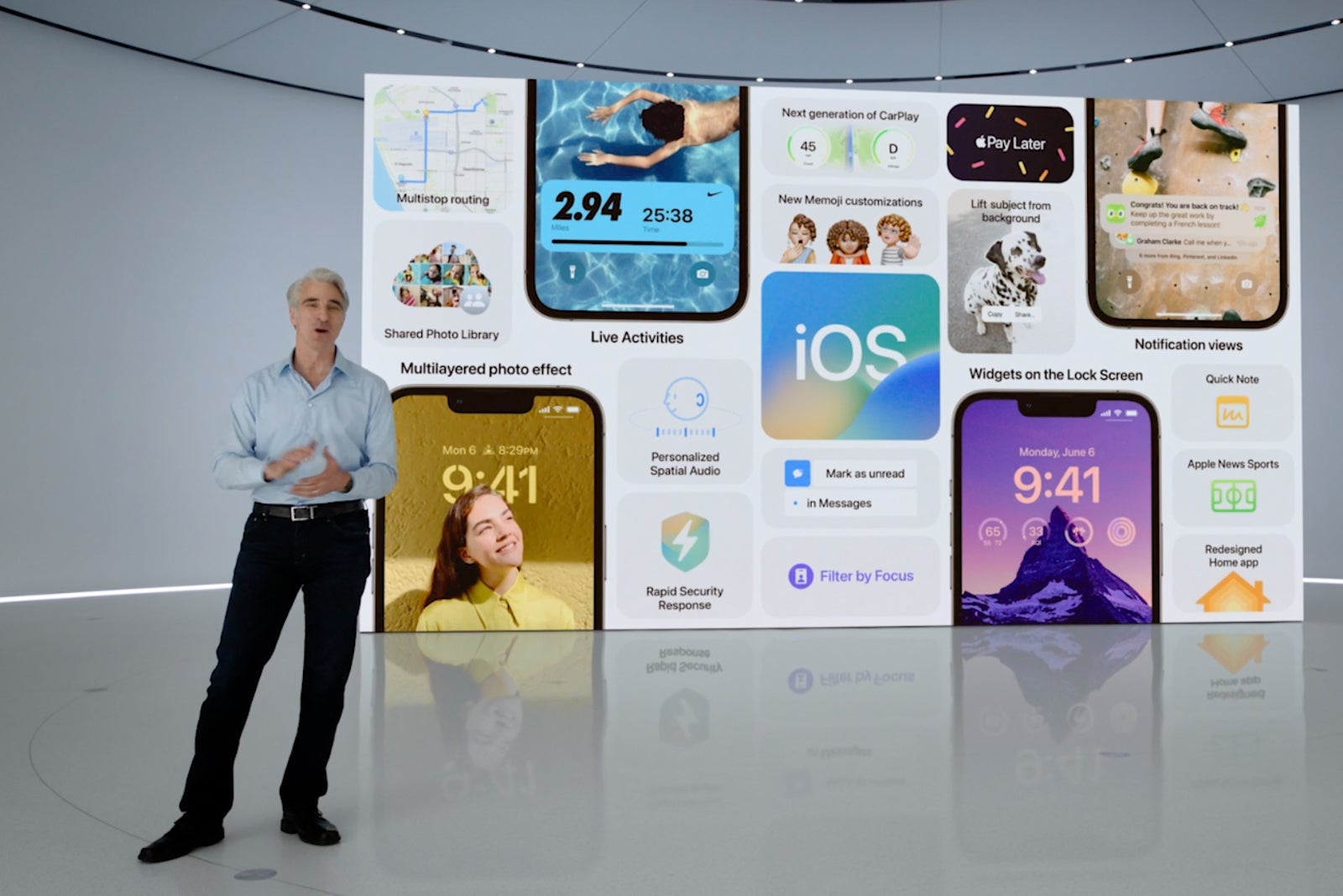
That's changing with iOS 16, giving users the ability to customize nearly every aspect of the screen, including the time display, widgets and more.
Notifications also move to the bottom of the lock screen in a new carousel view.
For those on the go, the customizable lock screen will help you glance at all your important upcoming travel info. Plus, you even link a particular lock screen to a customized travel focus setting.
During the keynote, Apple highlighted an example of a live activities widget showing you a real-time view of your Uber ride status, giving you up-to-the-minute info on when your car will arrive.
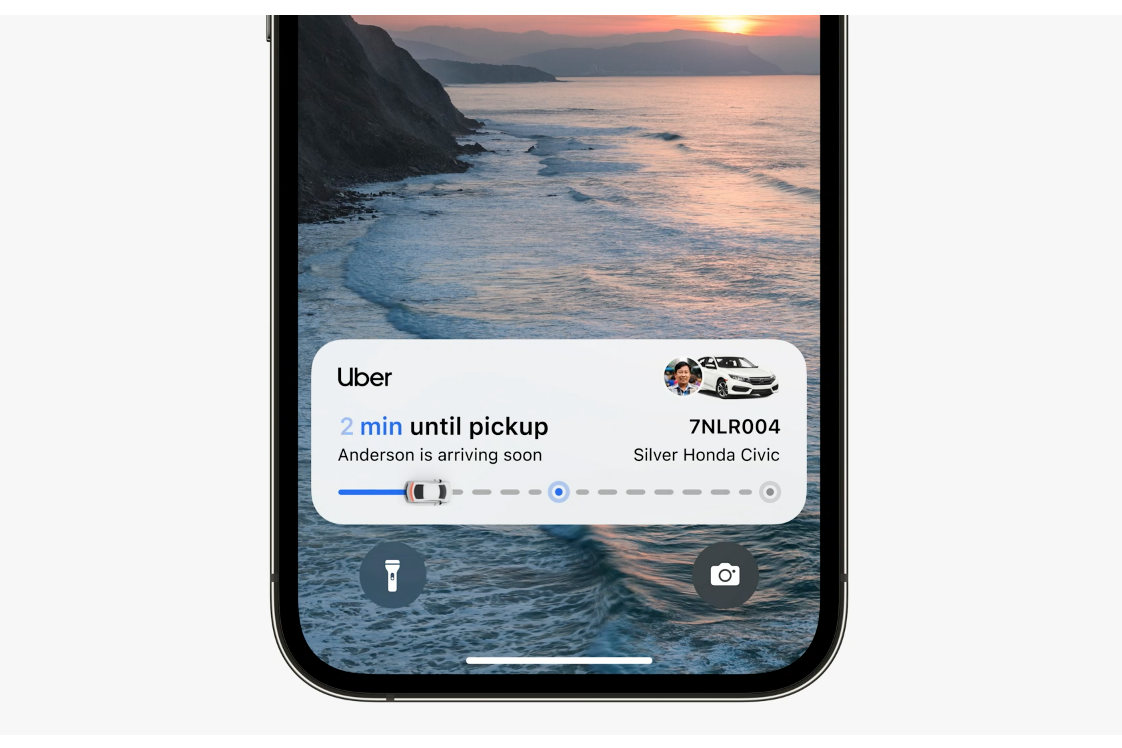
I'd imagine that many popular travel apps will add helpful live activities lock screen widgets in future app updates.
Revamped Apple Maps with big transit boosts
Apple's latest update will give users the ability to add multi-stop routes in Maps, with support for 15 planned stops.

You'll even be able to plan a particular route on your Mac and send it to your iPhone before you hit the road.
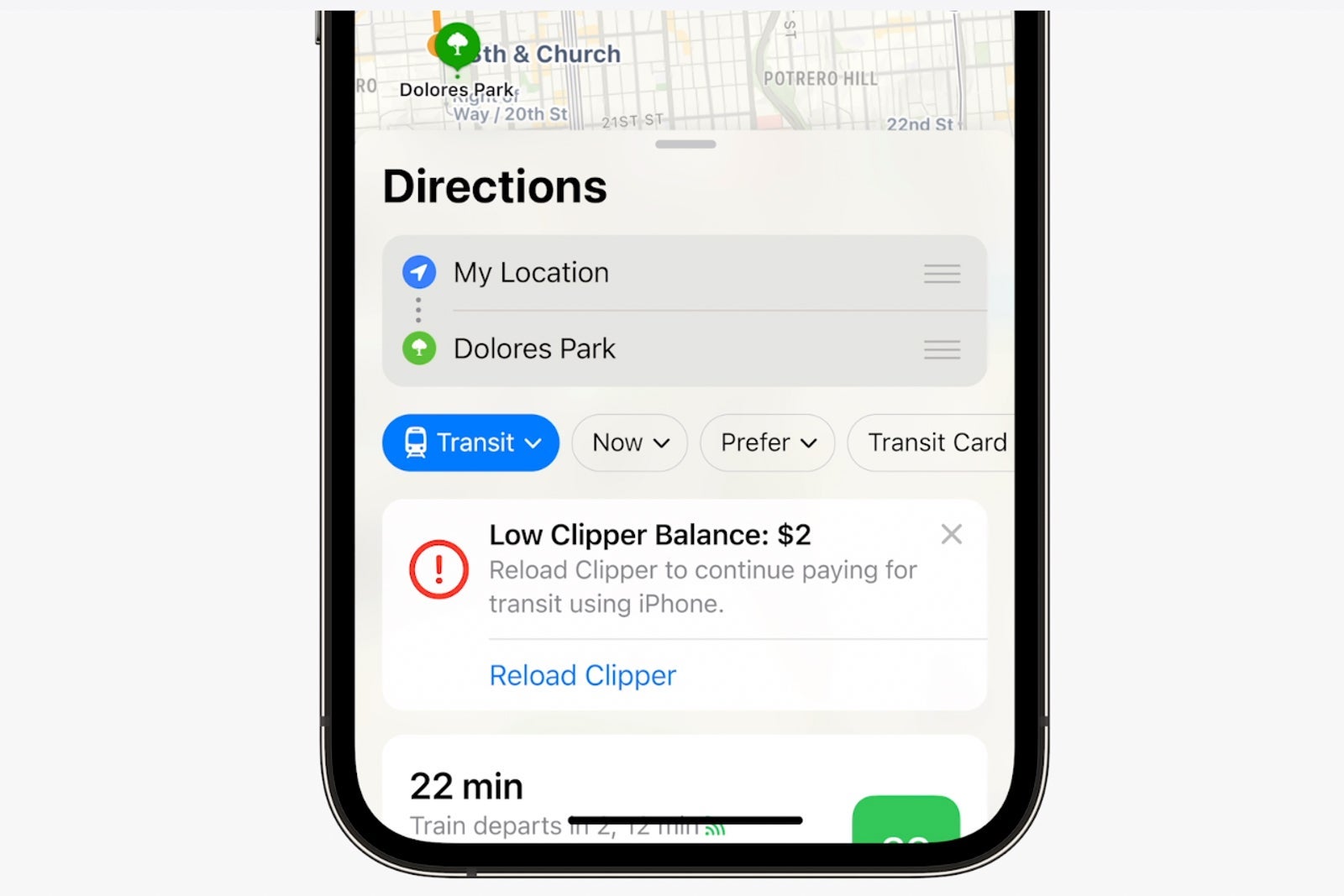
Personally, I'm especially excited about the improvements coming to transit directions.
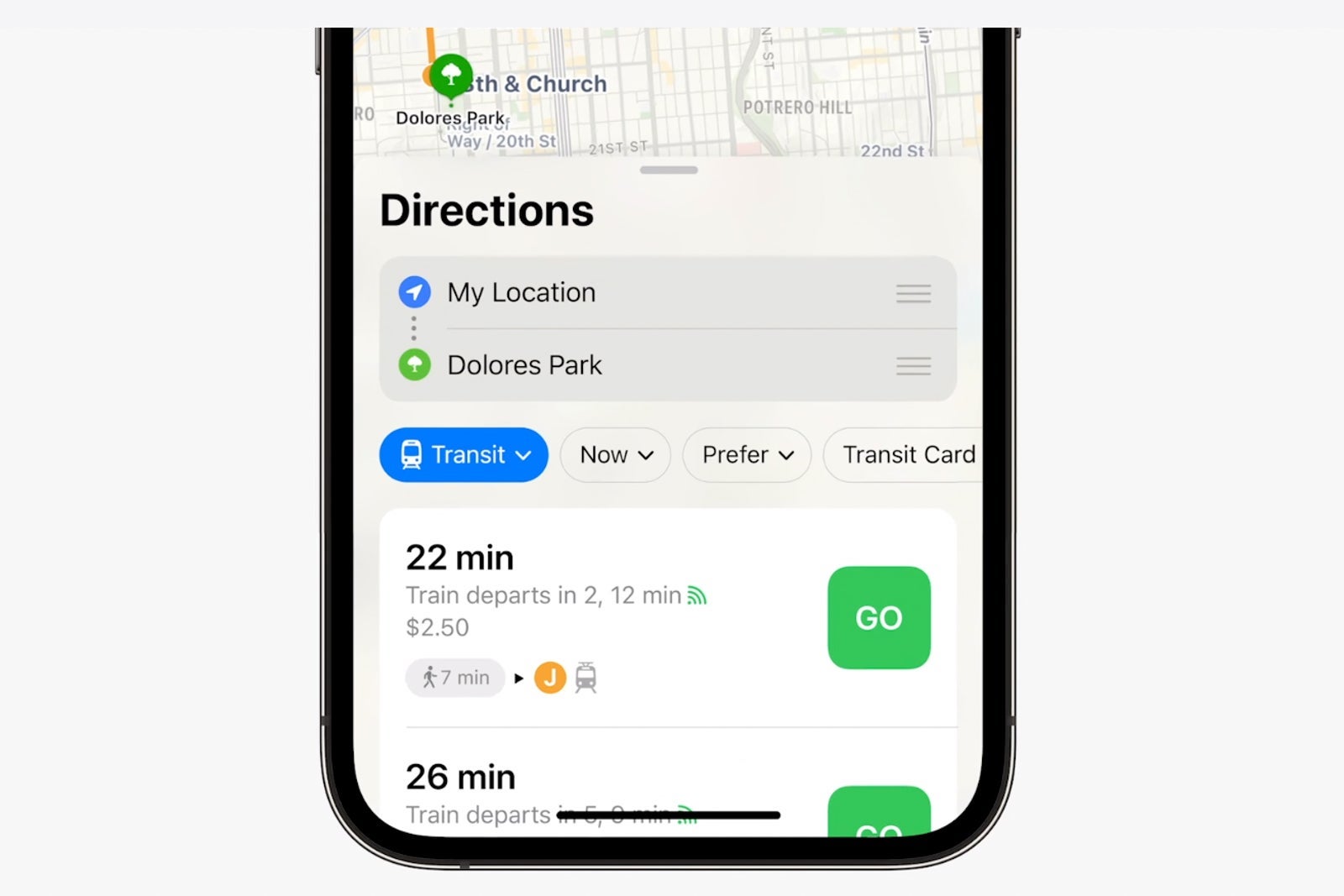
You'll be able to see fares during route planning, and with transit cards in your digital wallet, you'll even be alerted if your card doesn't have a sufficient balance to cover your planned trip.
You'll never miss a group photo
When I'm traveling with my family or friends, I always like to share my group photos. I also like to see what others have captured, too.
With Apple's new Shared Photo Library, you'll be able to share your group shots with everyone without needing to send content via AirDrop or through messages.
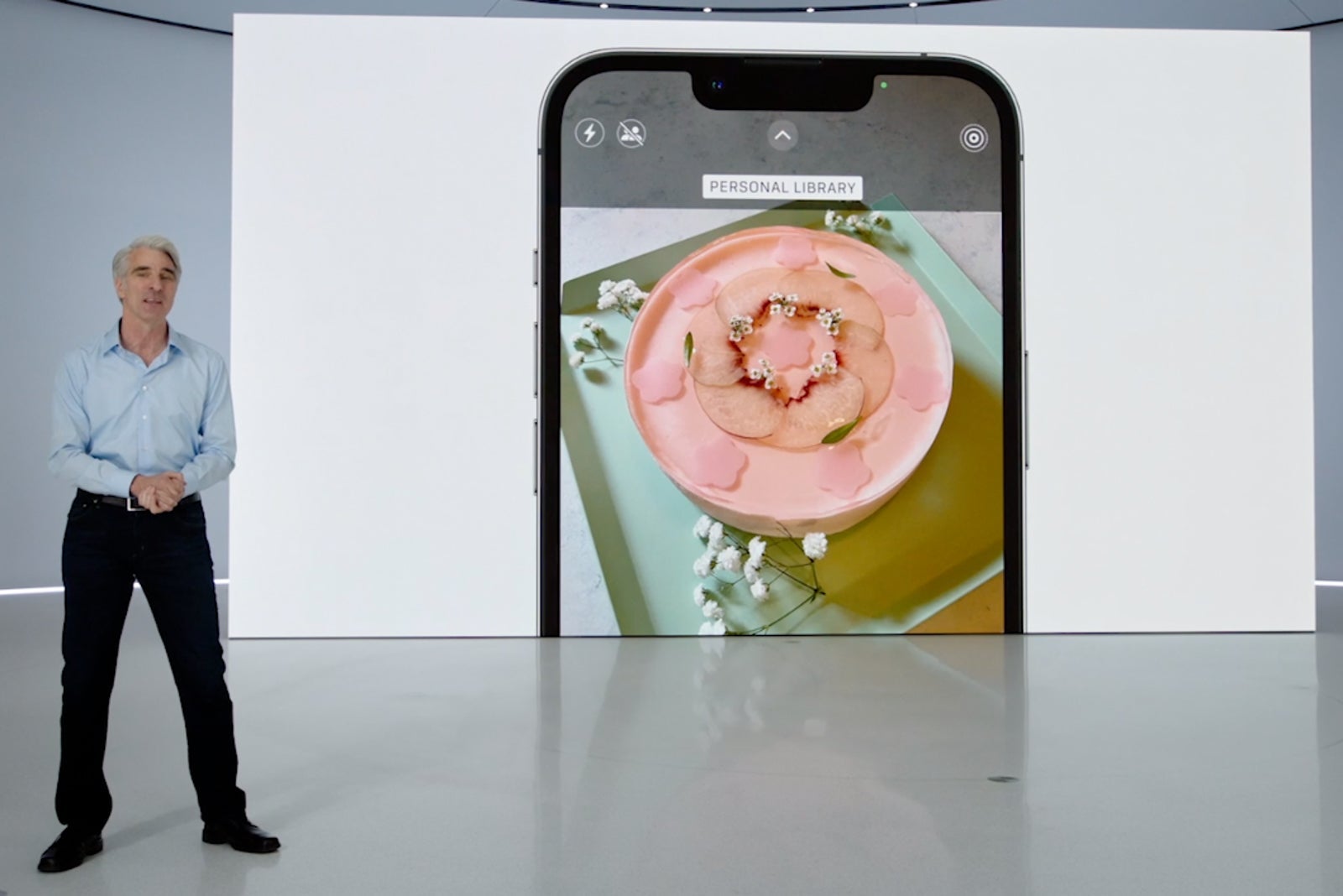
The content you capture will appear in everyone's memories, and you'll be able to relive all your adventures without needing to ask someone to share a particular shot.
CarPlay coming soon
Apple is giving drivers a taste of what's to come with CarPlay, the tech company's next generation of in-car software that'll debut late next year.
Car owners (and renters) will likely be excited about these improvements, which include the ability to tune the radio, change the temperature and perform other car adjustments without needing to exit CarPlay and use the car's built-in software system.
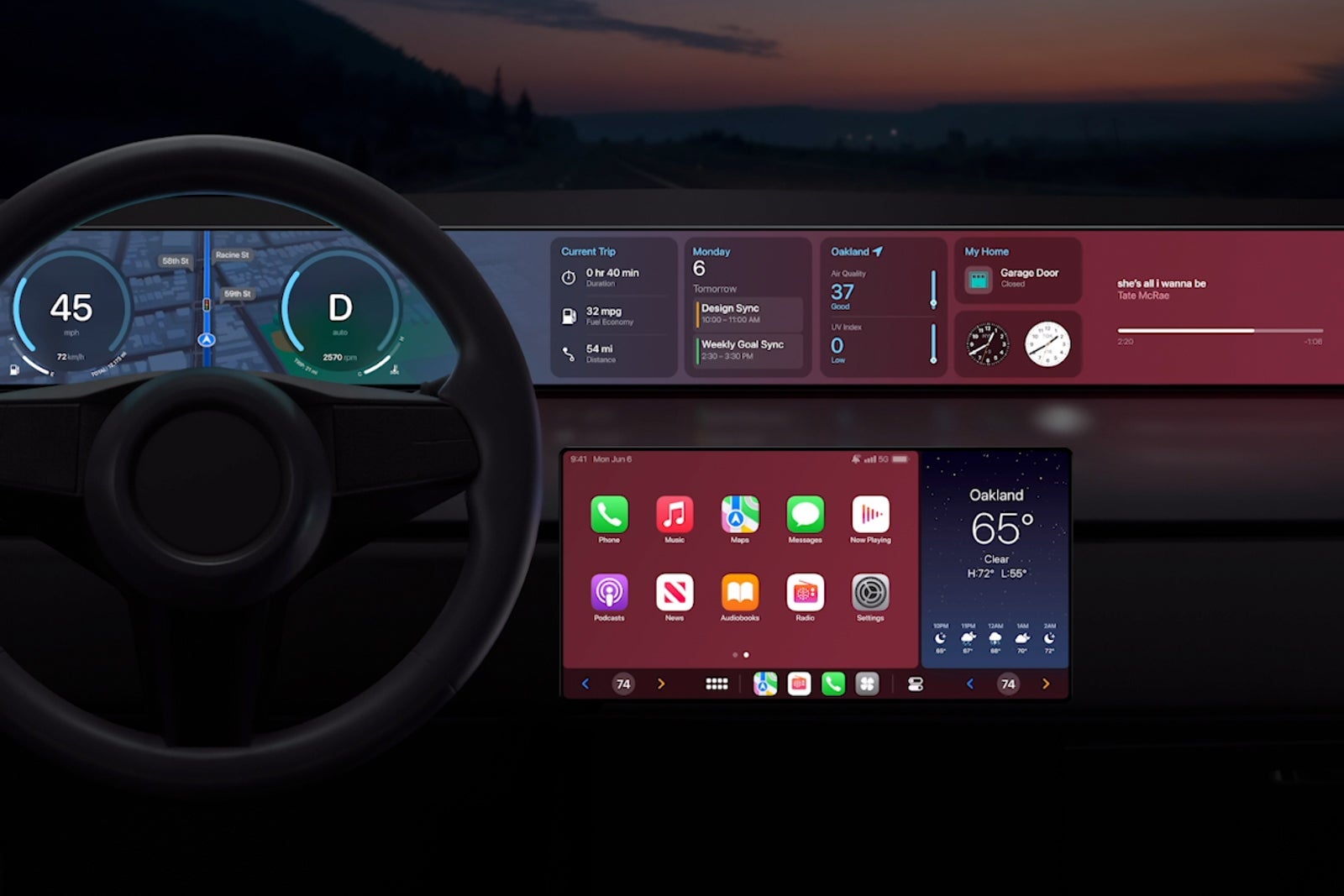
Apple is also bringing widgets to CarPlay, so you'll be able to glance at your upcoming meetings and travel plans when you're stopped at a red light.
The next generation of CarPlay will even take over the gauge cluster with customizable displays and digital instrument options that will give you more control over what you see while driving.
Bonus: Use your iPhone camera as a webcam
If you've got both a Mac and an iPhone, you'll soon be able to use your phone's camera as a webcam for your computer.
This could be especially powerful for those working remotely, as the iPhone camera will offer improved low-light performance, portrait mode and Center Stage — a feature that pans the camera to your movement.
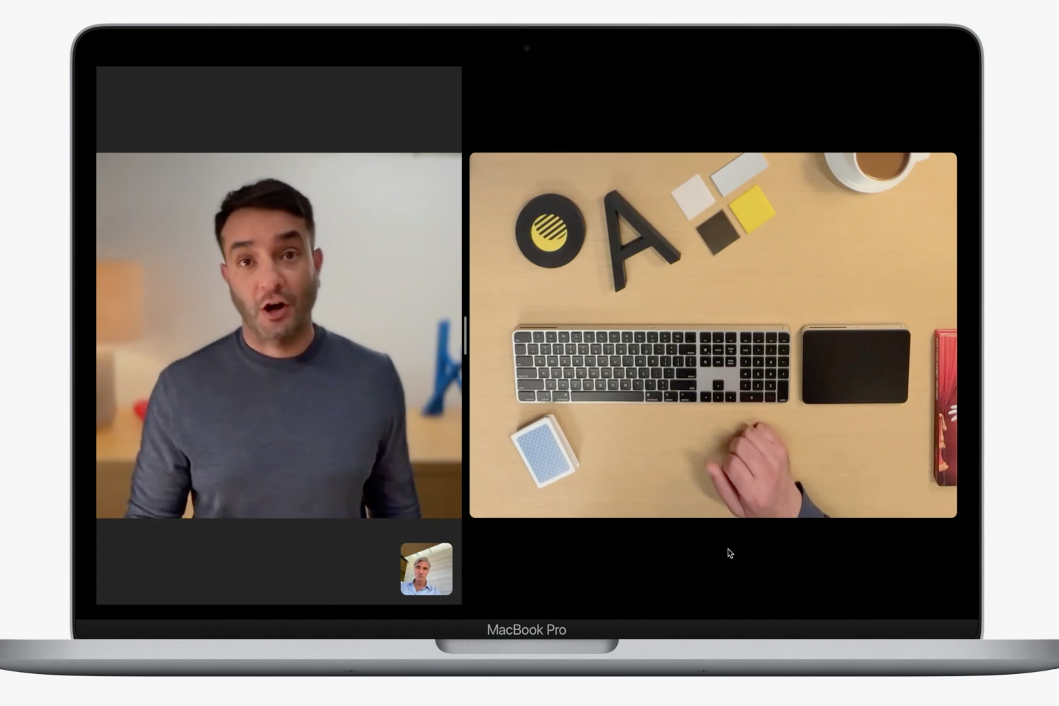
Plus, by using the ultra-wide lens on your iPhone, you can enable a desk view that shows both your face and the an overhead view of your desk, which could be useful during presentations or when collaborating with co-workers.
Bottom line
Apple's forthcoming software update promises to give users a number of new travel-friendly features that are sure to make hitting the road easier.
From improvements to the wallet experience to enhanced transit navigation, expect your travel experience to become more seamless than ever.
Apple is also packing some long-requested features into its newest software, including the ability to edit and undo iMessages, and the ability to mark threads as unread for easy access in the future.
While the list of improvements is long, Apple's newest iPhone software has the potential to continue making all of us better travelers.
TPG featured card

at Capital One's secure site
Terms & restrictions apply. See rates & fees.
| 5X miles | Earn 5X miles on hotels, vacation rentals and rental cars booked through Capital One Travel |
| 2X miles | Earn unlimited 2X miles on every purchase, every day |
Pros
- Stellar welcome offer of 75,000 miles after spending $4,000 on purchases in the first three months from account opening. Plus, a $250 Capital One Travel credit to use in your first cardholder year upon account opening.
- You'll earn 2 miles per dollar on every purchase, which means you won't have to worry about memorizing bonus categories
- Rewards are versatile and can be redeemed for a statement credit or transferred to Capital One’s transfer partners
Cons
- Highest bonus-earning categories only on travel booked via Capital One Travel
- LIMITED-TIME OFFER: Enjoy $250 to use on Capital One Travel in your first cardholder year, plus earn 75,000 bonus miles once you spend $4,000 on purchases within the first 3 months from account opening - that’s equal to $1,000 in travel
- Earn unlimited 2X miles on every purchase, every day
- Earn 5X miles on hotels, vacation rentals and rental cars booked through Capital One Travel
- Miles won't expire for the life of the account and there's no limit to how many you can earn
- Receive up to a $120 credit for Global Entry or TSA PreCheck®
- Use your miles to get reimbursed for any travel purchase—or redeem by booking a trip through Capital One Travel
- Enjoy a $50 experience credit and other premium benefits with every hotel and vacation rental booked from the Lifestyle Collection
- Transfer your miles to your choice of 15+ travel loyalty programs
- Top rated mobile app