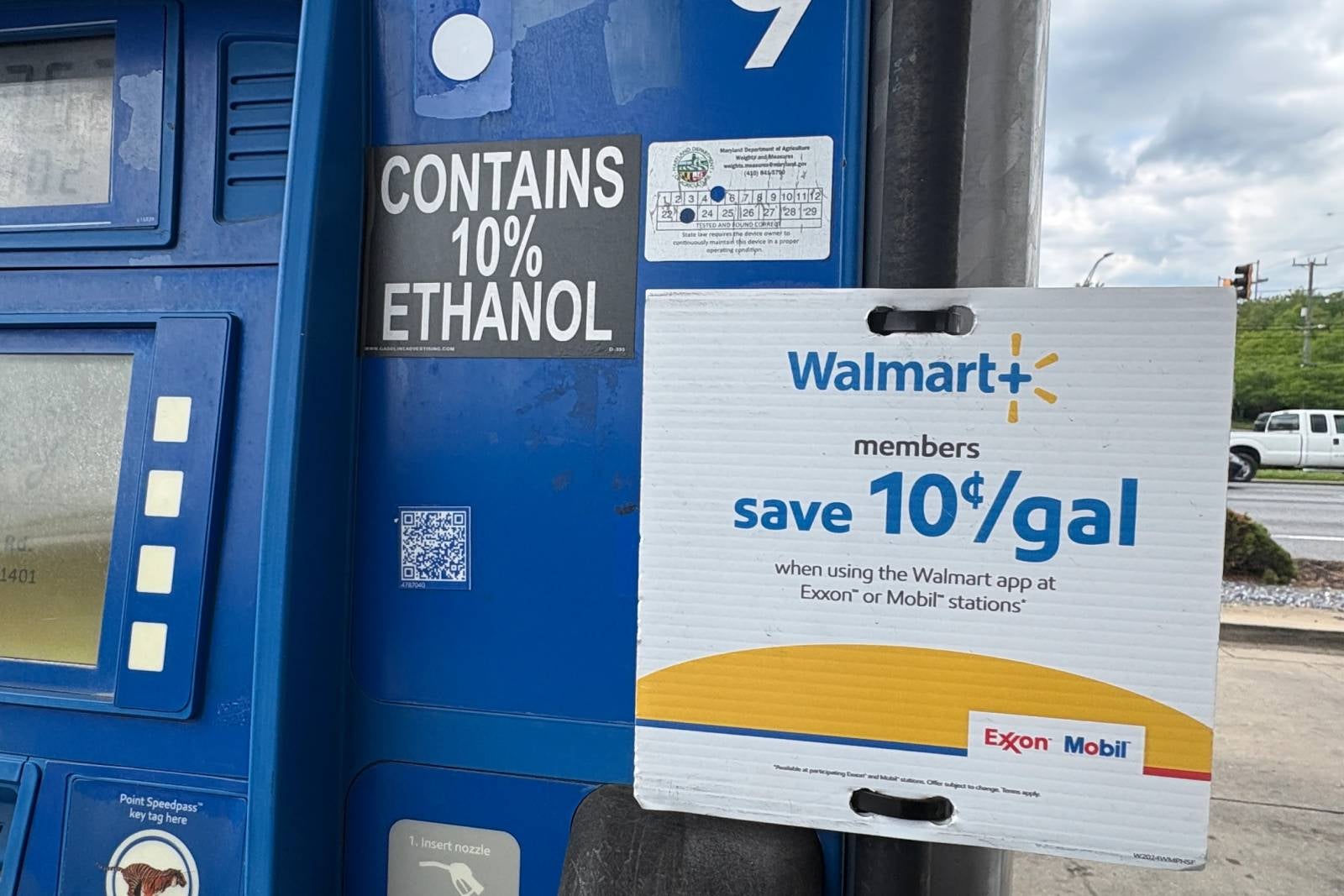


As gas prices keep rising, I enjoy saving money wherever I can, so I have more money for travel. If that sounds like you, too, then buckle up, because I’m going to walk you through how to use the Walmart+ gas discount at the pump and save 10 cents per gallon. Don’t worry, I already scanned the unmarked QR code at the pump (big security no-no) and took the risk for you.
How to get started
I have a Walmart+ membership as a benefit of my American Express Platinum Card®, which saves me up to $12.95 (plus tax) per month, up to $155 in statement credits annually (enrollment required; subject to automatic renewal).
I occasionally use it for last-minute grocery orders when I don’t have time to head to the store. I also use grocery delivery on the way home from a trip so my family doesn't come home to an empty fridge.
When I was recently at an ExxonMobil gas station near my home, I saw the Walmart+ sign that said members could save 10 cents per gallon on gas, and I started investigating on the app.
There’s a button at the bottom of the app labeled “Services.” If you click that, you’ll see the screen below, and then you can click “Gas savings,” and it will open up your camera and provide a redemption code at the bottom of the screen (needed for Murphy gas stations, but not ExxonMobil).


