How to Update a Global Entry Account With Login.gov

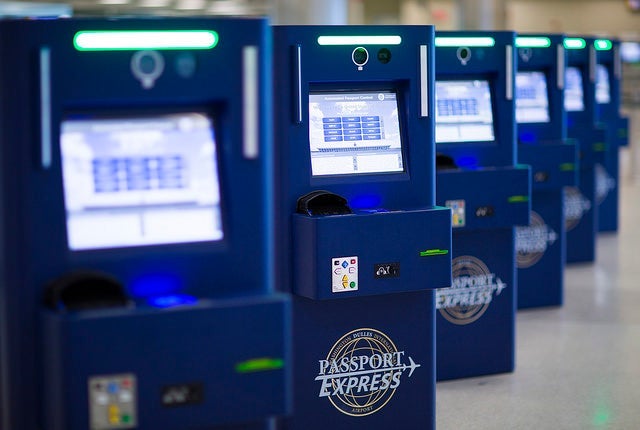

Several months ago we renewed my oldest daughter's passport as its five-year shelf life was already up, but I put off updating her Global Entry account with her new passport number until yesterday...mostly because my luck with messing with the old GOES website is abysmal. However, with an impending international trip, I had to move that task to the top of the to-do list. As I learned yesterday, and you will quickly learn when you go to apply for or update information related to one of the Trusted Traveler Programs including Global Entry, NEXUS, SENTRI, and FAST, there is now a brand new website you must register for and utilize on a go-forward basis.
Create a New Login.gov Account
- To begin with, set up your login.gov account. To do this you first enter an email address to use for your government communications. I quickly learned that your email address can only be used once. This means it cannot be also used for your children as it is one person/account per email address. Thankfully the same is not true with phone numbers. I actually already had an email address for my seven-year-old, but I didn't yet have one for my two-year-old.
- Verify your email account. You then will have to login to your email account and click on the email sent to you from the Login.gov site. Once you click on the link in that email it will take you back to the login.gov site to create your password.
- Enter a phone number for a text verification code. The next step will be that a number will be texted to the phone number provided for you to enter in the account set-up process. If you don't have text capabilities you can do it with a voice phone call.
- Receive and save a 16 digit personal key. After you pass the text number verification process you will receive a 16 digit personal key that you need to print and/or write down. You will need to enter this key on the next screen, so you can copy it to have it prepared to paste if you wish.
Link Your Trusted Traveler Information
That concludes the Login.gov account set-up process, but now you get to link your Trusted Traveler program information using your Login.gov account.
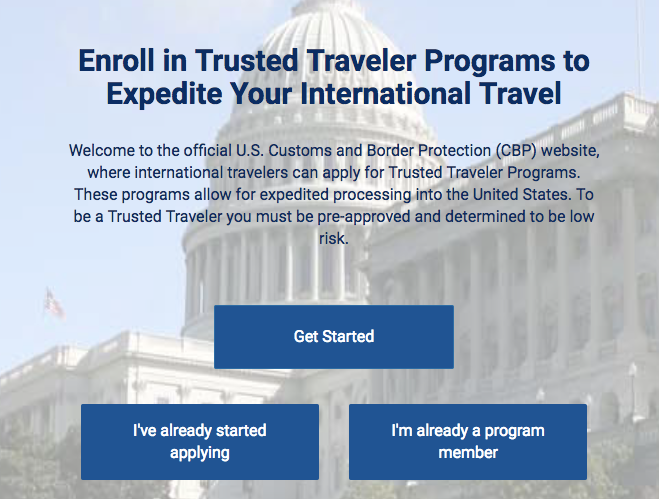
- Assuming you already have Global Entry or similar and just wanted to update your information, select I am already a program member, manage membership, and then consent.
- If you aren't still logged into your login.gov account, you will have to log in and enter the code that will be sent to your phone.
- You will need to enter all of your personal information, including your Membership Numberhttps://runway-media-production.global.ssl.fastly.net/us/originals/2018/07/PASSID-Global-Entry-Login.jpg.png" alt="" width="586" height="285">
- Assuming all of this matches up with what is in their system, you should now be taken to an account screen where you can see your Trusted Traveler memberships, expiration dates, and more.
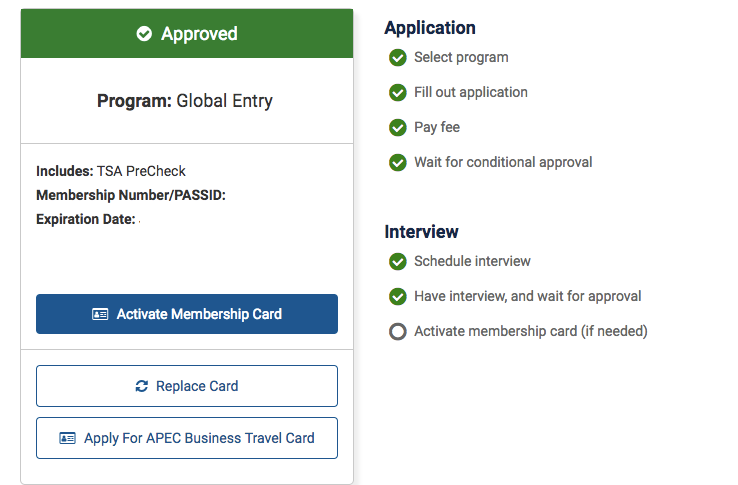
- From here you can update things like a passport number, mailing address, and more.
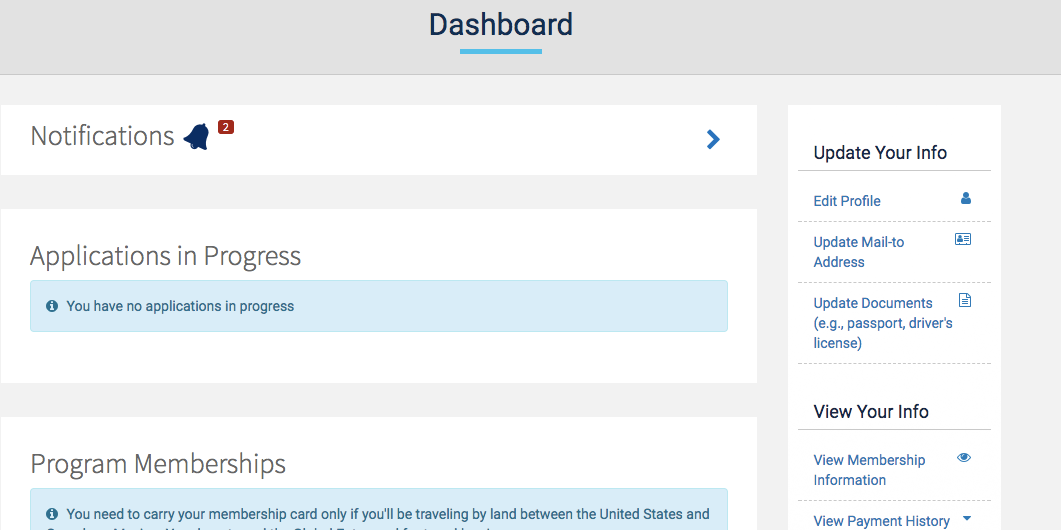
While setting up a new account wasn't pleasant, especially since you can't just link the child accounts under yours, the actual new website I found to be easier to navigate than the old GOES website that was my nemesis. The whole process to set up the new account and update her Global Entry information with her new passport number took 10 - 15 minutes, which I consider to be a great success compared to the never-ending-loop nightmare I have been stuck in on prior attempts.
Have you used the new website to update your Global Entry information or similar since October 1, 2017?
TPG featured card

at Capital One's secure site
Terms & restrictions apply. See rates & fees.
| 5X miles | Earn 5X miles on hotels, vacation rentals and rental cars booked through Capital One Travel |
| 2X miles | Earn unlimited 2X miles on every purchase, every day |
Pros
- Stellar welcome offer of 75,000 miles after spending $4,000 on purchases in the first three months from account opening. Plus, a $250 Capital One Travel credit to use in your first cardholder year upon account opening.
- You'll earn 2 miles per dollar on every purchase, which means you won't have to worry about memorizing bonus categories
- Rewards are versatile and can be redeemed for a statement credit or transferred to Capital One’s transfer partners
Cons
- Highest bonus-earning categories only on travel booked via Capital One Travel
- LIMITED-TIME OFFER: Enjoy $250 to use on Capital One Travel in your first cardholder year, plus earn 75,000 bonus miles once you spend $4,000 on purchases within the first 3 months from account opening - that’s equal to $1,000 in travel
- Earn unlimited 2X miles on every purchase, every day
- Earn 5X miles on hotels, vacation rentals and rental cars booked through Capital One Travel
- Miles won't expire for the life of the account and there's no limit to how many you can earn
- Receive up to a $120 credit for Global Entry or TSA PreCheck®
- Use your miles to get reimbursed for any travel purchase—or redeem by booking a trip through Capital One Travel
- Enjoy a $50 experience credit and other premium benefits with every hotel and vacation rental booked from the Lifestyle Collection
- Transfer your miles to your choice of 15+ travel loyalty programs
- Top rated mobile app