How to protect your iPhone from 'cyberflashing' while on airplanes

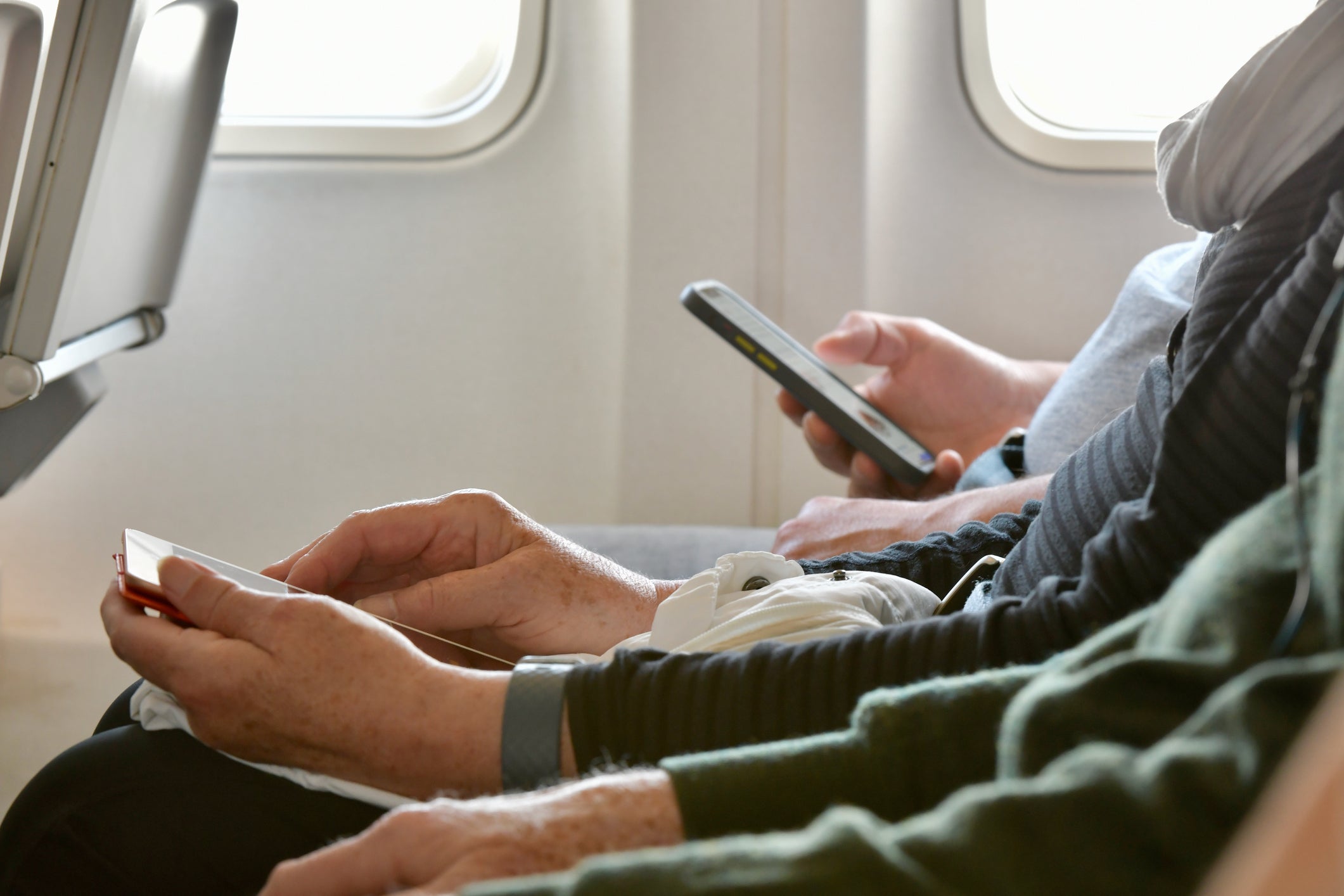
This week, Southwest Airlines made news as a pilot threatened to turn around a plane on the runway after someone aboard sent nude photos to passengers via the iPhone AirDrop feature.
"If this continues while we're on the ground, I'm going to have to pull back to the gate, everybody's going to have to get off, we're going to have to get security involved and ... vacation is going to be ruined," the pilot is heard saying in a now-viral TikTok video.
"So you folks, whatever that AirDrop thing is, quit sending naked pictures, and let's get yourself to Cabo," the pilot ordered.
A similar incident occurred in June on a Southwest flight, according to a New York Post report. The airline staff summoned airport police to detain a passenger who admitted to sending unwanted photos to everyone during the flight.
In light of both events and others like it, many have become increasingly concerned about "cyberflashing," the risk of being sent unwanted, explicit pictures. Given the higher number of cyberflashing cases in recent months, some officials, including those in New York's state legislature, are even introducing legislation that would expressly prohibit the act.
So what can you do to protect yourself and your family? Here's all you need to know about the AirDrop feature used in cyberflashing — plus steps you can take to avoid receiving inappropriate photos from strangers while on flights.
For more TPG news delivered each morning to your inbox, sign up for our daily newsletter.
A look at Apple's iPhone AirDrop feature
All iPhones come installed with a service called AirDrop. This feature allows iPhone users to send photos to other iPhone users via a Bluetooth wireless connection that operates separately from Wi-Fi and cellular communication networks, so it can be used even when your phone is in airplane mode while you're traveling.
The Bluetooth communications technology used for the AirDrop feature is the same technology that allows iPhones to find your luggage with AirTags and enables laptops to connect to a wireless mouse or keyboard.

To use this feature, you must be no more than a couple of hundred feet from a device (though the range may be less, depending on the devices used and the environment you're in). Since passengers on a flight are usually within this Bluetooth range of one another, they can often AirDrop images to each other.
By using the AirDrop feature, you can easily share large photo files and sets of photos with others without the time and space requirements needed for emailing or messaging. AirDrop also lets you send photos to groups of people — including those not on your contact list — making it a fun and useful feature to use for sharing trip photos.
However, despite being convenient and effective to use, the AirDrop feature also lends itself to potential abuse given its ability to share photos with strangers. Fortunately, there are a few simple ways to protect yourself from receiving any unwanted communications through the feature.
Related: How Apple AirTags helped me get my delayed bags back (twice in one trip)
How to avoid cyberflashing
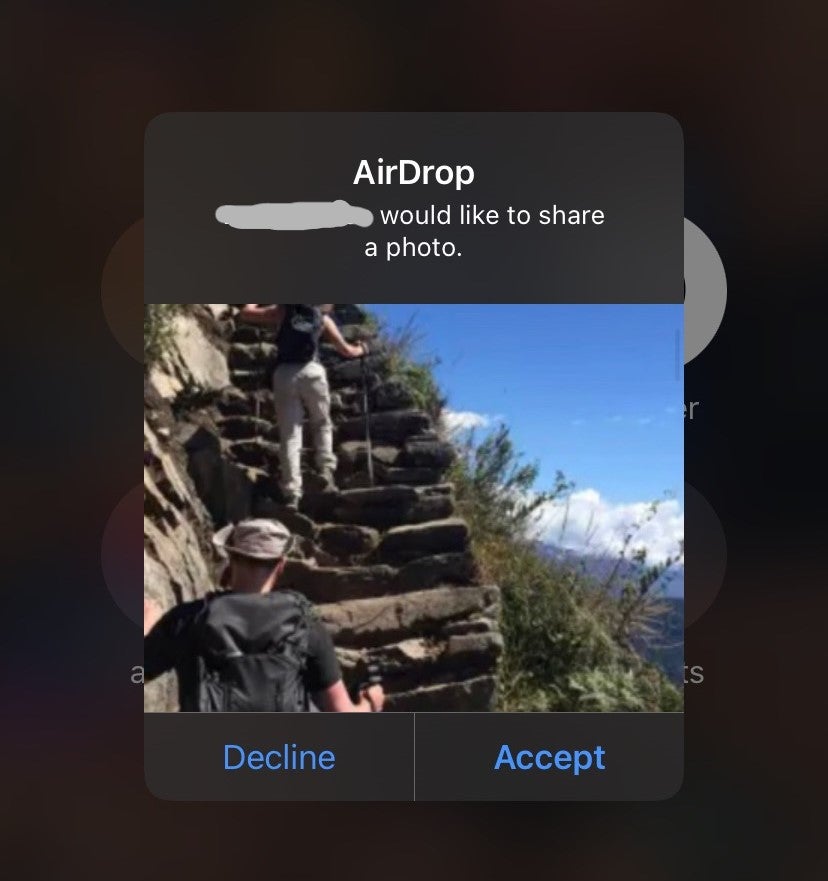
In the incidents that recently occurred on Southwest Airlines flights, passengers within the senders' Bluetooth range received explicit photos via AirDrop. The photos appeared as a preview similar to the screenshot above with a message asking to accept or decline the photos.
While AirDrop receivers can decline inappropriate images, the preview alone can be worrisome, especially for those traveling with kids who may be on iPhones, iPads or other Apple devices. Luckily, Apple provides several easy ways to prevent your devices from receiving such unsolicited photos.
To start, you can do the obvious: Simply turn off Bluetooth from the main screen settings (where you would put your device into airplane mode). This prevents you from sending or receiving any Bluetooth communications, meaning you won't be able to connect to any Bluetooth devices, such as headphones and gaming controls.
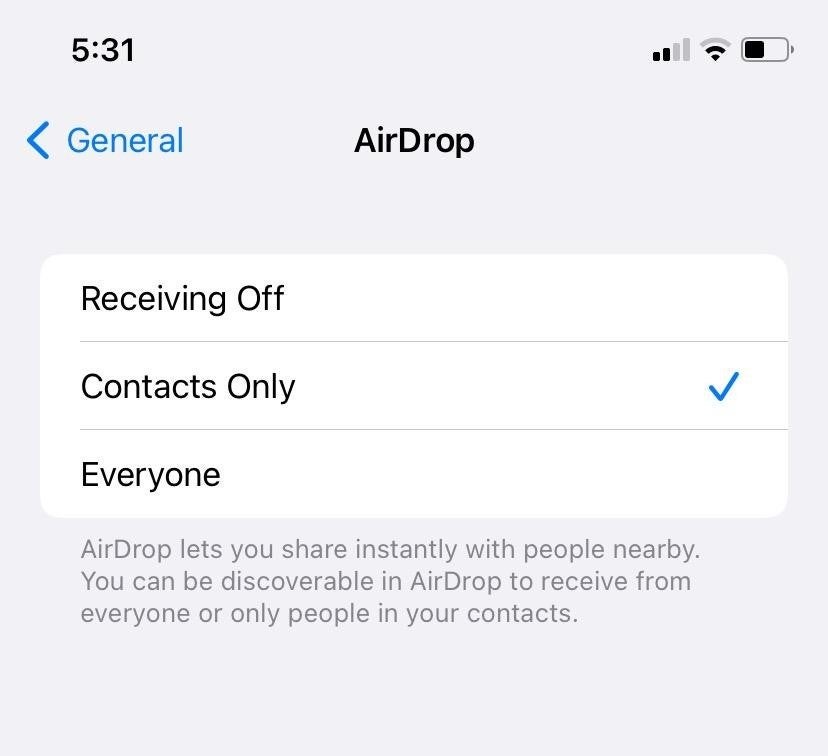
Should you want to connect to Bluetooth devices as you travel, there's another way you can protect your iPhone against unwanted photos. Begin by going to your iPhone's settings page, clicking on "General" and tapping the button for AirDrop. Once in your device's AirDrop menu, choose the "Contacts Only" or "Receiving Off" setting to limit what photos you're able to receive.
With "Contacts Only," only those on your device's contact list will be able to share photos with you via AirDrop. Meanwhile, "Receiving Off" prevents any photo from reaching your device, regardless of who it's coming from. By selecting either of these options instead of the "Everyone" choice also available, you'll make it so unsolicited photos from strangers are unable to reach your device.
Related: 10 travel-friendly features coming to Apple's newest iPhone
Bottom line
Recent incidents of explicit photos being shared via AirDrop on flights have highlighted the need for travelers to be aware of their Apple devices' settings.
By following the steps above, you can easily protect yourself from cyberflashing. If you want to temporarily change your settings, simply toggle to a different option before going back to your preferred choice.
Taking these precautions will help protect you and your loved ones as you travel.
TPG featured card

at Capital One's secure site
Terms & restrictions apply. See rates & fees.
| 5X miles | Earn 5X miles on hotels, vacation rentals and rental cars booked through Capital One Travel |
| 2X miles | Earn unlimited 2X miles on every purchase, every day |
Pros
- Stellar welcome offer of 75,000 miles after spending $4,000 on purchases in the first three months from account opening. Plus, a $250 Capital One Travel credit to use in your first cardholder year upon account opening.
- You'll earn 2 miles per dollar on every purchase, which means you won't have to worry about memorizing bonus categories
- Rewards are versatile and can be redeemed for a statement credit or transferred to Capital One’s transfer partners
Cons
- Highest bonus-earning categories only on travel booked via Capital One Travel
- LIMITED-TIME OFFER: Enjoy $250 to use on Capital One Travel in your first cardholder year, plus earn 75,000 bonus miles once you spend $4,000 on purchases within the first 3 months from account opening - that’s equal to $1,000 in travel
- Earn unlimited 2X miles on every purchase, every day
- Earn 5X miles on hotels, vacation rentals and rental cars booked through Capital One Travel
- Miles won't expire for the life of the account and there's no limit to how many you can earn
- Receive up to a $120 credit for Global Entry or TSA PreCheck®
- Use your miles to get reimbursed for any travel purchase—or redeem by booking a trip through Capital One Travel
- Enjoy a $50 experience credit and other premium benefits with every hotel and vacation rental booked from the Lifestyle Collection
- Transfer your miles to your choice of 15+ travel loyalty programs
- Top rated mobile app