Use Your iPad as an External Monitor for Mac (and now Windows) with Duet

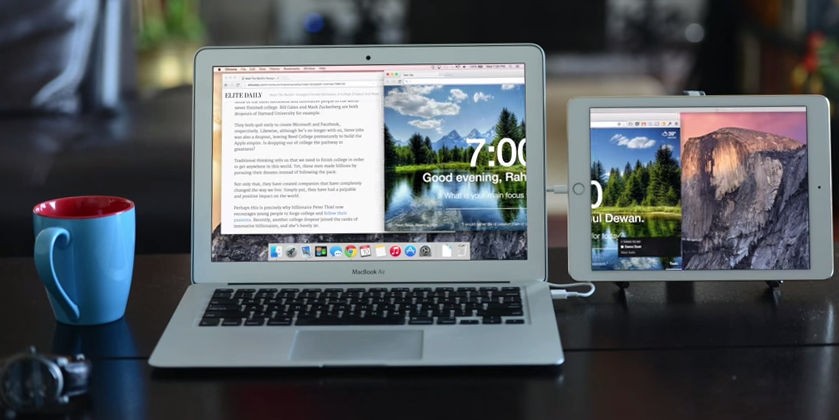

There's no question that having a second monitor helps boost productivity, especially if you're otherwise stuck on a long trip with a tiny laptop display. The good news is that you may already own an external monitor without even knowing it. iPad apps let you turn your tablet into a second display, but few function as well as a dedicated external monitor, with the exception of Duet Display.
Duet was designed by former Apple engineers, and it definitely shows. Many other apps connect to your laptop over WiFi, but Duet draws power and the video signal over USB. The result is a sharp picture with very little lag, though you might notice a slowdown with older computers. Your laptop battery will also take a big hit (it's powering the iPad), so you'll want to be plugged in whenever possible. You can save some juice by using your iPhone instead, though you'll obviously have less screen real estate in that case.
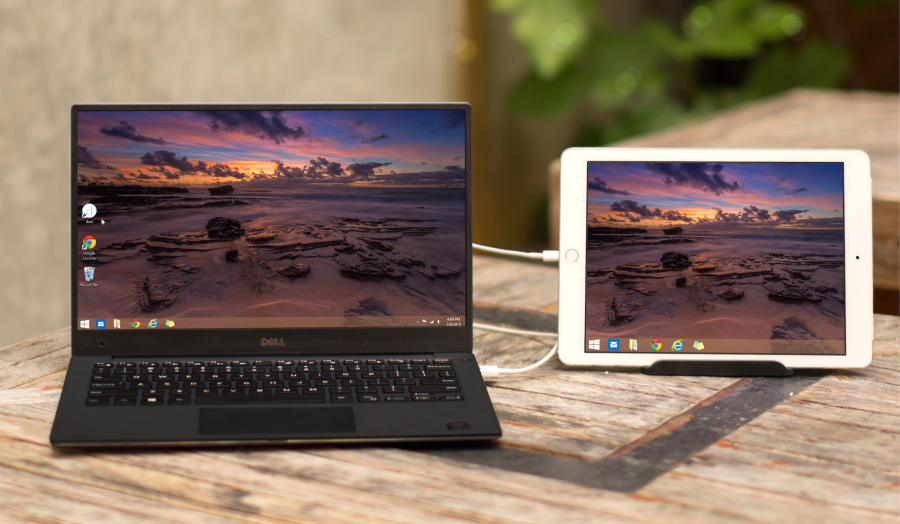
All that aside, whether you're working from a cubicle or under an umbrella on your overwater villa, Duet can't be beat. You could even use your iPad as an external monitor on a long-haul flight, though your neighbor might not be thrilled about your mobile workstation if you're stuck back in coach (we'd recommend booking something like this instead). Another handy feature: You can use your iPad's touchscreen like a mouse, though I've found that to be a bit of a struggle, especially in high-resolution mode (on Retina iPads), where anything I want to tap appears quite small.
As of today, Duet now supports Windows 7 and Windows 8, so you can use your iPad as an external monitor with any recent Windows computer. The Duet folks say that covers about 80% of Windows machines, and they expect to support Windows 10 on launch day. The other good news is that Duet is only $10 in the App Store if you buy today (I paid $15.99, which is still a steal).
[card card-name='Ink Plus® Business Credit Card' card-id='22129636' type='javascript' bullet-id='1']
TPG featured card

at Capital One's secure site
Terms & restrictions apply. See rates & fees.
| 5X miles | Earn 5X miles on hotels, vacation rentals and rental cars booked through Capital One Travel |
| 2X miles | Earn unlimited 2X miles on every purchase, every day |
Pros
- Stellar welcome offer of 75,000 miles after spending $4,000 on purchases in the first three months from account opening. Plus, a $250 Capital One Travel credit to use in your first cardholder year upon account opening.
- You'll earn 2 miles per dollar on every purchase, which means you won't have to worry about memorizing bonus categories
- Rewards are versatile and can be redeemed for a statement credit or transferred to Capital One’s transfer partners
Cons
- Highest bonus-earning categories only on travel booked via Capital One Travel
- LIMITED-TIME OFFER: Enjoy $250 to use on Capital One Travel in your first cardholder year, plus earn 75,000 bonus miles once you spend $4,000 on purchases within the first 3 months from account opening - that’s equal to $1,000 in travel
- Earn unlimited 2X miles on every purchase, every day
- Earn 5X miles on hotels, vacation rentals and rental cars booked through Capital One Travel
- Miles won't expire for the life of the account and there's no limit to how many you can earn
- Receive up to a $120 credit for Global Entry or TSA PreCheck®
- Use your miles to get reimbursed for any travel purchase—or redeem by booking a trip through Capital One Travel
- Enjoy a $50 experience credit and other premium benefits with every hotel and vacation rental booked from the Lifestyle Collection
- Transfer your miles to your choice of 15+ travel loyalty programs
- Top rated mobile app