Amex split pay feature: Useful for sharing costs in big groups


Editor's Note
If you're someone who frequently dines out or travels with groups of friends, you know all too well the headache that comes with offering to put the bill on your card.
When you're dealing with a large group and multiple expenses to split, the mental cost of getting those extra reward points can skyrocket quickly.
Luckily, like a group payment superhero, American Express made our lives easier in 2019 when they launched their "Send & Split" feature, a way to split purchases with contacts through the app using Venmo or PayPal.
Here's what to know and how to use it.
What is Amex Send & Split?
This feature, available to all U.S. Basic Consumer cardholders, helps do some of the legwork of splitting the bill while letting you keep all of the associated Amex Membership Rewards. You can split both pending and posted Amex transactions with up to 20 contacts.
Since the initial release, American Express has tweaked the feature to make it even easier to use. Now you can also choose multiple charges to split at the same time, simplifying the process for multi-venue events and group trips.

Here's what you need to know before using it at your next group outing.
How to use Amex Send & Split
Enroll
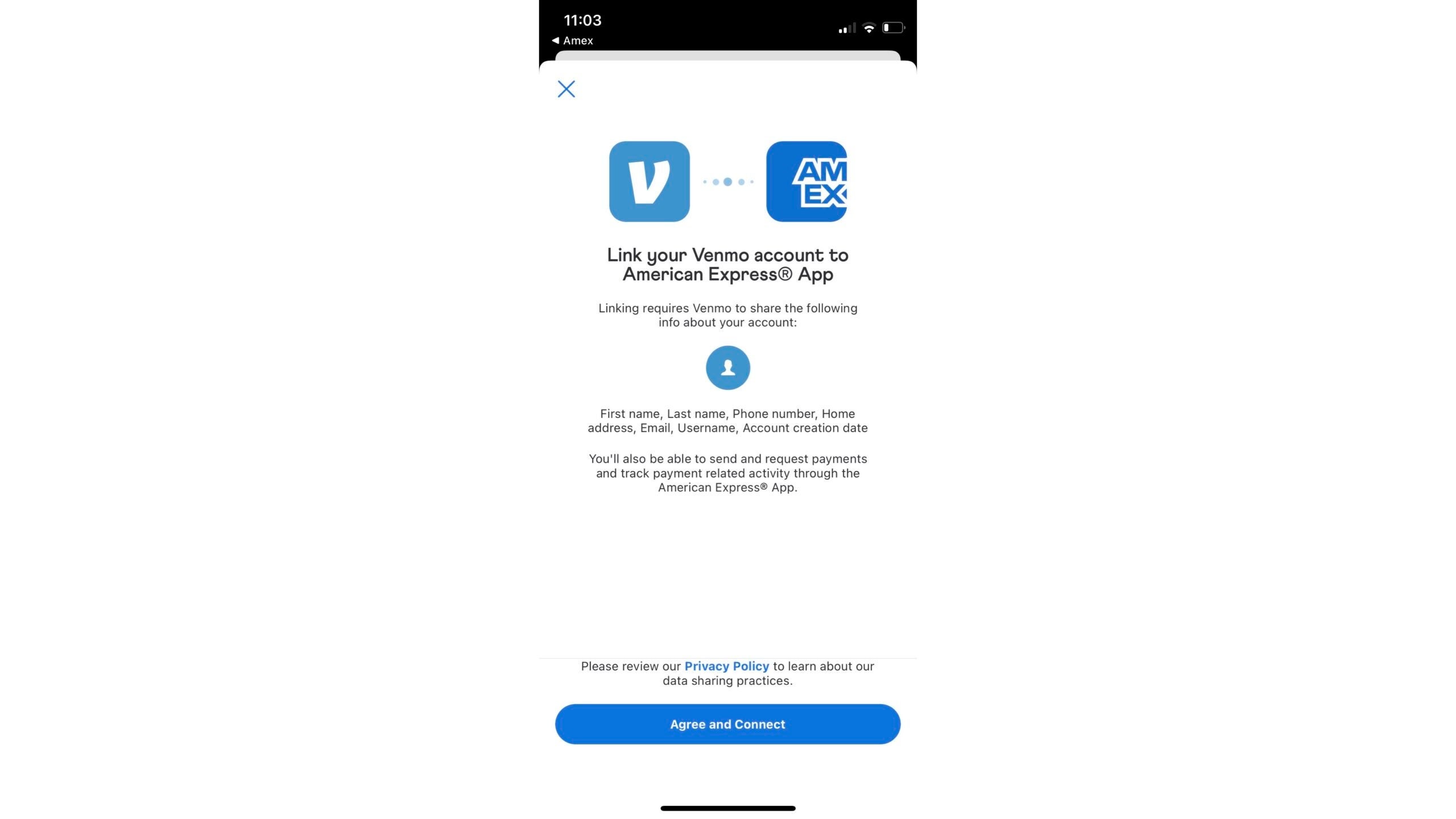
To split payments, you must enroll in the feature and connect it to your Venmo or PayPal account. To enroll, download and log in to the Amex App. Tap "Send & Split: Venmo/PayPal" and follow the prompts to link your Venmo or PayPal account.
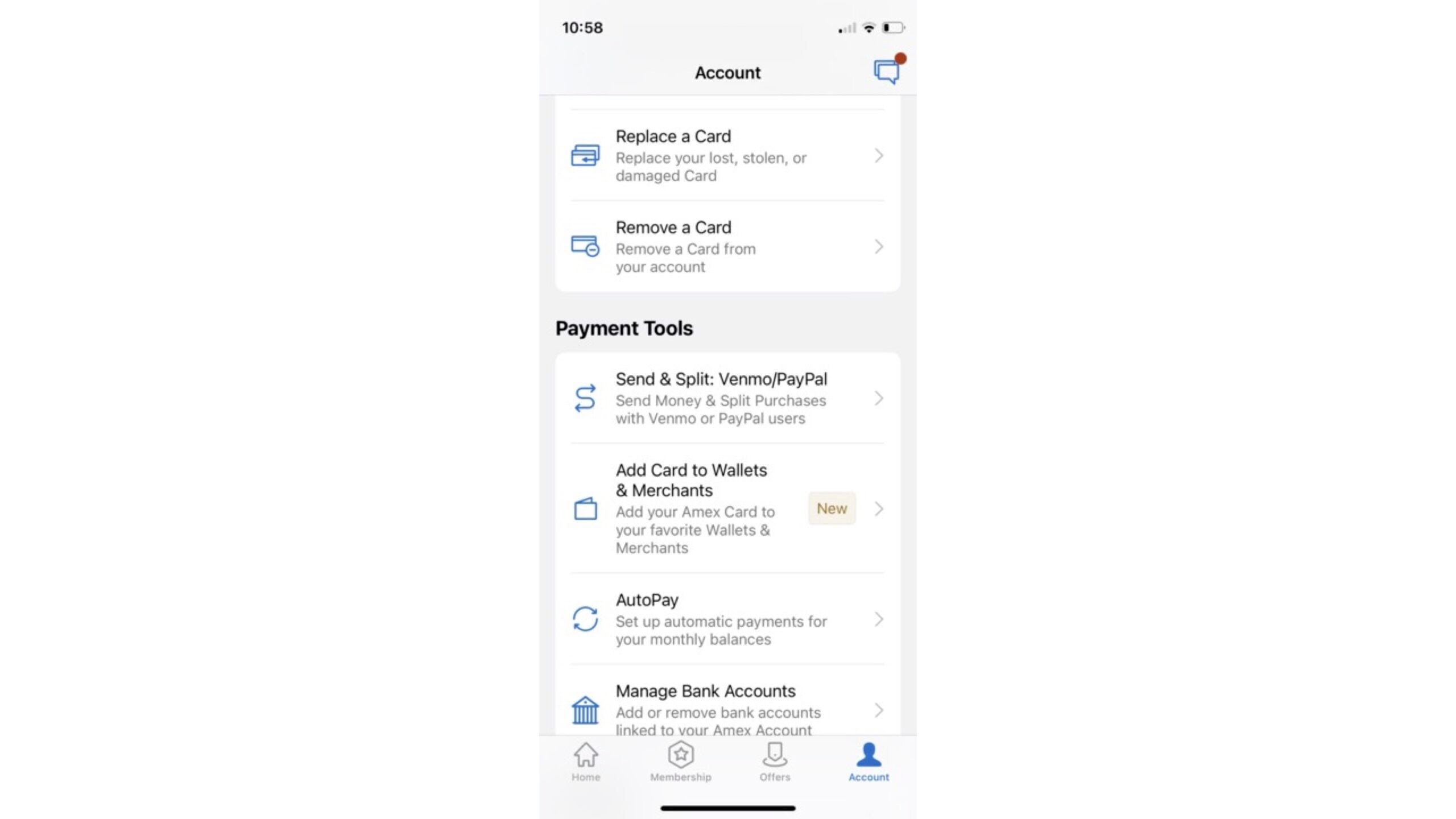
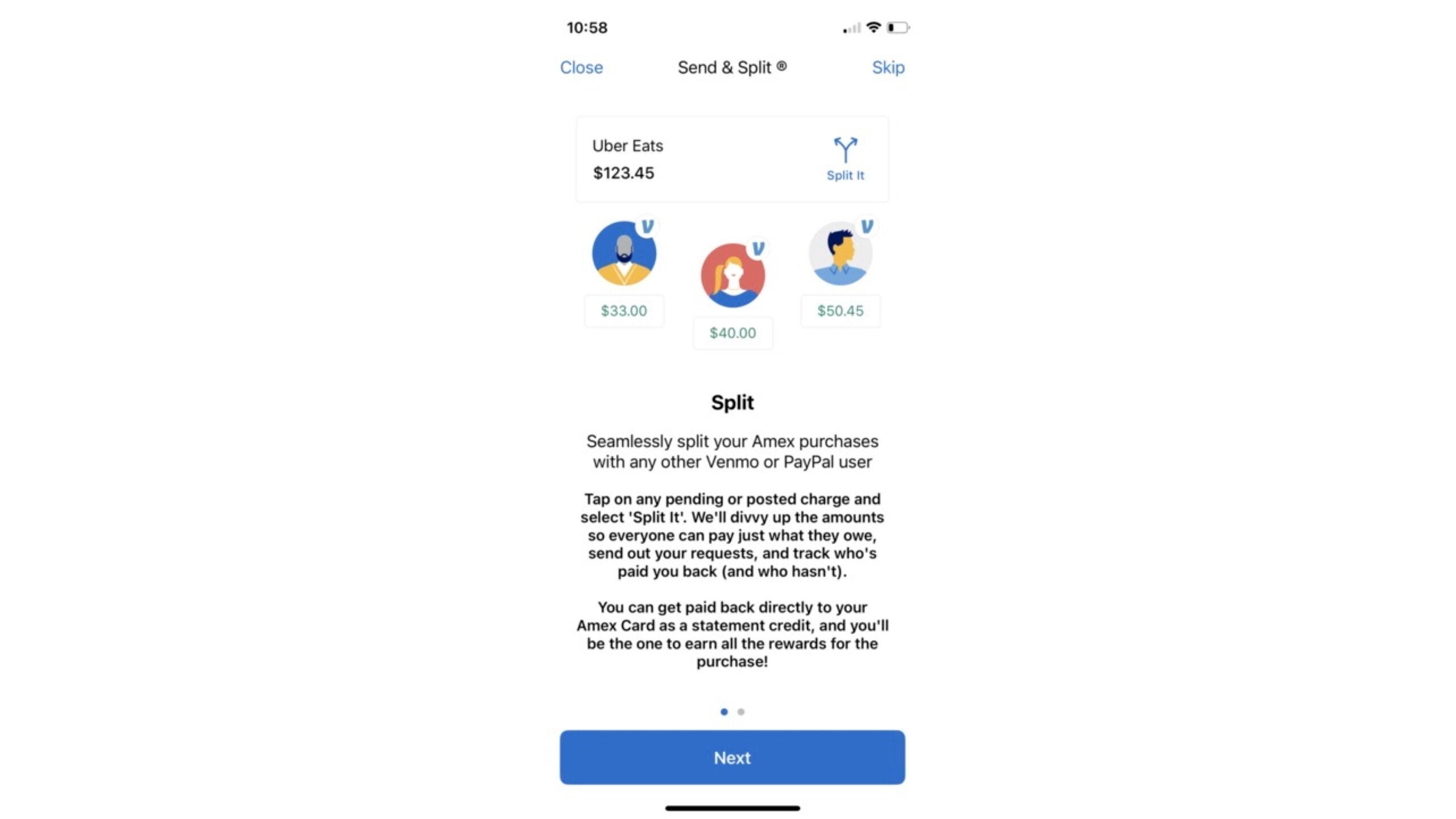
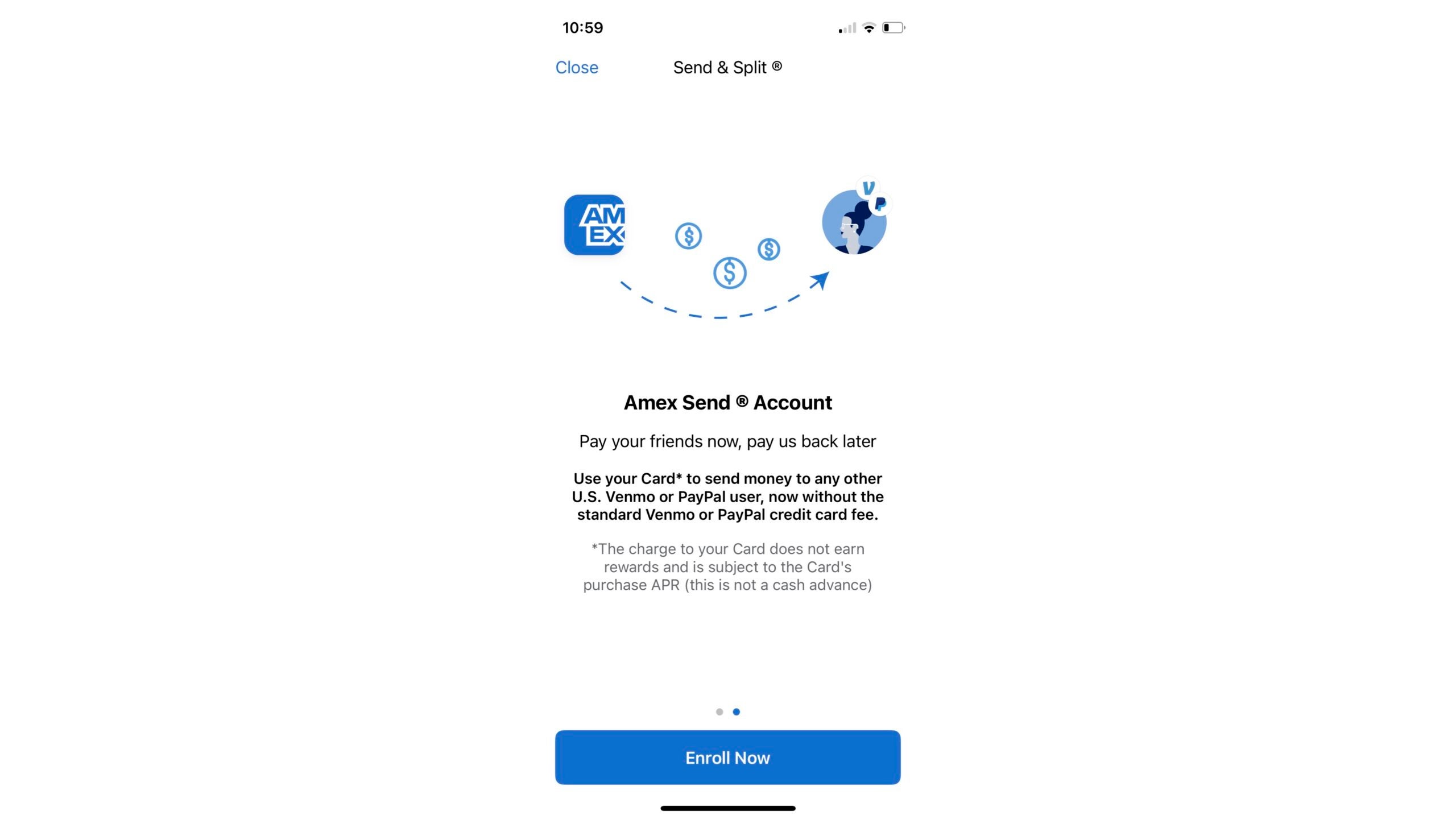
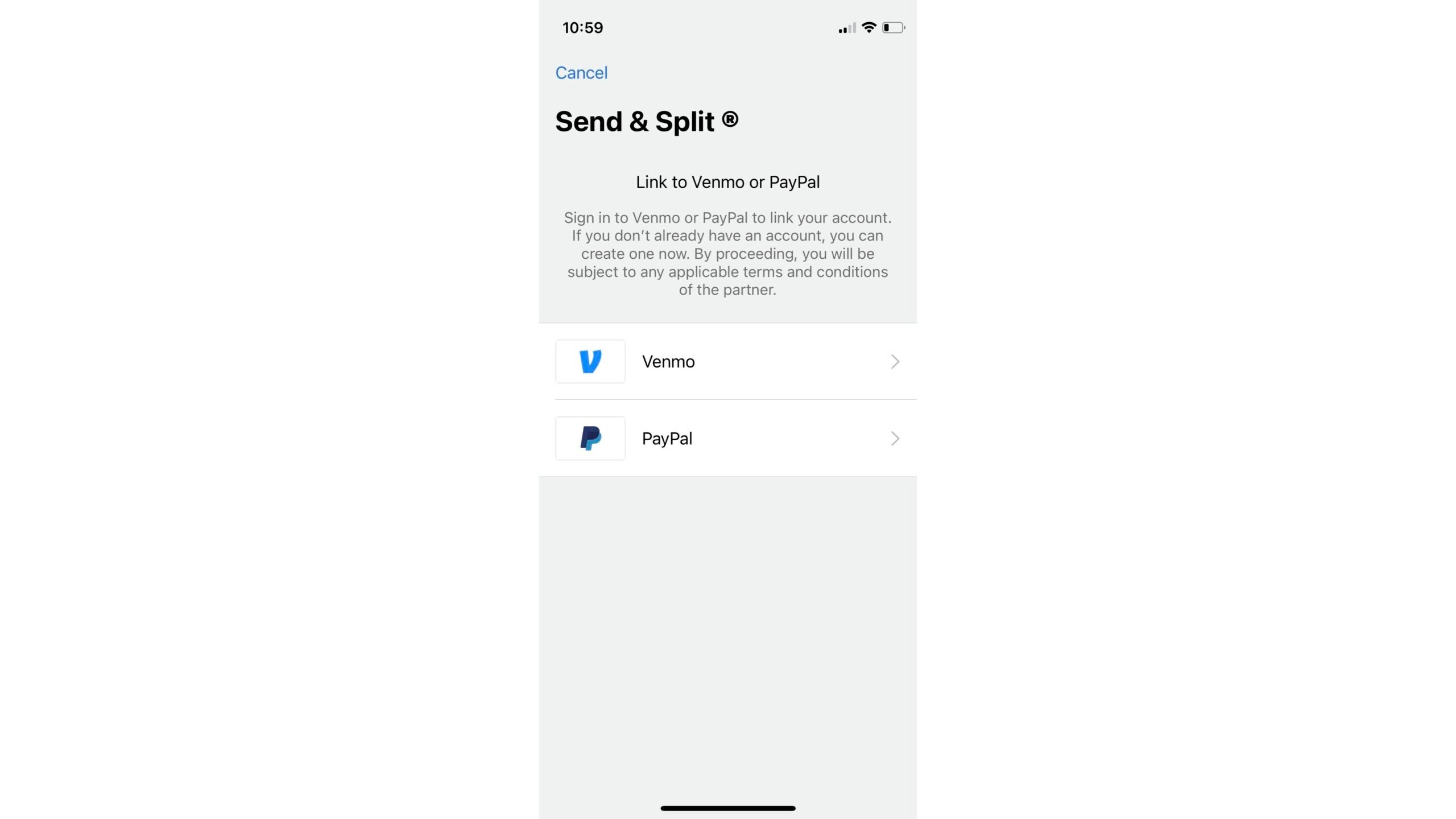
Choose "Split It" in the app
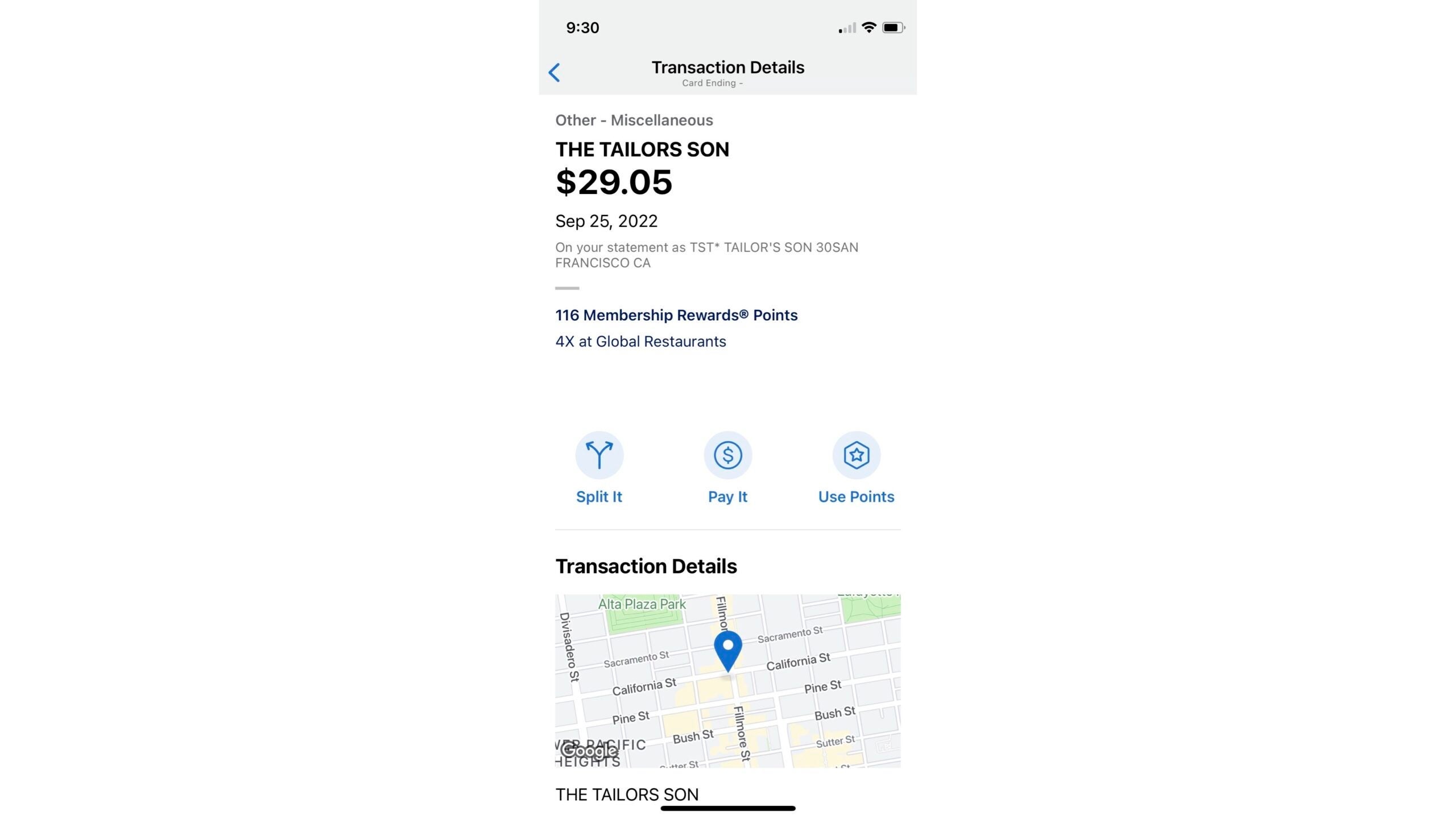
After enrolling and linking to Venmo or PayPal, tap on a transaction. You should see the option to "Split It."

Choose your payment app and amount
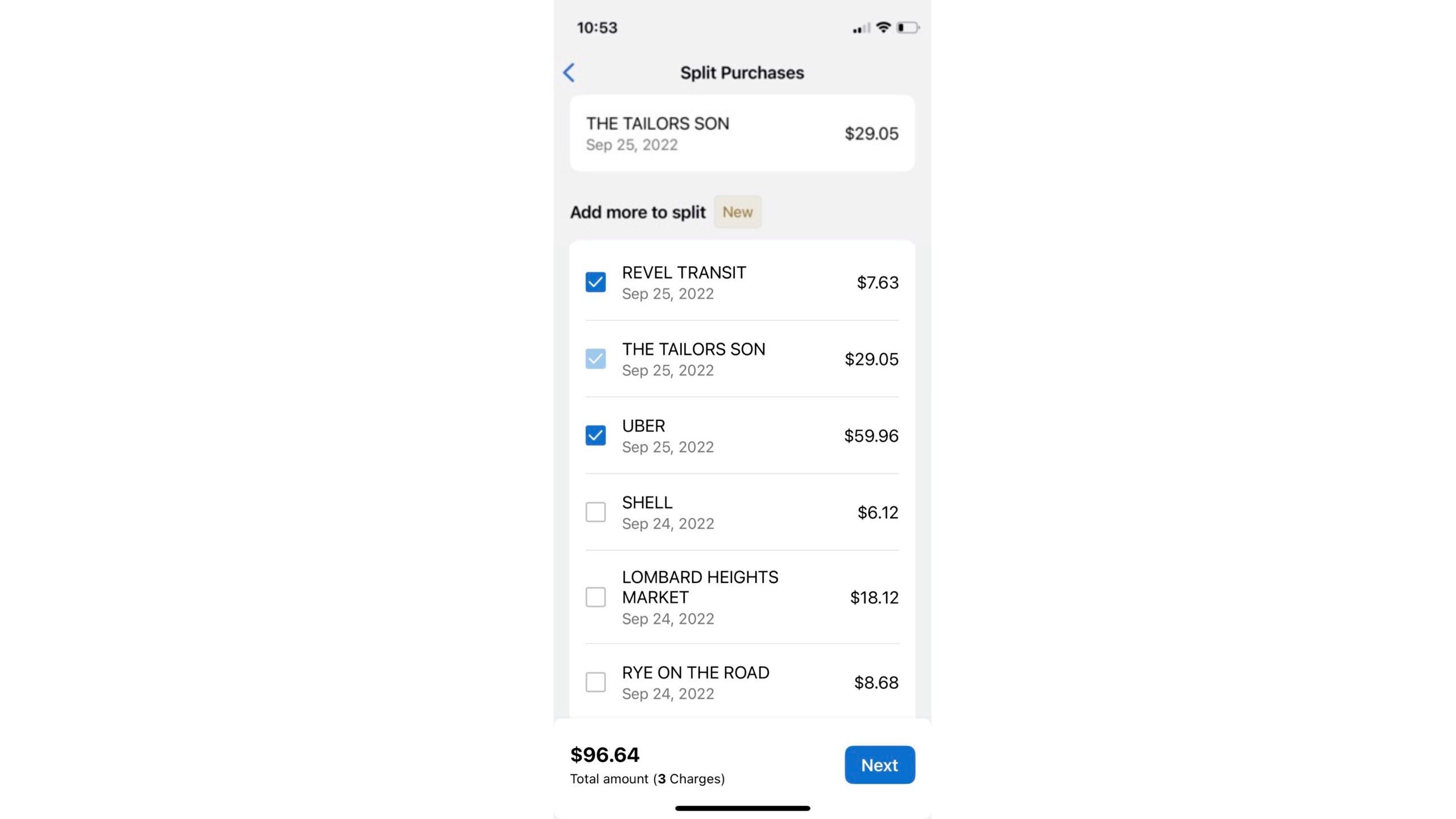
After you select "Split It," you'll be prompted to select any other charges you want to split at the same time.
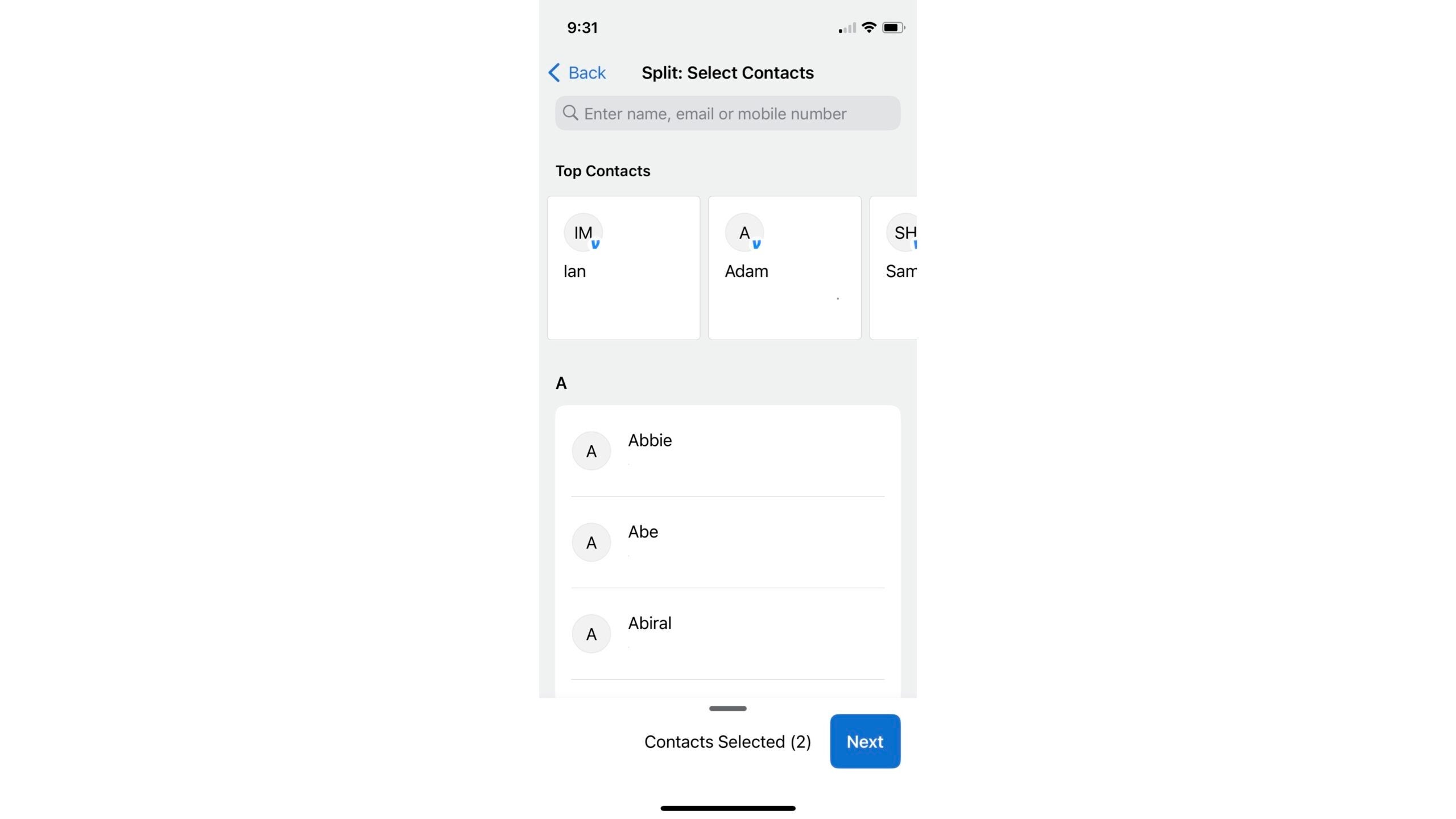
Then, you'll be asked to add contacts. You can manually input an email or phone number, or you can hit the "+" sign to choose a contact from your phone.
Amex automatically splits the bill equally between all contacts added, but you can also go in and manually change what each person will pay. Because posted transactions aren't itemized, you will have to do that math on your own to decide who pays what.
Another helpful feature is the ability to adjust the total amount to account for a tip or other fees that may not be included in the transaction amount posted to your Amex account. You can input a custom amount, or you can choose one of four percentage-based adjustments (which would be great for adding tips to a grand total).
Once you've set up the correct total and split the payment how you want among contacts, Amex will send the request to Venmo/PayPal to review and complete it. After you've finished that step, you'll be sent back to the Amex app for the confirmation page.
Select your payback option
The app will prompt you to select whether you want the money to be deposited into your Venmo account or directly credited to your account.
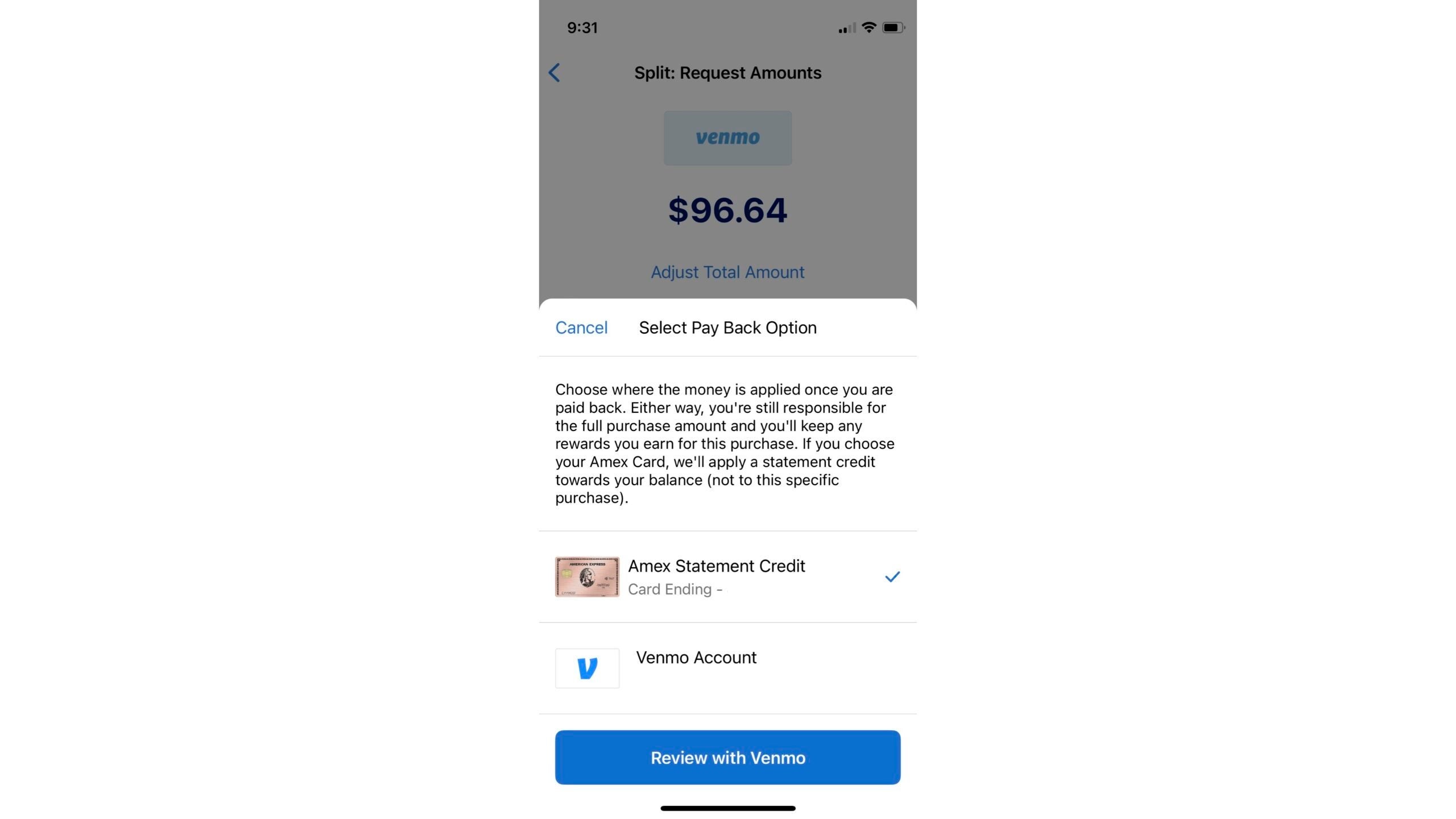
The contacts you entered receive a Venmo request quickly, and they're able to pay just like they would with a normal Venmo request. However, if you choose the statement credit option, the funds will bypass your Venmo account and go straight to your Amex account as a statement credit.
Keep track of who still owes you
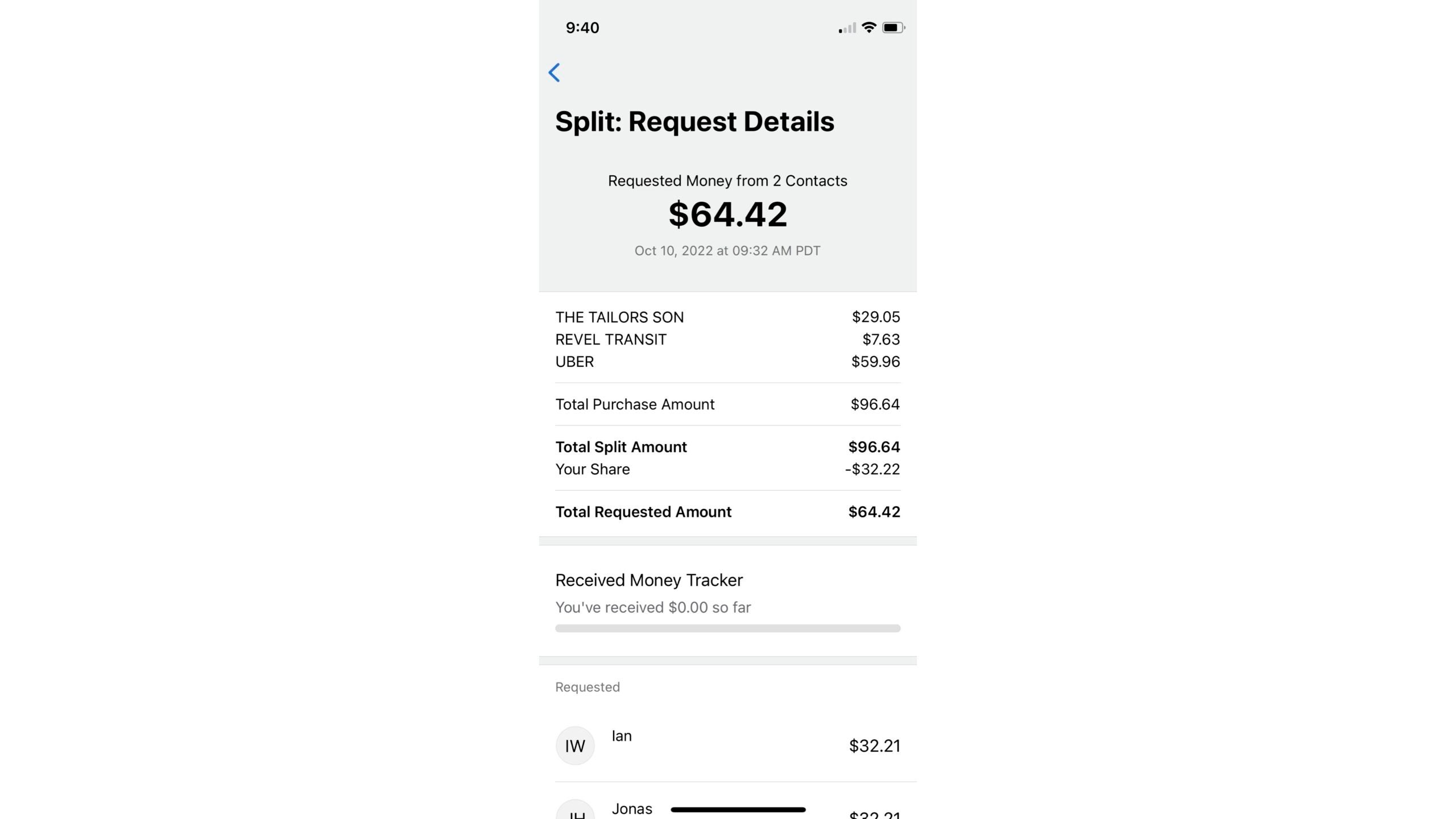
Another great element of this feature is that it allows you to keep track of who has paid you in the same place. If you go to the account tab at the bottom of the Amex app screen, there is a "Split Purchases" section you can click to view transactions that you've split and their details.
Relax
That's it. This app feature does all the work for you. You choose which charges you want to split and where you want to send the requests, and then you can just sit back and watch the credits roll into your account.
You still get all the Membership Rewards points for the group purchase but almost none of the headaches that used to accompany it.
How to maximize Amex Send & Split
This feature is available on all personal American Express U.S. Basic Consumer Cards, but you should be strategic about which card you use based on what purchases you're making.

If you're dining out with friends, for instance, you may want to put the charge on your American Express® Gold Card and earn 4 Membership Rewards points per dollar spent on your group's charge from dining at restaurants worldwide on the first $50,000 per calendar year, then 1 point per dollar.
There are plenty of card options available to maximize this great service.
Bottom line
The Amex "Send & Split" feature is great for anyone who frequently splits payments with others. It allows you to split costs, request payment from your friends and keep track of who has paid right in your Amex app.
You can opt to get the payments sent back to your Amex card account or Venmo. It also helps that the process is now streamlined and lets you split multiple expenses at once. With this feature, splitting a check has never been easier.
TPG featured card

at Capital One's secure site
Terms & restrictions apply. See rates & fees.
| 5X miles | Earn 5X miles on hotels, vacation rentals and rental cars booked through Capital One Travel |
| 2X miles | Earn unlimited 2X miles on every purchase, every day |
Pros
- Stellar welcome offer of 75,000 miles after spending $4,000 on purchases in the first three months from account opening. Plus, a $250 Capital One Travel credit to use in your first cardholder year upon account opening.
- You'll earn 2 miles per dollar on every purchase, which means you won't have to worry about memorizing bonus categories
- Rewards are versatile and can be redeemed for a statement credit or transferred to Capital One’s transfer partners
Cons
- Highest bonus-earning categories only on travel booked via Capital One Travel
- LIMITED-TIME OFFER: Enjoy $250 to use on Capital One Travel in your first cardholder year, plus earn 75,000 bonus miles once you spend $4,000 on purchases within the first 3 months from account opening - that’s equal to $1,000 in travel
- Earn unlimited 2X miles on every purchase, every day
- Earn 5X miles on hotels, vacation rentals and rental cars booked through Capital One Travel
- Miles won't expire for the life of the account and there's no limit to how many you can earn
- Receive up to a $120 credit for Global Entry or TSA PreCheck®
- Use your miles to get reimbursed for any travel purchase—or redeem by booking a trip through Capital One Travel
- Enjoy a $50 experience credit and other premium benefits with every hotel and vacation rental booked from the Lifestyle Collection
- Transfer your miles to your choice of 15+ travel loyalty programs
- Top rated mobile app