

How to make your airport experience easier with Uber Reserve


Have you ever flown to your destination and then had to wait in line for a taxi to take you to your hotel? Or, have you foregone a private ride for a hotel shuttle or shared transportation service with a dozen other people only to find yourself making multiple stops before reaching your accommodations?
Fortunately, these headaches can be a thing of the past on your next trip with Uber Reserve.
Thanks to Uber Reserve, there's a better way to travel. Uber Reserve lets you schedule an airport pickup and drop-off ahead of time, tracks your flight for delays and even lets you cancel (with no fee) up to an hour before pickup.
Here's everything you need to know about scheduling a ride from the airport in advance with Uber Reserve.
What is Uber Reserve?

Uber Reserve is your answer to prearranged private transportation. Instead of waiting to request your ride upon arrival (potentially competing with others who land around the same time), travelers pre-schedule their airport pickup right in the Uber app. The service takes the guesswork out of travel, giving you one less thing to worry about when you take to the skies.
Additionally, with built-in flight-tracking technology, Uber Reserve will automatically adjust your reservation time based on the flight information you provide, so the driver will know if you've been delayed or landed early. Plus, If you aren't ready to ride the moment you touch down, don't stress: The driver will wait up to 45 minutes after your scheduled pickup time — or up to 60 minutes for Uber Black.
You can schedule your airport pickup with Uber Reserve at over 100 airports worldwide, including more than 50 in the U.S.
Related: How (and why) you should connect your personal account to Uber for Business
How to use Uber Reserve
Reserving your ride is simple and can be done right from the Uber app. From the home screen, you'll see the "Reserve" calendar icon in the "Suggestions" section. From here, you can reserve a ride anywhere from 30 minutes to up to 90 days in advance — and you can cancel for no charge up to 60 minutes before your scheduled pickup time.

When reserving your airport pickup, enter your destination airport as the "Pickup Location" (the app will likely default to your current location). Then, type in where you want your ride to drop you off.
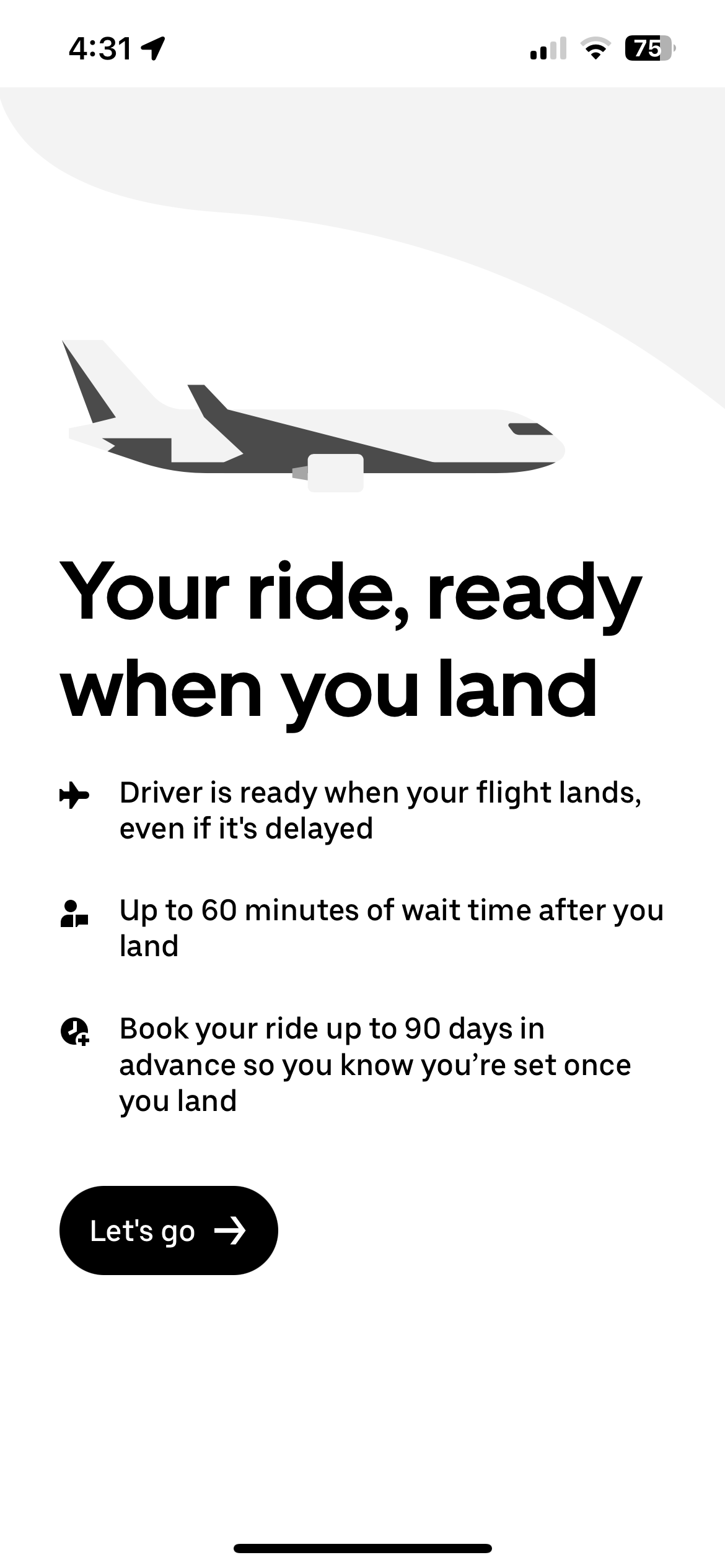
Tap "Let's go," and you'll then be asked when your flight arrives at the airport you designated. Choose your date of arrival, then tap "Select date."
Next, type in your flight number and then hit "Search." Your flight should appear in the results, and when you tap it, you'll see the various ride options available. Depending on the airport, you can choose UberX, UberXL, Uber Comfort, Black or Black SUV. The prices will be displayed for each option.
Once you select your ride, you'll be taken to a confirmation page where you can see your details. You can find all your reserved rides on the "Activity" tab in the Uber app.
Note that you're not limited to airport pickups. You can also use Uber Reserve for non-airport rides by following the same steps.
Maximizing Uber Reserve
Beyond taking the stress out of your airport pickups, there are some easy ways to make the most of Uber Reserve. One of the easiest is by using the right credit card. You can add any payment card to your Uber account, but not all of them are created equal.
Some offer perks like monthly Uber cash deposited directly into your account, while others award bonus rewards on Uber purchases. Here are some of the best credit cards to use for Uber Reserve:
- American Express® Gold Card: Receive up to $120 in annual Uber Cash ($10 per month) for U.S. purchases when you add the card to your Uber account.
- The Platinum Card® from American Express: Receive up to $200 in annual Uber Cash ($15 per month, plus a $20 bonus in December) for U.S. purchases when you add the card to your Uber account.
Uber Cash will only be deposited into one Uber account when you add the Amex Gold or Platinum as a payment method and redeem with any Amex card.
Related: How to use your Amex Uber credits for rides and meals
In addition to swiping the right card, you can also leverage Uber Reserve to earn bonus Marriott Bonvoy points. When you link your Uber and Marriott Bonvoy accounts, you can earn up to 6 points per dollar spent on Uber rides and Uber Eats orders — a nice bonus for travelers.
Bottom line
Uber Reserve is a game changer for travelers. No more waiting in the freezing cold or the blistering heat for a taxi. With Uber Reserve, you can schedule an airport pickup from 30 minutes to 90 days in advance and have the flexibility to cancel any ride you don't need up to 60 minutes before pickup with no fee. It's that simple.
If you're looking for one less thing to worry about in an already stressful travel experience, book your next ride with Uber Reserve right from the Uber app on your smartphone.
TPG featured card

at Capital One's secure site
Terms & restrictions apply. See rates & fees.
| 5X miles | Earn 5X miles on hotels, vacation rentals and rental cars booked through Capital One Travel |
| 2X miles | Earn unlimited 2X miles on every purchase, every day |
Pros
- Stellar welcome offer of 75,000 miles after spending $4,000 on purchases in the first three months from account opening. Plus, a $250 Capital One Travel credit to use in your first cardholder year upon account opening.
- You'll earn 2 miles per dollar on every purchase, which means you won't have to worry about memorizing bonus categories
- Rewards are versatile and can be redeemed for a statement credit or transferred to Capital One’s transfer partners
Cons
- Highest bonus-earning categories only on travel booked via Capital One Travel
- LIMITED-TIME OFFER: Enjoy $250 to use on Capital One Travel in your first cardholder year, plus earn 75,000 bonus miles once you spend $4,000 on purchases within the first 3 months from account opening - that’s equal to $1,000 in travel
- Earn unlimited 2X miles on every purchase, every day
- Earn 5X miles on hotels, vacation rentals and rental cars booked through Capital One Travel
- Miles won't expire for the life of the account and there's no limit to how many you can earn
- Receive up to a $120 credit for Global Entry or TSA PreCheck®
- Use your miles to get reimbursed for any travel purchase—or redeem by booking a trip through Capital One Travel
- Enjoy a $50 experience credit and other premium benefits with every hotel and vacation rental booked from the Lifestyle Collection
- Transfer your miles to your choice of 15+ travel loyalty programs
- Top rated mobile app