5 reasons why Google Maps is a traveler's best friend

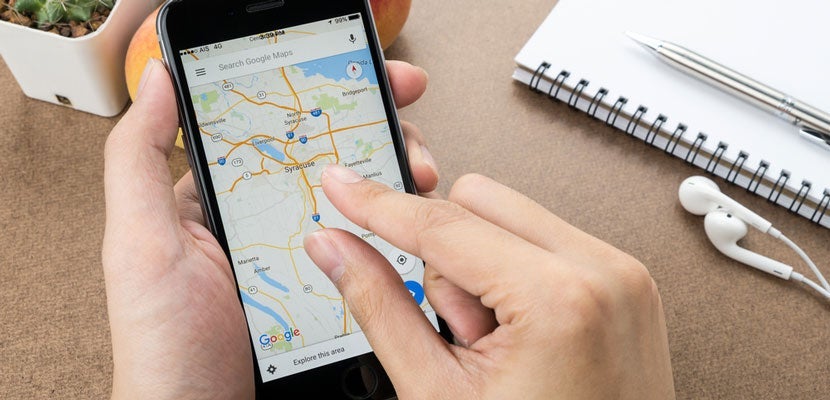
A few months ago, I was riding the subway home when I overheard the group next to me huddled over their phones and deep in debate about where they should go to grab a drink. Phrases like, "But someone says this place is only good on Saturdays!" were flying left and right. Eventually, I couldn't keep my mouth shut and offered a recommendation.
That's when they let me in on a well-kept secret: Google Maps.
Don't get me wrong, I knew what Google Maps was but before meeting this group on the train all I ever used it for was, well, directions. It turns out that Google Maps can do a lot more than that. For example, the map the group was looking at was an exclusive, map only for elite, invited contributors.
Sign up for the free daily TPG newsletter for more travel tips!
Since that day, I've become a Google Maps geek with the hope of one day being added to one of the elite groups.
How to use Google Maps
When you live somewhere like New York City that has thousands of restaurants to choose from, it's hard to keep track of which ones you like or which ones you want to go to because they have been recommended. The Google Maps feature that allows you to save spots is a game changer not only for New Yorkers, but also for travelers in general. The best part is that it's easy to use: You can organize all of your spots into separate lists.
Here's a quick look at how to do it:
1. Pick a spot you want to save
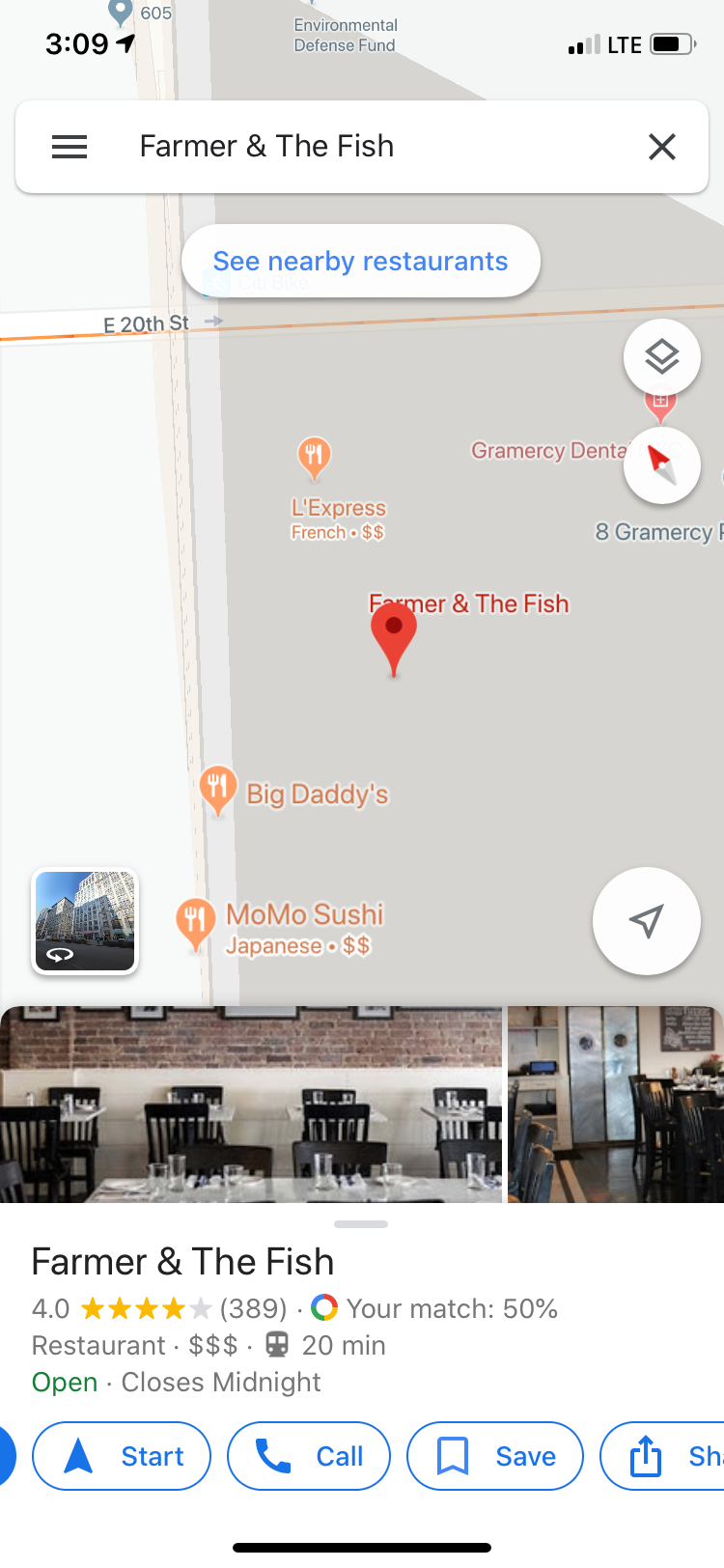
2. Pick or create the list you want to add it to

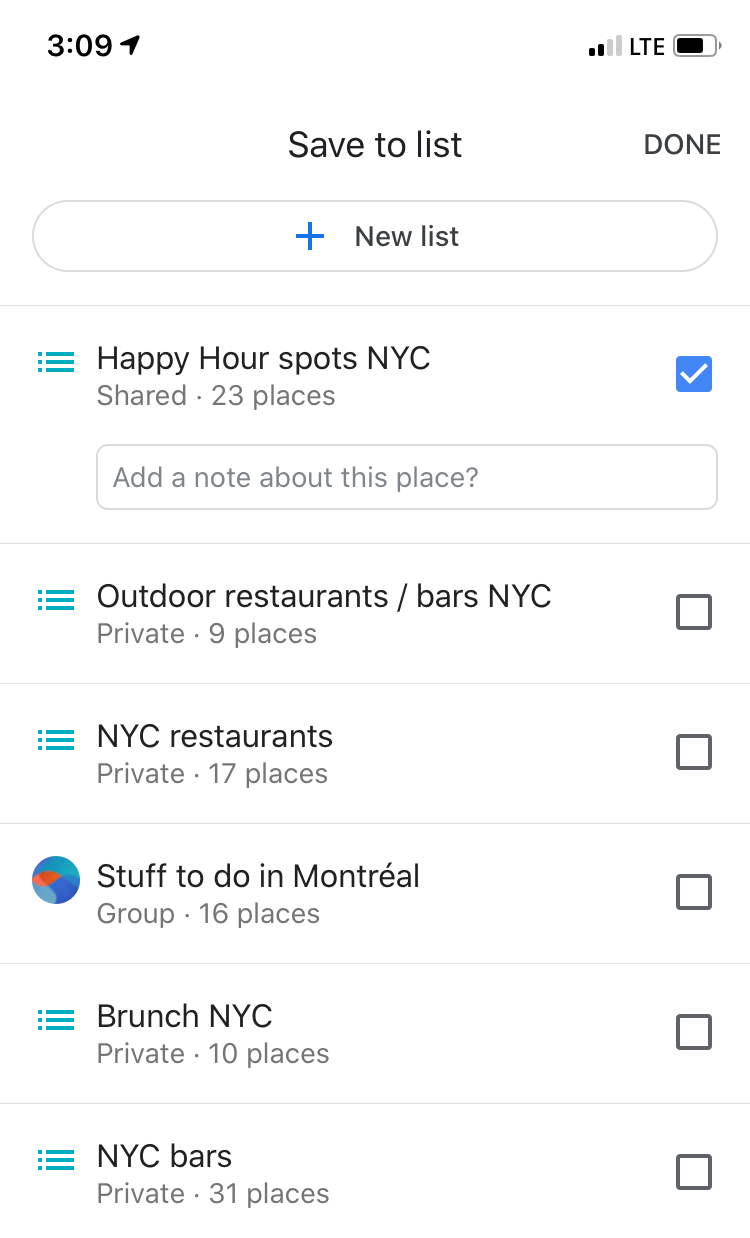
You can even make notes to yourself about each spot. For example, I always add the happy-hour deal so that when I'm looking at places to go, I can remind myself of the deal and time frame without digging too deep. It's a major time saver.
Now that you know the basics, here are five reasons I love Google Maps and you will too:
Ability to share and collaborate with friends
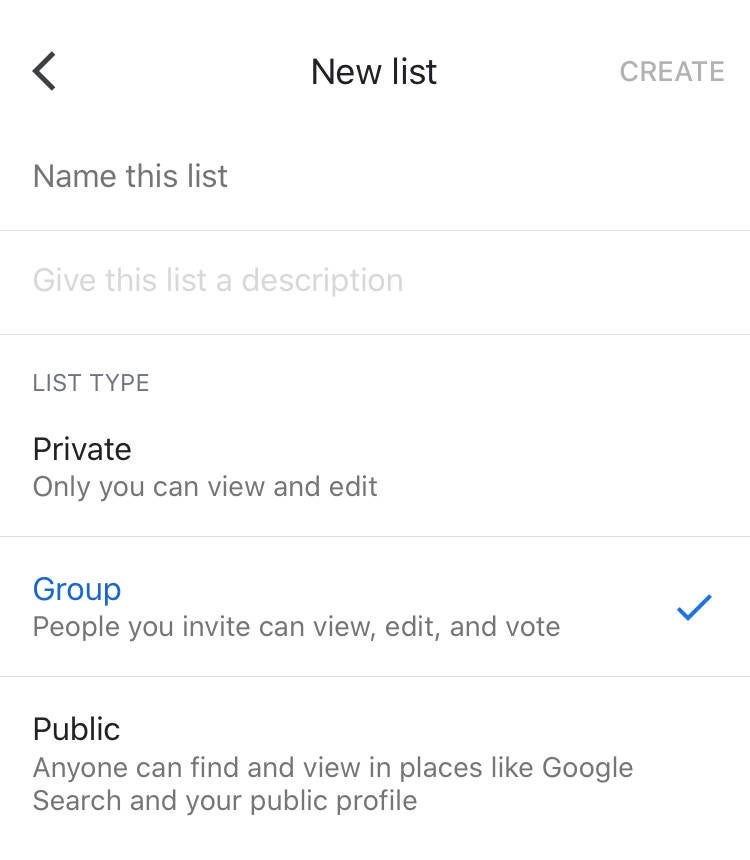
Whether you're planning a trip with friends, want to give comprehensive recommendations or you just enjoy a second opinion on places to go, this feature makes it all easier as long as all parties included have a Google account. All you have to do is create a group map and then invite whomever you'd like to view or collaborate.
It's kind of like a digital travel journal
We've all been there: You go on an amazing trip and visit tons of delicious restaurants and cool spots that you swear you'll never forget. But after a few more trips, they all start to blend together. When a friend asks you for a recommendation, all you can come up with was how great the pasta was at that one place — and that's no help. By keeping track of all the great places you visited, you'll not only be able to remind yourself, but you'll also be able to offer awesome, organized and detailed recommendations.
You can join pre-made maps
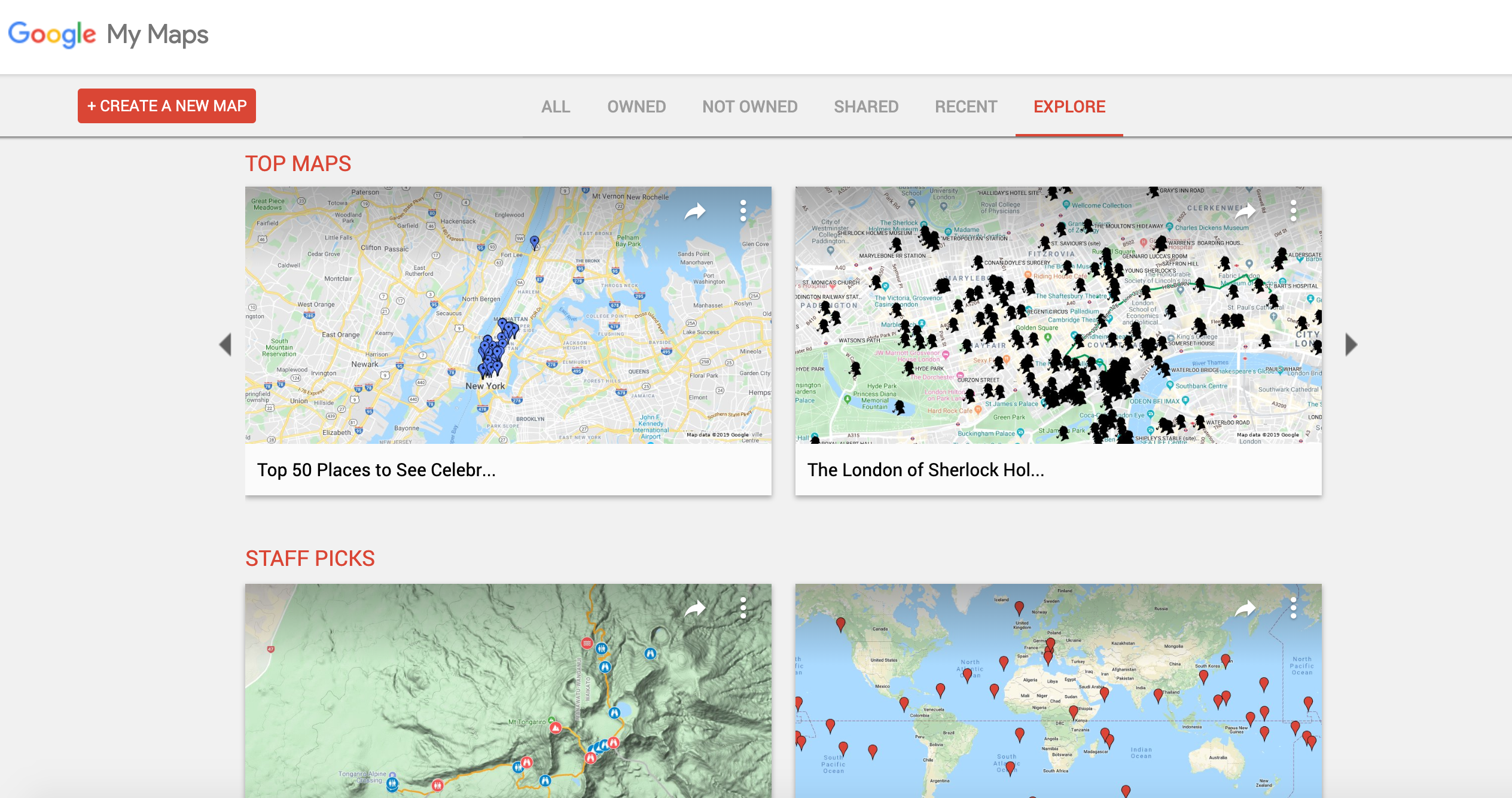
If you're looking for recommendations, you can browse thousands of maps that have already been created. Say you're visiting Boston for the first time and want to know more about the historic sites of the city. Give the historical tour of Boston map a look. It's cool because you might already be standing on a historic spot and never knew it. However, it appears that Google has temporarily taken away the explore function on My Maps. However, there's still a way to browse through already made maps. Here's what you have to do:
- Go to Google Advanced Search
- Enter the phrase you want like "U.S. National Parks"
- Specify the domain section of Google My Maps: https://www.google.com/maps/d
In the meantime, check our our very own map — the TPG guide to Christmas in NYC that you can download here.
You can download maps offline
I always like to download maps offline before any trip so that I have reliable access to the directions in the place I'm visiting. This is especially helpful when traveling abroad where you may not have cellphone service or only have limited access to Wi-Fi, but I also think it's helpful to download domestically in case coverage isn't great.
Here's how to download a map offline:
1. Open Google Maps
2. Click the three bars in the upper right to open your options menu
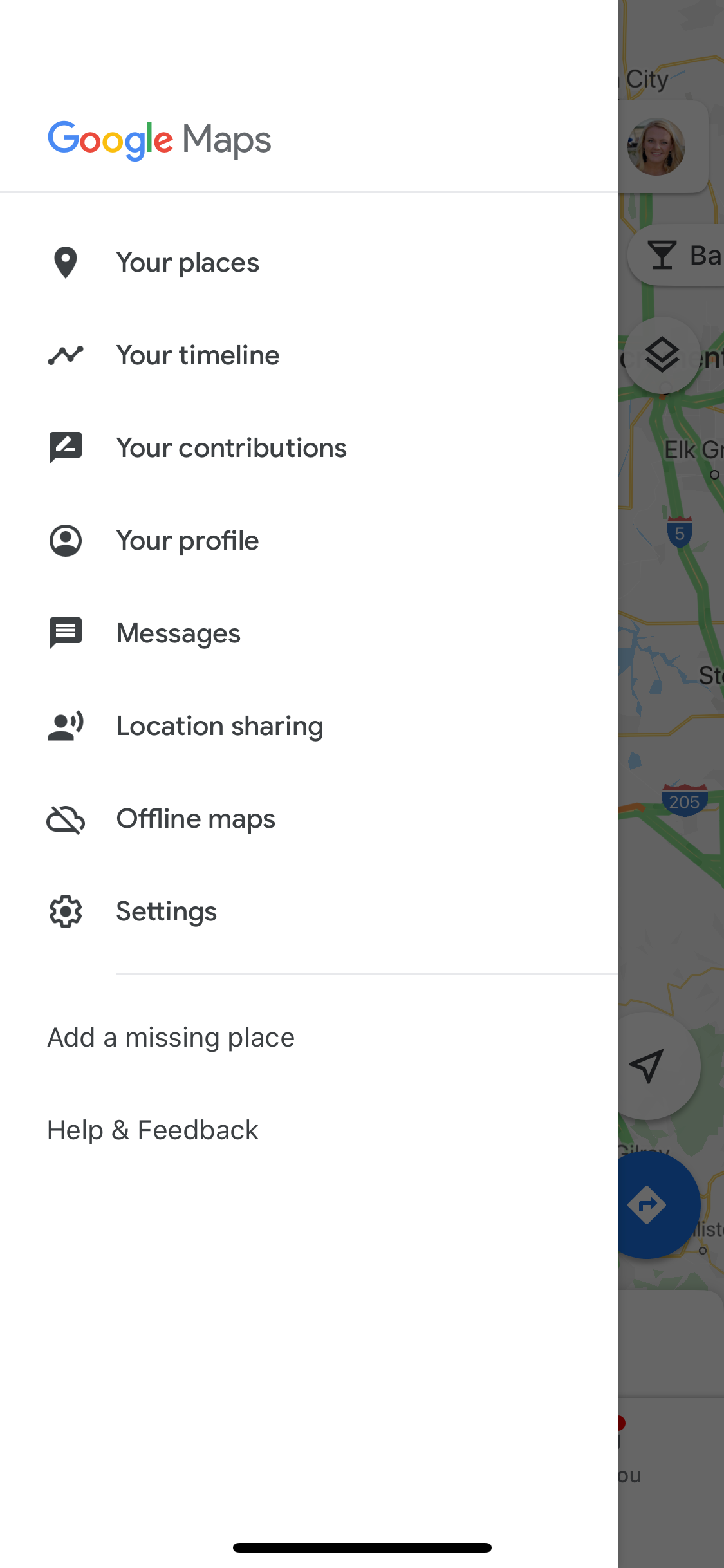
3. Select "Offline maps"
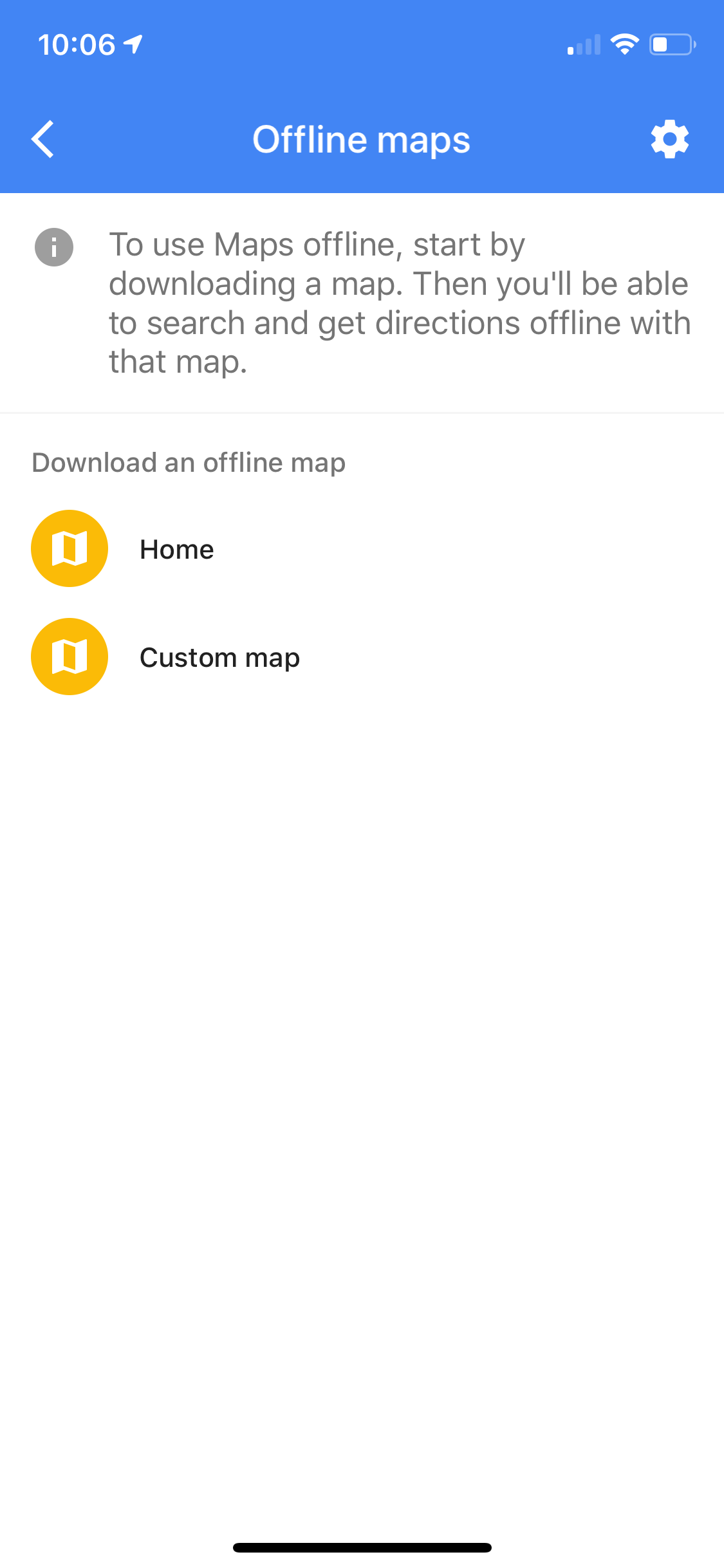
4. Select "Custom map"
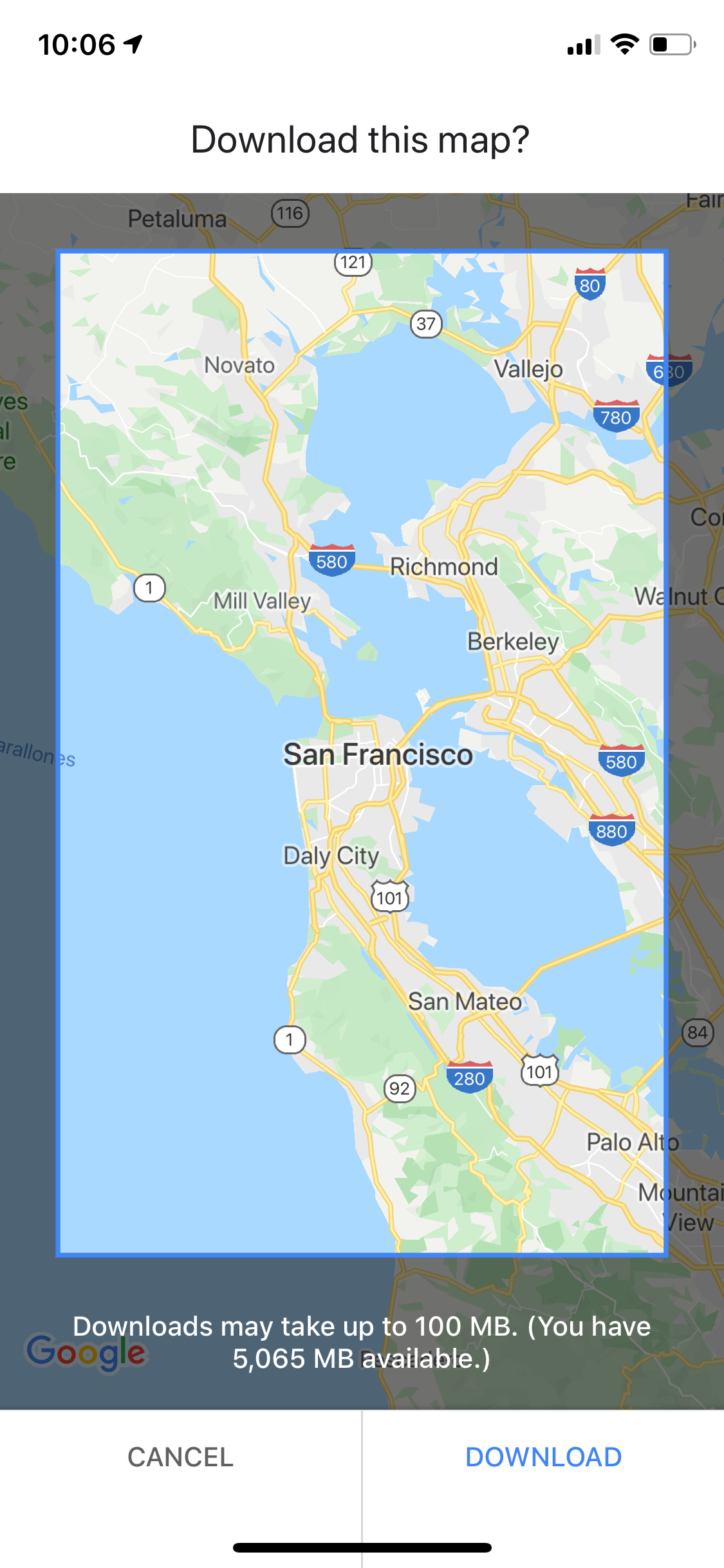
5. Pick the area you want to download and voila!
It keeps reservations organized
OK, I know I keep tooting Google's horn, but you've gotta give it to them: They really do help keep things organized. Another awesome feature of Google Maps is the reservations tab. Whenever you book, reserve or receive confirmation on a device that is signed in to your Google account, it will automatically add the reservation to a tab on Google Maps.
Bottom Line
Google Maps can do a whole lot more than give you directions. It can keep you organized and make you the recommendation wizard among your friends. It's the perfect assistant for city dwellers and travelers with lots on their to-do lists. If you don't already use Google Maps, I recommend you start soon.
TPG featured card

at American Express's secure site
Terms & restrictions apply. See rates & fees.
| 4X | Earn 4X Membership Rewards® points per dollar spent on purchases at restaurants worldwide, on up to $50,000 in purchases per calendar year, then 1X points for the rest of the year. |
| 4X | Earn 4X Membership Rewards® points per dollar spent at US supermarkets, on up to $25,000 in purchases per calendar year, then 1X points for the rest of the year. |
| 5X | Earn 5X Membership Rewards® points on prepaid hotel stays booked through AmexTravel.com or the Amex Travel App™. |
| 3X | Earn 3X Membership Rewards® points on flights booked through AmexTravel.com, the Amex Travel App™, or purchased directly from airlines. |
| 2X | Earn 2X Membership Rewards® points on prepaid car rentals booked through AmexTravel.com or the Amex Travel App™ and cruises booked and paid through AmexTravel.com. |
| 1X | Earn 1X Membership Rewards® point per dollar spent on all other eligible purchases. |
Pros
- Valuable dining and food-related credits
- Flexible rewards with airline and hotel transfer partners
- Multiple travel and purchase protections
- No foreign transaction fees
- Access to Amex Offers for additional savings (enrollment required)
Cons
- Not as useful for those living outside the U.S.
- Some may have trouble using Uber and other dining credits
- You may be eligible for as high as 100,000 Membership Rewards® Points after you spend $8,000 in eligible purchases on your new Card in your first 6 months of Card Membership. Welcome offers vary and you may not be eligible for an offer. Apply to know if you’re approved and find out your exact welcome offer amount – all with no credit score impact. If you’re approved and choose to accept the Card, your score may be impacted.
- Earn 4X Membership Rewards® points per dollar spent on purchases at restaurants worldwide, on up to $50,000 in purchases per calendar year, then 1X points for the rest of the year.
- Earn 4X Membership Rewards® points per dollar spent at US supermarkets, on up to $25,000 in purchases per calendar year, then 1X points for the rest of the year.
- Earn 5X Membership Rewards® points on prepaid hotel stays booked through AmexTravel.com or the Amex Travel App™.
- Earn 3X Membership Rewards® points on flights booked through AmexTravel.com, the Amex Travel App™, or purchased directly from airlines.
- Earn 2X Membership Rewards® points on prepaid car rentals booked through AmexTravel.com or the Amex Travel App™ and cruises booked and paid through AmexTravel.com.
- Earn 1X Membership Rewards® point per dollar spent on all other eligible purchases.
- Pay It® lets you tap in the American Express® App to quickly pay for small purchase amounts throughout the month and still earn rewards the way you usually do. Plan It® gives you the option to split up big purchases into equal monthly payments with a fixed fee. You’ll know upfront exactly how much you’ll pay.
- $120 Dining Credit: Earn up to a total of $10 in statement credits monthly when you pay with the Gold Card at Grubhub (including Seamless), Buffalo Wild Wings, Five Guys, The Cheesecake Factory, and Wonder. This can be an annual savings of up to $120. Enrollment required.
- $100 Resy Credit: Get up to $100 in statement credits each calendar year at over 10,000 qualifying U.S. Resy restaurants after you pay for eligible purchases with the American Express® Gold Card. That’s up to $50 in statement credits semi-annually. Enrollment required.
- $84 Dunkin' Credit: Earn up to $7 in monthly statement credits after you pay with the American Express® Gold Card at U.S. Dunkin’ locations. Enrollment required.
- $120 Uber Cash on Gold: Enjoy up to $120 in Uber Cash annually with your Gold Card. Just add your Card to your Uber account and you'll get $10 in Uber Cash each month to use on orders and rides in the U.S. when you select an Amex Card for your transaction.
- Enjoy complimentary Hertz Five Star® Status benefits like skipping the counter at select locations, adding an additional driver at no additional cost*, and vehicle upgrades**. Benefit enrollment and Hertz Gold+ registration are required. *Additional drivers must meet standard rental qualifications and must be a spouse or domestic partner to qualify as complimentary. Other additional drivers subject to fees. **Benefits are subject to availability and vary by location. Additional Hertz program Terms and Conditions including age restrictions apply.
- Book two nights or more with The Hotel Collection through AmexTravel.com or the Amex Travel App™ and receive a $100* credit towards eligible charges at over 1,400 upscale hotels worldwide. *Eligible charges vary by property.
- Book your travel through the Amex Travel App™ with added peace of mind – backed by American Express® service and support. Only for American Express® Card Members.
- Whenever you need us, we're here. Our Member Services team will ensure you are taken care of. From lost Card replacement to statement questions, we are available to help 24/7.
- No Foreign Transaction Fees.
- Annual Fee is $325.
- Terms Apply.