How to use Google Flights Explore to find cheap flights and hotel deals


Editor's Note
- Google Flights Explore is one of the best-kept secrets in trip planning.
- This guide will teach you how to use Google Flights Explore to find great deals on flights and hotels.
- This valuable tool has great filter options so you can find the perfect trip.
Google Flights Explore is one of the best-kept secrets when it comes to finding cheap flights. You may have a basic familiarity with Google Flights in general — but once you know how to use Explore to find deals, it's a whole other game.
Let's dig deeper into the tool and how you can use it to plan your trips.
What is Google Flights Explore?
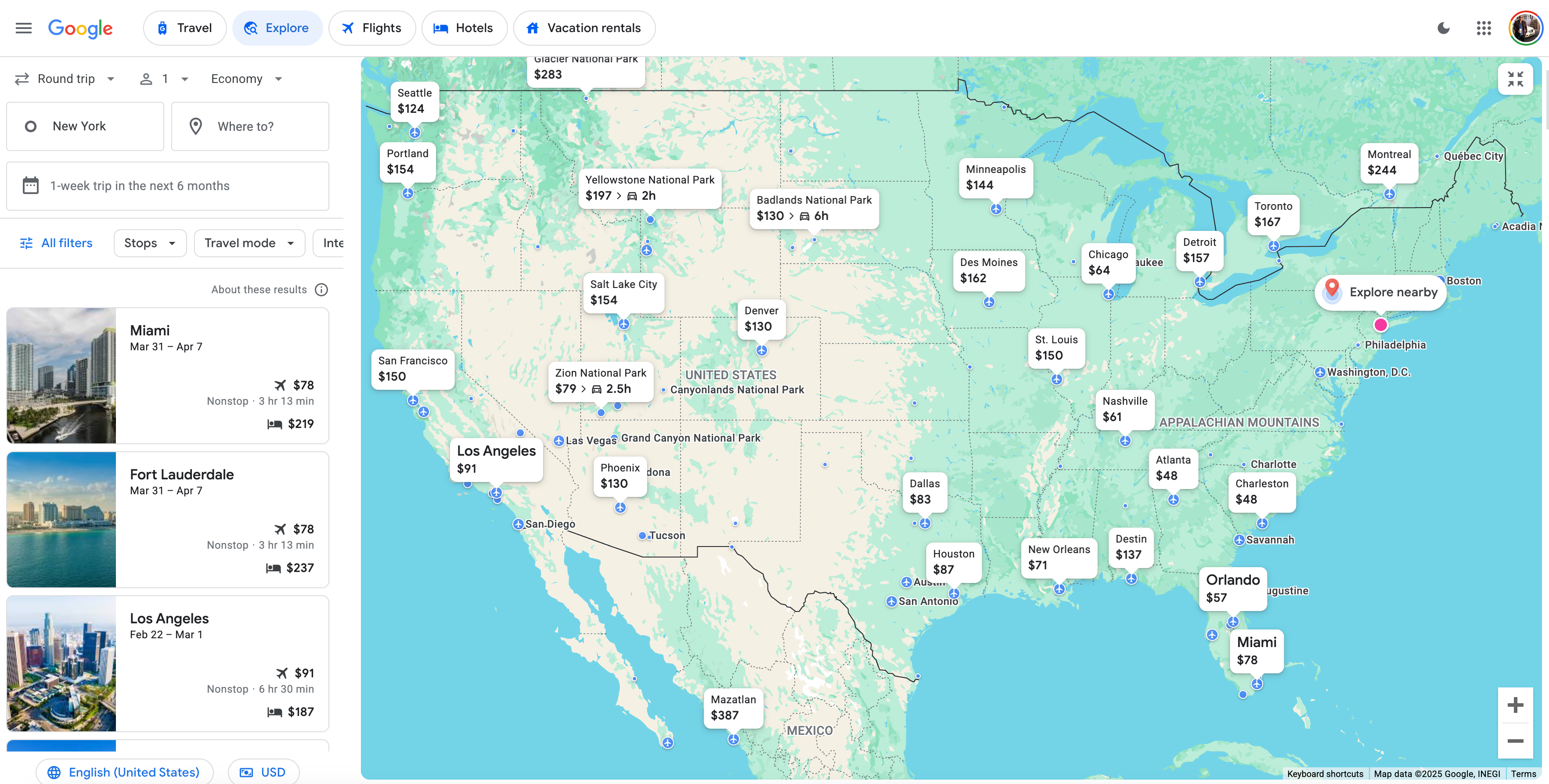
Google Flights Explore is a feature nested within Google Flights. You can gain access to it either by clicking the "Explore" button on the toolbar in Google Flights or by going directly to the Explore page.
Google preselects the location closest to where you've logged in (in my case, New York). Then, it shows you the cheapest flights worldwide or in your own backyard.
An interactive map lets you indulge your wanderlust. Whether you want to visit a nearby national park or see the Australian outback, the world is available at the click of a mouse.
If you know you want to get away on specific dates but don't have a specific destination in mind, use Google's open-ended search functionality to find flight deals within your window of availability.
How to use Google Flights Explore
Using Google Flights Explore is not complicated. Once you play with it a bit, you'll figure it out in no time.
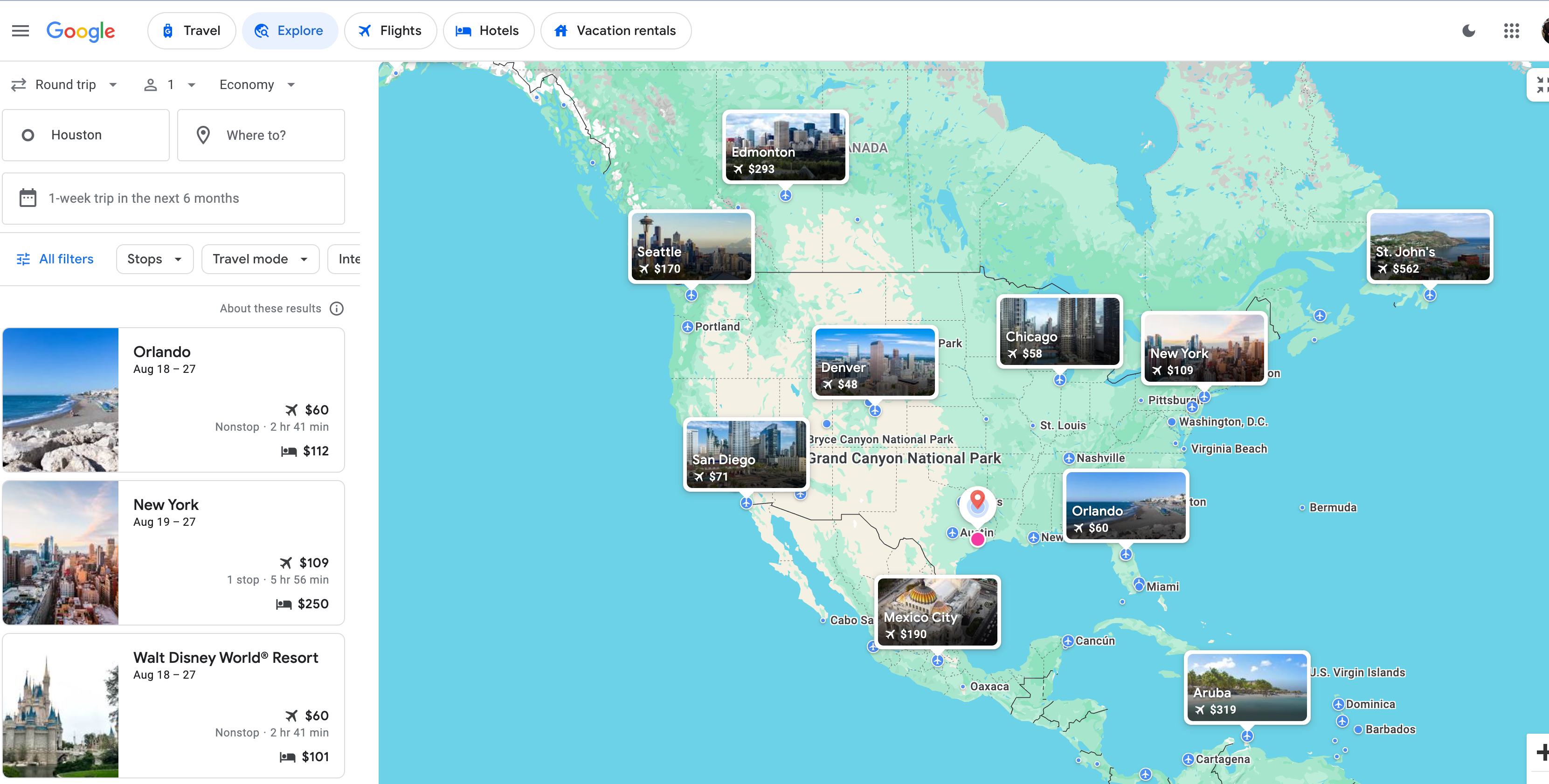
You can set your home base to pretty much wherever you want; I mentioned that my search defaults to New York, but for the sake of the examples below, I chose to search out of Houston.
Google displays a highlights bar with a few popular destinations on the left side and an interactive map on the right. Clicking any of the cities pulls up the dates and prices; in this example, Google tells me that I can fly round-trip to Orlando for as little as $60 or to New York for just $109. You'll also see the lowest price Google finds for hotels on the left-side bar, next to the bed icons.

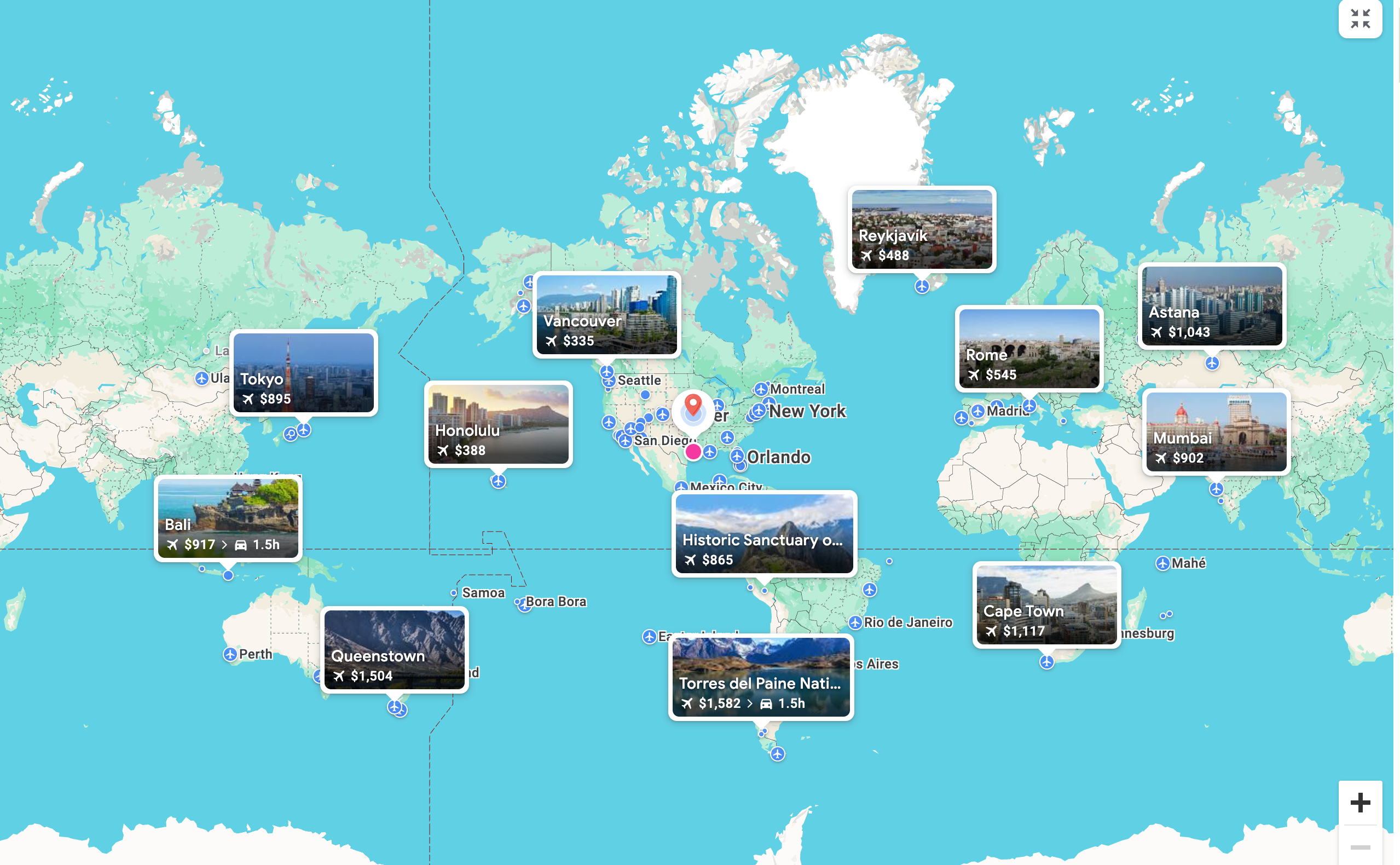
As you zoom out, the whole world opens up. Google tells me, in this case, that I can fly to Honolulu for $388 or Tokyo for $895.
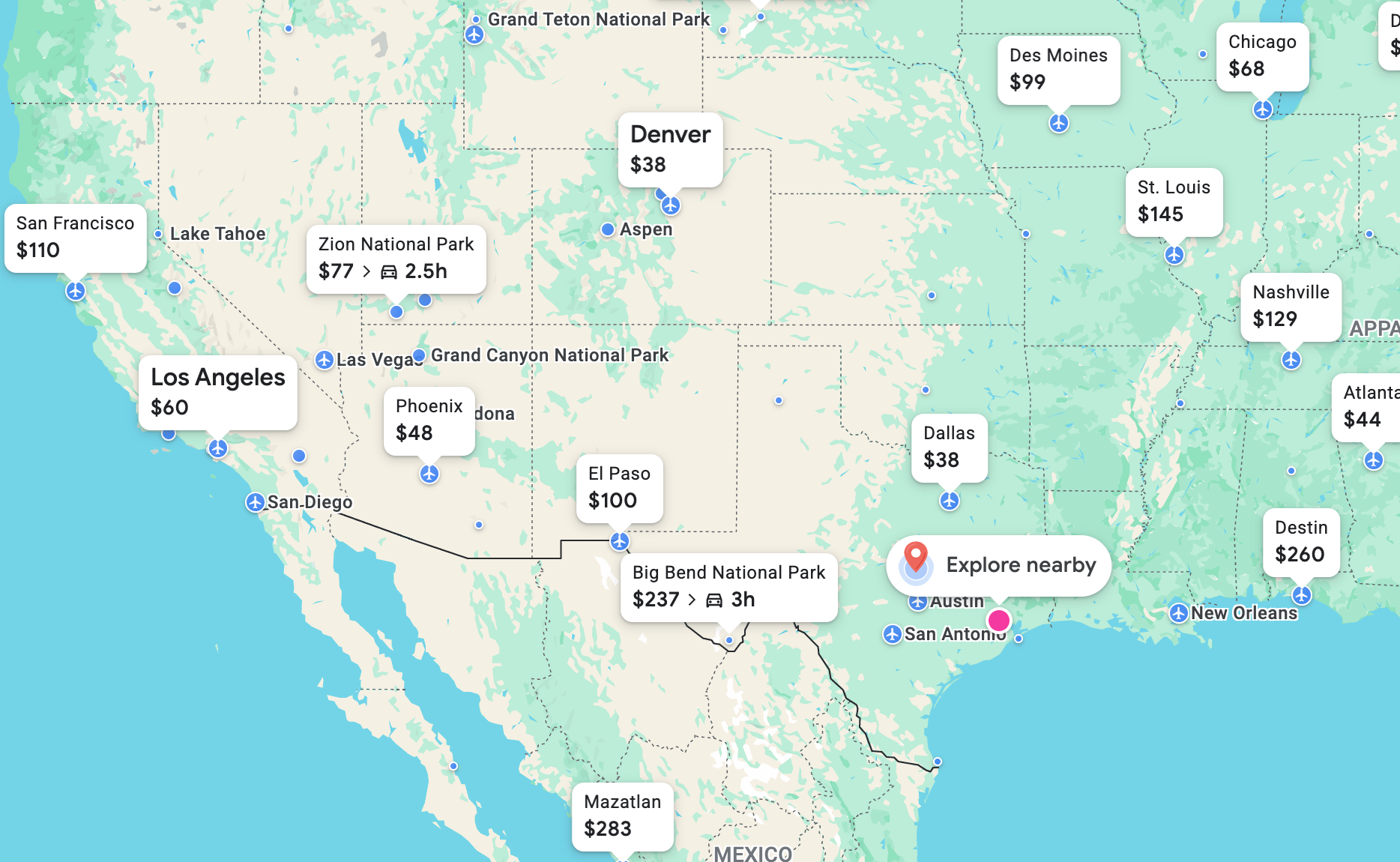
You can also move the map around to zoom in or out on a particular region that may strike your fancy. There's even an "Explore nearby" button that will show you road trips or flights to destinations closer to home.
But let's say I had my eye on a trip farther afield — perhaps I'm set on going to Paris. I can move the map over to a closer view of Europe; when I click on the Paris pin, Google will show me flight options that I can then click to book through the traditional Google Flights page.
In this case, Google Flights Explore says that I should go to Paris in late February, suggesting the cheapest option is to fly Spirit Airlines from George Bush Intercontinental Airport (IAH) to Newark Liberty International Airport (EWR) before picking up a French Bee flight to Paris-Orly Airport (ORY). You also see that prices are currently "typical," so there isn't a screaming deal right now. I might hold off on booking in this case — but you see what a powerful tool this can be.
Google Flights Explore defaults to looking for one-week trips within a six-month window, but you can change the parameters to search other times, including with its "Weekend" and "2 weeks" searches.
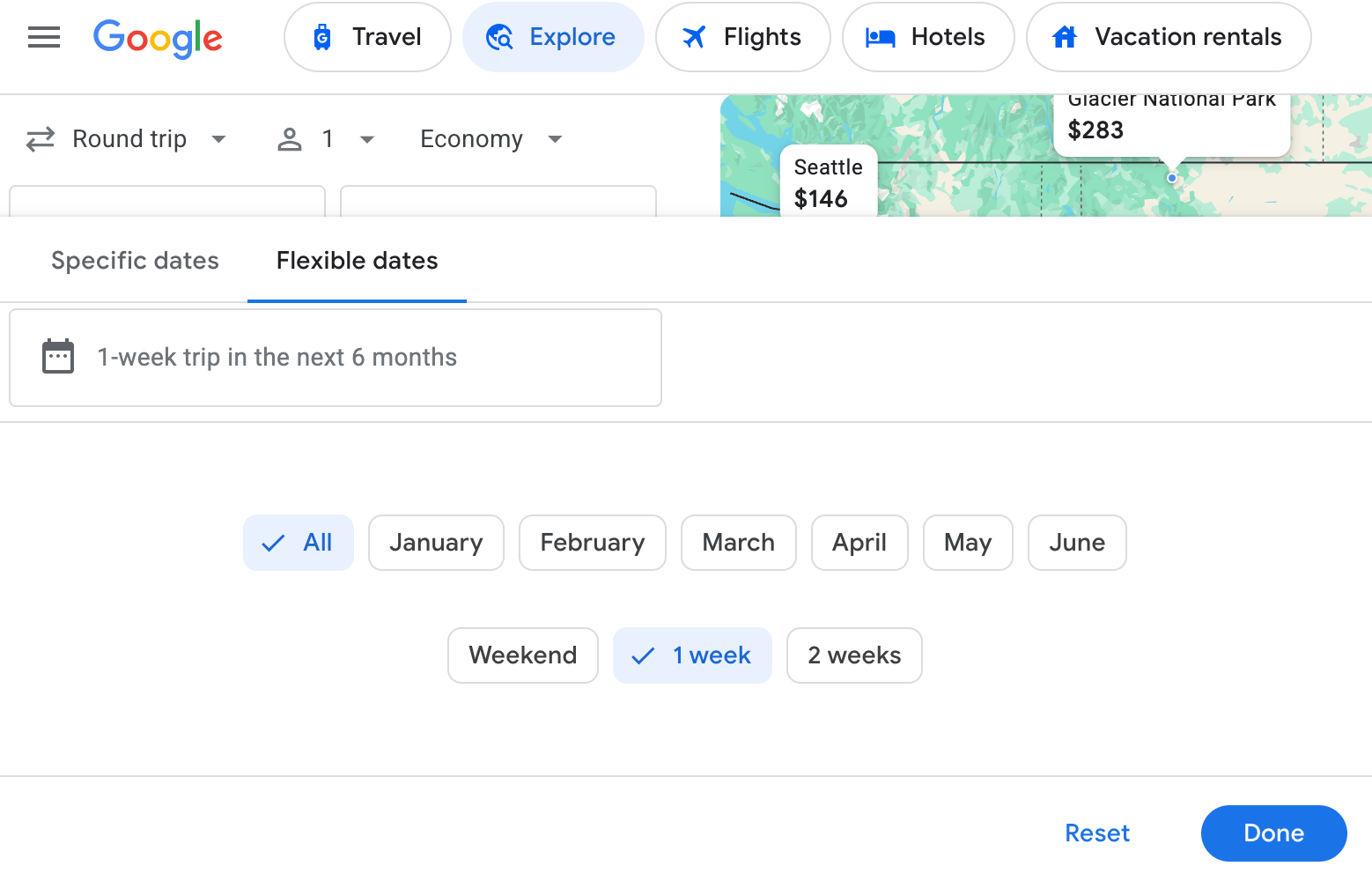
You can also click on the "Specific dates" tab to plug in exact travel dates and choose the number of passengers, cabin class (economy, premium economy or business class), and round-trip or one-way flights.
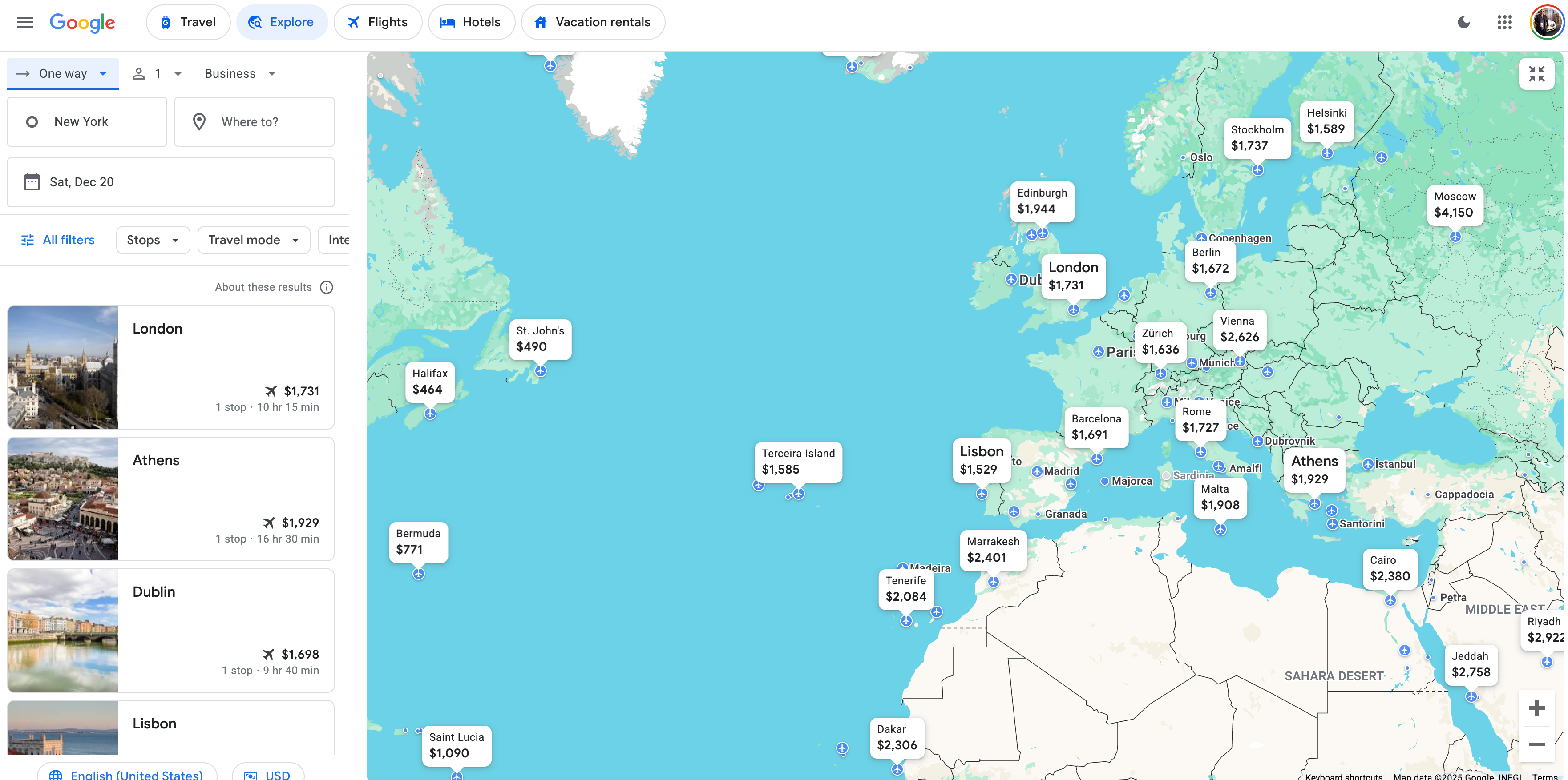
I've selected business class for a trip during Christmas (when I know I'm off work) in this example. Prices are pretty high right now — but the search could help me set up some flight alerts to monitor prices.
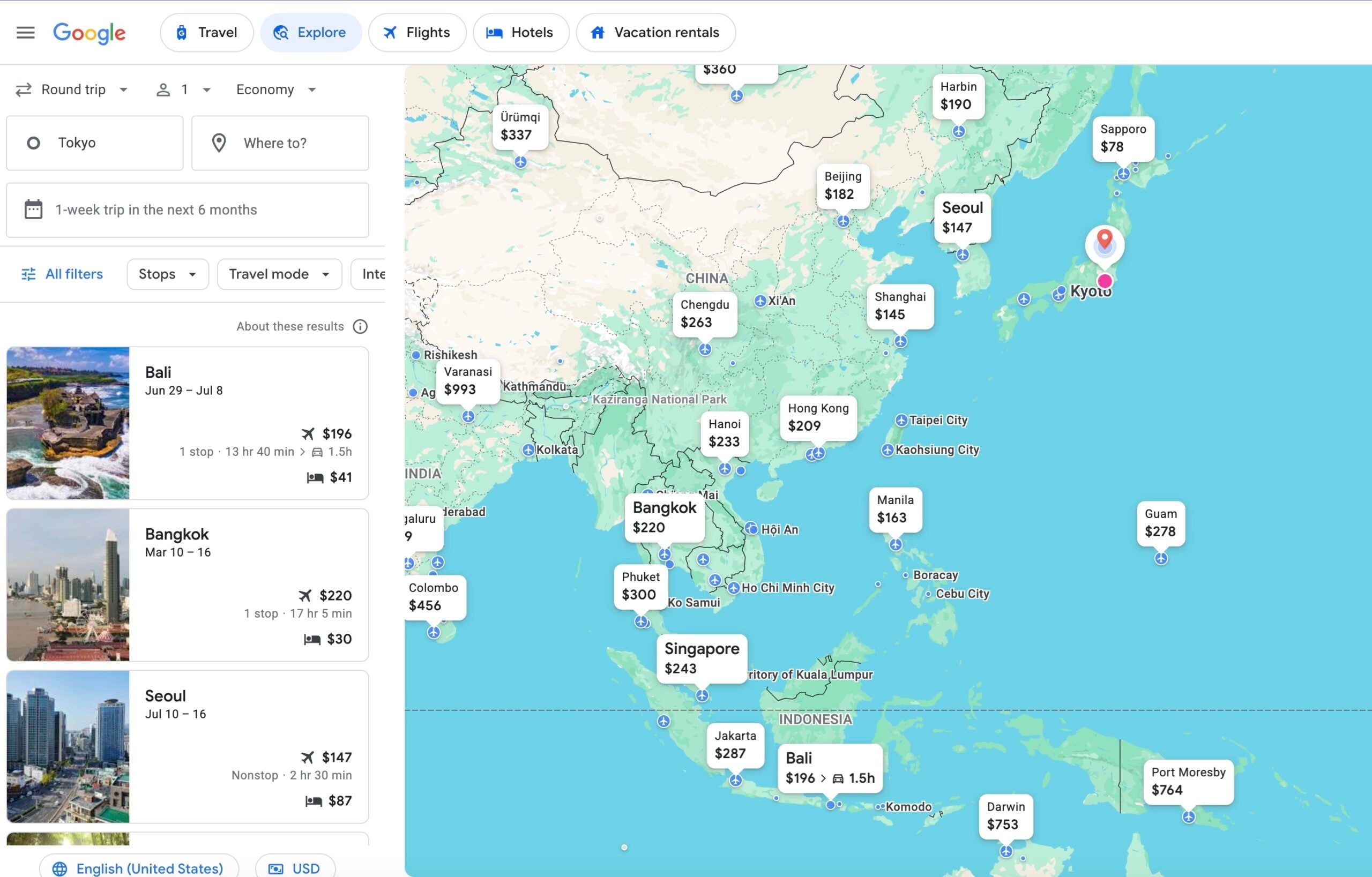
What about if you're looking to leave from a different airport overseas? Just put in the airport you want to travel from. In this case, I set my "home" city as Tokyo for a weekend trip in May; here's what Google Flights Explore pulled up for me.
This could be helpful if, say, you've found a one-way award ticket to Asia but haven't been able to find a good deal using miles to return.
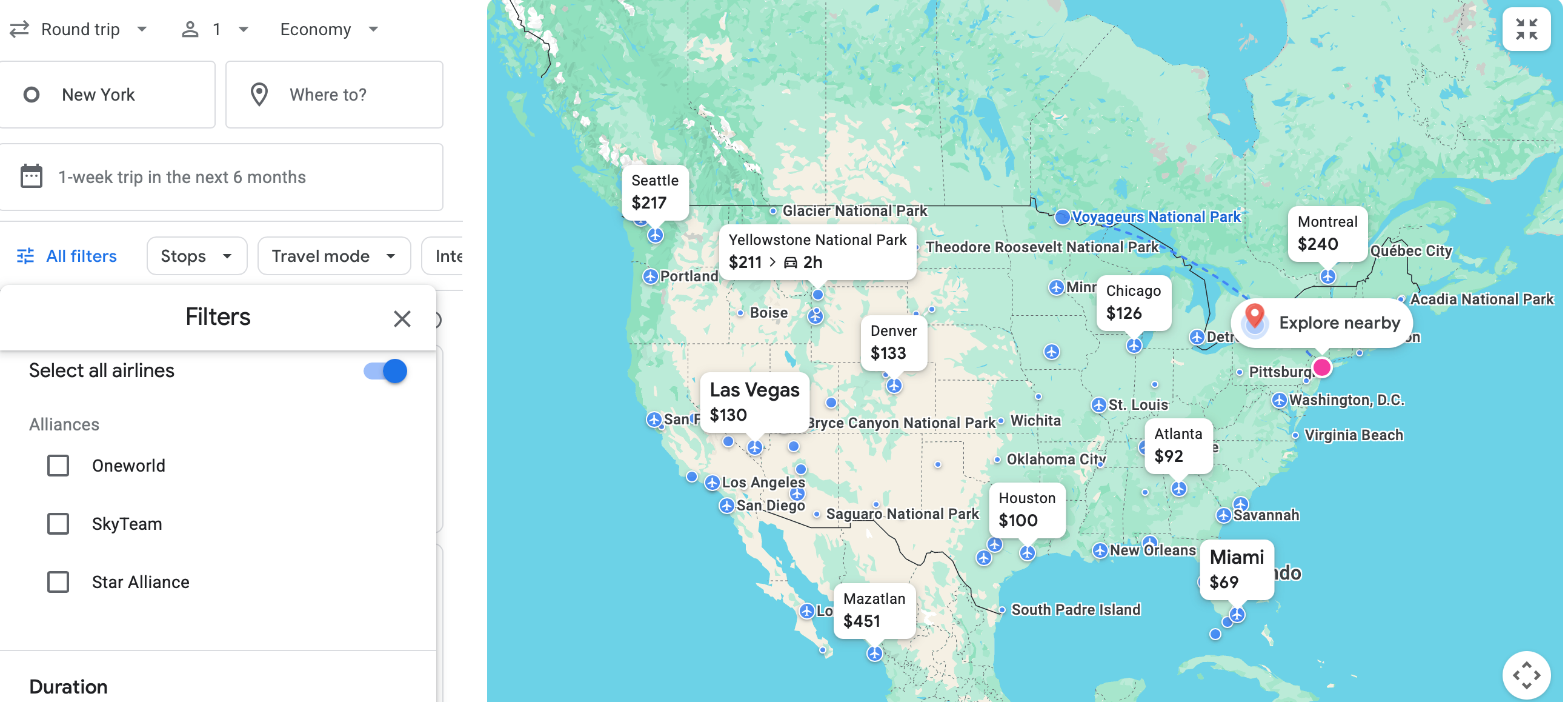
You can also select specific airline alliances in Explore, but not individual airlines.
But there's a way around it if you're intent on a specific airline — just start your search in traditional Google Flights, where you can select airlines.
In this case, I chose only American Airlines and Delta Air Lines. When I change the search destination to "Anywhere," it pulls up only American and Delta flights on the Explore page. That's a fun little hack.
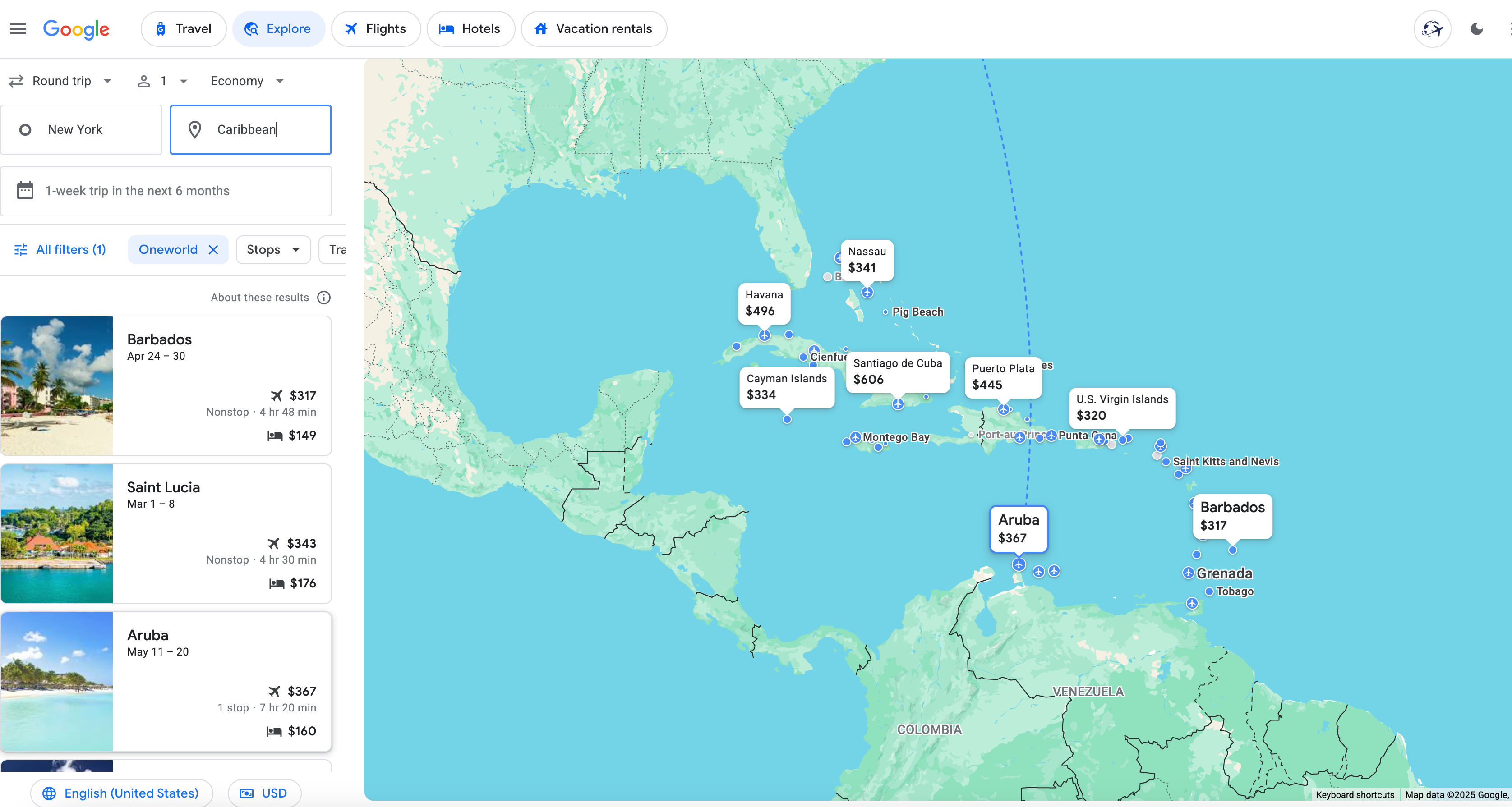
As one more aside, you can conduct wider regional searches — like "Mexico" or "Caribbean" — if you're targeting a general area but don't know exactly where you want to go. Here's an array of options from New York to the Caribbean; you can see I've also selected the "Oneworld" filter to focus on American Airlines or other Oneworld partner flights. Flying to Barbados for $317 round-trip sounds good to me.
Here's a similar search for "Mexico" from a home base of Seattle in this example. I've eliminated any specific filters in this example to widen my options.
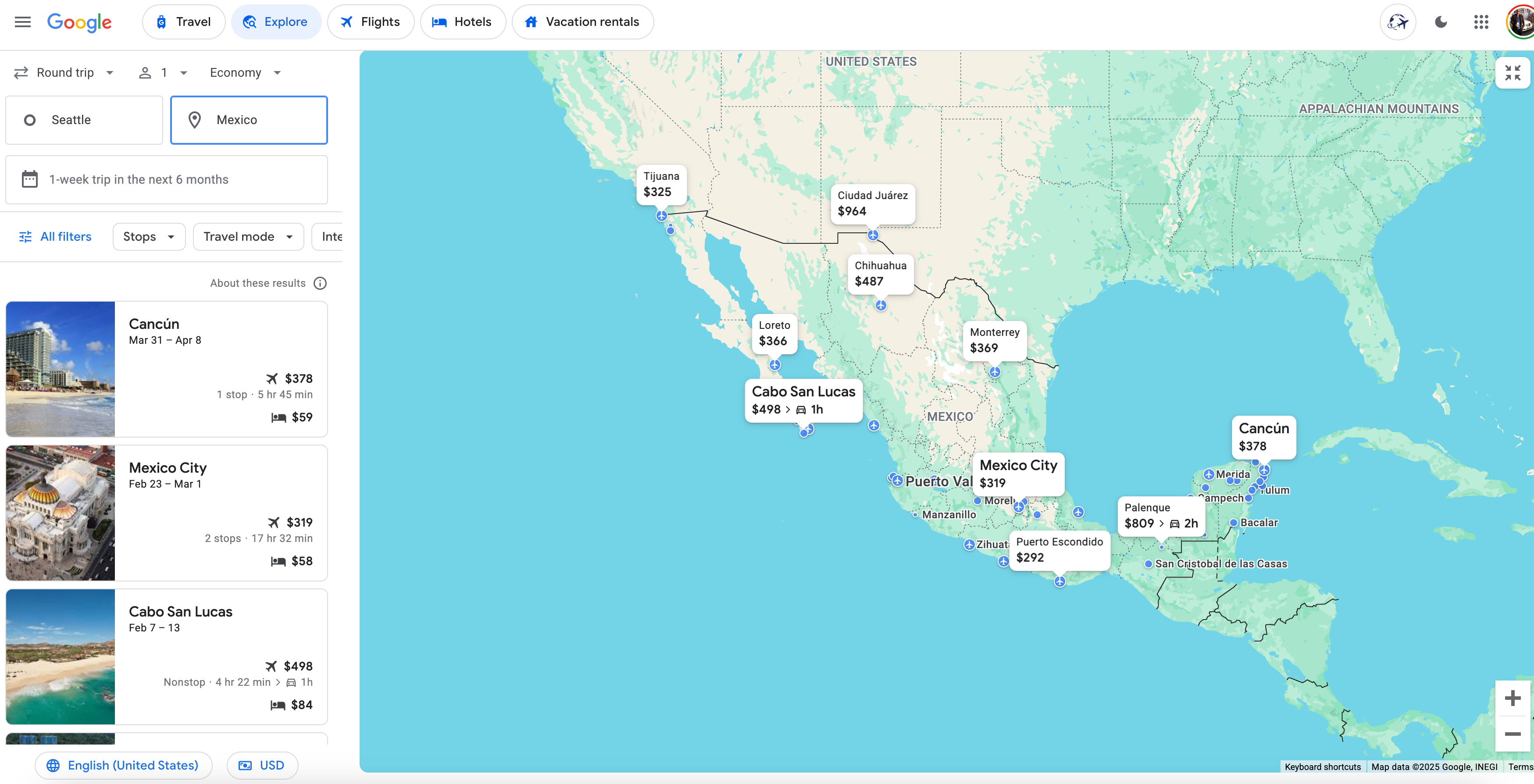
I like the sound of a week-and-a-half trip to Cancun for just $378 round-trip. It even includes a hotel option for as low as $59 a night!
Google Flights Explore on mobile
You can also use Google Flights Explore on your mobile phone. It functions nearly the same as the webpage version. In this search on my phone, I found flights to San Francisco from New York for as low as $150 round-trip.
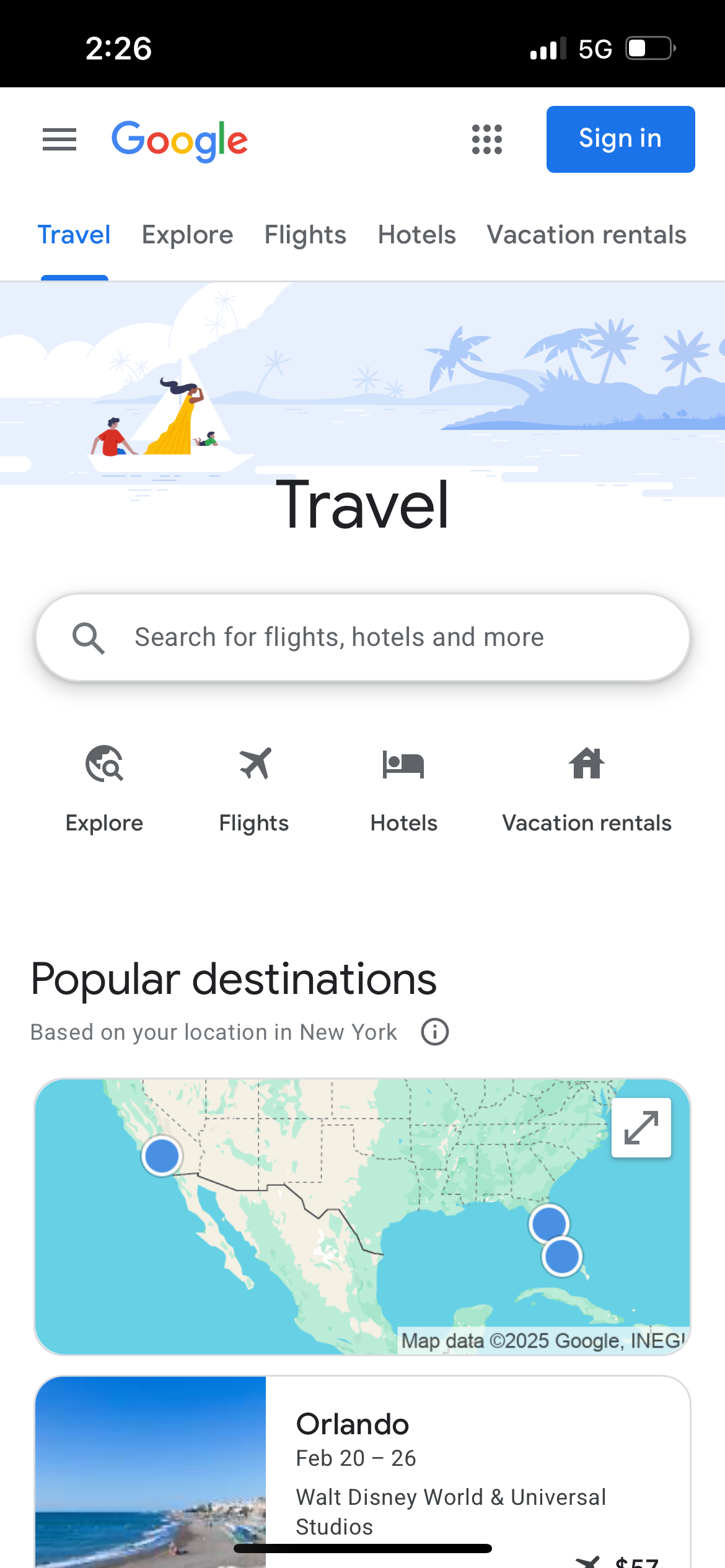
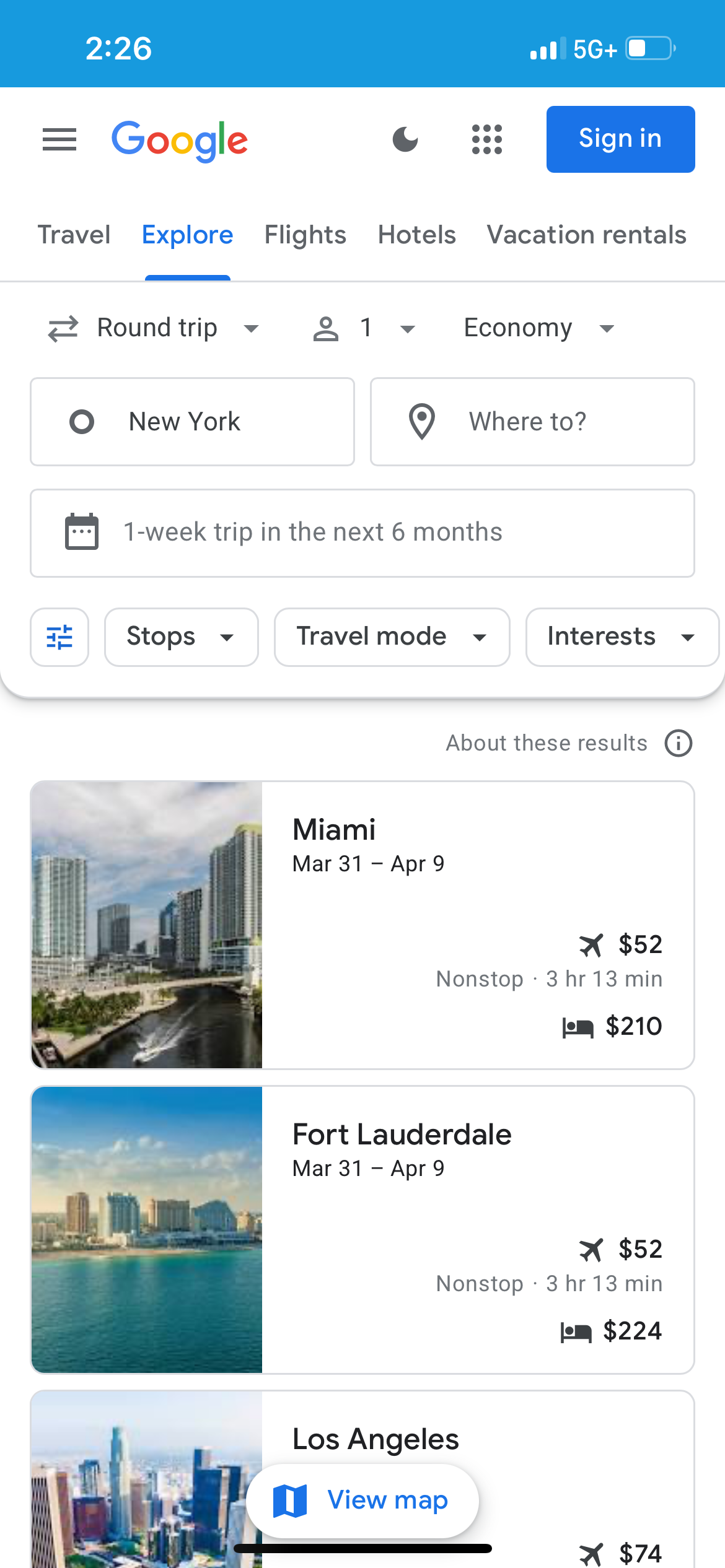
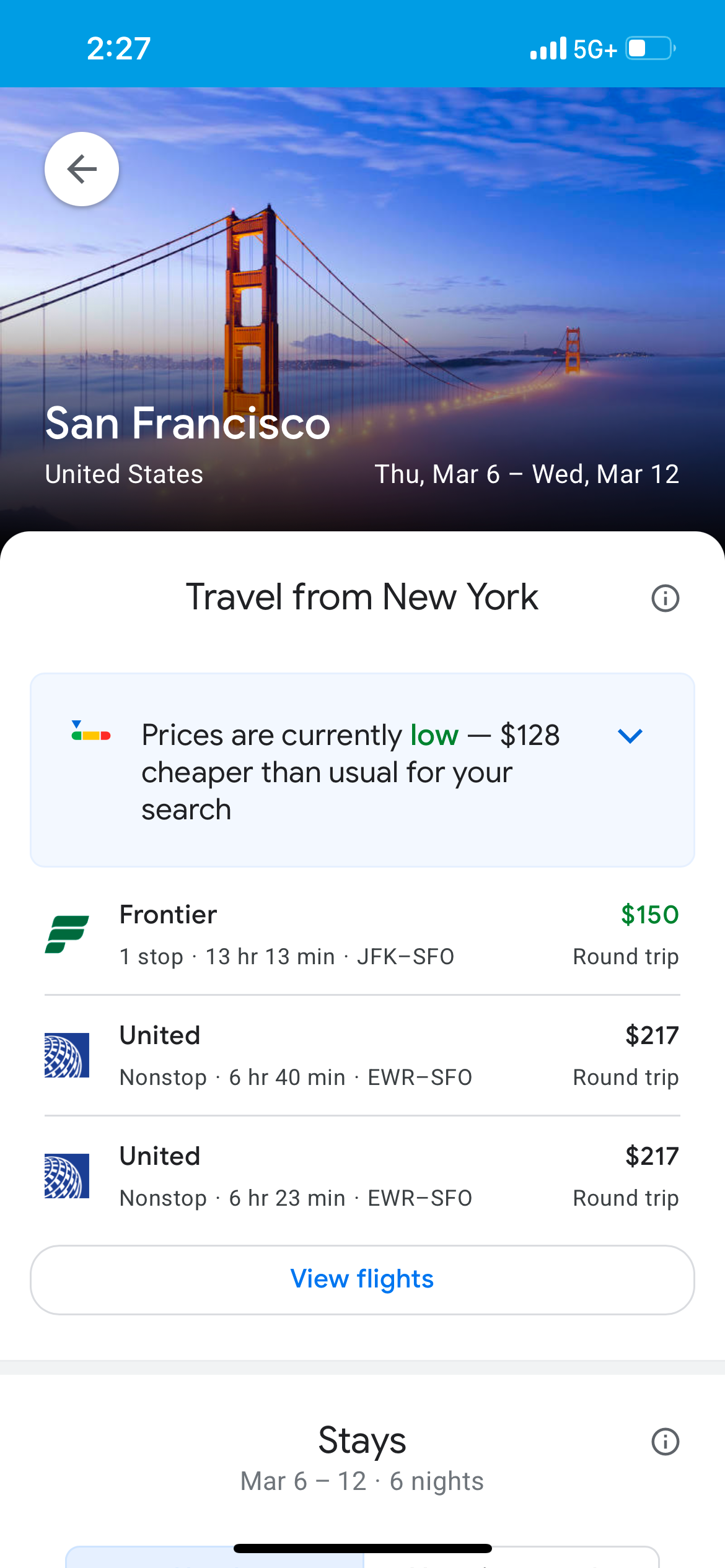
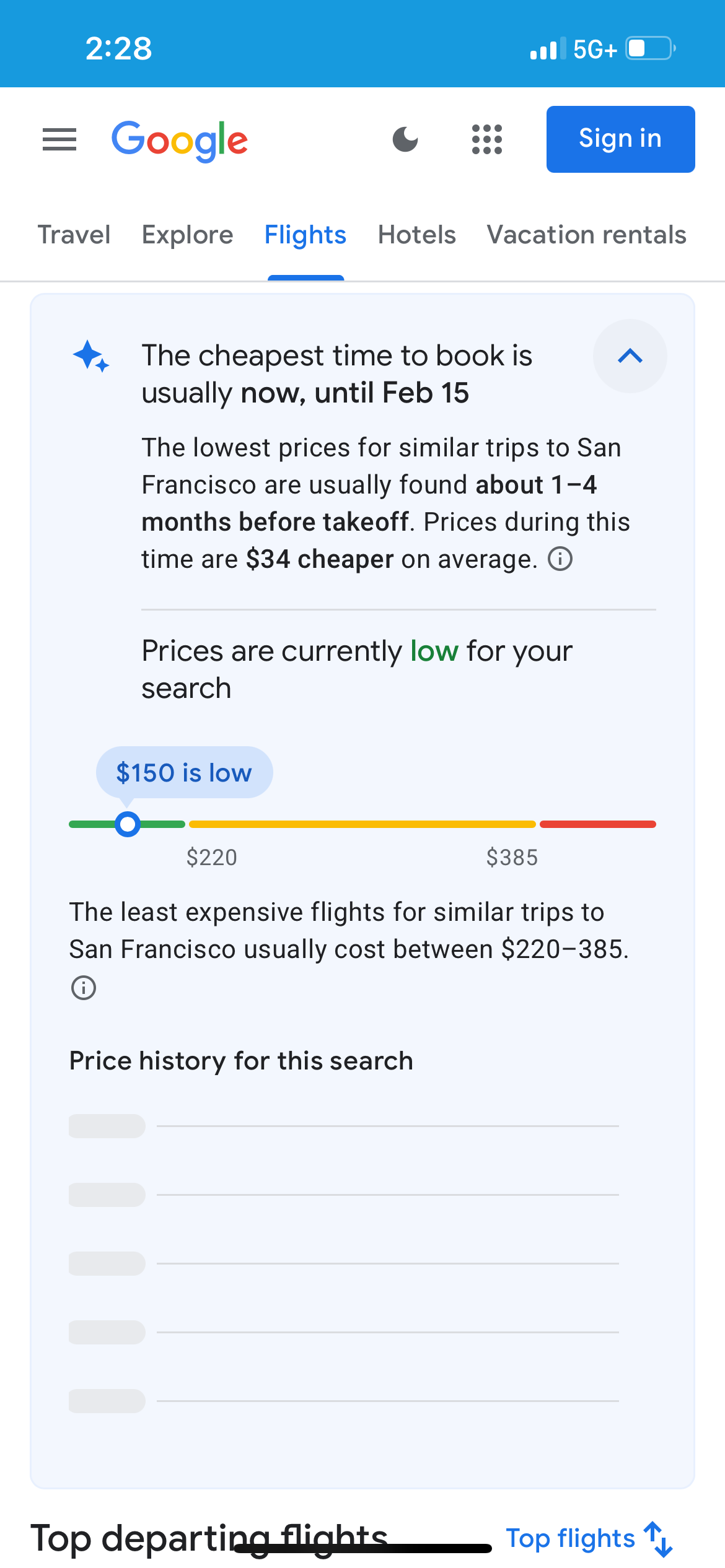
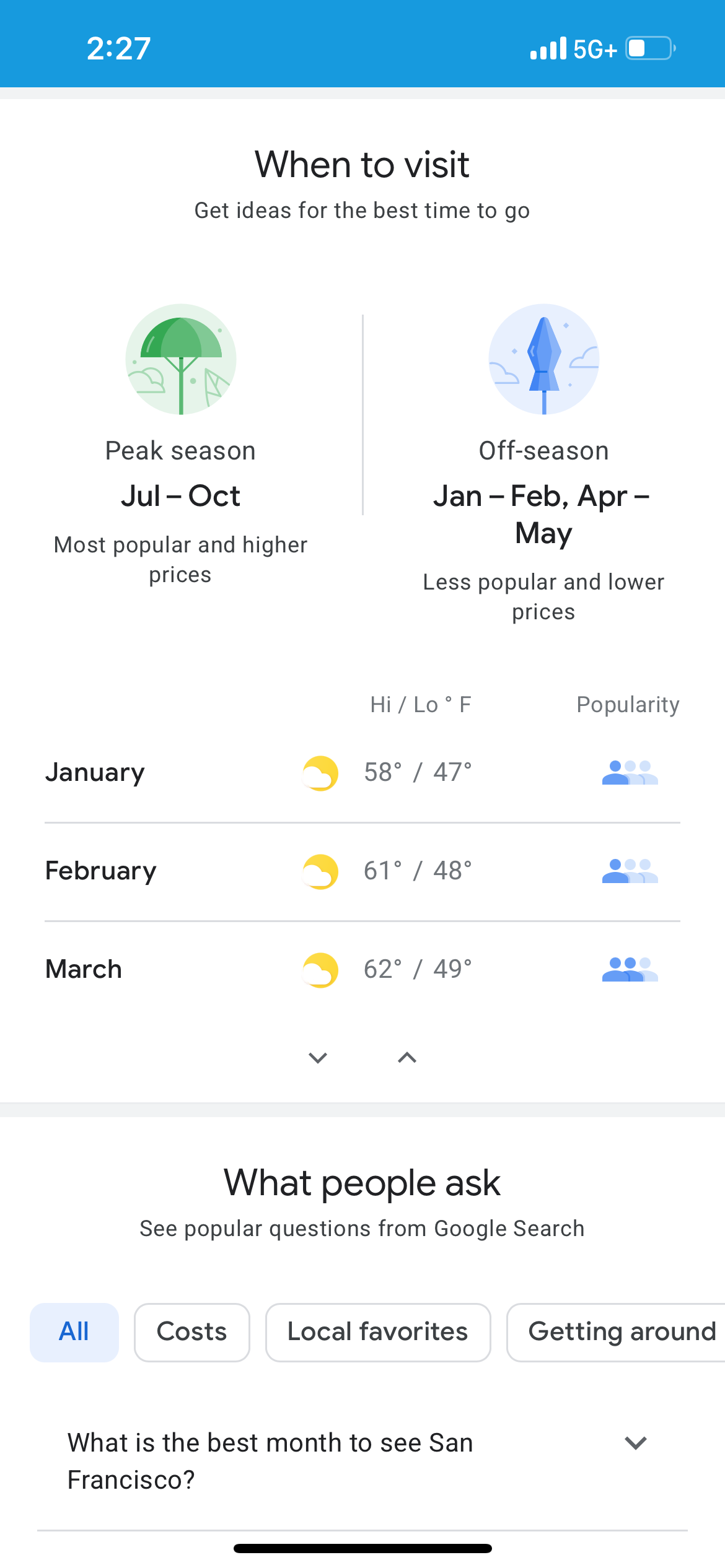
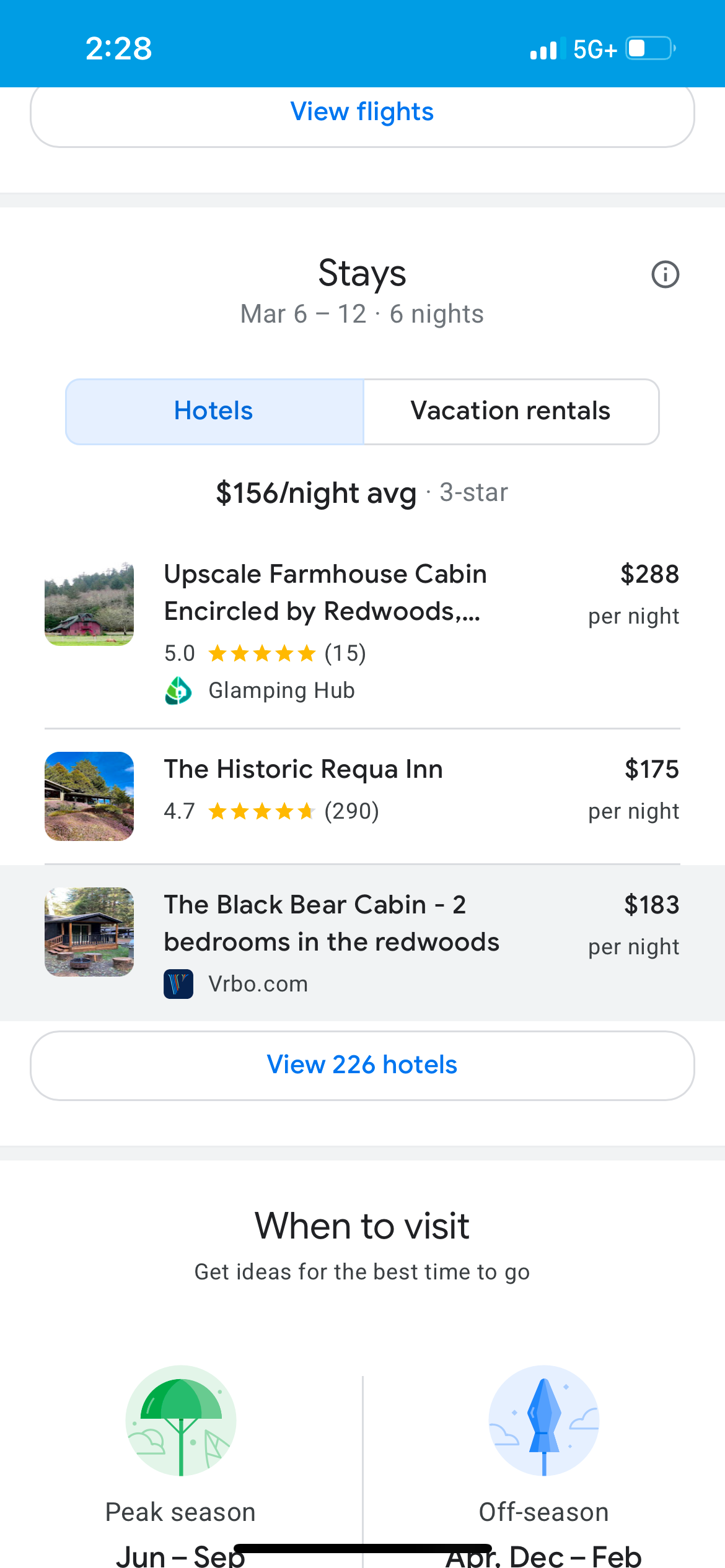
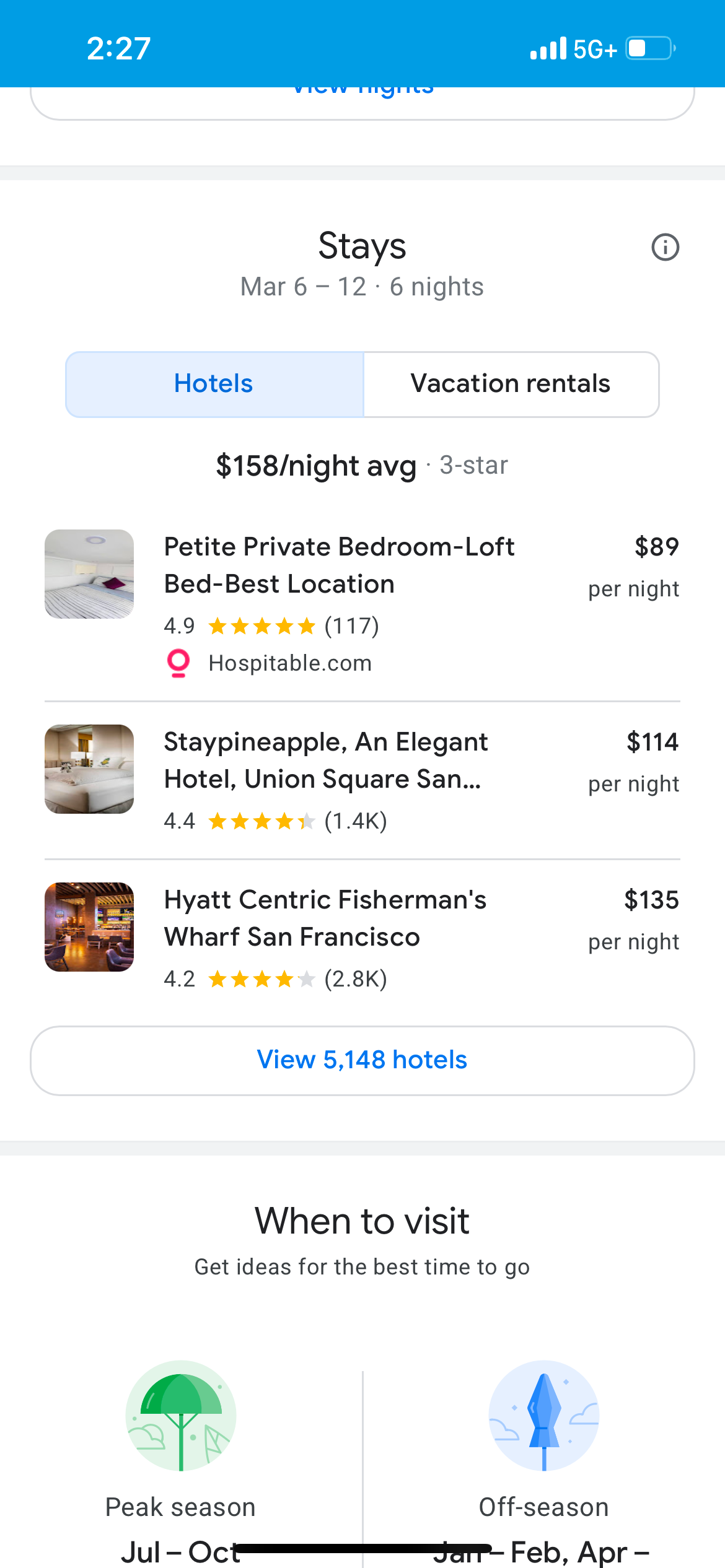
Google Flights Explore can also prompt you to select "When to visit" to triangulate the best weather and thinnest crowds.
What filters should I use on Google Flights Explore?
We've touched on many of the most useful filters on Google Flights Explore, but aside from home airport, destination, number of passengers, one-way or round-trip tickets, class of service, and dates, you can also click on "All filters" to view a litany of other options for your trip, including the number of stops, "travel mode" (places available via car and plane or just by plane), interests, price, destinations and the number of bags you can take. You can also search in various currencies and languages.
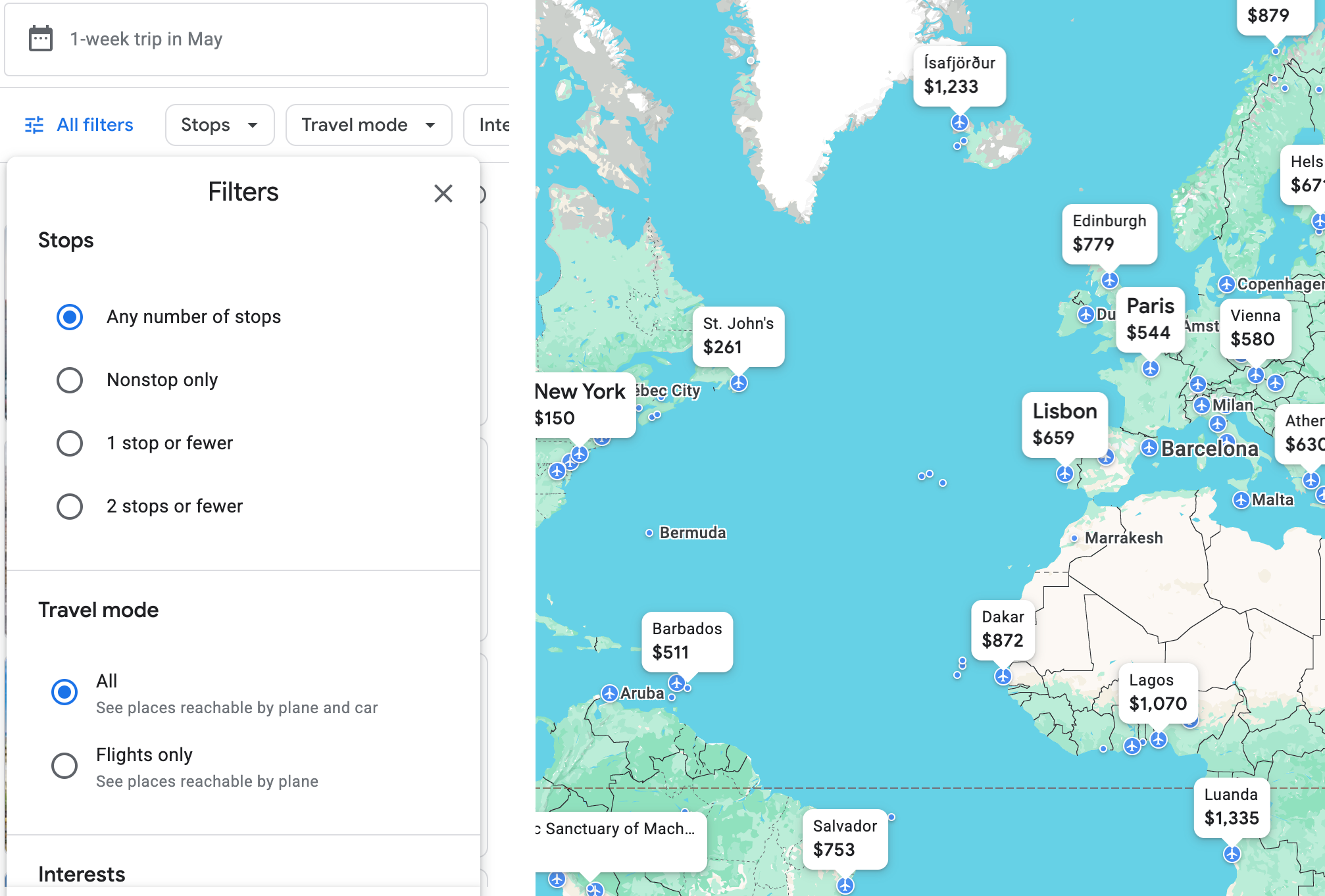
Here, for example, is a selection of some of the interests you can choose from. "Beaches" might be a good option to choose.
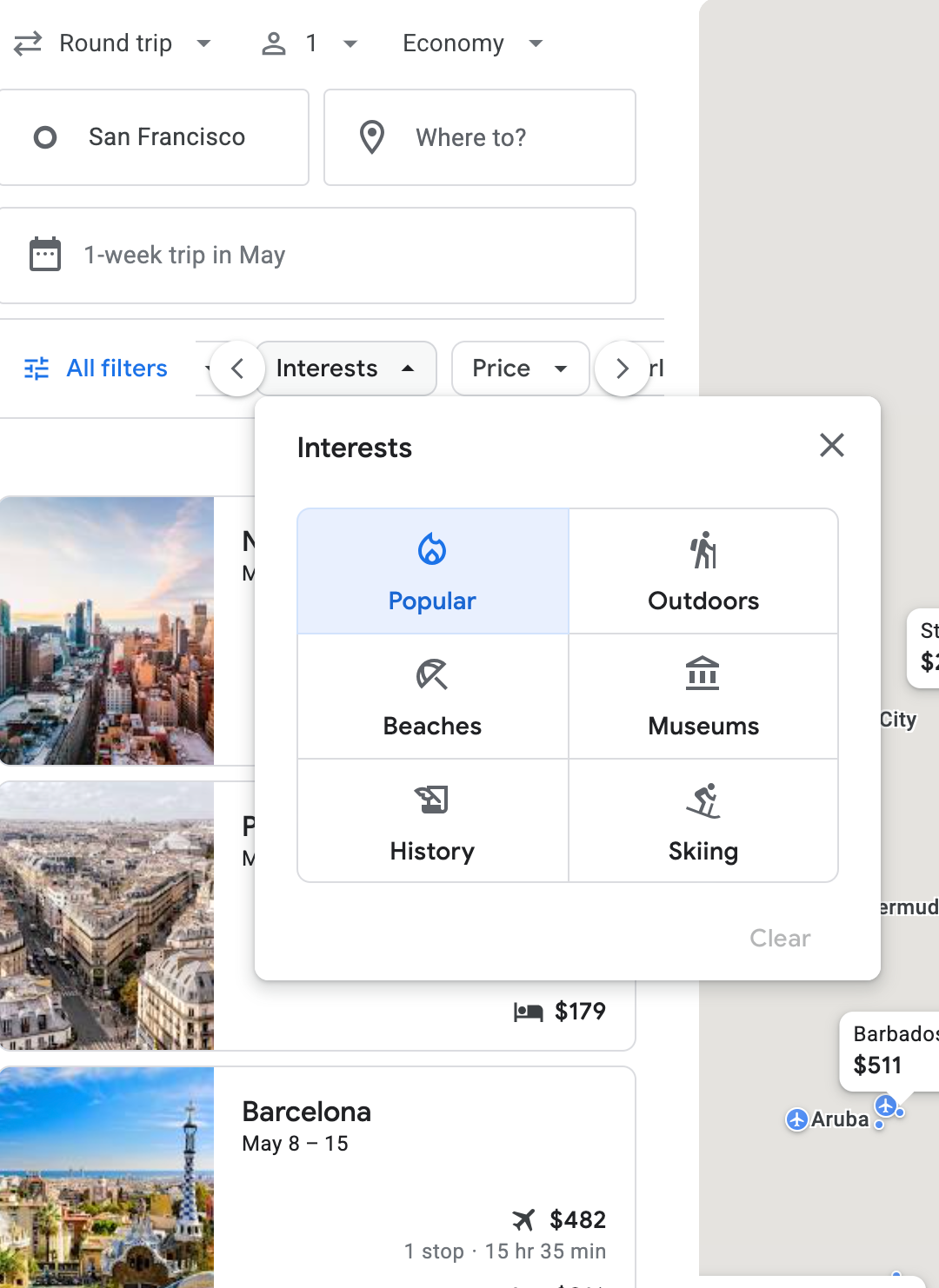
Once you go to Google Flights itself, there are even more options. In my searches, I tend to leave the filters unchanged to get as big a picture as possible — but, of course, your plans may vary.
Can Google Flights Explore help me plan my vacation?

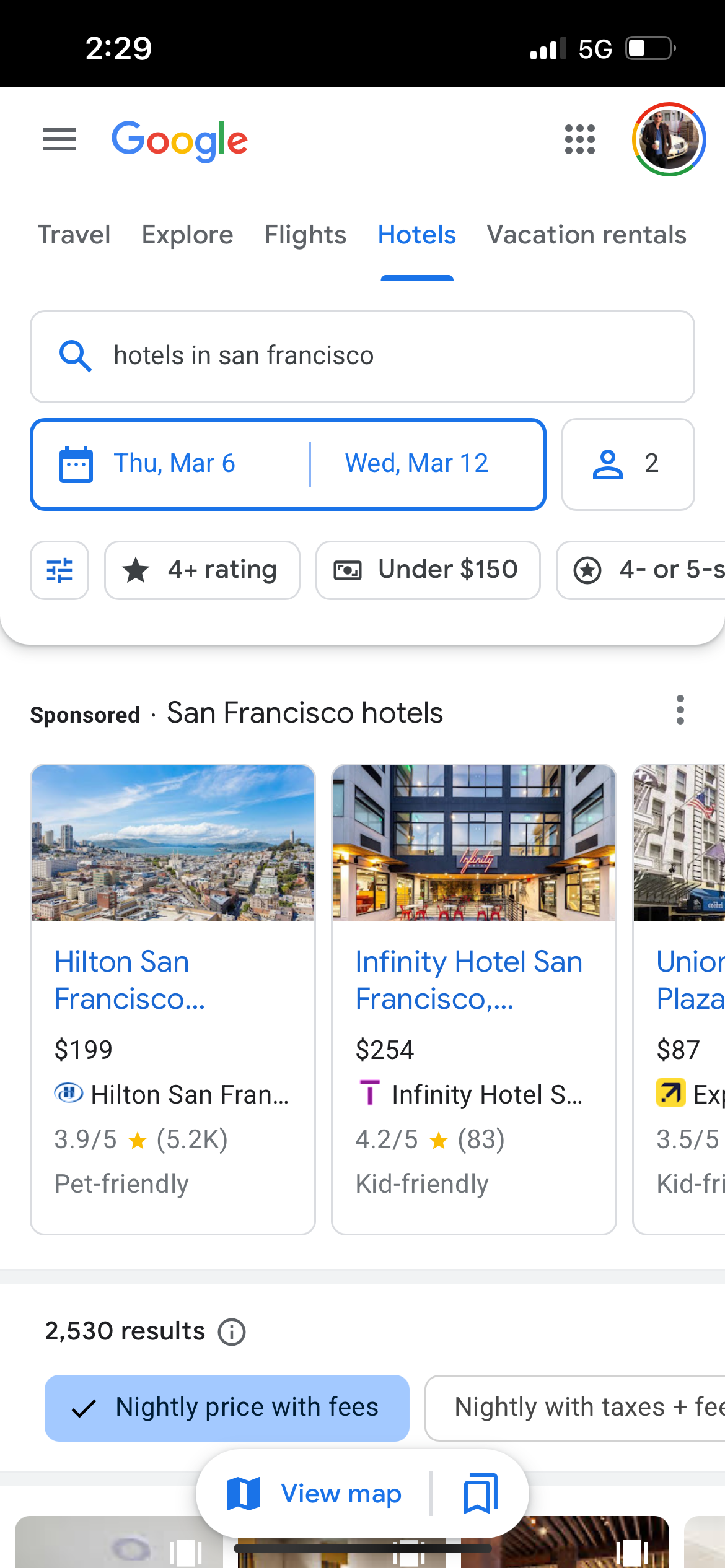
Google Flights Explore can also help you plan your vacation. It'll start by helping you pinpoint a destination with bargain flights; once you've decided on flights, you can use Google Flights Explore to find hotels as well. When you click on the hotel bed icon in your initial search, it takes you to a whole "Hotels" tab in Google (which deserves its own guide at some point).
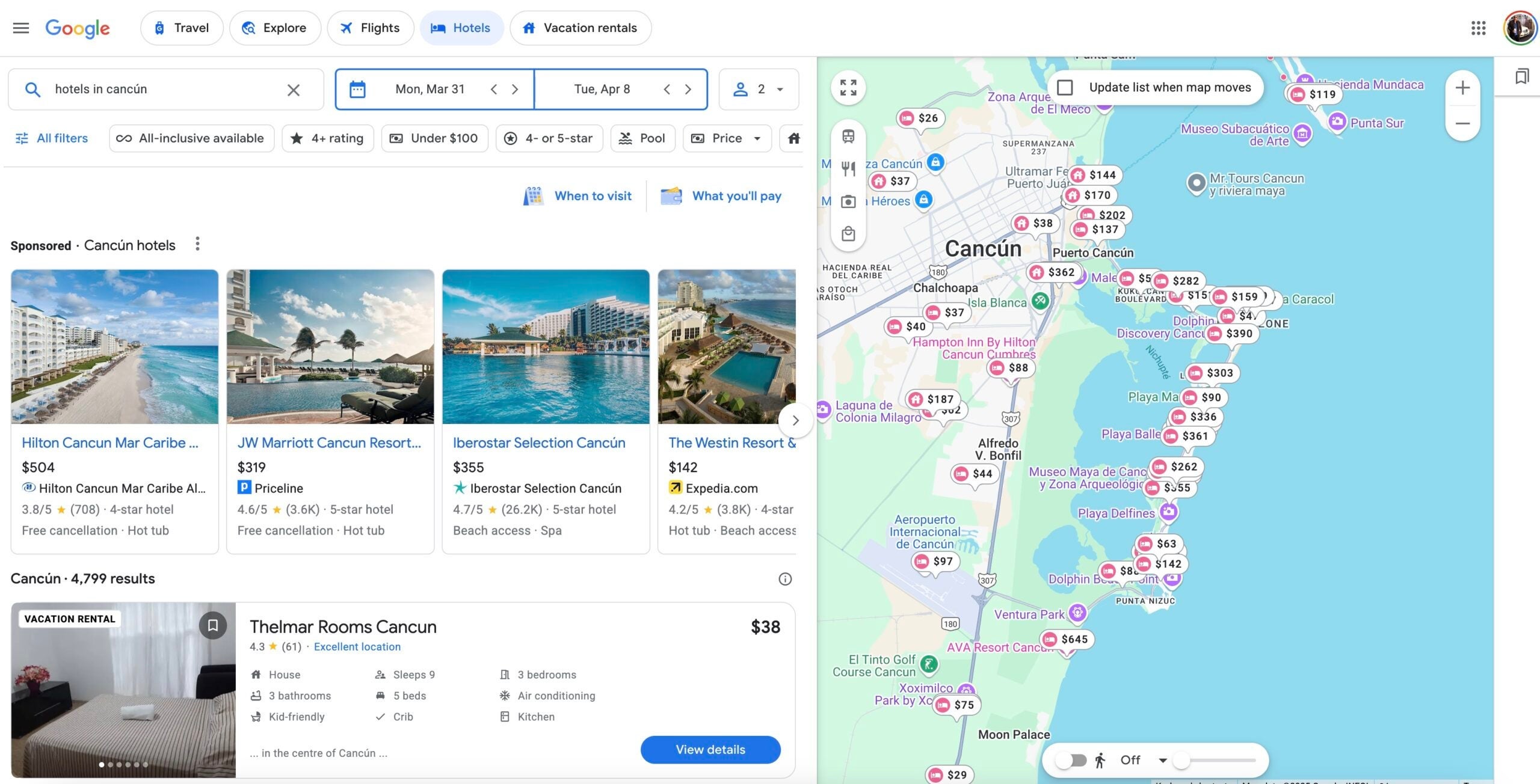
I've stayed at the Hilton Cancun Mar Caribe All-Inclusive Resort — but at $504 a night, it seems pretty pricey. A better option might be the JW Marriott Cancun Resort & Spa, bookable via Priceline for just $319 a night.
Bottom line

Google Flights Explore is one of the handiest trip-planning tools out there. I've found it's an invaluable research tool when I'm trying to figure out when and where to go; you can find cheap trips anywhere in the world by simply plugging in your home airport. By using it as a jumping-off point and triangulating with Google Flights itself, you're sure to find the perfect vacation.
It's a powerful tool and well worth investing some time exploring. Just be careful — it will no doubt also inspire wanderlust.
Related reading:
TPG featured card

at Capital One's secure site
Terms & restrictions apply. See rates & fees.
| 5X miles | Earn 5X miles on hotels, vacation rentals and rental cars booked through Capital One Travel |
| 2X miles | Earn unlimited 2X miles on every purchase, every day |
Pros
- Stellar welcome offer of 75,000 miles after spending $4,000 on purchases in the first three months from account opening. Plus, a $250 Capital One Travel credit to use in your first cardholder year upon account opening.
- You'll earn 2 miles per dollar on every purchase, which means you won't have to worry about memorizing bonus categories
- Rewards are versatile and can be redeemed for a statement credit or transferred to Capital One’s transfer partners
Cons
- Highest bonus-earning categories only on travel booked via Capital One Travel
- LIMITED-TIME OFFER: Enjoy $250 to use on Capital One Travel in your first cardholder year, plus earn 75,000 bonus miles once you spend $4,000 on purchases within the first 3 months from account opening - that’s equal to $1,000 in travel
- Earn unlimited 2X miles on every purchase, every day
- Earn 5X miles on hotels, vacation rentals and rental cars booked through Capital One Travel
- Miles won't expire for the life of the account and there's no limit to how many you can earn
- Receive up to a $120 credit for Global Entry or TSA PreCheck®
- Use your miles to get reimbursed for any travel purchase—or redeem by booking a trip through Capital One Travel
- Enjoy a $50 experience credit and other premium benefits with every hotel and vacation rental booked from the Lifestyle Collection
- Transfer your miles to your choice of 15+ travel loyalty programs
- Top rated mobile app