How to check in for flights on American Airlines


It's almost time for your flight, and there's just one thing left to do before heading for airport security. And that's packing check in. This is the process that creates your boarding pass and allows you to check your bags at the airport.

You can do this formality online or at the airport, though many will prefer the convenience of the former. Either way, there are some rules to understand, so let's dive deep into checking in for an American Airlines flight.
For more travel tips and news delivered to your inbox, sign up for TPG's daily email newsletter!
How to check in online for American Airlines flights
You can check in for AA flights on the airline's website or through the mobile app. The experience is very similar, though the benefit of the mobile app is that you can generate a digital boarding pass within your mobile wallet.
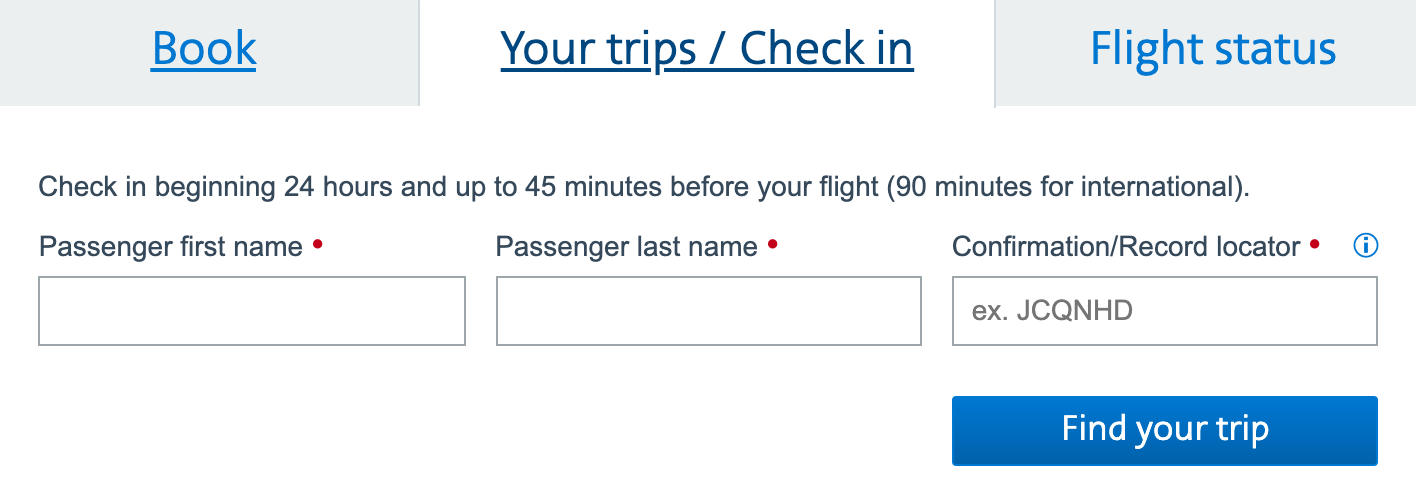
After locating your reservation using your six-digit confirmation number, you'll be prompted to check in at the top left corner of the reservation page.

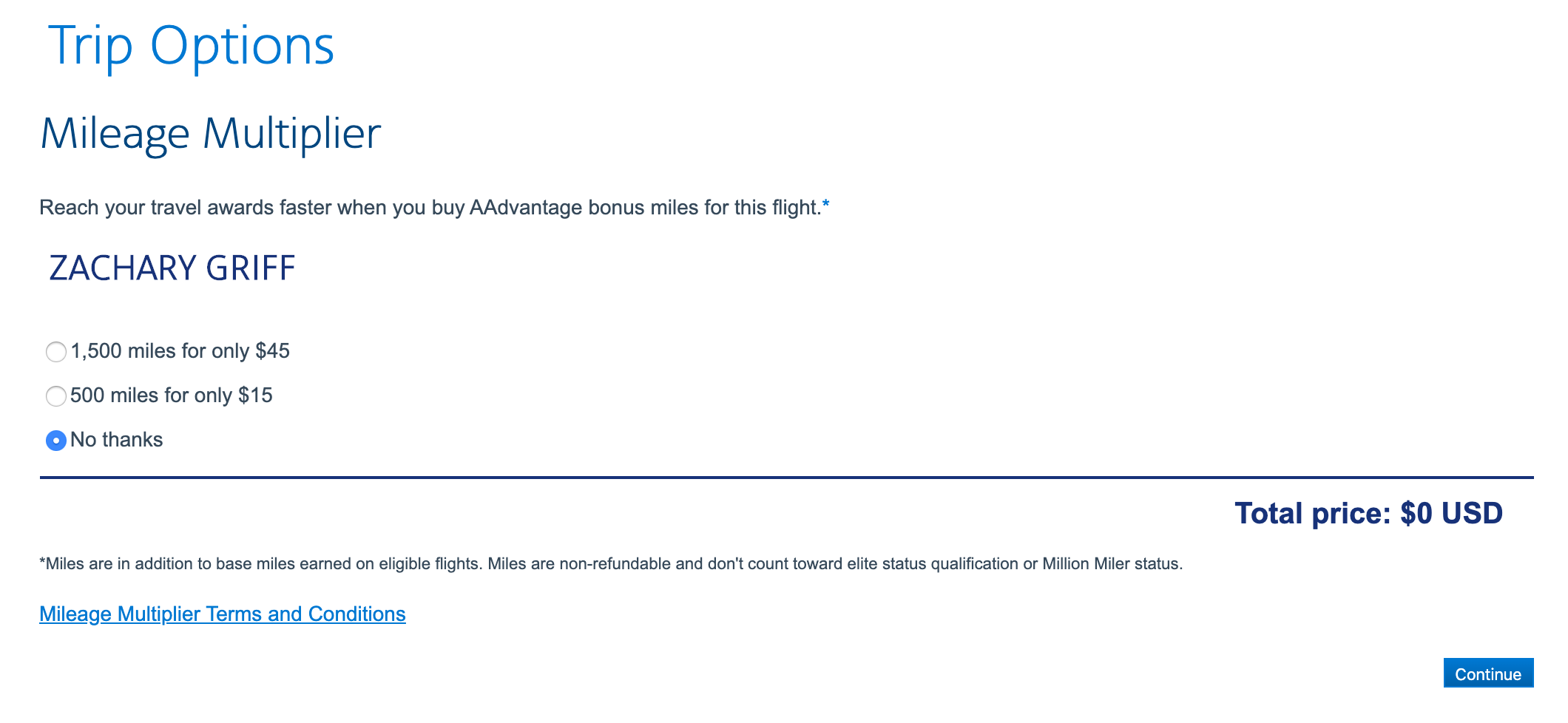
Pressing that button will take you through the check-in process. You'll then need to agree to the hazardous materials policy. Pressing continue will bring you to the Trip Options page, where you can purchase additional miles for your trip (don't do it; it's a bad deal).
You'll then be brought to the seat map to select or modify your seat for your flight(s).
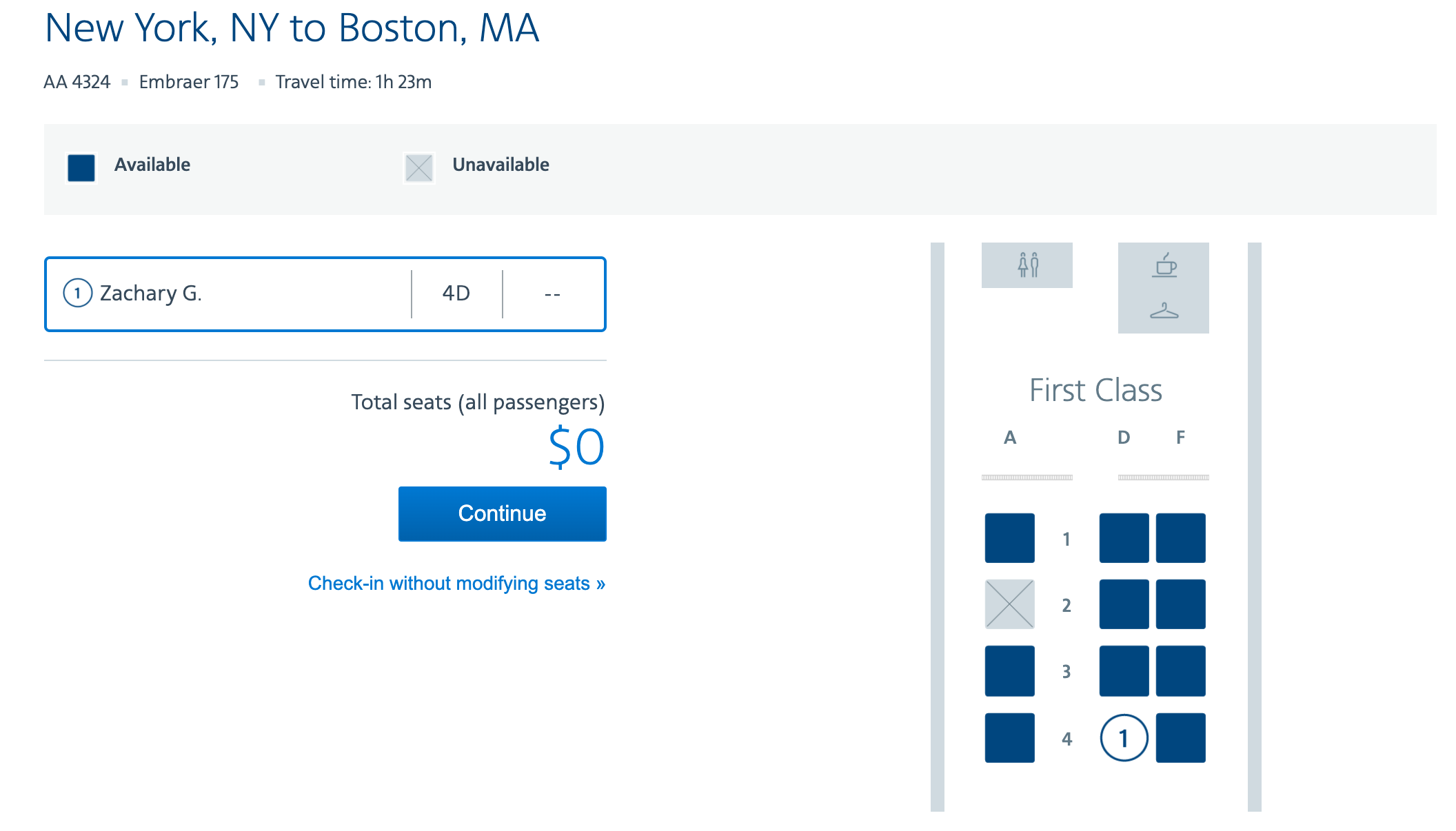
After you select your seats, you'll be checked in!
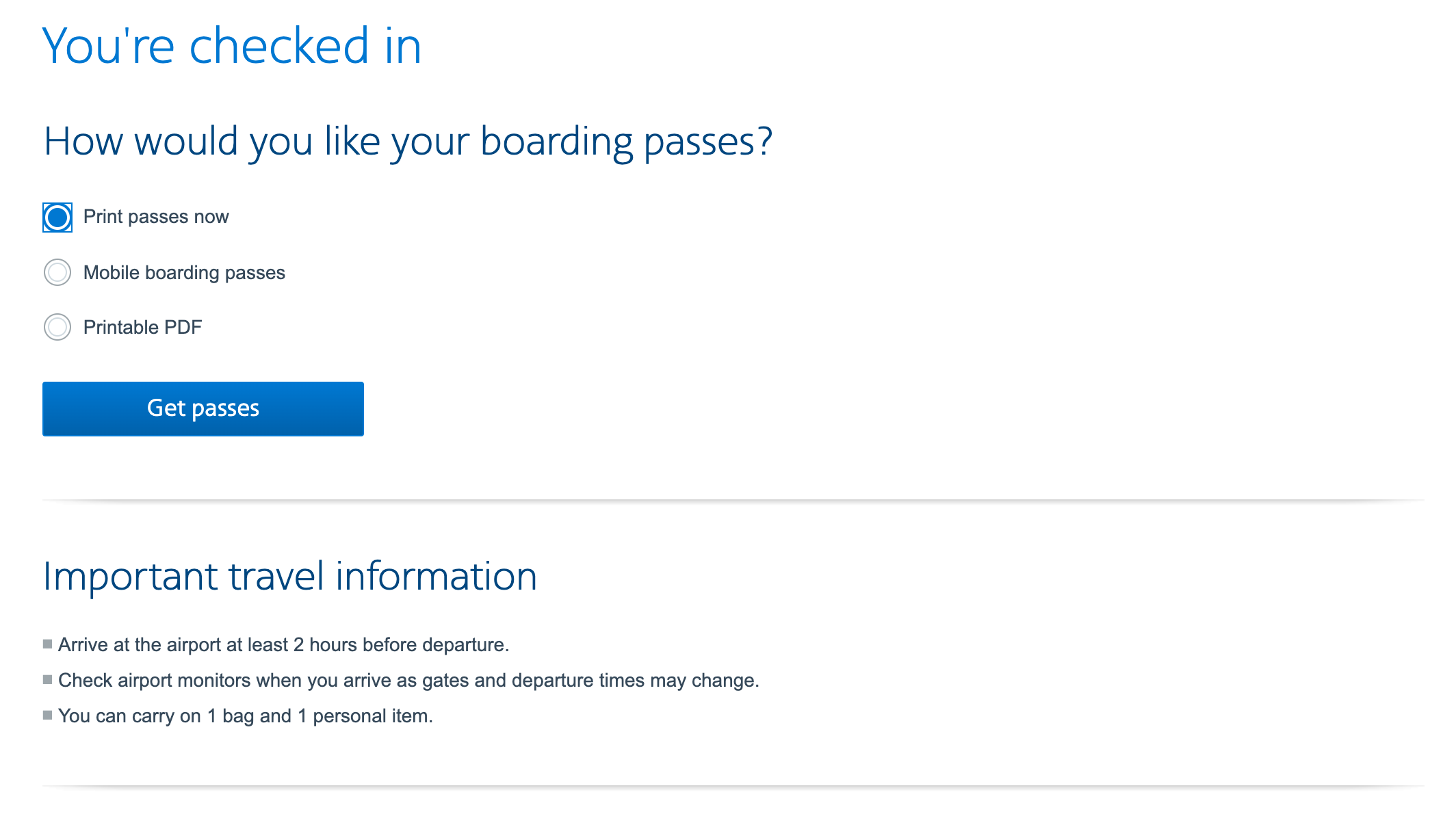
You then have the option of printing your boarding passes now, emailing a mobile boarding pass to your phone or saving a PDF of your boarding pass.

Rules for American Airlines flight check-in
You can check in online or using the mobile app starting 24 hours before and up to 45 minutes before departure of the first flight in your itinerary. This applies even if you have a connecting flight that's more than a day away. Note that online and app check-in closes an hour and a half before departure for international flights.
If you're planning to check bags at the airport, you need to have the bags checked at least 45 minutes prior to domestic flights and 60 minutes prior to international flights. There are some airports with exceptions to this rule, which you can find on AA's website.
Related: How to avoid checked baggage fees on major domestic airlines
Furthermore, there are some airports that won't accept checked bags more than four hours before scheduled departure. This includes:
- Denver (DEN)
- Fort Lauderdale (FLL)
- Las Vegas (LAS)
- Orlando (MCO)
- Portland, Oregon (PDX)
- Salt Lake City (SLC)
- Seattle (SEA)
If the first flight of your itinerary is operating by an American Airlines partner, you're going to check in with that airline directly, and not on AA's website.
Tips and tricks to checking in for American Airlines flights
There are some things to consider when you check in for your flight. Make sure you have your confirmation number handy, especially if you're going to check in at the airport. The kiosks default to ask for that code, so this can save time.
I personally prefer to use mobile boarding passes to save paper and have one less thing to worry about misplacing. That said, you need to be sure you have your phone's battery charged for the entire trip, otherwise you'll be forced to get a physical boarding pass.

Another tip about mobile boarding passes is to screenshot it after it gets created. I often find that retrieving the mobile boarding pass can be confusing when you're under pressure, so be sure to screenshot it for easy access.
Lastly, if you get an error checking in online, fear not. You may be on a military fare, have a pet or are traveling with an unaccompanied minor. Or you may be subject to the dreaded SSSS, which will be printed on your boarding pass at the airport.
Bottom line
Checking in for your American Airlines flight is exciting. That means it's almost time to take to the skies. But, there are some tips and tricks to know and some rules to follow to make it an efficient process.
Armed with this guide, you'll be ready to head to the airport in no time.
All photos by the author.
TPG featured card

at American Express's secure site
Terms & restrictions apply. See rates & fees.
| 4X | Earn 4X Membership Rewards® points per dollar spent on purchases at restaurants worldwide, on up to $50,000 in purchases per calendar year, then 1X points for the rest of the year. |
| 4X | Earn 4X Membership Rewards® points per dollar spent at US supermarkets, on up to $25,000 in purchases per calendar year, then 1X points for the rest of the year. |
| 5X | Earn 5X Membership Rewards® points on prepaid hotel stays booked through AmexTravel.com or the Amex Travel App™. |
| 3X | Earn 3X Membership Rewards® points on flights booked through AmexTravel.com, the Amex Travel App™, or purchased directly from airlines. |
| 2X | Earn 2X Membership Rewards® points on prepaid car rentals booked through AmexTravel.com or the Amex Travel App™ and cruises booked and paid through AmexTravel.com. |
| 1X | Earn 1X Membership Rewards® point per dollar spent on all other eligible purchases. |
Pros
- Valuable dining and food-related credits
- Flexible rewards with airline and hotel transfer partners
- Multiple travel and purchase protections
- No foreign transaction fees
- Access to Amex Offers for additional savings (enrollment required)
Cons
- Not as useful for those living outside the U.S.
- Some may have trouble using Uber and other dining credits
- You may be eligible for as high as 100,000 Membership Rewards® Points after you spend $8,000 in eligible purchases on your new Card in your first 6 months of Card Membership. Welcome offers vary and you may not be eligible for an offer. Apply to know if you’re approved and find out your exact welcome offer amount – all with no credit score impact. If you’re approved and choose to accept the Card, your score may be impacted.
- Earn 4X Membership Rewards® points per dollar spent on purchases at restaurants worldwide, on up to $50,000 in purchases per calendar year, then 1X points for the rest of the year.
- Earn 4X Membership Rewards® points per dollar spent at US supermarkets, on up to $25,000 in purchases per calendar year, then 1X points for the rest of the year.
- Earn 5X Membership Rewards® points on prepaid hotel stays booked through AmexTravel.com or the Amex Travel App™.
- Earn 3X Membership Rewards® points on flights booked through AmexTravel.com, the Amex Travel App™, or purchased directly from airlines.
- Earn 2X Membership Rewards® points on prepaid car rentals booked through AmexTravel.com or the Amex Travel App™ and cruises booked and paid through AmexTravel.com.
- Earn 1X Membership Rewards® point per dollar spent on all other eligible purchases.
- Pay It® lets you tap in the American Express® App to quickly pay for small purchase amounts throughout the month and still earn rewards the way you usually do. Plan It® gives you the option to split up big purchases into equal monthly payments with a fixed fee. You’ll know upfront exactly how much you’ll pay.
- $120 Dining Credit: Earn up to a total of $10 in statement credits monthly when you pay with the Gold Card at Grubhub (including Seamless), Buffalo Wild Wings, Five Guys, The Cheesecake Factory, and Wonder. This can be an annual savings of up to $120. Enrollment required.
- $100 Resy Credit: Get up to $100 in statement credits each calendar year at over 10,000 qualifying U.S. Resy restaurants after you pay for eligible purchases with the American Express® Gold Card. That’s up to $50 in statement credits semi-annually. Enrollment required.
- $84 Dunkin' Credit: Earn up to $7 in monthly statement credits after you pay with the American Express® Gold Card at U.S. Dunkin’ locations. Enrollment required.
- $120 Uber Cash on Gold: Enjoy up to $120 in Uber Cash annually with your Gold Card. Just add your Card to your Uber account and you'll get $10 in Uber Cash each month to use on orders and rides in the U.S. when you select an Amex Card for your transaction.
- Enjoy complimentary Hertz Five Star® Status benefits like skipping the counter at select locations, adding an additional driver at no additional cost*, and vehicle upgrades**. Benefit enrollment and Hertz Gold+ registration are required. *Additional drivers must meet standard rental qualifications and must be a spouse or domestic partner to qualify as complimentary. Other additional drivers subject to fees. **Benefits are subject to availability and vary by location. Additional Hertz program Terms and Conditions including age restrictions apply.
- Book two nights or more with The Hotel Collection through AmexTravel.com or the Amex Travel App™ and receive a $100* credit towards eligible charges at over 1,400 upscale hotels worldwide. *Eligible charges vary by property.
- Book your travel through the Amex Travel App™ with added peace of mind – backed by American Express® service and support. Only for American Express® Card Members.
- Whenever you need us, we're here. Our Member Services team will ensure you are taken care of. From lost Card replacement to statement questions, we are available to help 24/7.
- No Foreign Transaction Fees.
- Annual Fee is $325.
- Terms Apply.