How to track your luggage with Apple AirTags

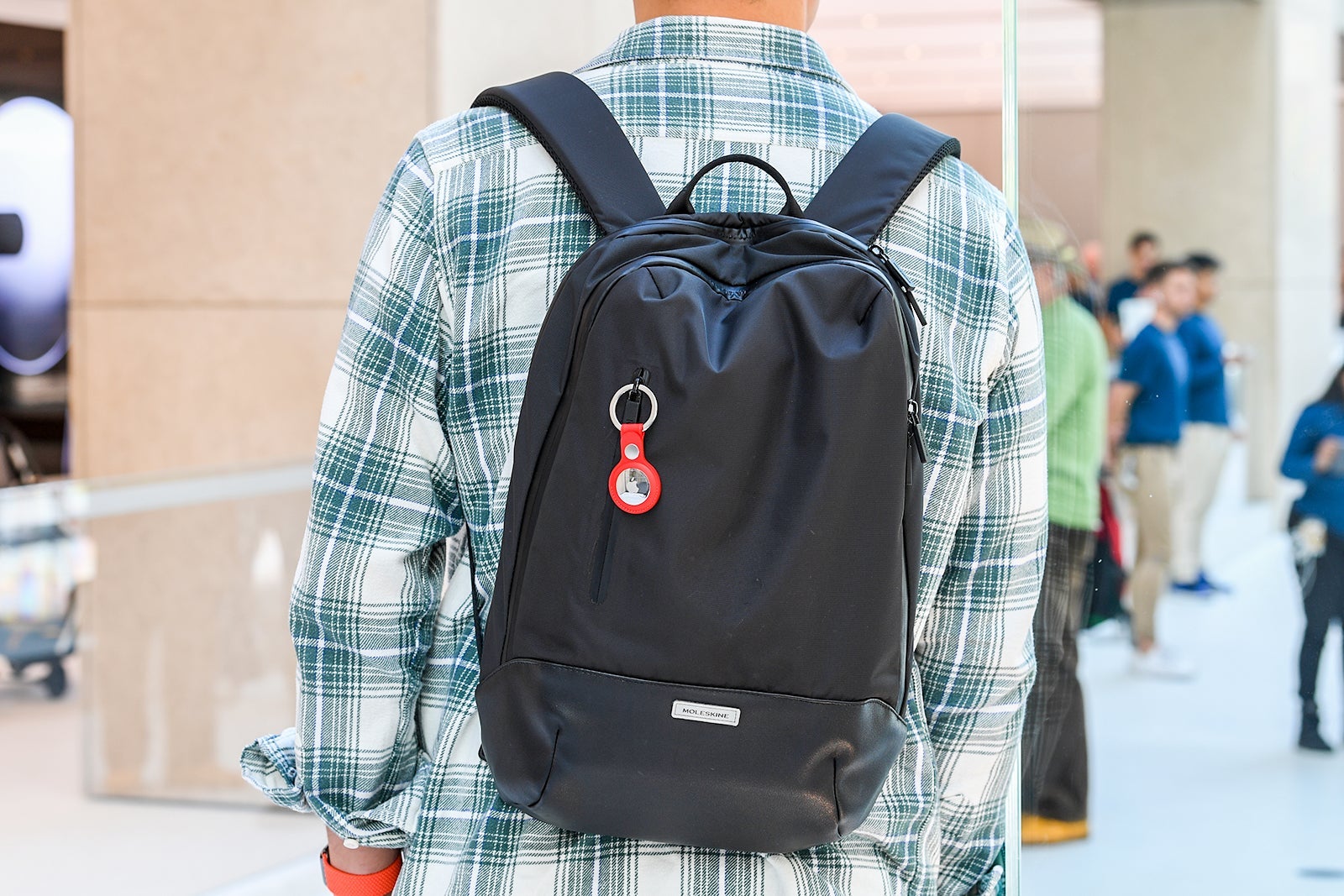
If you're checking a bag in 2025 and not using an AirTag, please stop while you're behind and read on.
It's time to admit that delays, cancellations and subsequent lost luggage are a part of travel. While I am firmly Team Carry-On for these reasons and more, I don't judge those of you who prefer to check a bag.
But if you are going to check a bag, I highly recommend using AirTags to track it. I even made my parents purchase a few for their own travels.
Here's everything you need to know about using AirTags to monitor your bags, even if the airline can't find them.
What is an AirTag, and how much does it cost?
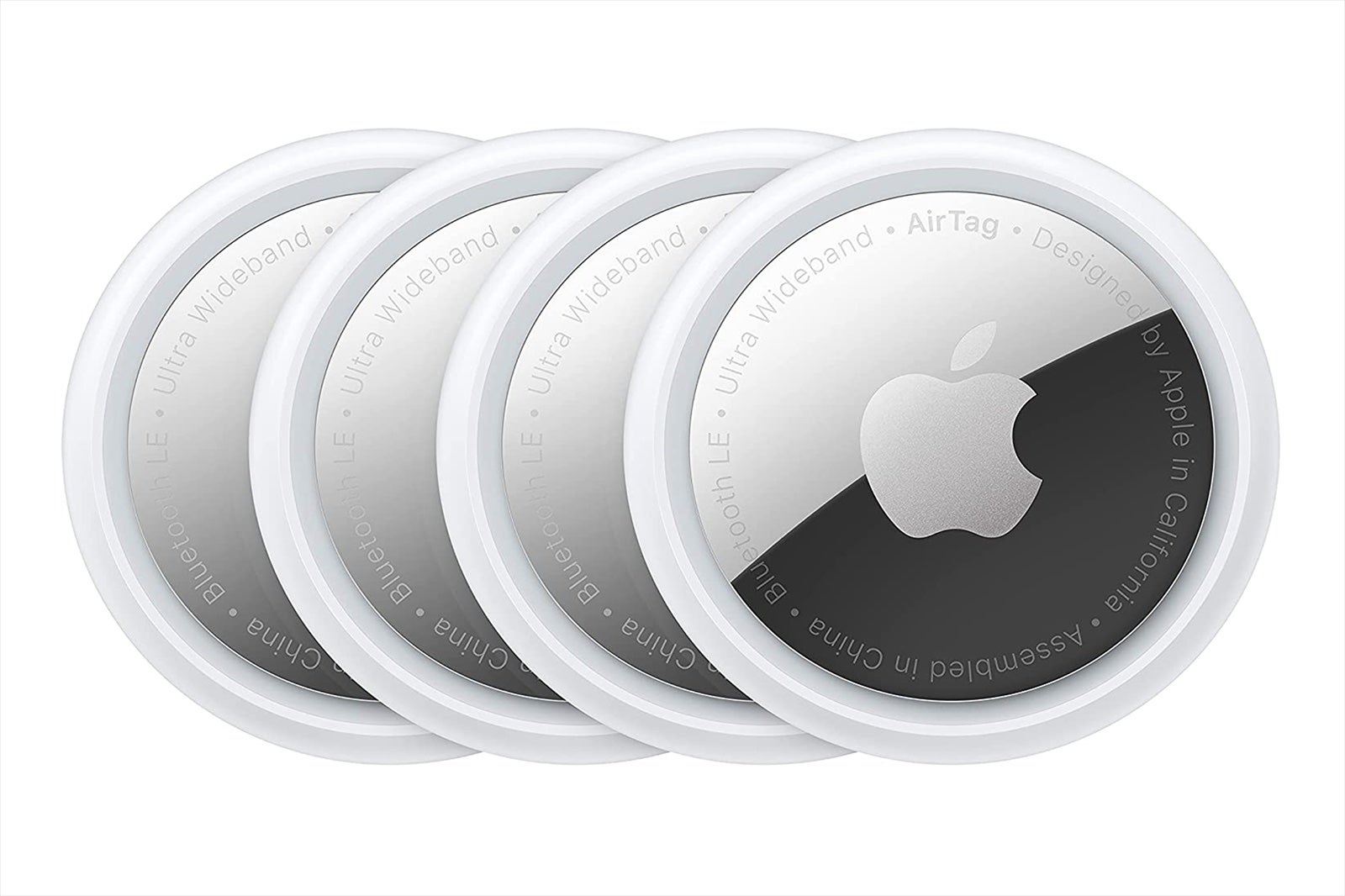
A silver disc slightly larger than a quarter, the AirTag uses the global network of Apple iPhones to track its location. It does this by sending a signal via short-range Bluetooth communications to iPhones in its vicinity and triangulating a location from them, which it then sends back to your iPhone.
You can buy a single AirTag for $29 or a four-pack for $99, though we typically see deals throughout the year. At the time of publication, a single AirTag was on sale on Amazon for $22.99 and a four-pack for $69.99.
How do I set up an AirTag?
As Apple devices, AirTags are only compatible with iPhones and other Apple devices, but non-Apple users can use AirTag alternatives, such as the Tile or Chipolo.
Apple users should ensure their operating system is iOS 14.5 or higher to enable precision tracking.
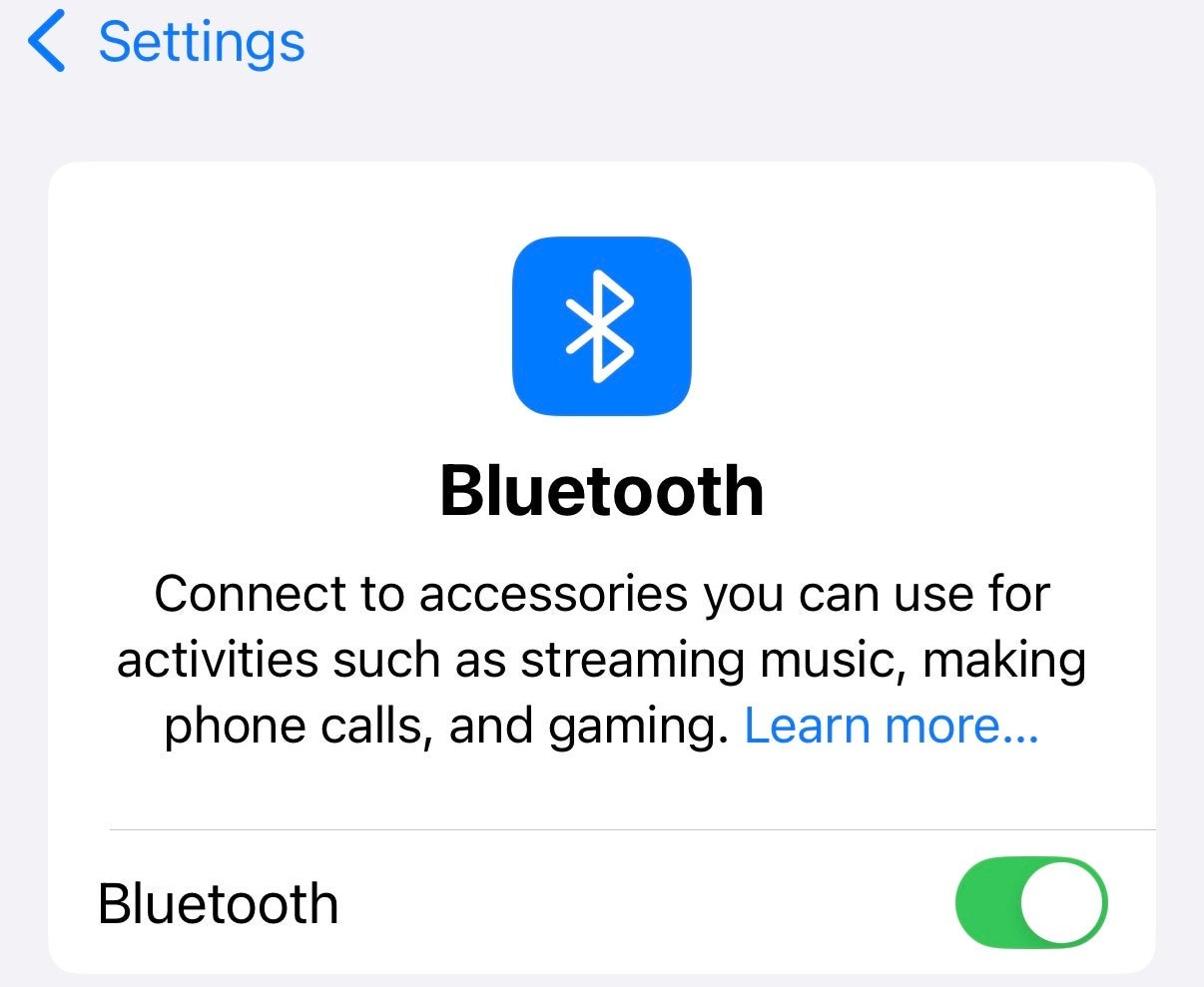
To enable an AirTag, you must first ensure your phone's Bluetooth is turned on. To do this, go to "Settings," navigate to "Bluetooth" and make sure the toggle is set to "On."

How to connect your AirTag
To connect your AirTag to your phone, simply place it next to your phone. Within about 20 seconds, the phone should pair with the AirTag, without any other action required on your part.
Next, the phone will request that you share your location, to which you say yes. It will then prompt you to create a name and icon for your AirTag. If you are using multiple AirTags, add a little variety in the naming and icons so you can remember which AirTag is in which bag.
Once you name your AirTag, your phone will start you off with a screen showing tracking options. You can see where the AirTag is on a map and view directions to get there.
You can also select "Play Sound," which is helpful if you're looking for lost keys or if your bag is buried under others at the airport. You can also use verbal commands with Siri to ask the phone to locate the AirTag for you.
How to familiarize yourself with the Find My app
AirTag tracking is conducted through your iPhone's Find My app, which tracks the location of your Apple devices, such as laptops and iPads.
Click the Find My app icon, hit the "Items" button, and you should see your chosen AirTag icons there. If you have multiple Apple devices, you'll also see them on the screen when you hit the "Devices" button.
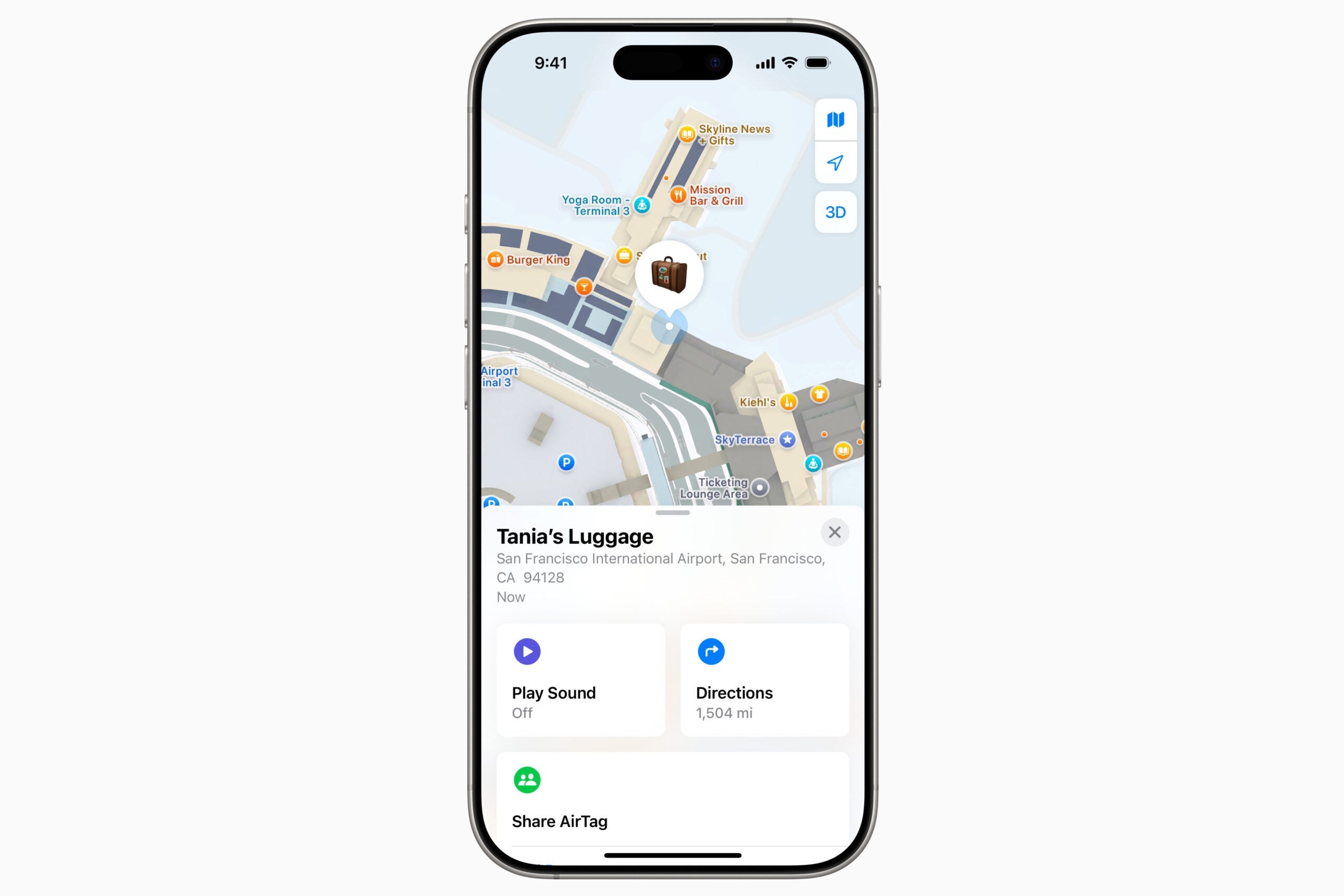
You can zoom in and out on the map within the Find My app. Zoom out if you don't know what city, state or continent your item is in. If you zoom in as far as a 100-foot-wide map area, you can track the precise location.
The official iPhone Bluetooth range is 800 feet, which means if you or anyone with an iPhone passes within 800 feet of an AirTag, you can track it. However, the effective Bluetooth range varies based on surrounding conditions and obstructions like buildings and electronic interference.
The AirTag correctly registers as "With You" when the item is with you; when you leave an AirTag behind or are not near it, you'll get a different notification.
How to use the Apple AirTag
Once you have set up your AirTag on your iPhone, simply put the tag inside the baggage item you wish to track, such as your handbag or suitcase. You can also attach it to a keychain or luggage tag accessory, such as a Belkin AirTag case with a key ring. You can even buy a dog collar that you can put an AirTag in to keep track of your pup.
Especially when traveling, you may encounter some gaps in coverage, where your AirTag icon might temporarily change from a specific location to a blue circle covering a large section of the area where it is.
In other words, don't expect your AirTag to deliver exact tracking of your bag as it moves around within an airport, for example. It's common for an AirTag not to display real-time updates as it moves through the bowels of the luggage handling section of the airport. However, it would be reasonable to use the AirTag to try to find your luggage within a specific baggage claim area.
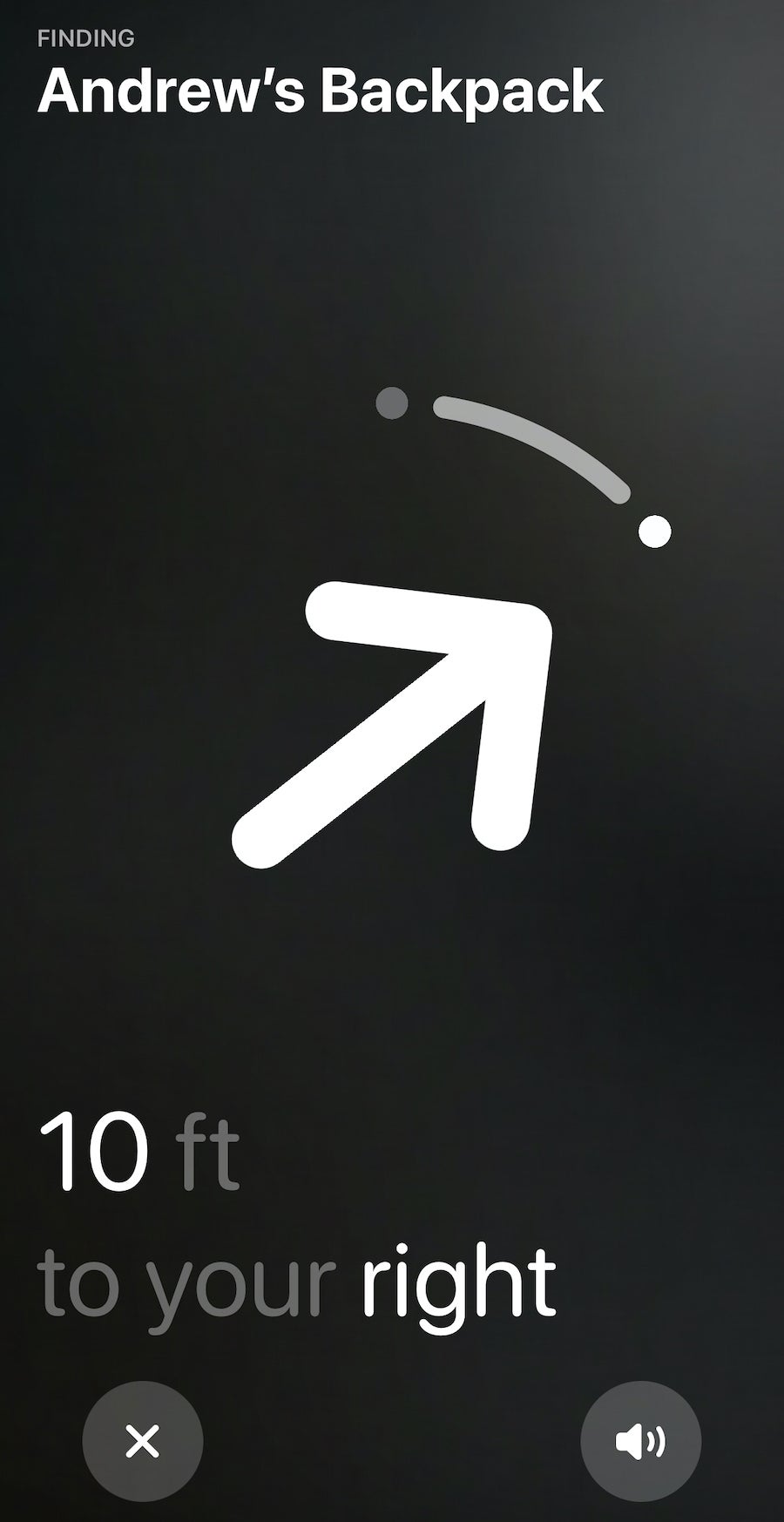
If tracking becomes less precise and more intermittent, it's likely that the AirTag is no longer within contact distance of an iPhone; the location will not update or provide specificity if there are no iPhones or other Apple devices within its Bluetooth range. In these instances, the Find My app will show you a "last updated" figure in minutes or hours to let you know how long it's been since it was detected by the network.
If you hit the "Directions" button within the Find My app, the phone will take you to the mapping function. It will provide driving, walking or biking directions you can use to reunite with your AirTag, as well as an estimated time to get there.
AirTag's Lost Mode and notification functions
The AirTag works with the Find My app to help you if your item is lost or you just want to keep an eye on where it is. You can turn on Lost Mode by selecting "Enable" for a specific AirTag. You can also add your phone or email address to the AirTag with a notification for any other iPhone user who might find it.
For someone to contact you, you must allow notifications from the Find My app.
You can help other AirTag users if you find a piece of luggage or a keychain with an AirTag attached. Just hold your phone near the AirTag; a notification should appear sharing either basic AirTag data or full contact information if the AirTag is marked as lost.
What the AirTag can't do
An AirTag can't help you if you don't use an iPhone, nor can it track items out of the range of iPhones. If your bag falls off a delivery truck in the remote countryside, you may be out of luck unless an iPhone-toting pedestrian happens upon it. Likewise, if you're using an AirTag to track your pet and Spot wanders off into the woods, you likely won't get a signal if they end up away from civilization.
The lack of updates can be frustrating if you're trying to track the delivery of a lost bag or if your AirTag suddenly loses contact just as you're getting close to it.
Additionally, an AirTag doesn't track historical data. While it may be interesting to see your missing bag's entire journey — and possibly useful in contradicting airline claims that it was sent for delivery — you'll have to make do with screenshots along the way done in real time, as you can't rewind the clock to check where the AirTag has been.
Bottom line
The Apple AirTag can be quite useful for knowing the general location of your luggage while traveling. While it can't always provide a real-time location, it can help you narrow down the location of your luggage.
AirTags aren't perfect in terms of supplying precise locations and tracking information — but they can work as an added tool to locate your bags, keys and more, providing peace of mind along the way.
Related reading:
- What it's like to use AirTags to track your luggage
- Here's what to pack in a carry-on bag every time you travel
- What to do when your luggage is delayed or lost by an airline
- What to do if an airline damages your luggage
- Carry-on vs. checked bags: Which is the better choice?
- Which credit cards cover baggage delays?
TPG featured card

at Capital One's secure site
Terms & restrictions apply. See rates & fees.
| 5X miles | Earn 5X miles on hotels, vacation rentals and rental cars booked through Capital One Travel |
| 2X miles | Earn unlimited 2X miles on every purchase, every day |
Pros
- Stellar welcome offer of 75,000 miles after spending $4,000 on purchases in the first three months from account opening. Plus, a $250 Capital One Travel credit to use in your first cardholder year upon account opening.
- You'll earn 2 miles per dollar on every purchase, which means you won't have to worry about memorizing bonus categories
- Rewards are versatile and can be redeemed for a statement credit or transferred to Capital One’s transfer partners
Cons
- Highest bonus-earning categories only on travel booked via Capital One Travel
- LIMITED-TIME OFFER: Enjoy $250 to use on Capital One Travel in your first cardholder year, plus earn 75,000 bonus miles once you spend $4,000 on purchases within the first 3 months from account opening - that’s equal to $1,000 in travel
- Earn unlimited 2X miles on every purchase, every day
- Earn 5X miles on hotels, vacation rentals and rental cars booked through Capital One Travel
- Miles won't expire for the life of the account and there's no limit to how many you can earn
- Receive up to a $120 credit for Global Entry or TSA PreCheck®
- Use your miles to get reimbursed for any travel purchase—or redeem by booking a trip through Capital One Travel
- Enjoy a $50 experience credit and other premium benefits with every hotel and vacation rental booked from the Lifestyle Collection
- Transfer your miles to your choice of 15+ travel loyalty programs
- Top rated mobile app