Everything you need to know to set up your Bilt card for paying rent


Editor's Note
Renters in the Bilt Rewards ecosystem, take note: It's time to set up rent payments with your new Bilt 2.0 card.
Whether you were a Bilt 1.0 pro or you're brand new to earning Bilt Points for your rent, there are some steps for you to take and important factors to consider before you make your first payment.
Let's walk through the new rent payment process, as well as the actions renters inside and outside the Bilt Alliance need to take to ensure their Bilt 2.0 rent payment goes as smoothly as possible.
New ACH process for rent payments
Before we walk you through each step of setting up your Bilt 2.0 account for rent, let's get into how these payments will be processed and how the method differs from the old way of paying rent with the Bilt 1.0 card.
When you first set up your new Bilt 2.0 account, you were prompted to confirm your checking account details to "Pay rent and mortgage with no preset limit."
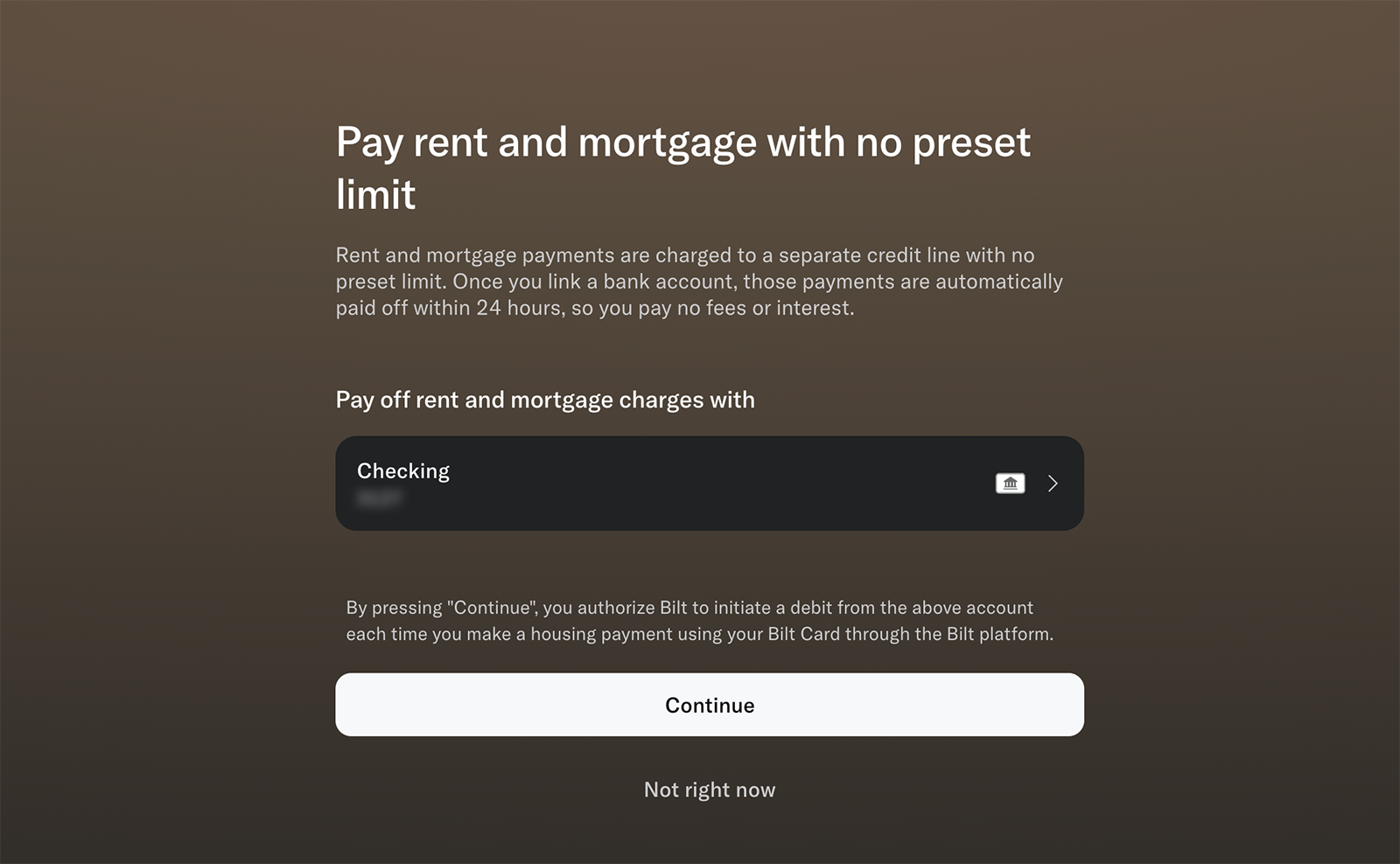
When you pressed "Continue," you authorized Bilt to automatically debit any rent charges from your bank account when you made rent payments via automated clearing house, or ACH.
This is a major change from how Bilt processed rent payments made with the 1.0 card. Previously, Bilt cardholders had their rent payments applied to their credit line, which meant they had the option to potentially "float" rent costs and defer housing payments until they paid off their card statement.
For example, TPG Senior Editor Lyndsey Matthews said that when Bilt 1.0 charged rent to her credit line, she used to split her housing payment into two smaller chunks as her paycheck came in biweekly. Now, with Bilt 2.0 drawing directly from her bank account, she'll have to double-check that her full rent payment is ready to go on the first of every month — and possibly move the due dates for her other credit card bills to ensure they're spaced out properly.
Choosing a rent rewards structure
Bilt 2.0 also brought in changes to how you earn points on rent payments with your Bilt card. Cardholders have the option to choose between:

- Earning 4% Bilt Cash on all purchases
- Earn up to 1.25 points per dollar spent on rent or mortgage (depending on how much you spend in nonhousing purchases each month)
Cardholders were prompted to make this selection when they activated the card, but rest assured, you can change between options each month.
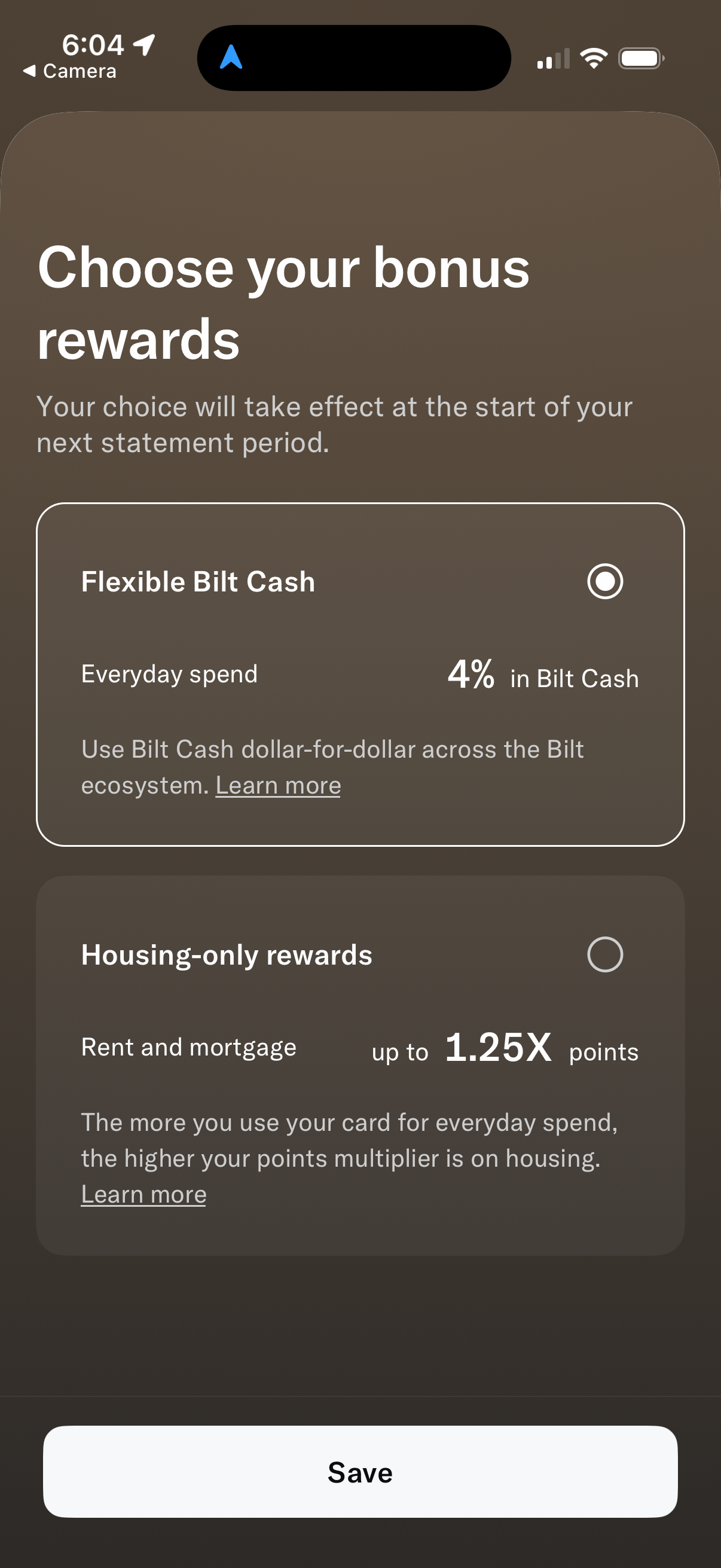
You can learn more about the options for earning rewards on housing purchases here.
Related: Bilt 2.0 cards are now live — here's how to activate your card and set up your account
Bilt Alliance properties: Setting up rent payments
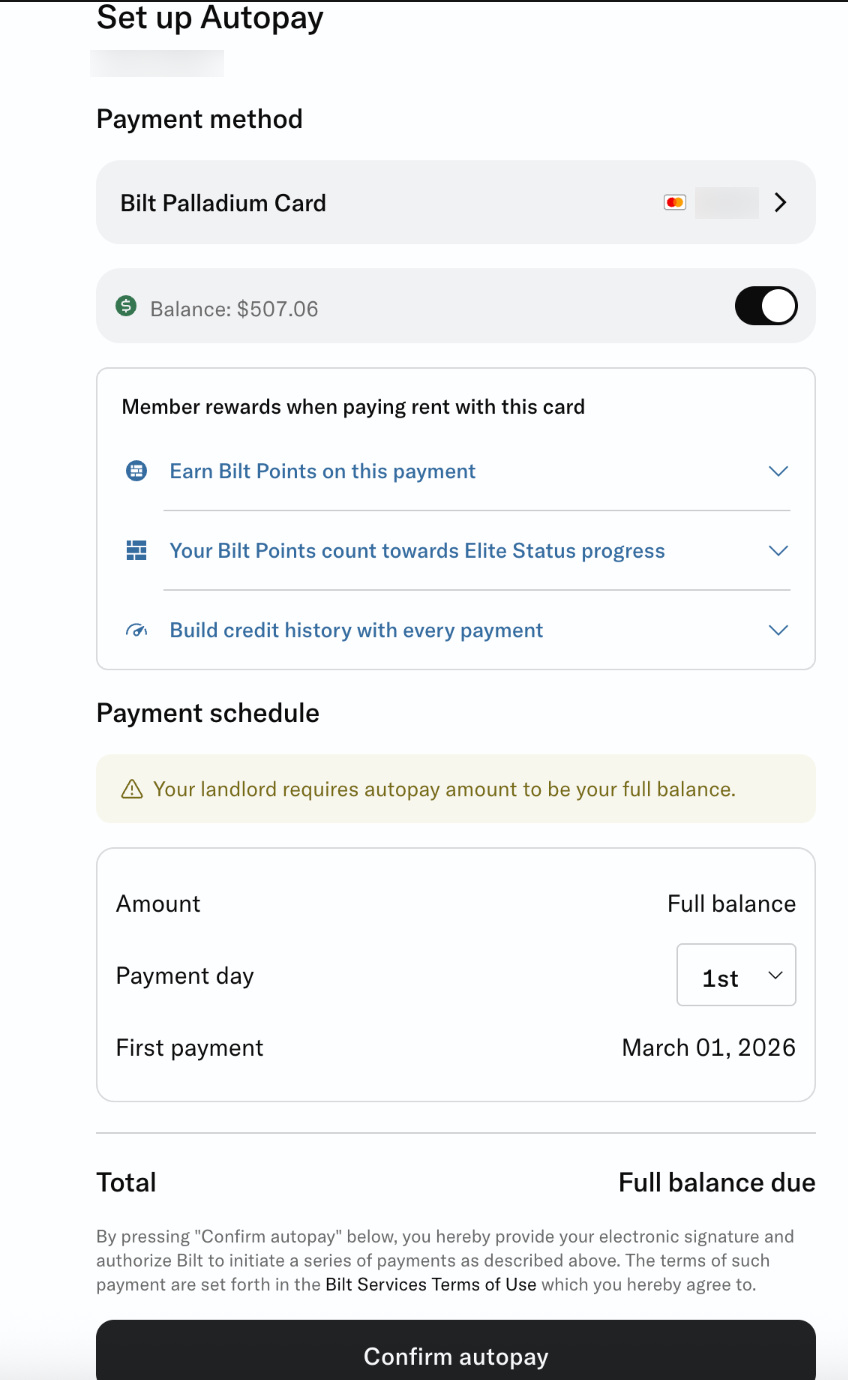
If you have been paying rent for a property within the Bilt Alliance network since Bilt 1.0 was implemented, you should have received an email instructing you to re-set up autopay for rent through your Bilt account for the 2.0 transition.
This is the only action Bilt cardholders living in a Bilt Alliance property have to take. You'll simply confirm your payment method, payment day and how much of your balance you'd like to put on autopay. After that, you'll press "Confirm autopay."
Carly Helfand, TPG's director of points, miles and credit card content, simulated a hypothetical $1 "rent payment" to demonstrate how it would be processed.
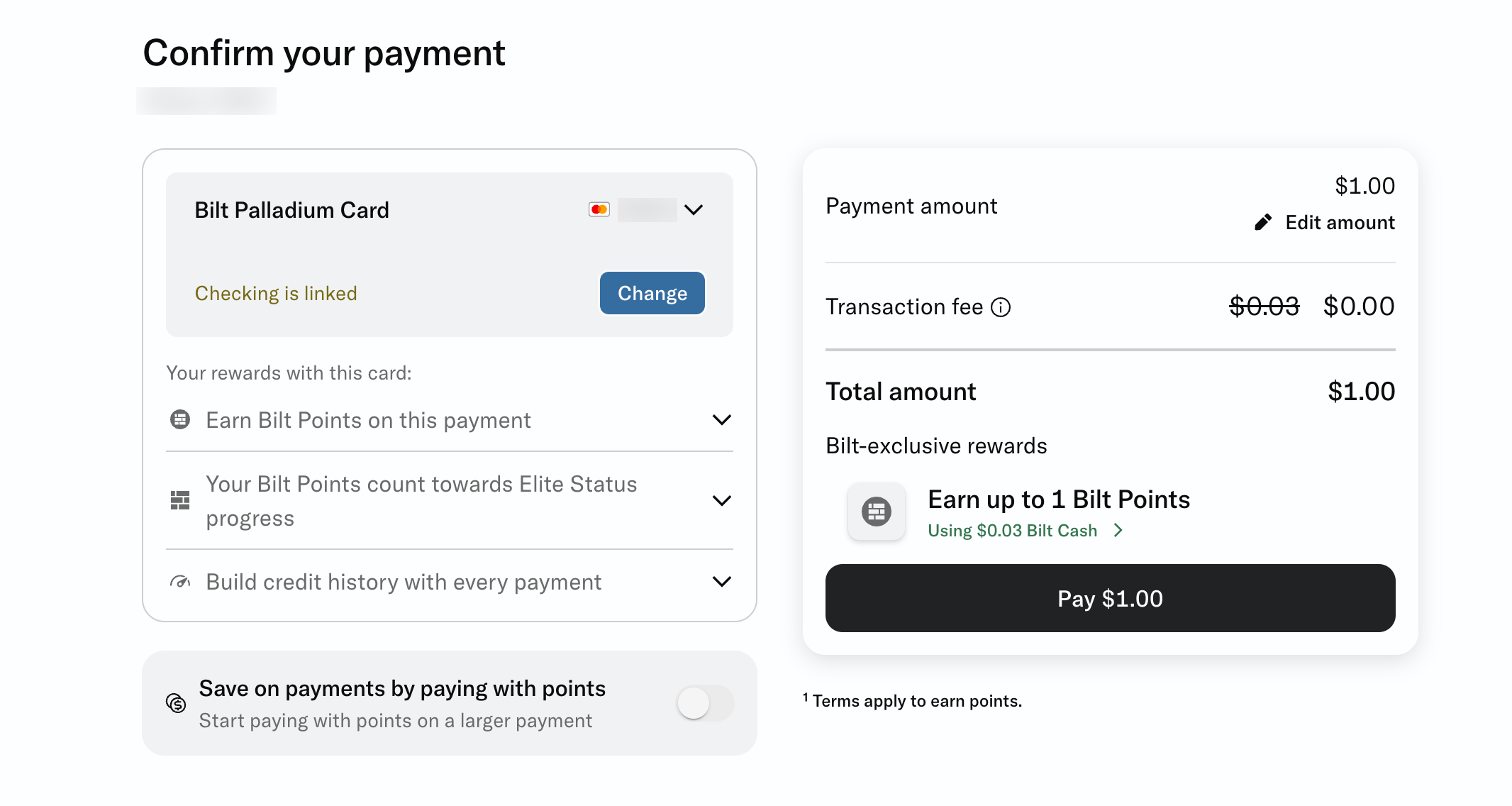
From this screenshot, you can see that Carly's Bilt Palladium Card (see rates and fees) is processing the payment, and the payment will be pulled from her linked checking account.
The screenshot also shows that a 3% transaction fee will not be charged (the Bilt cards do not charge transaction fees; see rates and fees for the Palladium) and that up to 1 Bilt point will be earned.
Related: How good are Bilt's first-ever welcome offers? Earn up to 50,000 points
Properties outside the Bilt Alliance: Setting up rent payments
If you were paying rent for a property that isn't in the Bilt Alliance network with Bilt 1.0, you'll have an extra step to complete to ensure you're ready to make rent payments with Bilt 2.0. This is also the process that brand-new members who are paying rent with Bilt for the first time will go through.
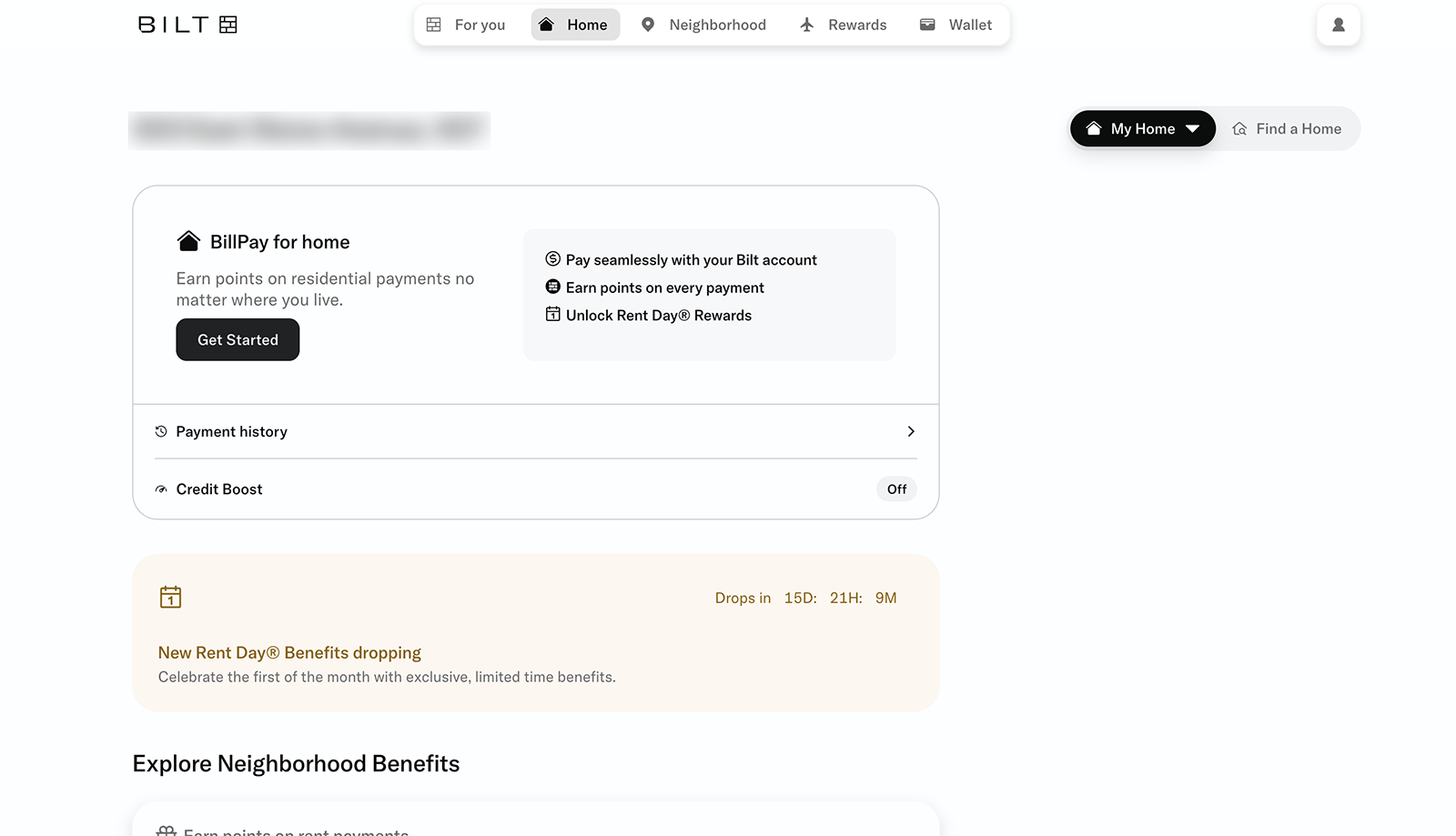
First, visit the "Home" tab in your Bilt Rewards account. There, you'll see some details about Bilt's BillPay for Home feature.
BillPay for Home is the process for Bilt cardholders who pay rent outside of the Bilt Alliance to earn rewards on their housing payments. Click "Get Started" to set it up.
From here, cardholders will be given four options for paying rent:
- Online rent payment portal
- Check
- Venmo
- Other / not listed
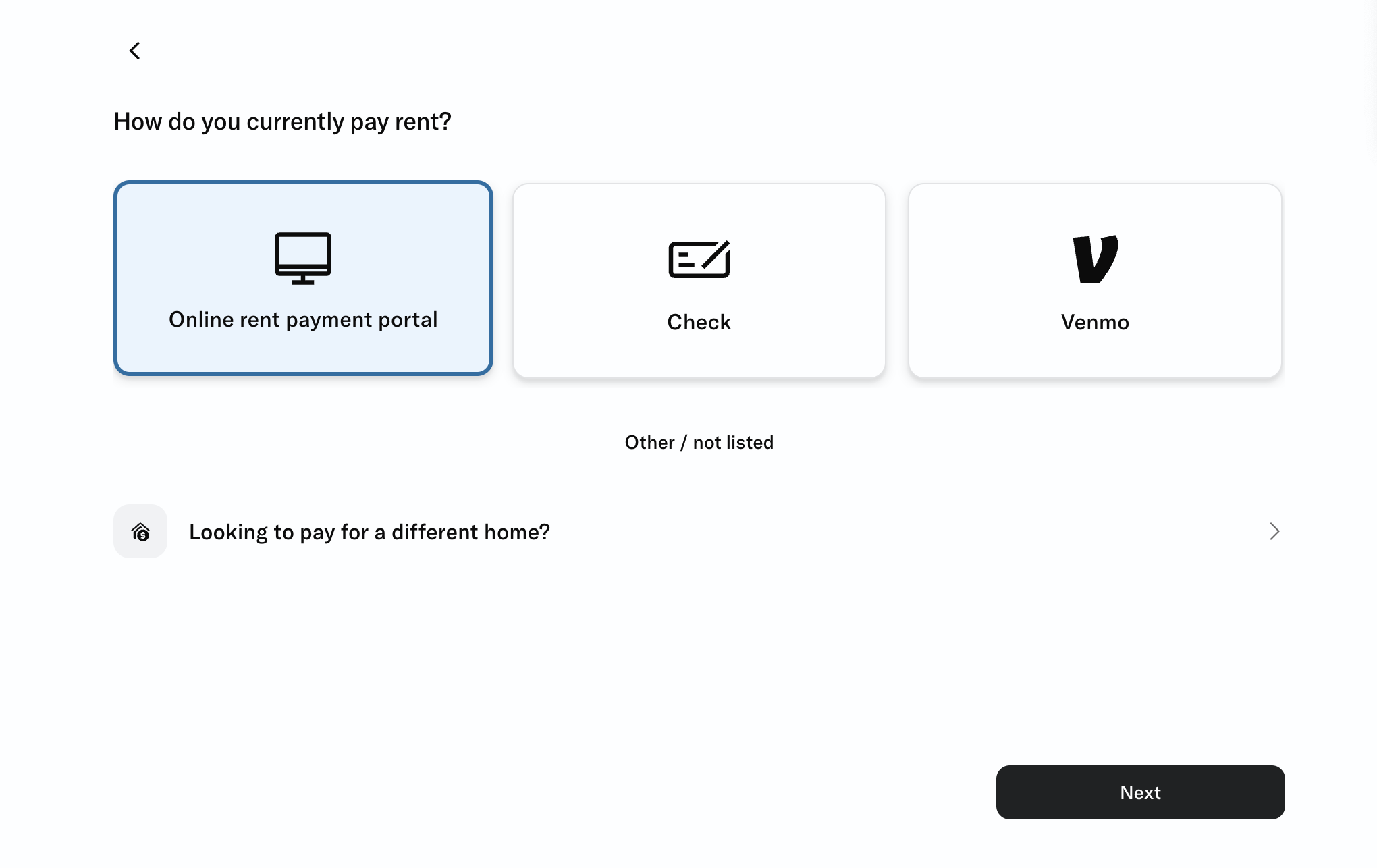
Depending on how your landlord prefers to receive rent, you may have a few more choices to make after this step.
If you pay with a check, you'll also be prompted to provide your monthly rent amount, check payment details, the address you'd like it mailed to and your preferred delivery method. Separately, you can enroll in autopay for your check each month.
To make rent payments with Venmo, you'll first link your Venmo account to Bilt. Then, you'll be asked to select a backup payment method. Next, you'll search for the recipient with their phone number and enter your monthly rent amount.
You can find full details on each rent payment method on Bilt's BillPay FAQ page.
I pay through an online rent payment portal, so I received a routing number and account number to submit in my apartment's payment portal. It shows up there as "Rent Rewards Account," and I pay through my apartment's app each month.
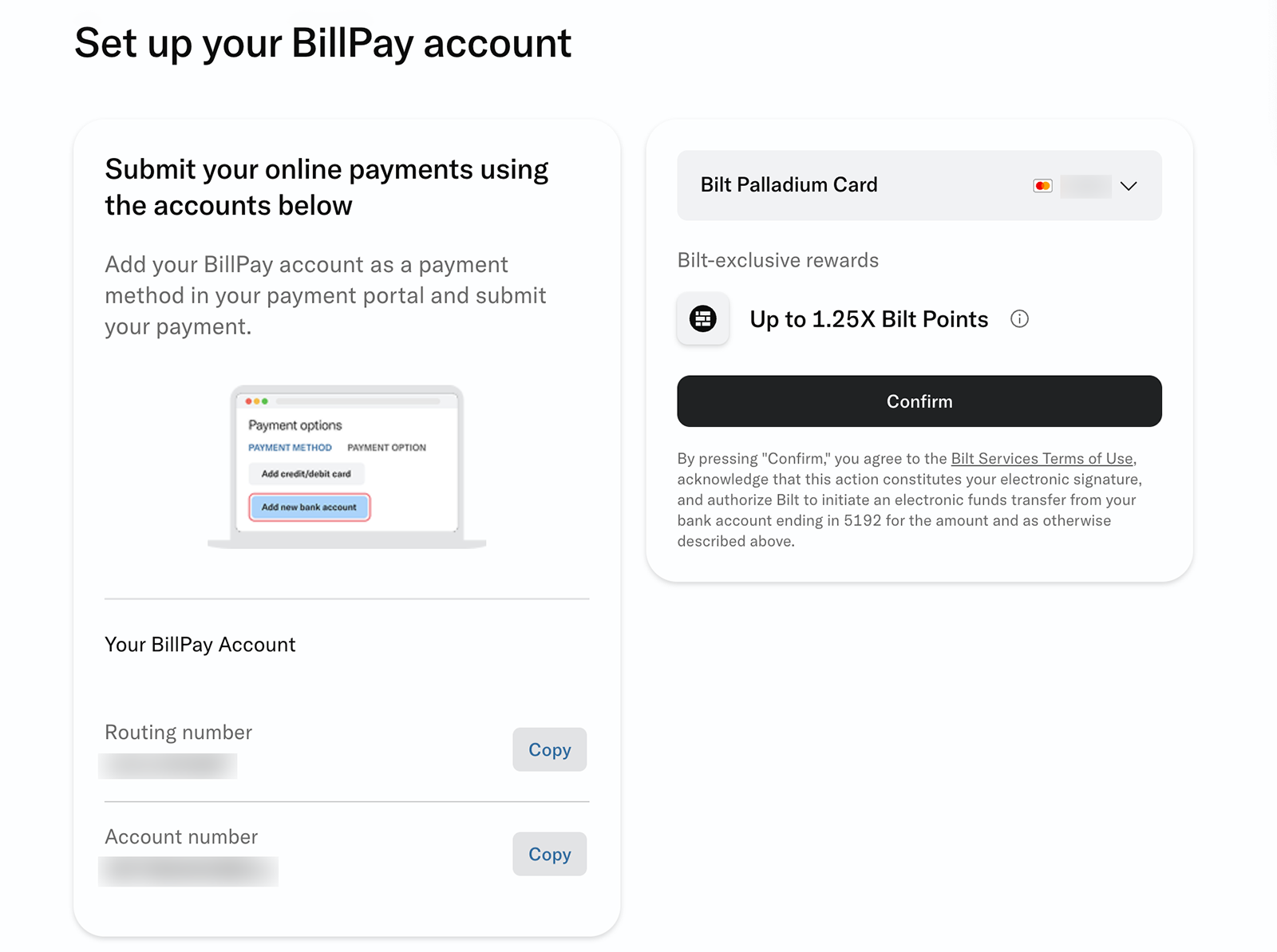
For me, this is the same process as I used with Bilt 1.0. But, as you see above, I had to confirm these details to use the Bilt 2.0 program, including my card number and preferred rewards structure. (I am opting to earn up to 1.25 points per dollar spent on rent, depending on how much I spend on nonhousing purchases each month.)
Once you press "Confirm," you're good to go.
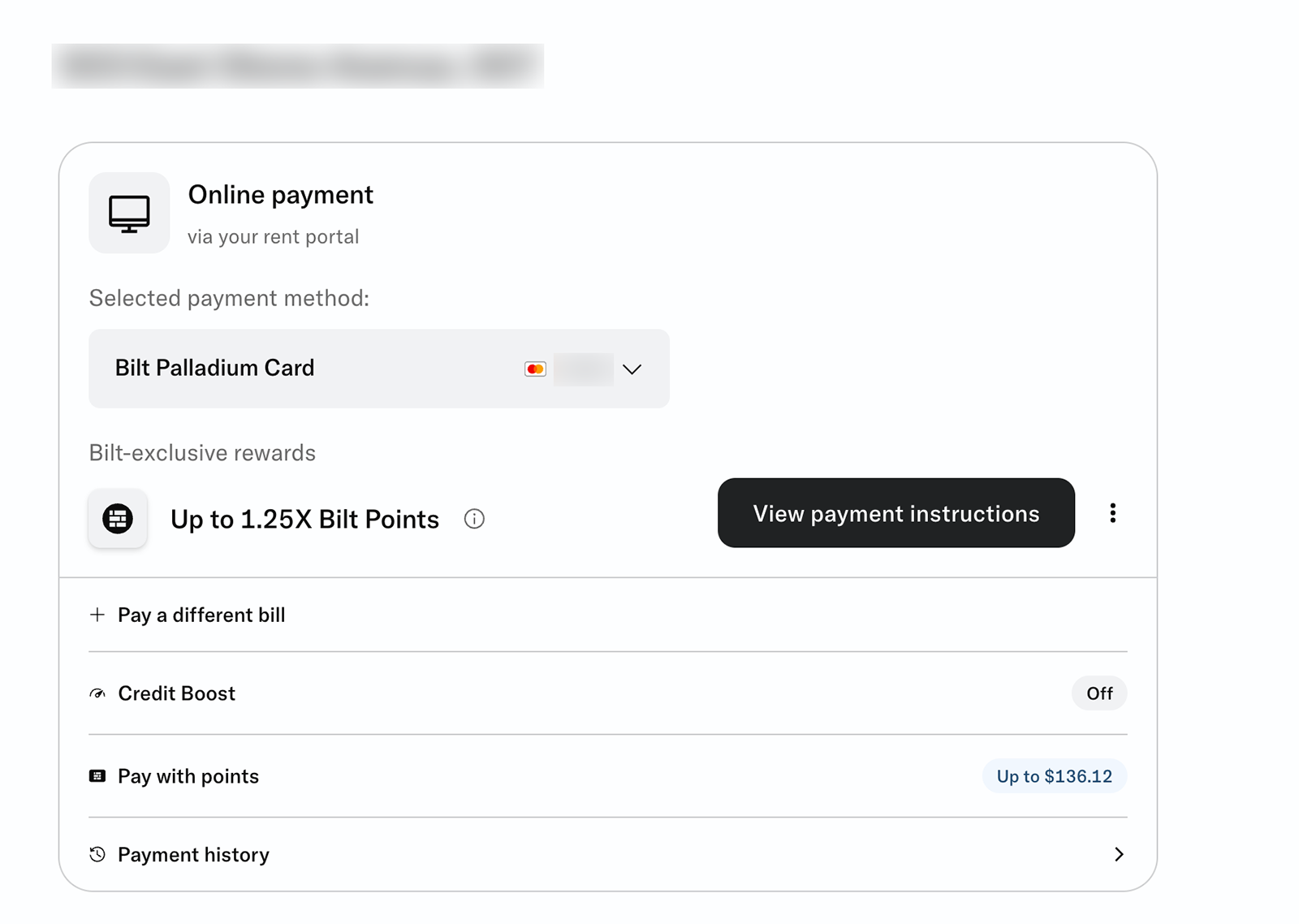
When I make my rent payments through my apartment's online portal, Bilt will charge my bank account, and I will have the opportunity to earn points on rent.
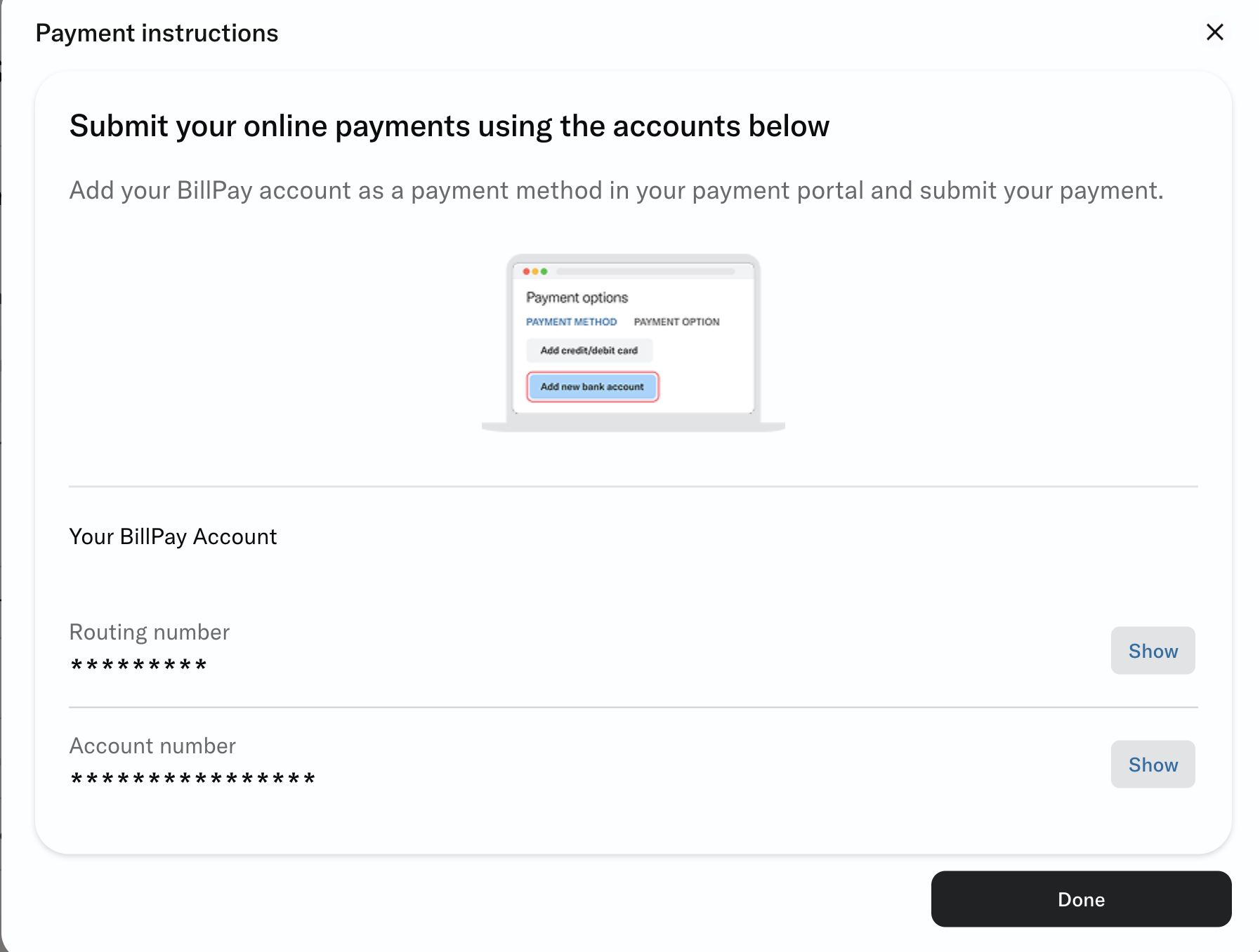
I can visit the step-by-step instructions any time by revisiting the "Home" section of my Bilt account and selecting "View payment instructions."
Related: Bilt 2.0 transition questions answered: What you need to know
Bottom line
While most renters will make their payments in a few weeks, now is the time to set up your new Bilt 2.0 rent payment system to ensure you're ready when that day comes.
With valuable Bilt points on the line, you'll want everything to be in place by rent day so the process goes smoothly for you.
Related: What is Bilt Cash? How to earn and redeem this new reward currency