How to change or cancel a Southwest Airlines flight

Editor's Note
One of Southwest Airlines' best features is the ability to change or cancel flight bookings without fees. I often book Southwest flights when I learn I might need to travel somewhere in North America that Southwest serves. Then, I change my Southwest flights as I find lower prices; I also cancel my flights if I decide I won't go on the trip or find a flight on another airline that works better.
I change or cancel at least one Southwest flight most weeks. So here's what you should know about changing or canceling Southwest flights.
Canceling a Southwest flight
Southwest offers four fare types, each of which you can cancel without fees. However, the type of refund you receive if you cancel at least 10 minutes before the flight's original scheduled departure time depends on the fare you booked:
- Wanna Get Away: You'll get a flight credit if you originally booked a paid fare. If you redeemed points for an award ticket, the points you redeemed will be redeposited back to the Rapid Rewards account they were originally taken from. You can opt to get the taxes and fees on your award ticket back as a flight credit or a method-of-payment refund.
- Wanna Get Away Plus: You'll get a transferable flight credit if you originally booked a paid fare. If you redeemed points for an award ticket, the points you redeemed will be redeposited back to the Rapid Rewards account they were originally taken from. You can opt to get the taxes and fees on your award ticket back as a transferable flight credit or a method-of-payment refund.
- Anytime and Business Select: You can receive the fare back as a method-of-payment refund or accept a flight credit.
If you book a Wanna Get Away or Wanna Get Away Plus fare and cancel within 10 minutes of your flight's original scheduled departure, you'll forfeit your fare. However, suppose you cancel an Anytime and Business Select fare less than 10 minutes before the flight's original scheduled departure time. In that case, you'll receive any cash you paid back as a transferable flight credit and any points you redeemed will be redeposited back to the Southwest Rapid Rewards account they were originally taken from.
Flight credits never expire now, so there's little risk in having some flight credits in your account if you expect to fly Southwest in the future.
Related: 12 easy ways to earn Southwest Rapid Rewards points
How to cancel a Southwest flight
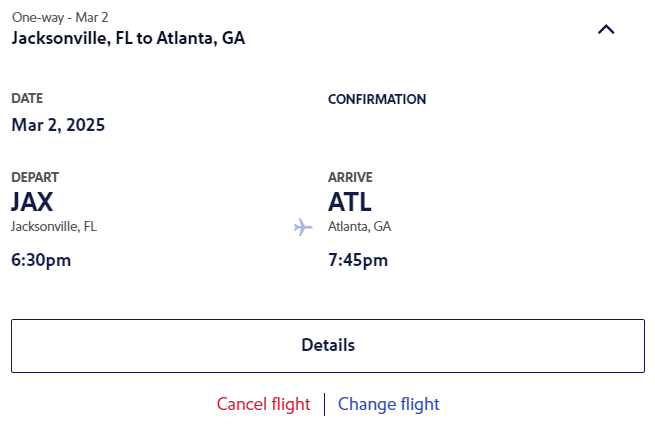
It's quick and easy to cancel Southwest flights on the Southwest website or via the Southwest app. To cancel a Southwest flight online, log into your account and look at your upcoming trips. Find the trip you want to cancel and click the "Cancel flight" text.
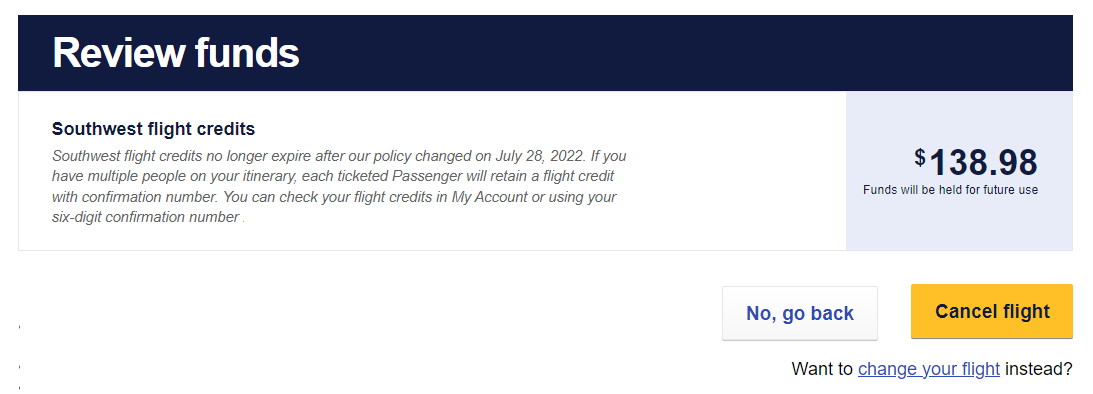
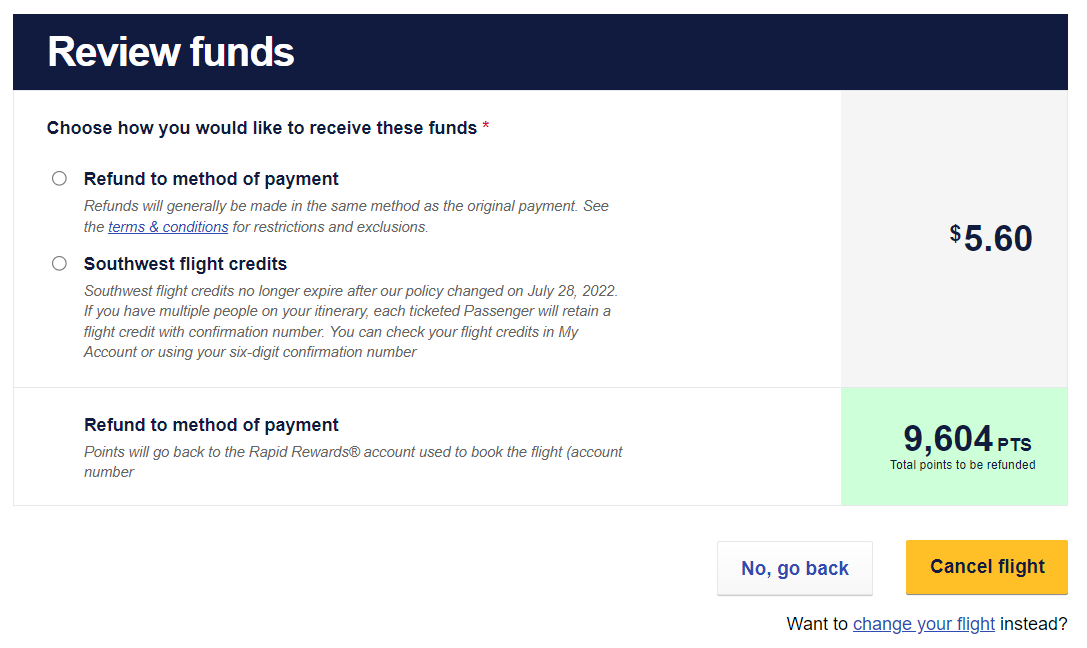
Scroll down to the "Review funds" section to see how you'll be refunded if you cancel your flight. For this flight, I'd get Southwest flight credits if I decided to cancel. If you want to cancel your Southwest flight, click "Cancel flight."

You may see other refund options depending on how you booked and the fare you booked. For example, if I canceled this award flight, I could choose to get a refund sent to my original method rather than get a flight credit for the taxes and fees I'd paid.
Suppose you only need to cancel the reservation for some of the travelers on your reservation. In that case, you can usually divide your reservation or change the number of people flying through the Southwest website or app. If you have the Southwest Companion Pass and want to cancel a flight for which you've already added your companion, you'll need to cancel the linked companion flight and then cancel your flight.
Finally, if Southwest significantly changes your trip after you book and you decide not to travel, you may be eligible for a refund based on your payment method.
Related: Best Southwest Airlines credit cards
Changing a Southwest flight
You may want to change your Southwest flight for a variety of reasons. For example, I've recently changed Southwest flights to secure a lower rate on the same flight. But I've also changed Southwest flights when I discovered I needed to arrive at my destination earlier in the day or even on a different date.
When you change a Southwest flight, you'll usually pay or receive the difference in fare. However, you can change your origin, destination, fare class and flight number. As such, changing instead of canceling a Southwest flight can be a good way to keep nonrefundable add-on products such as EarlyBird Check-in tied to a ticket.
Related: Southwest baggage fees and how to avoid paying them
How to change a Southwest flight
To change a Southwest flight online, log into your account and look at your upcoming trips. Find the trip you want to change and click the "Change flight" text.
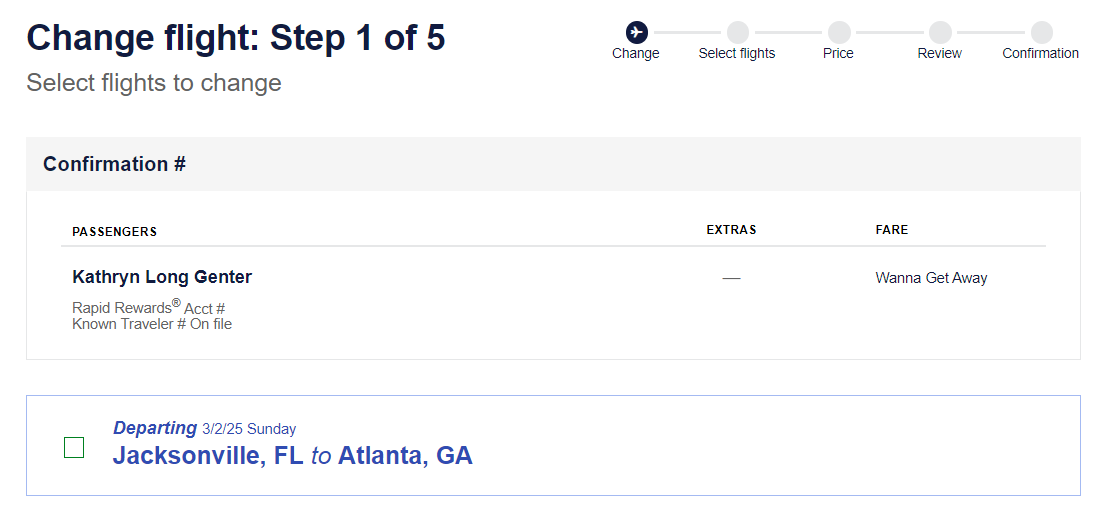
Then, select the box next to the flight you want to change.
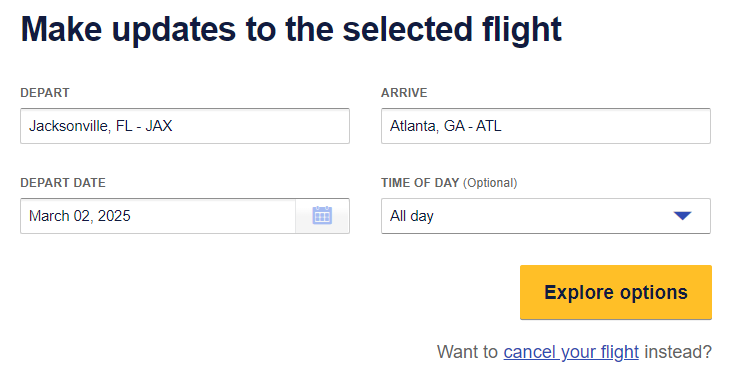
By selecting the box, an area to update the selected flight will populate. This is where you'll change your departure city, arrival city and departure date if you want to change more than just your flight time or fare. Click "Explore options" once you're ready to see your options.
This page shows your flight options and how much more (or less) they cost than your original trip. You can check nearby dates by selecting them in the bar above the results. You can also filter to just nonstop flights if you want.
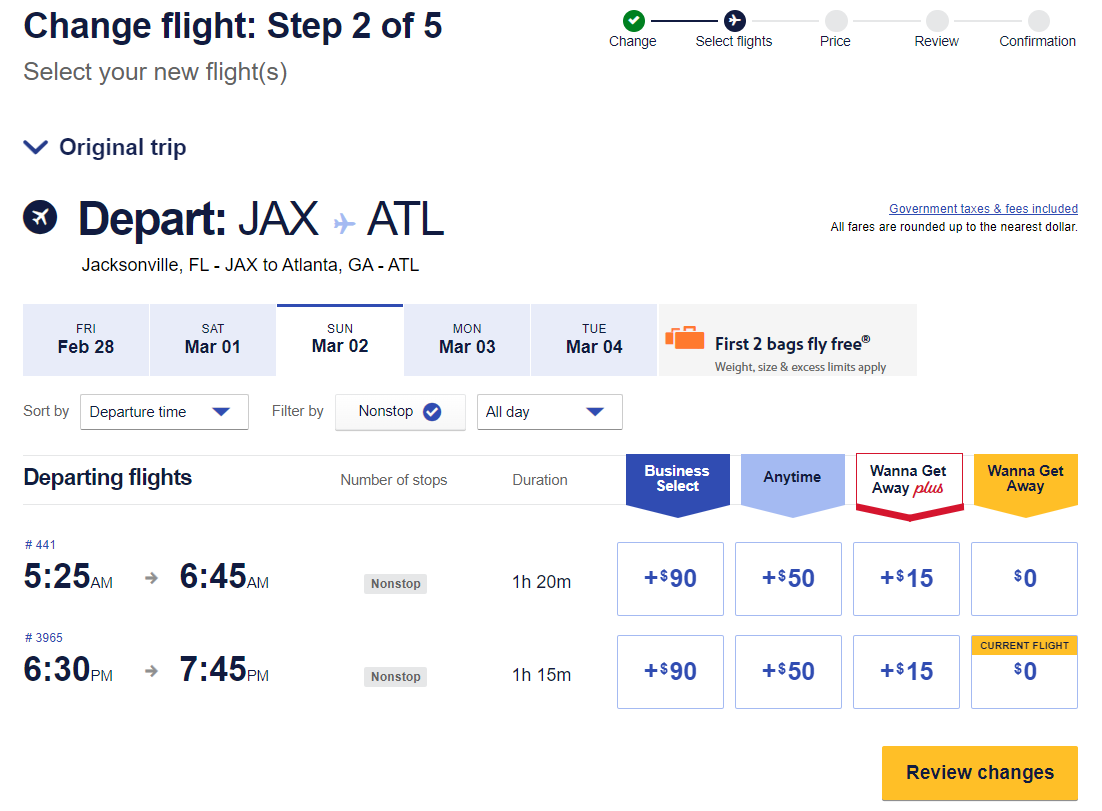
If I were to change a different flight I'd booked with Southwest points, my nonstop flight options look as follows:
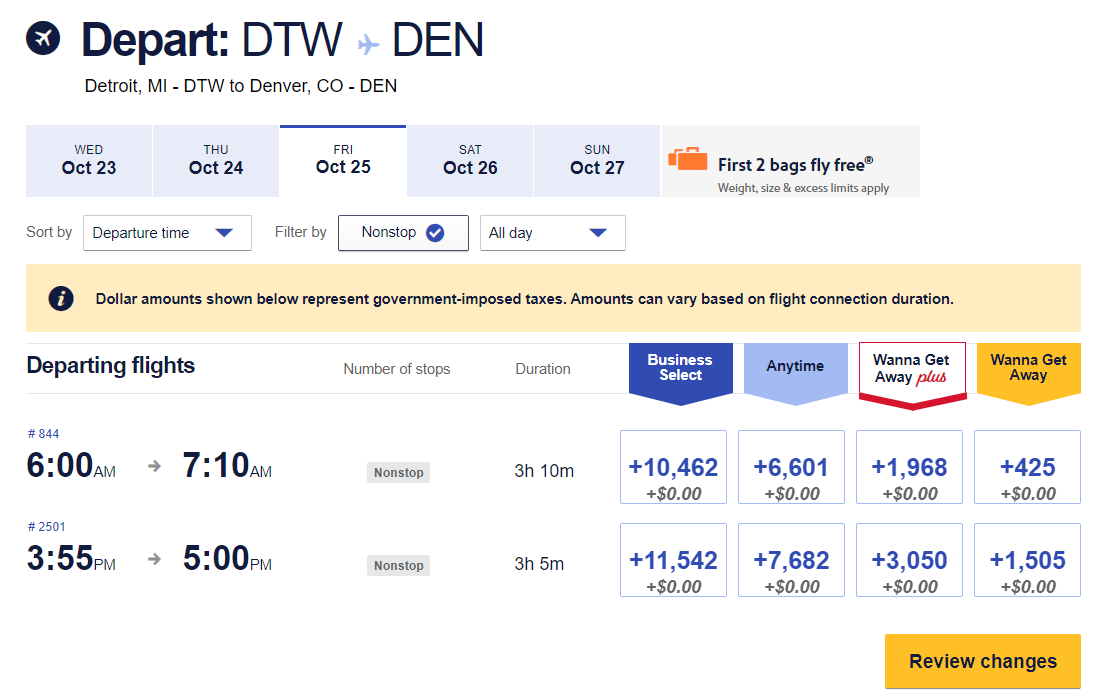
Once you select a new flight option and click "Review changes," you'll click through a few pages until you get to a page where you must confirm your changes and enter a payment method if you are changing to a more expensive option.
As with canceling a Southwest flight, if you only need to change the reservation for some of the travelers on your reservation, you'll need to divide your reservation. If you have the Southwest Companion Pass and want to change a flight for which you've already added your companion, you'll need to cancel the linked companion flight, change your flight and re-add your companion.
Finally, if Southwest significantly changes your trip after you book, you may be able to change your flight date and time by up to 14 days at no additional cost. However, your origin and destination typically must remain the same. You can change the reservation up to two times.
Related: How to snag the best seats on Southwest Airlines
Southwest same-day change
Starting at midnight on your flight's scheduled departure date, you can confirm a change to a different flight for no additional cost if you have A-List status or booked a Wanna Get Away Plus, Anytime or Business Select fare. If you booked a Wanna Get Away fare and don't have A-List status, you'd need to pay the fare difference; this usually won't be worthwhile.
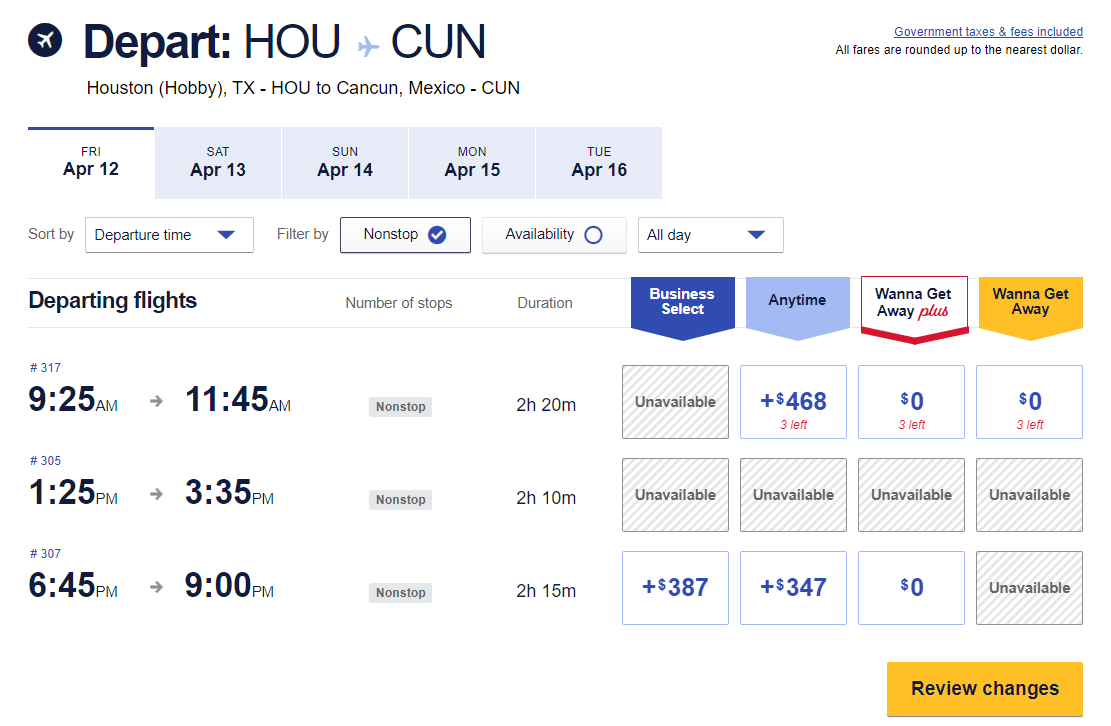
Travelers can use the same-day change benefit until 10 minutes before their flight's scheduled departure if there's an open seat and the origin and destination airports are the same. If you have the Southwest Companion Pass and have a companion tied to your reservation, you'll need to remove your companion, change your flight and then re-add your companion.
Related: Free bags and open seating: Why I choose Southwest every time
Bottom line
As you can see, changing or canceling Southwest flights is easy and fee-free. You'll often need to pay the fare difference when changing Southwest flights, but it's also possible to capture lower fares. If you frequently fly Southwest, it's worth understanding how flexible change and cancellation policies can benefit you.
TPG featured card

at Capital One's secure site
Terms & restrictions apply. See rates & fees.
| 5X miles | Earn 5X miles on hotels, vacation rentals and rental cars booked through Capital One Travel |
| 2X miles | Earn unlimited 2X miles on every purchase, every day |
Pros
- Stellar welcome offer of 75,000 miles after spending $4,000 on purchases in the first three months from account opening. Plus, a $250 Capital One Travel credit to use in your first cardholder year upon account opening.
- You'll earn 2 miles per dollar on every purchase, which means you won't have to worry about memorizing bonus categories
- Rewards are versatile and can be redeemed for a statement credit or transferred to Capital One’s transfer partners
Cons
- Highest bonus-earning categories only on travel booked via Capital One Travel
- LIMITED-TIME OFFER: Enjoy $250 to use on Capital One Travel in your first cardholder year, plus earn 75,000 bonus miles once you spend $4,000 on purchases within the first 3 months from account opening - that’s equal to $1,000 in travel
- Earn unlimited 2X miles on every purchase, every day
- Earn 5X miles on hotels, vacation rentals and rental cars booked through Capital One Travel
- Miles won't expire for the life of the account and there's no limit to how many you can earn
- Receive up to a $120 credit for Global Entry or TSA PreCheck®
- Use your miles to get reimbursed for any travel purchase—or redeem by booking a trip through Capital One Travel
- Enjoy a $50 experience credit and other premium benefits with every hotel and vacation rental booked from the Lifestyle Collection
- Transfer your miles to your choice of 15+ travel loyalty programs
- Top rated mobile app