How to use ExpertFlyer alerts to snag a better seat on the plane



Editor's Note
Airline seat selection can be a frustrating experience. Window or aisle seat? Preferred seat or standard seat? Over the wing or not? Select a seat or hope to score a great one at check-in?
Sometimes, your ideal seat may not be available when you book. And who has time to manually check a seat map multiple times a day, leading up to a flight, in the hopes that a better one opens up?
Fortunately, ExpertFlyer (owned by TPG's parent company, Red Ventures) can do this automatically. Best of all, you can set an alert for a window or aisle seat with ExpertFlyer's free membership.
Here's what to know about using the program.
Related: Where is the best seat on an airplane? Here's how to choose the place to sit whenever you fly
What is ExpertFlyer?
ExpertFlyer is free to join, but it also includes two paid membership tiers that unlock expanded features and functionality. Here are the three ExpertFlyer membership levels:
- Free: Set an alert to receive a notification if a more desirable seat becomes available on your flight. You're limited to one free alert at a time, but you can add more for 99 cents each.
- Basic ($4.99 per month or $49.99 per year): This plan offers additional features like award and upgrade inventory search and flight availability. You can set four seat alerts simultaneously, but you're limited to 250 monthly queries.
- Premium ($9.99 per month or $99.99 per year): This plan includes flexible search options, unlimited queries and the ability to create aircraft change and flight alerts. You can have up to 200 combined flight and seat alerts simultaneously.
Plus, if you're a new member, you can sign up for a free five-day Premium trial on the ExpertFlyer website.
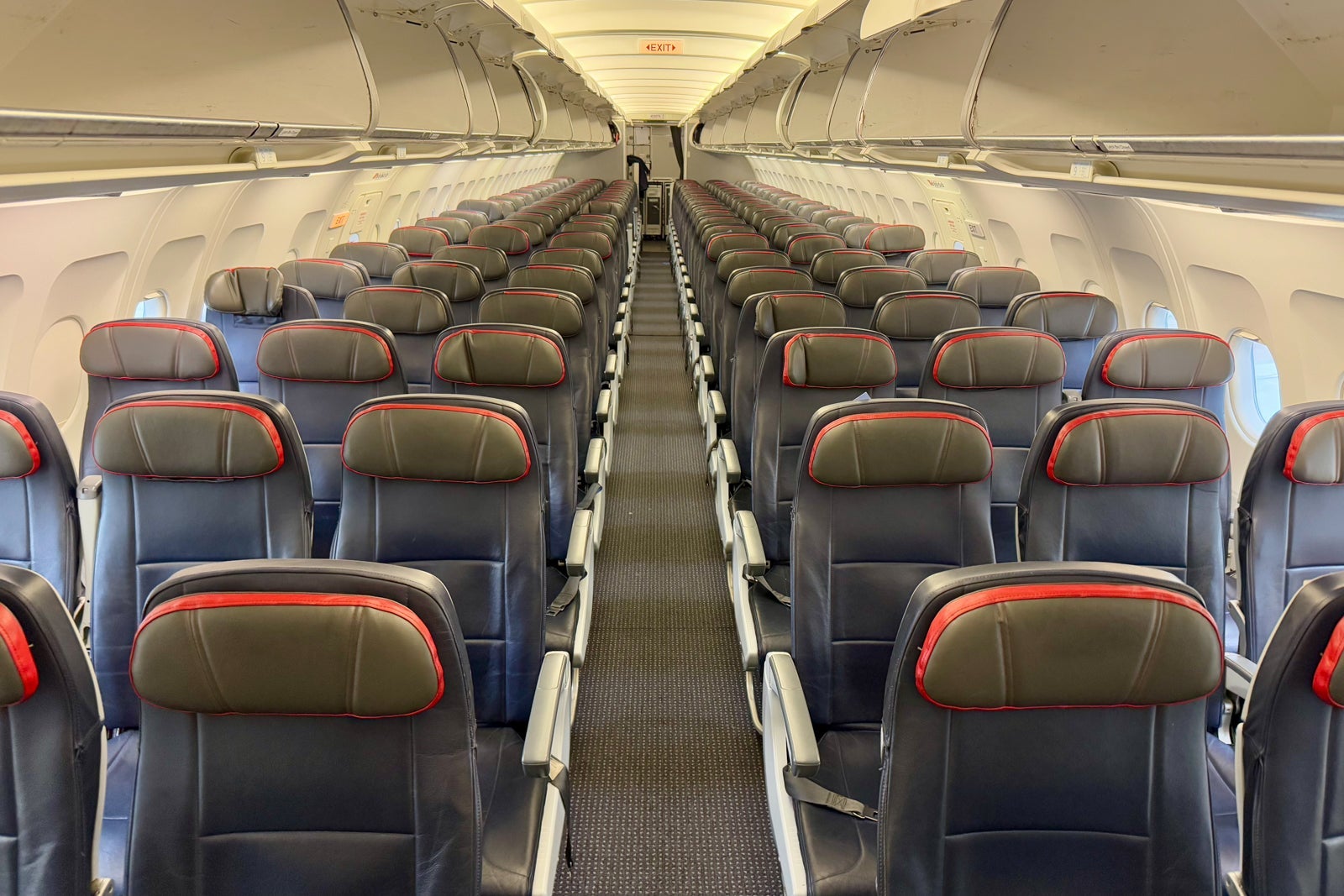
For more information on using this tool, check out our ExpertFlyer guide.

Related: Should you ask to switch seats on a plane?
How to set an ExpertFlyer seat alert
Once you've signed up for ExpertFlyer, you can set a seat alert even if you opt for the free membership tier. Gather your flight information before visiting ExpertFlyer to set a seat alert. Specifically, you'll need the following information about your flight:
- Departure airport
- Arrival airport
- Date
- Airline name or two-letter International Air Transport Association code
- Flight number
- Class of service
Once you have this information, log in to your account and click "Create seat alert" from the homepage.
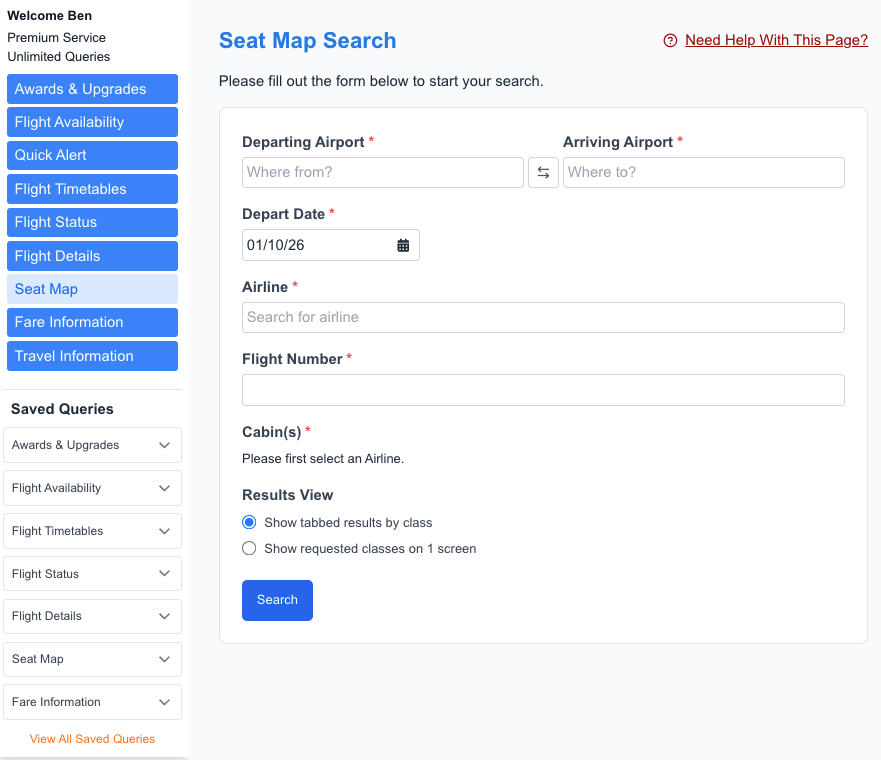
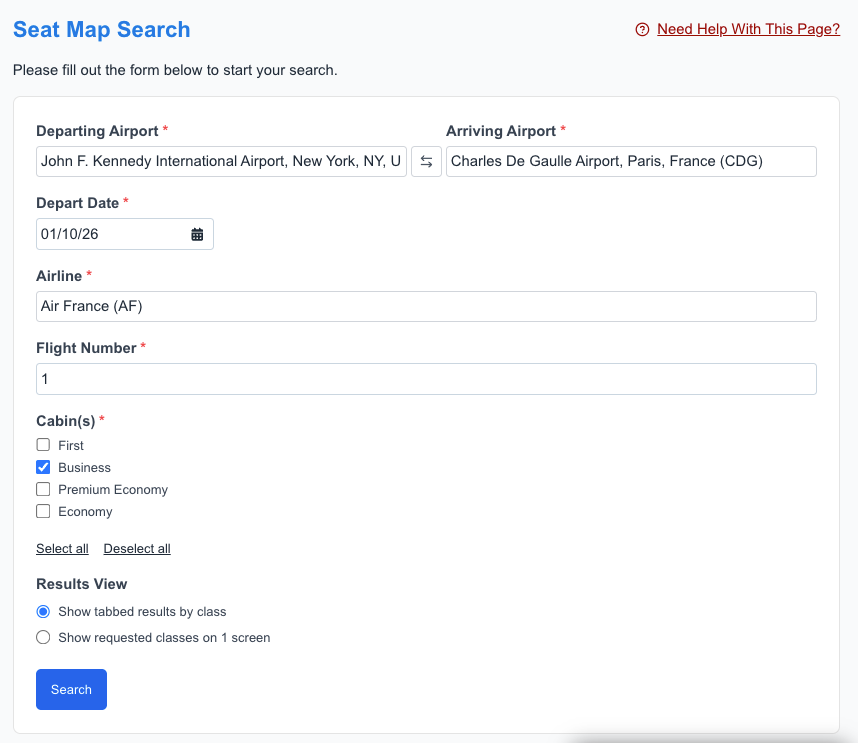
Next, enter your flight details and click "Search."
A seat map for your flight should load; then, you'll want to click "Create seat alert." In the box that appears, name your alert and select your criteria, then click "Create."
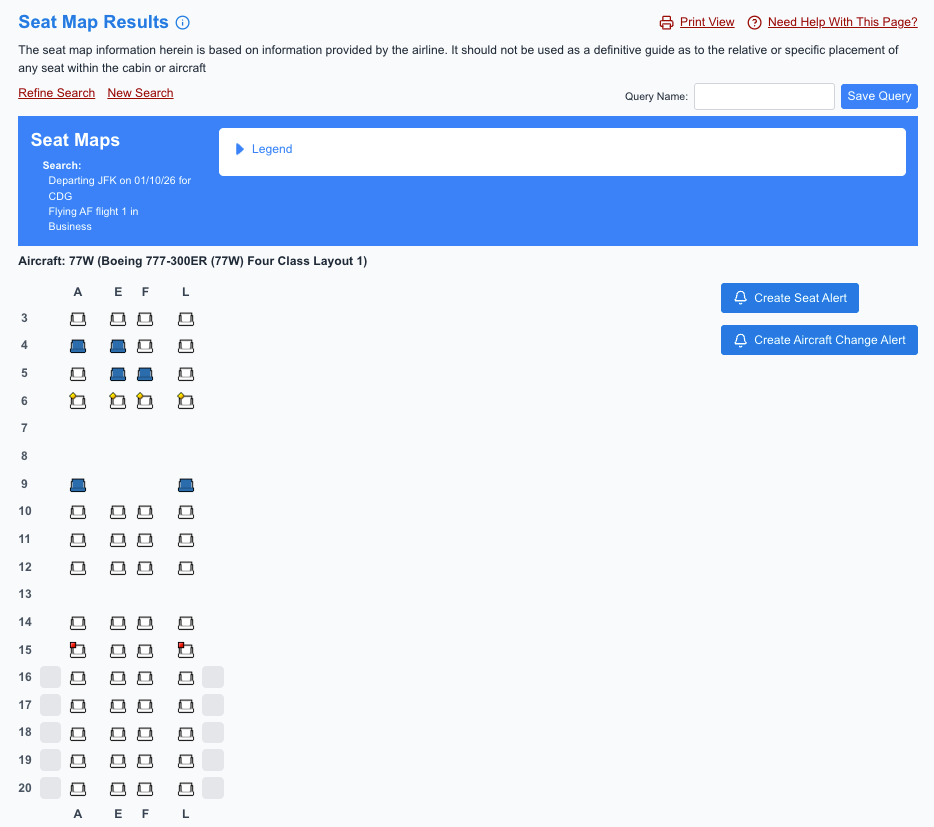
If you are a free ExpertFlyer member using your free alert, you can only set up an alert for aisle or window seats.
If you are a paid member, you can opt for any exit-row seat, select two seats together or choose specific seats. For example, you could set up an alert for either bulkhead window seat in row 9, which offers additional personal space in Air France business class.
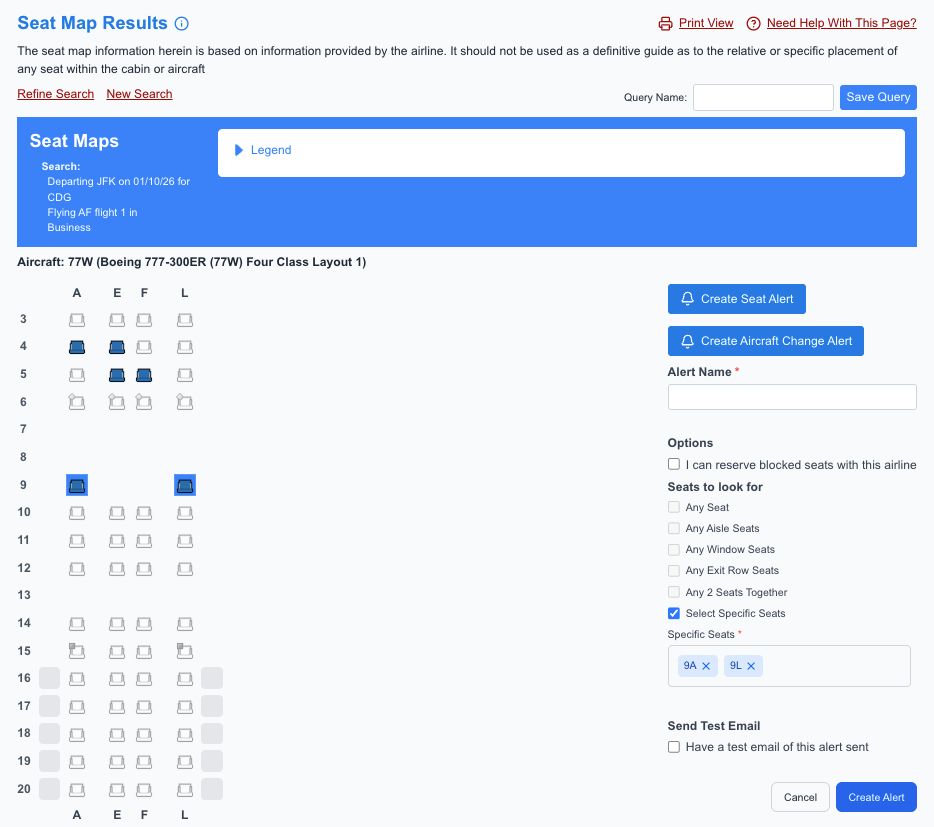
Once you create an alert, ExpertFlyer will email you if your desired seats become available. If you receive an email, immediately visit your airline's website or app to update your seat selection.
Open seats tend to fill up quickly, so acting promptly when you receive an alert will increase your chances of securing a better seat.
Related: 8 reasons why you should always sit in an aisle seat on planes
When to set an ExpertFlyer seat alert
There are a handful of times when you may find yourself in need of a better seat, including the following scenarios:
- Your preferred seat type (aisle or window) isn't available.
- You're stuck in a middle seat and prefer a window or aisle seat.
- You can't find seats together for you and your spouse, friend or family member.
- You'd prefer a seat in a different part of the plane (like closer to the front for easier deplaning or closer to the back for better restroom access).
- You want a specific seat, such as an exit-row seat or one in a two-seat row.
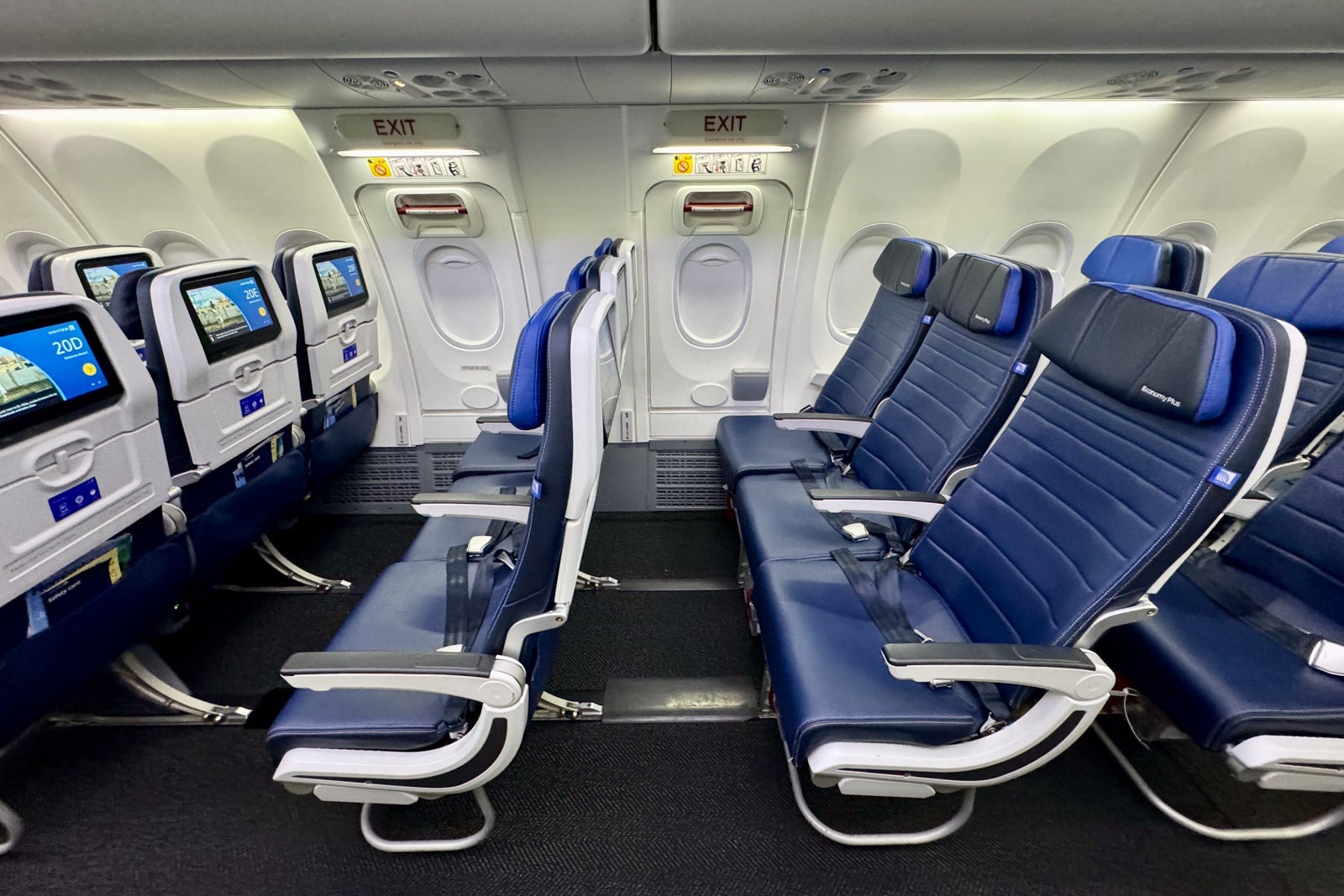
In any of these cases, the ExpertFlyer seat alerts feature can help you switch to a more desirable seat.
Bottom line
If you can't select the seat you want for an upcoming flight, consider starting a free ExpertFlyer membership (or a free five-day Premium trial) and setting a seat alert to search for a better seat. It's quick and free to do so, and it may let you snag a window or aisle seat.
If you're traveling with a friend or family member and can't find two seats together, consider upgrading to a Basic or Premium ExpertFlyer membership, as it allows you to create a seat alert for any two seats together.
Related reading:
TPG featured card
at American Express's secure site
Terms & restrictions apply. See rates & fees.
| 4X | Earn 4X Membership Rewards® points per dollar spent on purchases at restaurants worldwide, on up to $50,000 in purchases per calendar year, then 1X points for the rest of the year. |
| 4X | Earn 4X Membership Rewards® points per dollar spent at US supermarkets, on up to $25,000 in purchases per calendar year, then 1X points for the rest of the year. |
| 5X | Earn 5X Membership Rewards® points on prepaid hotel stays booked through AmexTravel.com or the Amex Travel App™. |
| 3X | Earn 3X Membership Rewards® points on flights booked through AmexTravel.com, the Amex Travel App™, or purchased directly from airlines. |
| 2X | Earn 2X Membership Rewards® points on prepaid car rentals booked through AmexTravel.com or the Amex Travel App™ and cruises booked and paid through AmexTravel.com. |
| 1X | Earn 1X Membership Rewards® point per dollar spent on all other eligible purchases. |
Pros
- Valuable dining and food-related credits
- Flexible rewards with airline and hotel transfer partners
- Multiple travel and purchase protections
- No foreign transaction fees
- Access to Amex Offers for additional savings (enrollment required)
Cons
- Not as useful for those living outside the U.S.
- Some may have trouble using Uber and other dining credits
- You may be eligible for as high as 100,000 Membership Rewards® Points after you spend $8,000 in eligible purchases on your new Card in your first 6 months of Card Membership. Welcome offers vary and you may not be eligible for an offer. Apply to know if you’re approved and find out your exact welcome offer amount – all with no credit score impact. If you’re approved and choose to accept the Card, your score may be impacted.
- Earn 4X Membership Rewards® points per dollar spent on purchases at restaurants worldwide, on up to $50,000 in purchases per calendar year, then 1X points for the rest of the year.
- Earn 4X Membership Rewards® points per dollar spent at US supermarkets, on up to $25,000 in purchases per calendar year, then 1X points for the rest of the year.
- Earn 5X Membership Rewards® points on prepaid hotel stays booked through AmexTravel.com or the Amex Travel App™.
- Earn 3X Membership Rewards® points on flights booked through AmexTravel.com, the Amex Travel App™, or purchased directly from airlines.
- Earn 2X Membership Rewards® points on prepaid car rentals booked through AmexTravel.com or the Amex Travel App™ and cruises booked and paid through AmexTravel.com.
- Earn 1X Membership Rewards® point per dollar spent on all other eligible purchases.
- Pay It® lets you tap in the American Express® App to quickly pay for small purchase amounts throughout the month and still earn rewards the way you usually do. Plan It® gives you the option to split up big purchases into equal monthly payments with a fixed fee. You’ll know upfront exactly how much you’ll pay.
- $120 Dining Credit: Earn up to a total of $10 in statement credits monthly when you pay with the Gold Card at Grubhub (including Seamless), Buffalo Wild Wings, Five Guys, The Cheesecake Factory, and Wonder. This can be an annual savings of up to $120. Enrollment required.
- $100 Resy Credit: Get up to $100 in statement credits each calendar year at over 10,000 qualifying U.S. Resy restaurants after you pay for eligible purchases with the American Express® Gold Card. That’s up to $50 in statement credits semi-annually. Enrollment required.
- $84 Dunkin' Credit: Earn up to $7 in monthly statement credits after you pay with the American Express® Gold Card at U.S. Dunkin’ locations. Enrollment required.
- $120 Uber Cash on Gold: Enjoy up to $120 in Uber Cash annually with your Gold Card. Just add your Card to your Uber account and you'll get $10 in Uber Cash each month to use on orders and rides in the U.S. when you select an Amex Card for your transaction.
- Enjoy complimentary Hertz Five Star® Status benefits like skipping the counter at select locations, adding an additional driver at no additional cost*, and vehicle upgrades**. Benefit enrollment and Hertz Gold+ registration are required. *Additional drivers must meet standard rental qualifications and must be a spouse or domestic partner to qualify as complimentary. Other additional drivers subject to fees. **Benefits are subject to availability and vary by location. Additional Hertz program Terms and Conditions including age restrictions apply.
- Book two nights or more with The Hotel Collection through AmexTravel.com and receive a $100* credit towards eligible charges at over 1,300 upscale hotels worldwide.§ *Eligible charges vary by property.
- Book your travel through the Amex Travel App™ with added peace of mind – backed by American Express® service and support. Only for American Express® Card Members.
- Whenever you need us, we're here. Our Member Services team will ensure you are taken care of. From lost Card replacement to statement questions, we are available to help 24/7.
- No Foreign Transaction Fees.
- Annual Fee is $325.
- Terms Apply.