Tip: Using OpenFlights to Track Your Flights

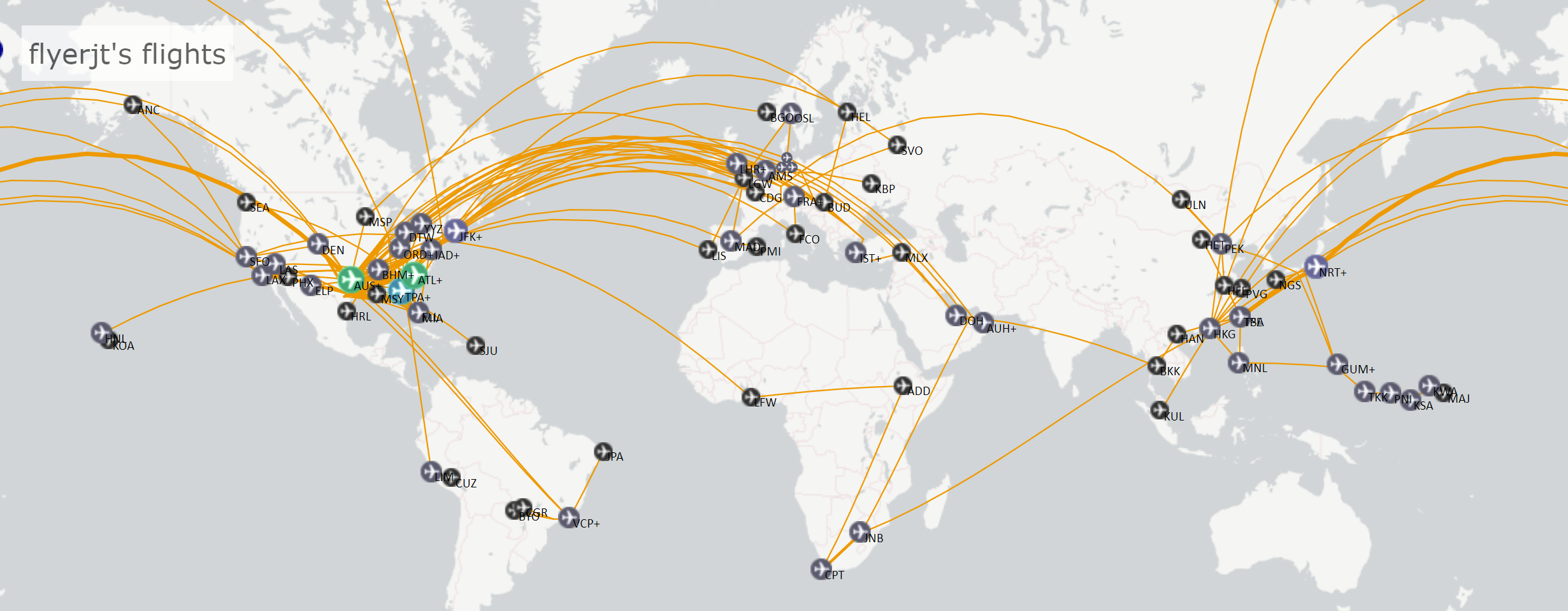
While it's easy to track your miles if you fly primarily on one airline, those of us AvGeeks who want to track our flight stats across all airlines need to turn to a specialized tool to do so. The Points Guy's Zach Honig has discussed using Jet Lovers to track his flights. Let's take a look at my preferred method: OpenFlights.
While not the most advanced-looking website, I find that it tracks everything I want it to, and produces compiled statistics I love. Once you've built up a history, you can see your flight history by year:
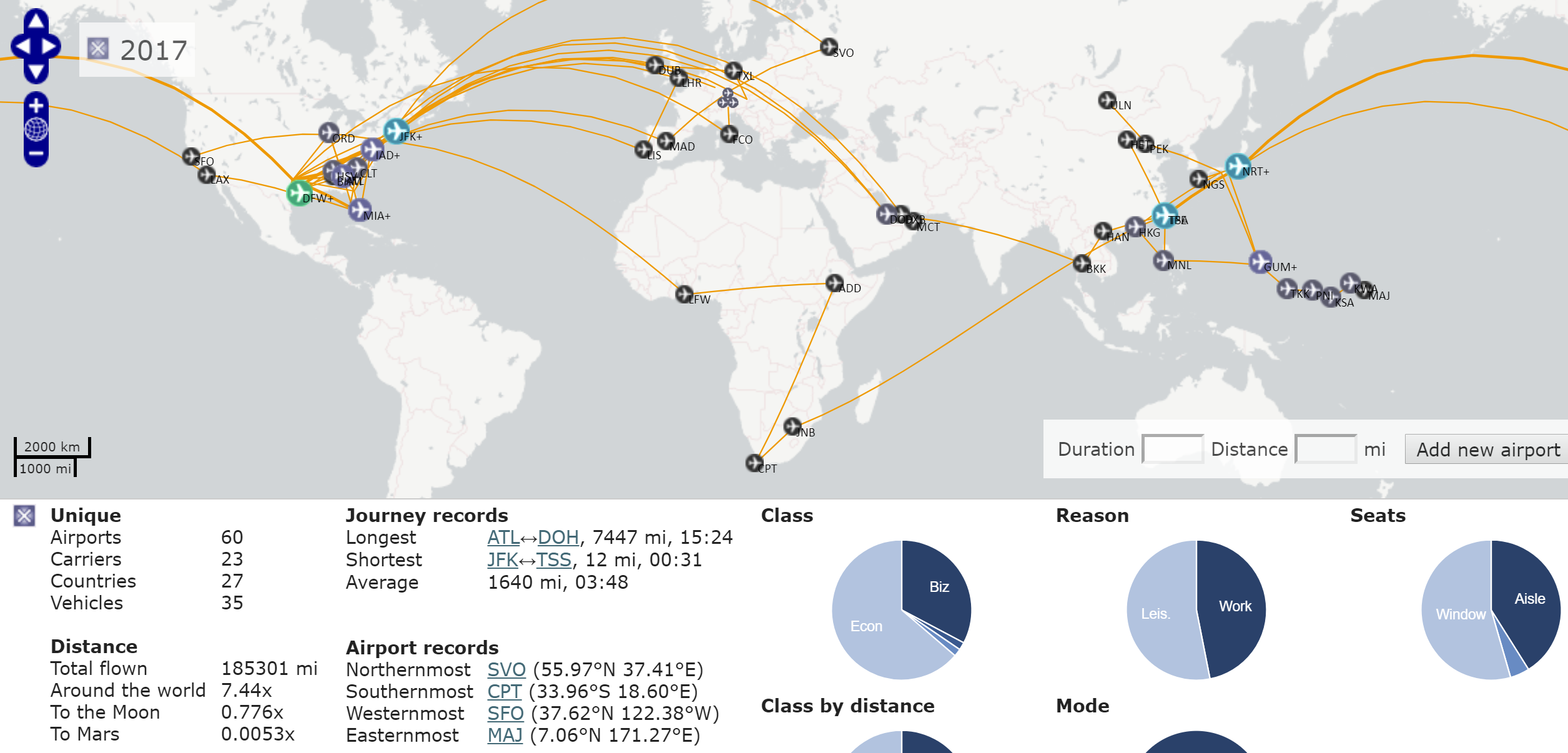
Or where and how you've flown on a particular airline:
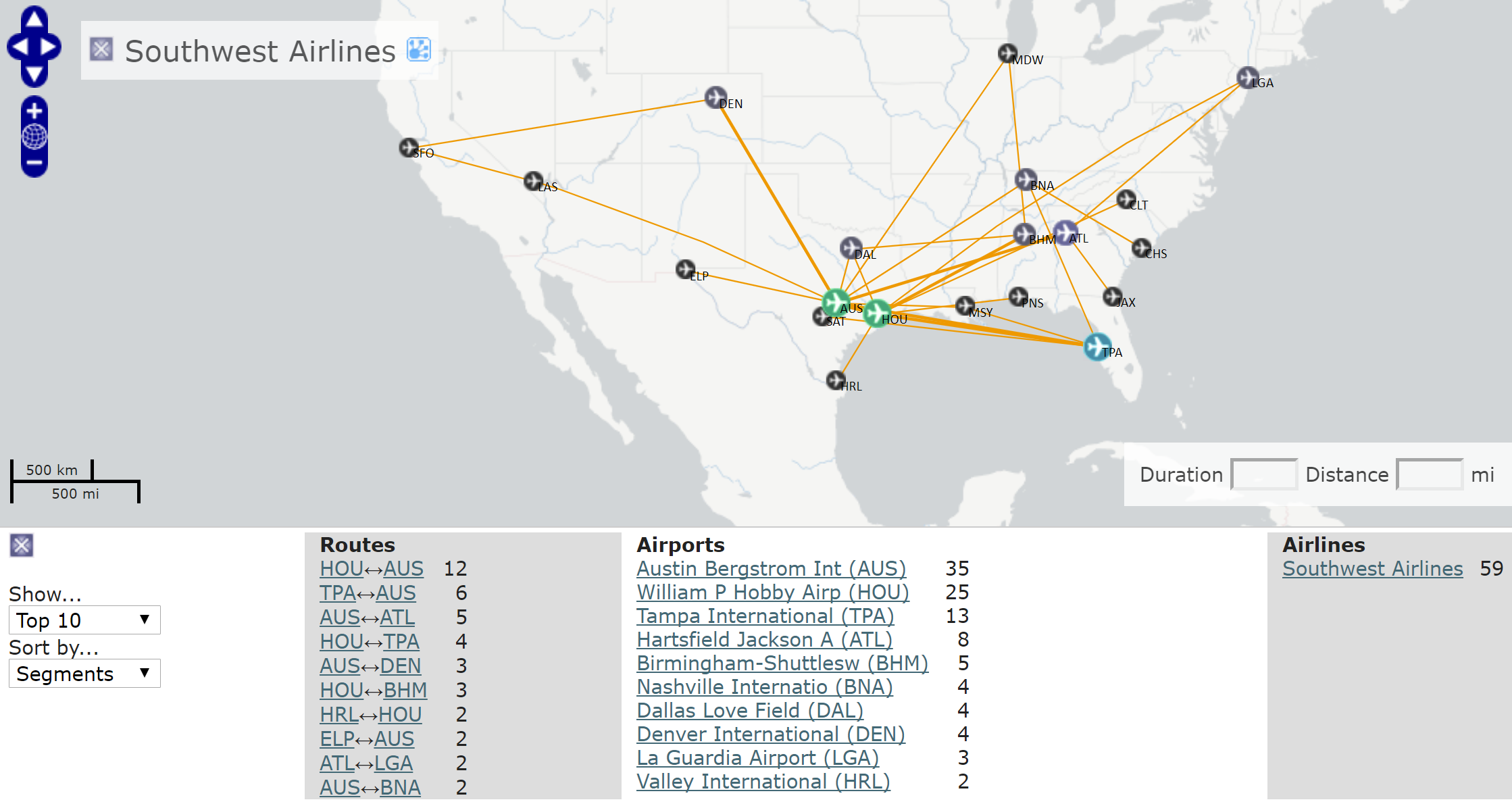
Or, both by year and by airline:
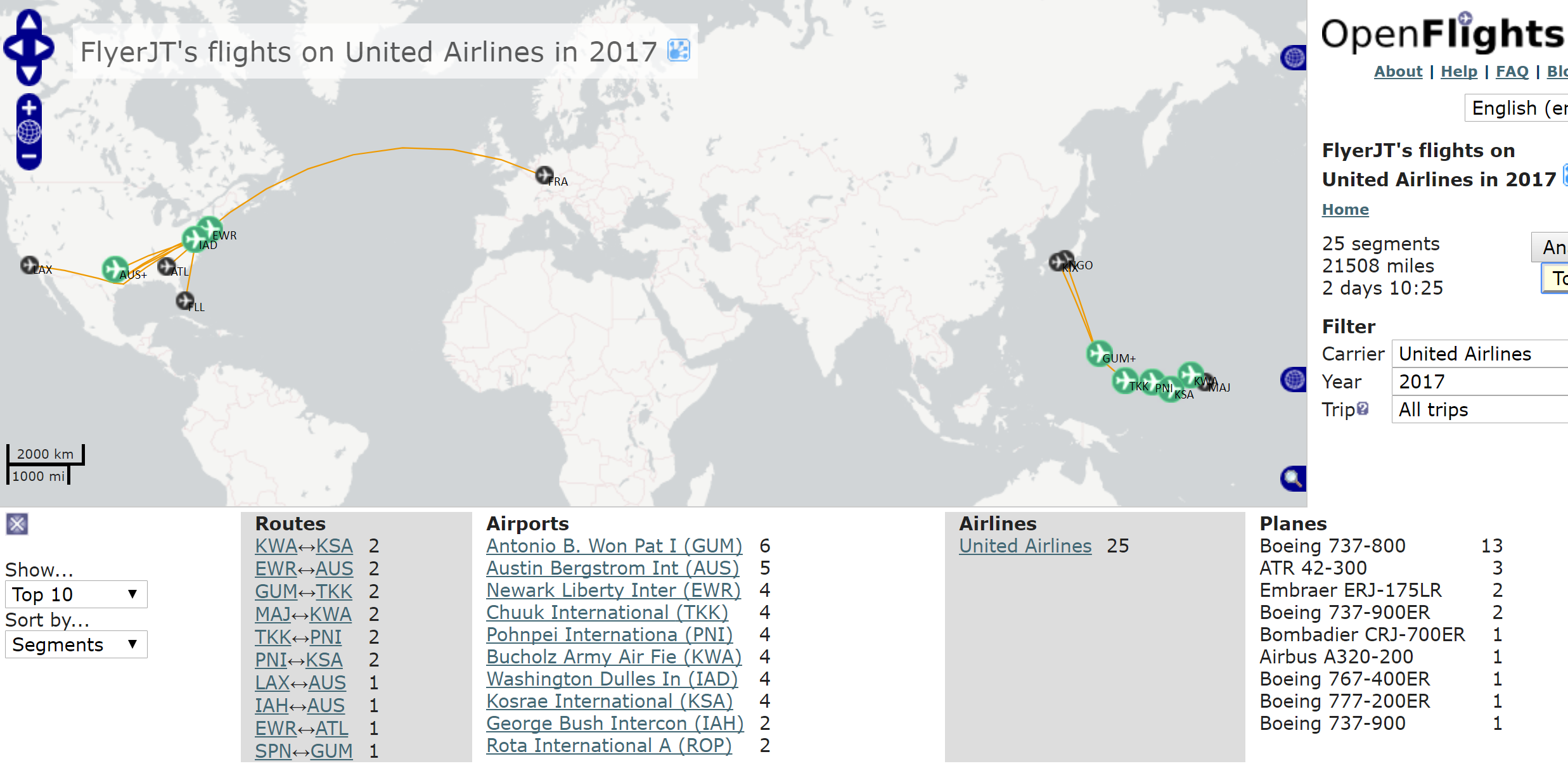
You can even generate a banner with your flight details wherever html code can be added:

The only limitation is finding old flight details. Those of us who'd love to have a perfect record of all our flight history might be bummed that we can't find flight history going back too far using our frequent flyer account histories. But, at least you can use OpenFlights as a tool for flight tracking going forward.
To get started, sign up for a free account. Then, on the homepage or your profile page, click New Flight to start logging flights. You can enter as little as just the date and departure/arrival airports. But, those of us who are nerdy about it have the opportunity to add: Departure Time, Arrival Time, Flight Number, Seat Number, Seat Type, Carrier, Plane (equipment type), Registration, Class and Reason for the trip.

If you want to track more than just flights, you can click the "Flight" drop down to select Road, Ship or Train.
Here are some tips from a few years of use:

- If you enter the Flight Number field with the airline code (i.e. AA204), the Carrier field will be automatically filled.
- It's always going to default to being a work trip. So, if you want to keep this stat accurate, don't forget to change this field.
- If you enter a departure time, the arrival time and flight duration is calculated off a simple formula (30 min plus 1 hour per every 500 miles). Make sure to change the Arrival Time if you want to have an exact record.
- You can add whatever you want in the Plane field. However, after about a second of typing, it's going to suggest options based on what you've typed, and it's hard to edit these suggestions after selecting them. Frustrated with this option, I'll type the aircraft type as I want it in the Note field and then copy-paste into the Plane field.
- Speaking of the Plane field, you'll probably want to decide when you first start tracking how detailed you want to be — whether to enter "Boeing 777" or "Boeing 777-300ER".
While accounts are free, you can support the developers if you find the tool useful by upgrading to a paid account. The functionality is the same either way, but paid accounts don't have advertisements and help keep the site running.
Do you have another flight tracking tool you prefer instead?
TPG featured card

at Capital One's secure site
Terms & restrictions apply. See rates & fees.
| 5X miles | Earn 5X miles on hotels, vacation rentals and rental cars booked through Capital One Travel |
| 2X miles | Earn unlimited 2X miles on every purchase, every day |
Pros
- Stellar welcome offer of 75,000 miles after spending $4,000 on purchases in the first three months from account opening. Plus, a $250 Capital One Travel credit to use in your first cardholder year upon account opening.
- You'll earn 2 miles per dollar on every purchase, which means you won't have to worry about memorizing bonus categories
- Rewards are versatile and can be redeemed for a statement credit or transferred to Capital One’s transfer partners
Cons
- Highest bonus-earning categories only on travel booked via Capital One Travel
- LIMITED-TIME OFFER: Enjoy $250 to use on Capital One Travel in your first cardholder year, plus earn 75,000 bonus miles once you spend $4,000 on purchases within the first 3 months from account opening - that’s equal to $1,000 in travel
- Earn unlimited 2X miles on every purchase, every day
- Earn 5X miles on hotels, vacation rentals and rental cars booked through Capital One Travel
- Miles won't expire for the life of the account and there's no limit to how many you can earn
- Receive up to a $120 credit for Global Entry or TSA PreCheck®
- Use your miles to get reimbursed for any travel purchase—or redeem by booking a trip through Capital One Travel
- Enjoy a $50 experience credit and other premium benefits with every hotel and vacation rental booked from the Lifestyle Collection
- Transfer your miles to your choice of 15+ travel loyalty programs
- Top rated mobile app